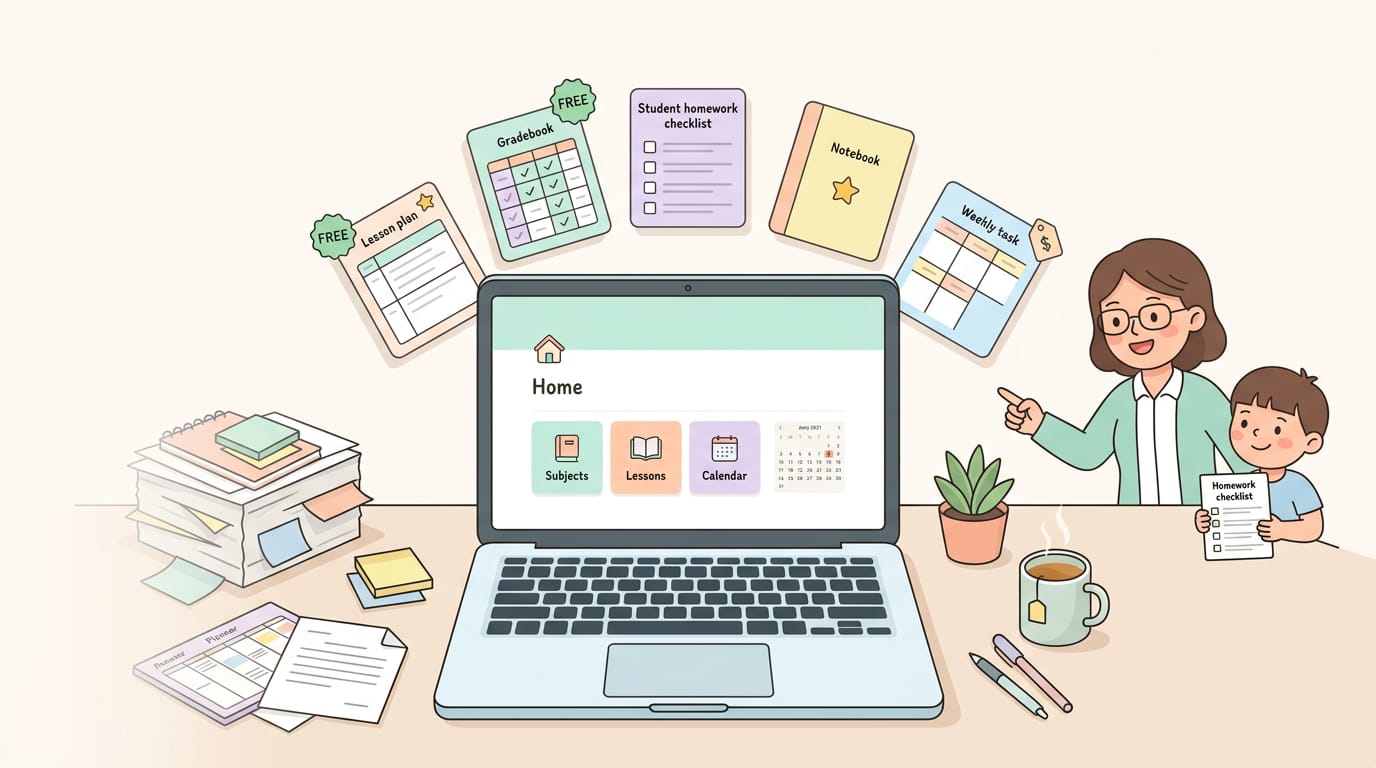
The Best Free Notion Templates for Teachers and Students

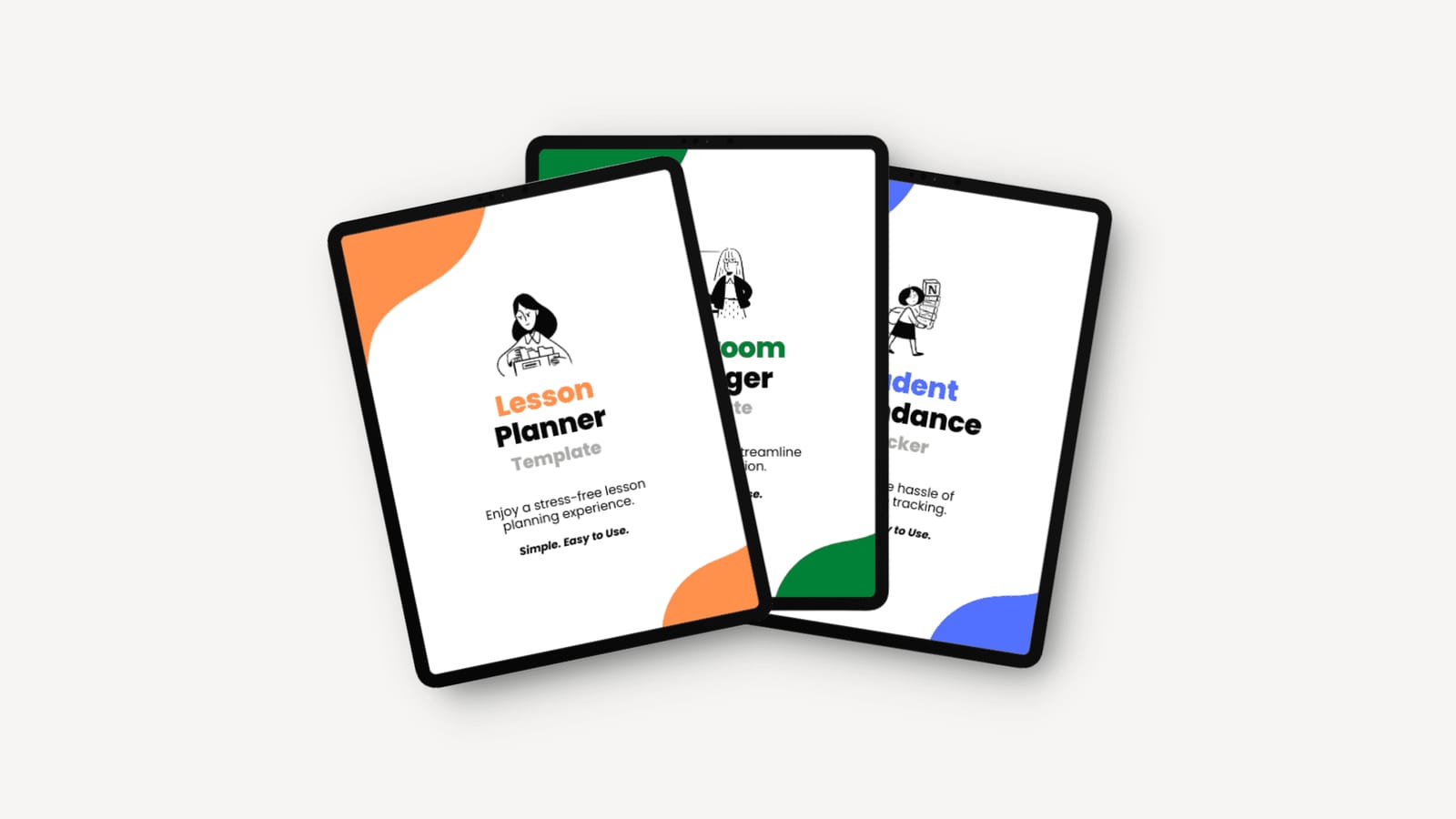
Free Notion templates come from three places: Notion's own template gallery, its Marketplace, which searches more than 70,000 templates with free ones among them; makers' shops on Gumroad, where you type 0 in Name a fair price; and sites like ours, which gives away 14 templates made for school. This page lists 25 free ones for school: for lesson plans, for grades and attendance, for student planners and homework, for notes and teaching resources, and for weekly tasks. Each one has a picture of its own page, and the 14 we made come first in every group, each with a page where you can get it. If you read no further: teachers should start with the Notion Lesson Planner (free), and students with the Green & Matcha Student Planner (free), which puts a week of classes and every assignment and exam date on one page.
The groups below go in that order: lesson planning, classroom and grades, student planners, notes and resources, then tasks and weekly planning. At the end you'll find how to add a template to your own Notion, with pictures of a planner as it looks once it is in a workspace.
Still grading everything by hand?
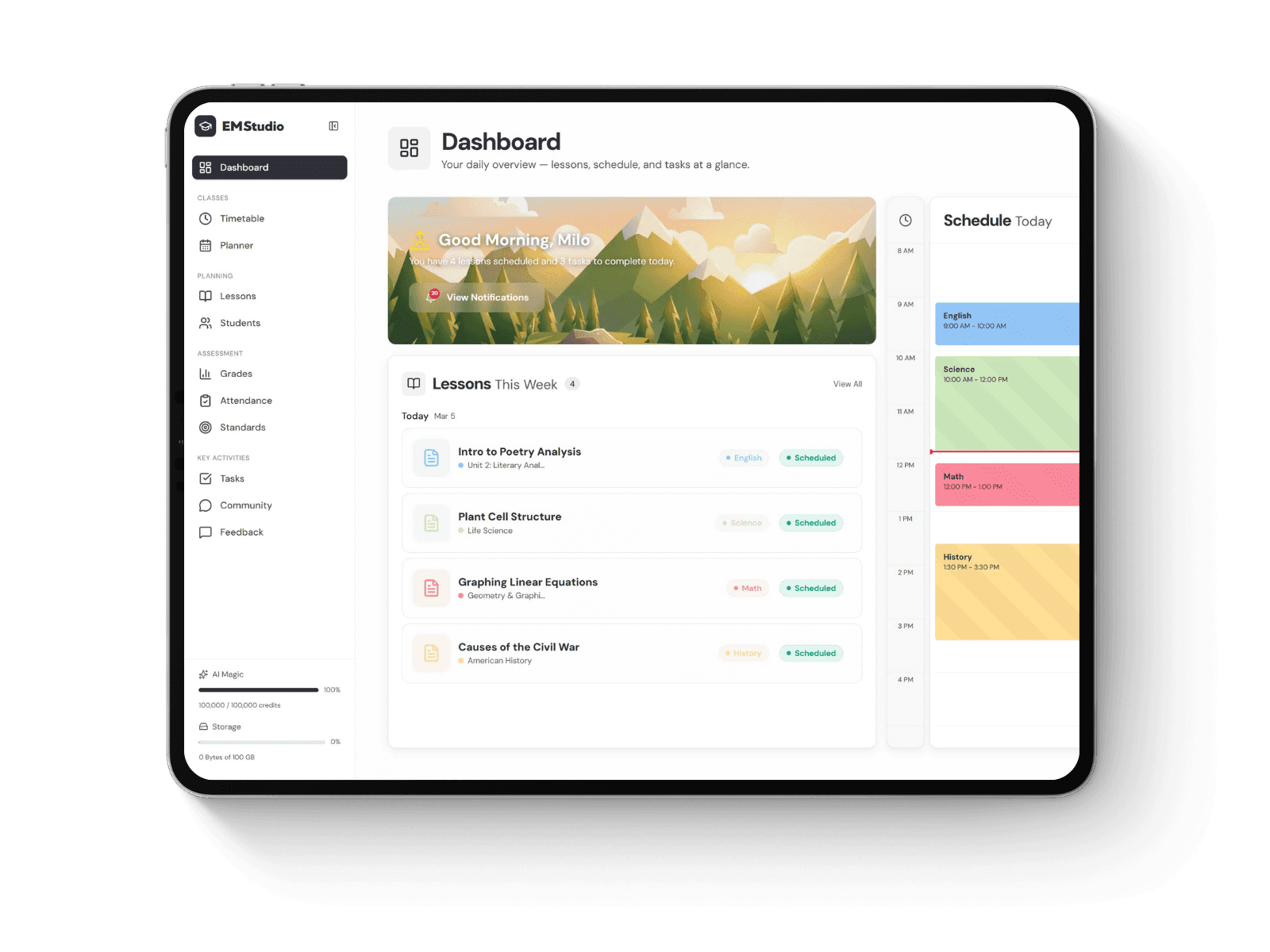
EMStudio is a free teaching management app — manage your classes, students, lessons, and more!
Free Notion lesson plan templates
A lesson plan template gives each lesson its own page: the date, the class, what you will teach and what you need for it. Because it is a database, you can see the same lessons as a list for the week, sorted by class or grouped by unit, without writing them twice. Start here if your plans live in a mix of documents, sticky notes and a paper planner.
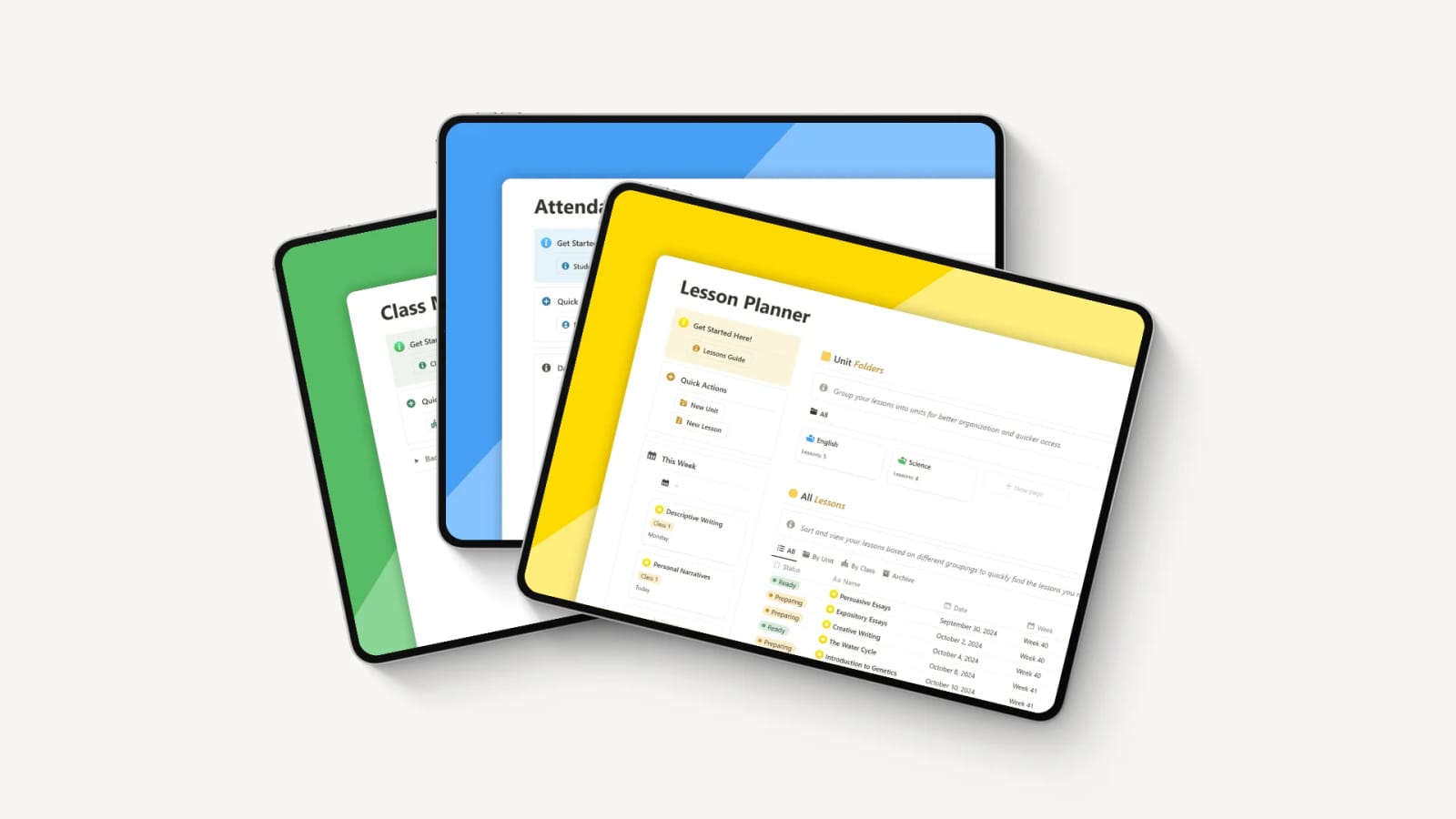
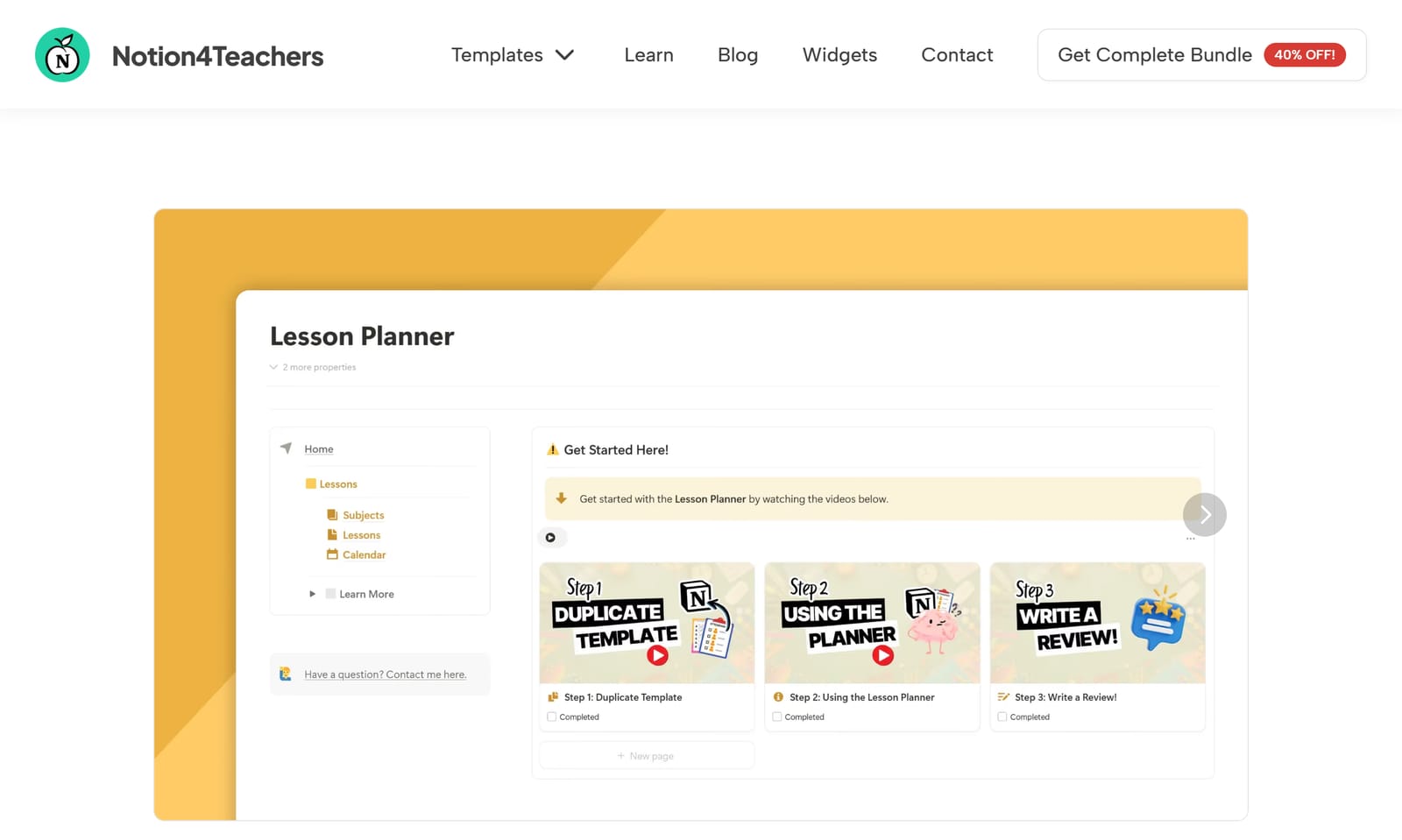
Notion Lesson Planner
Free. A lesson planner with a Home page that links to Subjects, Lessons and a Calendar. For a teacher it means one page per lesson, filed under its subject and placed on its date, so next week's plans sit on a calendar instead of in loose documents, and every lesson for one subject is in one list.
Notion AI Lesson Planner
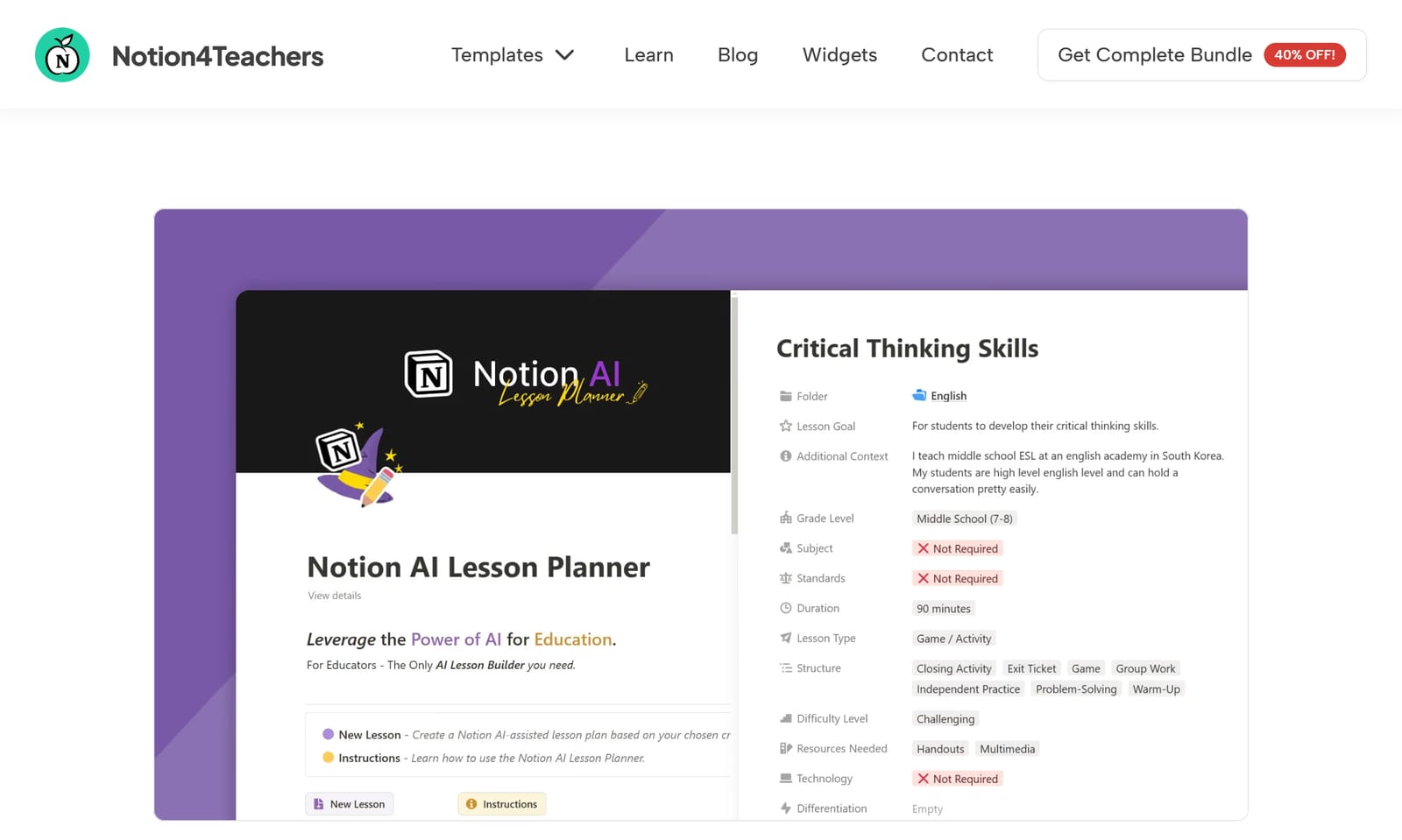
Free. A lesson planner built around Notion AI: its New Lesson button creates an AI-assisted lesson plan from what you choose, such as the goal, grade level, duration, lesson type and structure. The sample lesson, Critical Thinking Skills, shows fields for standards, difficulty, resources needed and differentiation. An Instructions page explains how to use it.
Get the Notion AI Lesson Planner
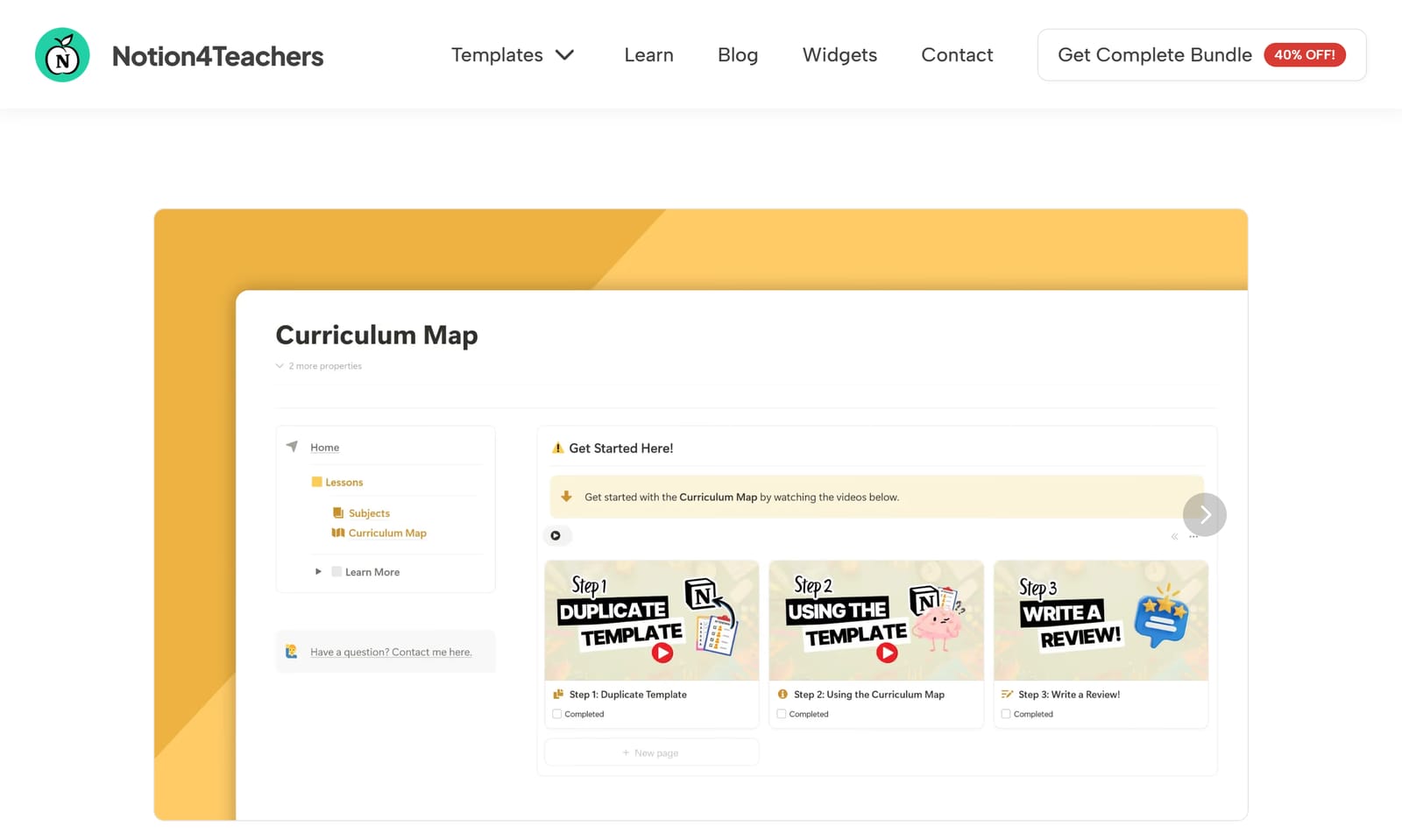
Notion Curriculum Map
Free. A curriculum map with two pages under Lessons: Subjects and the Curriculum Map itself. It is for planning the year before the single lessons: list each subject you teach, then lay out what you will cover in it and when, so the whole year's plan is on one page you can show a colleague or a head of department.
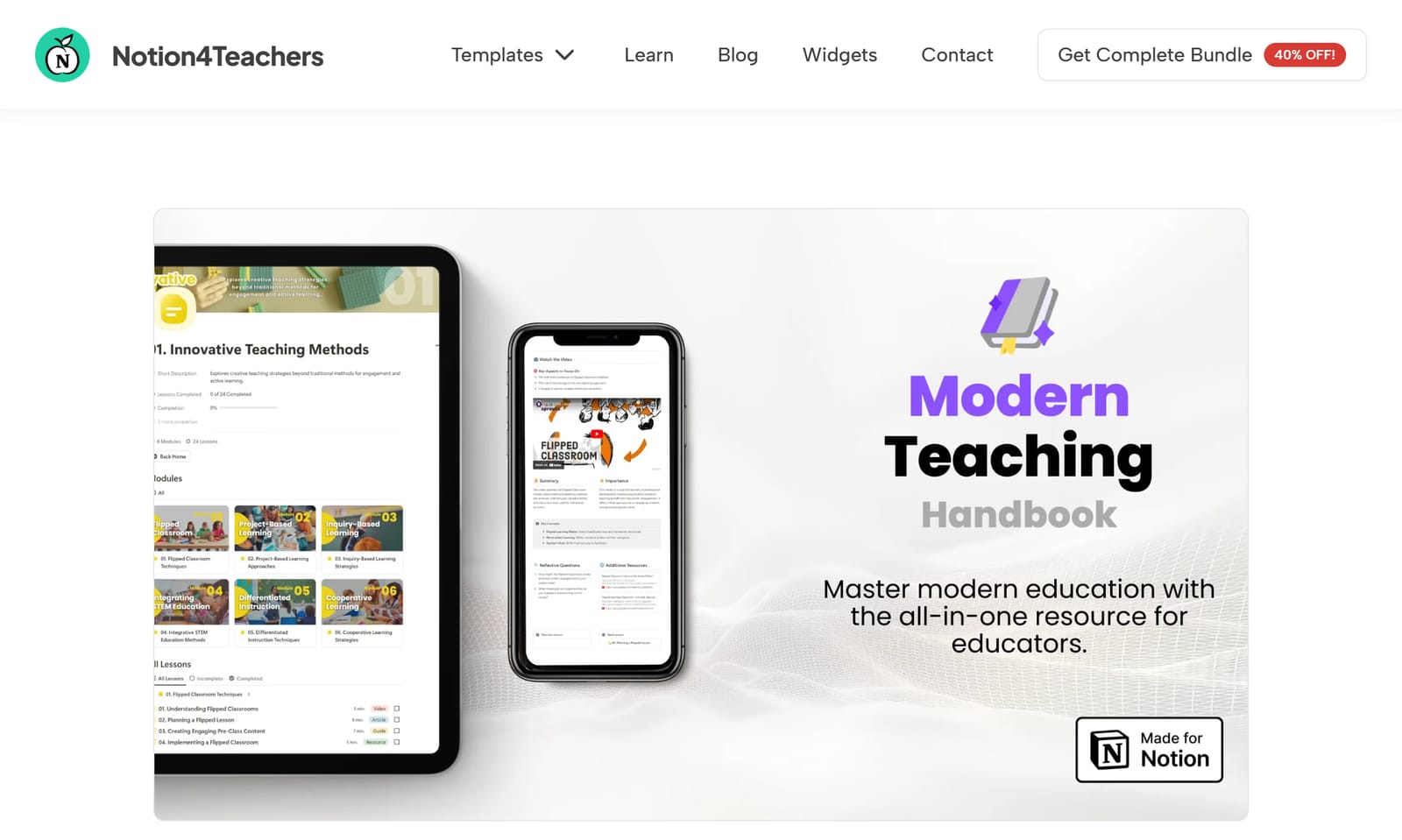
Modern Teaching Handbook
Free. A handbook of teaching methods to read and work through in Notion, organised into modules and lessons. The preview opens on Innovative Teaching Methods, with modules such as the flipped classroom and a list of lessons below them. For a teacher who wants to try a new method and take it one short lesson at a time.
Get the Modern Teaching Handbook
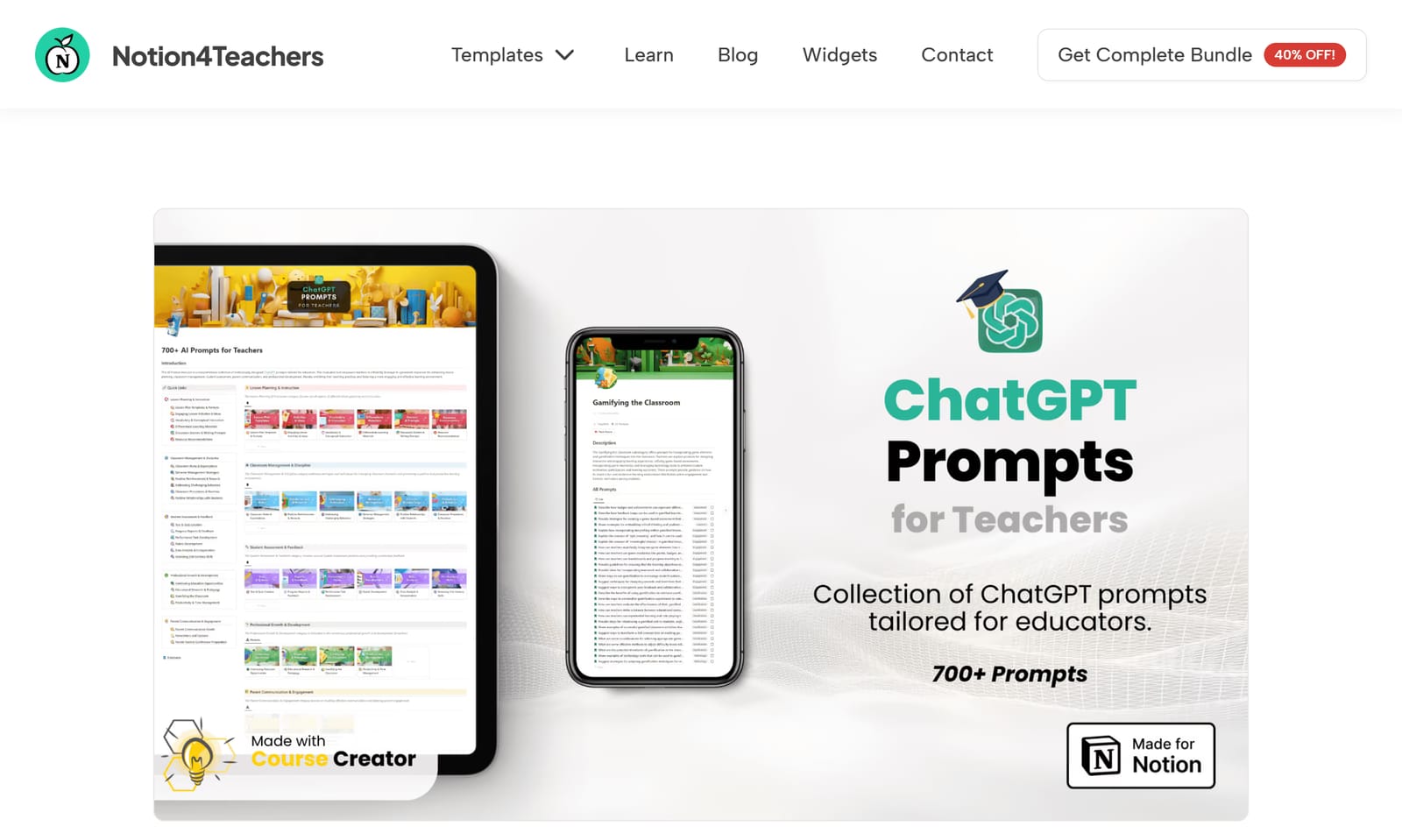
AI Prompts for Teachers
More than 700 ready-made prompts for teachers, to copy into ChatGPT or any other AI chat: you do not need Notion AI to use them. They are kept in a Notion page sorted into topic sections with picture cards; open a topic, such as Gamifying the Classroom, for a short description and its list of prompts. Built with our Course Creator template. Free.
Get the AI Prompts for Teachers
For a full way of working with lesson pages, read our guide on planning lessons in Notion.
Free Notion templates for grades, attendance and classes
These templates keep the records a teacher is asked for: who was there, what each student scored and which students are in which class. Kept in Notion, a student's attendance and grades sit next to each other, so getting ready for a parent meeting or a report card starts from one page instead of three.
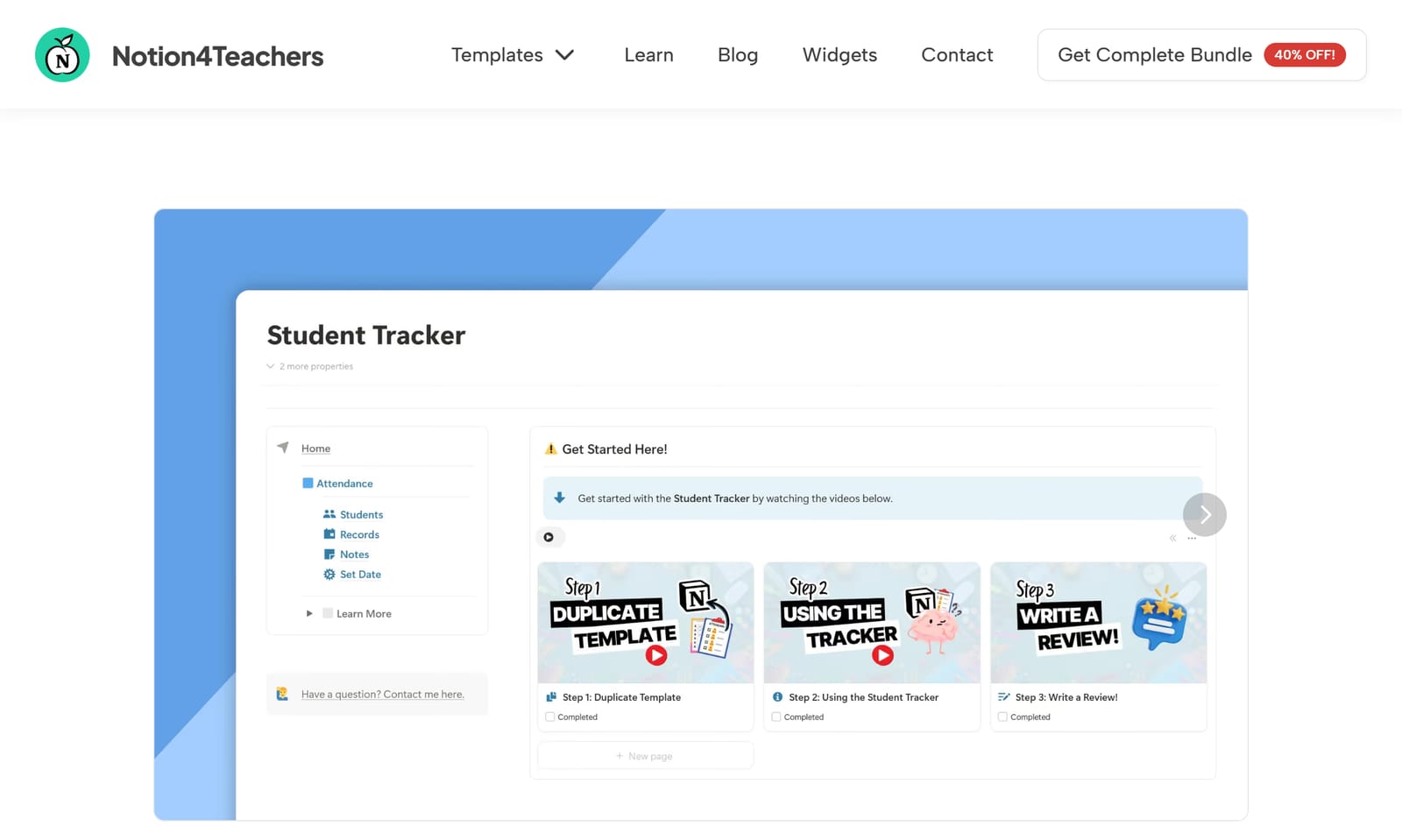
Notion Attendance Tracker
Free. An attendance tracker (its page is called Student Tracker) with four pages: Students, Records, Notes and Set Date. You enter your class list once, record attendance in Records day by day, and keep notes on a student in Notes, so a student's attendance and what you noted about them are in one place when a parent or the office asks.
Get the Notion Attendance Tracker
Notion Class Manager
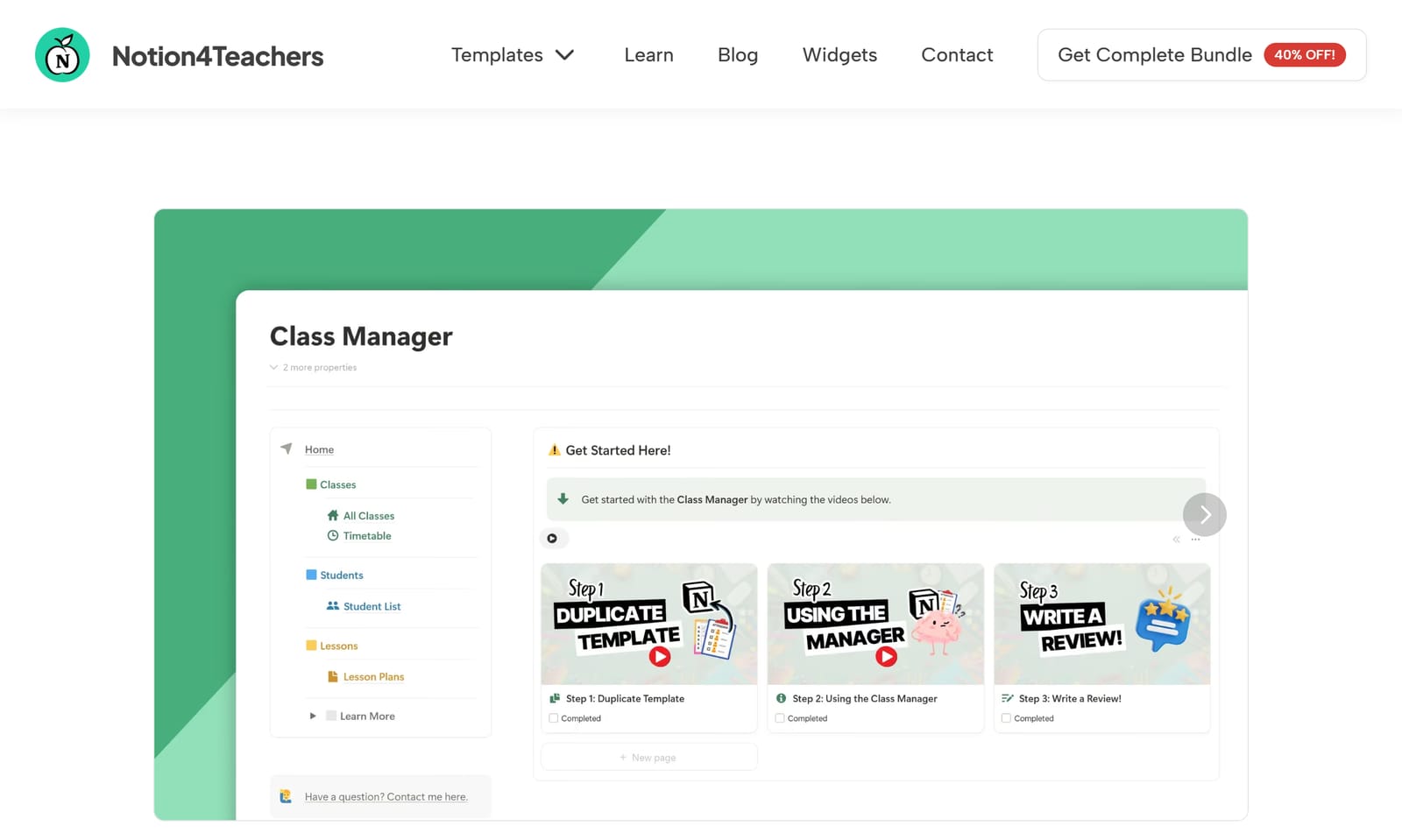
Free. A class manager in three parts: Classes, with All Classes and a Timetable; Students, with a Student List; and Lessons, with Lesson Plans. It gives a teacher one place for the week's timetable, who is in each class and what each lesson will cover, instead of a timetable on paper, a class list in a spreadsheet and plans in documents.
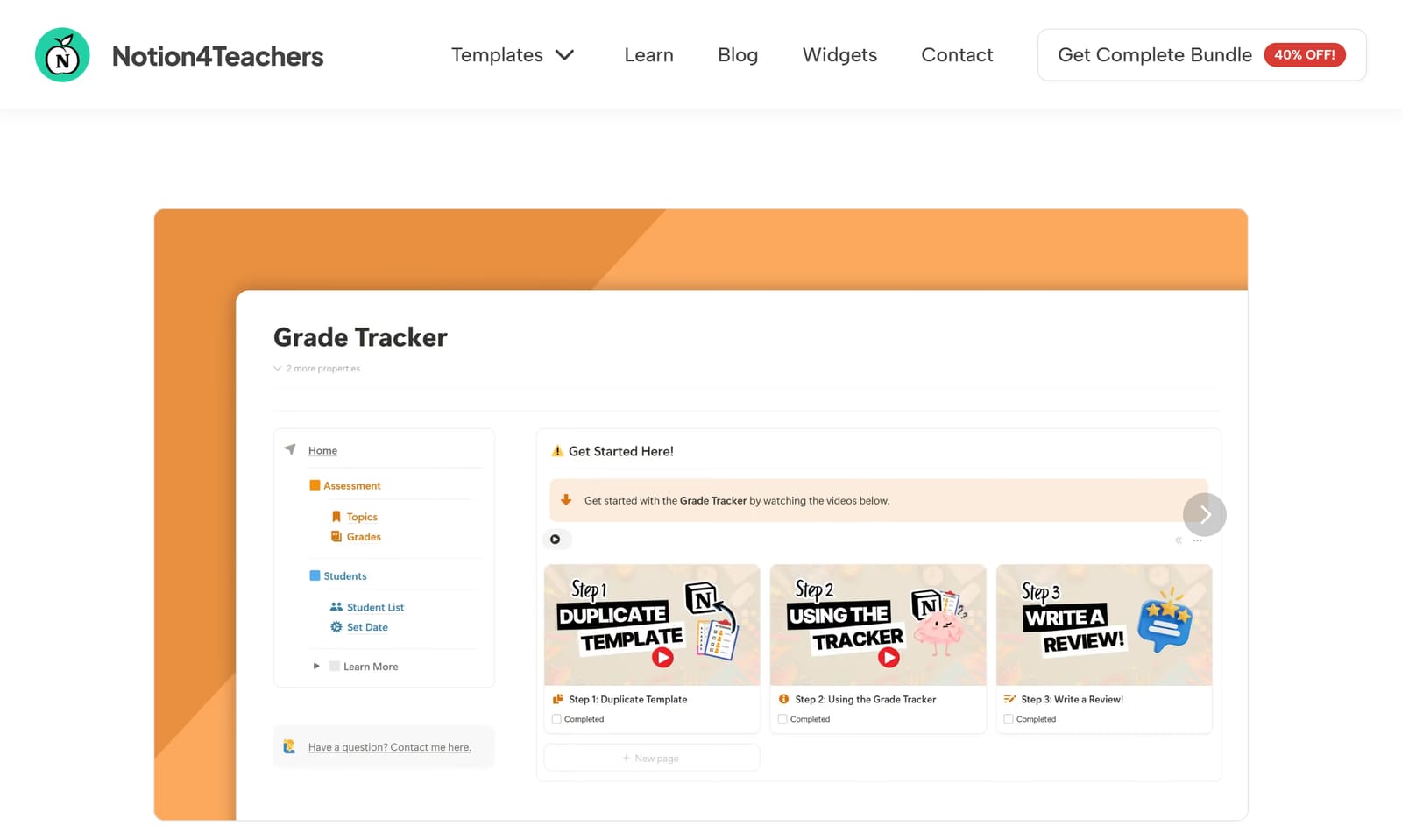
Notion Student Grades Tracker
Free. A grade tracker with Topics and Grades under Assessment, and a Student List and Set Date under Students. Each mark you enter belongs to a student and a topic, so when report cards or a parent meeting come round, one student's marks are together instead of spread over several gradebooks.
Get the Notion Student Grades Tracker
Free Notion student planner and homework templates
A student planner in Notion is a list of assignments with a due date and a box to tick when each one is done. It suits students who already have a laptop or a school Chromebook open all day, and teachers who want to show a class one way of keeping track of homework.
Notion Homework Tracker
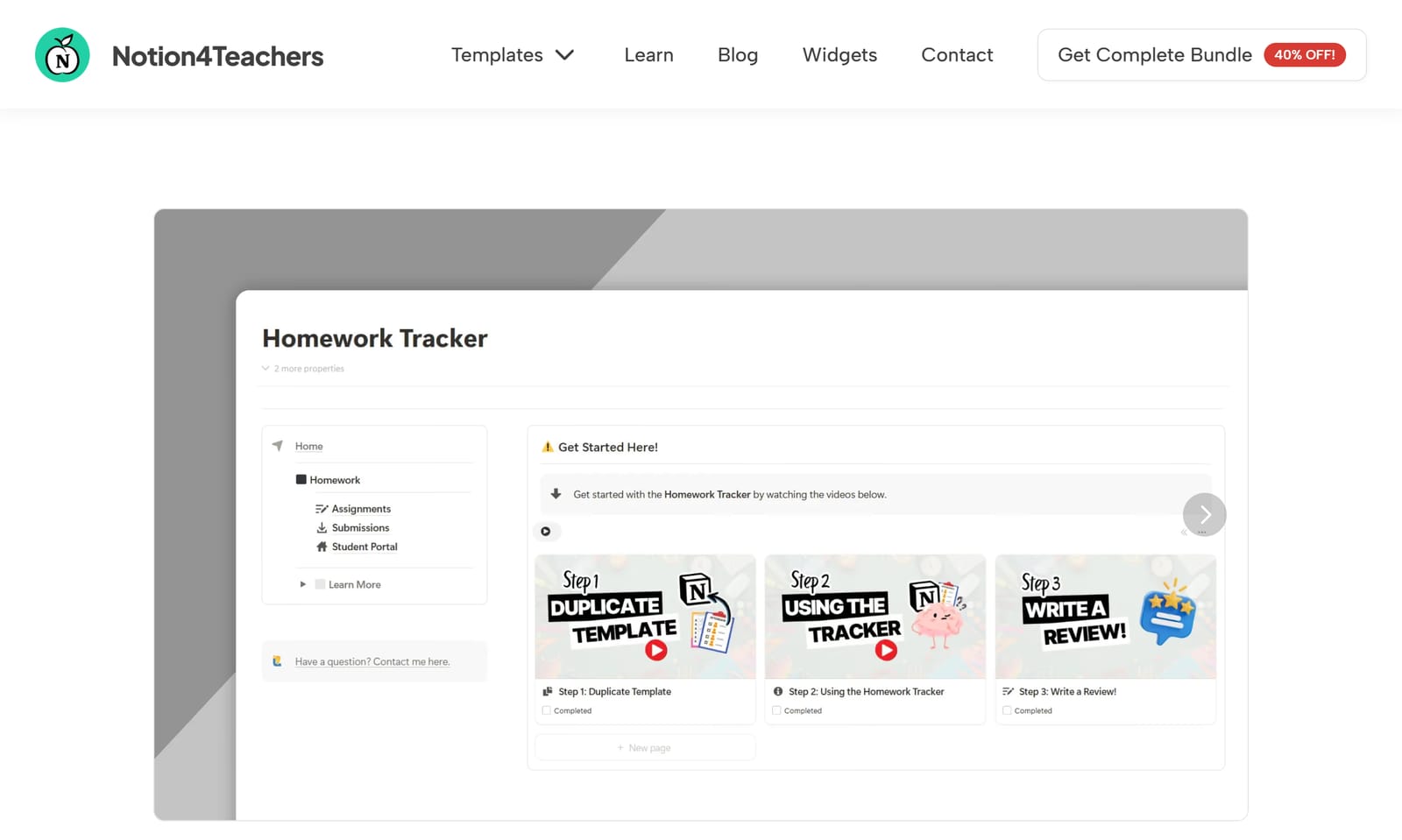
Free. A homework tracker with a Home menu that leads to Assignments, Submissions and a Student Portal. A teacher lists each assignment once and keeps what students hand in under Submissions, so it is clear who has handed in what before the deadline; the Student Portal is the page meant for students.
Get the Notion Homework Tracker
Janice Studies' Student Dashboard
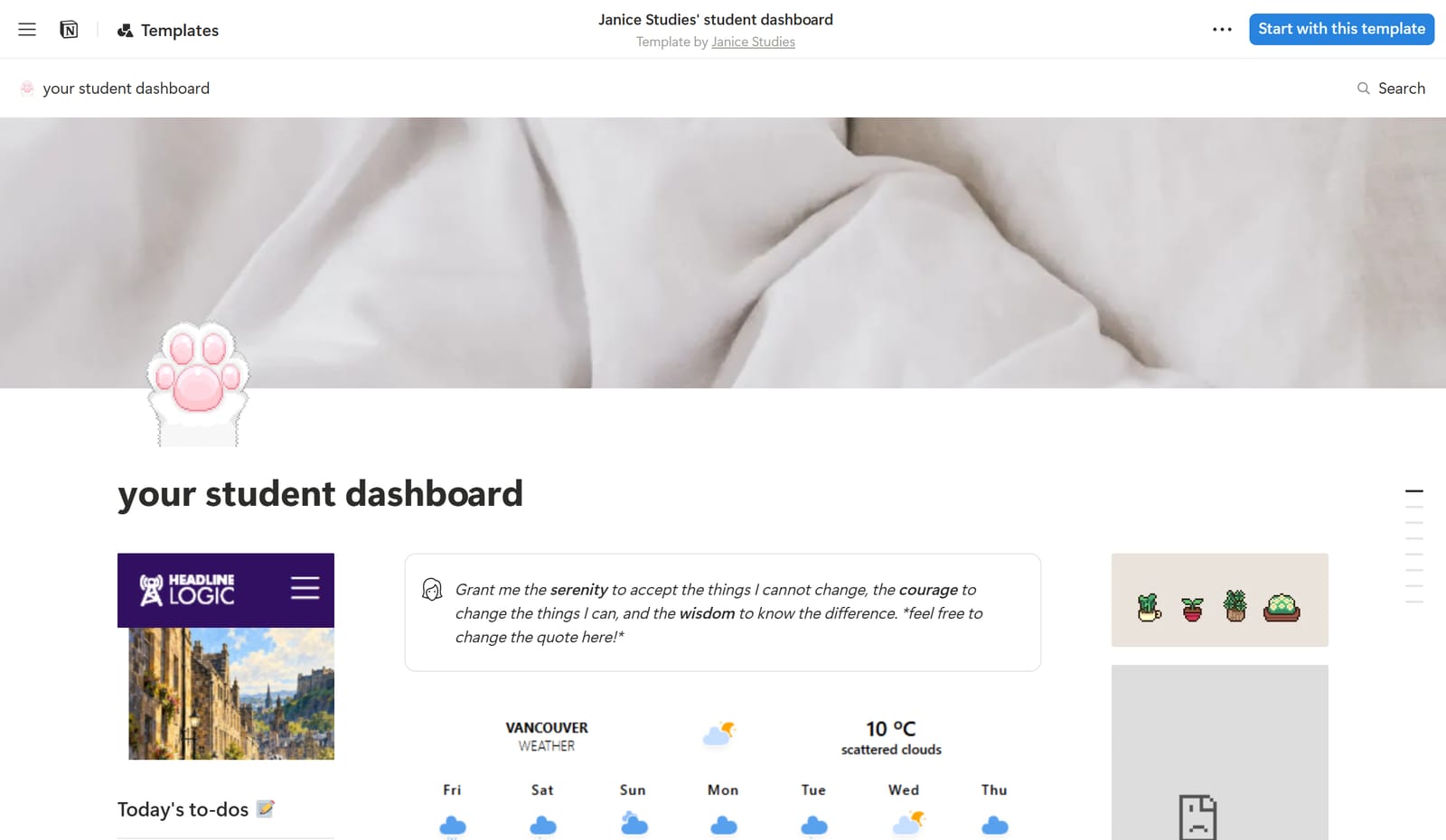
A start page for a student's day: when they open Notion, the day's to-dos, the week's weather and a quote are the first thing they see. Under a photo cover it has a quote callout to change, a weather widget, a news widget, a Today's to-dos checklist and small pixel-art plants. One box on its right showed only a broken-page icon when we looked. Press Start with this template on its Notion page to copy it. Free.
Get the Janice Studies' Student Dashboard
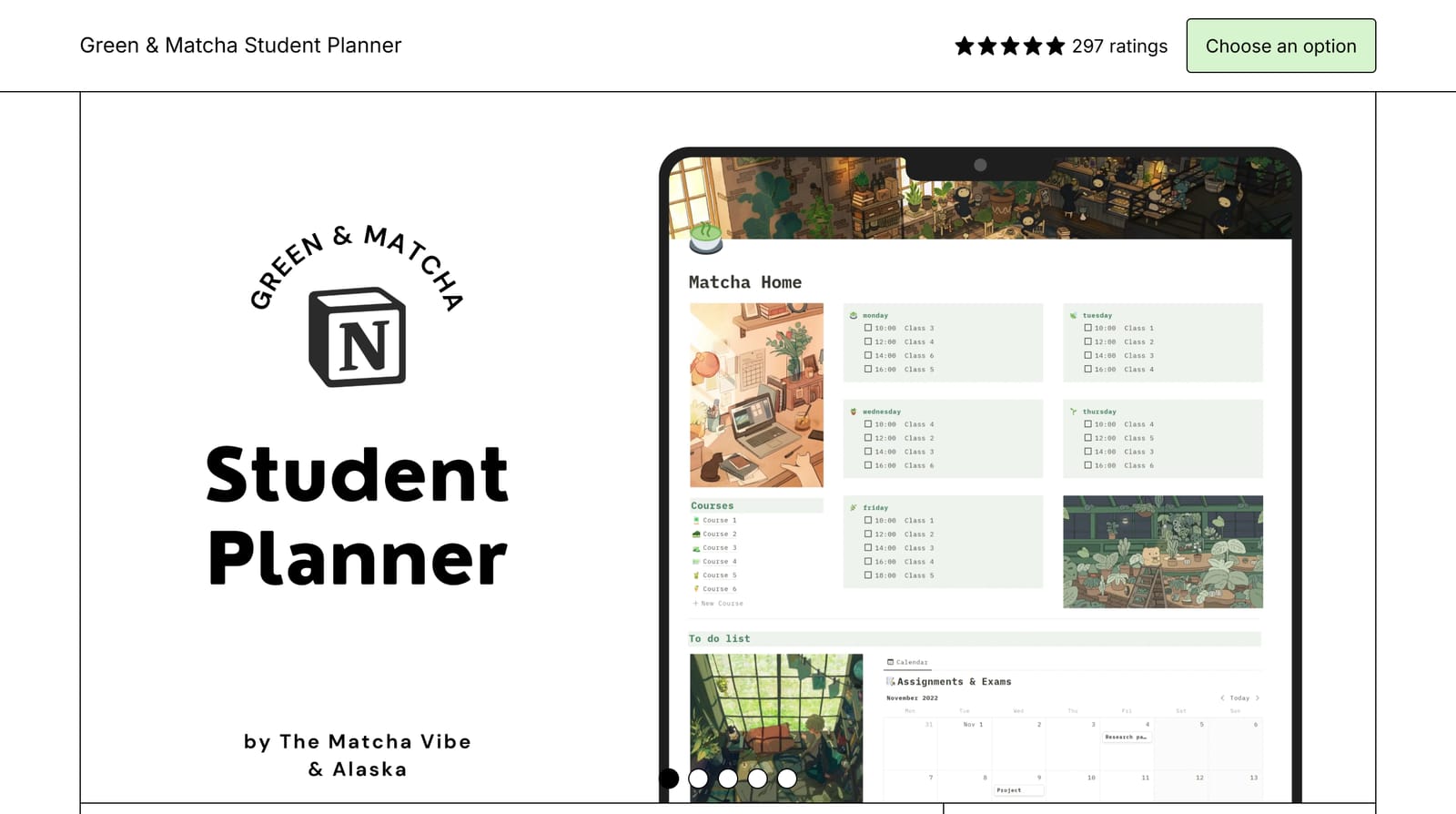
Green & Matcha Student Planner
A green, anime-themed student planner that puts a student's week on one page, so they can see which class is when and what is due without opening several apps. Its home page, Matcha Home, has a checklist of classes by time for each weekday, a list of courses, a to-do list and a calendar of assignments and exams, set between green illustrated pictures. Free.
Get the Green & Matcha Student Planner
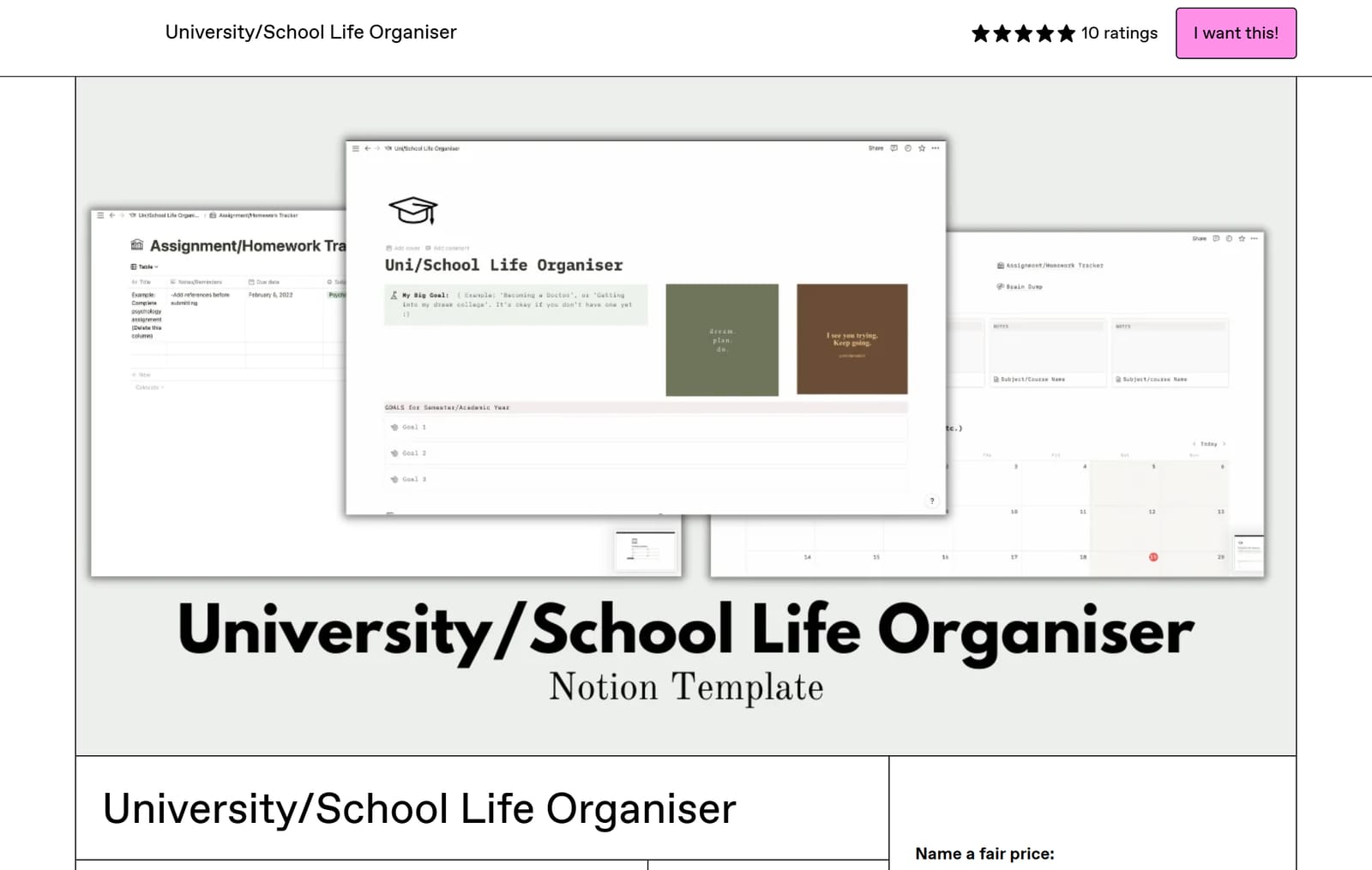
University/School Life Organiser
It helps a student keep every assignment and its due date in one tracker, see them on a calendar, and keep the term's goals in view. Its main page has a callout for your big goal, goals for the semester or year and two quote pictures; beside it are an assignment and homework tracker with due dates, a board by subject and a calendar of what is due. Free: its store asks you to name a fair price.
Get the University/School Life Organiser
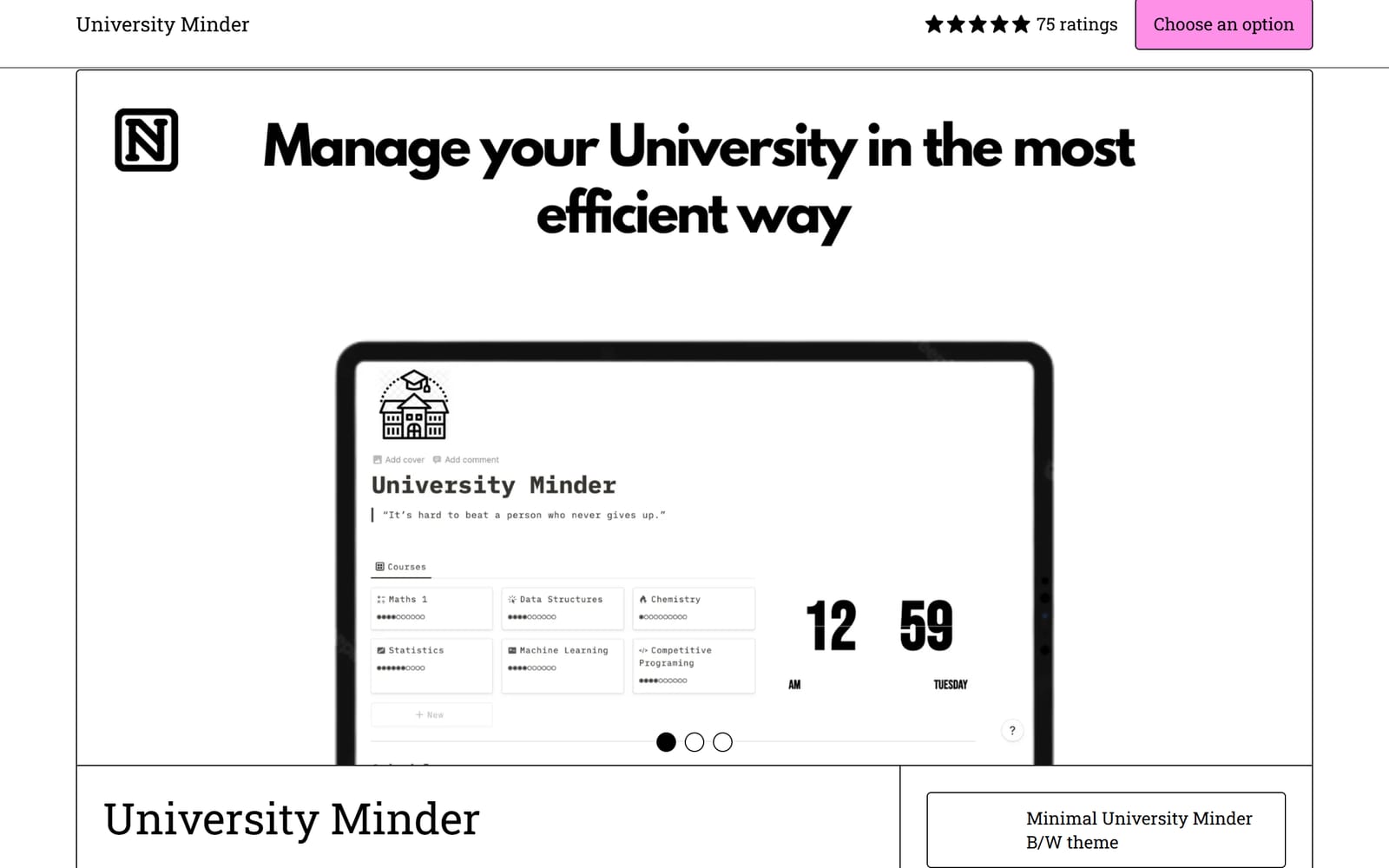
University Minder
A one-page hub for a university student. Its preview shows a gallery of courses (Maths 1, Data Structures, Chemistry, Statistics and more), each with a progress bar, a large clock with the day of the week, and a quote at the top. The shop page also offers a minimal black-and-white version as one of its options. Best for an older student keeping track of several courses. Free.
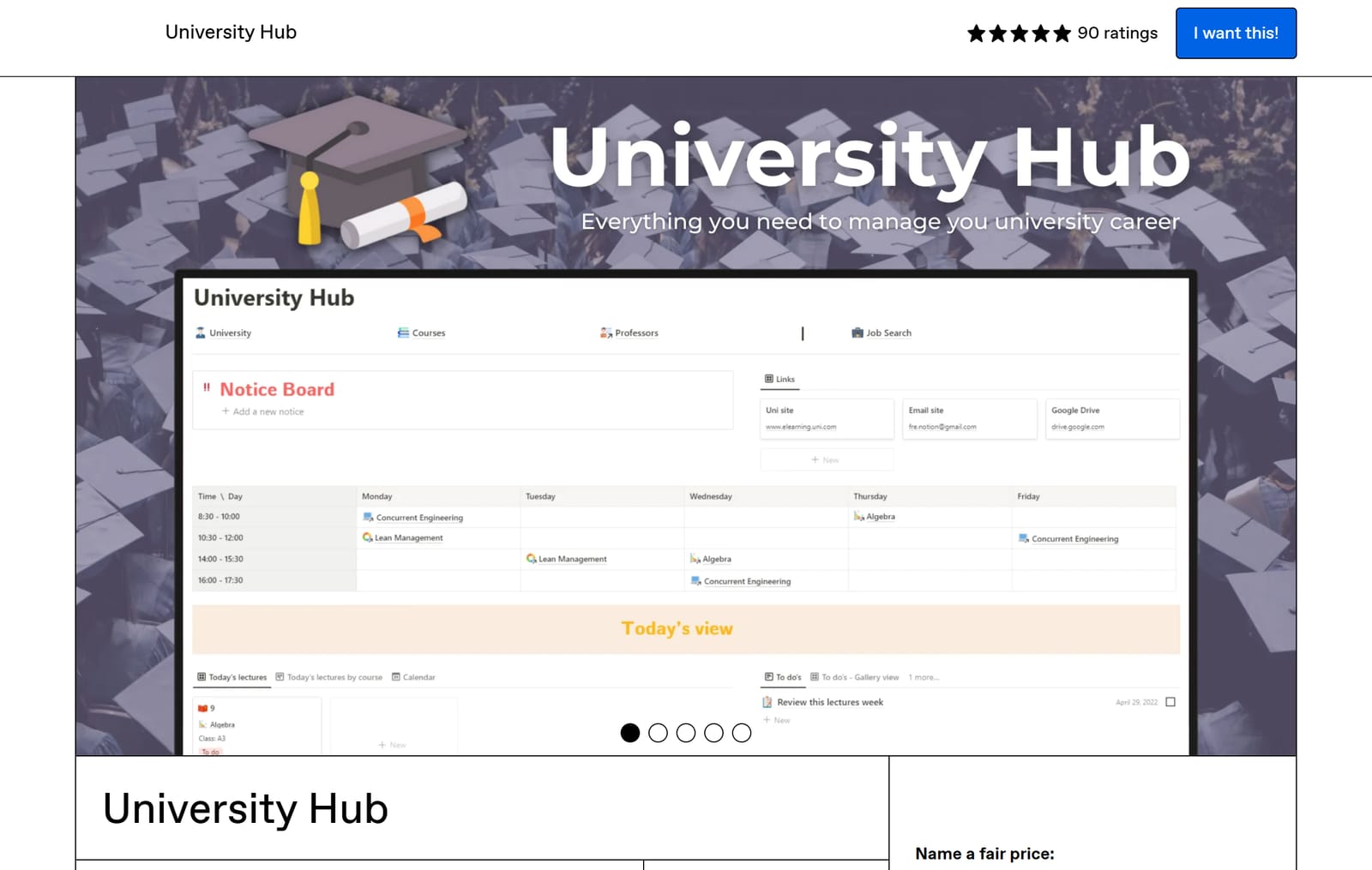
University Hub
It gives a college student one page to open each morning, with the week's lectures, today's lectures and to-dos, and links to the school site, email and Google Drive. Its preview shows a notice board, those link cards, a Monday-to-Friday timetable of lectures by time slot, a Today's view, and pages for courses, professors and a job search. Free.
A planner works best next to a routine. If you want students to track a daily habit as well, such as reading for twenty minutes, follow our guide on how to make a habit tracker in Notion.
Free Notion templates for notes and teaching resources
Teachers collect a lot: worksheets, links, videos, slides and notes from training days. These templates give all of it one place, with tags for subject and grade so you can find last year's worksheet in seconds. Students can use the same kind of page for their class notes and revision.
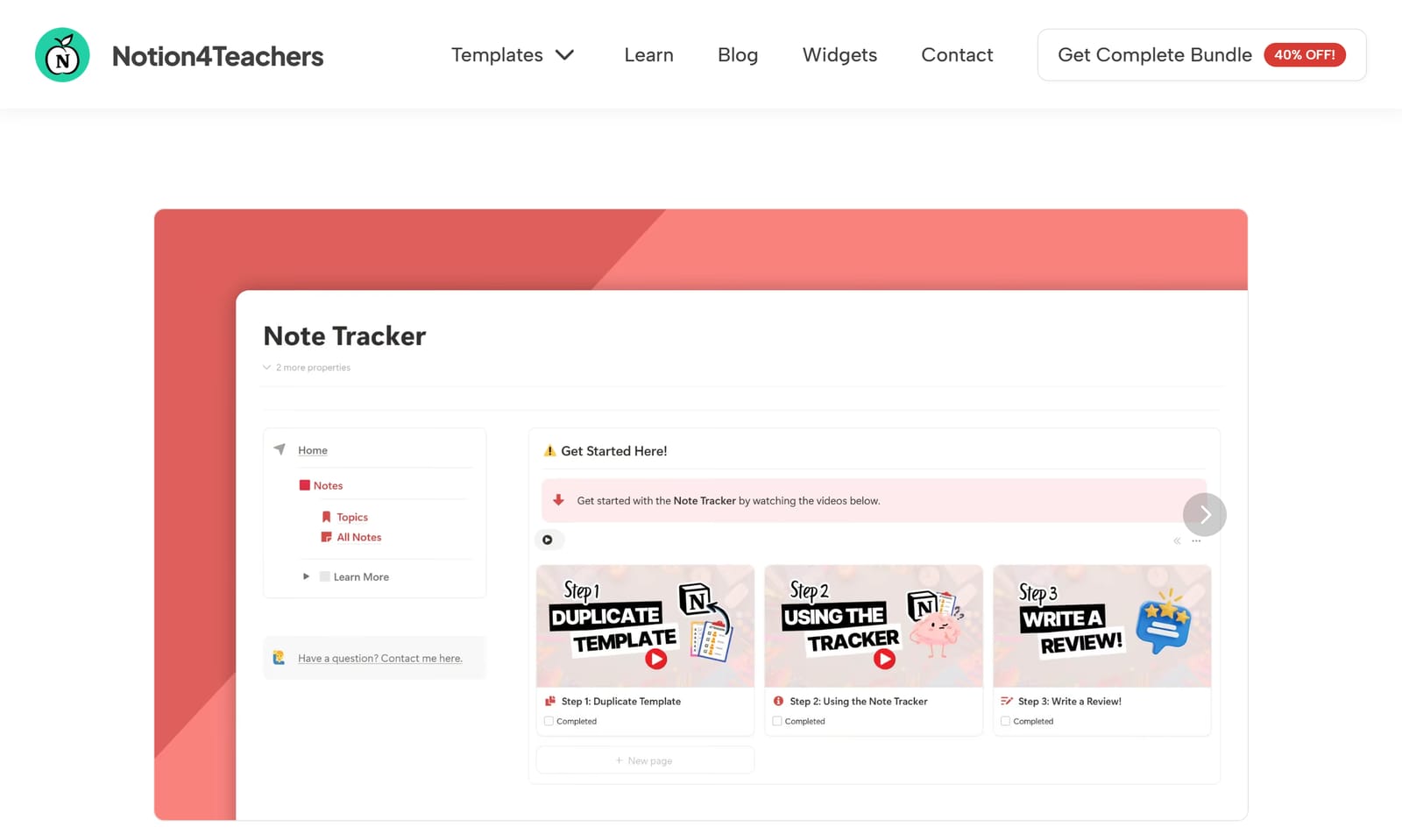
Notion Note Tracker
Free. A note tracker with two pages: Topics and All Notes. Every note you write, from a staff meeting, a training day or a lesson idea, goes into one list and is filed under a topic, so you find it again by its topic instead of paging through a notebook. A student can use it the same way for class notes.
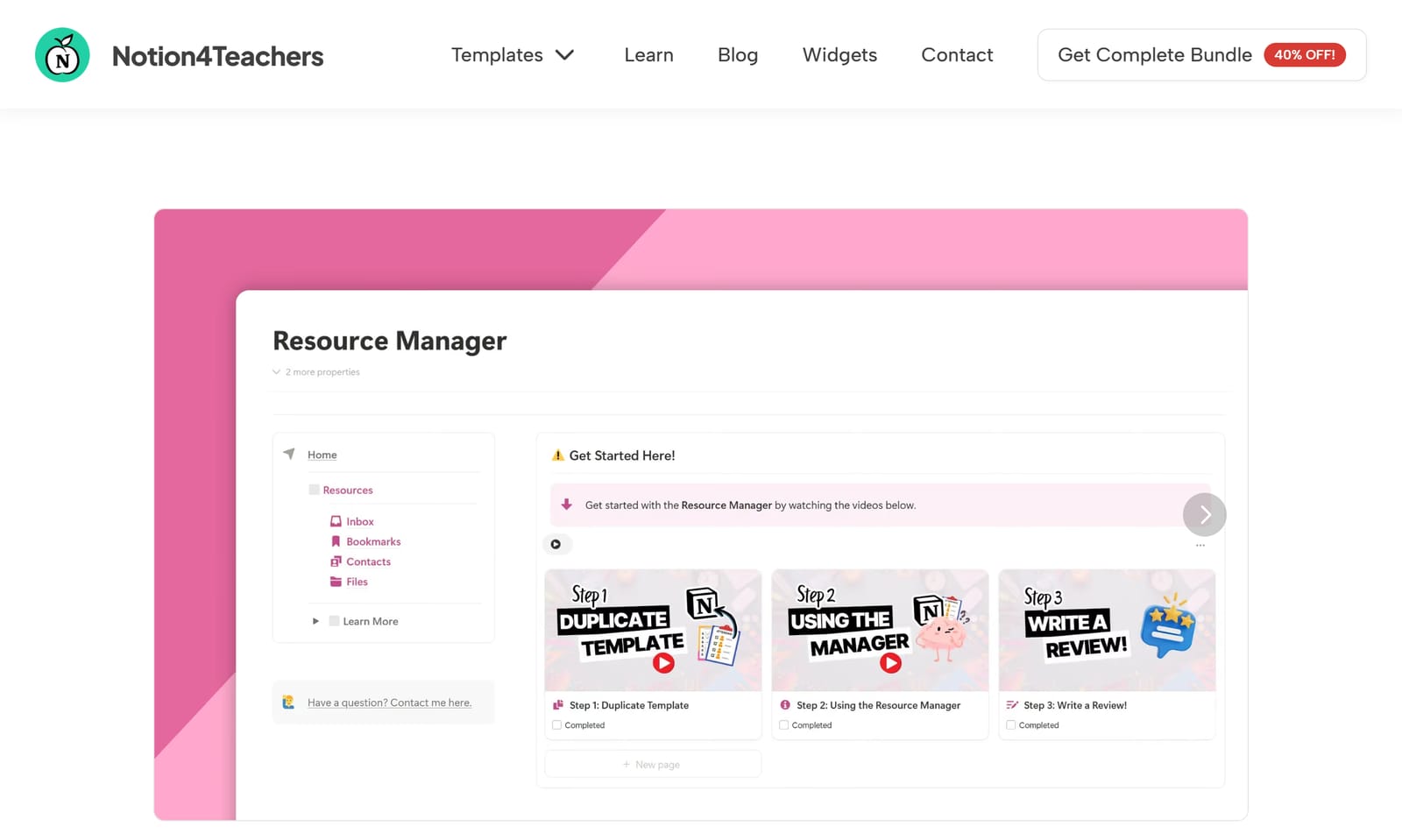
Notion Resource Manager
Free. A resource manager with four pages under Resources: Inbox, Bookmarks, Contacts and Files. Put a worksheet or a link in the Inbox the moment you find it, move it to Bookmarks or Files when you have time, and keep the people you work with, such as the librarian or a guest speaker, in Contacts.
Get the Notion Resource Manager
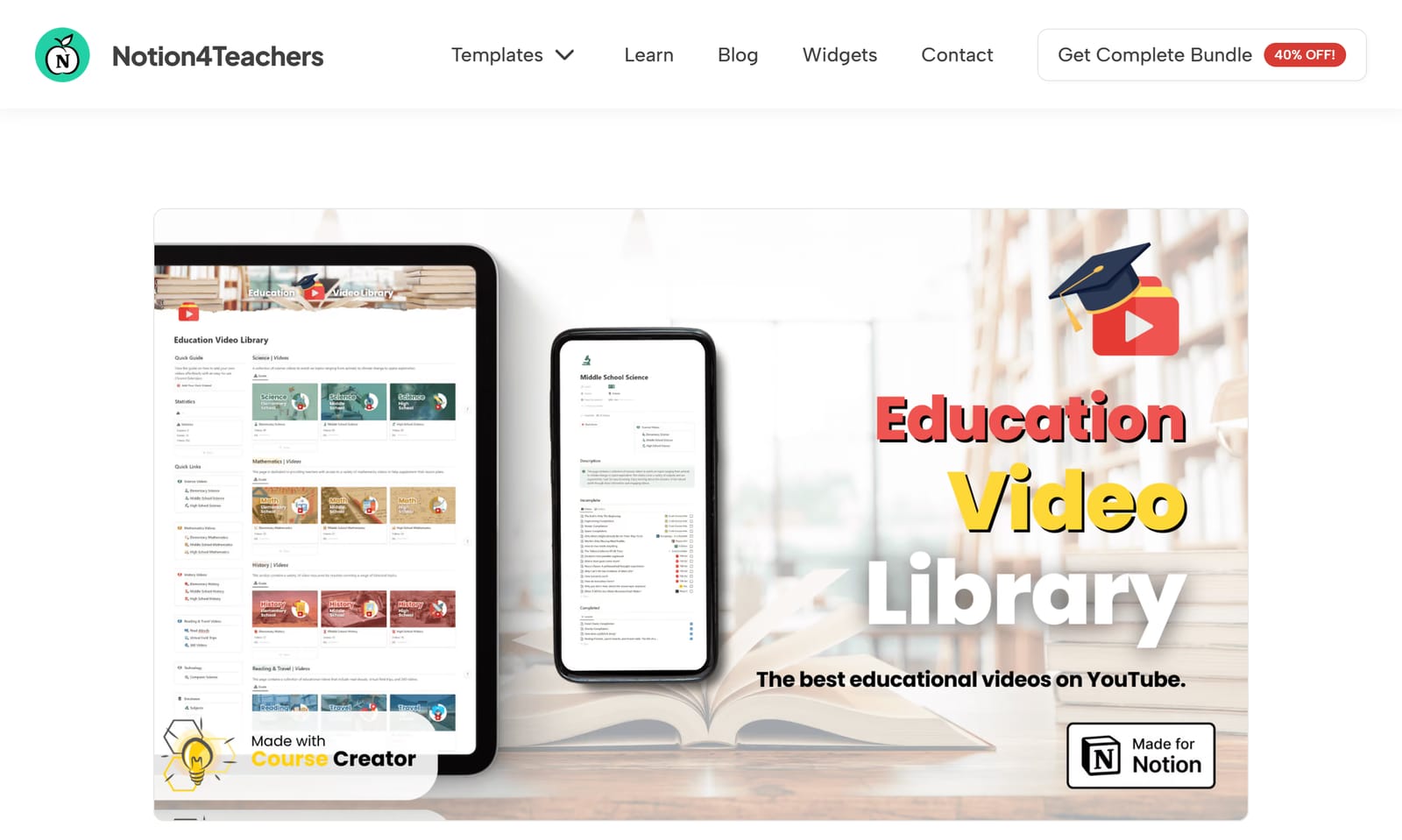
Notion Video Library
Free. A library of educational YouTube videos, laid out as a gallery of thumbnails grouped by subject, and a page for each course, such as Middle School Science. Useful for flipped lessons, sub plans or sending students something to watch at home. It was made with our Course Creator.
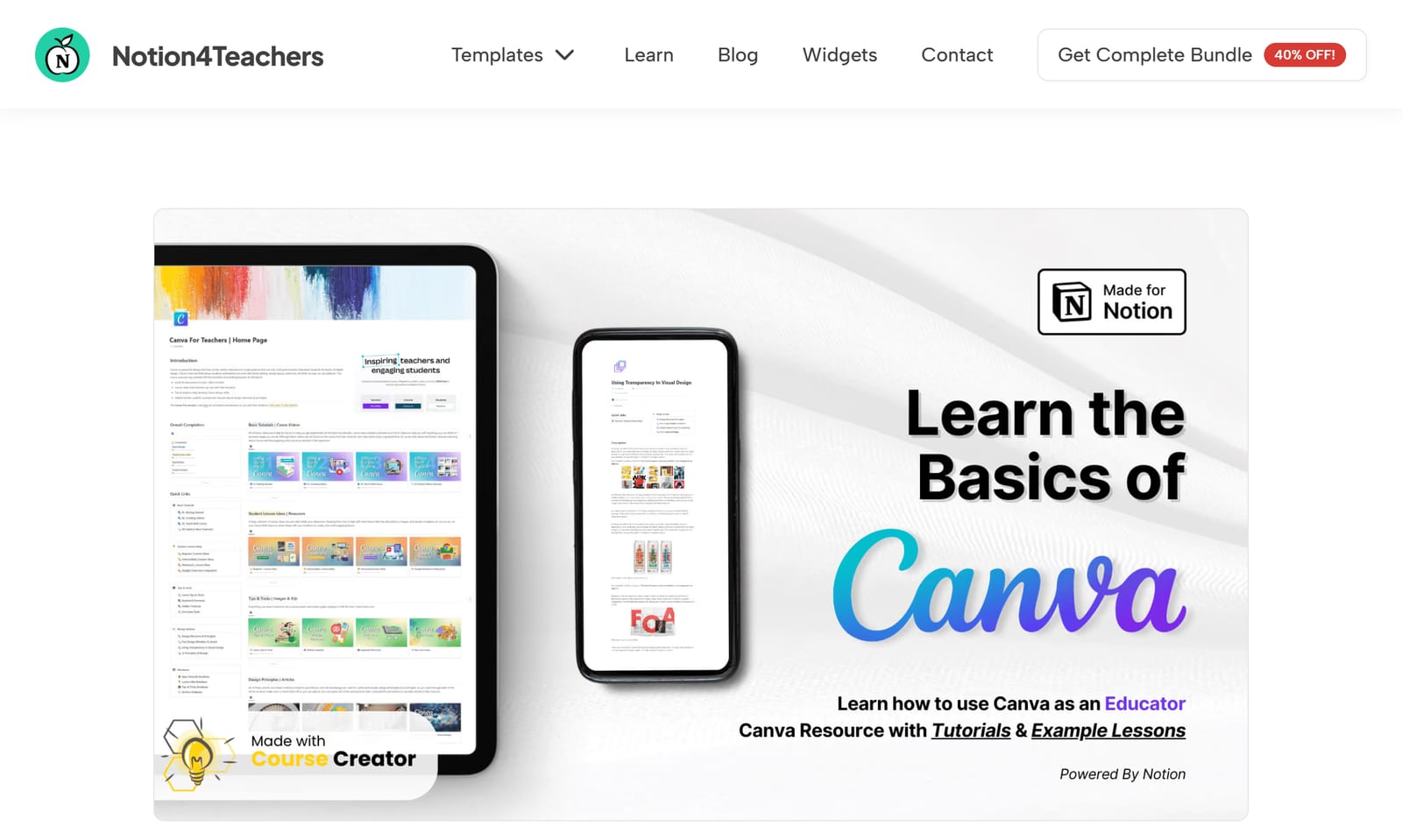
Notion Canva Design
A Notion course for teachers learning Canva. Its home page, Canva For Teachers, groups tutorials and example lessons into galleries, and each lesson is a page of its own, such as Using Transparency in Visual Design, with steps and example images. Built with our Course Creator template. Free.
Knowledge Vault
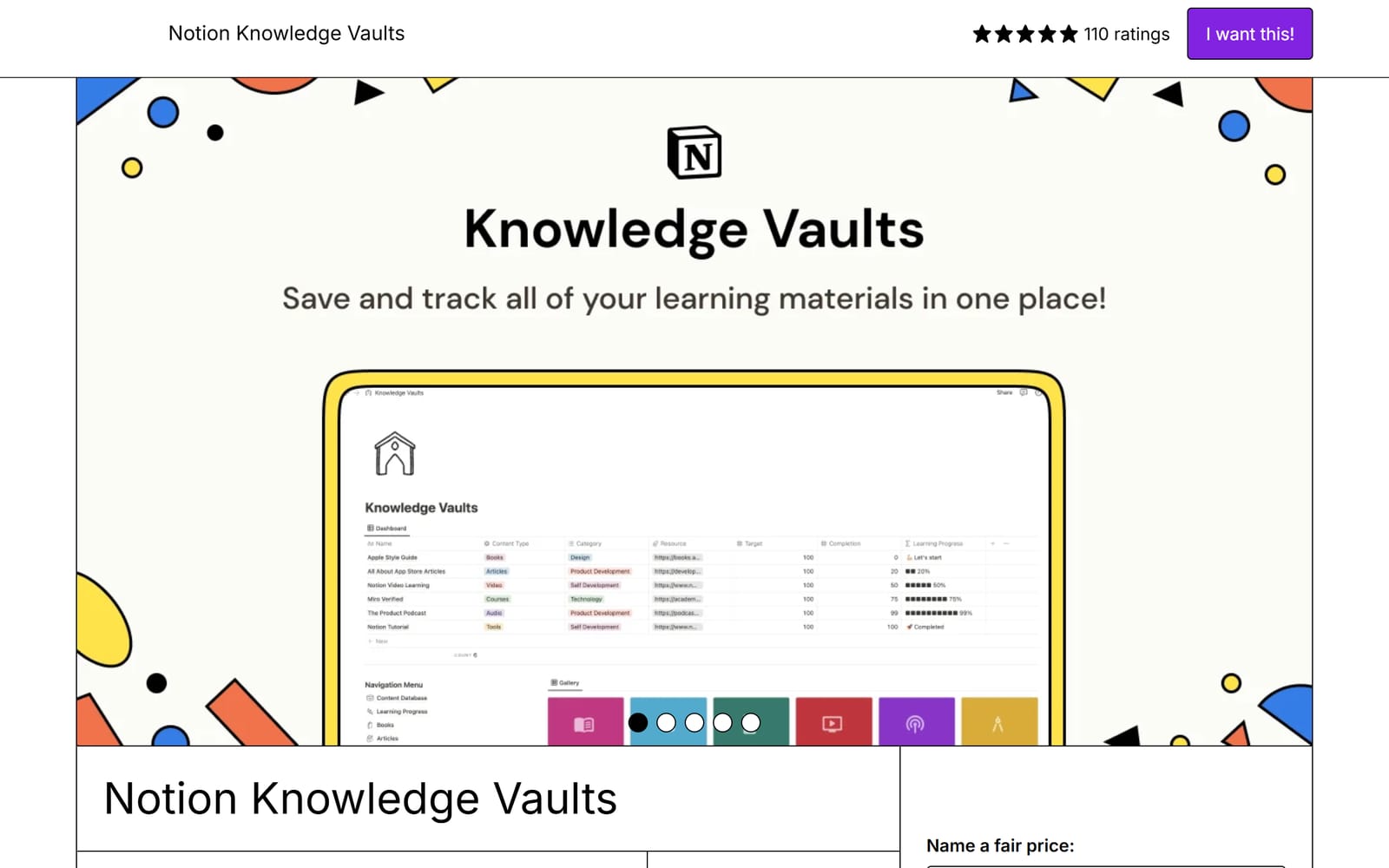
Free on its Gumroad page, where you name a fair price. A Knowledge Vaults table lists learning materials (books, articles, videos, courses, audio, tools) with a category, a link, a target and a progress bar for each, above a navigation menu and a gallery of colored tiles. For a teacher or student tracking reading and courses.
Smart Notes
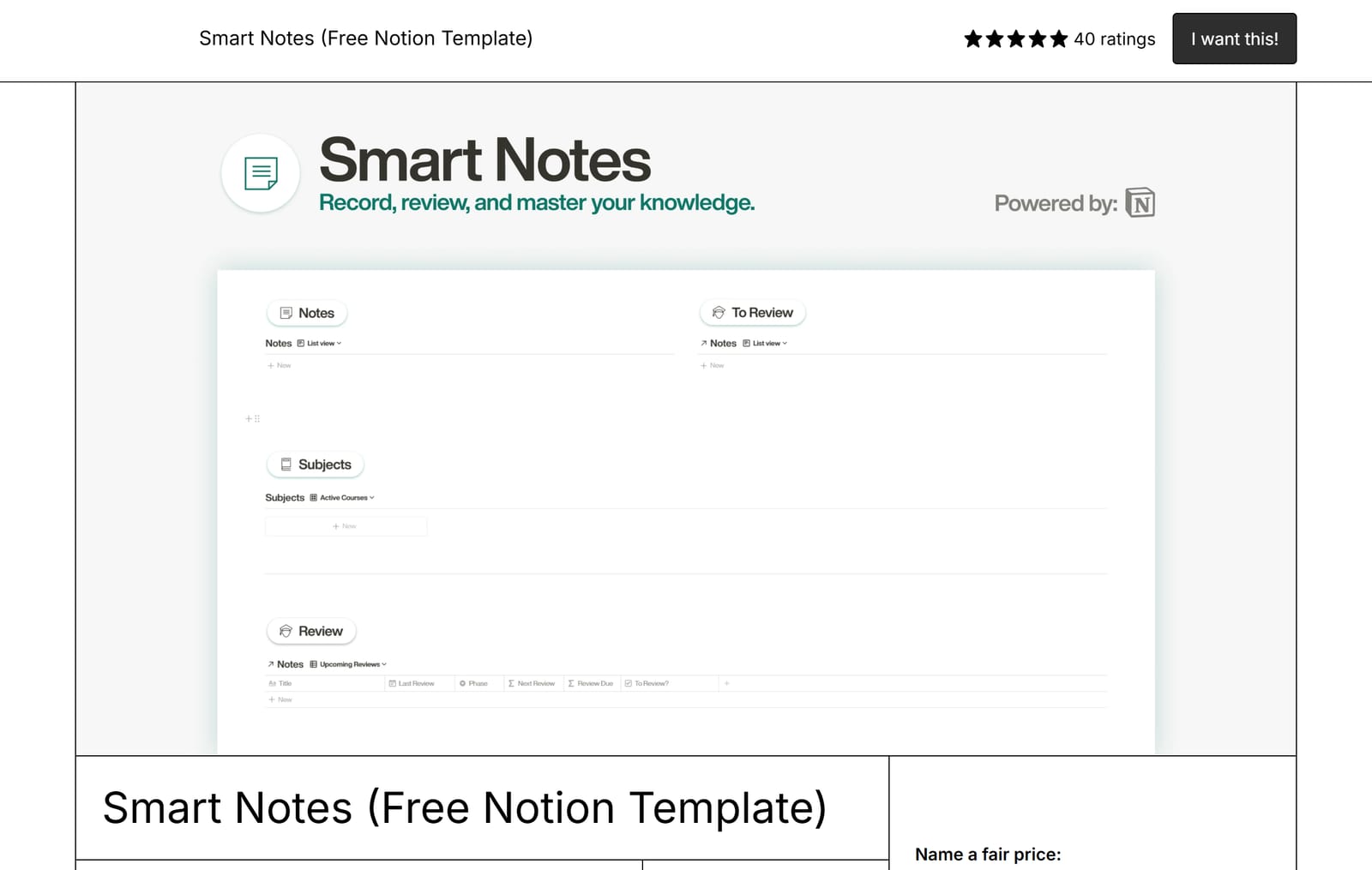
A note system for studying: record, review, master. Its page has a Notes list, a To Review list, a Subjects section for active courses and a Review table with last review, next review and review-due columns, so a student sees which notes are due to be revised again. Free: its store page calls it a free Notion template and asks you to name a fair price.
Spaced Repetition Notes
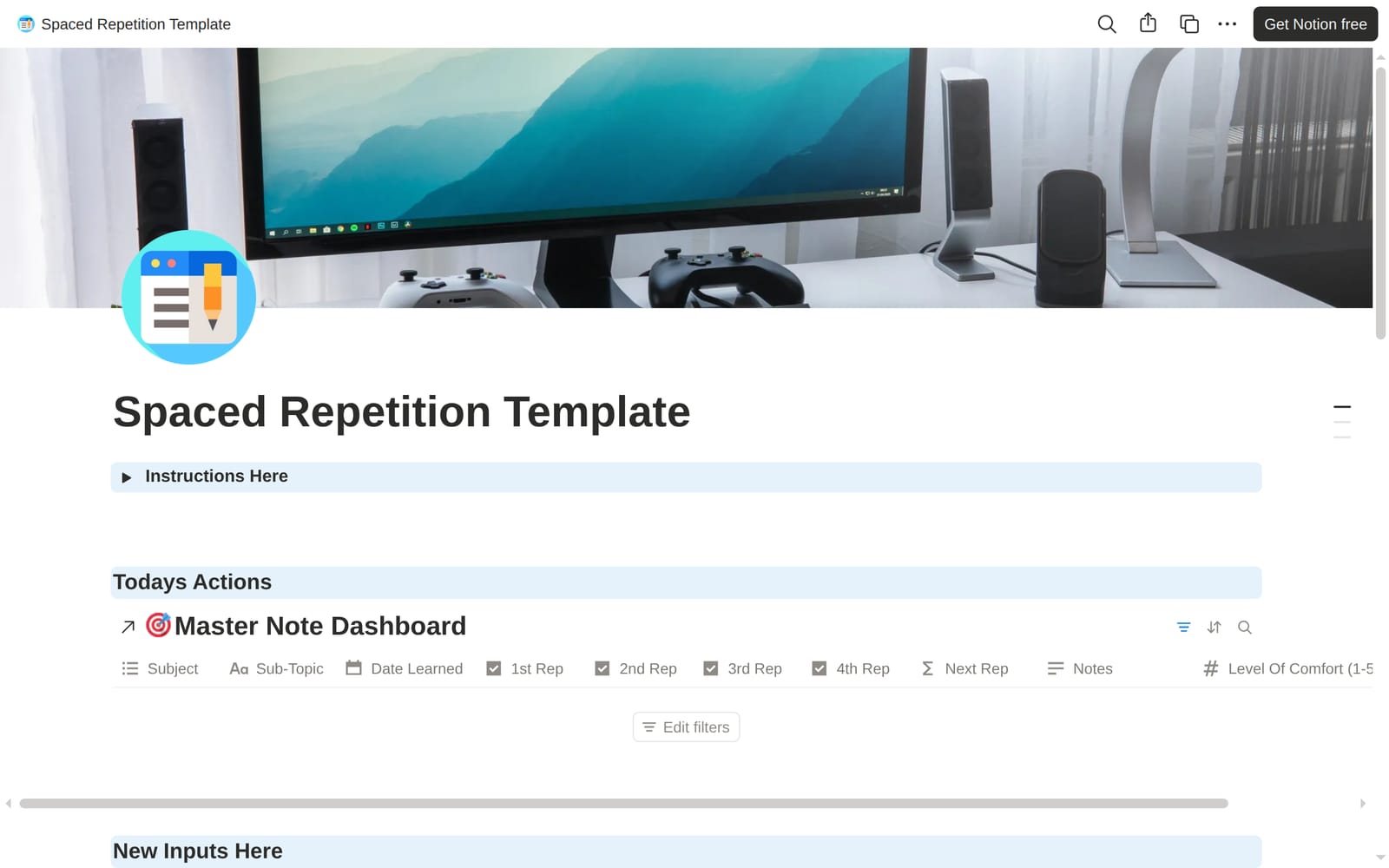
A spaced repetition tracker for revising. Its Master Note Dashboard holds notes by subject and sub-topic with the date learned, ticks for the 1st to 4th repetition, a Next Rep worked out for you, notes and a 1 to 5 comfort level. Today's Actions lists what to revise, New Inputs Here is where new topics go, and an Instructions toggle explains it. A public Notion page you duplicate. Free.
Get the Spaced Repetition Notes
Free Notion task and weekly planner templates
A task template is for everything around the teaching: emails to answer, forms to hand in, papers to mark by Friday. Seeing the week in one list, with dates, makes it easier to say no to one more thing, or to move it to next week on purpose.
Notion Task Manager
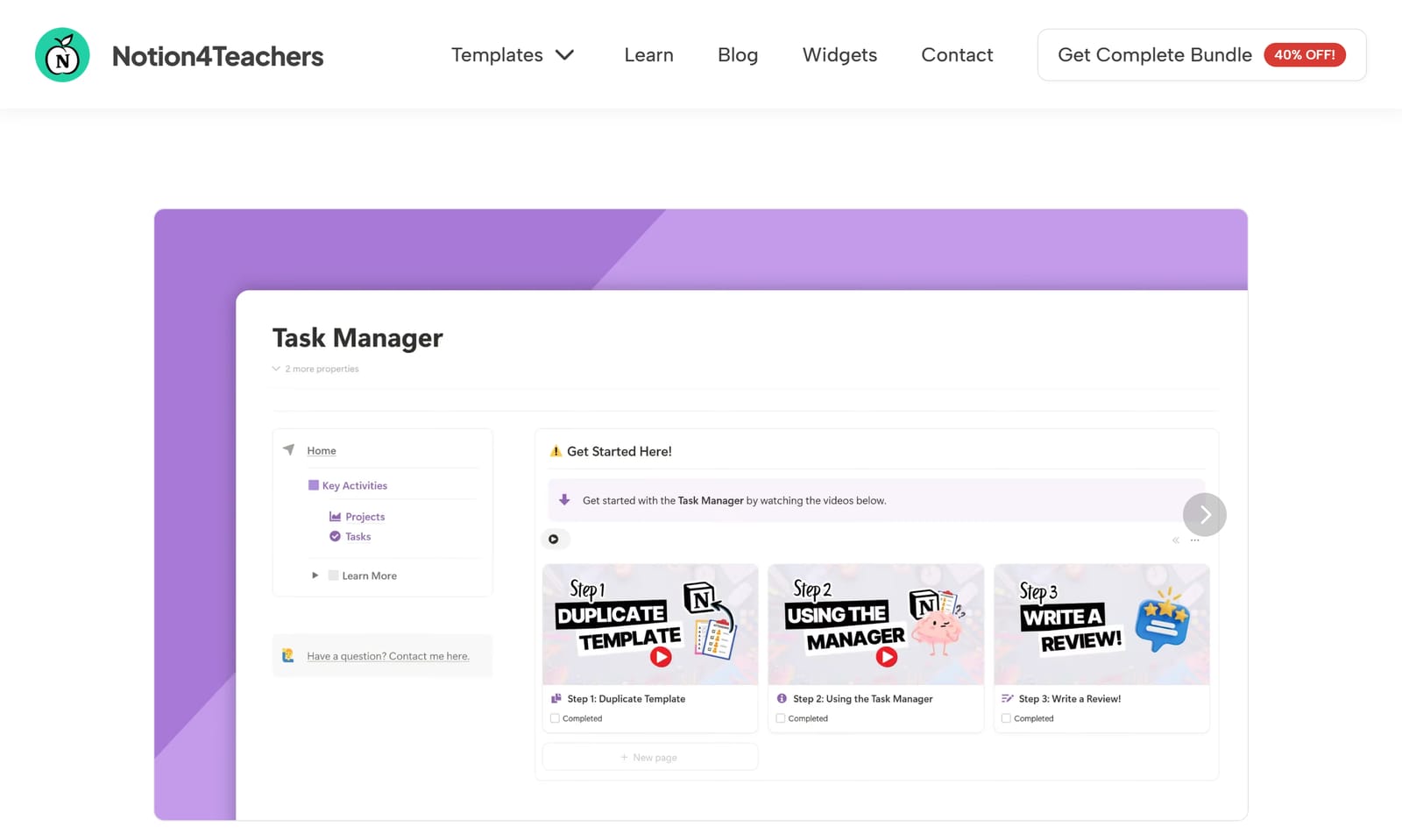
Free. A task manager with a Key Activities area split into Projects and Tasks, reached from a Home menu. A teacher can make a project for the science fair or report cards and list its tasks under it, so the jobs outside lessons are in one place with what is still left to do.
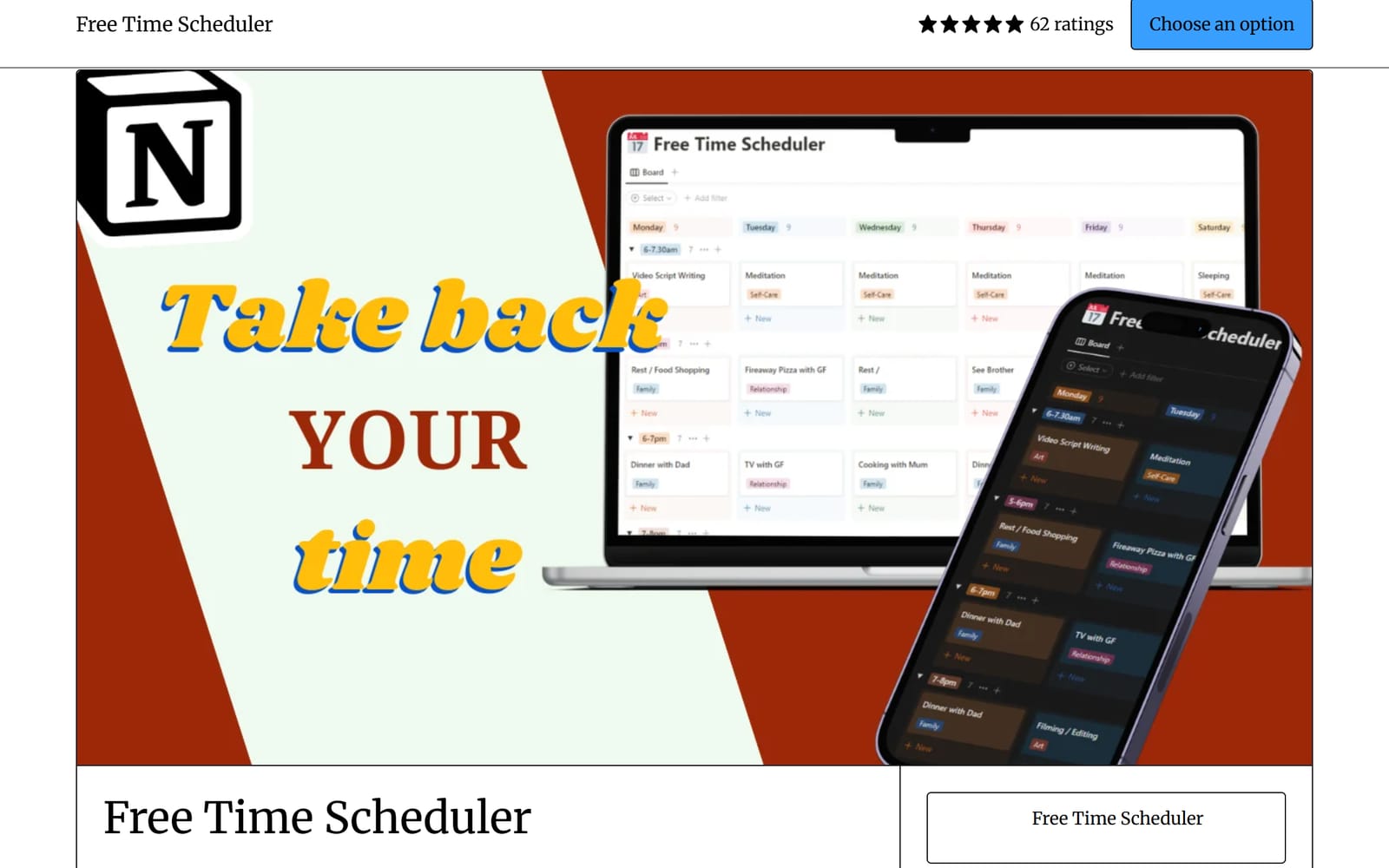
Free Time Scheduler
Free. A weekly board with a column for each day, Monday to Saturday, and rows for time blocks such as 6–7:30am and 6–7pm. Each card is one activity, tagged by kind: Self Care, Family, Relationship. It plans the hours outside work, so a teacher can see which evenings are already taken before marking lands on them, and a student can fit study around the rest of the week.
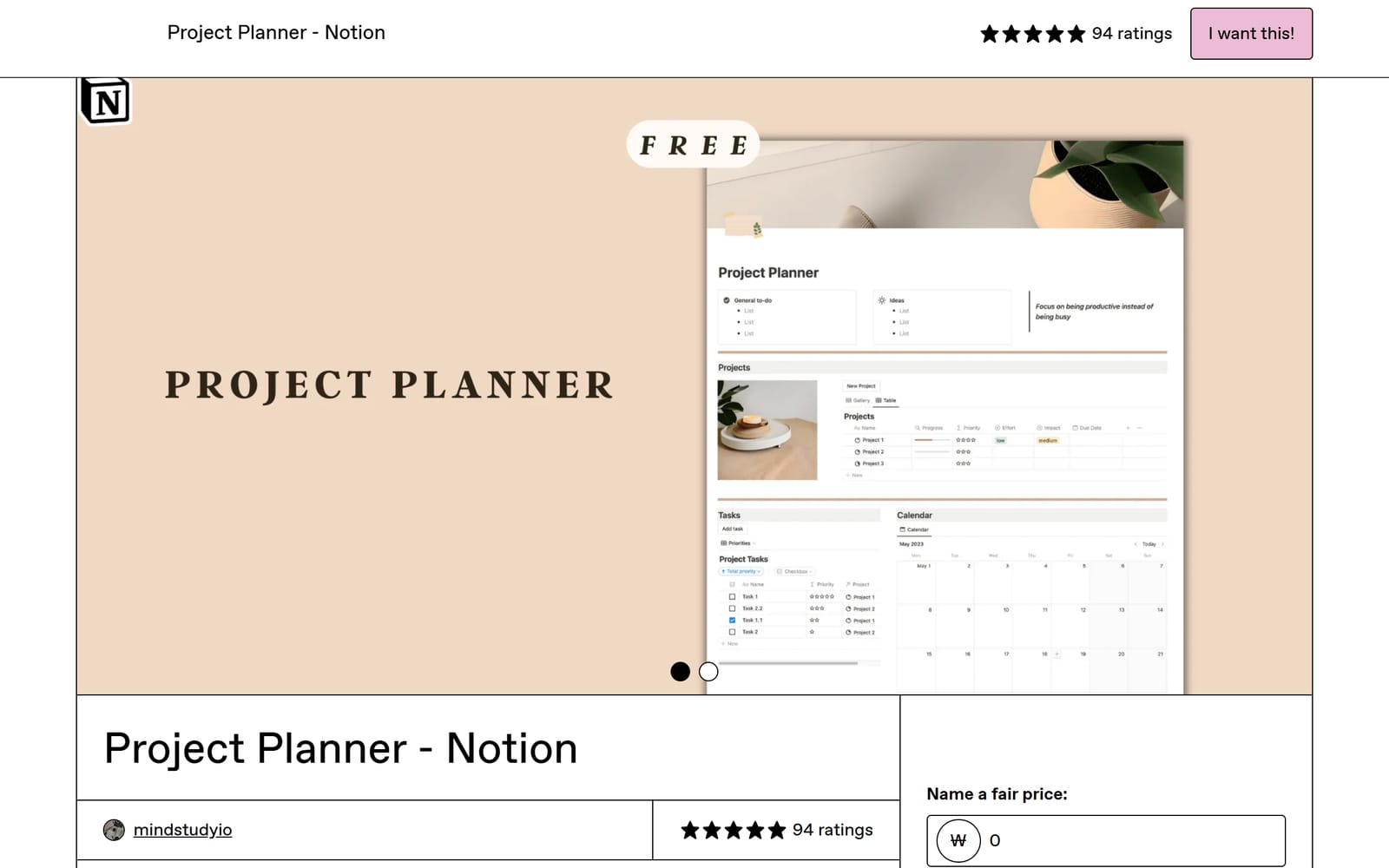
Aesthetic Project Planner
A project planner in beige tones with photos. Its preview shows a general to-do list and an ideas list, a Projects database with gallery and table views (progress, priority, status), a Tasks list where each task has a priority and a project, and a month calendar. Fits a teacher running a unit project or a student with a long assignment. Free.
Get the Aesthetic Project Planner
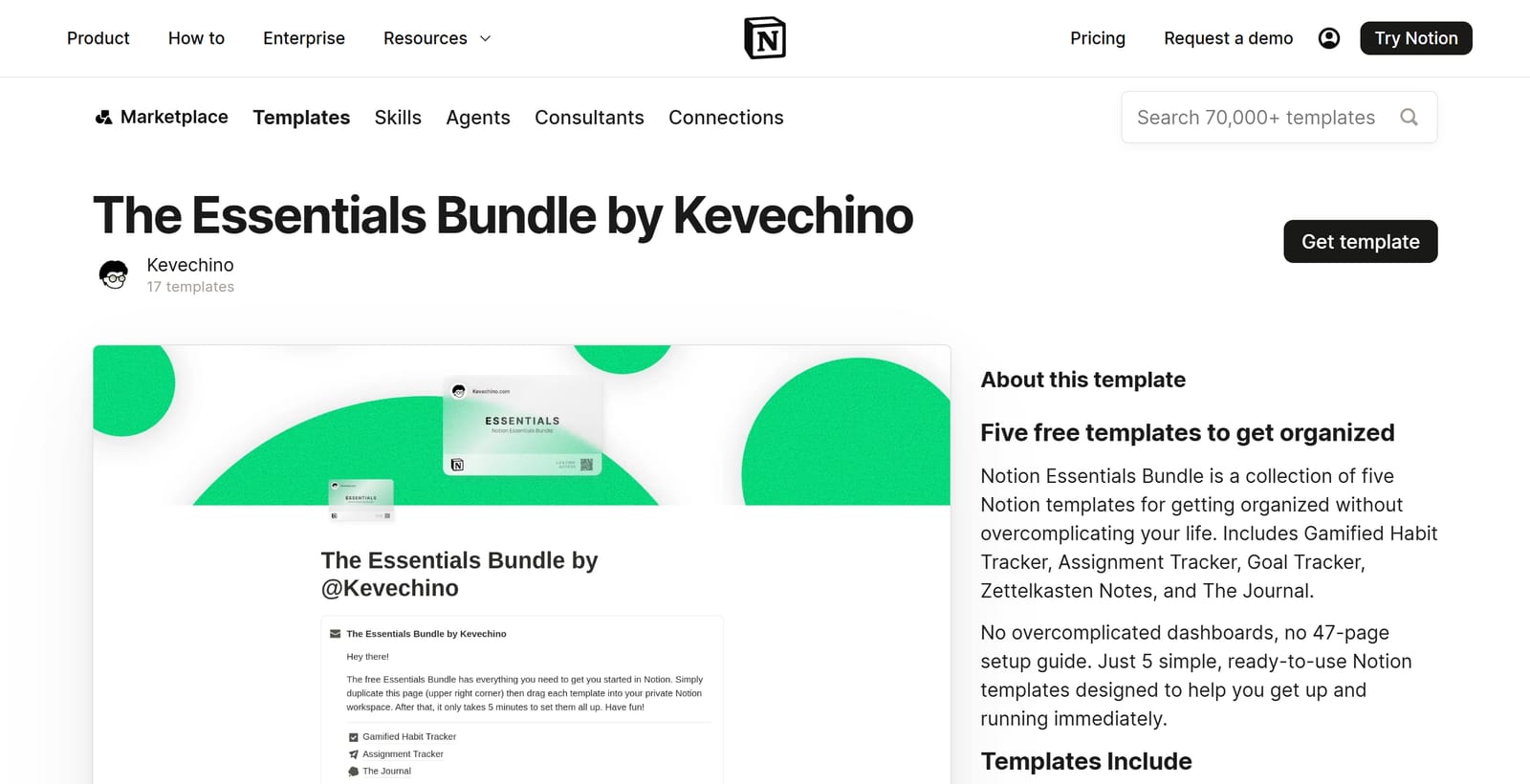
The Essentials Bundle
Five templates in one download from Notion's own template gallery: a Gamified Habit Tracker, an Assignment Tracker, a Goal Tracker, Zettelkasten Notes and The Journal. The preview shows a start page listing the five, with a note to duplicate the page and drag each template into your workspace. The Assignment Tracker suits students; the habit and goal trackers suit anyone. Free.
How to add a free template to your Notion workspace
A template is a Notion page that someone else built and shares. Adding it makes your own copy in your workspace, which you can change as much as you like. It takes three steps:
Open the template's page from its link in this list.
Get your copy. The button depends on where the template lives:
On Gumroad, where most of the picks from other makers are: type 0 in the Name a fair price box, on the right under the template's pictures, then press I want this!. A page that shows Choose an option at the top instead, such as Green & Matcha's, wants you to pick the free option first. Gumroad's checkout opens: type your e-mail address in Email address and press Get.
On a page made in Notion, such as Janice Studies' dashboard: press Start with this template. A page shared straight from Notion may show Duplicate instead.
On Notion's own template gallery, such as The Essentials Bundle: press Get template.
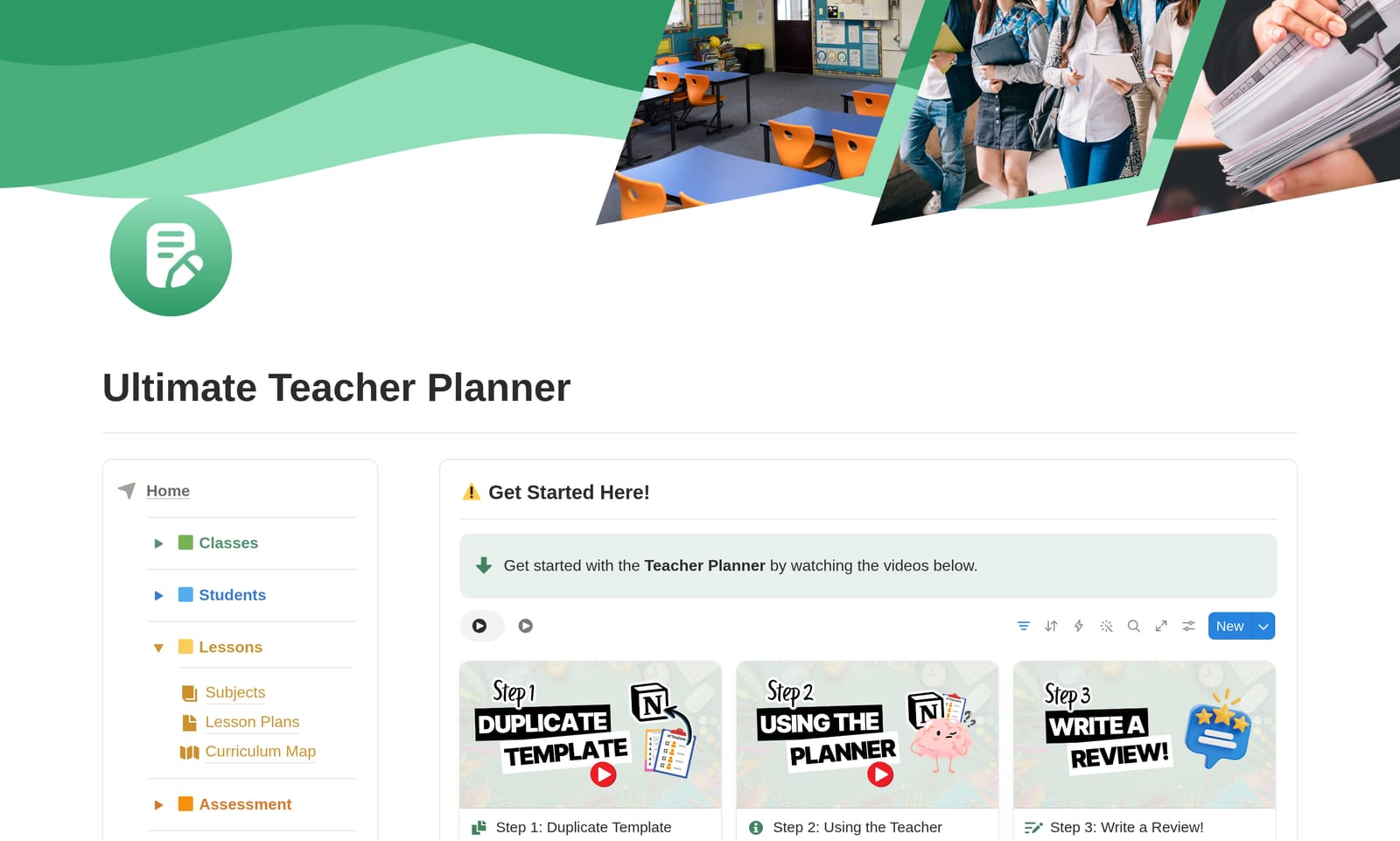
On one of our own pages: press Free Download, the black button beside the template's name, under its picture. Our store's checkout opens at $0.00: type your e-mail address in Email and press Complete order. The picture on the page shows what you will get: most of ours open on a Get Started Here! box with three short videos, such as Step 1: Duplicate Template, Step 2: Using the Lesson Planner and Step 3: Write a Review! on the Lesson Planner.
If you are not signed in to Notion, sign in or make a free account when it asks.
Choose the workspace you want the template in. Your copy then opens in Notion, ready to fill in.
Here is what a copied template looks like, using our Ultimate Teacher Planner. Unlike the 25 picks above, it is a paid template: you get it from its page in our store. Its home page has a Home menu down the left (Classes, Students, Lessons with Subjects, Lesson Plans and Curriculum Map, then Assessment, Key Activities and more) and a Get Started Here! box with three short videos: Step 1: Duplicate Template, Step 2: Using the Teacher Planner, and Step 3: Write a Review!
This planner's Timetable comes empty. It sits under Classes in the Home menu: a row for each hour from 09:00 AM to 04:00 PM, a column for each day from Mon to Fri, a New page row at the bottom, and nothing in the cells yet.
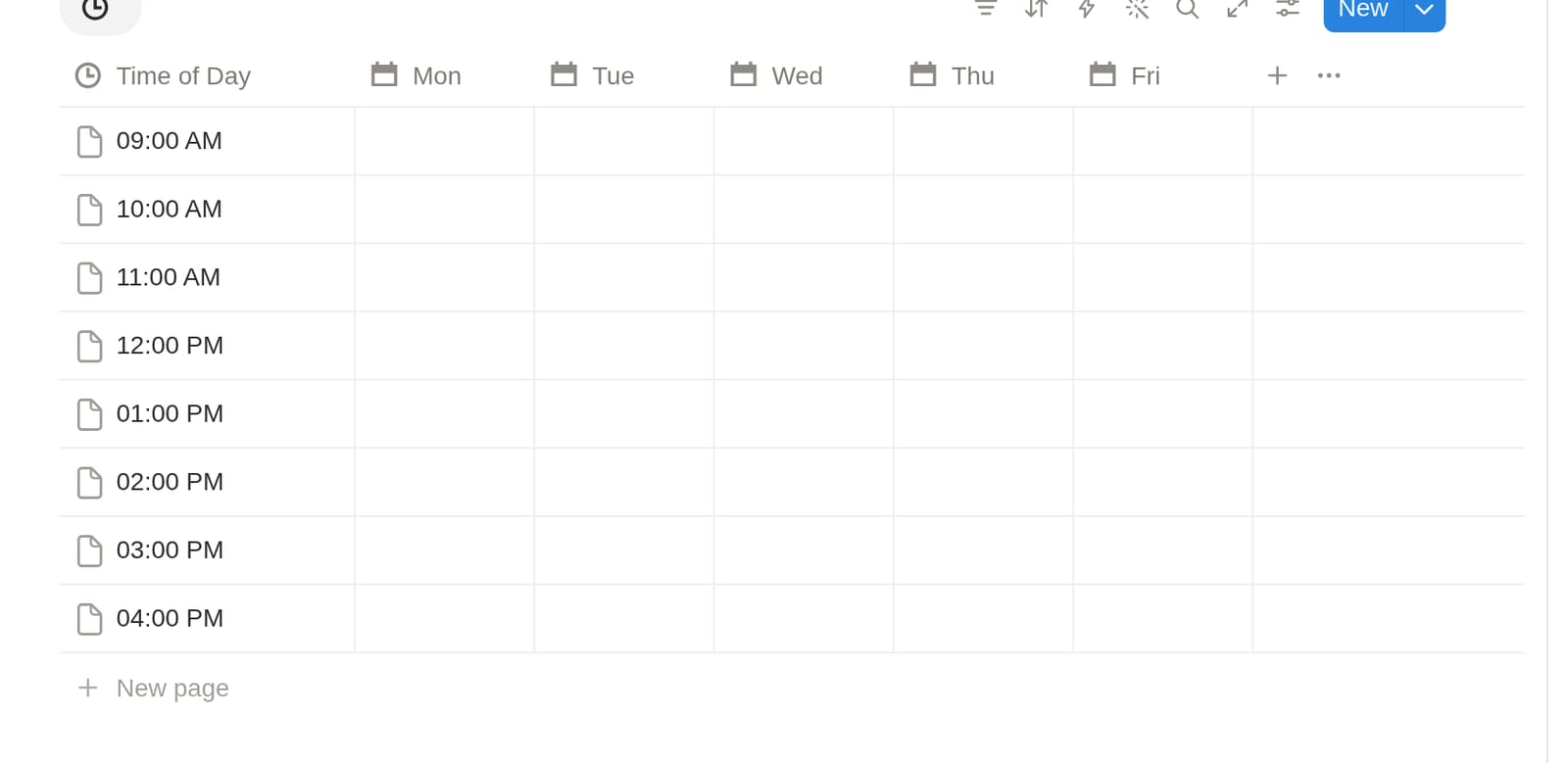
To put a class in a slot:
Click the empty cell, for example Mon at 01:00 PM.
A box opens with a search field that says Link or create a page…. Type the class's name, here 7C Science, and click the class in the list under the field. Click the class itself, not the line that starts with New, which would make a second page with the same name.
Press Escape to close the box. The class now shows in that cell.
Do that for each slot of your week. Here is a Grade 7 and 8 science teacher's week, with four classes and lunch duty on Wednesday:
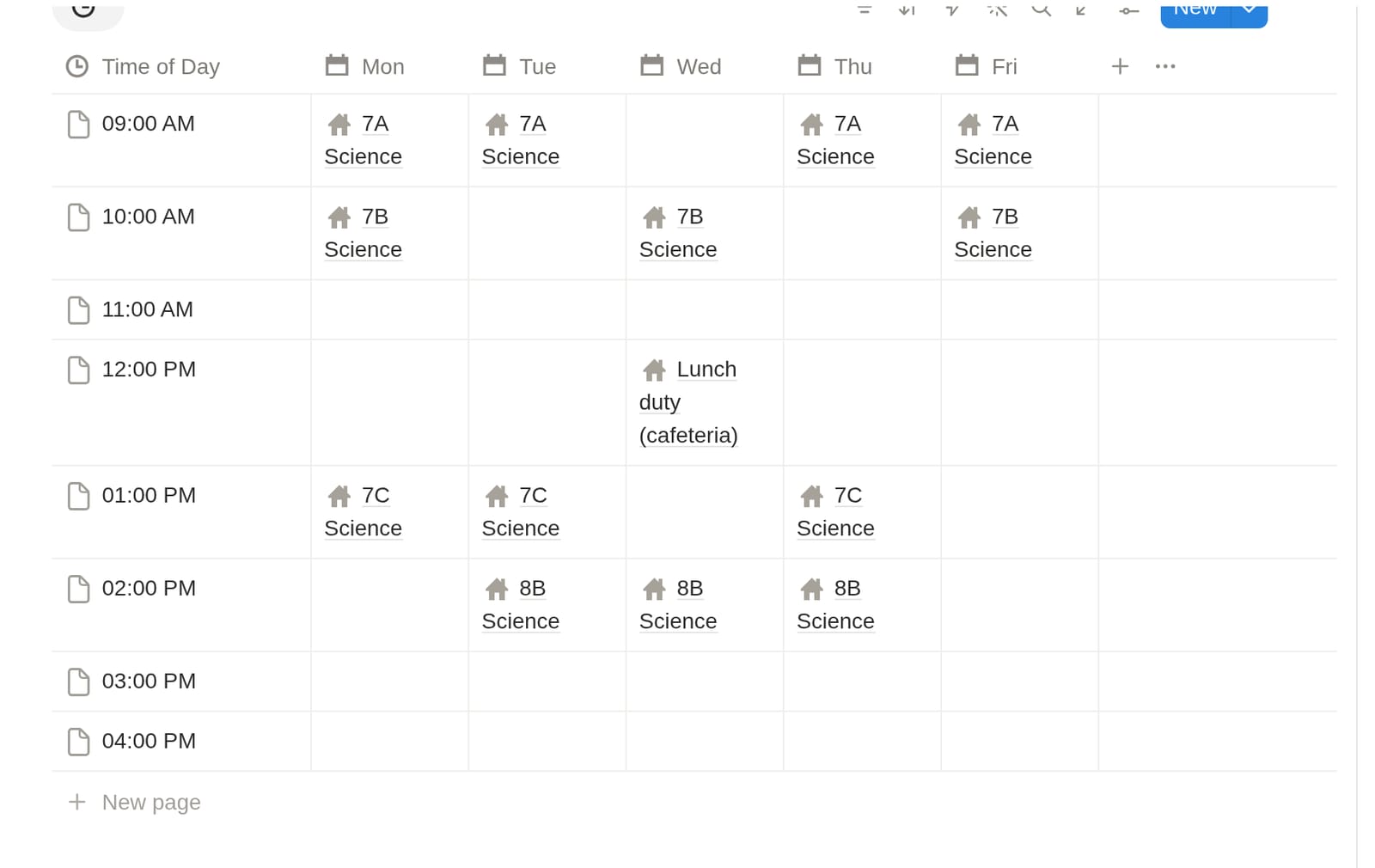
Each class in the Timetable is a link to that class's own page, so the week and your class lists stay in step: add a class once on the Classes page, and it is there to choose in every cell.
Once the template is yours, make it look like your classroom. You can change the cover at the top of any page to a photo of your own: see how to add a cover in Notion.
FAQ
Can you get Notion templates for free?
Yes. All 25 templates in this list are free, including the 14 we made. On our own pages press Free Download; on Gumroad type 0 in Name a fair price and press I want this!; on a page made in Notion press Start with this template or Duplicate; on Notion's own gallery press Get template. The copy then goes into your workspace.
Is Notion still worth using in 2026?
For a teacher whose lesson plans, class lists and timetable sit in different places, yes: in Notion they can link to each other, so a class added once shows up everywhere it is used. If all you need is a to-do list, a simpler app will do.
Do I need a paid Notion plan to use a free template?
No. Notion's Free plan is enough to add a template and fill it in. A template that uses Notion AI, such as the Notion AI Lesson Planner, needs Notion AI on your account for those parts.
Will changing my copy change the original template?
No. Duplicating makes a copy that belongs to you. You can rename it, delete pages or add columns, and the template's own page stays as it was.
Can students use these templates too?
Yes. A student adds a template to their own Notion account the same way a teacher does. The student planner and the notes templates above are the ones to start with.
Which free template should a new teacher start with?
The Notion Lesson Planner, then the Notion Student Grades Tracker once your classes start. Begin with one, use it for a week, and add the next when you feel the need for it.
Still grading everything by hand?
EMStudio is a free teaching management app — manage your classes, students, lessons, and more!