Notion Assignment Tracker: 20 Templates for Teachers and Students

Here are 20 free Notion assignment trackers of three kinds: simple trackers for due dates and status, trackers that add exams and grades, and full student dashboards with an assignment tracker inside. Ours come first in the first two groups, each with its own page: for a plain list of homework, start with our free Notion Homework Tracker; to record scores as well, our free Student Grades Tracker. If you are a teacher who wants the assignments you set, the grades and your lessons in one place, our paid Ultimate Teacher Planner holds all three. Every template in the list is free, and each entry says what it gives a student or a teacher.
Still grading everything by hand?
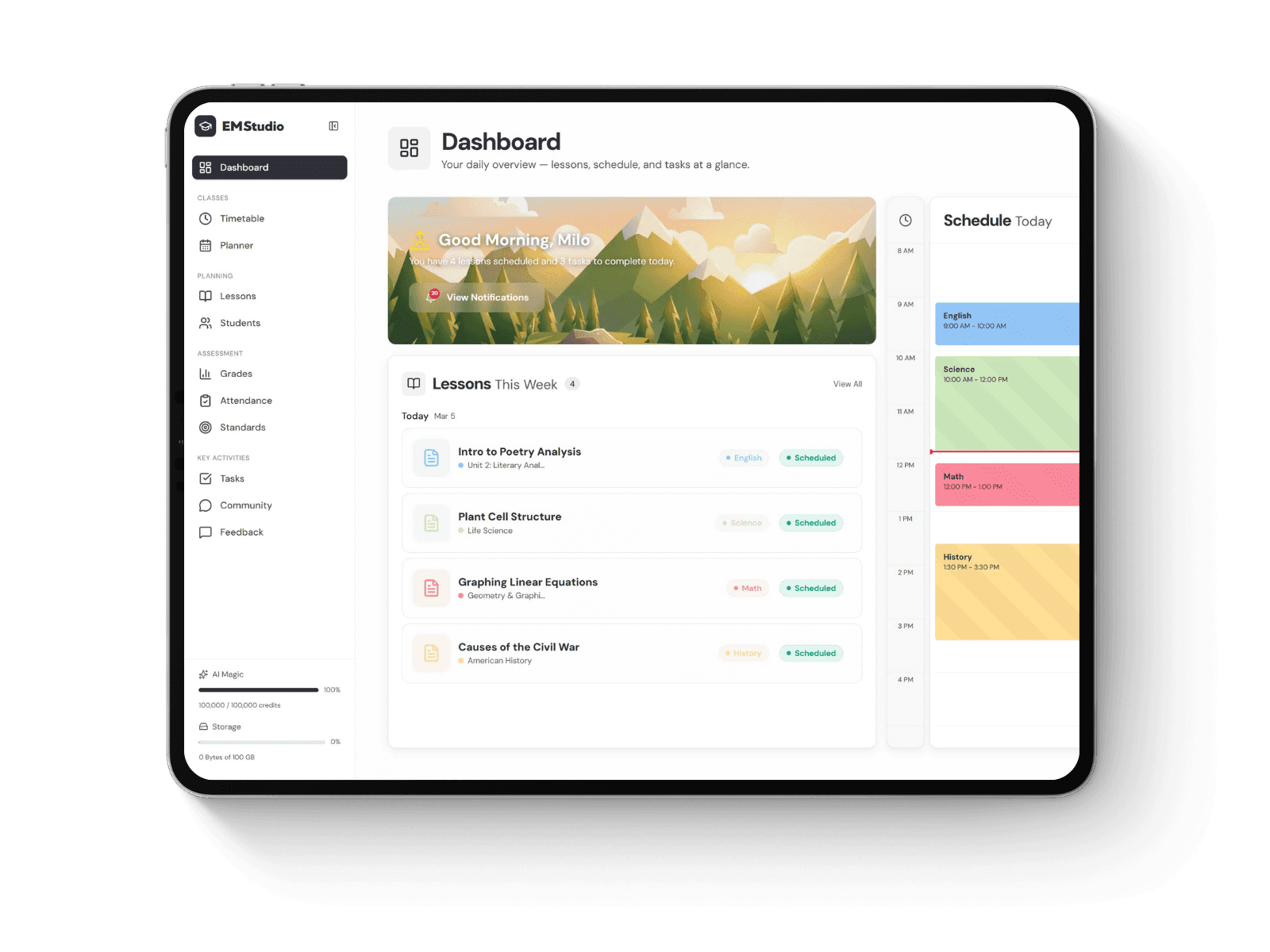
EMStudio is a free teaching management app — manage your classes, students, lessons, and more!
What to look for in a Notion assignment tracker
Most assignment trackers are made for students keeping track of their own work. A teacher's job is different: you track what you set for a whole class, when it is due, whether you have handed it out yet, and later how each student did. Whichever side you are on, these are the parts worth checking before you duplicate a template:
Due dates. A date column, so the list can be sorted by what is due next.
Status. At the least, done and not done. A teacher is better served by a status that says whether the work has been handed out, such as Not Assigned, Assigned and Finished.
Class or subject. If you teach or take more than one subject, a column that says which one each assignment belongs to.
Type, and exam dates. Homework, a project, a quiz and a test are not the same thing. A type column lets you pick out the tests; the second group below tracks exams as well.
Grades. A score and what it was out of. Some, like the grades table pictured further down, work out the percentage for you.
A calendar or board view. A table is good for typing in. A calendar shows the week at a glance, and a board shows what is still open. If a template has only a table, you can add these views yourself; the steps are further down.
Simple Notion assignment trackers
A simple tracker is one table: the assignment, its due date and whether it is done. It is the right choice when you want a list of what is due this week and nothing more, whether you are a student with a handful of classes or a teacher keeping track of the homework you set. These are quick to set up and easy to keep up to date.
Notion Homework Tracker (Notion4Teachers)
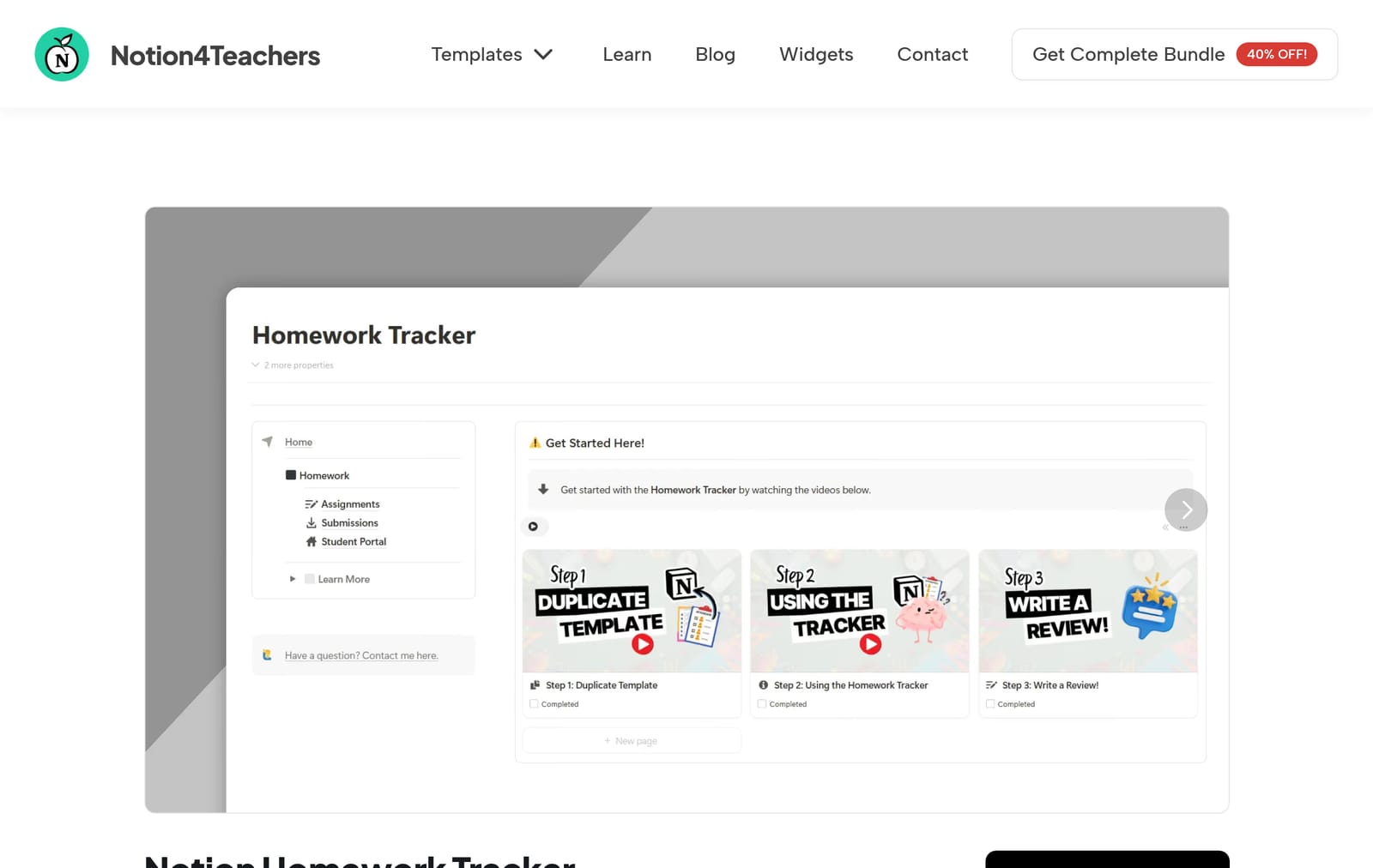
Free. A homework tracker for teachers. Its home page links to an Assignments page, a Submissions page and a Student Portal, and opens with a Get Started Here section of three short videos: duplicating the template, using the tracker and leaving a review. Use it to set homework and keep the work students hand in on one page.
Get the Notion Homework Tracker (Notion4Teachers)
Notion Task Manager (Notion4Teachers)
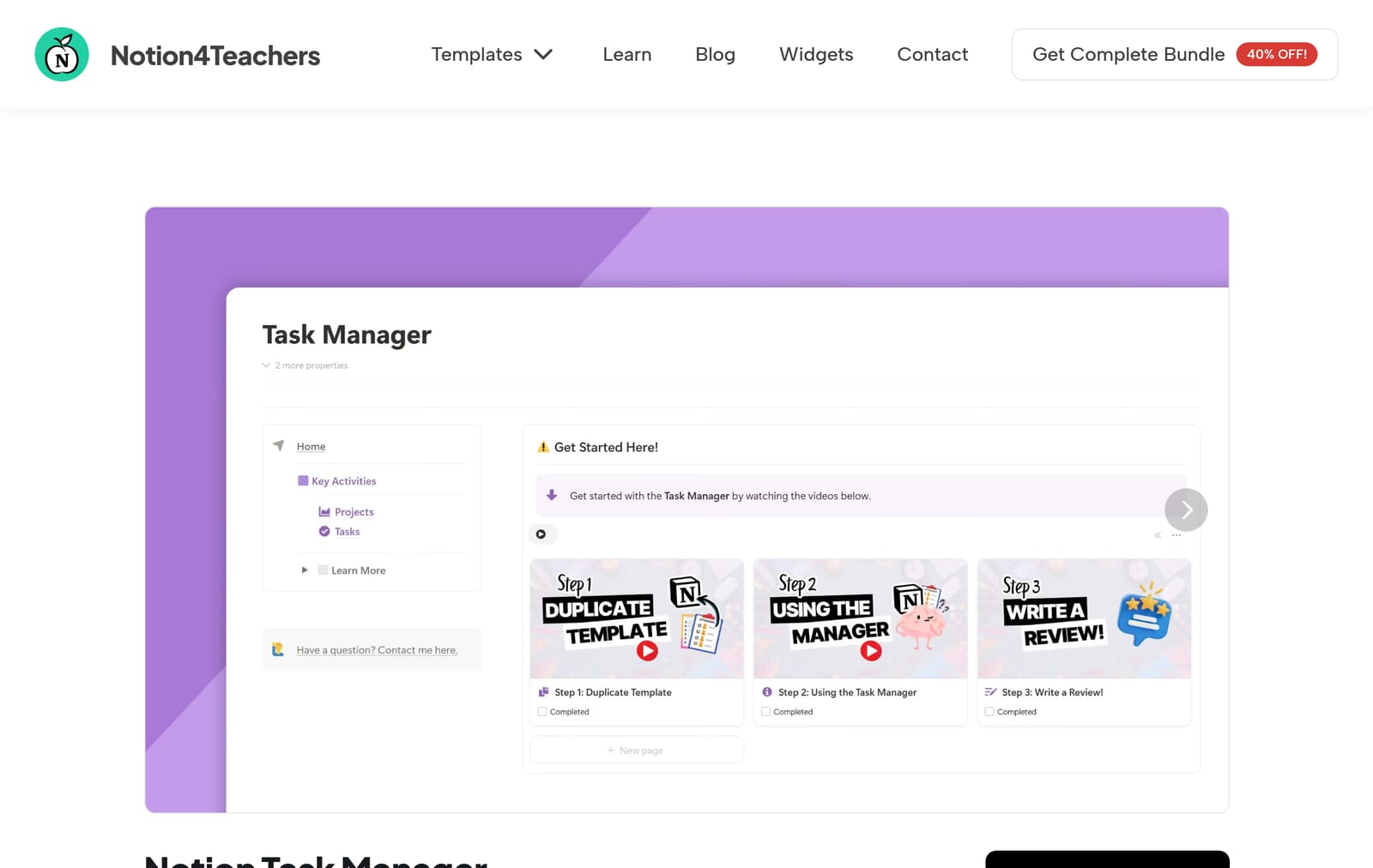
Free. A plain task manager. Its home page holds Key Activities, with a Projects page and a Tasks page, and a Get Started Here section of three short videos on duplicating it and using it. Suits a teacher who wants marking, planning and other to-dos in one list without a full planner.
Get the Notion Task Manager (Notion4Teachers)
Simple Assignment & Homework Tracker
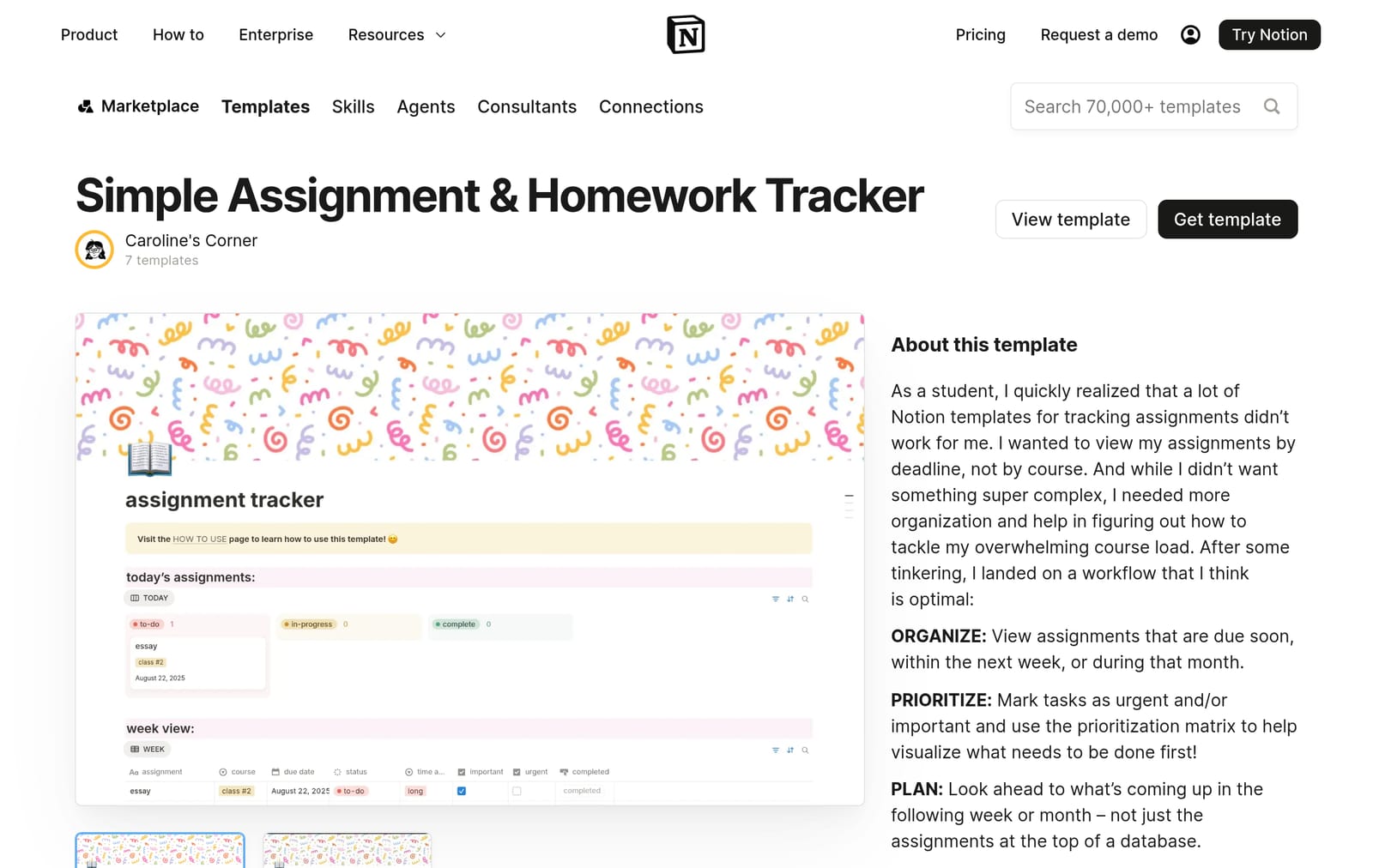
Free. A student's assignment tracker by Caroline's Corner. Today's assignments sit on a board by status (to-do, in progress, complete), and a week view table lists each assignment with its course, due date, status, and boxes for important and urgent. Its page says those two boxes feed a prioritization matrix, and that you can see what is due soon, this week or this month.
Get the Simple Assignment & Homework Tracker
Cute and Simple Student Assignment Tracker
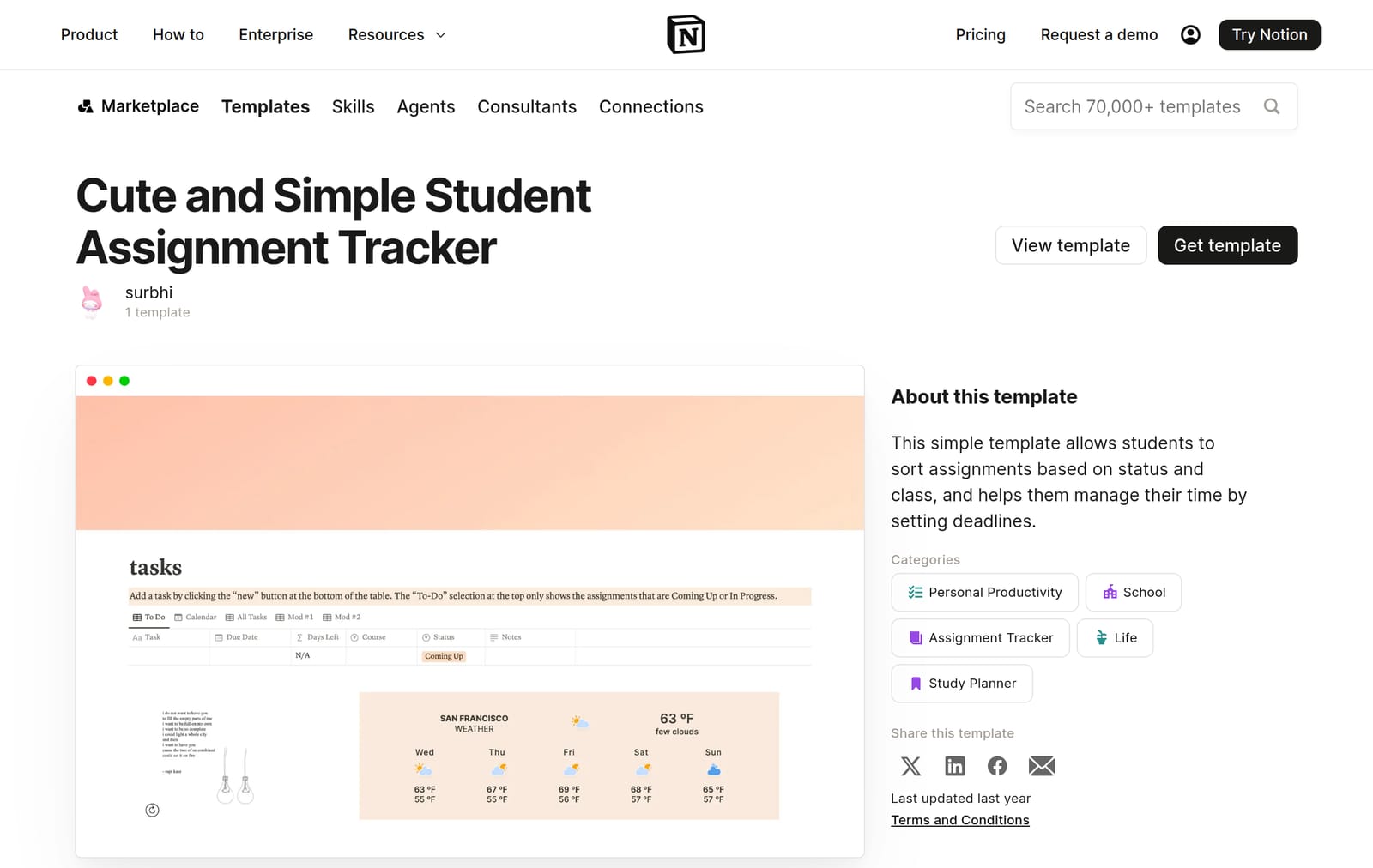
Free. A one-page tracker in soft peach: a tasks table with a To-Do view, a calendar, all tasks and a view per module, and columns for due date, days left, course, status and notes. A weather widget sits below it. The To-Do view shows only assignments that are coming up or in progress, and new ones go in with the New button under the table.
Get the Cute and Simple Student Assignment Tracker
Weekly Assignment Tracker
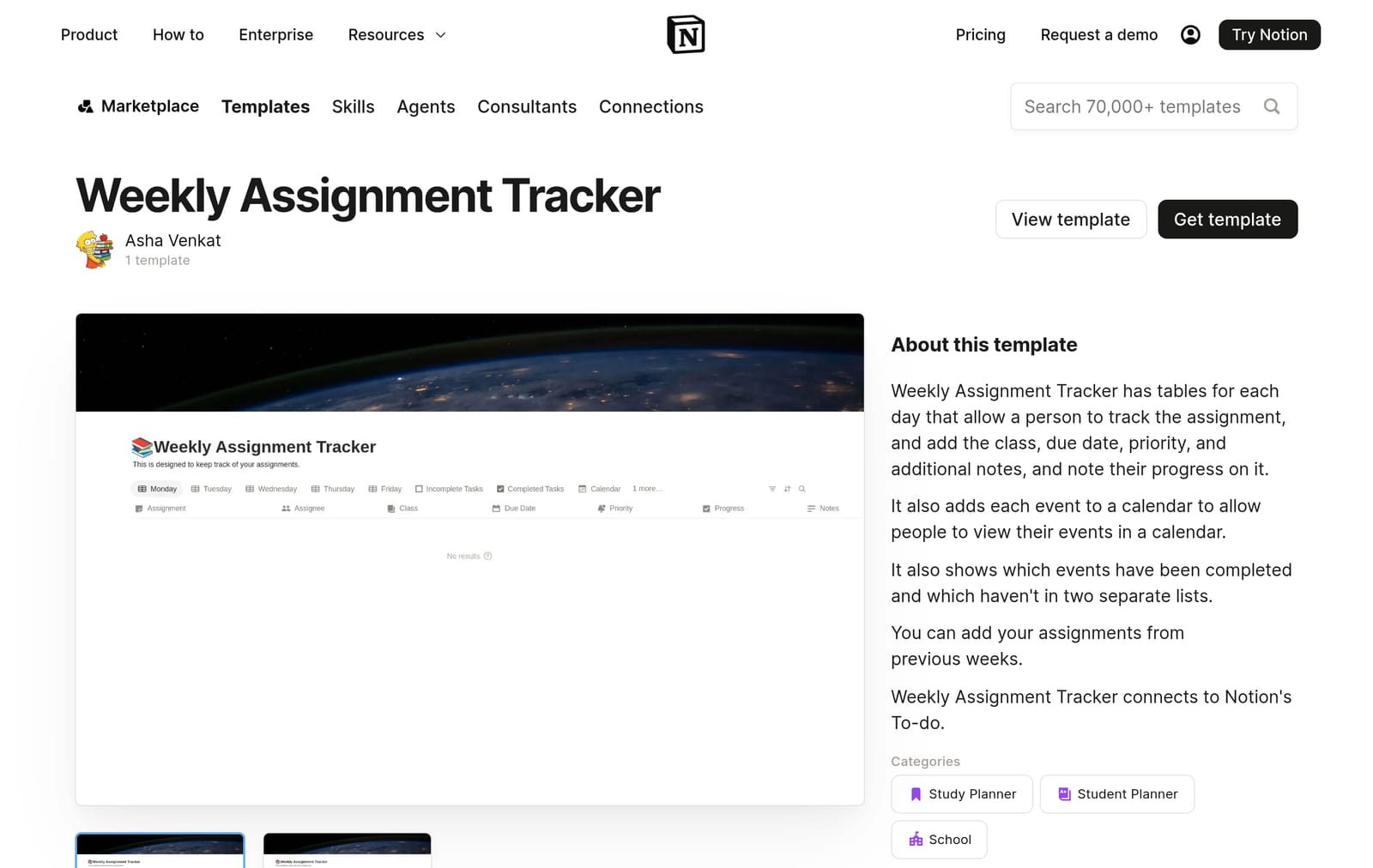
Free. One table per school day, Monday to Friday, plus views for incomplete tasks, completed tasks and a calendar. Each assignment has an assignee, class, due date, priority, progress and notes. It suits a student who plans homework day by day; its page says assignments from past weeks can be added too.
Get the Weekly Assignment Tracker
Homework Tracker
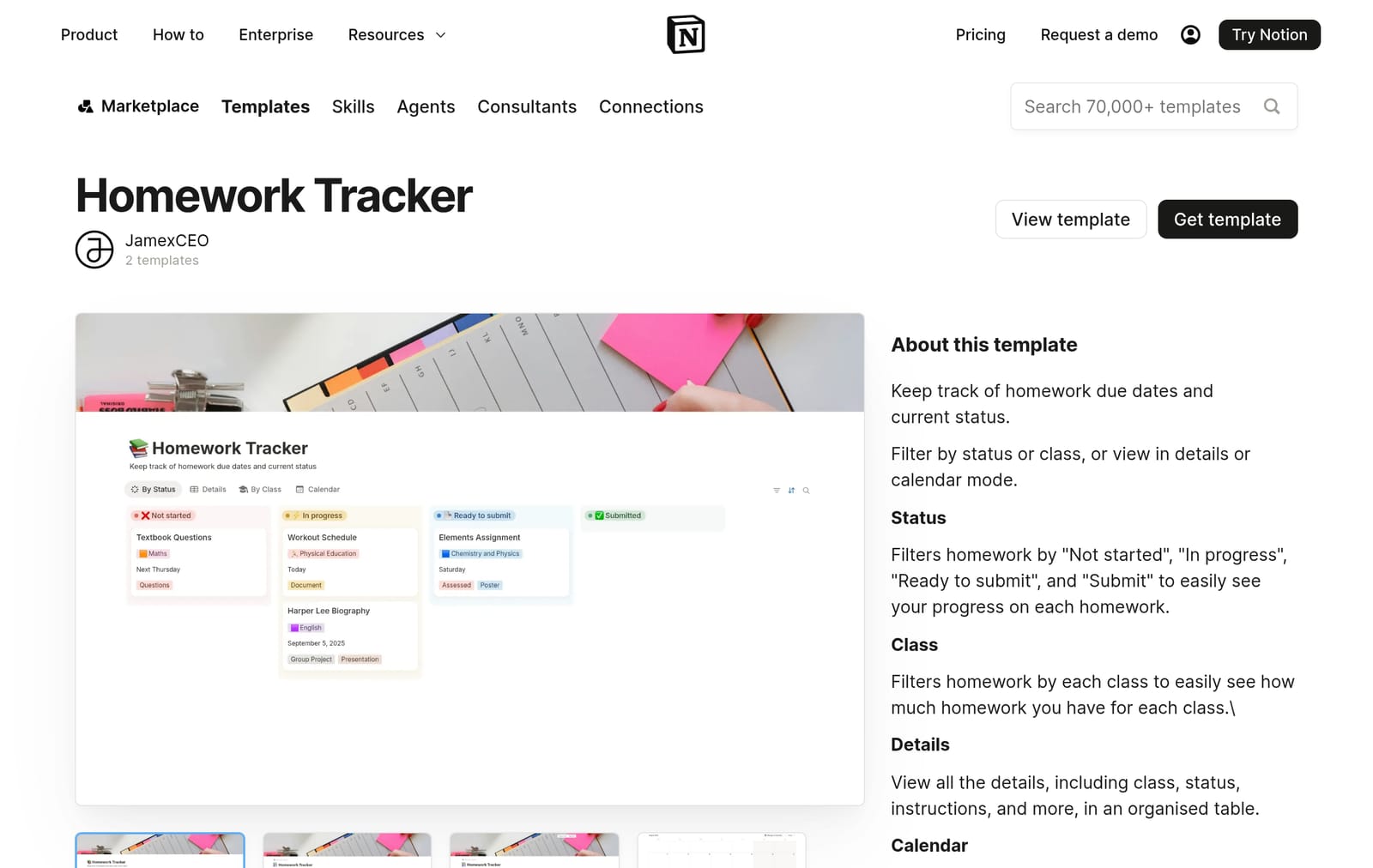
Free. A homework board with four columns, Not started, In progress, Ready to submit and Submitted, where each card shows its class, due day and kind of work (questions, document, presentation). Other views sort homework by class, list every detail in a table, or show it on a calendar.
VickyStudies Assignment Tracker
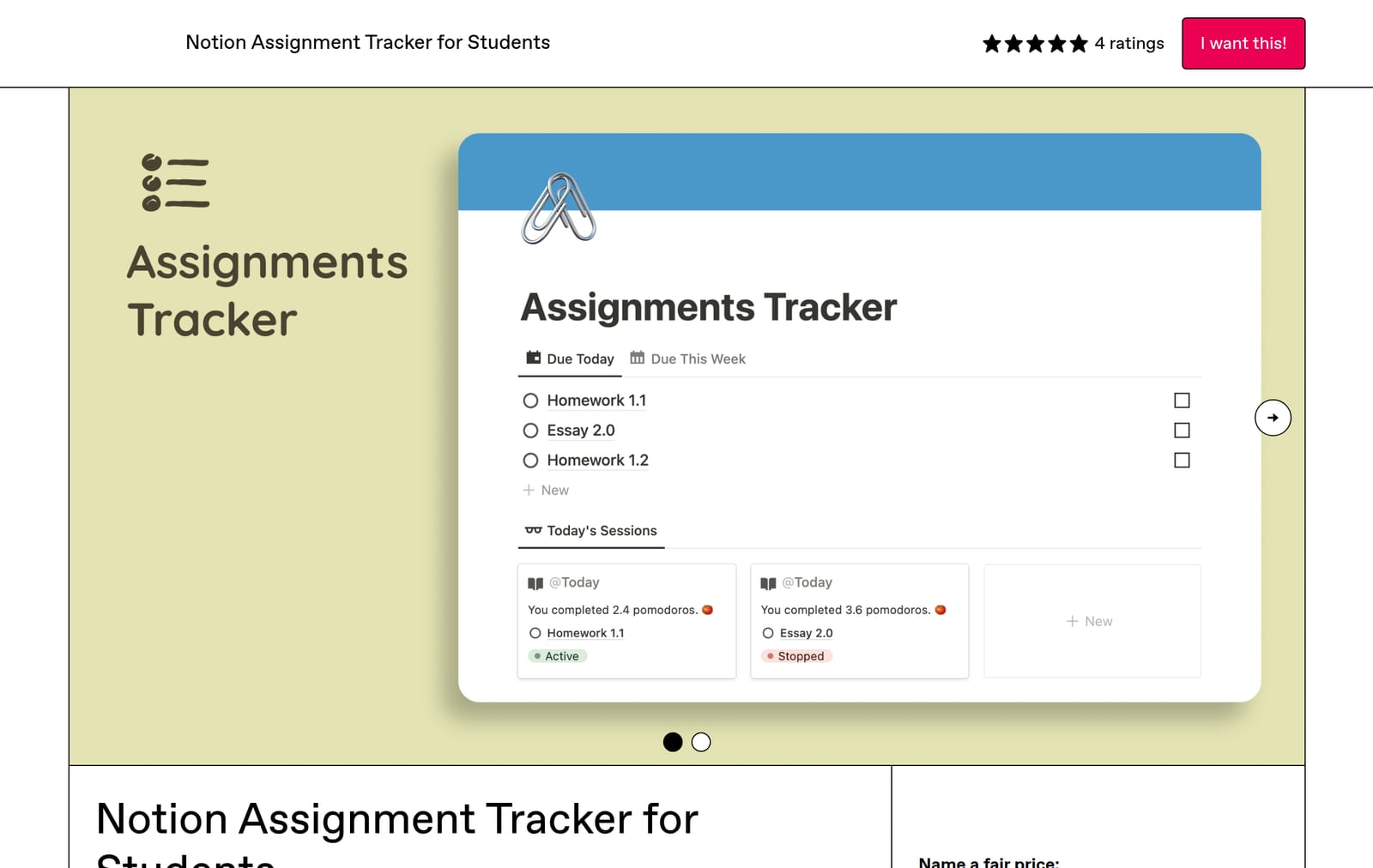
Free: the shop page has you name a fair price. An assignments list with Due Today and Due This Week views and a box to tick off each one, and below it a Today's Sessions board that logs study sessions against an assignment, with the number of pomodoros completed and whether the session is active or stopped.
Get the VickyStudies Assignment Tracker
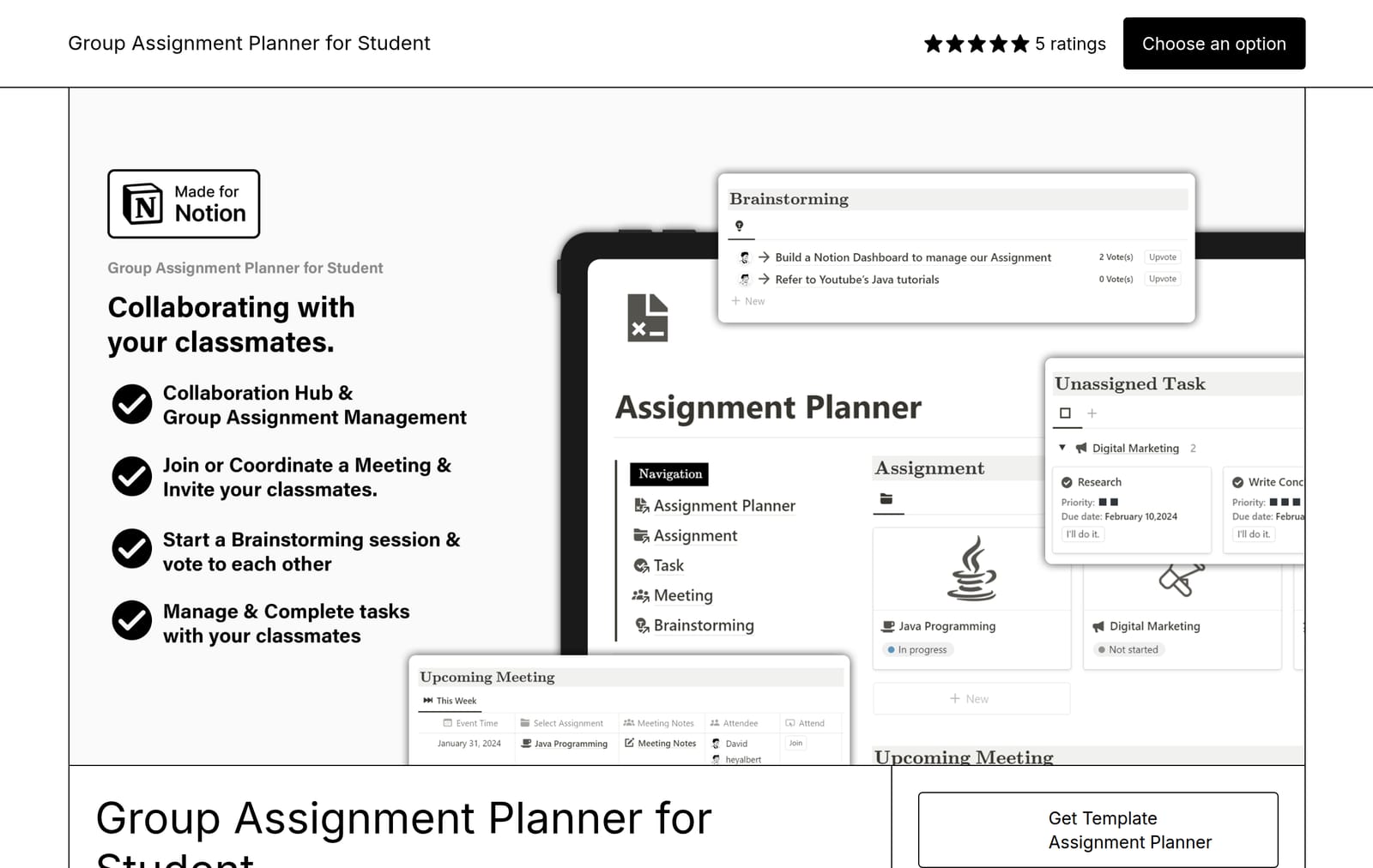
Group Assignment Planner for Students
Free. Made for group projects: a shared planner with pages for assignments, tasks, meetings and brainstorming. Classmates vote on ideas, take unassigned tasks with an I'll do it button, and list upcoming meetings with who attends. Useful when a teacher sets group work and students need to split it up.
Get the Group Assignment Planner for Students
Assignment, exam and grade trackers
These trackers keep the scores as well as the due dates, and often list exams apart from everyday homework. A teacher can use one as a light gradebook for a single class; a student can use one to see how each subject is going before the report card does. Look for a percentage that is worked out for you, so you are not adding up marks by hand.
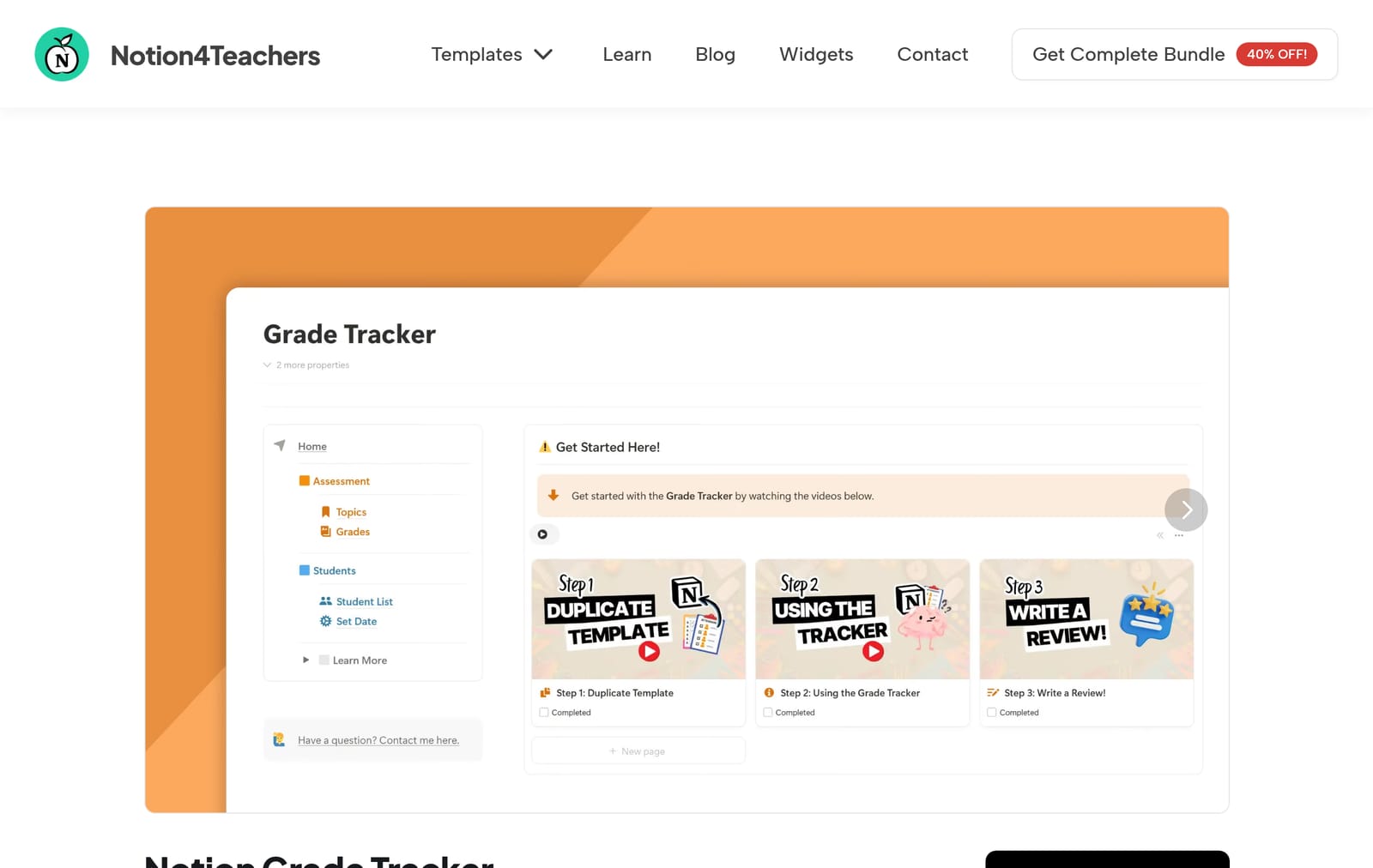
Student Grades Tracker (Notion4Teachers)
Free. A grade tracker for teachers. Its home page has an Assessment section with Topics and Grades pages, a Students section with a Student List and a Set Date page, and three short getting-started videos. Use it to keep each student's grades and the topics they were assessed on in one place.
Get the Student Grades Tracker (Notion4Teachers)
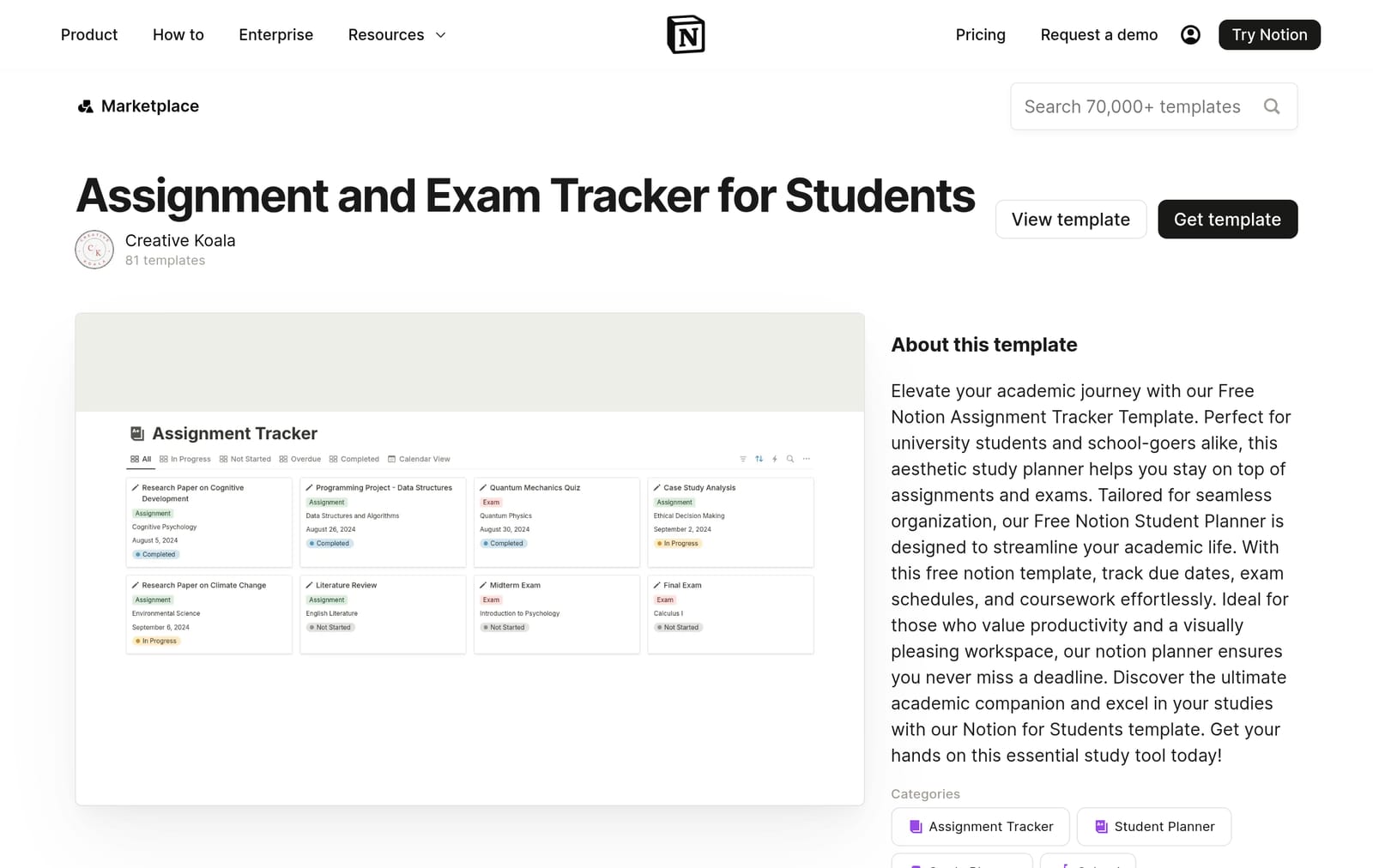
Assignment and Exam Tracker for Students
Free, by Creative Koala. An assignment and exam tracker for students. Its preview shows each assignment or exam as a card with its course, due date and a status of Not Started, In Progress or Completed, with views for All, In Progress, Not Started, Overdue, Completed and a calendar.
Get the Assignment and Exam Tracker for Students
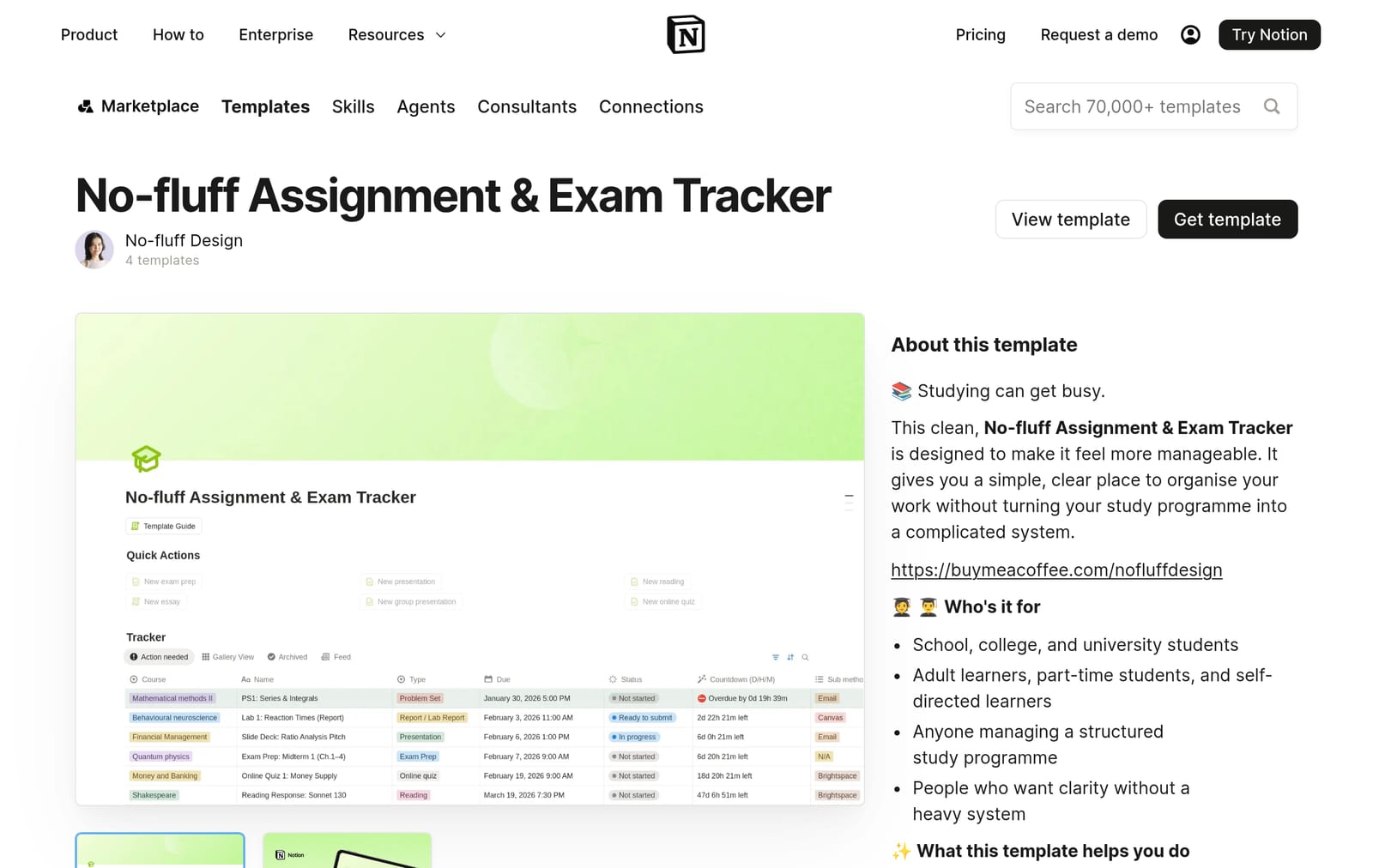
No-fluff Assignment & Exam Tracker
Free, by No-fluff Design. For school, college and university students. Its preview shows Quick Actions buttons for a new exam prep, essay, presentation or reading, then a tracker table with course, task, type, due date, status and a countdown to each deadline, which reads Overdue once it has passed.
Get the No-fluff Assignment & Exam Tracker
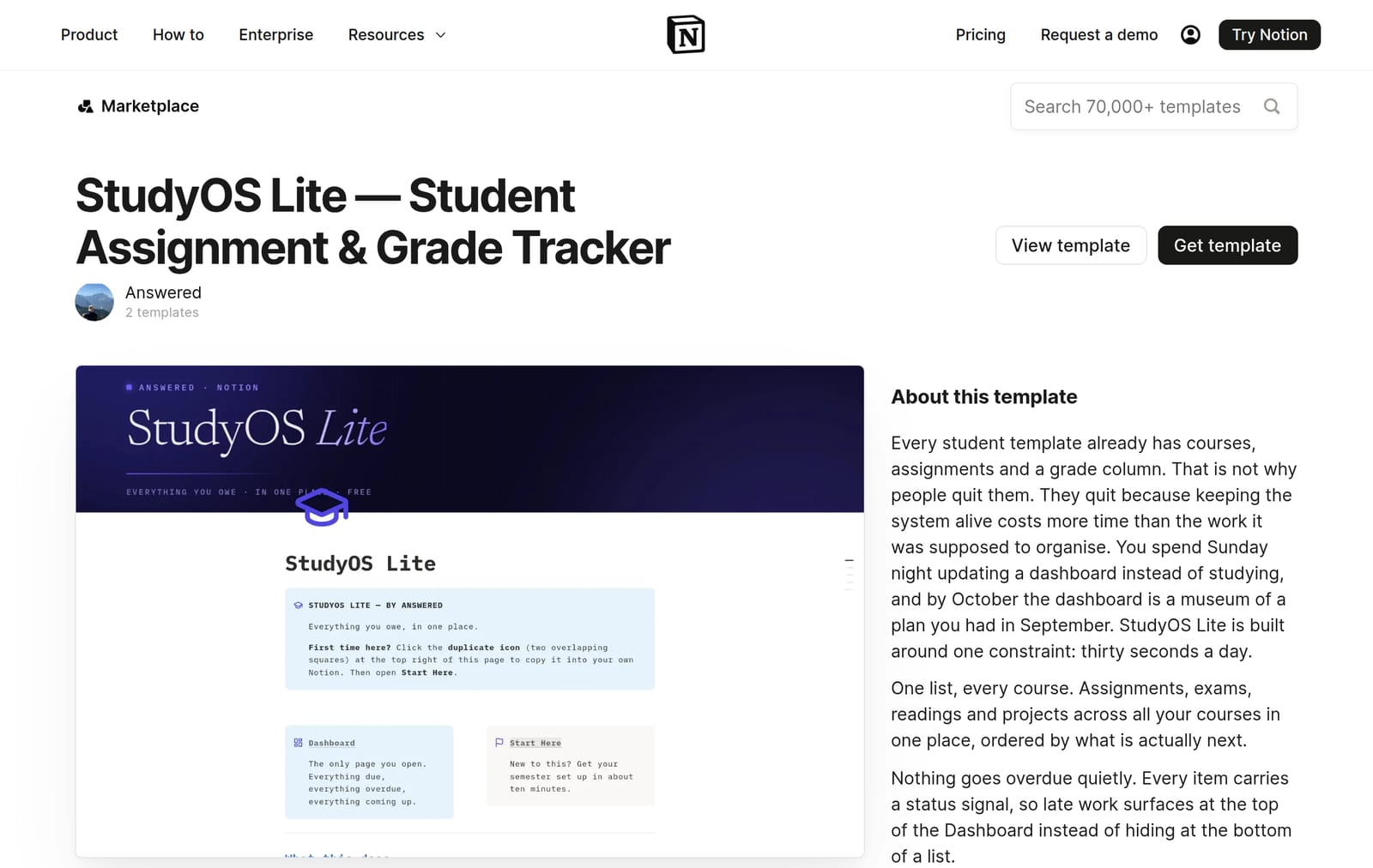
StudyOS Lite Assignment & Grade Tracker
Free, by Answered. One list for all of a student's courses: assignments, exams, readings and projects, ordered by what is due next. Every item carries a status, so late work comes to the top of the Dashboard. The preview shows a Dashboard page and a Start Here page for setting up a semester.
Get the StudyOS Lite Assignment & Grade Tracker
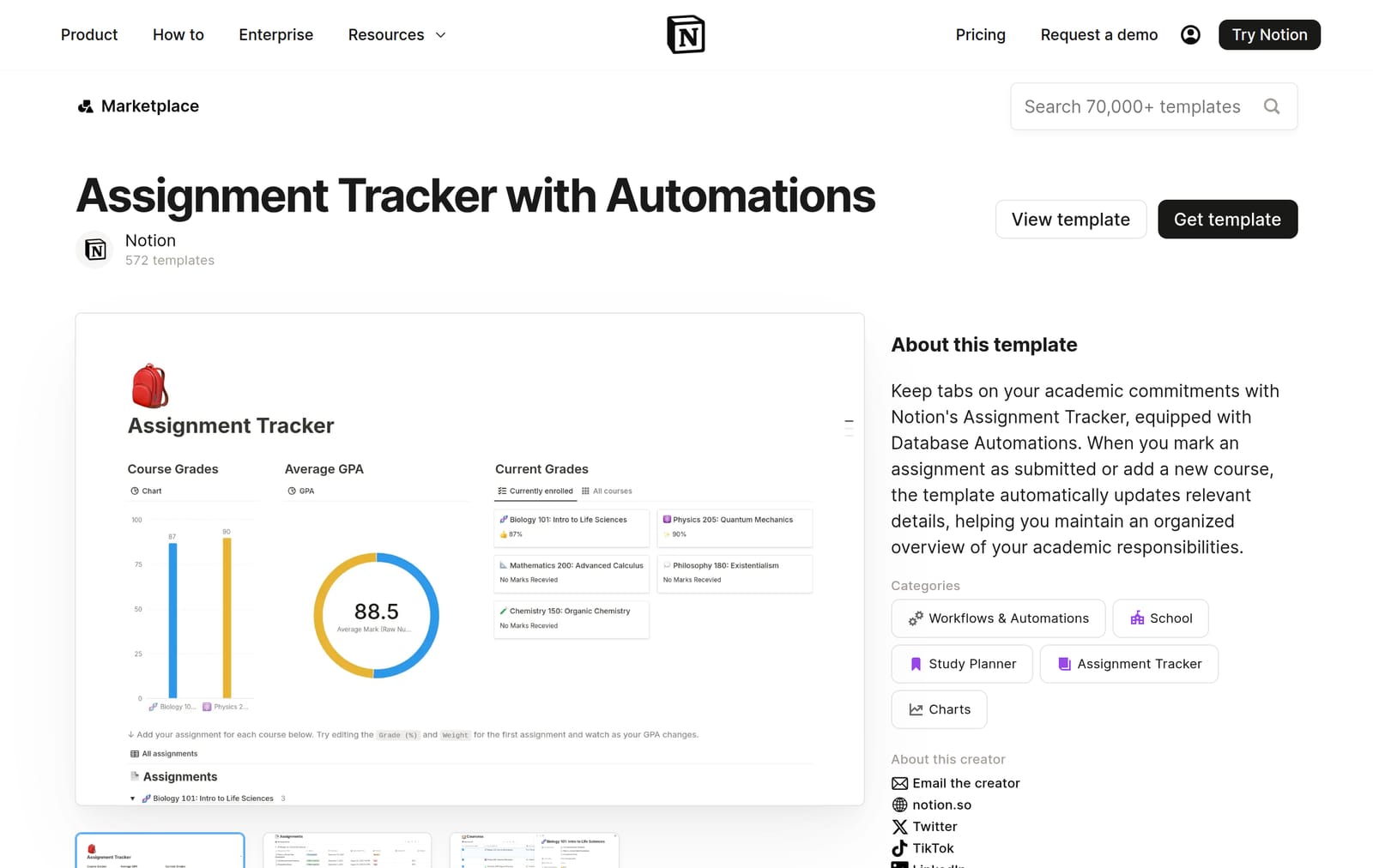
Assignment Tracker with Automations
Free, made by Notion. A student tracker for courses and assignments. Its preview shows a Course Grades chart, an average GPA ring and a Current Grades list per course above an Assignments table. Database automations update details when an assignment is marked submitted or a new course is added.
Get the Assignment Tracker with Automations
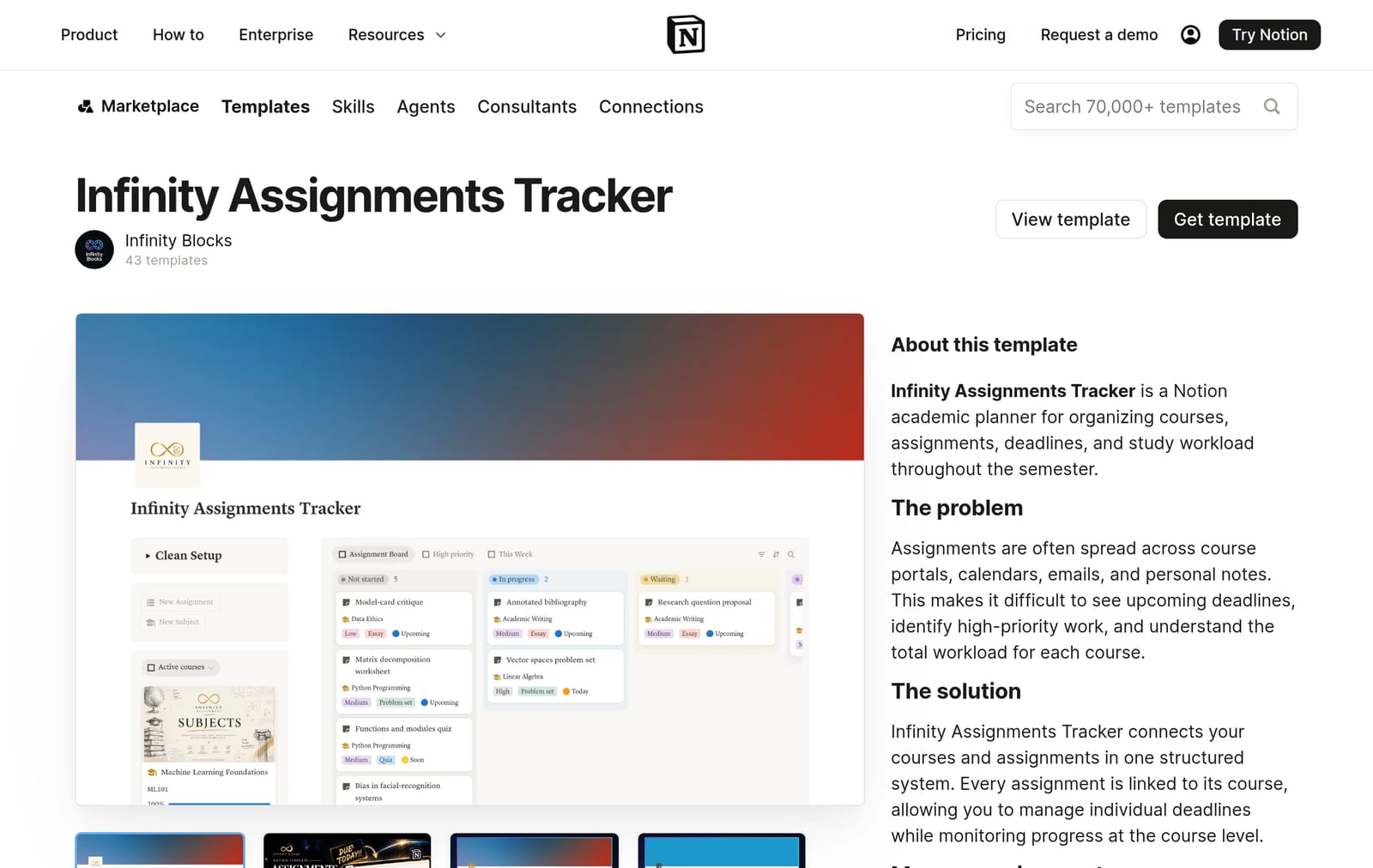
Infinity Assignments Tracker
Free, by Infinity Blocks. A student planner that links each assignment to its course. Its preview shows an Assignment Board grouped by status (Not started, In progress, Writing), with cards marked by priority and due date, views for high priority and this week, and a Subjects list of active courses.
Get the Infinity Assignments Tracker
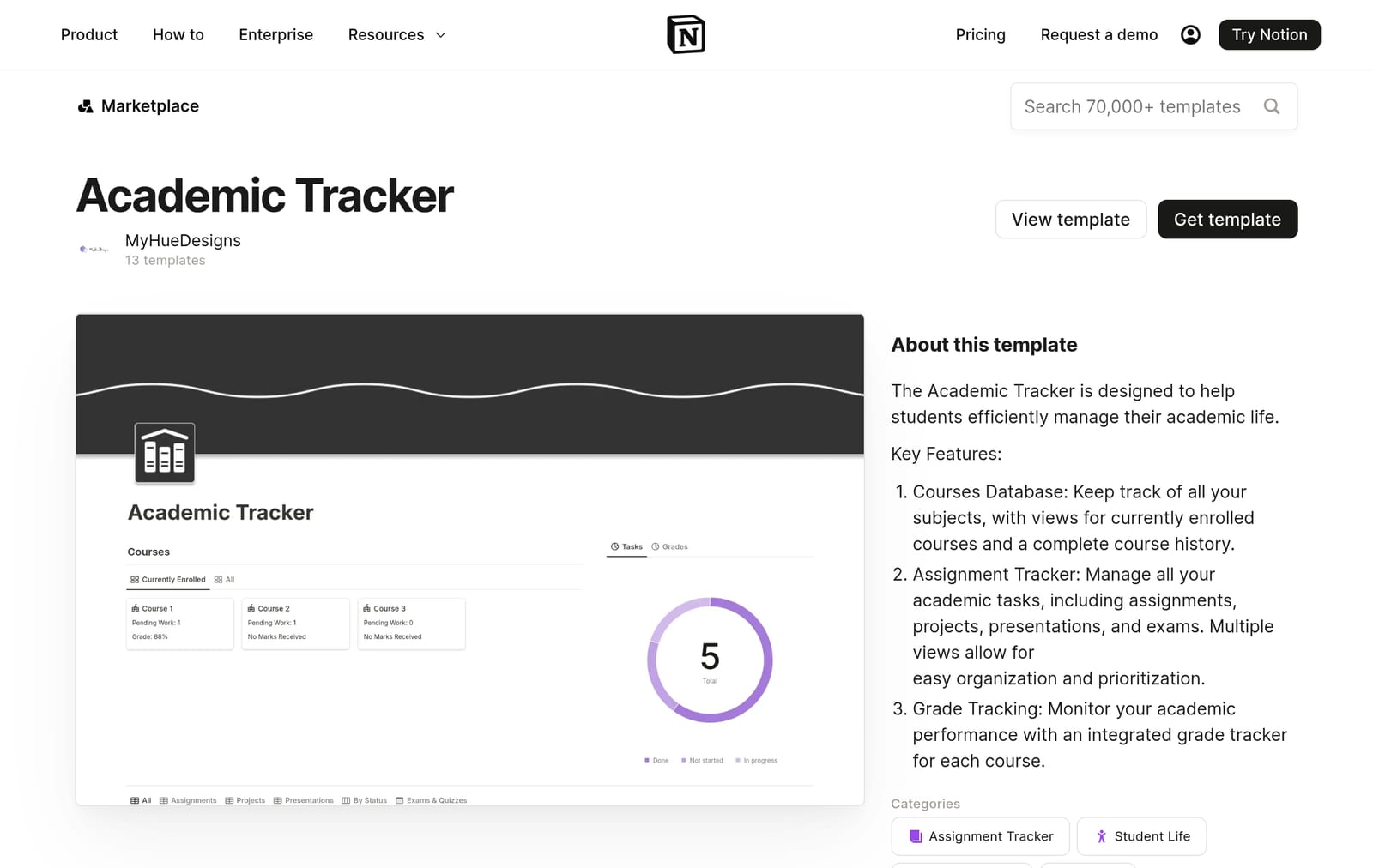
Academic Tracker
Free, by MyHueDesigns. For students: a Courses database with currently enrolled and all courses, each card showing pending work and a grade, a ring counting tasks by status, and an assignment tracker with views for assignments, projects, presentations, and exams and quizzes.
Homework & Assignment Hub
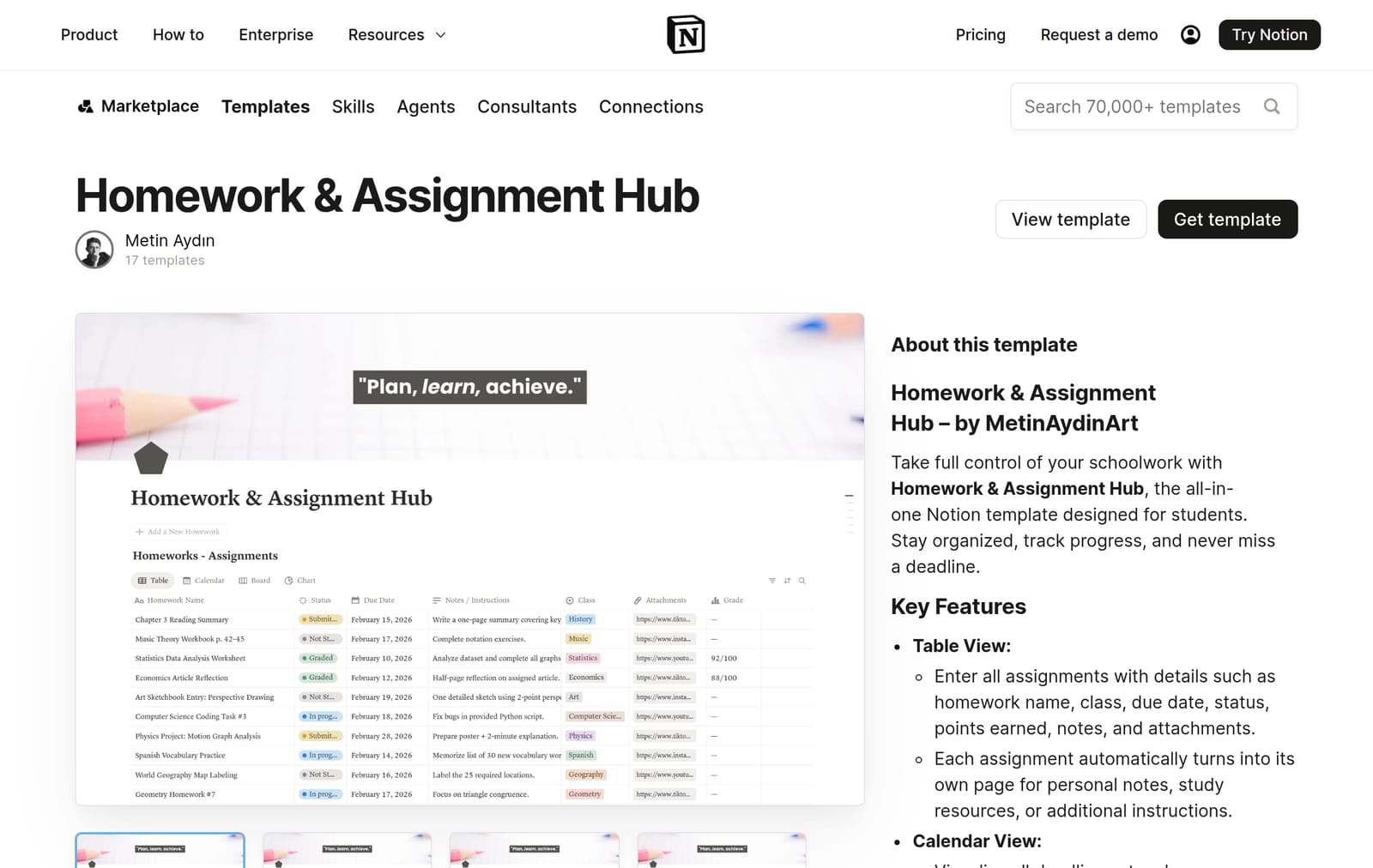
Free, by Metin Aydın. A homework table for students, with each assignment's name, status (such as Submitted, In progress or Graded), due date, notes, class, attachments and grade, plus Calendar, Board and Chart views. Each assignment opens as its own page for notes and study resources.
Get the Homework & Assignment Hub
Student dashboards with an assignment tracker
A dashboard puts the assignment tracker on one page with the rest of a student's school work, such as classes and notes. It suits a high school or college student who wants one place to start each day. For a teacher it is more than you need to track assignments, but it can be a good thing to show students who are setting up their own Notion.
Academics Organizer
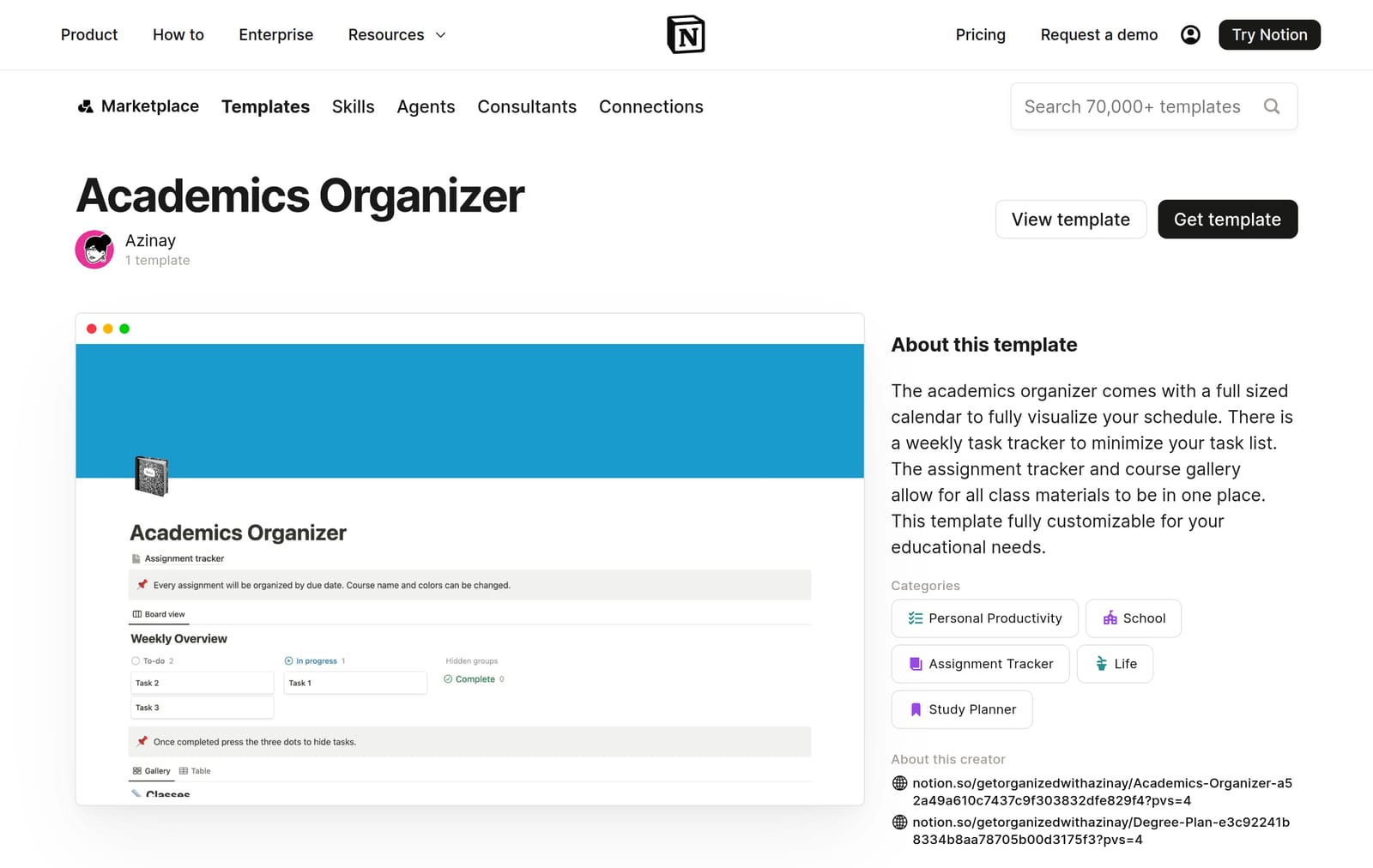
Free. A student organizer with a weekly overview board of tasks (to-do, in progress, complete), an assignment tracker sorted by due date with course names and colors you can change, and a gallery of classes. Its page says it also has a full-size calendar for the week's schedule.
Pink Coquette Aesthetic School Dashboard
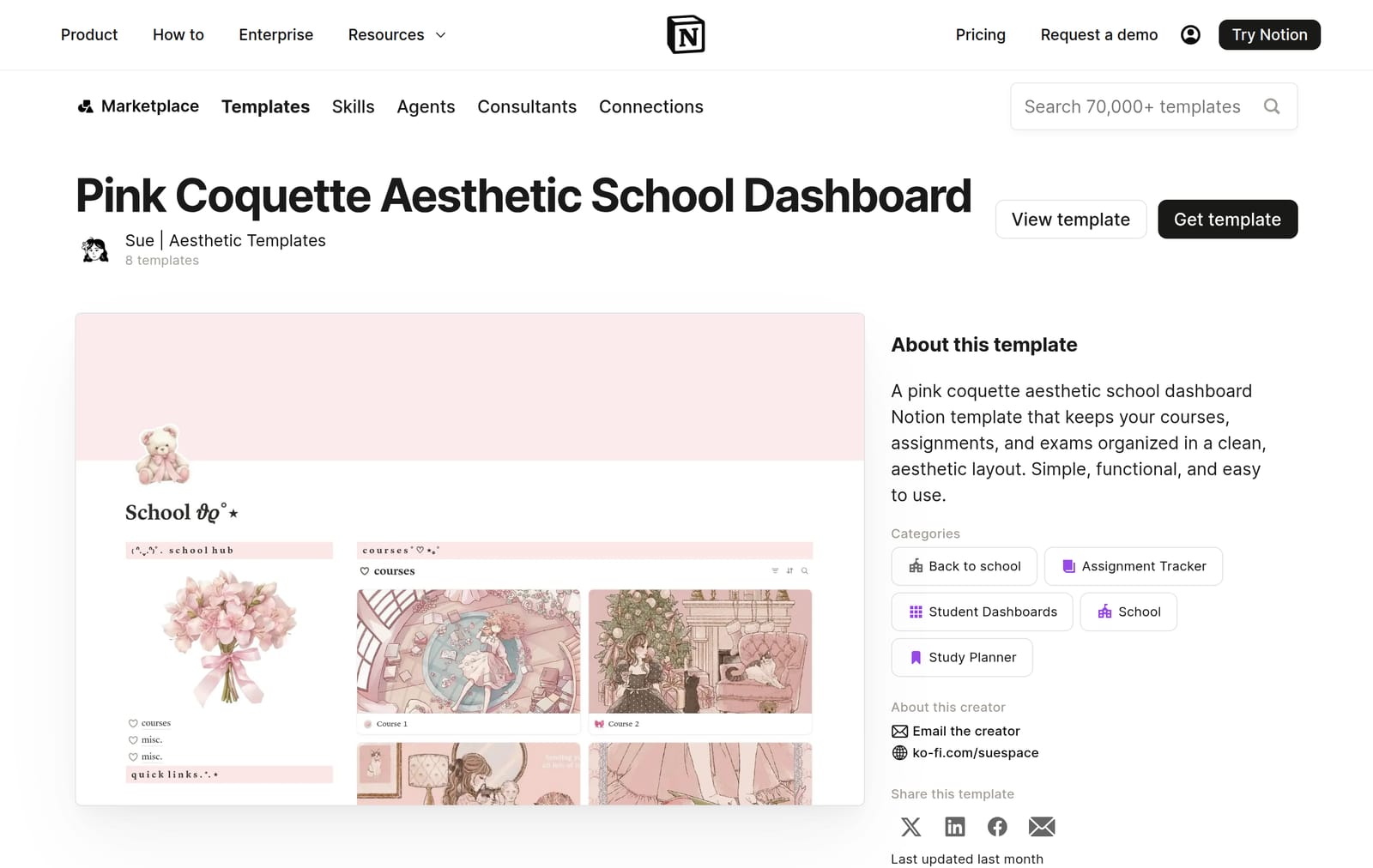
Free. A pink school dashboard with a teddy bear icon: a school hub of links on the left and a gallery of courses with illustrated covers on the right. Its page says it keeps courses, assignments and exams in one place. It is chosen for the look; the preview shows the courses, not the assignment list itself.
Get the Pink Coquette Aesthetic School Dashboard
Minimalist Student Dashboard
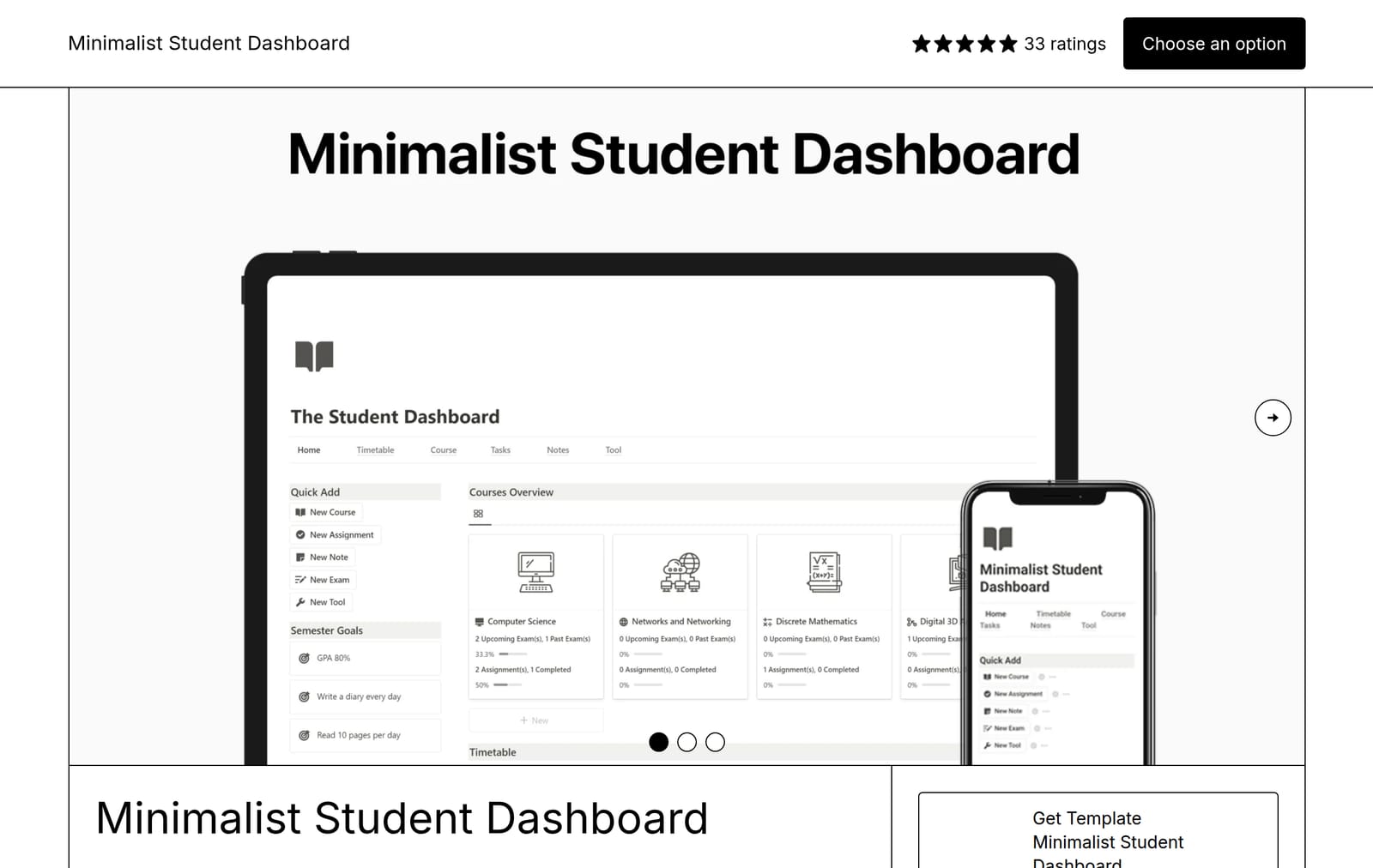
Free. A black-and-white dashboard with tabs for home, timetable, courses, tasks, notes and tools. Quick Add buttons make a new course, assignment, note, exam or tool; semester goals sit below them; and each course card counts its upcoming exams and completed assignments, with progress bars. The preview also shows it on a phone.
Get the Minimalist Student Dashboard
School Planner
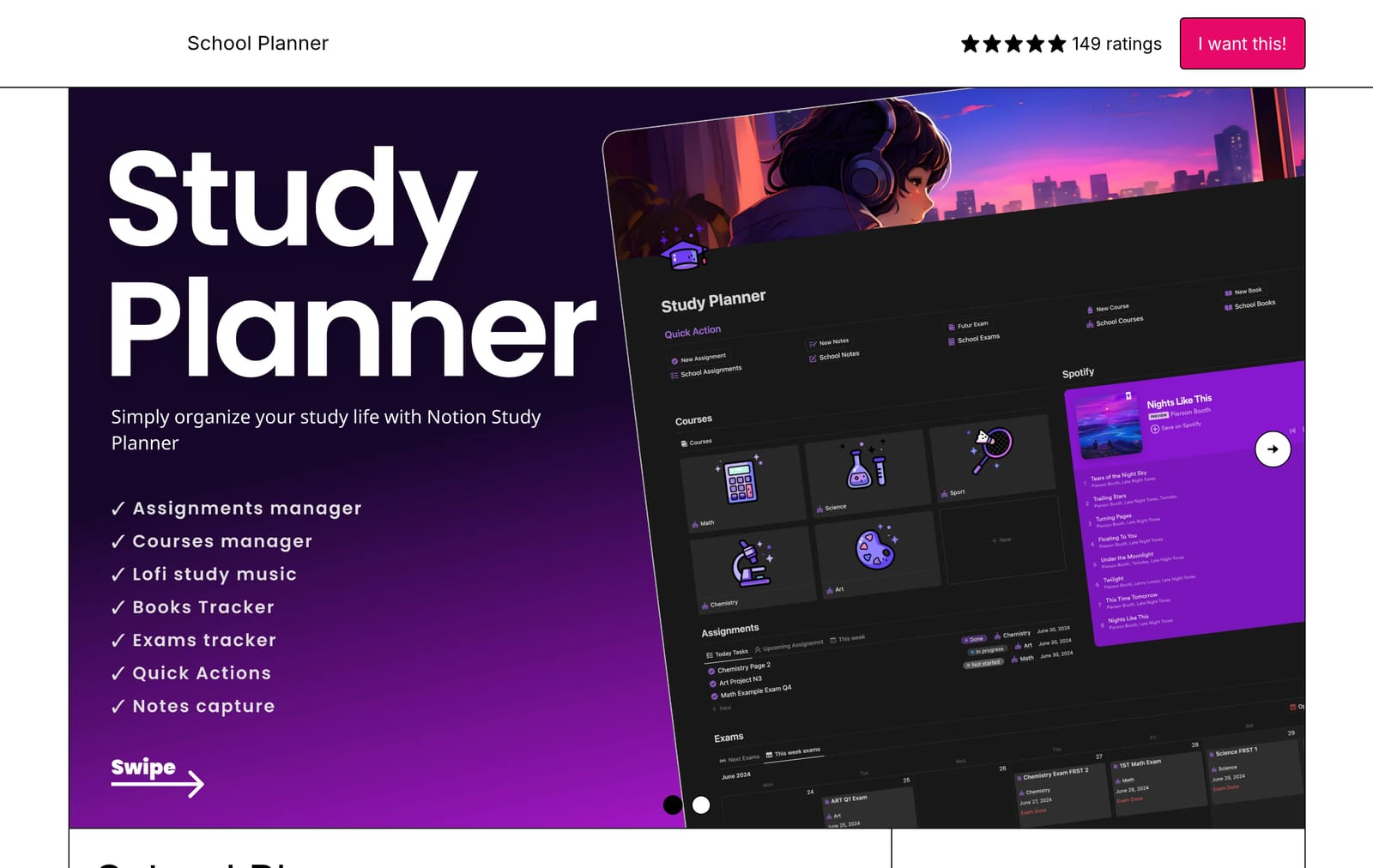
Free. A student dashboard in a dark theme, built around an assignments list with status and due dates. Its preview also holds quick-action buttons for a new assignment, note, exam, course or book, a gallery of course cards (Math, Science, Chemistry, Art), an exams calendar, and a Spotify panel for lofi study music. For a middle or high school student who wants homework, tests and notes in one place.
How to add an assignment tracker to your Notion
Every tracker in this list is a Notion template: a page someone made that you copy into your own workspace.
Open the template's page from the list above.
Press its Duplicate or Get template button.
Choose your workspace. Notion puts a copy of the template there, and that copy is yours to change.
The pictures below show what a tracker looks like once it is in your workspace. They are of the Assignments and Grades pages in our Ultimate Teacher Planner, filled in for a made-up Grade 7 Science class.
The assignments table
Each assignment is a row with its Type (Homework, Assignment, Quiz & Test or Survey), its Due Date and its Status: Not Assigned, Assigned or Finished. The All tab shows the work that is not finished yet. (The Board tab next to it is the one added in the steps further down.)
The table should put what is due next at the top. Mine was sorted by Due Date, newest first, so I turned it round: press Sort (the arrows above the table, on the right), press Sort new → old next to Due Date and choose Sort old → new. A ↑ Due Date label now sits above the table, and the quiz due on November 27 is first.
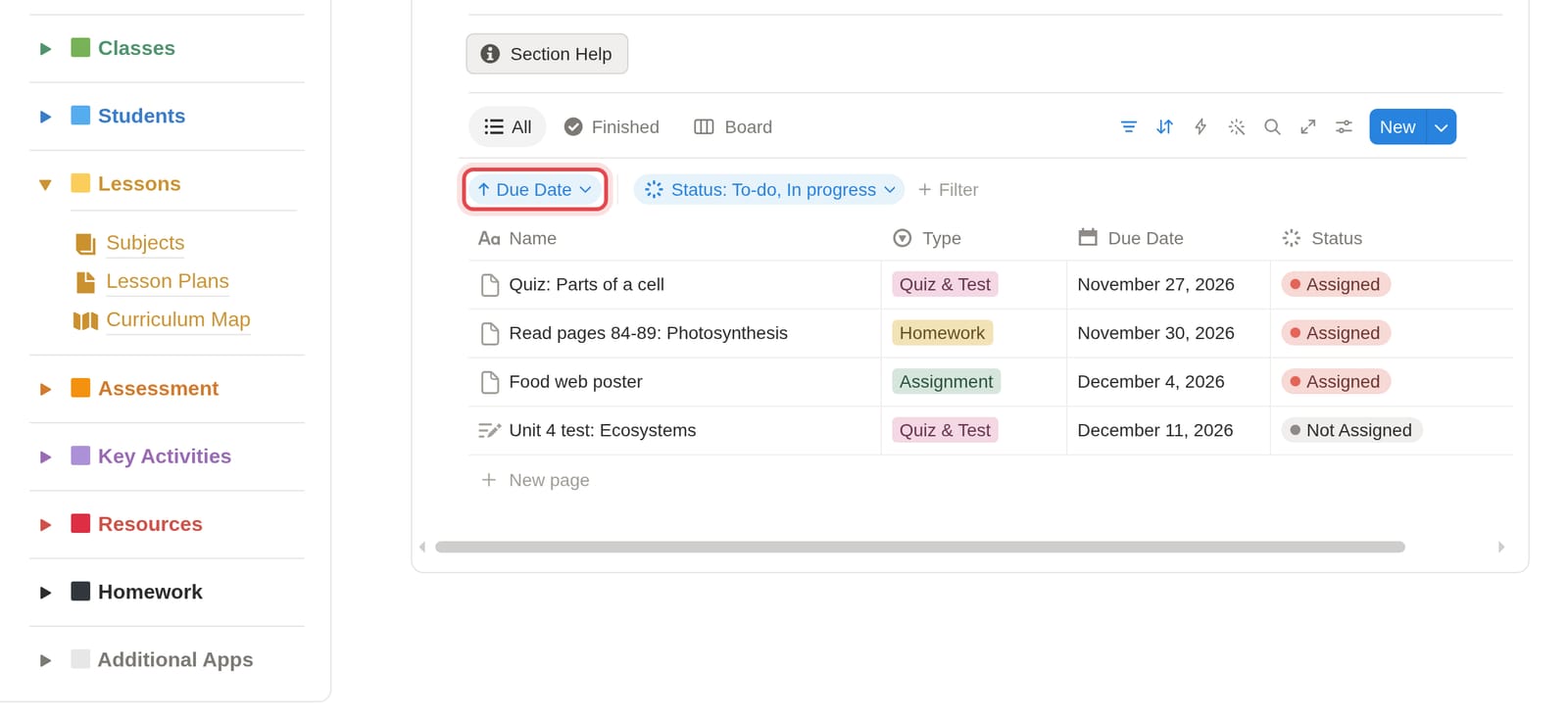
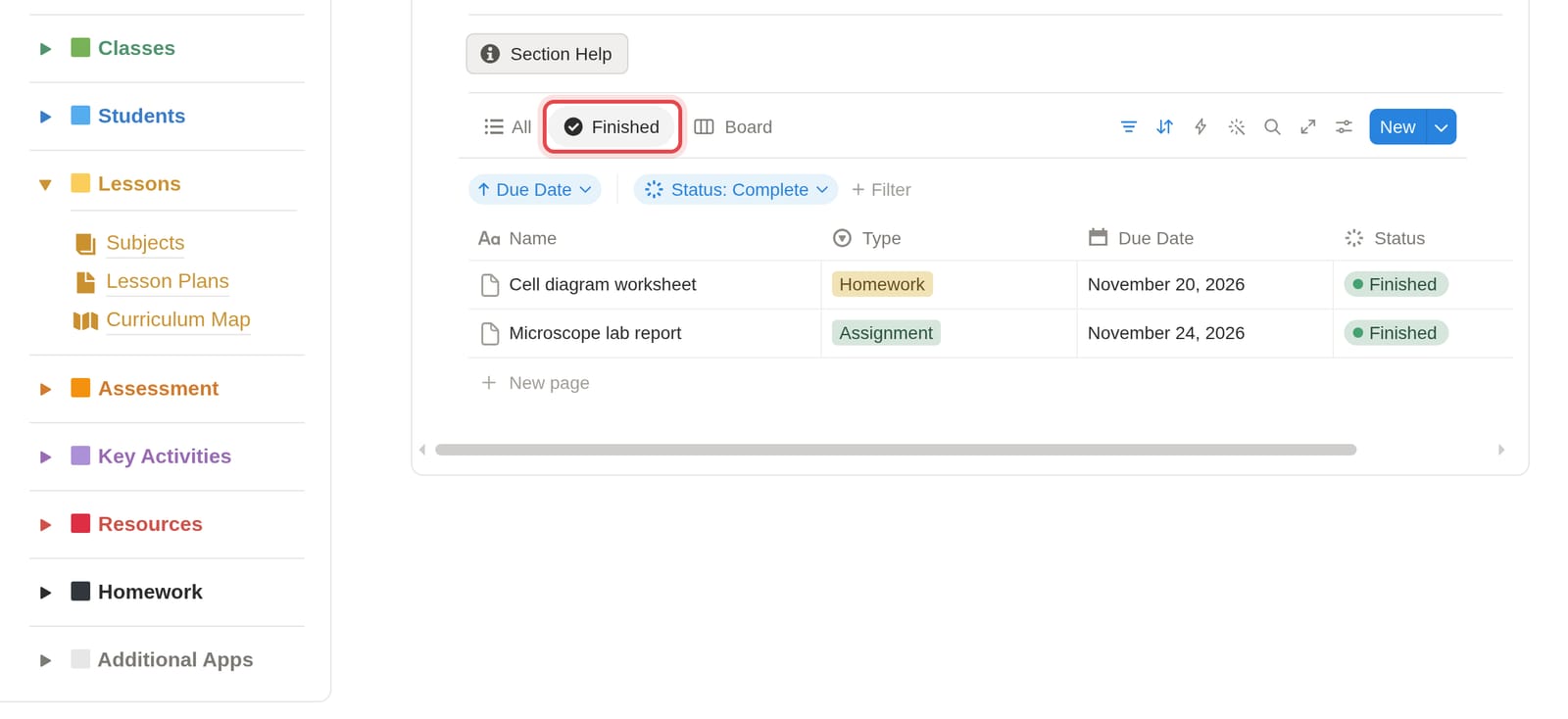
Assignments marked Finished are not on the All tab: they are under Finished, so the list you look at every day stays short. Each tab keeps its own sort, so I set the Finished tab to Sort old → new the same way.
See assignments by status on a board
A table is good for typing in. To see at a glance what is still waiting to be handed out, what is out and what is done, add a board. This is how I added one to the Assignments table:
Point at the row of tabs above the table (All, Finished). A + appears at its end: press it.
Under Start from scratch, choose Board.
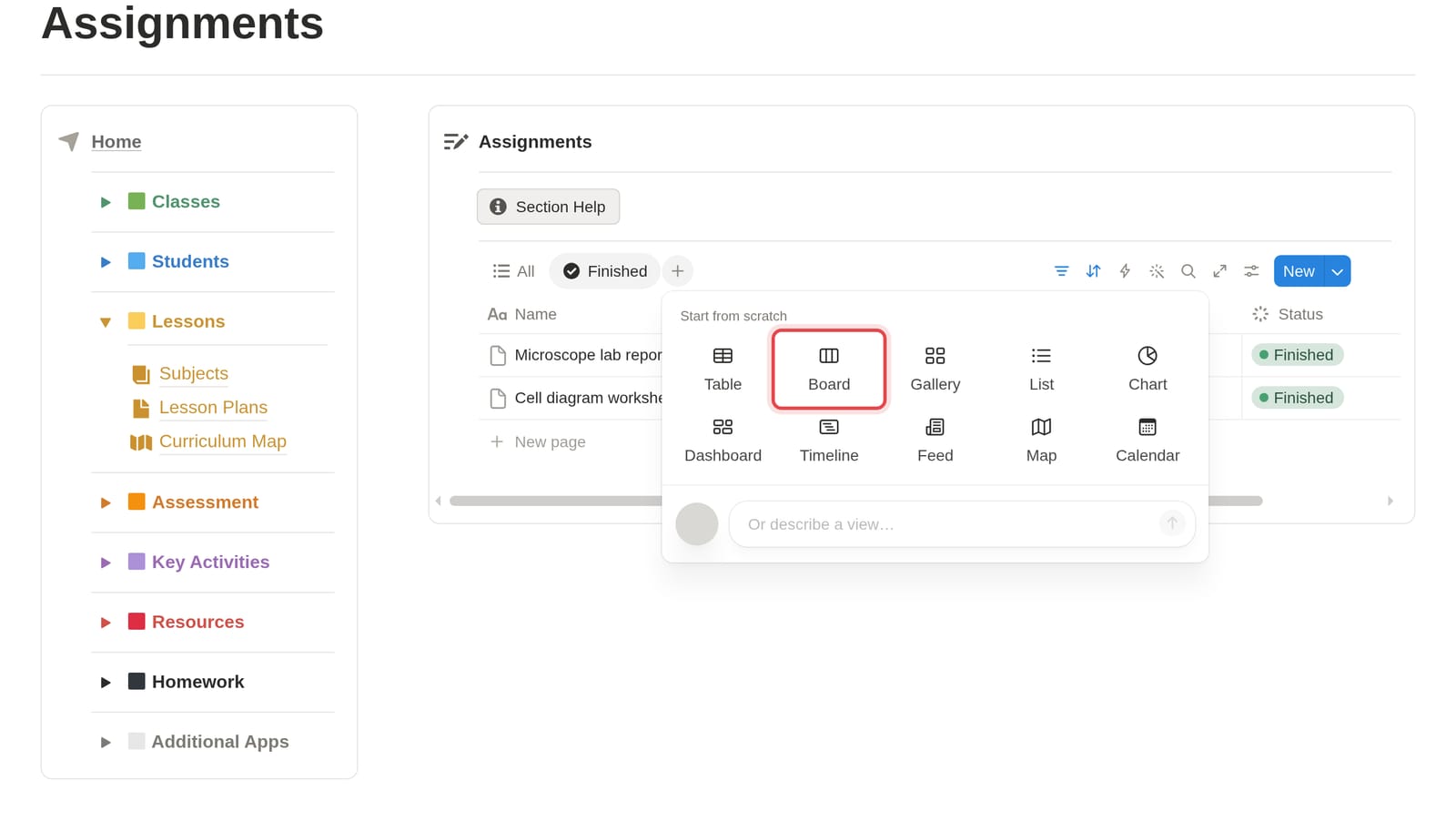
Notion asks which data the board should show. Choose Assignments. It then lists the views that table already has: choose New board view.
A New view panel opens. Group by is already set to Status, so there is nothing to change. You can type a name in View name; I left it empty, so the tab is called Board. Close the panel with its ×.
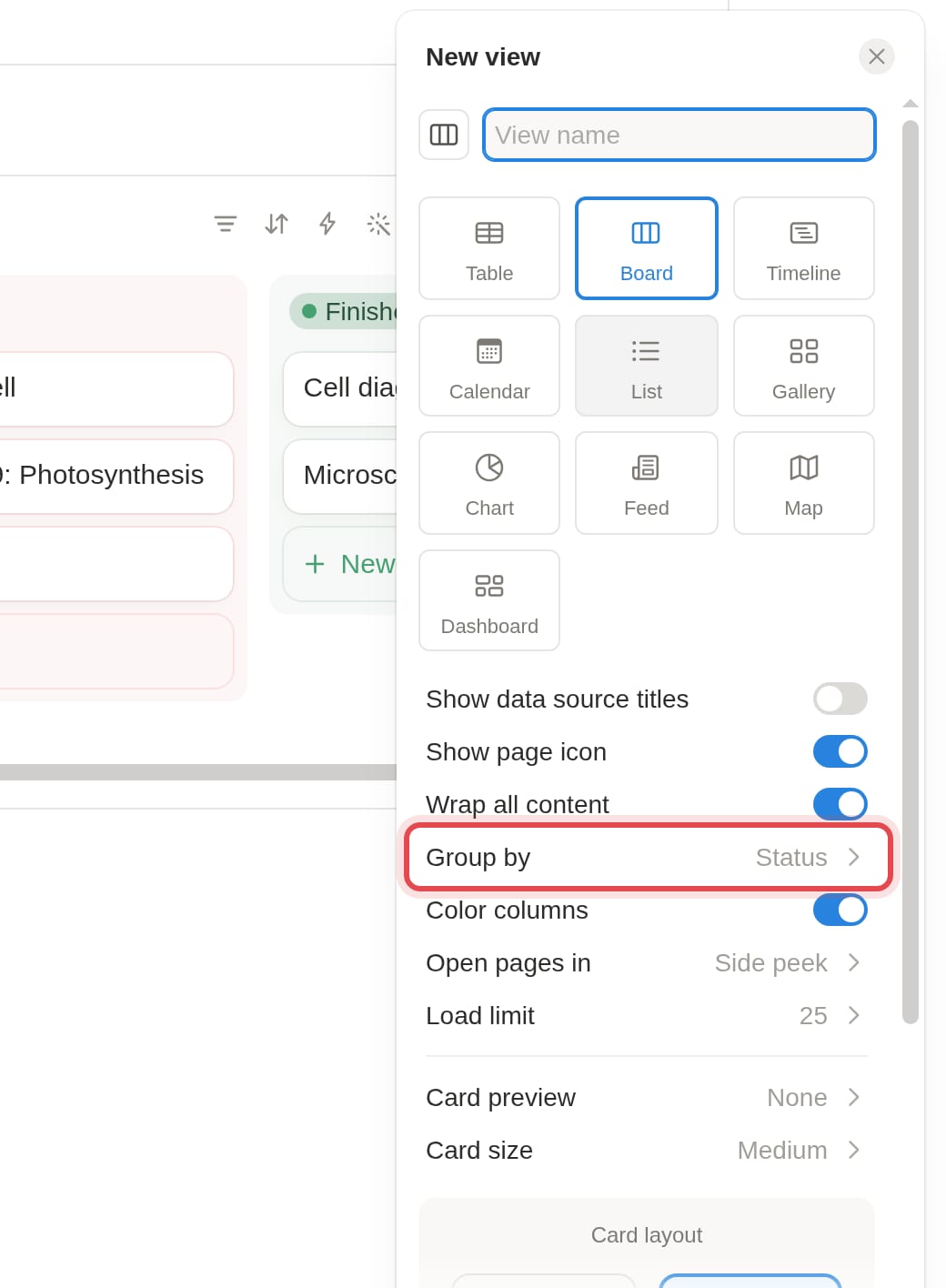
The board has a column for each status, Not Assigned, Assigned and Finished, and a card for each assignment. A Board tab now sits next to All and Finished, and the table is still there under its own tab.
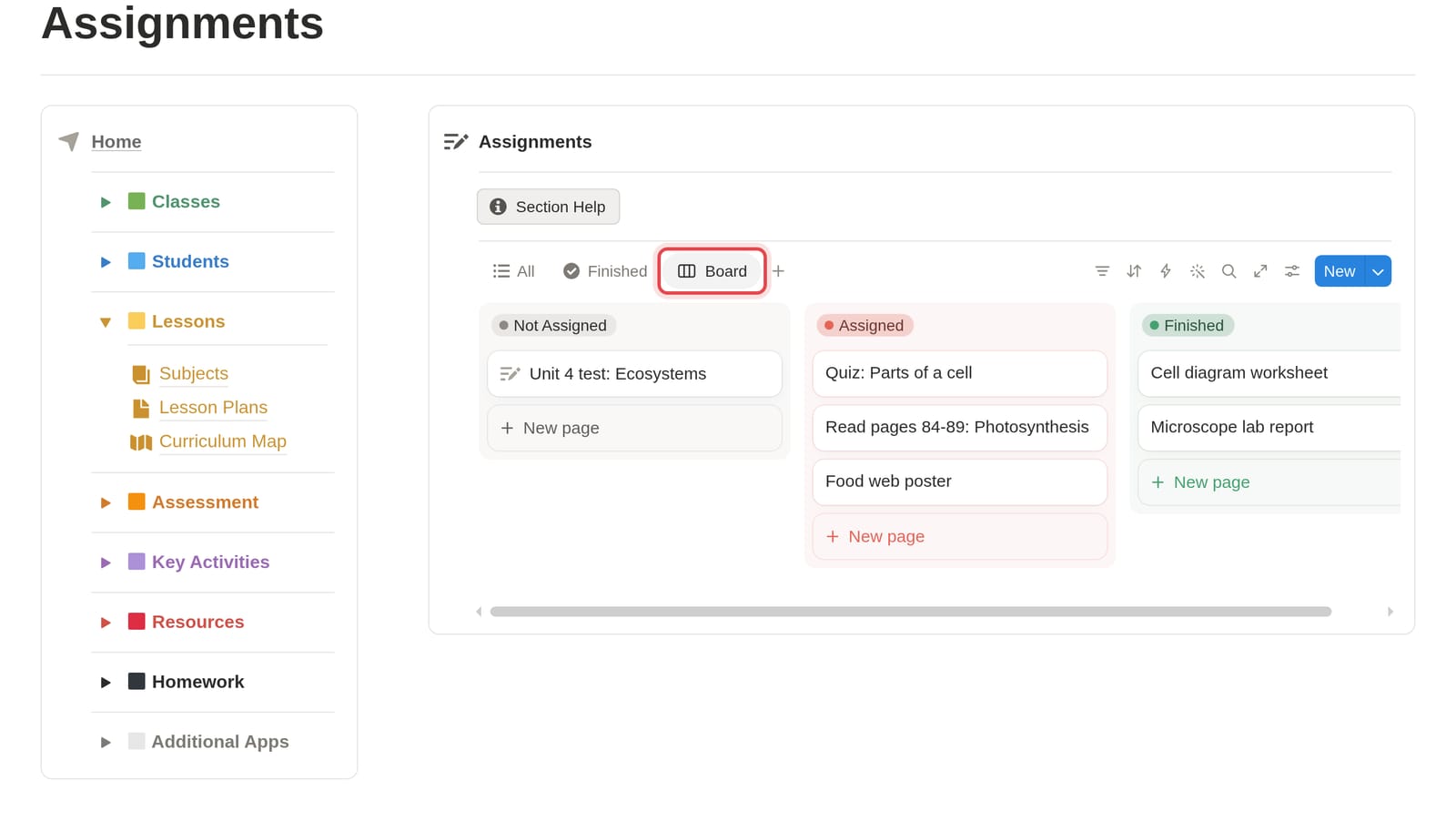
Calendar is in the same menu as Board, if you would rather see assignments laid out by due date. Notion's help page on board views covers the rest of what a board can do.
Record scores in a grades table
The planner's Grades table keeps one row per student per assignment: the assignment, the Student, the date it was done, the Score and the Total it was out of. The % Score is worked out by Notion: 23 out of 25 shows as 92%.
On the planner's Grades page the table is narrower than its columns, so % Score sits off to the right. To see every column at once, press Open as full page among the buttons above the table: the table opens on a page of its own, across the whole window.
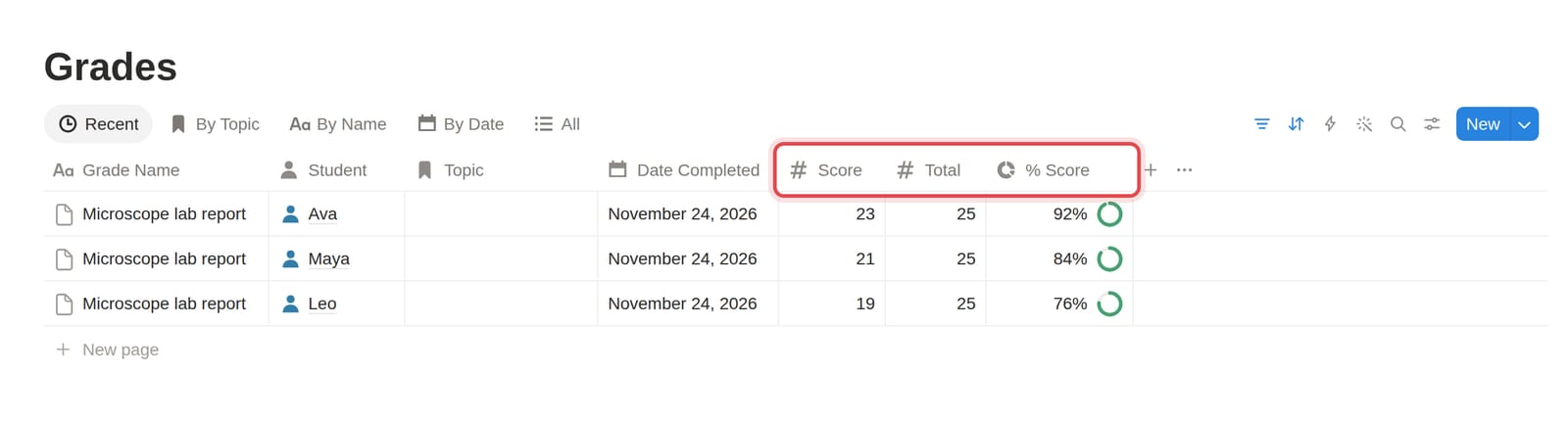
The Student column links to the planner's list of students. To fill it, press the empty Student cell, type the student's first name and choose New Ava in Student List (with your student's name in it). That adds the student to the list and links the grade to them in one step.
Which tracker to choose
If all you need is a list of what is due and whether it is done, a simple tracker is enough, and you can add a board or calendar yourself with the steps above. Choose a tracker from the second group when you also want scores or a separate list of exams. A full dashboard is worth it for a student who wants one page for every class, and is more to keep up for someone who only needs due dates. All of them are free, so you can try two and keep the one you open every day.
For a teacher, an assignment tracker is one part of planning the year. If you want it next to your lessons, classes and grades, see our guide to setting up a teacher planner in Notion and our look at digital teacher planners.
FAQ
Is there a free Notion assignment tracker?
Yes. Every tracker in this list is free, starting with our Notion Homework Tracker and Student Grades Tracker. Each entry says what the template holds, so you can choose by what you need.
Can a teacher use a Notion assignment tracker?
Yes, though most are made for students tracking their own work. As a teacher, look for a status that tells you whether an assignment has been handed out, such as Not Assigned, Assigned and Finished, and a grades table that links each score to a student.
How do I see my assignments on a calendar in Notion?
Point at the tabs above your assignments table, press the + at their end, and choose Calendar from the same menu that offers Board.
Can I track grades in the same place as assignments?
Yes. Choose a tracker from the assignment, exam and grade group, or keep a grades table next to your assignments, as in the pictures above, where Notion works out each percentage from the score and the total.
What is the difference between an assignment tracker and a student dashboard?
An assignment tracker is a list of work with due dates and status. A student dashboard puts that list on one page with a timetable, classes and notes. If you only need to know what is due, a tracker is quicker to set up and keep up to date.
Still grading everything by hand?
EMStudio is a free teaching management app — manage your classes, students, lessons, and more!