The Best Notion Student Planners (Free and Paid)

A Notion student planner is a ready-made template you copy into your own Notion to keep your classes, assignments and due dates, exams, notes and weekly schedule in one place. For a full planner with a weekly timetable, start with the free Aesthetic Matcha Student Planner; for everything on one home page, the free Easlo's Student Dashboard; for keeping on top of homework, our free Notion Homework Tracker; and for parents teaching at home, our paid Notion Homeschool Planner. Below are 20 picks in four groups: full student planners, homework and assignment trackers, all-in-one dashboards, and templates for notes, classes and exams, with our own first in their groups.
Each pick is marked free or paid and comes with a picture, so you can see what you get before you copy anything. Further down, you can see inside our homeschool planner with example work in it.
Still grading everything by hand?
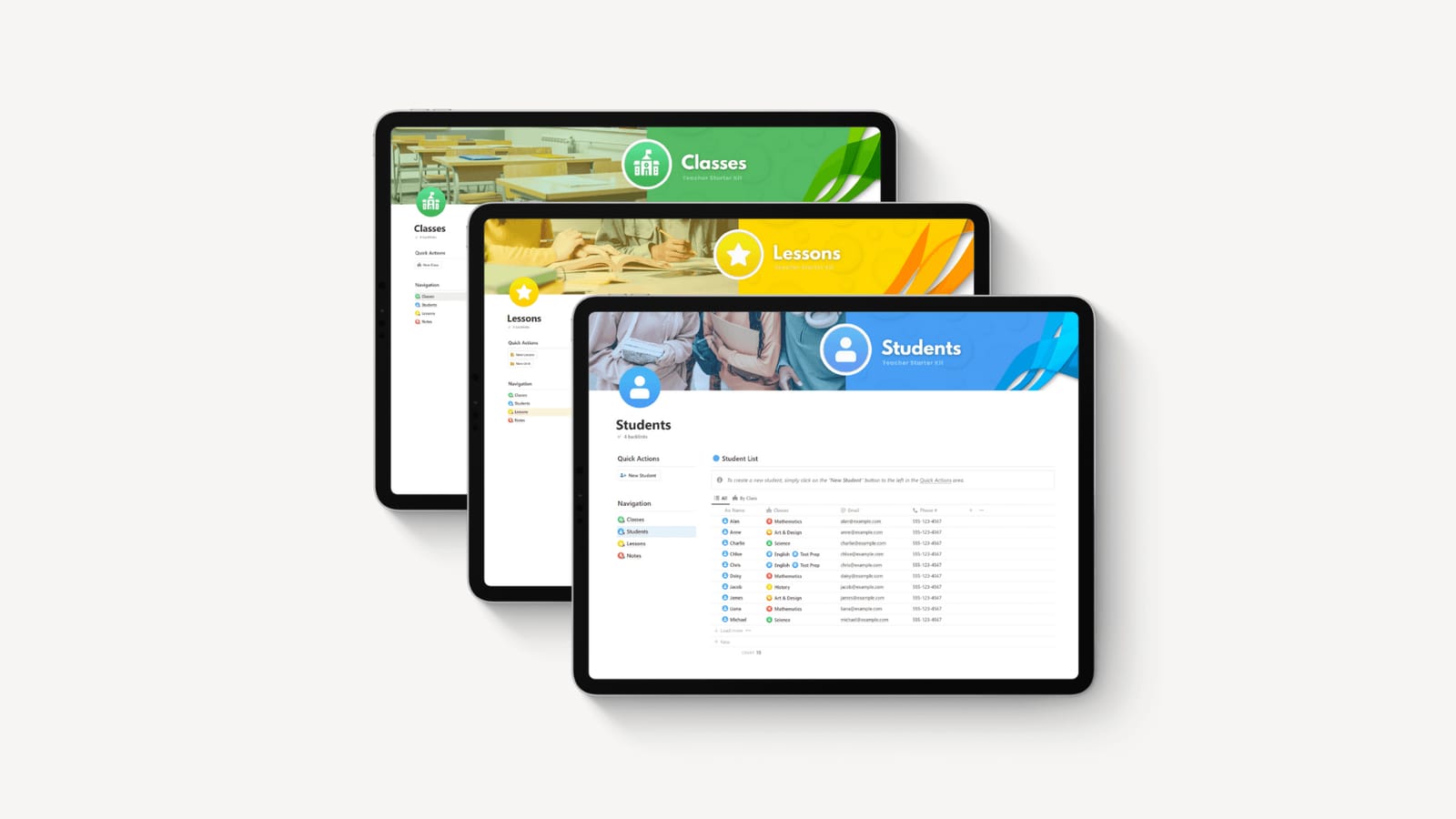
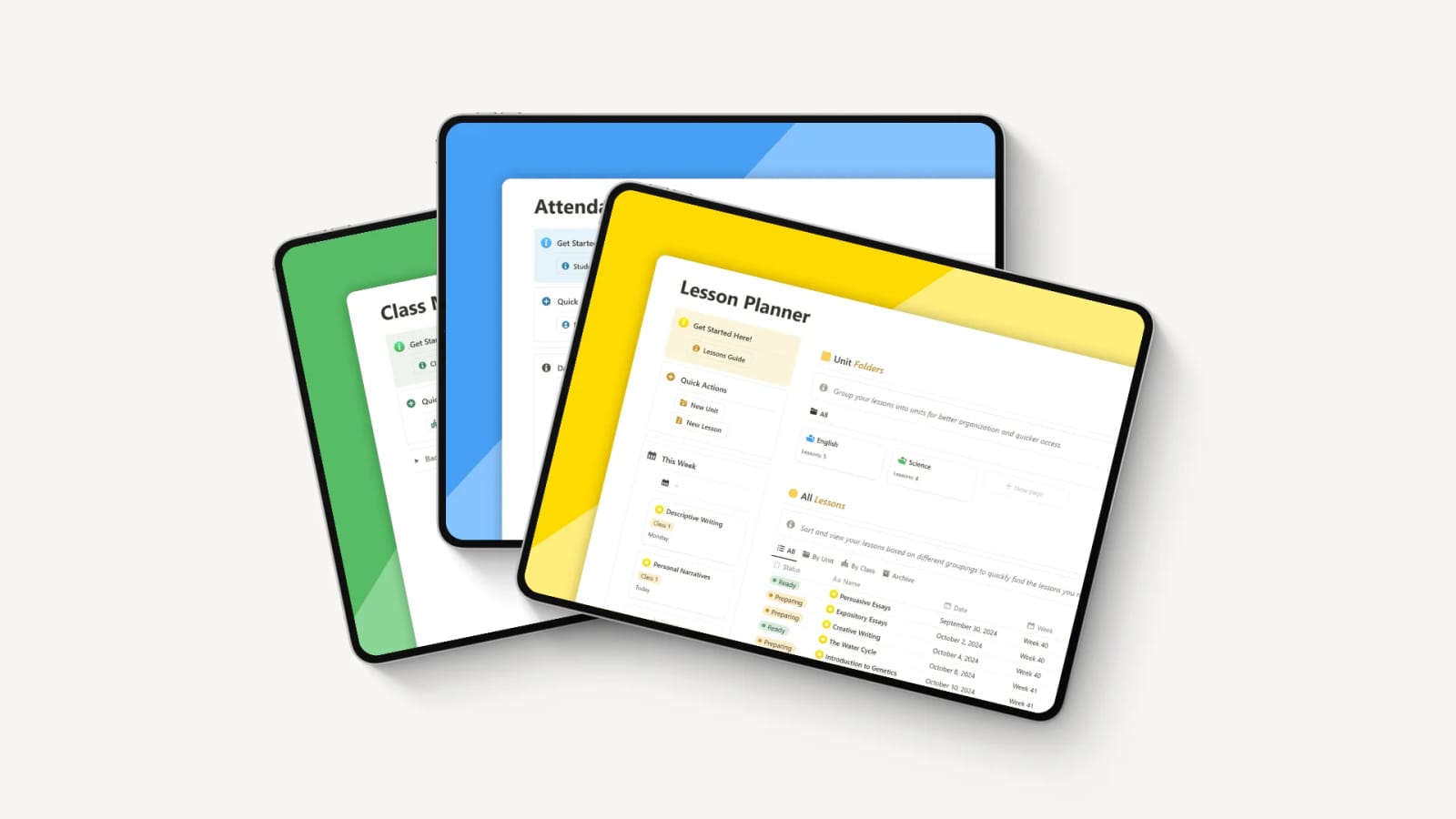
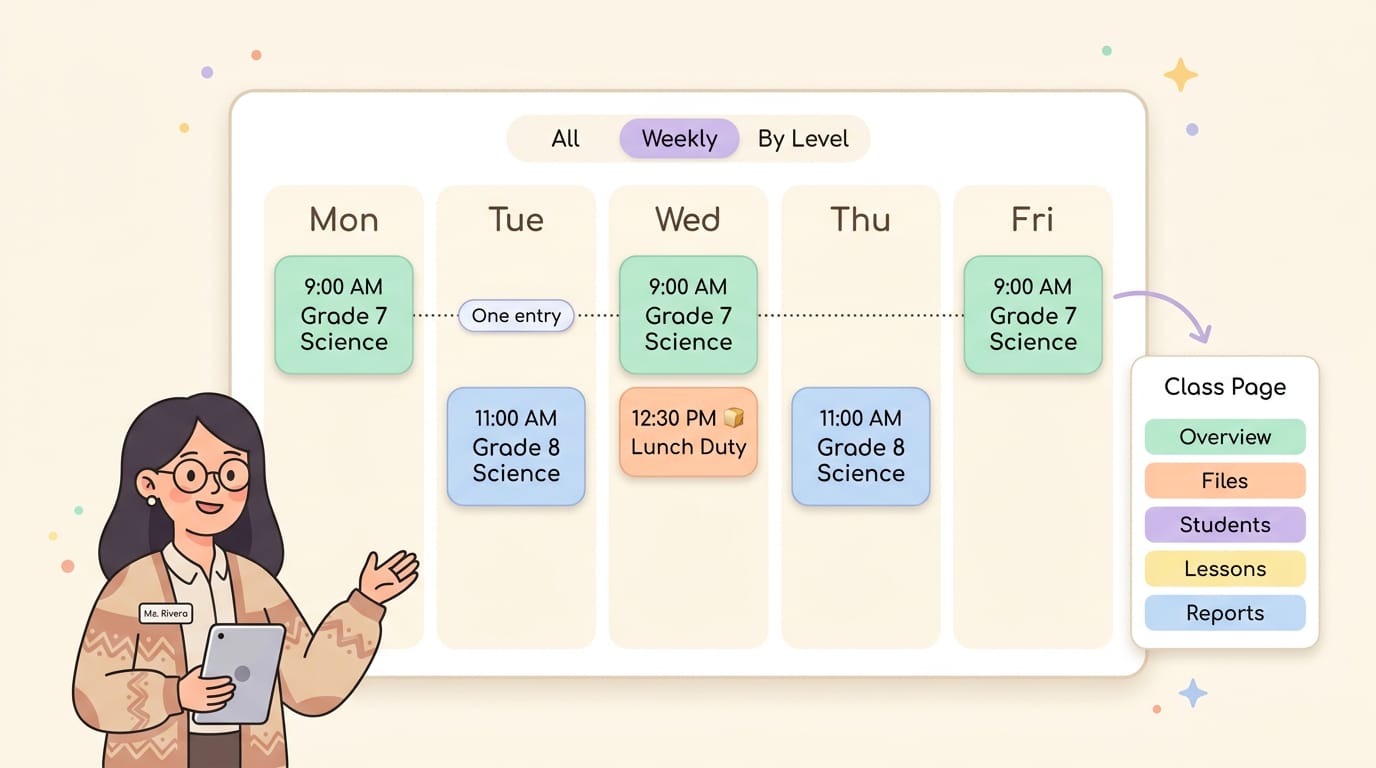
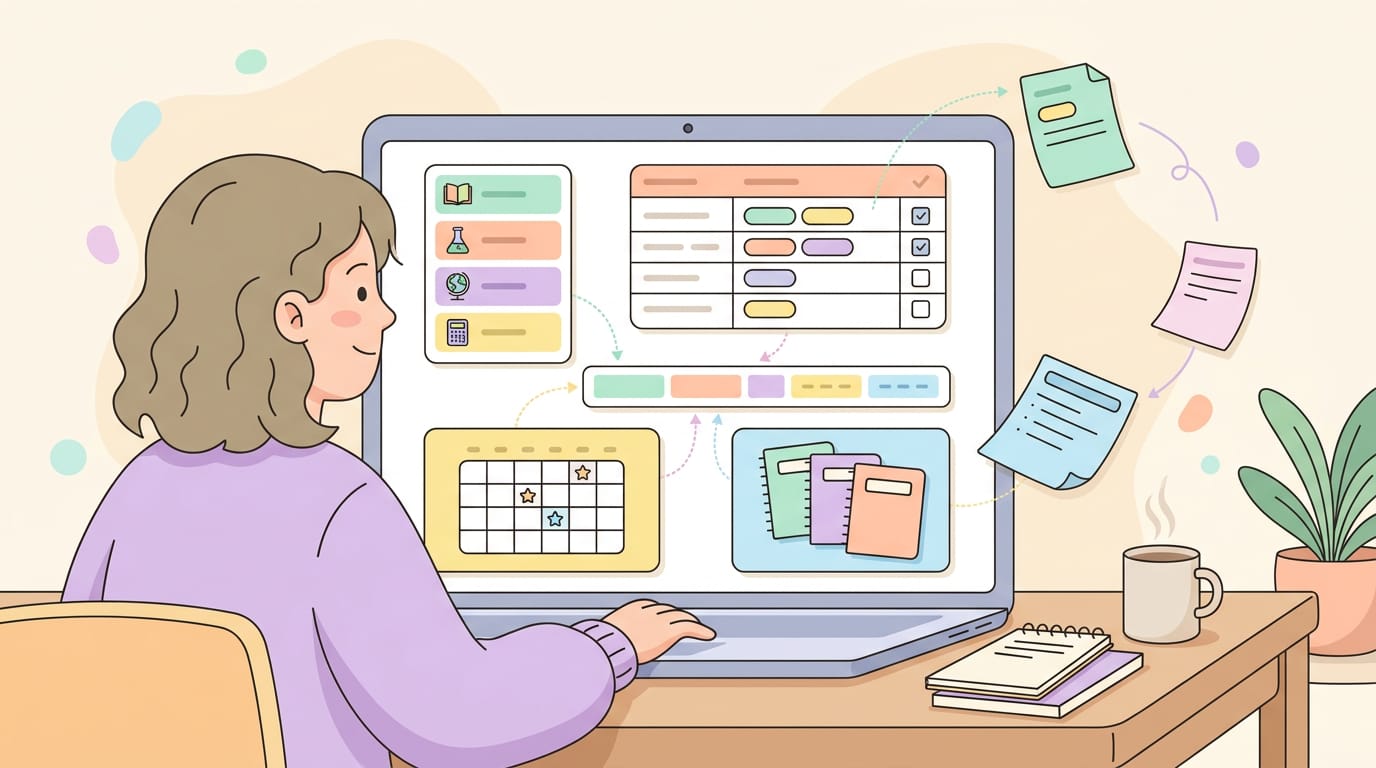
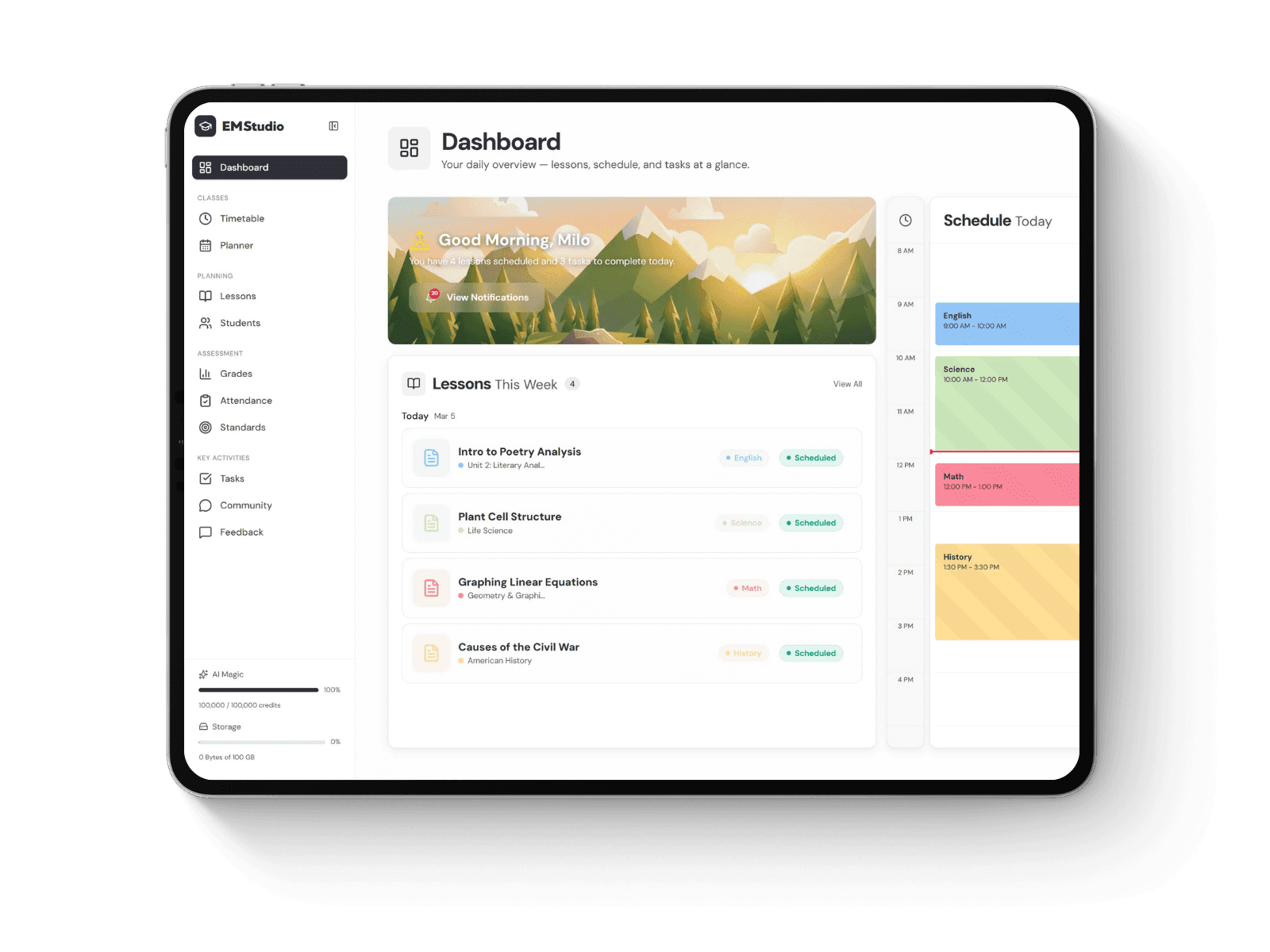
EMStudio is a free teaching management app — manage your classes, students, lessons, and more!
What a Notion student planner holds
Every planner on this list is built from the same few parts. Knowing them makes it easier to pick one, and to see what a template leaves out.
Classes or subjects. A list of what you study, often with the teacher, the room or the days it runs.
Assignments and due dates. A table of homework, each with a due date, a class and a box to tick when it is done. This is the part most students open every day.
Exams. Test dates and what each one covers, so revision can start early instead of the night before.
Notes. A page per lesson or lecture, linked to its class, so notes can be found by subject instead of by date.
A weekly schedule. A timetable or calendar view of the week, so you can see where the free hours are.
A full planner holds all five. A dashboard puts them on one home page with links to each part. A tracker does one job, assignments or notes, and does it with fewer clicks.
Who each kind of planner suits
High school students usually do best with a simple planner or a homework tracker. A school day already has a fixed timetable; what changes is the homework, and a tracker with due dates and a Today or This Week view shows exactly what is due next.
University students juggle courses that meet on different days, long reading lists and assignments due weeks apart. An all-in-one dashboard or a course schedule with an assignment tracker suits them better.
Homeschool families plan for the student rather than with them: lessons by subject, several children at once, attendance and records. A planner made for homeschooling, like ours, holds all of that.
Teachers looking for a planner for their own work will find more in our list of the best Notion templates for teachers.
Notion student planner templates
These are complete planners: classes, assignments, exams and a schedule in one template. Pick one of these if you want a single place for the whole school year and do not mind setting it up once. Ours comes first; free and paid are marked on each.
Notion Homeschool Planner
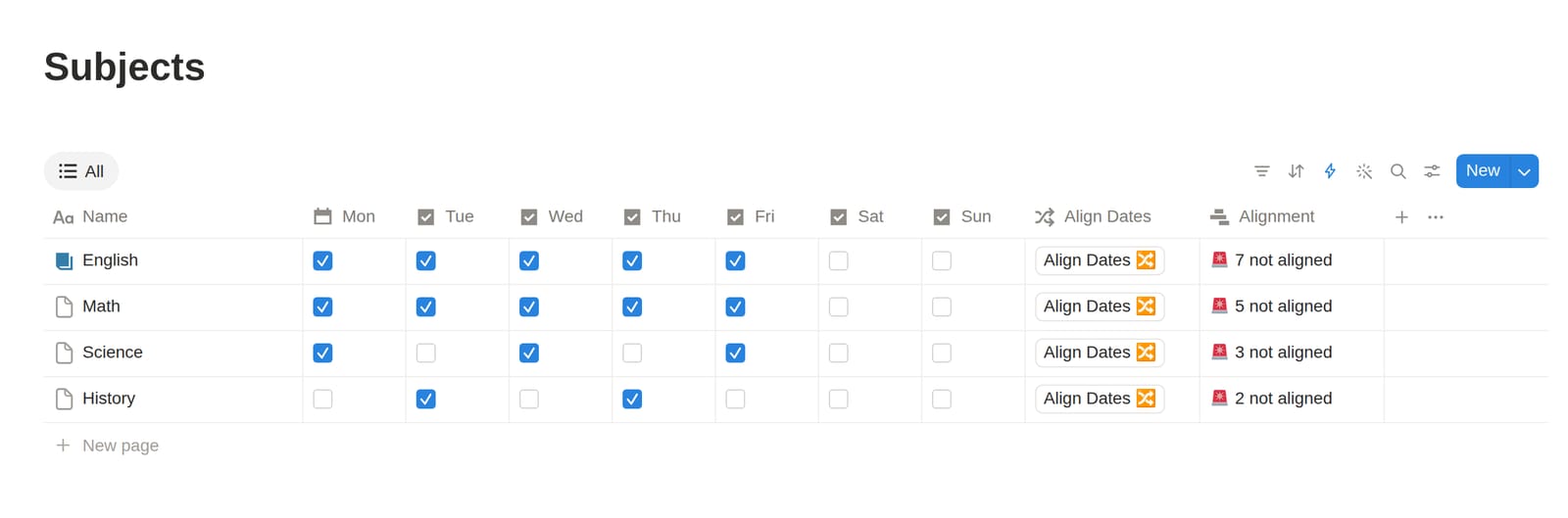
Paid. Our all-in-one Notion workspace for parents running a homeschool: students, lesson plans, attendance, a logbook, reports, tasks and a schedule. Its Subjects table ticks the days of the week each subject is taught, with an Align Dates button on every row, and a Lessons table holds numbered lessons by subject, student and date. Its page shows five stars from 45 reviews.
Get the Notion Homeschool Planner
Aesthetic Matcha Student Planner
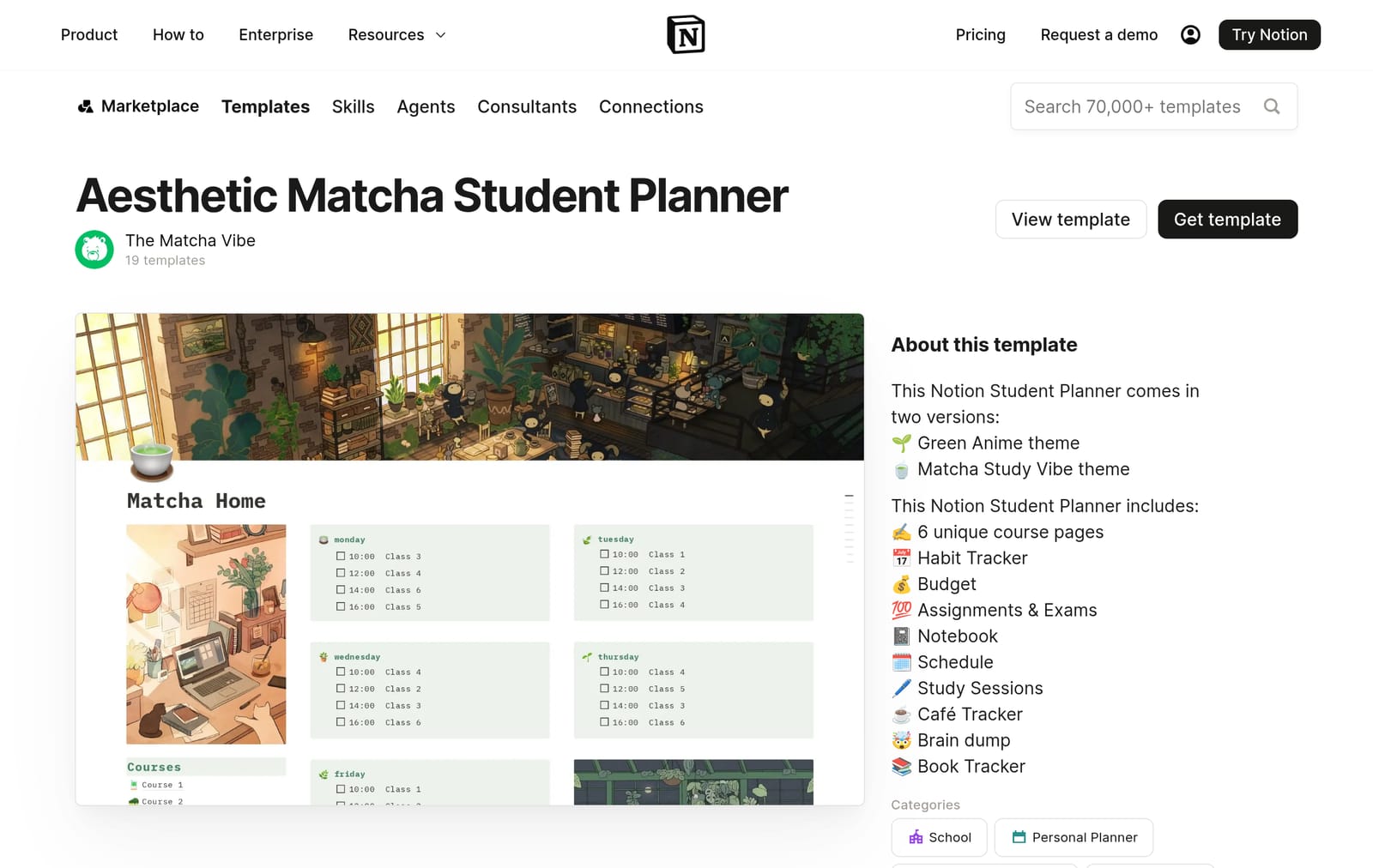
Free. A student planner in Notion's template gallery, in two themes (green anime and matcha study). Its home page puts a weekly class timetable, Monday to Friday with times, beside a list of courses. It also lists six course pages, a habit tracker, a budget, assignments and exams, a notebook, a schedule, study sessions, a café tracker, a brain dump and a book tracker.
Get the Aesthetic Matcha Student Planner
Smart Study Planner
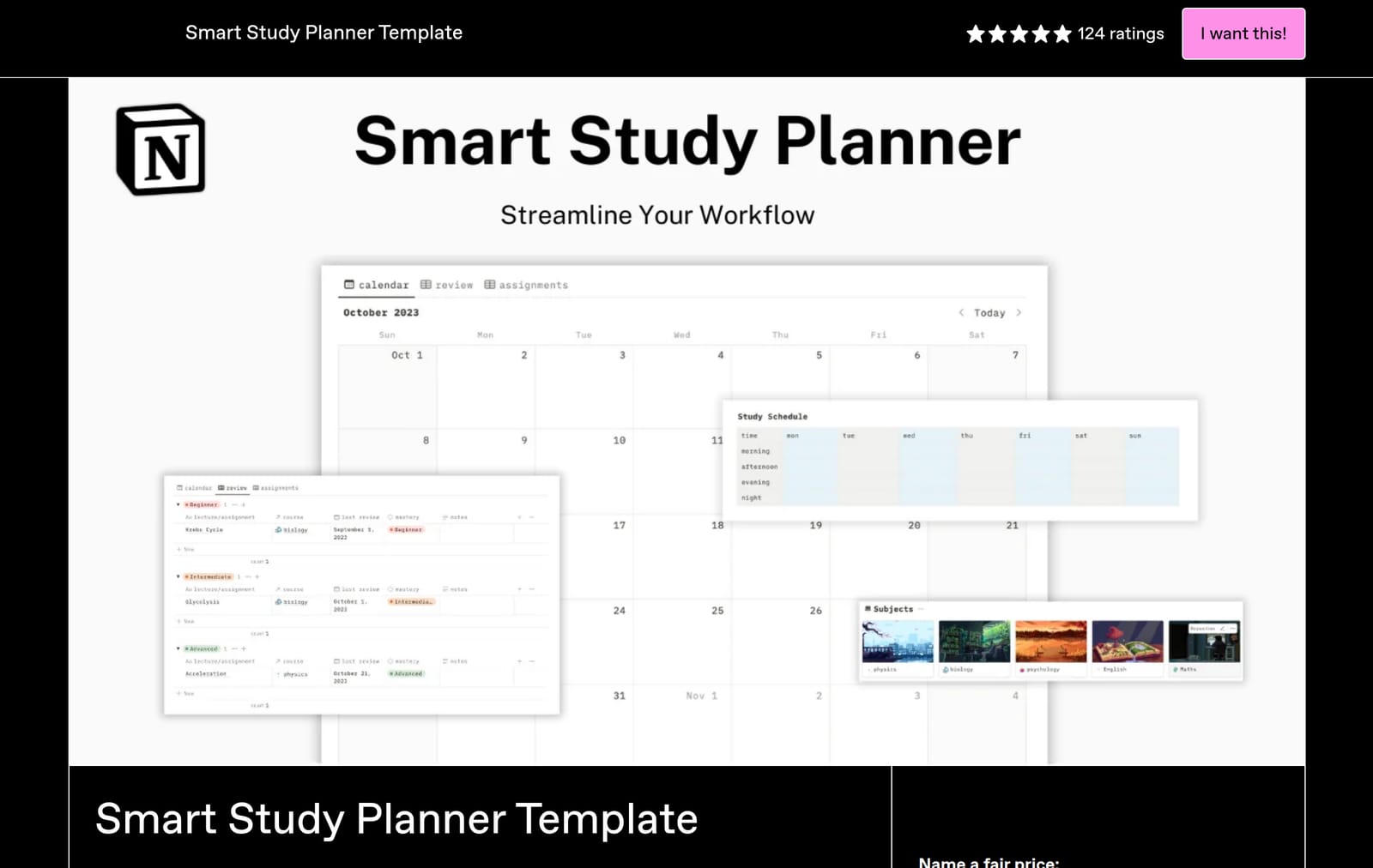
A study planner built around a monthly calendar of assignments. Its preview also shows a review table grouped by level, a weekly study schedule split into morning, afternoon, evening and night, and a gallery of subjects with picture covers. Free; the shop lets you name a price if you want to pay something.
A+ University Student Planner
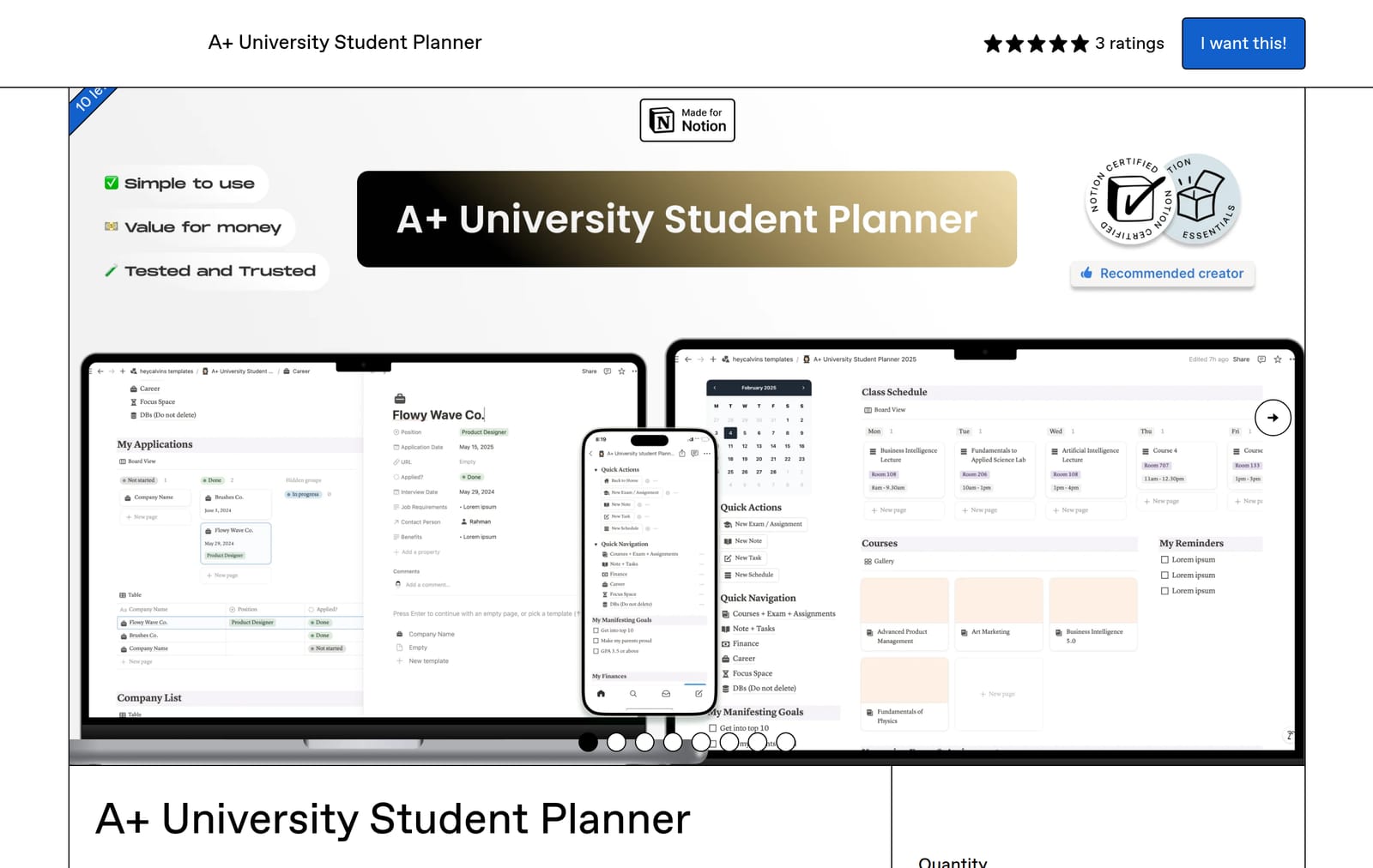
A paid planner for university students. The preview shows a class schedule board by weekday, a gallery of courses, quick buttons for a new exam, assignment, note or task, a reminders list, and pages for finance, career and a focus space. It adds a job-applications board with a company list, and is shown on a phone as well as a laptop.
Get the A+ University Student Planner
Student Planner by Notion
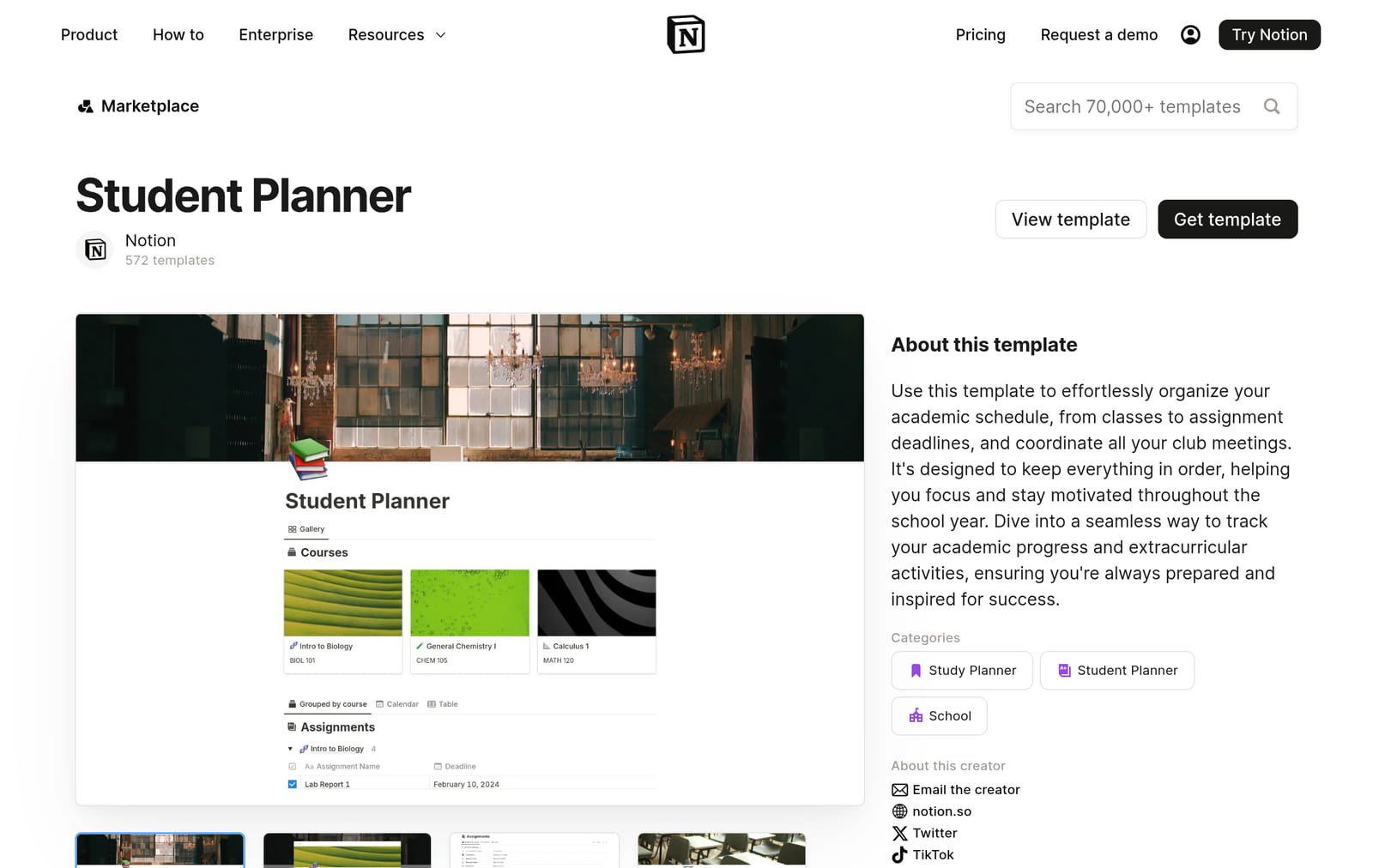
Free. Notion's own student planner. Its preview shows a Courses gallery with a card for each class (Intro to Biology, General Chemistry I, Calculus I) and an Assignments database grouped by course, where each assignment has a deadline and a tick box, with calendar and table views. It suits a high school or college student keeping classes and due dates on one page.
Get the Student Planner by Notion
Homework and assignment trackers
A tracker does one job: it lists what is due, by when and for which class, and lets you tick it off. It is the easiest kind of planner to keep up with, which makes it a good first template for a student new to Notion. Our free Notion Homework Tracker comes first.
Notion Homework Tracker
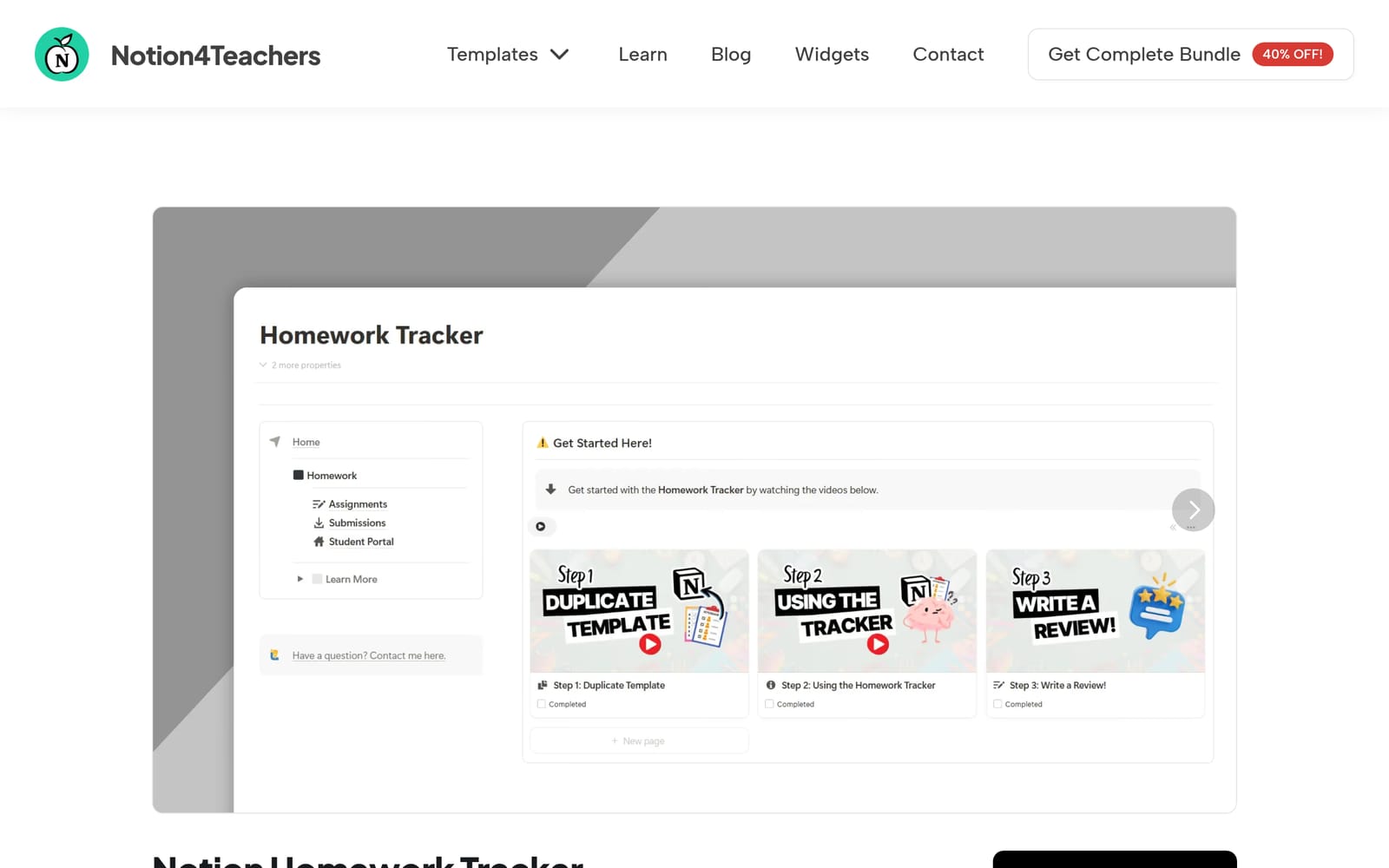
Free. Our Notion homework tracker. Its home page links three parts, Assignments, Submissions and a Student Portal, and opens with a Get Started section of three short videos: duplicating the template, using the tracker and writing a review.
Get the Notion Homework Tracker
Notion Task Manager
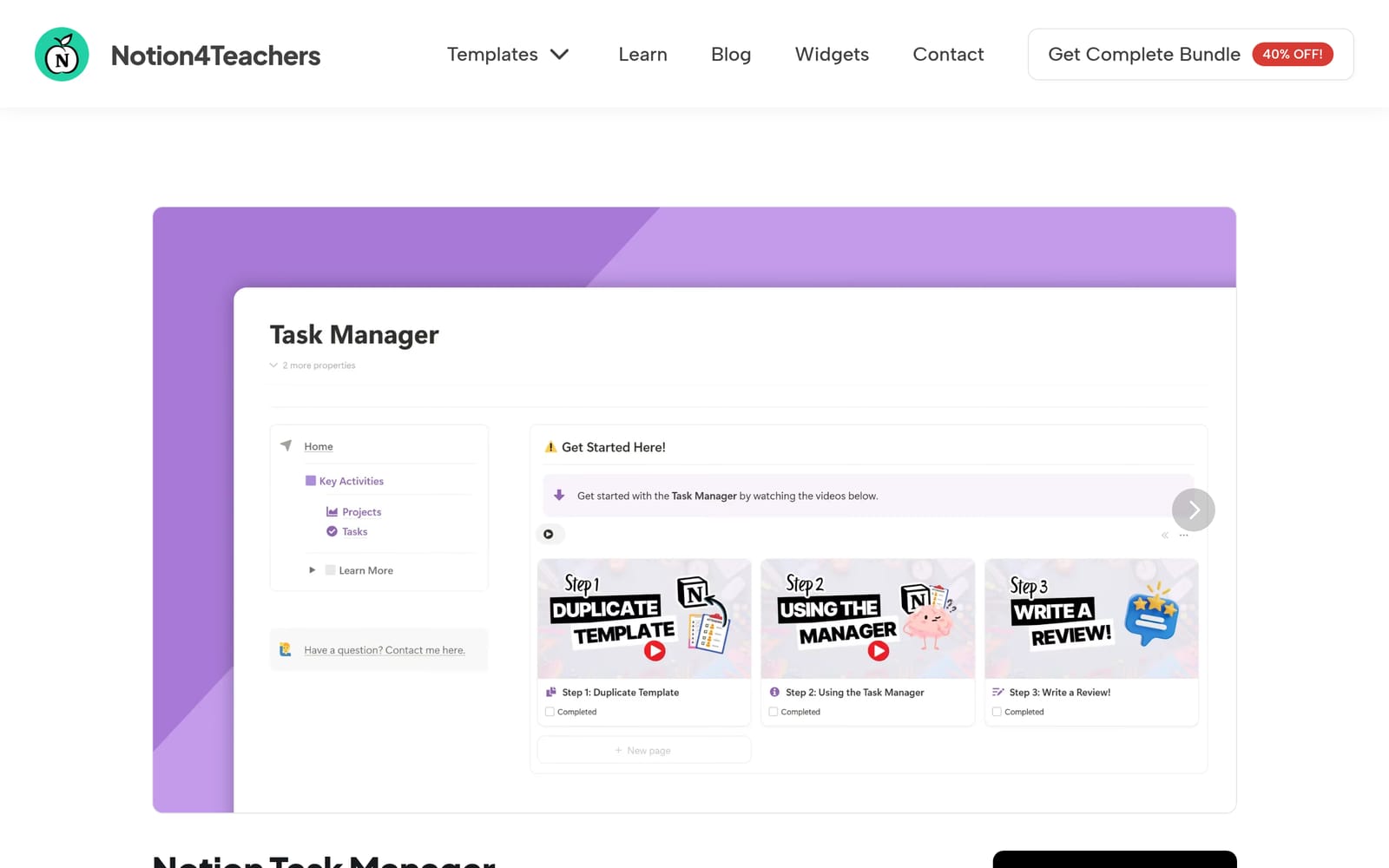
Free. Our Notion task manager, with two parts linked from its home page under Key Activities: Projects and Tasks. A student can set up a long assignment, such as a research essay, as a project and add each step (outline, draft, final copy) as a task. It opens with a Get Started section of three short videos on duplicating the template, using the manager and writing a review.
University Assignment Tracking
A free assignment tracker for university, in a dark theme. The preview shows one table of every assignment with its course, its type (coursework, exam, final exam), its deadline, a done checkbox and a percentage. The page says group projects are managed on a kanban board. The shop lets you name a price if you want to pay.
Get the University Assignment Tracking
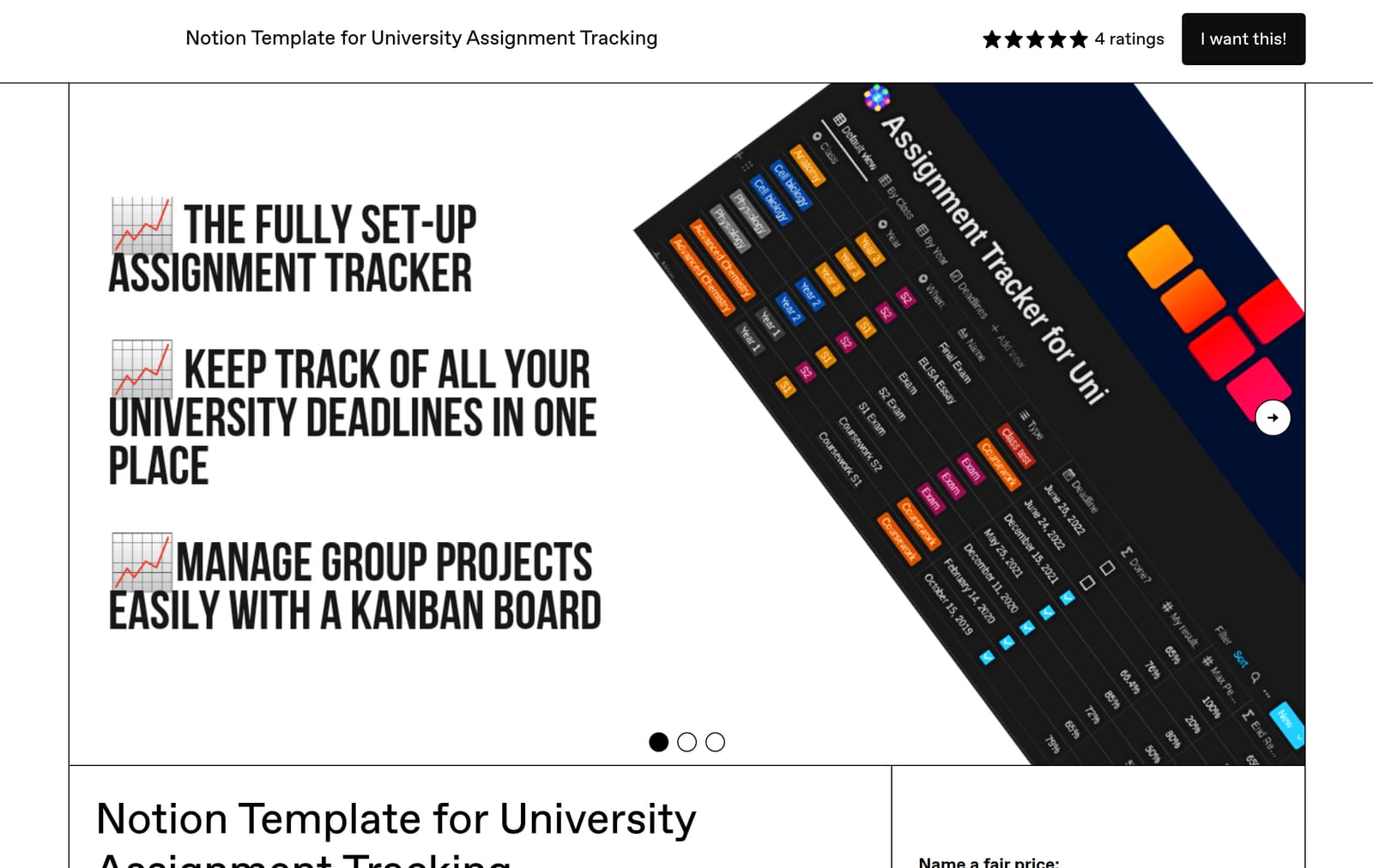
Student Group Assignment
Free. Notion's own template for a group project. One page holds the docs and deliverables (final submission, assignment brief and rubric), a details table with links to the assignment, rubric and submission plus the due date, and a team table with each member's responsibility, email and phone. Its description adds meeting notes and a shared playlist. A teacher can hand it to each project group.
Get the Student Group Assignment
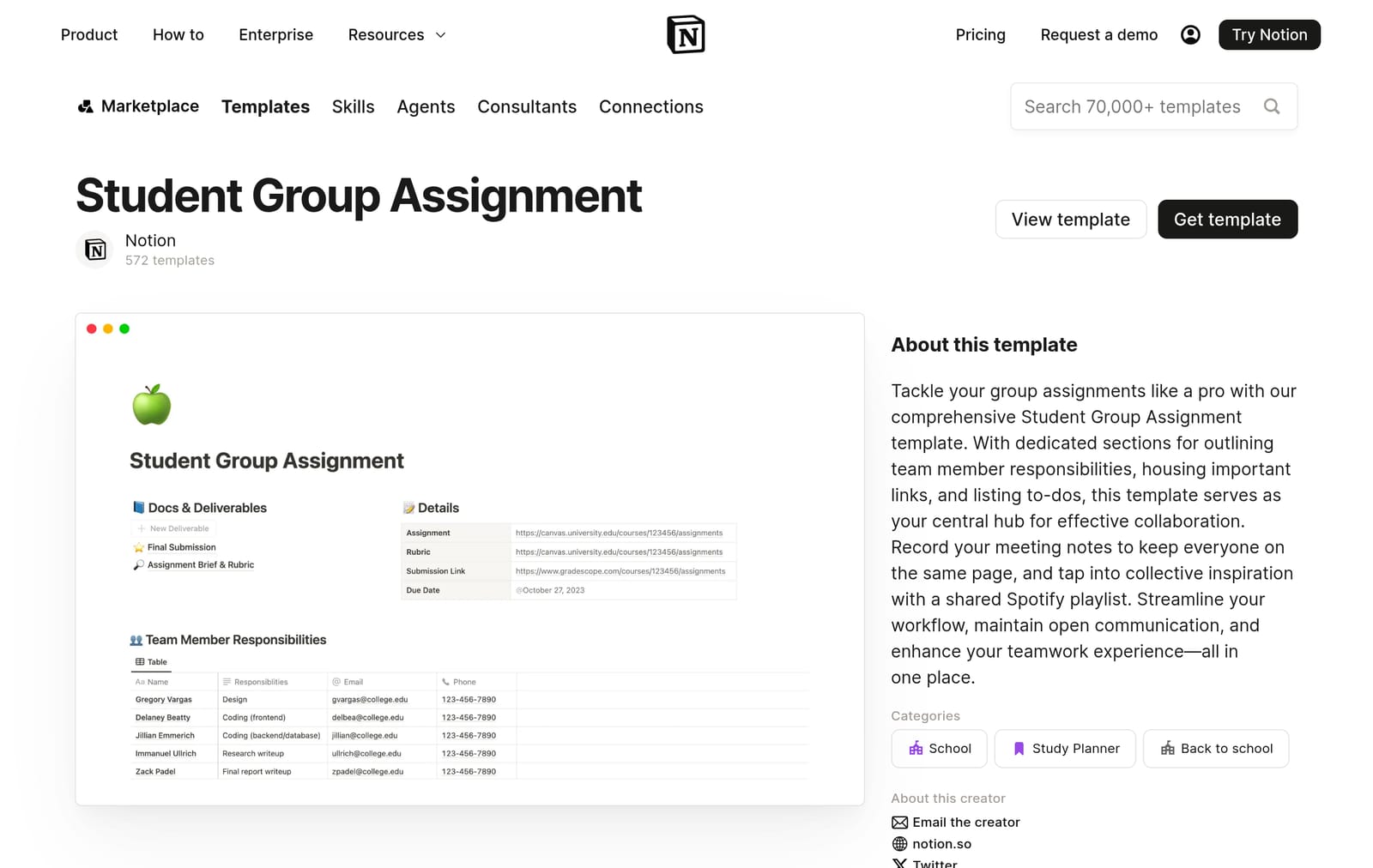
All-in-one student dashboards
A dashboard is one home page that links to everything else: classes, assignments, notes, goals and sometimes habits or a budget. It suits university students and anyone who wants their whole week on one screen. They take longer to set up than a tracker, so look at what each one holds before you copy it.
Student OS by Gridfiti
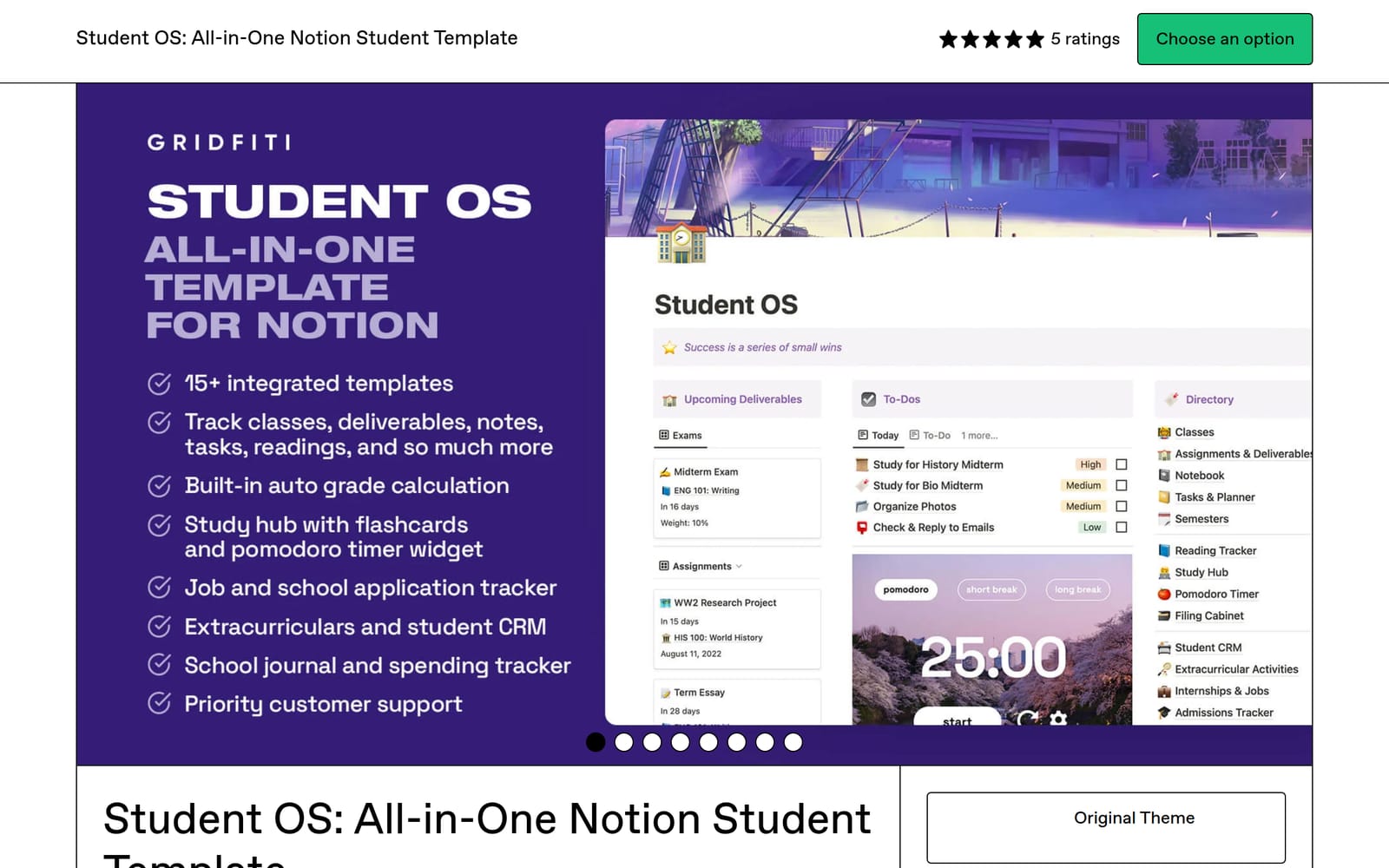
A paid all-in-one student template made of more than 15 linked templates. The preview shows upcoming exams and assignments, a to-do list marked by priority, a 25-minute pomodoro timer and a directory of classes, notes, tasks and semesters. Its page also lists flashcards, automatic grade calculation, a job and school application tracker, a school journal and a spending tracker.
Get the Student OS by Gridfiti
Notion Student OS Dashboard
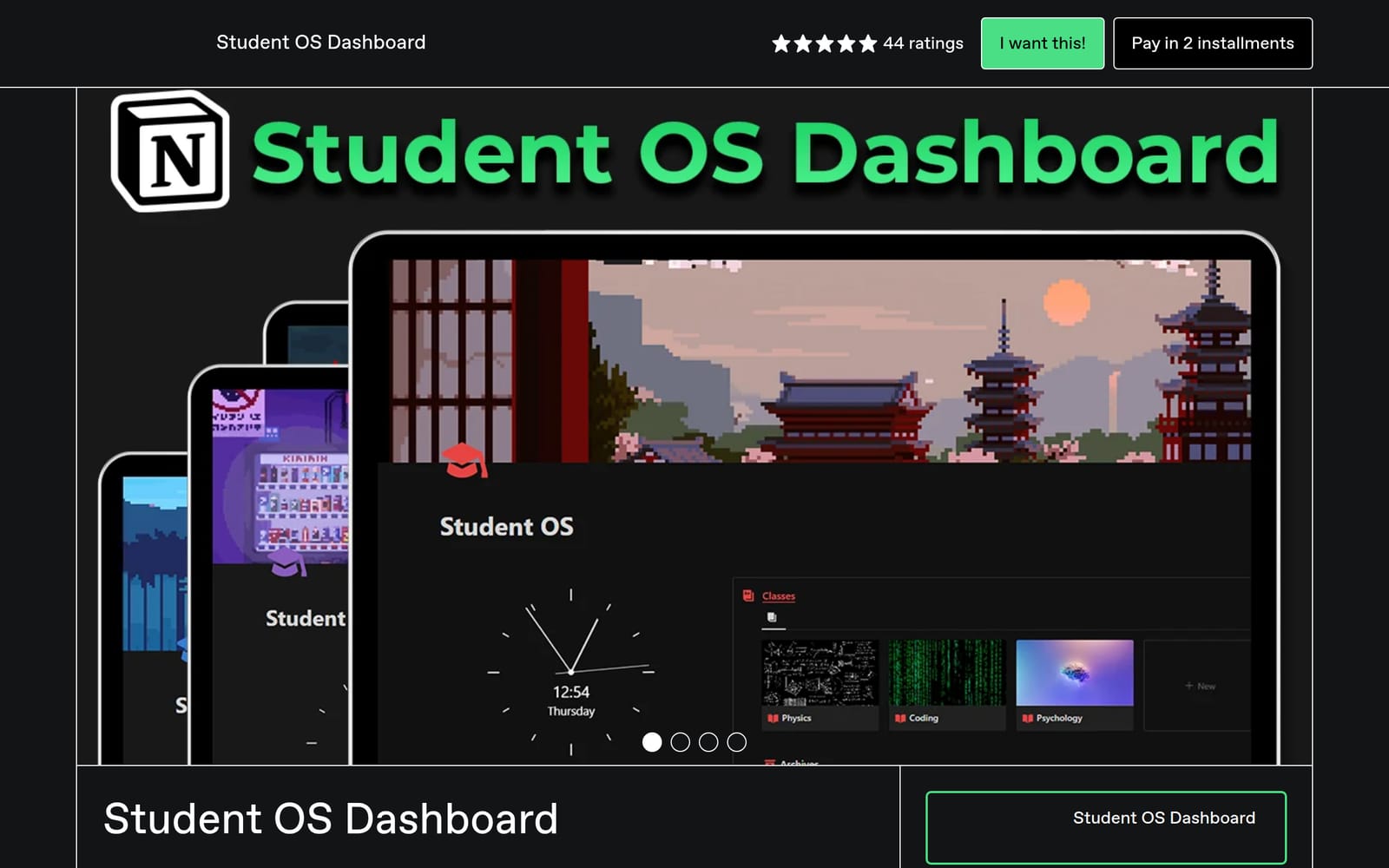
A paid, dark-themed student dashboard with pixel-art covers. Its preview shows a clock with the day under it and a Classes gallery with a card for each subject, such as Physics, Coding and Psychology. The store page shows 44 ratings and an option to pay in two installments.
Get the Notion Student OS Dashboard
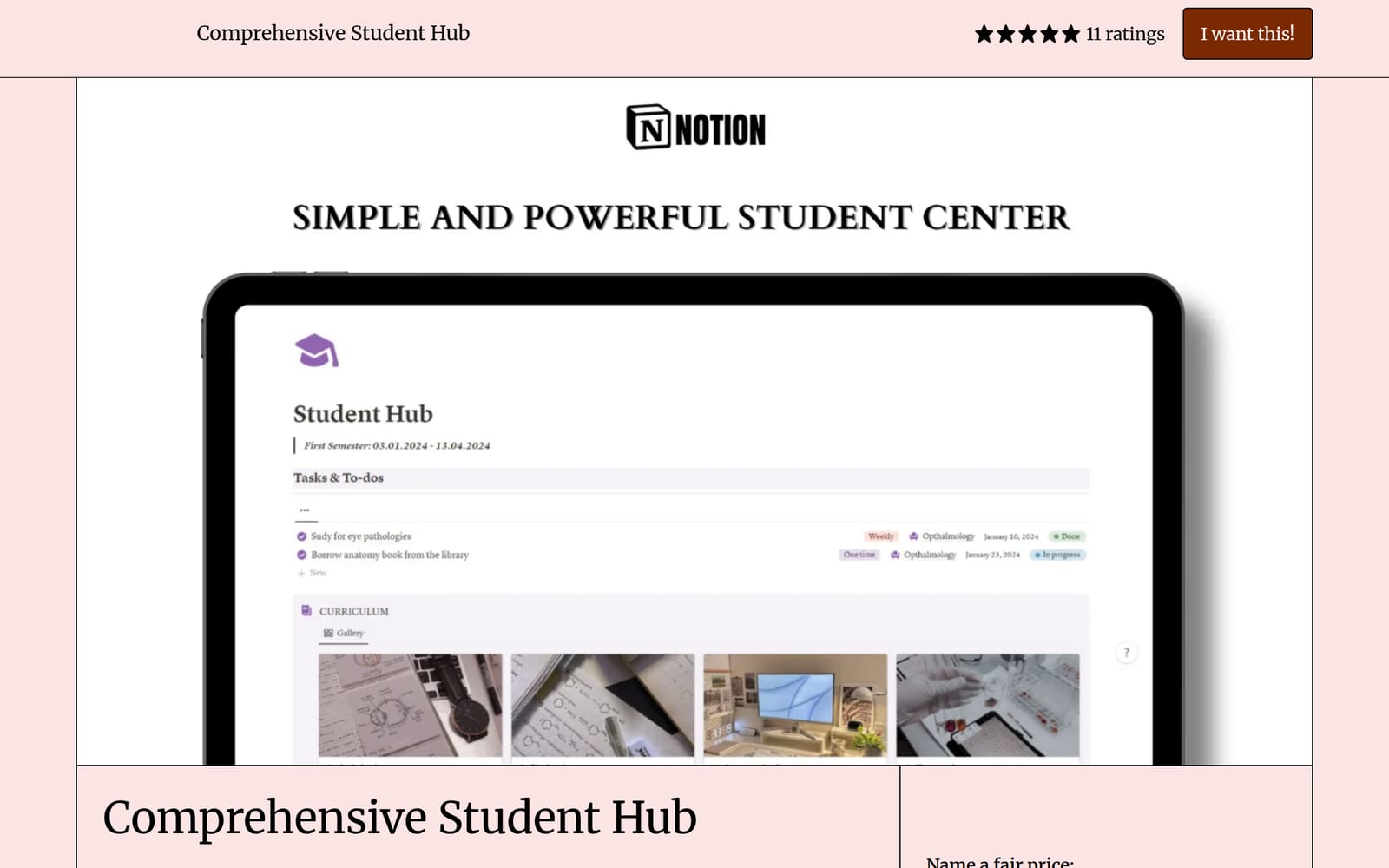
Comprehensive Student Hub
A light, simple student hub you can get free or for a price you choose. Its preview shows the semester's dates at the top, a Tasks & To-dos list where each task has a subject, a due date and a status such as Done or In progress, and a Curriculum gallery below.
Get the Comprehensive Student Hub
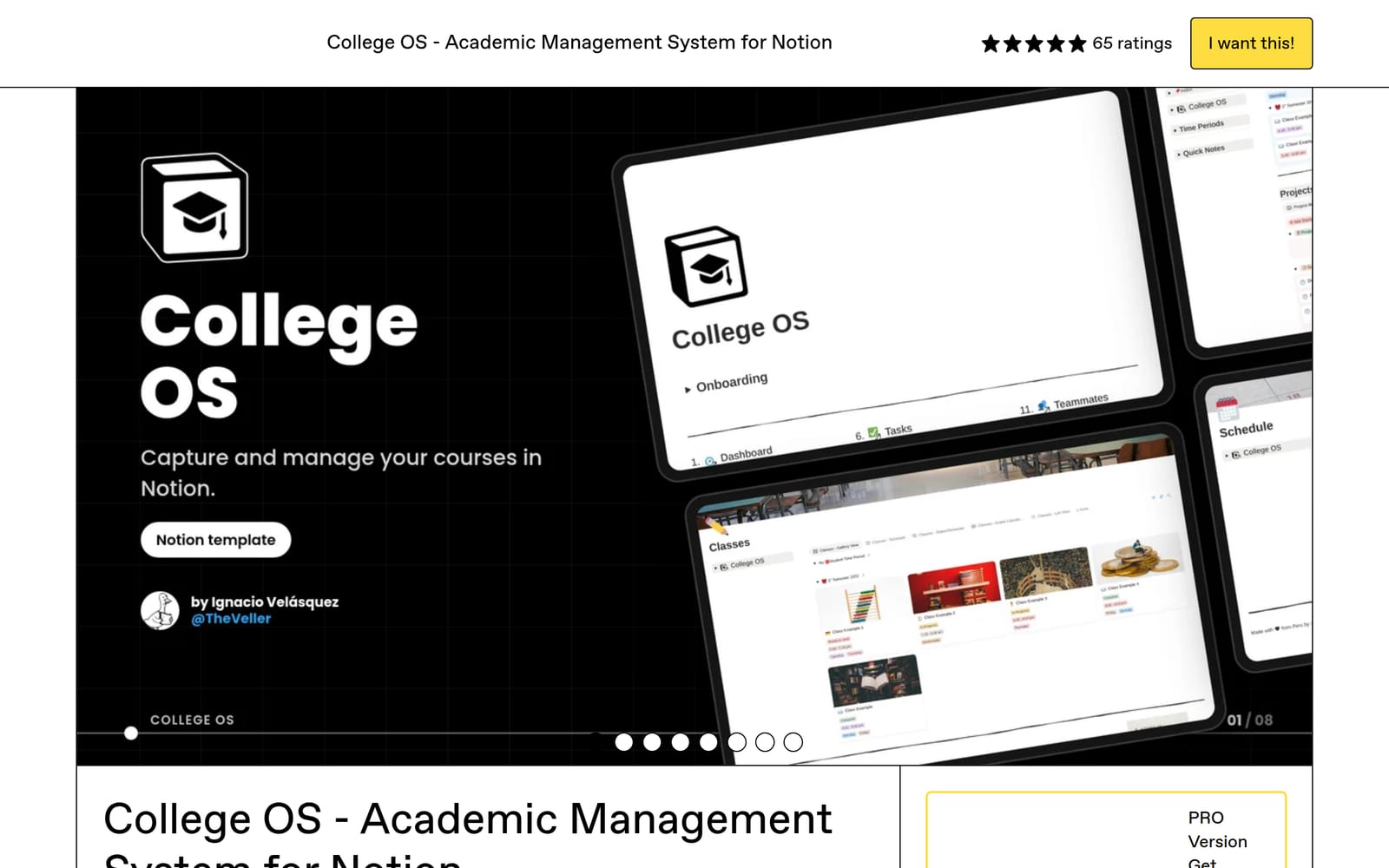
College OS
A paid course manager for college students by Ignacio Velásquez (TheVeller), sold as a way to capture and manage your courses in Notion. The preview shows an onboarding page linking to a dashboard, tasks and teammates, a Classes gallery with a card for each course, and a schedule. The page showed a discounted price and a Pro version.
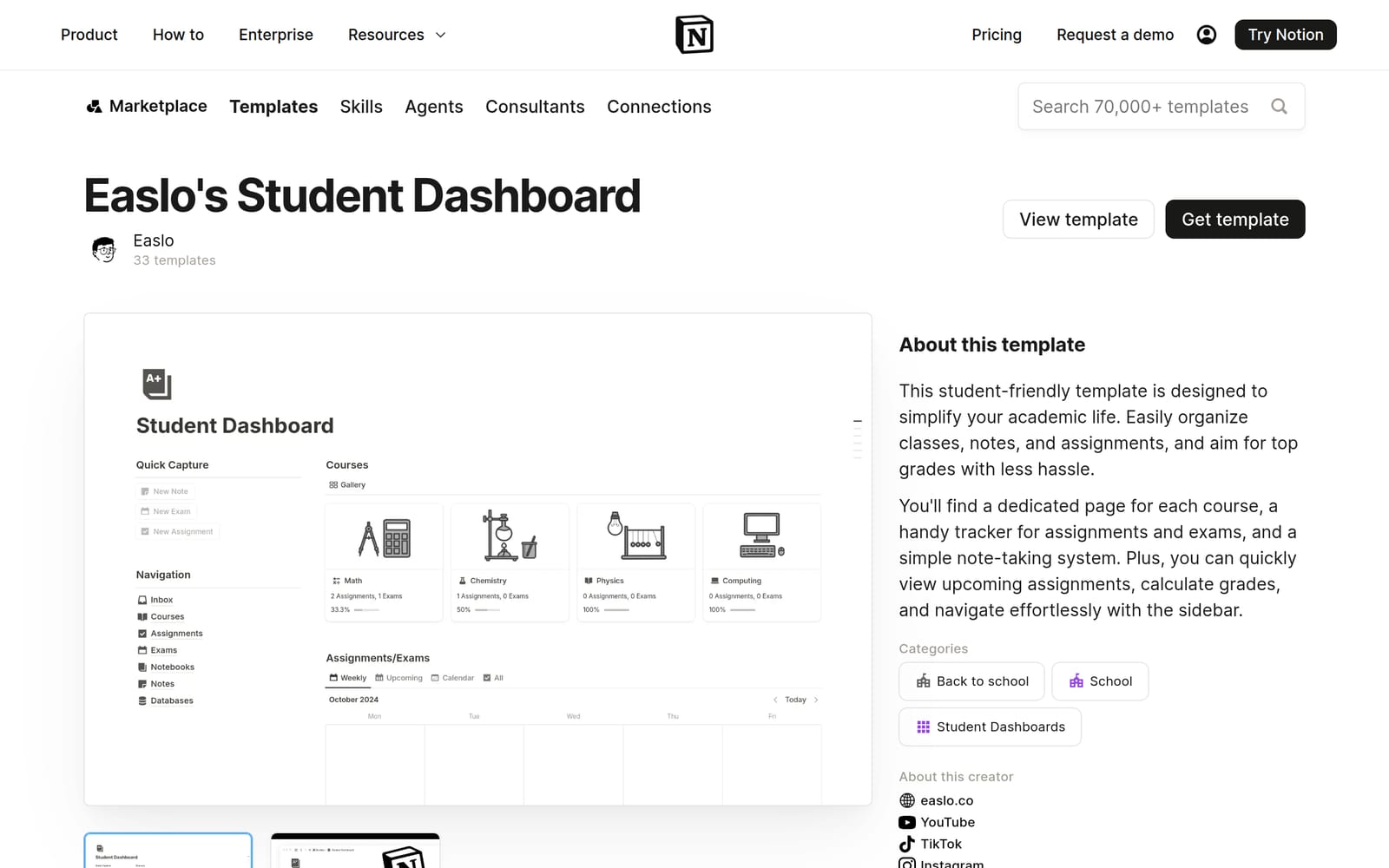
Easlo's Student Dashboard
Free. A student dashboard from Notion's own template gallery. The preview shows quick buttons for a new note, exam or assignment, a Courses gallery with a card and a progress bar for each subject, and a weekly calendar of assignments and exams. Its description adds a page for each course, a note-taking system and a way to calculate grades.
Get the Easlo's Student Dashboard
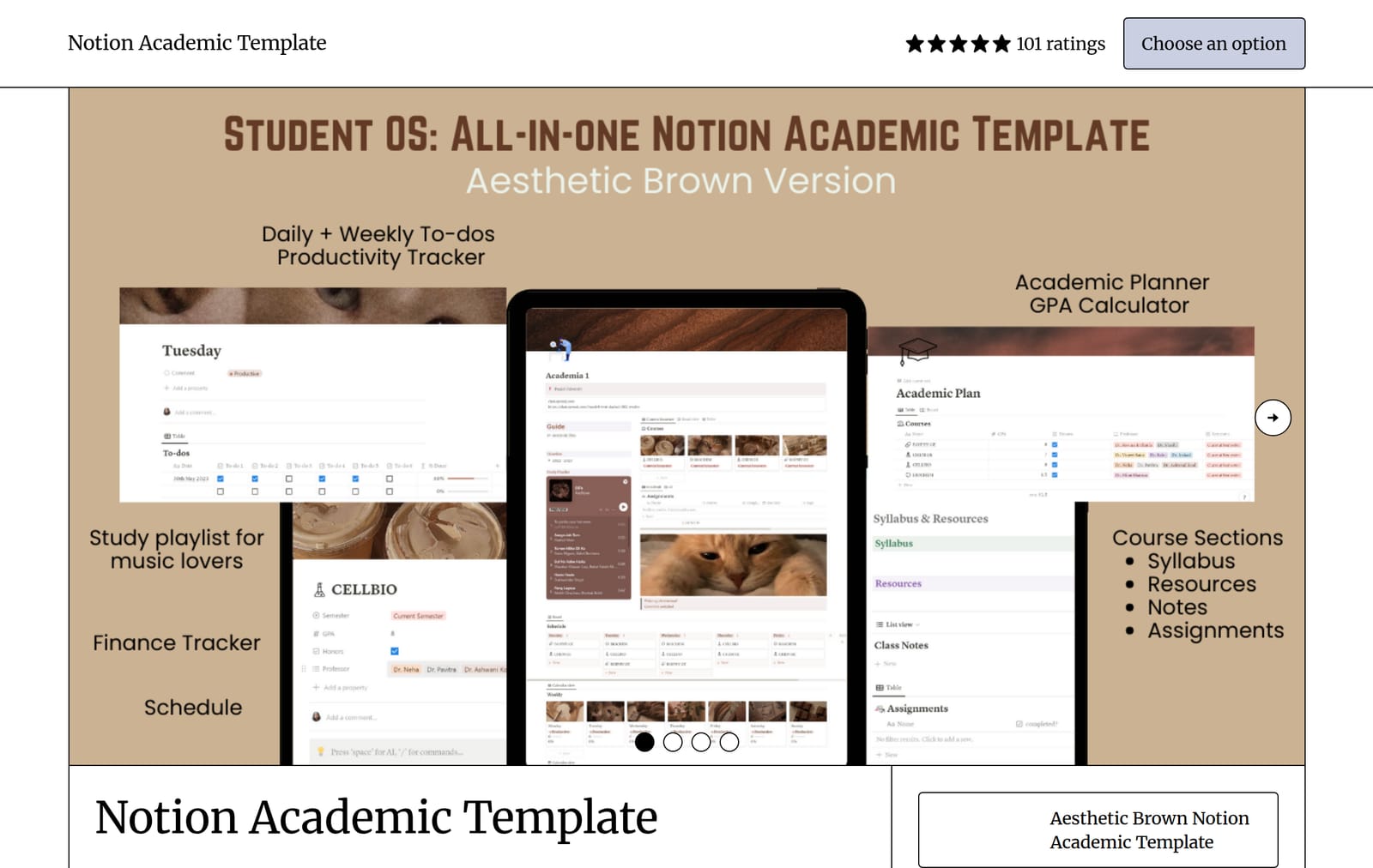
Student OS Academic Template
A free all-in-one academic template in a brown, photo-filled theme. Its preview shows daily and weekly to-do lists with a productivity tracker, an academic plan with a GPA calculator, and a page per course with sections for the syllabus, resources, notes and assignments. A study playlist, a finance tracker and a schedule are included too.
Get the Student OS Academic Template
Notion templates for notes, class schedules and exams
These templates cover one part of school life in depth: class notes, a course timetable, an exam plan or a study plan for finals week. Use one on its own, or add it next to a tracker when your planner does not cover that part well.
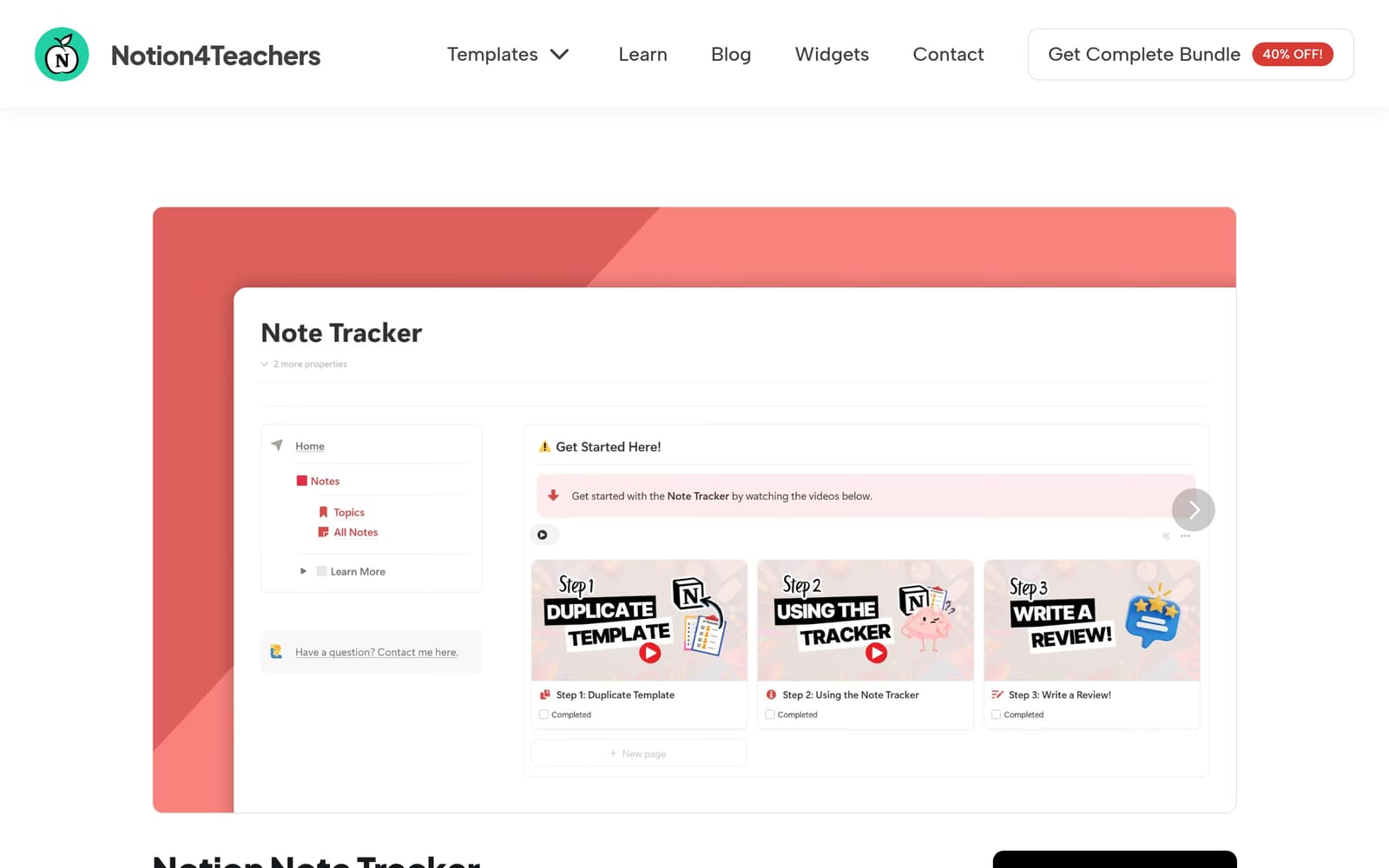
Notion Note Tracker
Free. Our Notion note tracker. Its home page links Topics and All Notes under Notes, so notes can be kept by topic, and it opens with a Get Started section of three short videos: duplicating the template, using the tracker and writing a review.
Class Notes
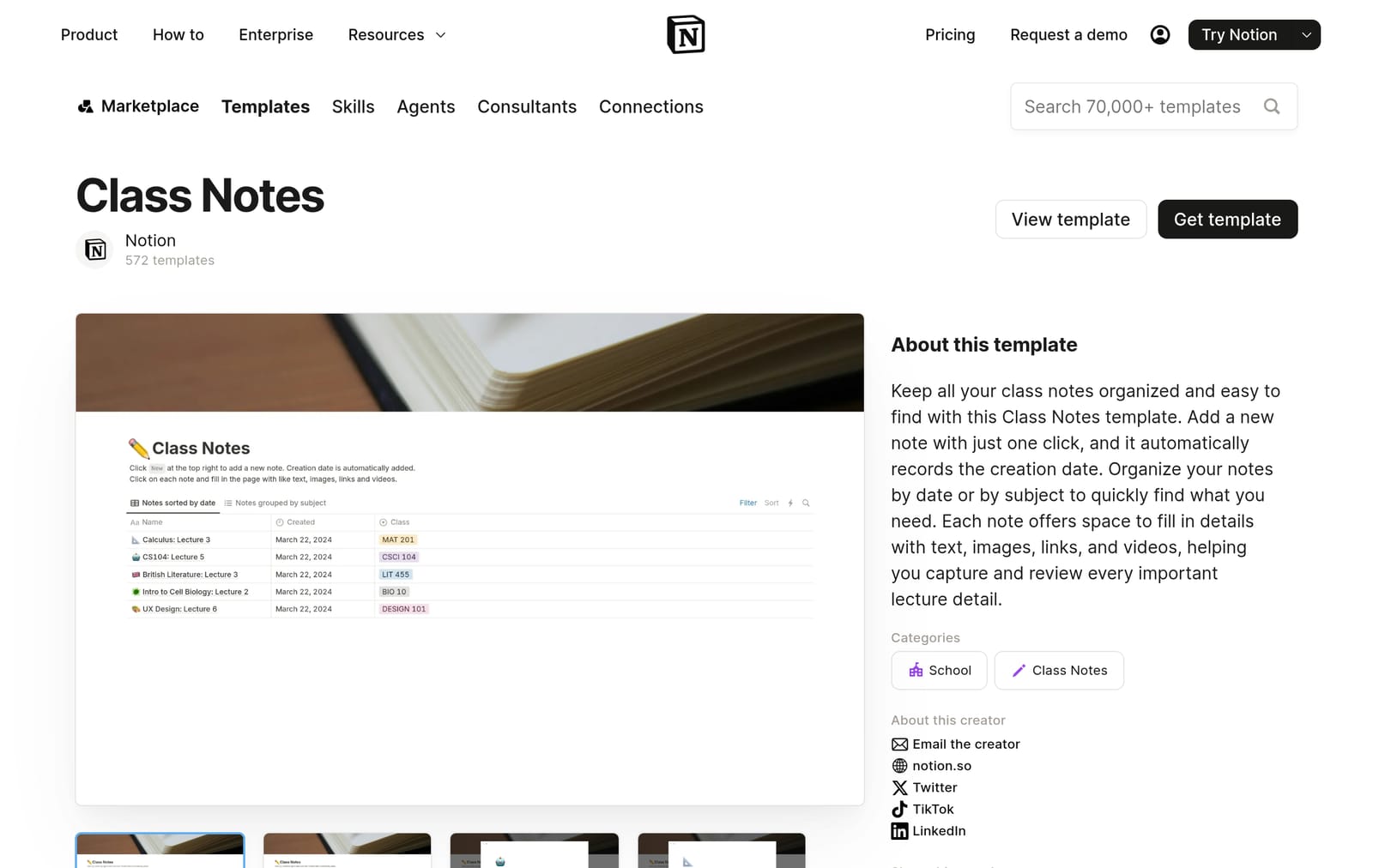
Free. Notion's own notes template: a table of lecture notes, each with the date it was made and a class tag such as MAT 201 or BIO 110. One view sorts the notes by date, another groups them by subject. A new note is one click, the date fills itself in, and each note is a page for text, images, links and videos.
Course Schedule
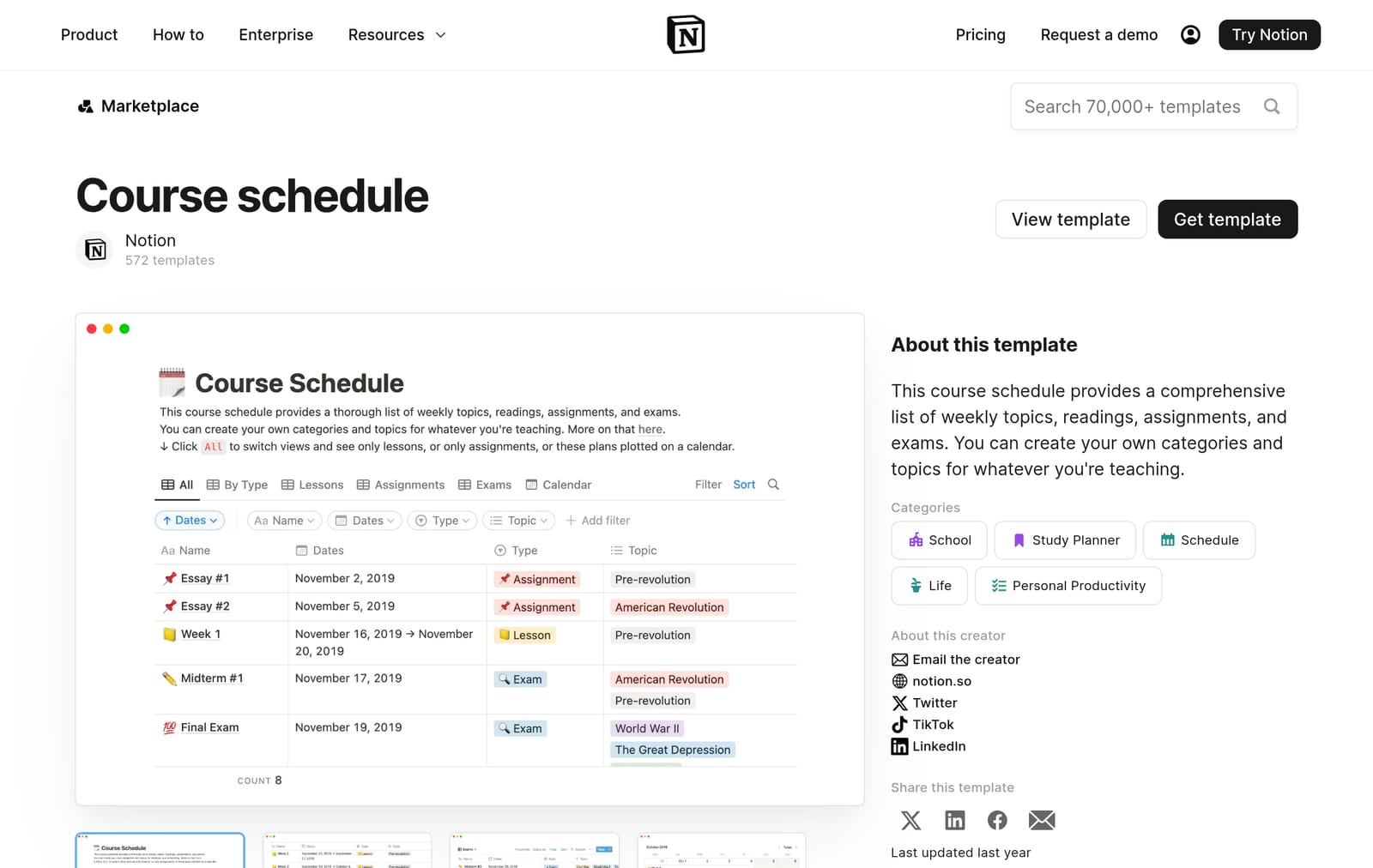
Free. Notion's own course schedule: one table of a course's weeks, essays, readings and exams, each with dates, a type (lesson, assignment, exam) and topic tags. Views split it into lessons, assignments and exams, or put it on a calendar. The example is a history course; the categories and topics can be changed to whatever you teach.
Exam Planner
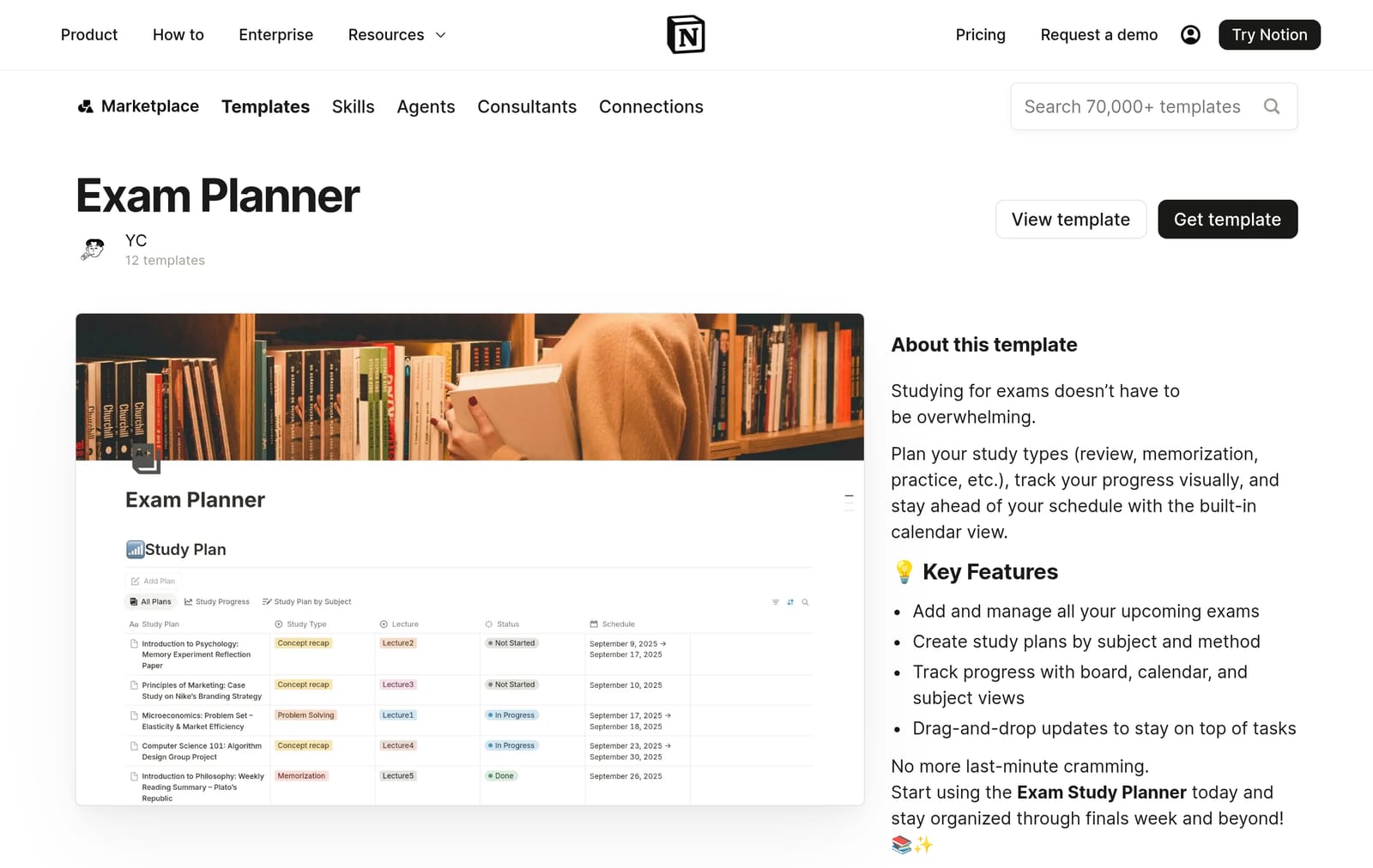
Free. An exam study plan in Notion's template gallery. Each plan in its table has a study type (concept recap, problem solving, memorization), the lecture it covers, a status (not started, in progress, done) and dates. Views show all plans, study progress and plans by subject, and the description adds board and calendar views.
Finals Week Study Plan
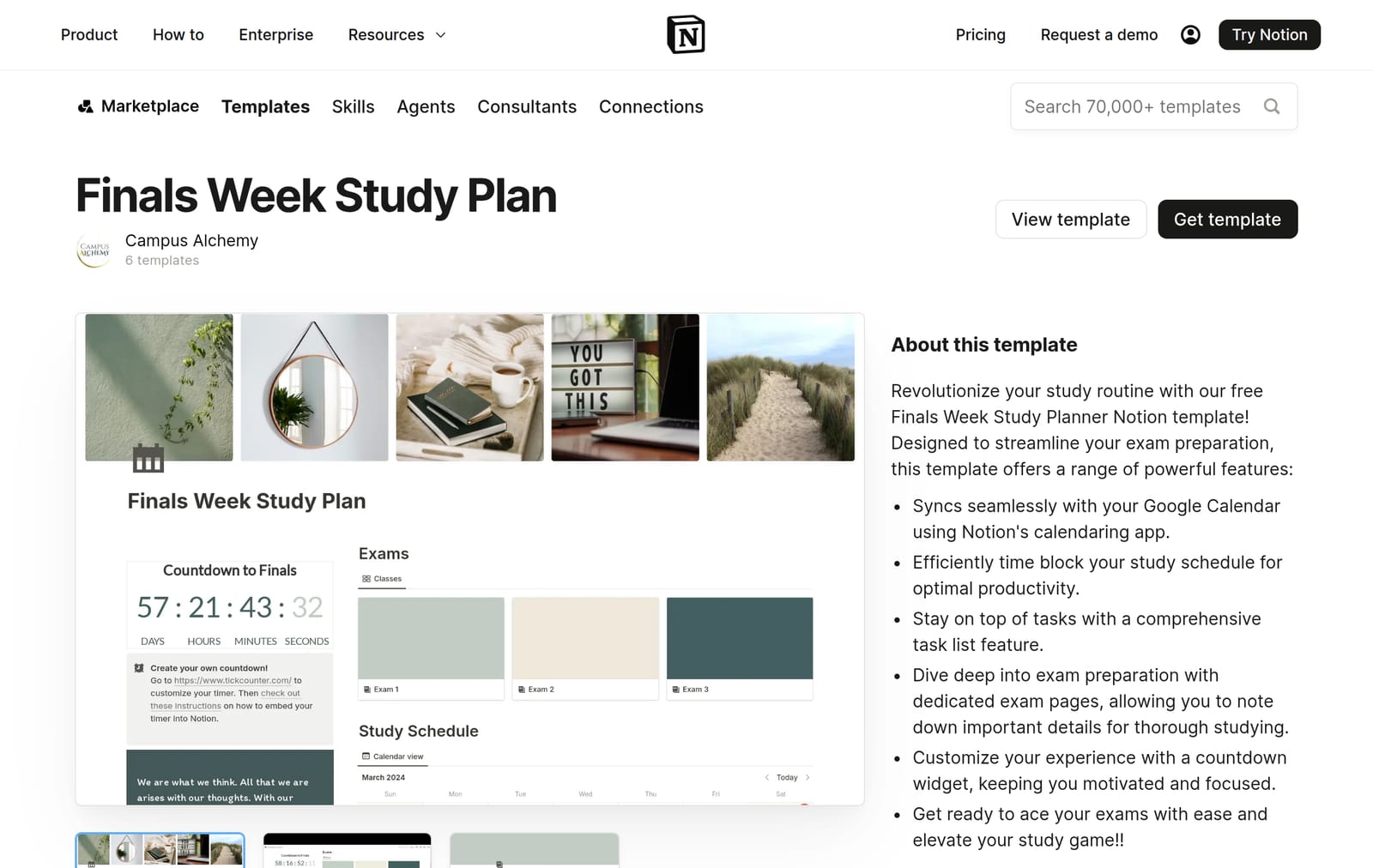
Free. A one-page plan for exam season in Notion's template gallery. It opens with a countdown to finals in days, hours, minutes and seconds (an embedded timer you set up yourself), a gallery with a page per exam, and a study schedule on a calendar. The description adds a task list and a link to Google Calendar through Notion's calendar app.
Get the Finals Week Study Plan
Inside a Notion student planner: our Homeschool Planner
Here is what our Homeschool Planner looks like once it is in your Notion, with a few example subjects and tasks added for a made-up student, Ava, in 7th grade.
The planner opens on a home page with a cover, a menu of its parts on the left and a "Get Started Here!" section of three video steps: duplicating the template, using the planner, and writing a review.
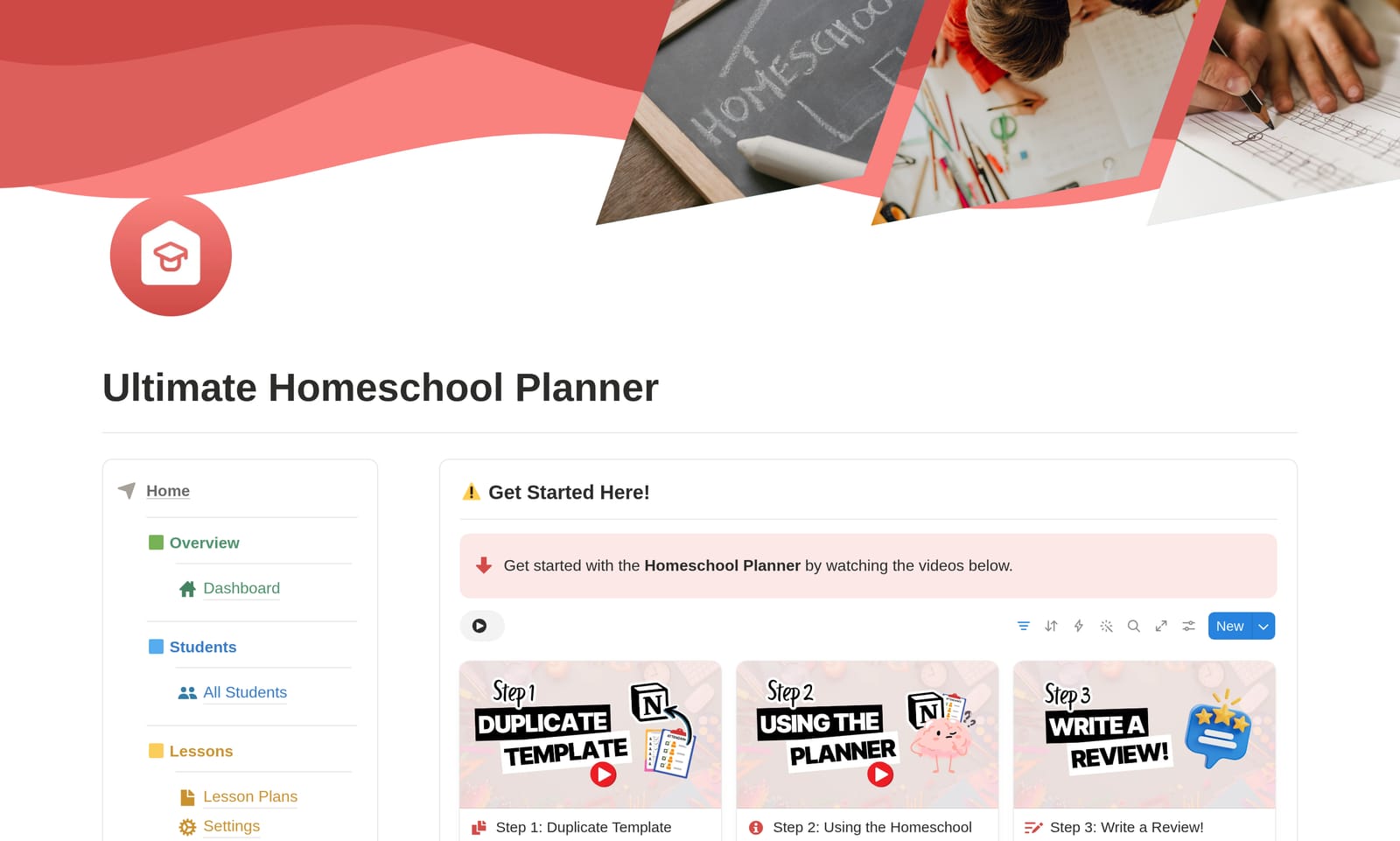
The menu on the left is the map of the whole planner:
Overview: a Dashboard page.
Students: All Students, one card per child showing their grade level (from Pre-K to 10th grade); each child also has a date of birth.
Lessons: Lesson Plans, with a Subjects table that ticks the days of the week each subject is taught, and a Lessons table of numbered lessons with their subject, student and date, seen as All, Month, Week or Completed.
Tracking: Attendance, Logbook and Reports.
Key Activities: Tasks and Schedule.
Resources: Files, Bookmarks and Contacts, and under Additional Apps a Finances page.
The Tasks page is the part that works most like a student's homework planner. Its General Tasks table has four columns, Completed, Name, Due Date and Student, and four views: Today, This Week, All and Completed. The Today view shows only the tasks that are due today and not yet ticked.
Long task names are cut off at first. To read them in full, drag the right edge of the Name column header to make the column wider. The table's Open as full page button opens it on a page of its own, titled Tasks, with the same views:
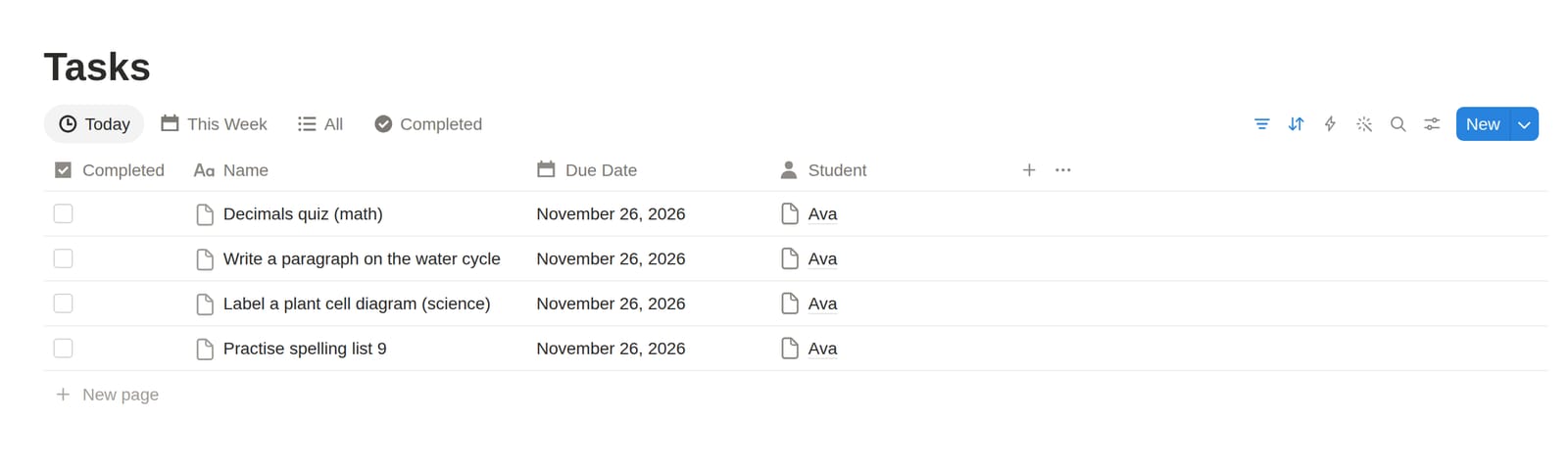
Ticked tasks do not show in the Today and All views; they are listed under Completed instead, so the list in front of the student holds only what is left to do. Below the table, a Calendar with Week and Month views shows each open task on its due day.
How to add a Notion student planner to your own Notion
Every template on this list is a Notion page that you copy into your own workspace. You need a Notion account to do it.
Open the template's page from its link in the list above. A paid template is bought there first.
On the template's Notion page, press Duplicate (some pages call it Get template).
Choose the workspace you want it in. The copy appears in your own Notion, with the creator's example entries still in it.
Look through the example entries to see how the template is meant to be used, then replace them with your own classes and assignments.
The copy is yours: you can rename columns, add a class or delete a part you will not use, and nothing you change touches the original. If you want to see more templates for school, our guide to Notion templates for teachers lists what we have made for the classroom.
FAQ
Is there a free Notion student planner?
Yes. Most picks on this list are free, and each one is marked free or paid. For a full planner, the Aesthetic Matcha Student Planner and Notion's own Student Planner are free; our Notion Homework Tracker is free too and covers the part students use most: assignments and their due dates.
What is the best Notion planner for high school students?
Start with a homework tracker or a simple student planner rather than a full dashboard, such as our free Notion Homework Tracker or Notion's free Student Planner. A high school day already runs to a timetable, so what a student needs most is a clear list of what is due today and this week.
What is the best Notion planner for homeschooling?
A planner made for teaching at home, which plans lessons by subject and keeps records for each child. Our paid Notion Homeschool Planner holds students, lesson plans, attendance, a logbook, reports and tasks in one template.
What should a student planner in Notion include?
Classes or subjects, assignments with due dates, exam dates, notes linked to each class and a weekly schedule. A full planner holds all five; a tracker holds one or two and is quicker to keep up with.
Can I change a Notion template after I duplicate it?
Yes. Your copy is an ordinary Notion page in your own workspace, so you can rename, add or remove columns, pages and views. The original template does not change.
How do I add a Notion template to my workspace?
Open the template's page, press Duplicate (or Get template), and choose your workspace. The copy appears in your Notion with its example entries, ready to fill in.
Still grading everything by hand?
EMStudio is a free teaching management app — manage your classes, students, lessons, and more!