
Teaching the Time: 10 Creative Strategies That Work
Teaching the Time: 10 Creative Strategies That Work

Article by
Milo
ESL Content Coordinator & Educator
ESL Content Coordinator & Educator
All Posts
Teaching the time shouldn't start with a worksheet filled with blank clock faces. I've watched too many 2nd graders mindlessly draw clock hands without understanding that 3:15 means a quarter of an hour has actually passed. We get obsessed with the mechanics of the analog clock—where the little hand points, how to skip-count by fives—and forget that time is a measurement of duration, not just a position on a circle. If your students can set a clock to 4:45 but can't tell you how many minutes until dinner, you've taught them to draw, not to tell time.
The best telling time activities connect to real minutes and real schedules. When I shifted from paper-and-pencil drills to math manipulatives and kinesthetic learning, my students finally grasped that digital time and analog time represent the same passing moments. Whether you're tackling elapsed time with a number line or using story-based activities to anchor 7:30 a.m. to breakfast, students need to feel time before they can read it. They need to experience how long five minutes actually lasts when they're waiting versus when they're playing.
This post cuts through the noise. I'll show you which hands-on tools actually survive a full school year of use, the interactive games that keep kids engaged without turning your classroom into a circus, and how to assess time-telling skills while students are actually moving. We'll cover everything from sturdy analog clock manipulatives to digital time apps that don't just gamify flashcards. No more photocopied clock faces. Just practical, tested strategies that help your students understand time as a real-world measurement, not an abstract puzzle.
Still grading everything by hand?
EMStudio is a free teaching management app — manage your classes, students, lessons, and more!
Learn More

Still grading everything by hand?
EMStudio is a free teaching management app — manage your classes, students, lessons, and more!
Learn More
Table of Contents
What Are the Best Hands-On Manipulatives for Teaching the Time?
The best hands-on manipulatives for teaching the time include Judy Clocks with synchronized hands for K-2, cost-effective paper plate clocks for construction activities, elapsed time timeline rulers for grades 3-5 duration problems, and analog-digital matching cards for station work. Select based on grade level standards: concrete geared clocks for beginners, linear timelines for elapsed time concepts.
Start with concrete objects before you ask kids to draw clock faces or read digital displays. This is the Concrete-Representational-Abstract sequence. These math manipulatives provide the foundation that makes the later steps stick.
Students need to feel the gears turn before they sketch a clock. They must physically jump along a timeline before they calculate duration mentally. This progression is effective tactile learning strategies and aligns with the best teaching strategies for elementary students.
Manipulative | Cost per Student | Prep Time | Target Grade | Primary Skill |
|---|---|---|---|---|
Judy Clocks | $13–16 | 0 minutes | K–2 | Telling time |
Paper Plate Clocks | $0.35–0.50 | 20–30 minutes | 1–2 | Telling time |
Elapsed Time Rulers | $8–10 | 0–10 minutes | 3–5 | Elapsed time |
Matching Cards | $2–3* | 5 minutes | K–5 | Time recognition |
*Cost per student assumes 4 students sharing one box.
Common Core State Standards dictate your tool selection. Grade 1 requires telling time to the hour and half-hour. Grade 3 pushes to the nearest minute. Grade 4 introduces elapsed time. Match your elementary teaching methods to these benchmarks.
Do not hand an elapsed time timeline ruler to a child who cannot count by 5-minute intervals on a circular face. The linear abstraction confuses students who lack number-line fluency. Master the analog circle first.
Judy Clocks with Color-Coded Hour and Minute Hands
Judy Clocks from Learning Resources retail for $13–16 each. The geared mechanism ensures the hour hand automatically advances as the minute hand moves, preventing the misconception that hands operate independently.
I run the "Show Me" drill. I call out times from o'clock to half-past to quarter-hours. Students set clocks and hold them overhead. I scan for errors, like the hour hand pointing at 3 instead of halfway between 3 and 4 at 3:30.
Limit groups to two or three students per clock. The durable plastic survives years of use. Reserve these for Kindergarten through Grade 2.
Student-Made Paper Plate Clocks with Brad Fasteners
When budget is tight, build them. Each student needs a 9-inch paper plate, a brass brad, and red and blue markers. I use red for the hour hand to reinforce "short, red, hour."
Construction takes 20–25 minutes:
Write numbers 1–12 on the rim.
Cut arrows: hour hand 2 inches, minute hand 3 inches.
Poke center hole and attach with brad.
Add 5-minute marks with lift-up flaps.
Last spring, my 1st graders built these after hitting a wall with worksheets. The physical act of assembly clicked what posters couldn't. At $0.35–0.50 per student, these suit Grade 1–2.
Elapsed Time Timeline Rulers for Visualizing Duration
For Grades 3–5, use elapsed time timeline rulers. Hand2Mind sells them for $8–10, or DIY with 24-inch sentence strips. The linear format lets students jump forward physically.
Try the "Movie Marathon" problem: a film starts at 2:15 PM and runs 1 hour 45 minutes. Students mark 2:15, hop 1 hour to 3:15, 30 minutes to 3:45, then 15 minutes to 4:00. Sum the jumps.
These meet Grade 4 CCSS standards. Pair with whiteboards for equations. Only use after students master 5-minute intervals on circular faces; the linear shift confuses those without baseline fluency.
Analog-Digital Matching Card Sets
Station work needs analog clock to digital time matching cards. Sets contain 48 cards: 24 analog faces, 24 digital displays, and optional word phrases. Carson Dellosa and Scholastic sell laminated boxes for $10–15.
Vary the telling time activities:
Memory: Match 12 pairs face-down.
Go Fish: Ask for specific times.
Speed Match: Race a 2-minute timer.
Color-code card backs by difficulty: green for hour/half-hour, yellow for quarters, red for minutes. Students self-select levels. Run stations with 2–4 students for 10–15 minute rounds. This supports kinesthetic learning and fits into hands-on learning activities rotations.
Which Interactive Games Make Learning to Tell Time Engaging?
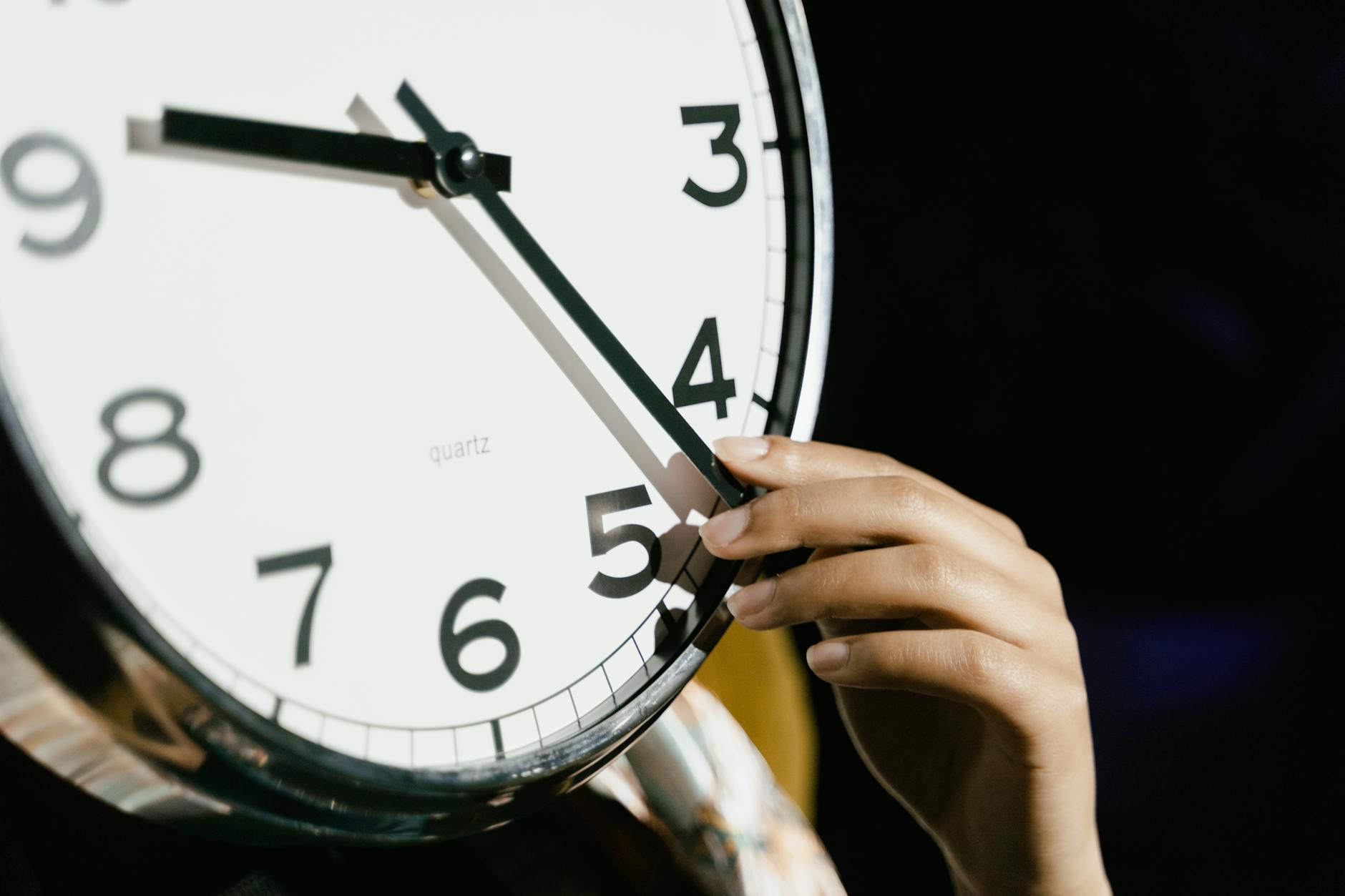
Interactive games that make learning time engaging include 'What Time Is It, Mr. Fox?' for whole-group kinesthetic practice, Time Bingo using analog-digital matching for seated small groups, and Clock Face Scavenger Hunts for independent exploration. These activities embed time vocabulary in physical movement and social interaction, improving retention beyond worksheet drill.
Kids don't learn time by staring at clocks. They learn it by moving their bodies, matching faces, and hunting for answers. These three games build from whole-group chaos to quiet independence.
Physical movement anchors temporal vocabulary in muscle memory. When students spin their bodies clockwise or take "giant steps" to reach 2:30, the terms stop being abstract. Research shows active learning beats passive observation for retaining temporal concepts. Kinesthetic learning converts abstract vocabulary into physical action. You're not just teaching the time; you're encoding it in their bodies.
Start with the high-energy whole-group game. Move to seated small-group practice. Finish with independent exploration. This arc respects their energy levels. The progression matches how students internalize concepts: first they feel it, then they see it, then they use it alone.
Mr. Fox: Gym or playground; 5 minutes prep; high noise; 20+ students.
Time Bingo: Classroom tables; 20 minutes prep (card creation); low noise; 8–12 students.
Scavenger Hunt: Individual desk and room walls; 15 minutes prep; medium noise; individual or pairs.
Avoid turning these into speed contests. When kids race to shout "2:30!" first, the struggling students shut down. Use accuracy-over-speed protocols. Have partners verify answers before advancing. This removes the shame of being last and keeps anxiety from hijacking the learning. I've seen a 2nd grader refuse to play after one round of "who's fastest." Speed kills curiosity.
"What Time Is It, Mr. Fox?" Movement Game
Designate one student as Mr. Fox at the far end of the gym or playground, roughly 20 yards away. The rest line up at the starting line. Students chant, "What time is it, Mr. Fox?" The Fox responds with an analog time like "2:30." Students take 2.5 steps toward the Fox—two giant steps plus one tiptoe. When Fox shouts "Dinner time!" he chases the group back. Tagged students become additional foxes.
For 2nd or 3rd graders, add a checkpoint. Before stepping forward, they must display the time on a handheld Judy Clock or other math manipulatives. Start with hour and half-hour, then move to quarter-hours or five-minute intervals. This stops the game from becoming pure tag and keeps the math front and center. The physical distance they cover reinforces the distance between numbers on an analog clock.
The genius is in the chant. Students repeat "What time is it?" until the question becomes automatic. When I ran this with 1st graders last October, the movement prevented the fidgeting that usually kicks in during direct instruction. They weren't just hearing "clockwise"; they were rotating their hips toward the Fox as they stepped, embodying the direction the hands move.
Time Bingo Using Both Analog and Digital Formats
Create 5x5 Bingo cards with 24 unique analog clock faces per card and one free center space. Generate 30 unique cards using Excel or free tools from Teaching Ideas to prevent duplicates. You call out digital time or word form like "twenty past four." Students scan for the matching analog face. The winner must read back five times correctly to verify. No yelling "Bingo" until they prove it.
I print the cards on cardstock at the start of the unit and store them in labeled baggies. Each bag gets 25 chips and a dry-erase marker. When a student calls Bingo, they read the times while you verify against your master call sheet. This accountability prevents guesswork. The digital time you display on the document camera is the bridge between rote numbers and spatial reasoning.
Laminate the cards for dry-erase reuse with thin-tip markers. Provide transparent bingo chips. This works as quiet seatwork right after recess when they need to settle. Game duration runs about 15 minutes. For more classroom gamification methods, vary the winning patterns—four corners, blackout, or the letter T—to keep it fresh.
Clock Face Scavenger Hunts Around the Classroom
Print 12 analog clock faces showing mixed times. Use hour, half-hour, and quarter-hour for 1st and 2nd grade. Add five-minute increments for 3rd grade. Laminate and tape them to walls, doors, bookshelf sides, and cubbies at student eye level. Each student receives a recording sheet listing 12 digital times. They locate the matching analog clock and record its physical location, such as "Clock #3 is by the pencil sharpener."
For students who need a push, provide blank analog faces on the recording sheet. When they find the clock showing the target time, they draw the hands themselves. This adds a production element beyond simple recognition. These telling time activities work because they turn the room into a tool. You're using space to teach time, not just posters.
I hide one tricky clock partially behind a curtain. Students must describe its location using spatial vocabulary. The hunt takes 10 minutes of active searching, then 5 minutes of debrief where partners check each other's sheets. The clock by the pencil sharpener becomes "2:15" in their memory, not just a worksheet problem. For more games that improve learning, rotate the clocks weekly to maintain challenge.
Story-Based Activities for Connecting Time to Daily Life
Stories create episodic memory hooks that outlast rote drill. When students hear temporal language like "then," "next," or "after," they anchor abstract clock concepts to narrative sequences. This is why narrative approaches stick better than isolated digital time flashcards.
But avoid the common trap. Never hand students word problems featuring analog clock faces before they can physically manipulate clock hands. Decoding both the story narrative and the clock face simultaneously overloads working memory. The text competes with the visual, and neither wins.
Instead, structure your unit as an arc: begin with personal narratives, move to illustrated texts, then culminate in applied story problems. This progression honors how children naturally understand time through lived experience before abstract calculation. It builds the foundation systematically rather than rushing to paper-and-pencil tasks.
"My Daily Routine" Personal Timeline Narratives
I learned this the hard way with my second graders. When kids map their own lives first, they stop asking "why do I need to know this?" The personal connection drives the learning deeper than any worksheet.
Give each student 11x17 paper folded into six sections representing morning through night. They illustrate and label specific anchor times: Wake Up (7:00), Breakfast (7:30), Arrival (8:15), Recess (10:00), Lunch (11:45), Bedtime (8:30). This concrete timeline makes abstract clock faces meaningful because the events belong to them. You will see students refer back to their own drawings when confused during later clock activities.
For grades 3–4, add duration bubbles between events. Students calculate elapsed time using the Mountain-Hill-Rocks strategy—hours are mountains, half-hours are hills, minutes are rocks. This bridges personal narrative to abstract calculation. Scaffold for ELL students with sentence frames: "I wake up at _____. Two hours later, at _____, I eat lunch." The language support ensures all students can access the mathematics.
Picture Book Integration with Time Themes
Story time is a powerful approach for teaching the time through narrative context. Match the book to your students' developmental stage, not just any clock-themed title from the shelf.
Try this curated list by grade band:
The Clock Struck One by Trudy Harris — rhyming text covering hour concepts (Grade K-1)
What Time Is It, Mr. Crocodile? by Judy Sierra — schedule concepts with humor (Grade 1-2)
A Second, a Minute, a Week with Days in It by Brian Cleary — units of time (Grade 2-3)
Time Zones by David Adler — elapsed time and advanced concepts (Grade 4-5)
See our guide on integrating picture books into your curriculum for storage and display ideas that keep these titles accessible.
During read-alouds, pause at each time mention. Students set Judy Clocks to match the story time, then check with an elbow partner before you turn the page. This catches misconceptions immediately while keeping everyone engaged in active processing rather than passive listening.
Extend with "Change the Schedule." Rewrite the ending so dinner happens at 9:00 PM instead of 6:00. Discuss realistic consequences while calculating the three-hour difference using classroom math manipulatives. For custom narratives featuring your specific daily routine, explore personalized storybooks for kids to increase relevance.
Elapsed Time Story Problems with Real-World Contexts
Once students master physical clock manipulation through kinesthetic learning, transition to word problems. Keep stories authentic and brief: "Soccer practice starts at 4:15. It ends at 5:45. How long is practice?" Skip the contrived train schedules no elementary student actually uses.
Provide a graphic organizer with three columns: Start Time, End Time, Strategy Used. Students record whether they used a number line, clock face drawing, or T-chart. This makes metacognition visible during telling time activities and helps you see their thinking process without guessing.
Create a differentiation bank using the same story context at three levels. Version A covers hours only. Version B adds half-hours. Version C includes irregular minutes. Let students select their challenge level. This agency increases engagement while making sure the calculations match their readiness. The narrative context supports understanding by allowing students to visualize the elapsed time as a story unfolding rather than isolated numbers on a worksheet.
How Do You Assess Time-Telling Skills Without Traditional Worksheets?
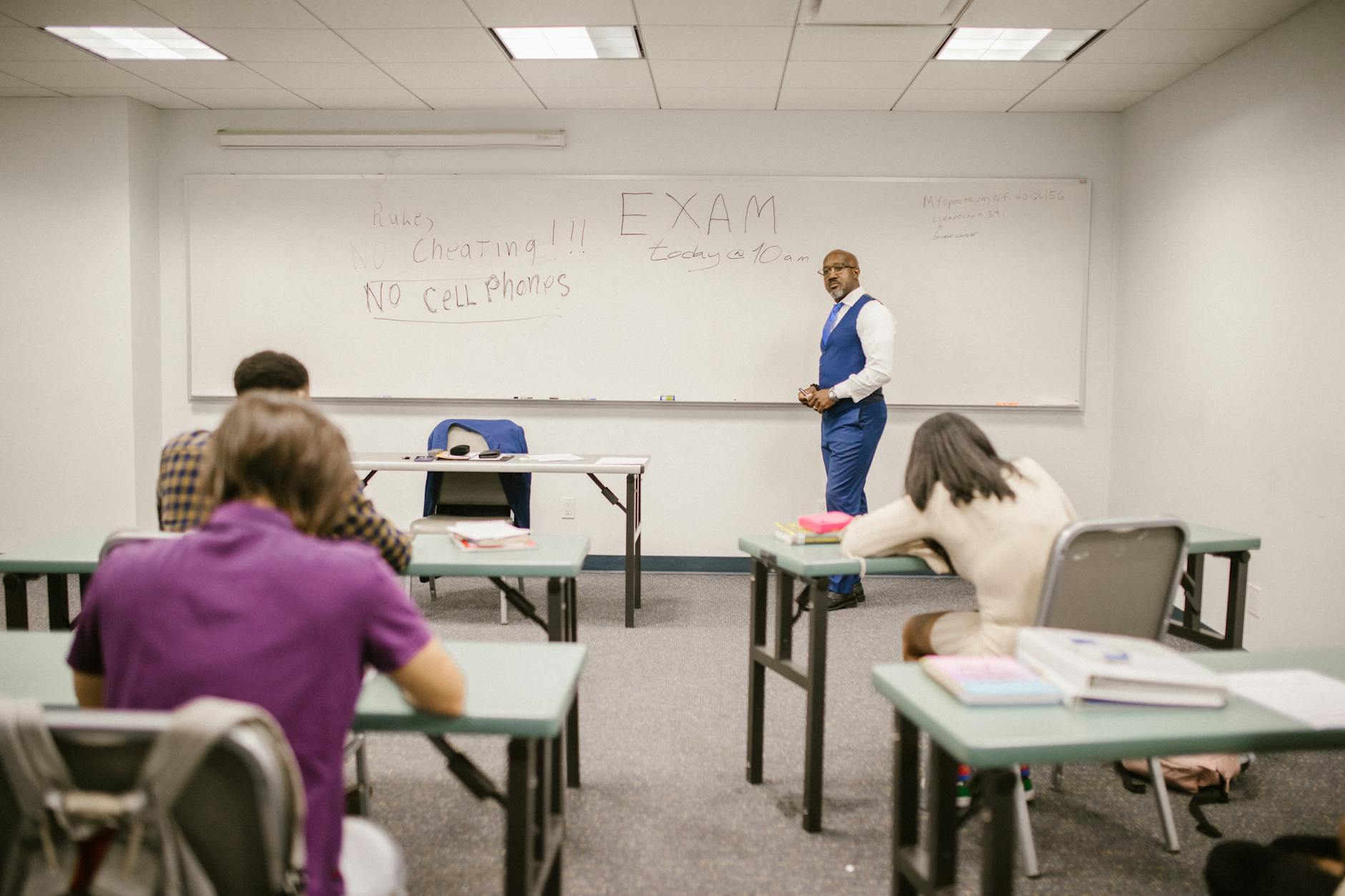
Assess time-telling skills through performance tasks like setting Judy Clocks to dictated times, digital portfolio entries where students explain their reasoning via video, and observation checklists tracking specific competencies. These methods evaluate real-world application—such as reading the classroom clock for transitions—rather than isolated paper recognition.
Worksheets lie. A kid circles 3:15 perfectly but misses lunch cleanup because they can't read the classroom analog clock. You need performance-based assessments that show functional skill, not paper recognition. The circle means nothing if they can't apply it.
Traditional paper-pencil tasks test recognition in isolation. Students identify 2:30 on a worksheet line drawing. Then the bell rings for recess and they stand by the door clueless, waiting for someone else to read the digital time on the wall. That gap between paper success and real-world application is exactly why worksheet dependency fails. You taught them to circle an answer, not to tell time. The worksheet never asks them to actually move the minute hand or calculate duration.
Choosing Your Assessment Format
Match your method to your reality. Large classes demand efficiency; small groups allow depth. Your technology access determines whether you capture video or use paper checklists. Kinesthetic learning happens best when students manipulate physical clocks, not just point to pictures.
Large classes (25+ students): Use printable observation checklists. Walk the room with a clipboard while students set math manipulatives to dictated times. You see 30 kids in 10 minutes.
Small groups or centers: Run performance tasks. Dictate a time, watch them set the analog clock, ask them to explain their reasoning. Takes longer, but yields richer data.
Tech available: Deploy Seesaw or Flip for digital portfolios. Students record video explaining elapsed time problems. You review asynchronously.
No tech/low tech: Stick with paper checklists from the teaching ideas website or simple anecdotal notes.
What the Rubric Actually Says
I use a 4-point scale that tracks growth toward independence. Each level describes what the student does without help, not what they complete with adult prompting. This keeps grading objective during telling time activities.
Level 4: Generalizes to novel contexts. The student calculates, "If we start at 2:40 and need 25 minutes, when do we end?" without visual support.
Level 3: Proficient with standard formats. They read the analog clock and digital time accurately during daily transitions.
Level 2: Emerging with visual prompts. They need the math manipulatives or a number line to verify their answer.
Level 1: Requires direct modeling. You demonstrate the minute hand movement; they mimic.
Seesaw offers a free basic tier; Flip costs nothing. Both work for capturing student explanations during telling time activities. But don't underestimate paper. I keep a binder of checklists from the teaching ideas website for quick formative assessment examples. Hybrid works best: digital portfolios for depth, observation checklists for coverage. If your district blocks video apps, the paper trail keeps you compliant without losing data. Free tools mean you spend no money, just planning time.
Avoid "Mad Minute" drills for clock reading. Speed pressure confuses mathematical accuracy with anxiety. I've watched capable second graders freeze when I say "hurry," their eyes locking on the second hand instead of the hour. Time pressure particularly harms students with processing differences. Accuracy matters more than speed when teaching the time. Give them the minutes they need to think. Fast fingers don't mean understanding.
Last October, I handed my fourth graders a problem: "We have library at 1:15. It's 12:50 now. Can we finish this chapter?" Three kids grabbed Judy Clocks. Two counted on their fingers. One looked at the wall clock and said, "Twenty-five minutes, so yes." That moment—transferring worksheet skills to a real decision—showed me she owned the concept. That's the goal of real-world assessments.
That transfer—from worksheet accuracy to authentic decision-making—is the hallmark of effective teaching strategies for elementary students. It shows whether teaching the time stuck or just stayed on the page. When a student budgets their own recess time or calculates if they can finish a task before the bell, you see true mastery. That's what deserves the grade.
Match assessment to purpose. If you need to know who can read a clock under authentic conditions, watch them during actual transitions. Keep the worksheet for the sub folder. Your gradebook needs evidence of functional skill, not just completed paperwork. Document the moments when students use time independently. That's the data that matters.
Start Here: Teaching The Time
You do not need every manipulative or game to start teaching the time. Pick one analog clock model and one real context your kids already know, like snack time or bus dismissal. Connect digital time displays to that same context so students see both formats as the same moment, not separate math topics. When elapsed time confuses them—and it will—return to the physical clock face before jumping to worksheets or digital quizzes.
Your telling time activities work when students stop asking "Is it time yet?" because they already checked the classroom clock and knew. That independence matters more than any worksheet score. You are building a habit they will use during recess, sports practice, and cooking dinner at home.
Start today. Grab a sticky note. Draw a clock face showing 2:15. Stick it on your door. When students line up, ask them what time the clock shows and what they would be doing at home right then. That one question tells you who understands the hour hand and who is still guessing by the numbers alone.
What Are the Best Hands-On Manipulatives for Teaching the Time?
The best hands-on manipulatives for teaching the time include Judy Clocks with synchronized hands for K-2, cost-effective paper plate clocks for construction activities, elapsed time timeline rulers for grades 3-5 duration problems, and analog-digital matching cards for station work. Select based on grade level standards: concrete geared clocks for beginners, linear timelines for elapsed time concepts.
Start with concrete objects before you ask kids to draw clock faces or read digital displays. This is the Concrete-Representational-Abstract sequence. These math manipulatives provide the foundation that makes the later steps stick.
Students need to feel the gears turn before they sketch a clock. They must physically jump along a timeline before they calculate duration mentally. This progression is effective tactile learning strategies and aligns with the best teaching strategies for elementary students.
Manipulative | Cost per Student | Prep Time | Target Grade | Primary Skill |
|---|---|---|---|---|
Judy Clocks | $13–16 | 0 minutes | K–2 | Telling time |
Paper Plate Clocks | $0.35–0.50 | 20–30 minutes | 1–2 | Telling time |
Elapsed Time Rulers | $8–10 | 0–10 minutes | 3–5 | Elapsed time |
Matching Cards | $2–3* | 5 minutes | K–5 | Time recognition |
*Cost per student assumes 4 students sharing one box.
Common Core State Standards dictate your tool selection. Grade 1 requires telling time to the hour and half-hour. Grade 3 pushes to the nearest minute. Grade 4 introduces elapsed time. Match your elementary teaching methods to these benchmarks.
Do not hand an elapsed time timeline ruler to a child who cannot count by 5-minute intervals on a circular face. The linear abstraction confuses students who lack number-line fluency. Master the analog circle first.
Judy Clocks with Color-Coded Hour and Minute Hands
Judy Clocks from Learning Resources retail for $13–16 each. The geared mechanism ensures the hour hand automatically advances as the minute hand moves, preventing the misconception that hands operate independently.
I run the "Show Me" drill. I call out times from o'clock to half-past to quarter-hours. Students set clocks and hold them overhead. I scan for errors, like the hour hand pointing at 3 instead of halfway between 3 and 4 at 3:30.
Limit groups to two or three students per clock. The durable plastic survives years of use. Reserve these for Kindergarten through Grade 2.
Student-Made Paper Plate Clocks with Brad Fasteners
When budget is tight, build them. Each student needs a 9-inch paper plate, a brass brad, and red and blue markers. I use red for the hour hand to reinforce "short, red, hour."
Construction takes 20–25 minutes:
Write numbers 1–12 on the rim.
Cut arrows: hour hand 2 inches, minute hand 3 inches.
Poke center hole and attach with brad.
Add 5-minute marks with lift-up flaps.
Last spring, my 1st graders built these after hitting a wall with worksheets. The physical act of assembly clicked what posters couldn't. At $0.35–0.50 per student, these suit Grade 1–2.
Elapsed Time Timeline Rulers for Visualizing Duration
For Grades 3–5, use elapsed time timeline rulers. Hand2Mind sells them for $8–10, or DIY with 24-inch sentence strips. The linear format lets students jump forward physically.
Try the "Movie Marathon" problem: a film starts at 2:15 PM and runs 1 hour 45 minutes. Students mark 2:15, hop 1 hour to 3:15, 30 minutes to 3:45, then 15 minutes to 4:00. Sum the jumps.
These meet Grade 4 CCSS standards. Pair with whiteboards for equations. Only use after students master 5-minute intervals on circular faces; the linear shift confuses those without baseline fluency.
Analog-Digital Matching Card Sets
Station work needs analog clock to digital time matching cards. Sets contain 48 cards: 24 analog faces, 24 digital displays, and optional word phrases. Carson Dellosa and Scholastic sell laminated boxes for $10–15.
Vary the telling time activities:
Memory: Match 12 pairs face-down.
Go Fish: Ask for specific times.
Speed Match: Race a 2-minute timer.
Color-code card backs by difficulty: green for hour/half-hour, yellow for quarters, red for minutes. Students self-select levels. Run stations with 2–4 students for 10–15 minute rounds. This supports kinesthetic learning and fits into hands-on learning activities rotations.
Which Interactive Games Make Learning to Tell Time Engaging?
Interactive games that make learning time engaging include 'What Time Is It, Mr. Fox?' for whole-group kinesthetic practice, Time Bingo using analog-digital matching for seated small groups, and Clock Face Scavenger Hunts for independent exploration. These activities embed time vocabulary in physical movement and social interaction, improving retention beyond worksheet drill.
Kids don't learn time by staring at clocks. They learn it by moving their bodies, matching faces, and hunting for answers. These three games build from whole-group chaos to quiet independence.
Physical movement anchors temporal vocabulary in muscle memory. When students spin their bodies clockwise or take "giant steps" to reach 2:30, the terms stop being abstract. Research shows active learning beats passive observation for retaining temporal concepts. Kinesthetic learning converts abstract vocabulary into physical action. You're not just teaching the time; you're encoding it in their bodies.
Start with the high-energy whole-group game. Move to seated small-group practice. Finish with independent exploration. This arc respects their energy levels. The progression matches how students internalize concepts: first they feel it, then they see it, then they use it alone.
Mr. Fox: Gym or playground; 5 minutes prep; high noise; 20+ students.
Time Bingo: Classroom tables; 20 minutes prep (card creation); low noise; 8–12 students.
Scavenger Hunt: Individual desk and room walls; 15 minutes prep; medium noise; individual or pairs.
Avoid turning these into speed contests. When kids race to shout "2:30!" first, the struggling students shut down. Use accuracy-over-speed protocols. Have partners verify answers before advancing. This removes the shame of being last and keeps anxiety from hijacking the learning. I've seen a 2nd grader refuse to play after one round of "who's fastest." Speed kills curiosity.
"What Time Is It, Mr. Fox?" Movement Game
Designate one student as Mr. Fox at the far end of the gym or playground, roughly 20 yards away. The rest line up at the starting line. Students chant, "What time is it, Mr. Fox?" The Fox responds with an analog time like "2:30." Students take 2.5 steps toward the Fox—two giant steps plus one tiptoe. When Fox shouts "Dinner time!" he chases the group back. Tagged students become additional foxes.
For 2nd or 3rd graders, add a checkpoint. Before stepping forward, they must display the time on a handheld Judy Clock or other math manipulatives. Start with hour and half-hour, then move to quarter-hours or five-minute intervals. This stops the game from becoming pure tag and keeps the math front and center. The physical distance they cover reinforces the distance between numbers on an analog clock.
The genius is in the chant. Students repeat "What time is it?" until the question becomes automatic. When I ran this with 1st graders last October, the movement prevented the fidgeting that usually kicks in during direct instruction. They weren't just hearing "clockwise"; they were rotating their hips toward the Fox as they stepped, embodying the direction the hands move.
Time Bingo Using Both Analog and Digital Formats
Create 5x5 Bingo cards with 24 unique analog clock faces per card and one free center space. Generate 30 unique cards using Excel or free tools from Teaching Ideas to prevent duplicates. You call out digital time or word form like "twenty past four." Students scan for the matching analog face. The winner must read back five times correctly to verify. No yelling "Bingo" until they prove it.
I print the cards on cardstock at the start of the unit and store them in labeled baggies. Each bag gets 25 chips and a dry-erase marker. When a student calls Bingo, they read the times while you verify against your master call sheet. This accountability prevents guesswork. The digital time you display on the document camera is the bridge between rote numbers and spatial reasoning.
Laminate the cards for dry-erase reuse with thin-tip markers. Provide transparent bingo chips. This works as quiet seatwork right after recess when they need to settle. Game duration runs about 15 minutes. For more classroom gamification methods, vary the winning patterns—four corners, blackout, or the letter T—to keep it fresh.
Clock Face Scavenger Hunts Around the Classroom
Print 12 analog clock faces showing mixed times. Use hour, half-hour, and quarter-hour for 1st and 2nd grade. Add five-minute increments for 3rd grade. Laminate and tape them to walls, doors, bookshelf sides, and cubbies at student eye level. Each student receives a recording sheet listing 12 digital times. They locate the matching analog clock and record its physical location, such as "Clock #3 is by the pencil sharpener."
For students who need a push, provide blank analog faces on the recording sheet. When they find the clock showing the target time, they draw the hands themselves. This adds a production element beyond simple recognition. These telling time activities work because they turn the room into a tool. You're using space to teach time, not just posters.
I hide one tricky clock partially behind a curtain. Students must describe its location using spatial vocabulary. The hunt takes 10 minutes of active searching, then 5 minutes of debrief where partners check each other's sheets. The clock by the pencil sharpener becomes "2:15" in their memory, not just a worksheet problem. For more games that improve learning, rotate the clocks weekly to maintain challenge.
Story-Based Activities for Connecting Time to Daily Life
Stories create episodic memory hooks that outlast rote drill. When students hear temporal language like "then," "next," or "after," they anchor abstract clock concepts to narrative sequences. This is why narrative approaches stick better than isolated digital time flashcards.
But avoid the common trap. Never hand students word problems featuring analog clock faces before they can physically manipulate clock hands. Decoding both the story narrative and the clock face simultaneously overloads working memory. The text competes with the visual, and neither wins.
Instead, structure your unit as an arc: begin with personal narratives, move to illustrated texts, then culminate in applied story problems. This progression honors how children naturally understand time through lived experience before abstract calculation. It builds the foundation systematically rather than rushing to paper-and-pencil tasks.
"My Daily Routine" Personal Timeline Narratives
I learned this the hard way with my second graders. When kids map their own lives first, they stop asking "why do I need to know this?" The personal connection drives the learning deeper than any worksheet.
Give each student 11x17 paper folded into six sections representing morning through night. They illustrate and label specific anchor times: Wake Up (7:00), Breakfast (7:30), Arrival (8:15), Recess (10:00), Lunch (11:45), Bedtime (8:30). This concrete timeline makes abstract clock faces meaningful because the events belong to them. You will see students refer back to their own drawings when confused during later clock activities.
For grades 3–4, add duration bubbles between events. Students calculate elapsed time using the Mountain-Hill-Rocks strategy—hours are mountains, half-hours are hills, minutes are rocks. This bridges personal narrative to abstract calculation. Scaffold for ELL students with sentence frames: "I wake up at _____. Two hours later, at _____, I eat lunch." The language support ensures all students can access the mathematics.
Picture Book Integration with Time Themes
Story time is a powerful approach for teaching the time through narrative context. Match the book to your students' developmental stage, not just any clock-themed title from the shelf.
Try this curated list by grade band:
The Clock Struck One by Trudy Harris — rhyming text covering hour concepts (Grade K-1)
What Time Is It, Mr. Crocodile? by Judy Sierra — schedule concepts with humor (Grade 1-2)
A Second, a Minute, a Week with Days in It by Brian Cleary — units of time (Grade 2-3)
Time Zones by David Adler — elapsed time and advanced concepts (Grade 4-5)
See our guide on integrating picture books into your curriculum for storage and display ideas that keep these titles accessible.
During read-alouds, pause at each time mention. Students set Judy Clocks to match the story time, then check with an elbow partner before you turn the page. This catches misconceptions immediately while keeping everyone engaged in active processing rather than passive listening.
Extend with "Change the Schedule." Rewrite the ending so dinner happens at 9:00 PM instead of 6:00. Discuss realistic consequences while calculating the three-hour difference using classroom math manipulatives. For custom narratives featuring your specific daily routine, explore personalized storybooks for kids to increase relevance.
Elapsed Time Story Problems with Real-World Contexts
Once students master physical clock manipulation through kinesthetic learning, transition to word problems. Keep stories authentic and brief: "Soccer practice starts at 4:15. It ends at 5:45. How long is practice?" Skip the contrived train schedules no elementary student actually uses.
Provide a graphic organizer with three columns: Start Time, End Time, Strategy Used. Students record whether they used a number line, clock face drawing, or T-chart. This makes metacognition visible during telling time activities and helps you see their thinking process without guessing.
Create a differentiation bank using the same story context at three levels. Version A covers hours only. Version B adds half-hours. Version C includes irregular minutes. Let students select their challenge level. This agency increases engagement while making sure the calculations match their readiness. The narrative context supports understanding by allowing students to visualize the elapsed time as a story unfolding rather than isolated numbers on a worksheet.
How Do You Assess Time-Telling Skills Without Traditional Worksheets?
Assess time-telling skills through performance tasks like setting Judy Clocks to dictated times, digital portfolio entries where students explain their reasoning via video, and observation checklists tracking specific competencies. These methods evaluate real-world application—such as reading the classroom clock for transitions—rather than isolated paper recognition.
Worksheets lie. A kid circles 3:15 perfectly but misses lunch cleanup because they can't read the classroom analog clock. You need performance-based assessments that show functional skill, not paper recognition. The circle means nothing if they can't apply it.
Traditional paper-pencil tasks test recognition in isolation. Students identify 2:30 on a worksheet line drawing. Then the bell rings for recess and they stand by the door clueless, waiting for someone else to read the digital time on the wall. That gap between paper success and real-world application is exactly why worksheet dependency fails. You taught them to circle an answer, not to tell time. The worksheet never asks them to actually move the minute hand or calculate duration.
Choosing Your Assessment Format
Match your method to your reality. Large classes demand efficiency; small groups allow depth. Your technology access determines whether you capture video or use paper checklists. Kinesthetic learning happens best when students manipulate physical clocks, not just point to pictures.
Large classes (25+ students): Use printable observation checklists. Walk the room with a clipboard while students set math manipulatives to dictated times. You see 30 kids in 10 minutes.
Small groups or centers: Run performance tasks. Dictate a time, watch them set the analog clock, ask them to explain their reasoning. Takes longer, but yields richer data.
Tech available: Deploy Seesaw or Flip for digital portfolios. Students record video explaining elapsed time problems. You review asynchronously.
No tech/low tech: Stick with paper checklists from the teaching ideas website or simple anecdotal notes.
What the Rubric Actually Says
I use a 4-point scale that tracks growth toward independence. Each level describes what the student does without help, not what they complete with adult prompting. This keeps grading objective during telling time activities.
Level 4: Generalizes to novel contexts. The student calculates, "If we start at 2:40 and need 25 minutes, when do we end?" without visual support.
Level 3: Proficient with standard formats. They read the analog clock and digital time accurately during daily transitions.
Level 2: Emerging with visual prompts. They need the math manipulatives or a number line to verify their answer.
Level 1: Requires direct modeling. You demonstrate the minute hand movement; they mimic.
Seesaw offers a free basic tier; Flip costs nothing. Both work for capturing student explanations during telling time activities. But don't underestimate paper. I keep a binder of checklists from the teaching ideas website for quick formative assessment examples. Hybrid works best: digital portfolios for depth, observation checklists for coverage. If your district blocks video apps, the paper trail keeps you compliant without losing data. Free tools mean you spend no money, just planning time.
Avoid "Mad Minute" drills for clock reading. Speed pressure confuses mathematical accuracy with anxiety. I've watched capable second graders freeze when I say "hurry," their eyes locking on the second hand instead of the hour. Time pressure particularly harms students with processing differences. Accuracy matters more than speed when teaching the time. Give them the minutes they need to think. Fast fingers don't mean understanding.
Last October, I handed my fourth graders a problem: "We have library at 1:15. It's 12:50 now. Can we finish this chapter?" Three kids grabbed Judy Clocks. Two counted on their fingers. One looked at the wall clock and said, "Twenty-five minutes, so yes." That moment—transferring worksheet skills to a real decision—showed me she owned the concept. That's the goal of real-world assessments.
That transfer—from worksheet accuracy to authentic decision-making—is the hallmark of effective teaching strategies for elementary students. It shows whether teaching the time stuck or just stayed on the page. When a student budgets their own recess time or calculates if they can finish a task before the bell, you see true mastery. That's what deserves the grade.
Match assessment to purpose. If you need to know who can read a clock under authentic conditions, watch them during actual transitions. Keep the worksheet for the sub folder. Your gradebook needs evidence of functional skill, not just completed paperwork. Document the moments when students use time independently. That's the data that matters.
Start Here: Teaching The Time
You do not need every manipulative or game to start teaching the time. Pick one analog clock model and one real context your kids already know, like snack time or bus dismissal. Connect digital time displays to that same context so students see both formats as the same moment, not separate math topics. When elapsed time confuses them—and it will—return to the physical clock face before jumping to worksheets or digital quizzes.
Your telling time activities work when students stop asking "Is it time yet?" because they already checked the classroom clock and knew. That independence matters more than any worksheet score. You are building a habit they will use during recess, sports practice, and cooking dinner at home.
Start today. Grab a sticky note. Draw a clock face showing 2:15. Stick it on your door. When students line up, ask them what time the clock shows and what they would be doing at home right then. That one question tells you who understands the hour hand and who is still guessing by the numbers alone.
Still grading everything by hand?
EMStudio is a free teaching management app — manage your classes, students, lessons, and more!
Learn More
Still grading everything by hand?
EMStudio is a free teaching management app — manage your classes, students, lessons, and more!
Learn More






Notion4Teachers
Notion templates to simplify administrative tasks and enhance your teaching experience.



2026 Notion4Teachers. All Rights Reserved.
Notion4Teachers
Notion templates to simplify administrative tasks and enhance your teaching experience.
2026 Notion4Teachers. All Rights Reserved.
Notion4Teachers
Notion templates to simplify administrative tasks and enhance your teaching experience.
2026 Notion4Teachers. All Rights Reserved.