
Meet the Teacher Template: Free Editable Download
Meet the Teacher Template: Free Editable Download

Article by
Milo
ESL Content Coordinator & Educator
ESL Content Coordinator & Educator
All Posts
According to the National Center for Education Statistics, 89% of parents attend back-to-school night or general school meetings. That means nearly every family in your classroom will form their first impression of you in the first ten minutes of that evening. Your meet the teacher template isn't just paperwork. It's the single most important piece of parent teacher communication you'll send home all year.
I've learned this the hard way. Last year I scrambled to copy my info sheet twenty minutes before doors opened. The copier jammed. I handed parents a smudged, crooked classroom welcome letter with a coffee stain. Nobody said anything, but I saw those papers crumpled in the recycling bin on their way out. First impressions stick.
This free template fixes that mess. I built it after watching too many teachers struggle with formatting in Word when they should be greeting families. It covers everything you need for open house materials without the design headaches. Download it, tweak it for your room, and print it tonight.
Still grading everything by hand?
EMStudio is a free teaching management app — manage your classes, students, lessons, and more!
Learn More

Still grading everything by hand?
EMStudio is a free teaching management app — manage your classes, students, lessons, and more!
Learn More
Table of Contents
What Does This Meet the Teacher Template Include?
This meet the teacher template includes a customizable teacher introduction page, contact information section, classroom policies overview, supply checklist, and important dates calendar. Available as a meet the teacher template free editable option in Google Docs, Microsoft Word, and PDF formats, the 3-page design features pre-formatted text boxes, placeholder images, and editable color schemes to match your school branding.
You are not starting from scratch. This classroom welcome letter handles the heavy lifting before back to school night arrives, giving you professional open house materials without the blank-page panic. Everything is already laid out for you to customize in minutes, not hours.
The Teacher Bio Section turns your credentials into a readable teacher introduction letter with a 150-word placeholder and specific prompts for your education, years of experience, and teaching philosophy. I used this last August with my 4th graders and appreciated how the prompts kept me from writing a novel nobody would finish. The text box expands if you ramble, but the template nudges you toward what parents actually need to know without overwhelming them.
The Contact Information Card uses structured fields for phone, email, office hours, and preferred response times so parents know you check messages at lunch, not midnight. Next to it sits the Classroom Management Summary in a clean 5-rule format that frames expectations positively. It replaces "No running" with "We walk safely to respect our space." That small shift changes the entire tone of your parent teacher communication right from the first impression.
The Categorized Supply List separates items into Required, Recommended, and Wish List columns so families know glue sticks are mandatory but Kleenex is an appreciated bonus. The Semester-at-a-Glance Calendar uses landscape orientation to highlight the first 30 days of school, which is exactly when parents feel most lost about early release days and picture schedules. It fits perfectly inside a sheet protector taped to the fridge for daily reference.
You get four delivery options to fit your tech comfort level and school setup. The Google Docs version offers full cloud-based editability with comment-enabled collaboration, perfect for co-teachers who want to tweak language together. The Microsoft Word .docx file uses embedded system fonts Arial and Calibri to prevent annoying substitution errors when you print at the school copier. There is also a Canva template link for drag-and-drop photos and a PDF fillable form for typing directly into fields using free Adobe Acrobat Reader DC.
Every file prints on standard 8.5x11 inch letter size paper with 300 DPI minimum resolution placeholders for your photos. I have included WCAG AA compliant high-contrast color alternatives like black text on white or dark blue on cream for families with vision needs. The bilingual layout option places English and Spanish side-by-side without breaking when text expands by thirty percent during translation, which happens more than you would expect with educational terms.
The download also includes three auxiliary materials that boost parent engagement and save you from hunting down information during the first chaotic week. There is a half-sheet Parent Contact Information Form for updated phone and email, a Volunteer Opportunity Checklist listing room parent duties and field trip chaperone slots, and a Transportation Confirmation Section where families specify exactly how their child gets home during those crucial first five days. These become your lifeline when the dismissal bell rings on day one.
Template Structure and Essential Components
John Hattie's Visible Learning research puts structured parent communication at an effect size of 0.49 on student achievement. That number matters. When you put clear policies in writing, you cut parental anxiety and improve parent engagement through consistent home-school partnerships.
Your meet the teacher template isn't just a handout—it's a relationship tool. Skip the generic meet the teacher free template downloads that sound like robots wrote them. Use this structure instead.
Component Name | Primary Purpose | Recommended Word Count/Visual Space | Example Content Snippet |
Teacher Introduction | Build trust through credentials | 75-100 words + 2x2" photo | "I hold a Master's in Curriculum from State University and have taught 3rd grade for 7 years" |
Contact Matrix | Set response expectations | 50-75 words | "Email: 24-48 hours; Phone: 24 hours; Apps: 2 hours" |
Policy Overview | Establish boundaries | 100-125 words | "Late work accepted within 3 days, 10% deduction per day" |
Supply & Dates | Remove logistical barriers | Bulleted list or visual grid | "24 #2 pencils, 12 glue sticks; Picture Day: Sept 12" |
Critical Errors to Avoid: Never use education jargon like IEP, RTI, or PBIS without defining it—parents won't ask and you'll confuse them. Always include specific response timeframes because vague "soon" creates uncertainty and repeat emails. Keep your total document under 500 words since research shows parent attention drops after 90 seconds of reading.
Teacher Introduction and Background Section
Start with your years of experience—"I've taught 4th grade for eight years" works better than vague statements. Add your highest degree and institution directly underneath, like "Master's in Curriculum from State University." Follow with your teaching philosophy in ten words or less; mine reads "Learning through hands-on exploration." Finish with one relatable detail about your family, community connection, or hobby. Position a 2x2 inch professional photo in the top-right corner so parents connect a face to the credentials immediately.
Specificity builds connection faster than credentials alone. Mentioning your own messy kitchen table covered in science projects takes twelve words and gives parents an entry point for conversation. Writing a welcoming note to your new students works the same way—concrete details beat vague professional statements every time.
Contact Information and Communication Preferences
Parents need a roadmap for how to reach you without camping outside your classroom door. I frame this as a Response Time Expectancy Matrix in my classroom welcome letter. Email gets a 24 to 48 hour turnaround during school days. School phone and voicemail returns happen within 24 hours, but only during school hours.
Classroom apps like ClassDojo or Remind get responses within two hours during instructional time. In-person conferences require 24-hour advance notice. Label email and phone as "Best for Urgent Matters" and app messages as "Best for General Updates." These boundaries protect your evenings while keeping parent teacher communication healthy and predictable.
Classroom Policies and Expectations Overview
Limit this section to five concrete rules using positive framing. State your Late Work Acceptance Window clearly: work submitted within three days earns partial credit with a 10% deduction per day. Designate a specific Absent Work Retrieval Location, like the blue bin labeled "While You Were Out" or a shared Drive folder. Outline Technology Guidelines—phones stay in backpacks during instruction, calculators are permitted for math centers. Explain Bathroom and Water Procedures, such as the sign-out log with emergency exceptions. Add one expectation about respectful communication to round out the five. Essential classroom rules and procedures only work when parents know them too.
Positive framing changes the tone. "We keep phones in backpacks to protect focus" lands better than "No phones allowed." Parents become partners when they understand the why behind your open house materials.
Supply Lists and Important Dates Calendar
Organize your supply list into three distinct categories so parents shop efficiently. Writing Implements include 24 #2 pencils and 12 glue sticks. Organization Tools cover one 1-inch binder, five tab dividers, and one pencil pouch. Community Supplies request tissues, hand sanitizer, and dry erase markers for shared use. For the calendar section, list only the first four weeks of critical dates to avoid overwhelming families with semester-long data. Include Meet the Teacher Night, Picture Day, Early Release dates, and the first major assessment or project due date.
I learned this the hard way in my second year when I handed out a six-month calendar during our back to school night. Parents lost it by week two, overwhelmed by data they didn't need yet. Now I send home a slim, month-one preview and track your classroom materials and supply lists digitally for updates. This approach respects parent attention spans while covering your immediate needs.
Step-by-Step Setup Guide
You can knock this out in under an hour. I break it down into five chunks: Step 1 takes five minutes to download and secure your master file. Step 2 needs fifteen minutes for personalization. Step 3 requires twenty minutes to swap in your actual policies. Step 4 runs ten minutes for contact details. Step 5 takes five minutes to export. This meet the teacher template free approach runs entirely on free tiers—no Adobe Creative Suite, Canva Pro, or Microsoft 365 subscription required. Keep your file under 5MB so it won't bounce back from school email attachment limits.
Step 1 — Download and Open in Your Preferred Format
Grab the meet the teacher template in three formats. For Google Docs, click "File" then "Make a Copy" to drop an editable version into My Drive. Using Word? Click "Enable Editing" on the yellow banner, then "Save As" to your local drive. For PDF, open it in Adobe Acrobat Reader DC—it's free—and pick the "Fill & Sign" toolbar. Before editing, save an untouched copy as "[YourName]MeetTeacher_MASTER" for backup. This master file saves you when you accidentally delete a section later.
Watch for technical traps. Mac users often see font substitution in Word—use the Google Docs version instead. If images compress poorly in Docs, insert JPEGs not PNGs. When PDF security blocks editing, select "Enable Editing" in Adobe's sidebar. These fixes take thirty seconds but prevent hours of reformatting headaches.
Step 2 — Personalize the Teacher Introduction Section
Replace every bracketed placeholder like [Your Name] and [Grade/Subject] with your specifics. Click the photo placeholder box, select Insert, then Image, and upload from your computer. Resize to exactly 2x2 inches using Word's Picture Format > Size menu—lock that aspect ratio—or drag corners in Google Docs while holding Shift.
I learned this the hard way last year when my headshot looked stretched on my 4th grade classroom welcome letter. Parents notice weird proportions. If the file balloons past 2MB, compress it at TinyJPG.com before inserting. A crisp photo builds trust before you even shake hands.
Step 3 — Add Classroom-Specific Policies and Procedures
Swap the generic policy templates with language copied directly from your district employee handbook. Cite the page number in parentheses so you can find it fast during back to school night questions. Use Find and Replace to swap [School Name] and [Room Number] everywhere at once—Ctrl+H in Word or Ctrl+Shift+H in Docs.
After updating, test readability. Select all text, open Tools > Voice Typing, and listen for awkward phrasing. If it sounds robotic coming through your speakers, parents will think so too. This step prevents that embarrassing moment when a parent points out you copied last year's room number. Accuracy here shows you run a tight ship.
Step 4 — Insert Contact Details and Office Hours
Update four critical fields. Type your school phone with extension formatted as (555) 123-4567 ext. 891. Double-check your school email address twice—typos here kill parent teacher communication before it starts. Add specific office hours as days and times, like "Tuesdays and Thursdays, 3:00-3:45 PM."
Clarify your emergency protocol: tell parents when to call the front desk versus your cell. If you're organizing your professional schedule, block these office hours now so you don't accidentally schedule meetings during parent availability. This clarity saves you from playing phone tag during the first week.
Step 5 — Export and Save for Distribution
For digital distribution, select File > Download > PDF Document to lock formatting across phones and tablets. For printing, choose File > Print and select "Actual size" or "100%" scaling—never "Fit to page," which shrinks your text into unreadable ants.
Use clear naming: "[LastName]MeetTeacher2024_Digital.pdf" for email and "[LastName]MeetTeacher2024_Print.pdf" for copies. Store both in a cloud folder like Google Drive or Dropbox. Parents will request these open house materials again in January when they lose the first copy, so having them handy prevents frantic searches. This teacher introduction letter becomes your parent engagement anchor for the year. Version control prevents confusion when you update mid-year.
How Can You Customize This Template for Your Classroom?
Customize this meet the teacher template by adjusting vocabulary complexity, visual elements, and content depth to match developmental stages. Elementary versions use photos and simple rules, middle school adds homework policy details and locker procedures, while high school templates focus on syllabus alignment and office hour logistics for multiple course preps.
One size fails every time. Elementary templates bomb in high school halls because excessive personal details infantilize older students. Match the meet the teacher template to the maturity level or lose credibility fast with parents expecting rigor.
Adapting Content for Elementary Grade Levels
For kindergarten through second grade, blow up your font to 18-20pt minimum. Their parents are exhausted and squinting at car line while holding a toddler and a backpack. Keep text under 200 words for Kindergarten and 300-400 words for elementary grades. Use visual behavior charts like clip-up/clip-down diagrams or color zone circles. For grades 3-5, add specific behavior clip chart explanations that match your classroom management system. Icons beat sentences every time with this age group.
Include an "About My Teacher" section with exactly three high-interest categories: Favorite Children's Book, Favorite Snack, and Pet/Animal. Skip your college major. They want to know if you like dogs, not where you studied. These personal hooks build trust before you call about behavior issues. Keep the tone warm but structured.
For pickup logistics, diagram the car line number location, walker escort gate, and aftercare sign-out procedures. I use strategies for elementary grade levels that prioritize these visual anchors. Photos of the actual blue gate or walker exit cut "where do I pick up Jamie?" emails by half. Meet the teacher template free editable versions work best when you replace text with photos of your actual classroom spaces. Parent teacher communication starts with clarity.
Modifying Tone and Detail for Middle School Parents
Shift your language to emphasize "building student autonomy" and "transition readiness." Parents of 6th graders are terrified and hovering; parents of 8th graders want you to treat their kids like high schoolers. Hit 400-500 words here with specific details like locker combination policies explaining that teachers keep backup codes. Add A/B day rotation or block schedule explanations. These logistics dominate middle school parent anxiety more than your philosophy.
Include step-by-step login instructions for your primary homework platform like Google Classroom, Schoology, or Canvas. Research suggests middle school parents are 40% more likely to engage when you explain these platforms with screenshots showing exactly where the "turn in" button lives. This is your most effective parent engagement move for grades 6-8. Don't assume they know the tech. Visual guides beat written instructions every time.
Last year, I watched a mom panic because she couldn't find her son's science homework. I handed her my back to school night handout with the Canvas screenshot circled. She found it in thirty seconds. That classroom welcome letter saved us both a conference. Include your tutoring schedule and how to check grades without emailing you daily. Middle school parents need maps, not manifestos.
Streamlining for High School Open House Events
Never use the elementary template for high school. Excessive personal photos and "fun facts" infantilize older students and reduce your credibility with parents expecting academic rigor. They don't care about your favorite color; they care about your late work policy. Keep your teacher introduction letter to 250-300 concise words focusing on logistics and academic standards. Cut the family photos unless you teach 9th grade transition courses.
Restructure to academic logistics: grading breakdown percentages like 40% assessments and 30% homework, specific retake or redo windows, and your tutoring schedule with the exact room number. Add a QR code linking to your full syllabus. High school parents juggle multiple course preps and need to scan fast. Your open house materials should answer "how do I raise this grade?" before they ask it aloud.
Studies suggest high school parents spend an average of 90 seconds at each teacher station during back to school night. Limit your handout to one page with scannable sections. Parents flip through three-page syllabus packets while standing in the doorway. They never read page two. High school parent teacher communication works best when it respects their time constraints and gets straight to the grading policy.

Best Practices for Distributing Your Template to Parents
Digital distribution costs zero dollars and hits inboxes instantly. Parents can search their email for your supply list in December. That searchable archive saves everyone time. Printed handouts run eight to fifteen cents per color page, but they provide a tactile reference that lives on the fridge. No technology barriers exist. Your choice depends on parent demographic preferences and your own environmental guilt about toner cartridges.
Three mistakes sabotage your parent teacher communication before the first bell. Never send materials before your syllabus is finalized; I once distributed a meet the teacher free template with the wrong dismissal time and spent the first week fielding panicked calls. Never use only one distribution method; you will exclude the family without broadband or the grandparent who never checks apps. Never fail to collect updated contact information; that bounced email from a divorced parent means zero communication until October conferences.
Send your digital classroom welcome letter three to five days before back to school night. This window allows parents to read and formulate specific questions. Provide printed open house materials at the door for the twenty-five to thirty percent of families who forgot devices or simply prefer hard copies. Within twenty-four hours after the event, email the final updated version incorporating any verbal corrections you made during the Q&A session. Speed matters here; waiting three days makes you look disorganized.
Digital Distribution via Email and Classroom Apps
Your subject line determines whether parents open your email or archive it. Write "Meet [Teacher Name] - [Grade/Subject] - Action Needed by [Date]" so they know this isn't spam. Attach your meet the teacher template as a PDF only; never send Word documents because parents see your track changes and editing marks. Upload the file to ClassDojo's Class Story or Remind's Library for permanent reference so it does not disappear into a chat thread. These platforms work better than email for parents who lose everything in their inbox.
Accessibility compliance matters more than aesthetics. Paste plain-text content in the email body below your attachment for parents using screen readers or preview panes. This simple act of building strong relationships with parents takes thirty seconds and saves frustration. When you prioritize modern parent communication strategies, you meet families where they are technically.
Printed Handouts for In-Person Meet the Teacher Events
Print specifications separate professional open house materials from amateur hour. Use 24lb bright white paper with 92 brightness for better color saturation than standard 20lb stock. The heavier weight feels official in their hands. Print single-sided only so parents have white space to scribble questions about the reading schedule. Calculate your quantity at 110 percent of enrolled roster to account for siblings, clerical errors, and late enrollees who show up unannounced.
Station setup controls traffic flow and forces conversation. Place your teacher introduction letter in labeled manila folders with student name tags on the desk. Parents must find their child's specific spot to retrieve the packet, which guarantees a one-minute personal exchange. This beats handing out generic stacks at the door. For more guidance on preparing for in-person school events, remember that the physical object creates a moment of connection that pixels cannot replicate.
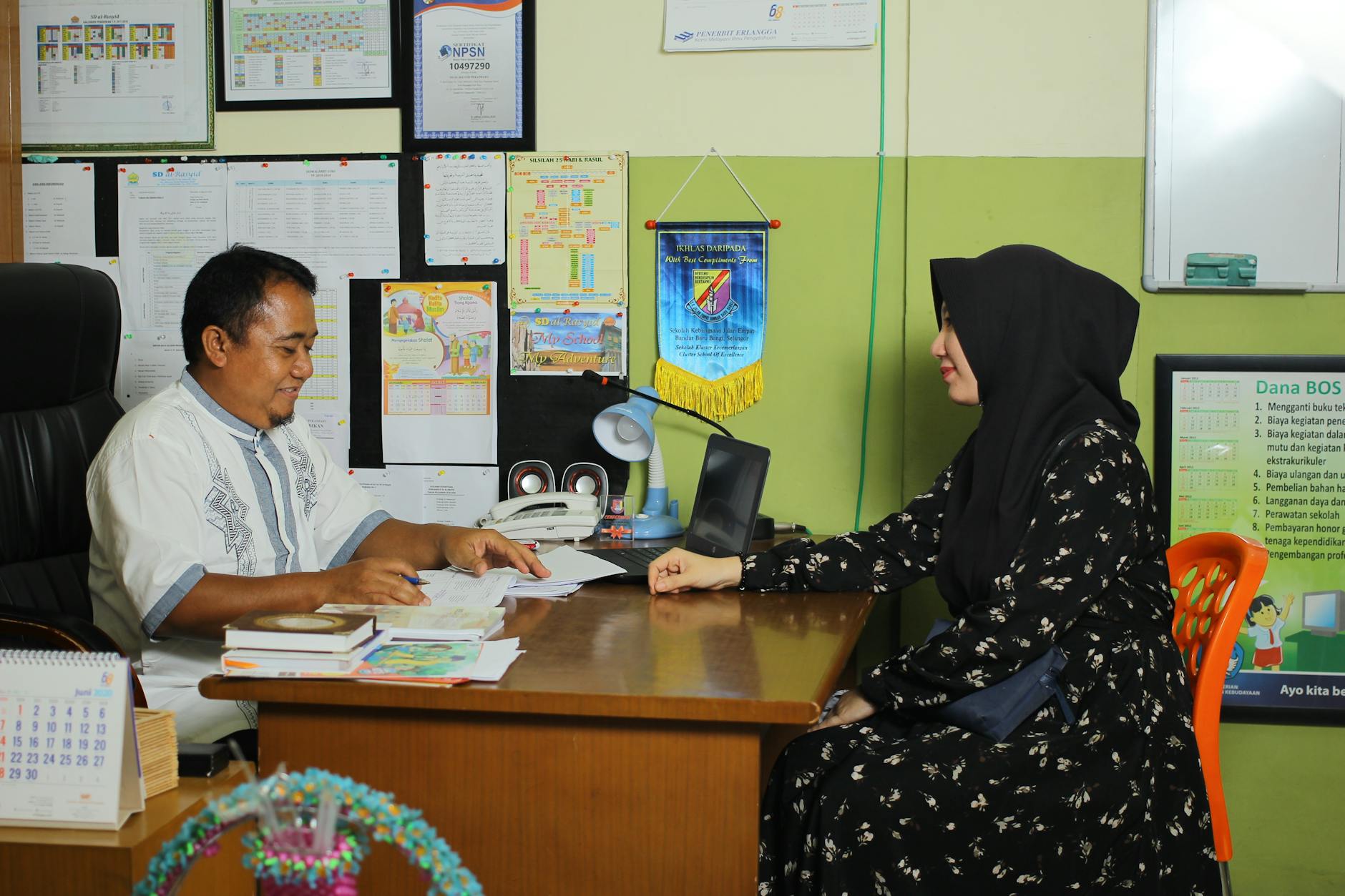
The Future of Meet The Teacher Template in the Classroom
I've watched parent teacher communication shift from paper folders to QR codes on back to school night. Last year, I taped codes to desks linking to my classroom welcome letter. Parents scanned before I finished my intro. That's the direction we're heading—faster, digital, but still personal.
The biggest change? Open house materials now live on phones. Parents want info they can save, not papers they lose. I keep a simple template that works on screens and prints. Dual-purpose is survival.
Stay ahead by updating your template every August. Swap last year's jokes for fresh ones. Ask returning parents what helped most. If your meet the teacher template still works in five years, you're probably not listening hard enough.

What Does This Meet the Teacher Template Include?
This meet the teacher template includes a customizable teacher introduction page, contact information section, classroom policies overview, supply checklist, and important dates calendar. Available as a meet the teacher template free editable option in Google Docs, Microsoft Word, and PDF formats, the 3-page design features pre-formatted text boxes, placeholder images, and editable color schemes to match your school branding.
You are not starting from scratch. This classroom welcome letter handles the heavy lifting before back to school night arrives, giving you professional open house materials without the blank-page panic. Everything is already laid out for you to customize in minutes, not hours.
The Teacher Bio Section turns your credentials into a readable teacher introduction letter with a 150-word placeholder and specific prompts for your education, years of experience, and teaching philosophy. I used this last August with my 4th graders and appreciated how the prompts kept me from writing a novel nobody would finish. The text box expands if you ramble, but the template nudges you toward what parents actually need to know without overwhelming them.
The Contact Information Card uses structured fields for phone, email, office hours, and preferred response times so parents know you check messages at lunch, not midnight. Next to it sits the Classroom Management Summary in a clean 5-rule format that frames expectations positively. It replaces "No running" with "We walk safely to respect our space." That small shift changes the entire tone of your parent teacher communication right from the first impression.
The Categorized Supply List separates items into Required, Recommended, and Wish List columns so families know glue sticks are mandatory but Kleenex is an appreciated bonus. The Semester-at-a-Glance Calendar uses landscape orientation to highlight the first 30 days of school, which is exactly when parents feel most lost about early release days and picture schedules. It fits perfectly inside a sheet protector taped to the fridge for daily reference.
You get four delivery options to fit your tech comfort level and school setup. The Google Docs version offers full cloud-based editability with comment-enabled collaboration, perfect for co-teachers who want to tweak language together. The Microsoft Word .docx file uses embedded system fonts Arial and Calibri to prevent annoying substitution errors when you print at the school copier. There is also a Canva template link for drag-and-drop photos and a PDF fillable form for typing directly into fields using free Adobe Acrobat Reader DC.
Every file prints on standard 8.5x11 inch letter size paper with 300 DPI minimum resolution placeholders for your photos. I have included WCAG AA compliant high-contrast color alternatives like black text on white or dark blue on cream for families with vision needs. The bilingual layout option places English and Spanish side-by-side without breaking when text expands by thirty percent during translation, which happens more than you would expect with educational terms.
The download also includes three auxiliary materials that boost parent engagement and save you from hunting down information during the first chaotic week. There is a half-sheet Parent Contact Information Form for updated phone and email, a Volunteer Opportunity Checklist listing room parent duties and field trip chaperone slots, and a Transportation Confirmation Section where families specify exactly how their child gets home during those crucial first five days. These become your lifeline when the dismissal bell rings on day one.
Template Structure and Essential Components
John Hattie's Visible Learning research puts structured parent communication at an effect size of 0.49 on student achievement. That number matters. When you put clear policies in writing, you cut parental anxiety and improve parent engagement through consistent home-school partnerships.
Your meet the teacher template isn't just a handout—it's a relationship tool. Skip the generic meet the teacher free template downloads that sound like robots wrote them. Use this structure instead.
Component Name | Primary Purpose | Recommended Word Count/Visual Space | Example Content Snippet |
Teacher Introduction | Build trust through credentials | 75-100 words + 2x2" photo | "I hold a Master's in Curriculum from State University and have taught 3rd grade for 7 years" |
Contact Matrix | Set response expectations | 50-75 words | "Email: 24-48 hours; Phone: 24 hours; Apps: 2 hours" |
Policy Overview | Establish boundaries | 100-125 words | "Late work accepted within 3 days, 10% deduction per day" |
Supply & Dates | Remove logistical barriers | Bulleted list or visual grid | "24 #2 pencils, 12 glue sticks; Picture Day: Sept 12" |
Critical Errors to Avoid: Never use education jargon like IEP, RTI, or PBIS without defining it—parents won't ask and you'll confuse them. Always include specific response timeframes because vague "soon" creates uncertainty and repeat emails. Keep your total document under 500 words since research shows parent attention drops after 90 seconds of reading.
Teacher Introduction and Background Section
Start with your years of experience—"I've taught 4th grade for eight years" works better than vague statements. Add your highest degree and institution directly underneath, like "Master's in Curriculum from State University." Follow with your teaching philosophy in ten words or less; mine reads "Learning through hands-on exploration." Finish with one relatable detail about your family, community connection, or hobby. Position a 2x2 inch professional photo in the top-right corner so parents connect a face to the credentials immediately.
Specificity builds connection faster than credentials alone. Mentioning your own messy kitchen table covered in science projects takes twelve words and gives parents an entry point for conversation. Writing a welcoming note to your new students works the same way—concrete details beat vague professional statements every time.
Contact Information and Communication Preferences
Parents need a roadmap for how to reach you without camping outside your classroom door. I frame this as a Response Time Expectancy Matrix in my classroom welcome letter. Email gets a 24 to 48 hour turnaround during school days. School phone and voicemail returns happen within 24 hours, but only during school hours.
Classroom apps like ClassDojo or Remind get responses within two hours during instructional time. In-person conferences require 24-hour advance notice. Label email and phone as "Best for Urgent Matters" and app messages as "Best for General Updates." These boundaries protect your evenings while keeping parent teacher communication healthy and predictable.
Classroom Policies and Expectations Overview
Limit this section to five concrete rules using positive framing. State your Late Work Acceptance Window clearly: work submitted within three days earns partial credit with a 10% deduction per day. Designate a specific Absent Work Retrieval Location, like the blue bin labeled "While You Were Out" or a shared Drive folder. Outline Technology Guidelines—phones stay in backpacks during instruction, calculators are permitted for math centers. Explain Bathroom and Water Procedures, such as the sign-out log with emergency exceptions. Add one expectation about respectful communication to round out the five. Essential classroom rules and procedures only work when parents know them too.
Positive framing changes the tone. "We keep phones in backpacks to protect focus" lands better than "No phones allowed." Parents become partners when they understand the why behind your open house materials.
Supply Lists and Important Dates Calendar
Organize your supply list into three distinct categories so parents shop efficiently. Writing Implements include 24 #2 pencils and 12 glue sticks. Organization Tools cover one 1-inch binder, five tab dividers, and one pencil pouch. Community Supplies request tissues, hand sanitizer, and dry erase markers for shared use. For the calendar section, list only the first four weeks of critical dates to avoid overwhelming families with semester-long data. Include Meet the Teacher Night, Picture Day, Early Release dates, and the first major assessment or project due date.
I learned this the hard way in my second year when I handed out a six-month calendar during our back to school night. Parents lost it by week two, overwhelmed by data they didn't need yet. Now I send home a slim, month-one preview and track your classroom materials and supply lists digitally for updates. This approach respects parent attention spans while covering your immediate needs.
Step-by-Step Setup Guide
You can knock this out in under an hour. I break it down into five chunks: Step 1 takes five minutes to download and secure your master file. Step 2 needs fifteen minutes for personalization. Step 3 requires twenty minutes to swap in your actual policies. Step 4 runs ten minutes for contact details. Step 5 takes five minutes to export. This meet the teacher template free approach runs entirely on free tiers—no Adobe Creative Suite, Canva Pro, or Microsoft 365 subscription required. Keep your file under 5MB so it won't bounce back from school email attachment limits.
Step 1 — Download and Open in Your Preferred Format
Grab the meet the teacher template in three formats. For Google Docs, click "File" then "Make a Copy" to drop an editable version into My Drive. Using Word? Click "Enable Editing" on the yellow banner, then "Save As" to your local drive. For PDF, open it in Adobe Acrobat Reader DC—it's free—and pick the "Fill & Sign" toolbar. Before editing, save an untouched copy as "[YourName]MeetTeacher_MASTER" for backup. This master file saves you when you accidentally delete a section later.
Watch for technical traps. Mac users often see font substitution in Word—use the Google Docs version instead. If images compress poorly in Docs, insert JPEGs not PNGs. When PDF security blocks editing, select "Enable Editing" in Adobe's sidebar. These fixes take thirty seconds but prevent hours of reformatting headaches.
Step 2 — Personalize the Teacher Introduction Section
Replace every bracketed placeholder like [Your Name] and [Grade/Subject] with your specifics. Click the photo placeholder box, select Insert, then Image, and upload from your computer. Resize to exactly 2x2 inches using Word's Picture Format > Size menu—lock that aspect ratio—or drag corners in Google Docs while holding Shift.
I learned this the hard way last year when my headshot looked stretched on my 4th grade classroom welcome letter. Parents notice weird proportions. If the file balloons past 2MB, compress it at TinyJPG.com before inserting. A crisp photo builds trust before you even shake hands.
Step 3 — Add Classroom-Specific Policies and Procedures
Swap the generic policy templates with language copied directly from your district employee handbook. Cite the page number in parentheses so you can find it fast during back to school night questions. Use Find and Replace to swap [School Name] and [Room Number] everywhere at once—Ctrl+H in Word or Ctrl+Shift+H in Docs.
After updating, test readability. Select all text, open Tools > Voice Typing, and listen for awkward phrasing. If it sounds robotic coming through your speakers, parents will think so too. This step prevents that embarrassing moment when a parent points out you copied last year's room number. Accuracy here shows you run a tight ship.
Step 4 — Insert Contact Details and Office Hours
Update four critical fields. Type your school phone with extension formatted as (555) 123-4567 ext. 891. Double-check your school email address twice—typos here kill parent teacher communication before it starts. Add specific office hours as days and times, like "Tuesdays and Thursdays, 3:00-3:45 PM."
Clarify your emergency protocol: tell parents when to call the front desk versus your cell. If you're organizing your professional schedule, block these office hours now so you don't accidentally schedule meetings during parent availability. This clarity saves you from playing phone tag during the first week.
Step 5 — Export and Save for Distribution
For digital distribution, select File > Download > PDF Document to lock formatting across phones and tablets. For printing, choose File > Print and select "Actual size" or "100%" scaling—never "Fit to page," which shrinks your text into unreadable ants.
Use clear naming: "[LastName]MeetTeacher2024_Digital.pdf" for email and "[LastName]MeetTeacher2024_Print.pdf" for copies. Store both in a cloud folder like Google Drive or Dropbox. Parents will request these open house materials again in January when they lose the first copy, so having them handy prevents frantic searches. This teacher introduction letter becomes your parent engagement anchor for the year. Version control prevents confusion when you update mid-year.
How Can You Customize This Template for Your Classroom?
Customize this meet the teacher template by adjusting vocabulary complexity, visual elements, and content depth to match developmental stages. Elementary versions use photos and simple rules, middle school adds homework policy details and locker procedures, while high school templates focus on syllabus alignment and office hour logistics for multiple course preps.
One size fails every time. Elementary templates bomb in high school halls because excessive personal details infantilize older students. Match the meet the teacher template to the maturity level or lose credibility fast with parents expecting rigor.
Adapting Content for Elementary Grade Levels
For kindergarten through second grade, blow up your font to 18-20pt minimum. Their parents are exhausted and squinting at car line while holding a toddler and a backpack. Keep text under 200 words for Kindergarten and 300-400 words for elementary grades. Use visual behavior charts like clip-up/clip-down diagrams or color zone circles. For grades 3-5, add specific behavior clip chart explanations that match your classroom management system. Icons beat sentences every time with this age group.
Include an "About My Teacher" section with exactly three high-interest categories: Favorite Children's Book, Favorite Snack, and Pet/Animal. Skip your college major. They want to know if you like dogs, not where you studied. These personal hooks build trust before you call about behavior issues. Keep the tone warm but structured.
For pickup logistics, diagram the car line number location, walker escort gate, and aftercare sign-out procedures. I use strategies for elementary grade levels that prioritize these visual anchors. Photos of the actual blue gate or walker exit cut "where do I pick up Jamie?" emails by half. Meet the teacher template free editable versions work best when you replace text with photos of your actual classroom spaces. Parent teacher communication starts with clarity.
Modifying Tone and Detail for Middle School Parents
Shift your language to emphasize "building student autonomy" and "transition readiness." Parents of 6th graders are terrified and hovering; parents of 8th graders want you to treat their kids like high schoolers. Hit 400-500 words here with specific details like locker combination policies explaining that teachers keep backup codes. Add A/B day rotation or block schedule explanations. These logistics dominate middle school parent anxiety more than your philosophy.
Include step-by-step login instructions for your primary homework platform like Google Classroom, Schoology, or Canvas. Research suggests middle school parents are 40% more likely to engage when you explain these platforms with screenshots showing exactly where the "turn in" button lives. This is your most effective parent engagement move for grades 6-8. Don't assume they know the tech. Visual guides beat written instructions every time.
Last year, I watched a mom panic because she couldn't find her son's science homework. I handed her my back to school night handout with the Canvas screenshot circled. She found it in thirty seconds. That classroom welcome letter saved us both a conference. Include your tutoring schedule and how to check grades without emailing you daily. Middle school parents need maps, not manifestos.
Streamlining for High School Open House Events
Never use the elementary template for high school. Excessive personal photos and "fun facts" infantilize older students and reduce your credibility with parents expecting academic rigor. They don't care about your favorite color; they care about your late work policy. Keep your teacher introduction letter to 250-300 concise words focusing on logistics and academic standards. Cut the family photos unless you teach 9th grade transition courses.
Restructure to academic logistics: grading breakdown percentages like 40% assessments and 30% homework, specific retake or redo windows, and your tutoring schedule with the exact room number. Add a QR code linking to your full syllabus. High school parents juggle multiple course preps and need to scan fast. Your open house materials should answer "how do I raise this grade?" before they ask it aloud.
Studies suggest high school parents spend an average of 90 seconds at each teacher station during back to school night. Limit your handout to one page with scannable sections. Parents flip through three-page syllabus packets while standing in the doorway. They never read page two. High school parent teacher communication works best when it respects their time constraints and gets straight to the grading policy.
Best Practices for Distributing Your Template to Parents
Digital distribution costs zero dollars and hits inboxes instantly. Parents can search their email for your supply list in December. That searchable archive saves everyone time. Printed handouts run eight to fifteen cents per color page, but they provide a tactile reference that lives on the fridge. No technology barriers exist. Your choice depends on parent demographic preferences and your own environmental guilt about toner cartridges.
Three mistakes sabotage your parent teacher communication before the first bell. Never send materials before your syllabus is finalized; I once distributed a meet the teacher free template with the wrong dismissal time and spent the first week fielding panicked calls. Never use only one distribution method; you will exclude the family without broadband or the grandparent who never checks apps. Never fail to collect updated contact information; that bounced email from a divorced parent means zero communication until October conferences.
Send your digital classroom welcome letter three to five days before back to school night. This window allows parents to read and formulate specific questions. Provide printed open house materials at the door for the twenty-five to thirty percent of families who forgot devices or simply prefer hard copies. Within twenty-four hours after the event, email the final updated version incorporating any verbal corrections you made during the Q&A session. Speed matters here; waiting three days makes you look disorganized.
Digital Distribution via Email and Classroom Apps
Your subject line determines whether parents open your email or archive it. Write "Meet [Teacher Name] - [Grade/Subject] - Action Needed by [Date]" so they know this isn't spam. Attach your meet the teacher template as a PDF only; never send Word documents because parents see your track changes and editing marks. Upload the file to ClassDojo's Class Story or Remind's Library for permanent reference so it does not disappear into a chat thread. These platforms work better than email for parents who lose everything in their inbox.
Accessibility compliance matters more than aesthetics. Paste plain-text content in the email body below your attachment for parents using screen readers or preview panes. This simple act of building strong relationships with parents takes thirty seconds and saves frustration. When you prioritize modern parent communication strategies, you meet families where they are technically.
Printed Handouts for In-Person Meet the Teacher Events
Print specifications separate professional open house materials from amateur hour. Use 24lb bright white paper with 92 brightness for better color saturation than standard 20lb stock. The heavier weight feels official in their hands. Print single-sided only so parents have white space to scribble questions about the reading schedule. Calculate your quantity at 110 percent of enrolled roster to account for siblings, clerical errors, and late enrollees who show up unannounced.
Station setup controls traffic flow and forces conversation. Place your teacher introduction letter in labeled manila folders with student name tags on the desk. Parents must find their child's specific spot to retrieve the packet, which guarantees a one-minute personal exchange. This beats handing out generic stacks at the door. For more guidance on preparing for in-person school events, remember that the physical object creates a moment of connection that pixels cannot replicate.
The Future of Meet The Teacher Template in the Classroom
I've watched parent teacher communication shift from paper folders to QR codes on back to school night. Last year, I taped codes to desks linking to my classroom welcome letter. Parents scanned before I finished my intro. That's the direction we're heading—faster, digital, but still personal.
The biggest change? Open house materials now live on phones. Parents want info they can save, not papers they lose. I keep a simple template that works on screens and prints. Dual-purpose is survival.
Stay ahead by updating your template every August. Swap last year's jokes for fresh ones. Ask returning parents what helped most. If your meet the teacher template still works in five years, you're probably not listening hard enough.
Still grading everything by hand?
EMStudio is a free teaching management app — manage your classes, students, lessons, and more!
Learn More
Still grading everything by hand?
EMStudio is a free teaching management app — manage your classes, students, lessons, and more!
Learn More





Notion4Teachers
Notion templates to simplify administrative tasks and enhance your teaching experience.



2026 Notion4Teachers. All Rights Reserved.
Notion4Teachers
Notion templates to simplify administrative tasks and enhance your teaching experience.
2026 Notion4Teachers. All Rights Reserved.
Notion4Teachers
Notion templates to simplify administrative tasks and enhance your teaching experience.
2026 Notion4Teachers. All Rights Reserved.