18 Notion Homeschool Schedule Templates (Free and Paid)

Here are 18 Notion homeschool schedule templates in four groups: all-in-one planners, planners built around a calendar or a family dashboard, lesson and curriculum planners, and attendance and homework trackers. Ours come first in the three groups where we have one, each with its own page. For a whole family on one schedule, take our Ultimate Homeschool Planner (paid); to start for nothing, take our Lesson Planner or Attendance Tracker (both free).
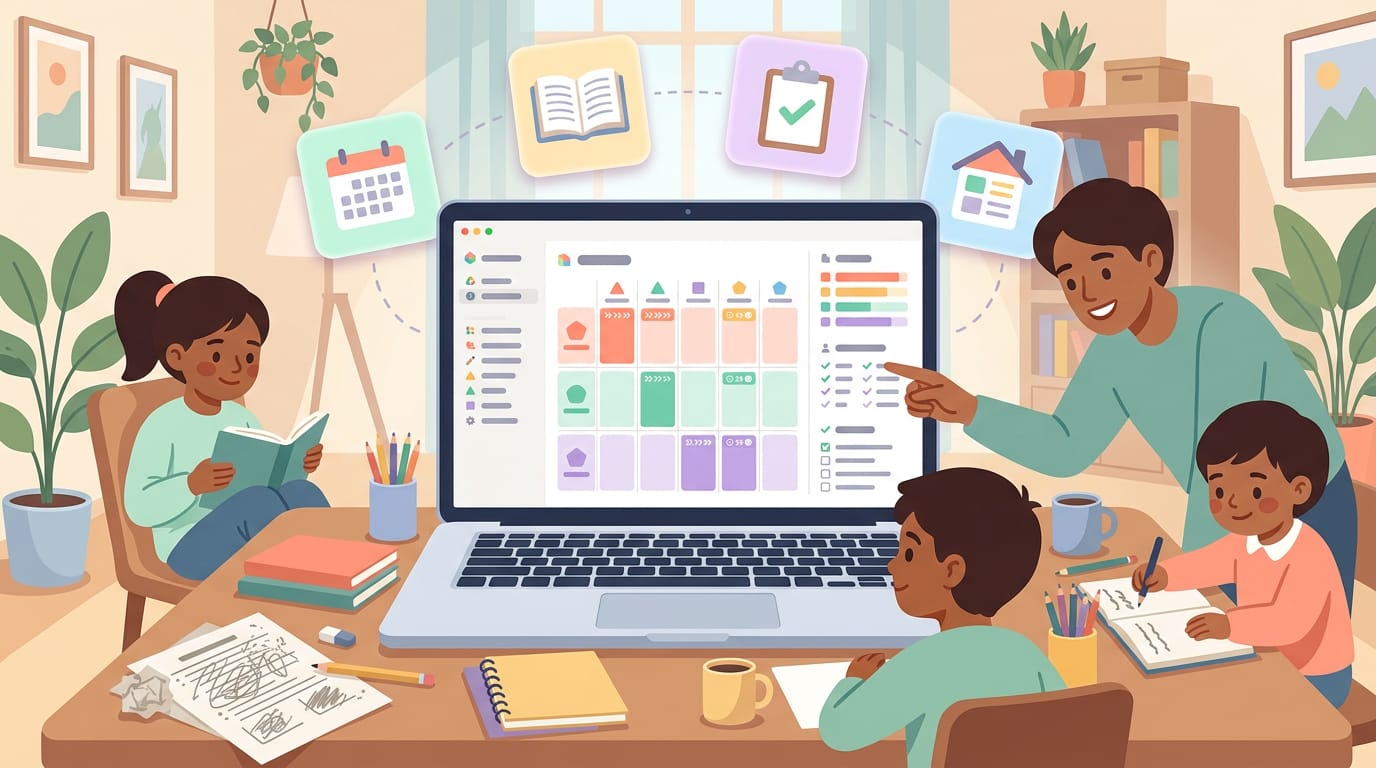
What a Notion schedule gives you that a printable cannot: you set a block up once and it comes back every week, one page holds the schedules of several children, and each child's lessons and attendance sit in the same place as their timetable.
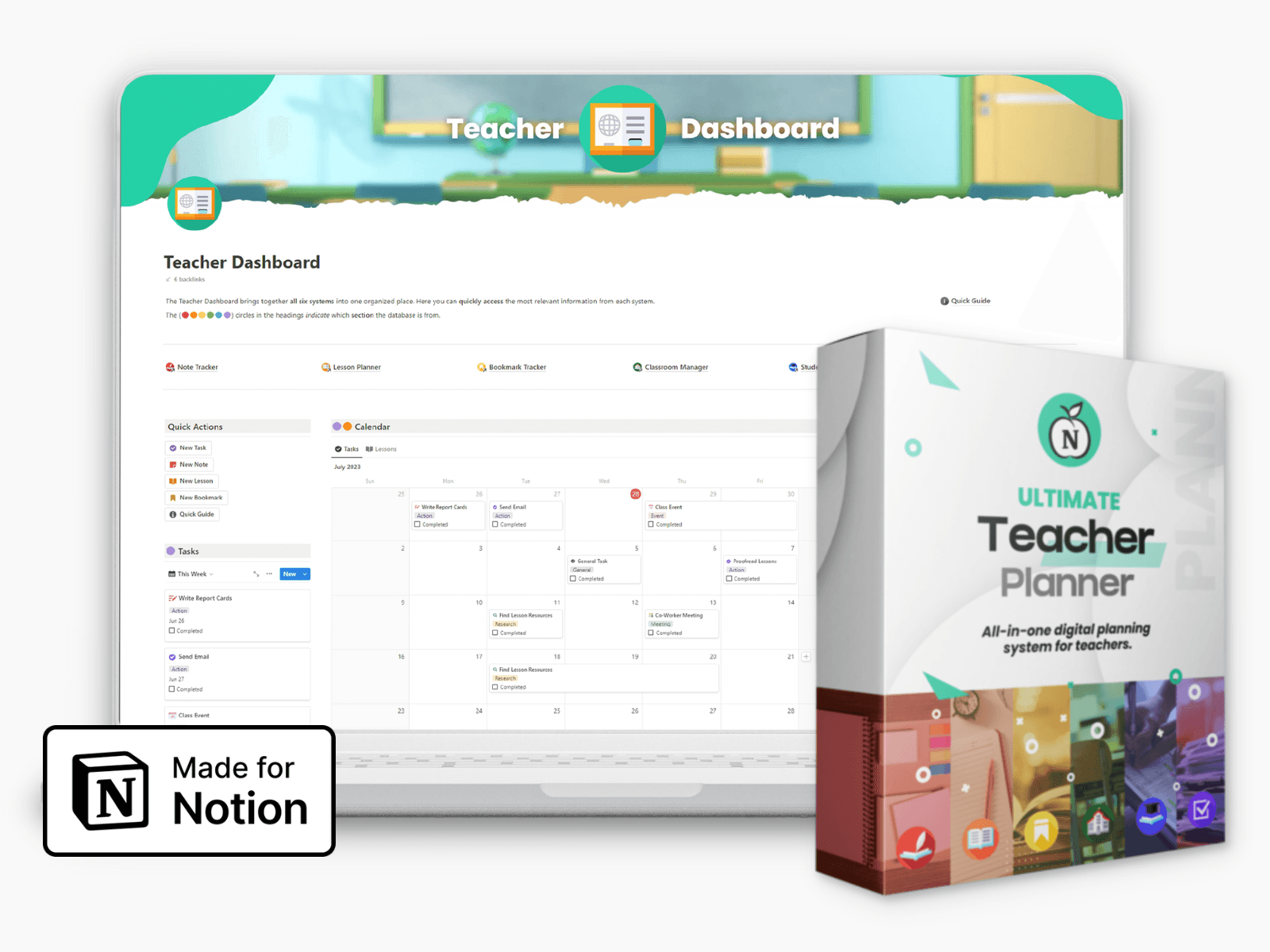
Ultimate Teacher Planner
The ultimate all-in-one education management system in Notion.
All-in-one Notion homeschool planners
An all-in-one planner keeps the week's schedule, each child's lessons, attendance and records in one workspace. It suits a family that wants to plan, teach and keep records from the same page, and does not want to copy anything from one sheet to another.
Ultimate Homeschool Planner
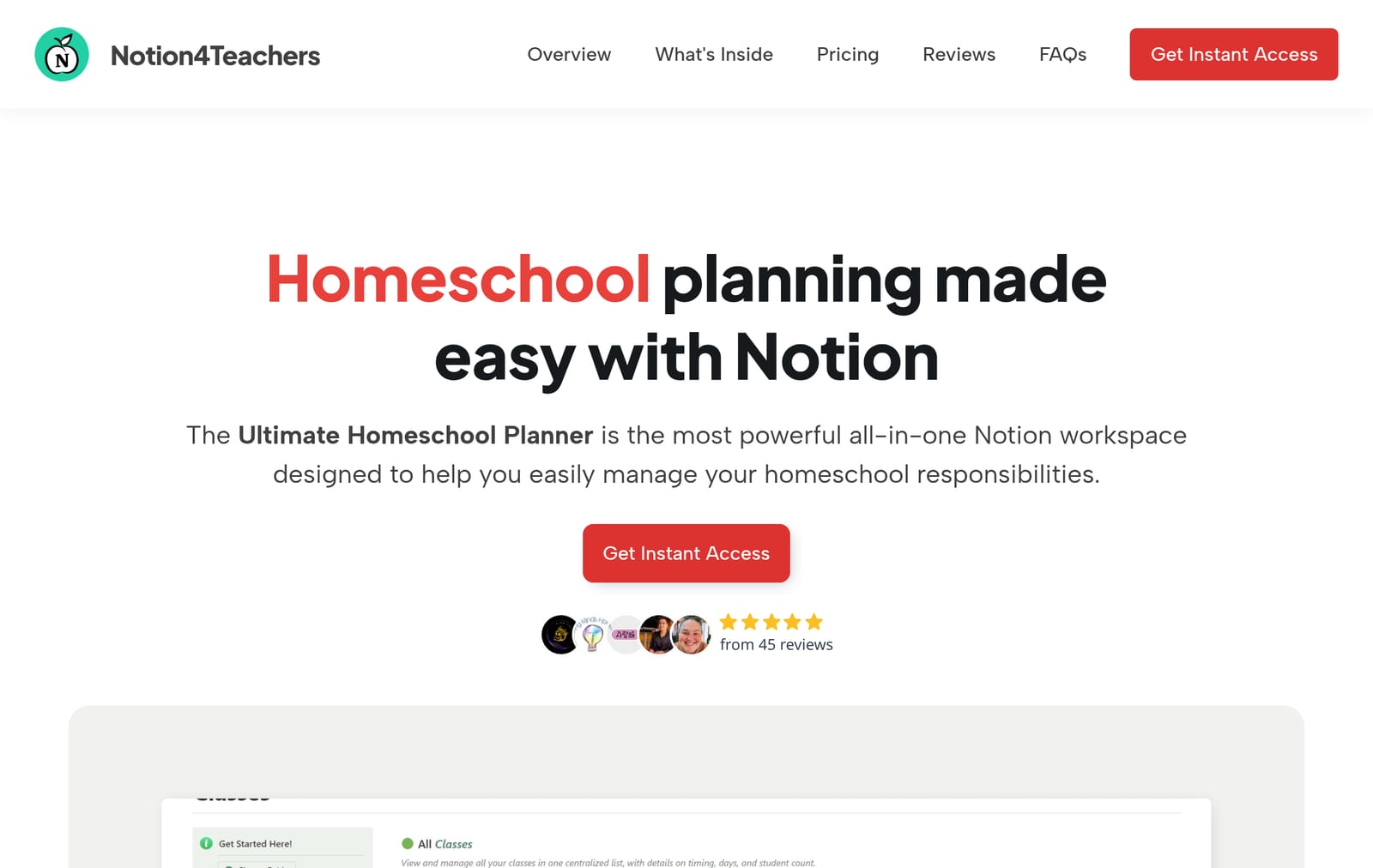
Paid. An all-in-one Notion workspace for managing a homeschool, as its page puts it. The preview on the page opens on a Classes page: one list of all your classes with each one's timing, days and student count, next to a Get Started Here! menu.
Get the Ultimate Homeschool Planner
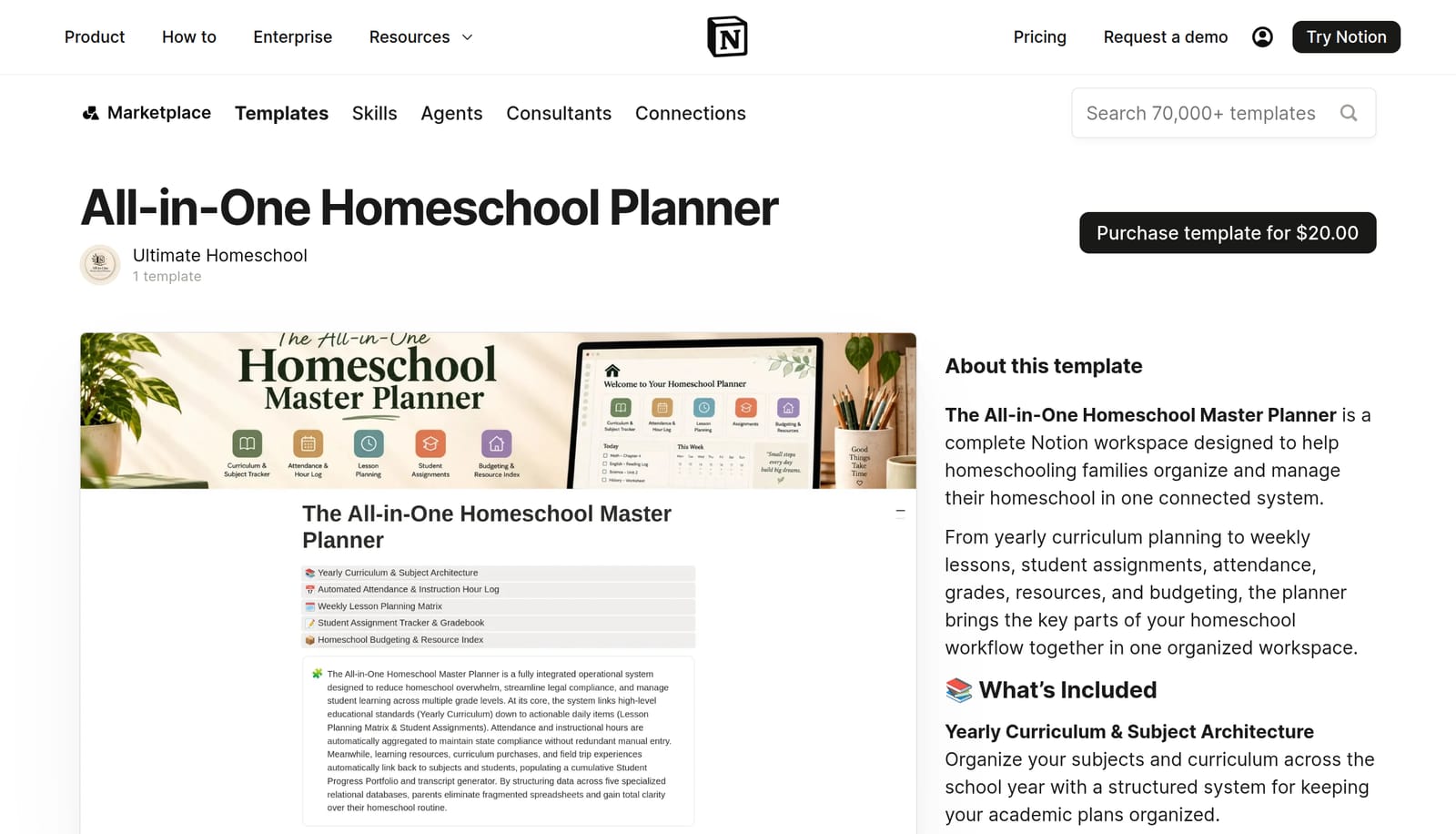
All-in-One Homeschool Planner
Paid, $20.00. One workspace that links yearly curriculum and subjects, an attendance and instruction-hour log, a weekly lesson planning grid, a student assignment tracker with a gradebook, and a budgeting and resource index. Its home page opens each part from a row of buttons. For a family that wants plans, records and spending in one place.
Get the All-in-One Homeschool Planner
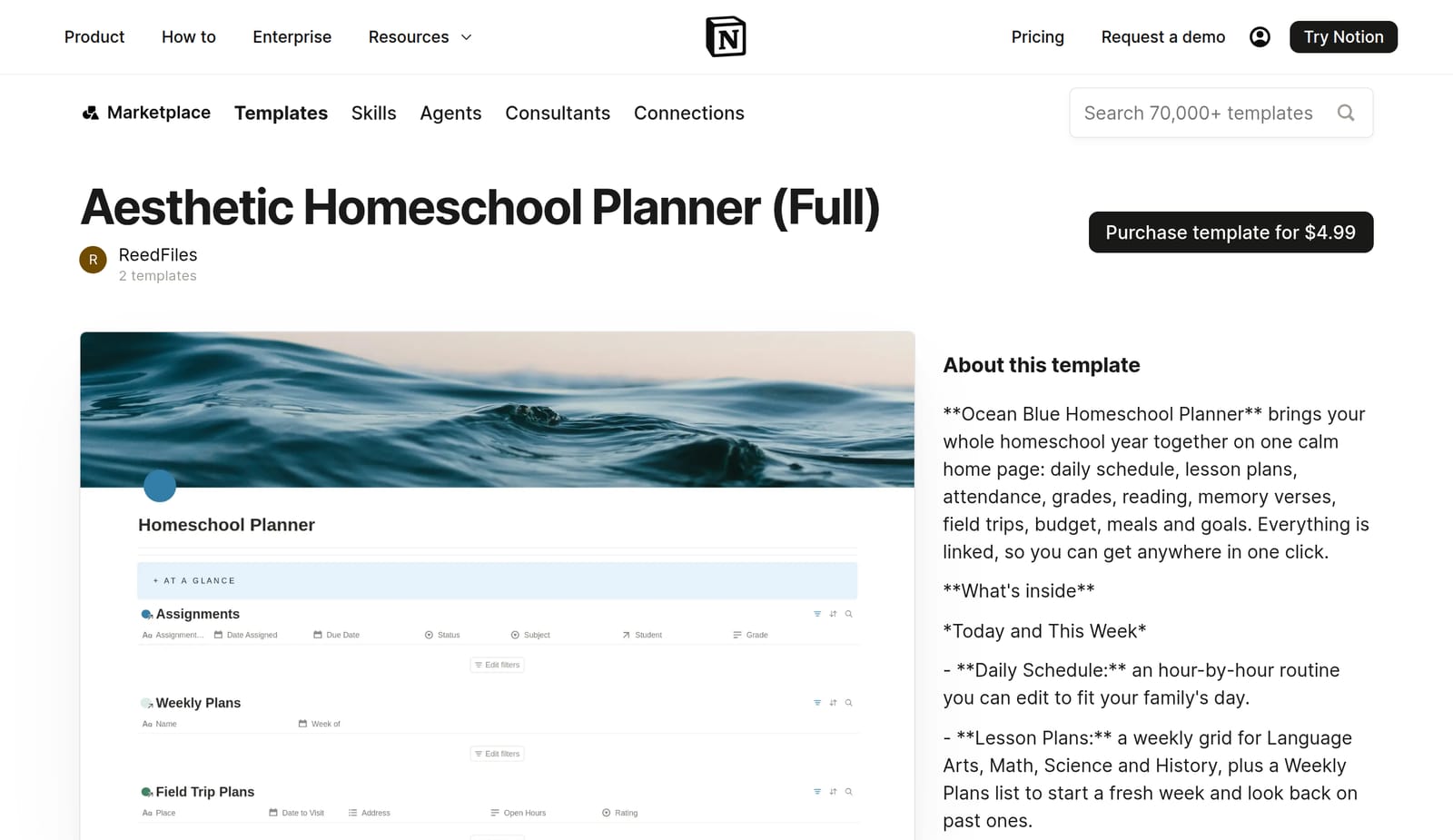
Aesthetic Homeschool Planner
Paid, $4.99. One home page with an ocean cover for the whole homeschool year: tables for assignments (due date, status, subject, student, grade), weekly plans and field trips, and, by its description, an hour-by-hour daily schedule, a weekly lesson grid, attendance, reading, memory verses, budget, meals and goals, all linked to each other.
Get the Aesthetic Homeschool Planner
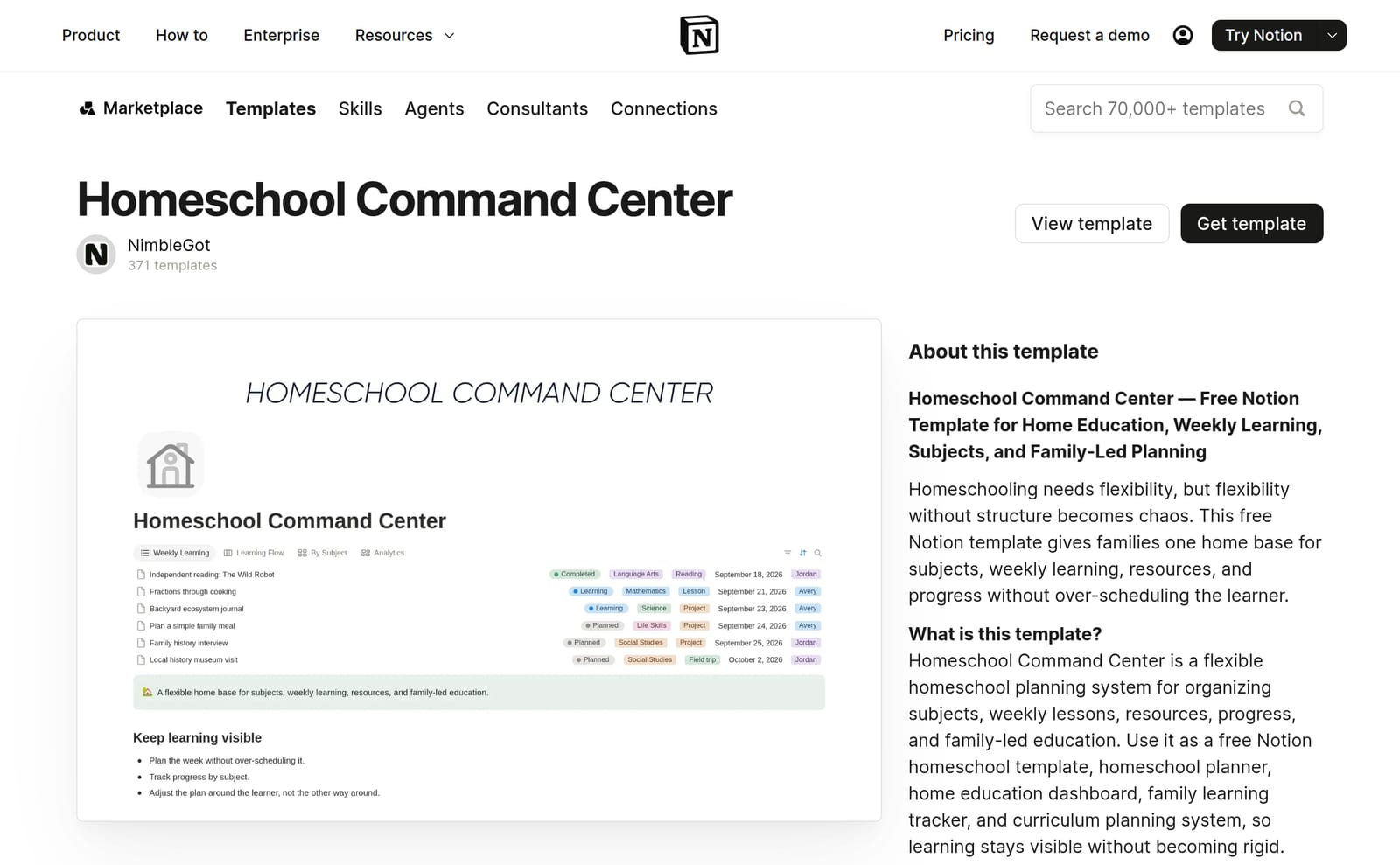
Homeschool Command Center
Free. A home base for subjects, weekly learning and resources. Its preview is one list of learning activities, such as fractions through cooking or a local museum visit, each with its status, subject, kind (reading, lesson, project, field trip), date and learner, and views for weekly learning, learning flow, by subject and analytics.
Get the Homeschool Command Center
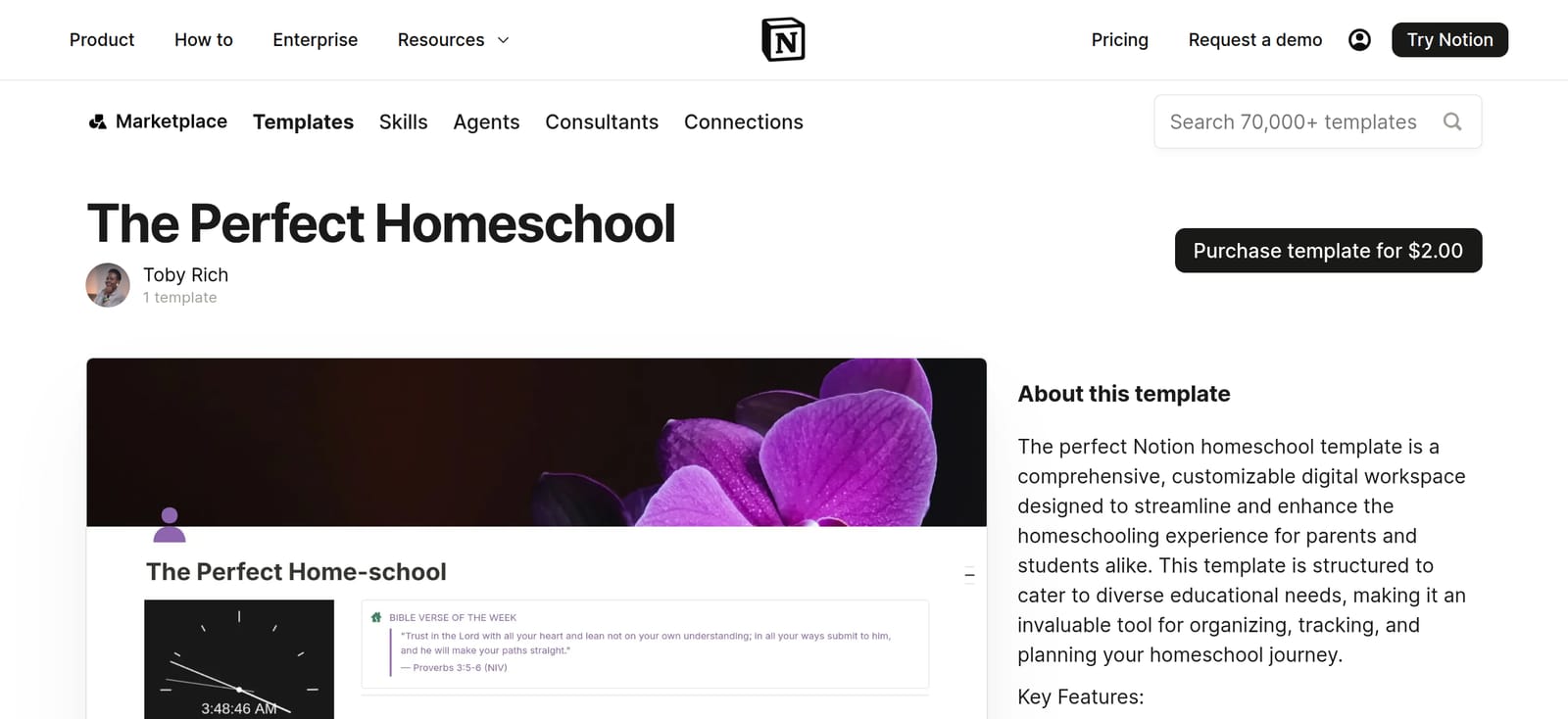
The Perfect Homeschool
Paid, $2.00. A homeschool workspace whose home page opens with an orchid cover, a clock and a Bible verse of the week. Its description promises one place for parents and students to organize, track and plan the homeschool; the picture shows only the top of that home page. For a family that likes a verse on the page each week.
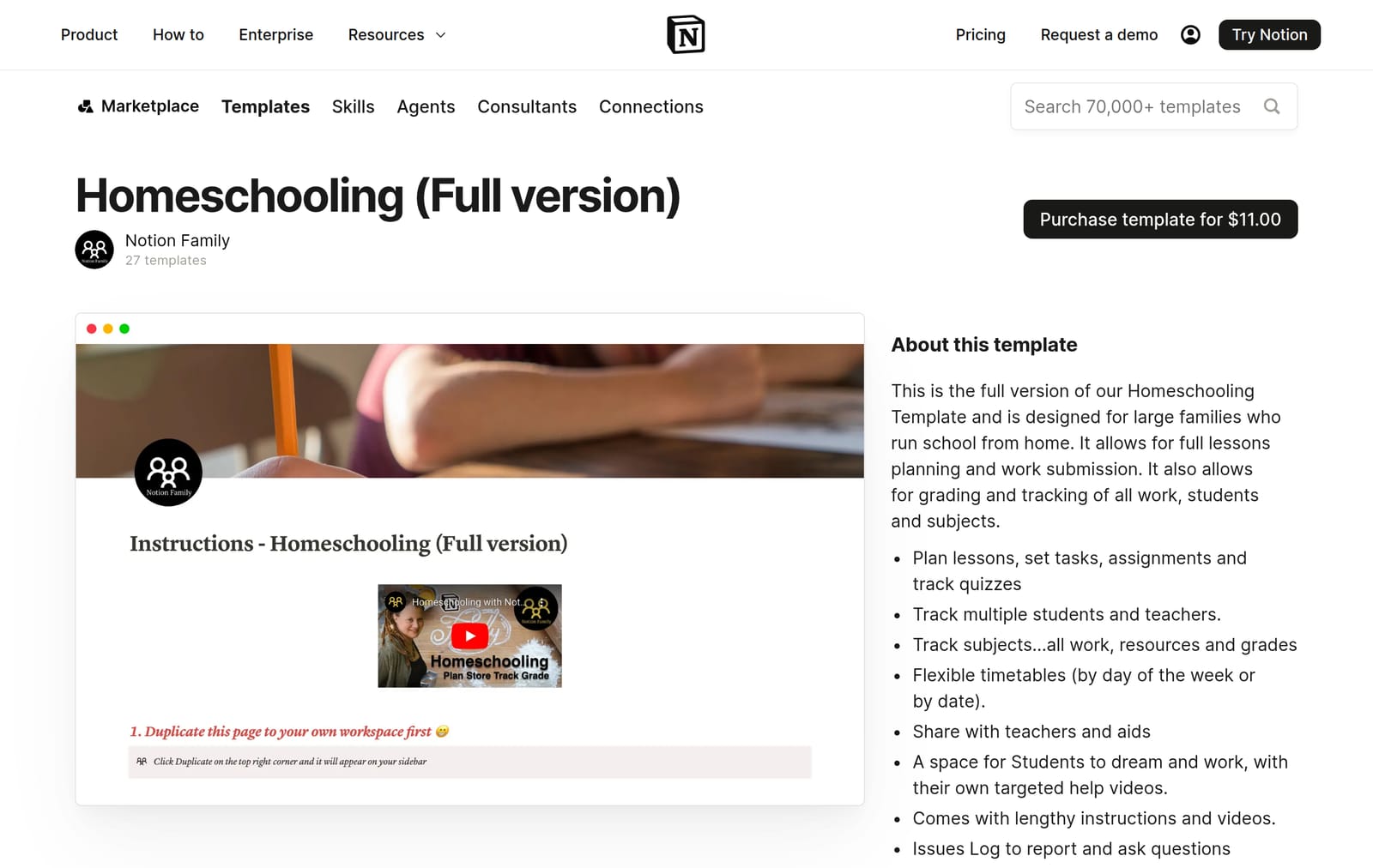
Homeschooling (Full version)
Paid, $11.00. Made for large families who school at home: lesson plans, tasks, assignments and quizzes, work submission, and grades across several students and teachers, with timetables by day of the week or by date and a space where students get their own help videos. It opens on an instructions page with a video, and has an issues log.
Get the Homeschooling (Full version)
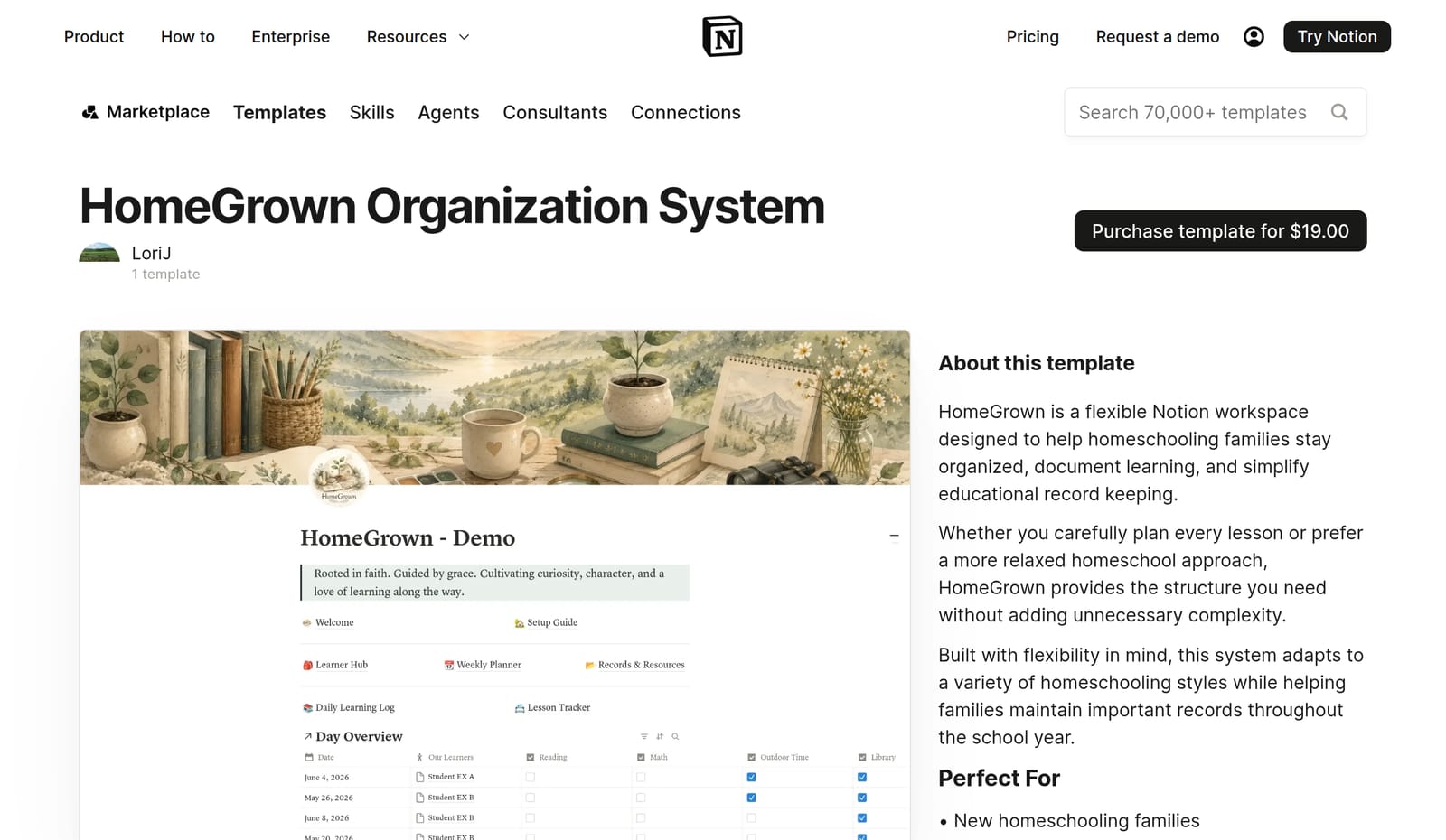
HomeGrown Organization System
Paid, $19, by LoriJ. A homeschool workspace whose demo opens with a faith-based motto and links to a Welcome page, Setup Guide, Learner Hub, Weekly Planner, Records & Resources, Daily Learning Log and Lesson Tracker. Its Day Overview table gives each date and learner a row, with boxes to tick for Reading, Math, Outdoor Time and Library. For a family that wants a daily record of what each child did.
Get the HomeGrown Organization System
Homeschool Records OS
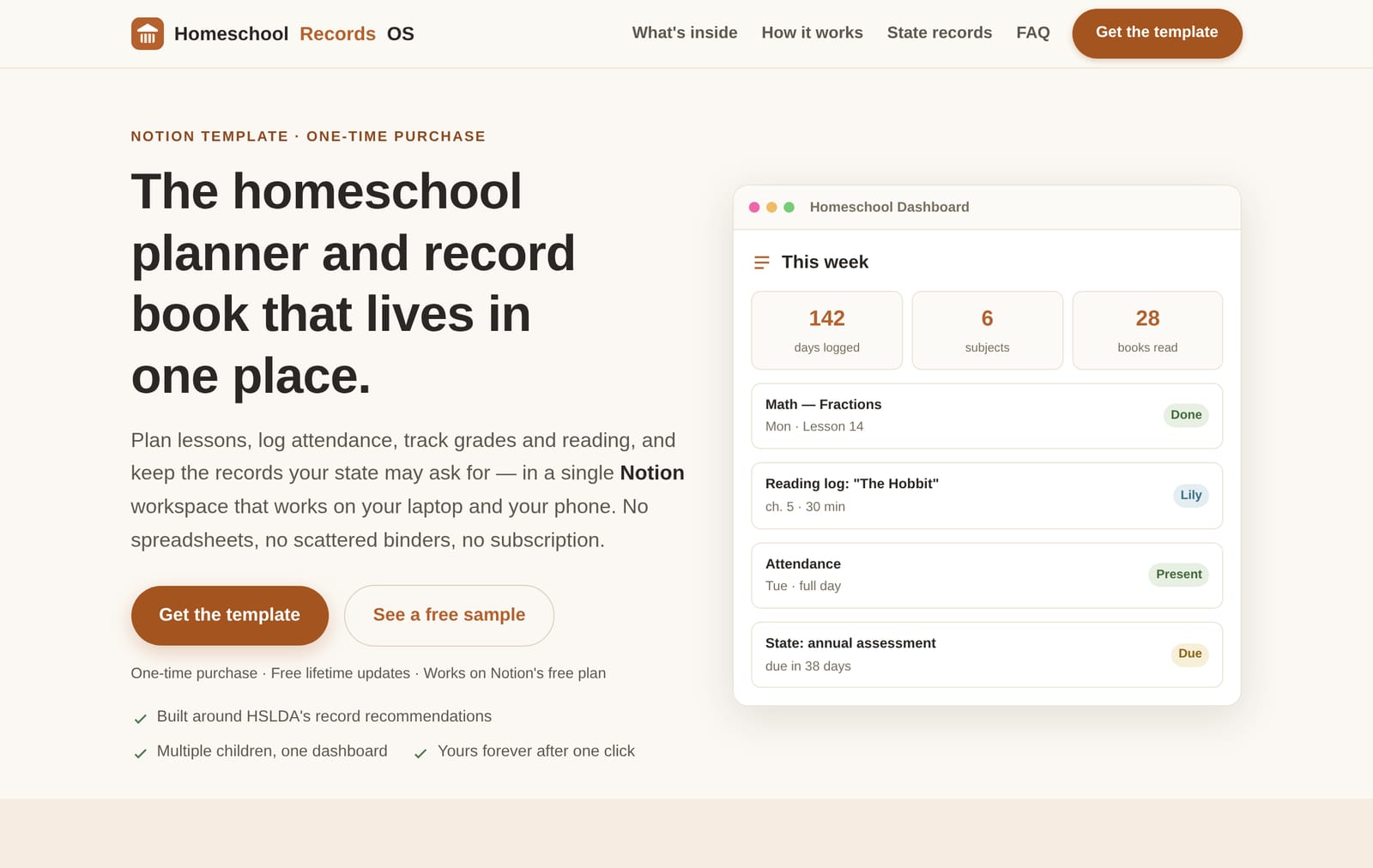
Paid: its site sells it as a one-time purchase but shows no price on its front page. The preview is a Homeschool Dashboard with a This week view of days logged, subjects and books read, then cards for a math lesson, a reading log, attendance and a state assessment due date. The page says it plans lessons, logs attendance, tracks grades and reading, and keeps several children on one dashboard.
Homeschool planners built around a calendar or a family dashboard
These five open on a calendar or a family dashboard: the month, this week's tasks or a card for each child come first, and lessons, homework and grades sit one click away. Four of them are full planners with their own pages for lessons, homework, grades or the family budget; Schoolwork Schedules is the plain one, a monthly calendar of classes, homework and exams. Pick from here if you want the calendar to be the first thing you see each morning.
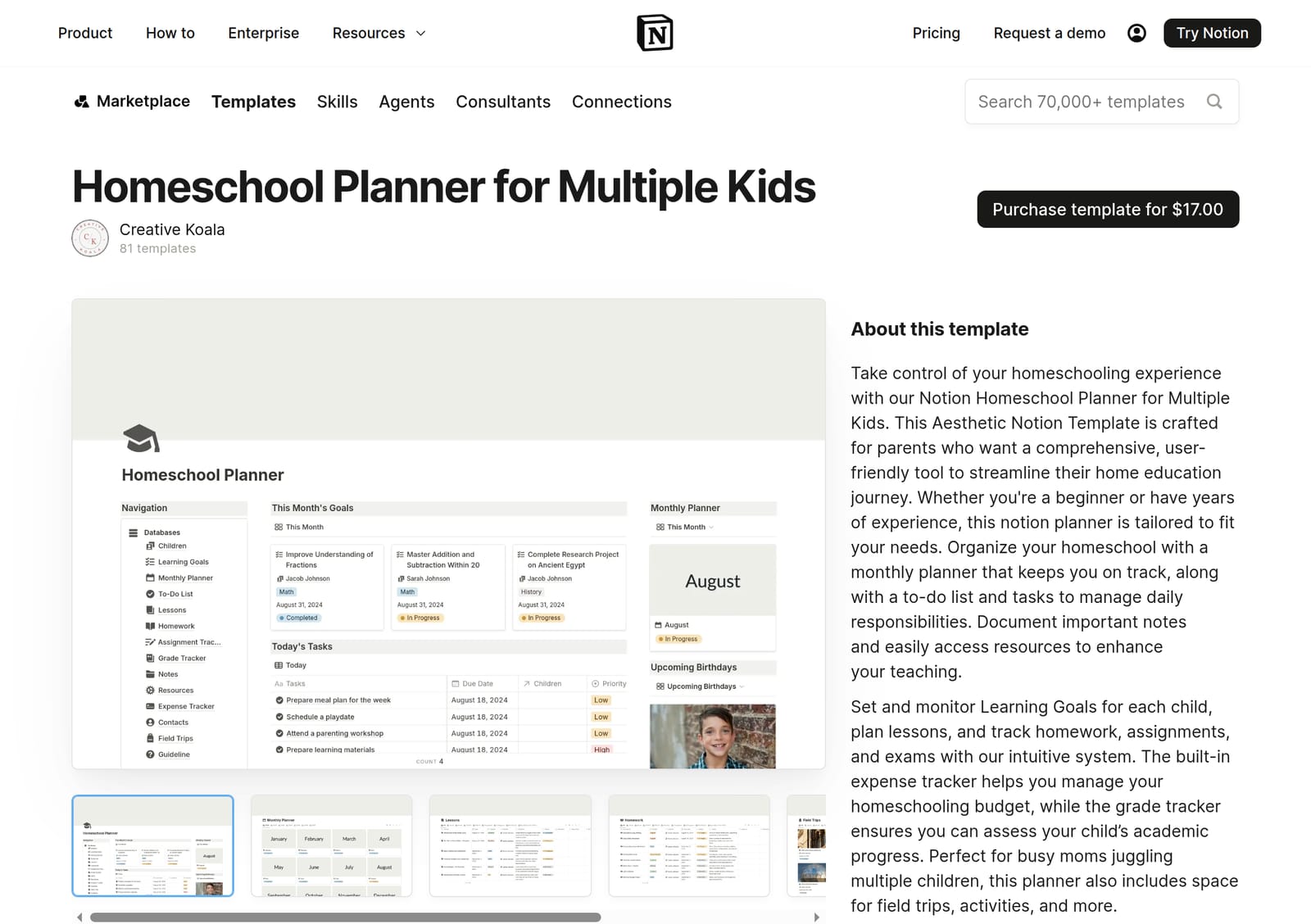
Homeschool Planner for Multiple Kids
Paid, $17, by Creative Koala. The dashboard has a navigation list (Children, Learning Goals, Lessons, Homework, Assignment Tracker, Grade Tracker, Expense Tracker, Field Trips and more), This Month's Goals as cards with each child's name and status, a Today's Tasks list with due dates and priority, a monthly planner and upcoming birthdays. Made for a parent teaching two or more children.
Get the Homeschool Planner for Multiple Kids
Homeschool Parent Planner
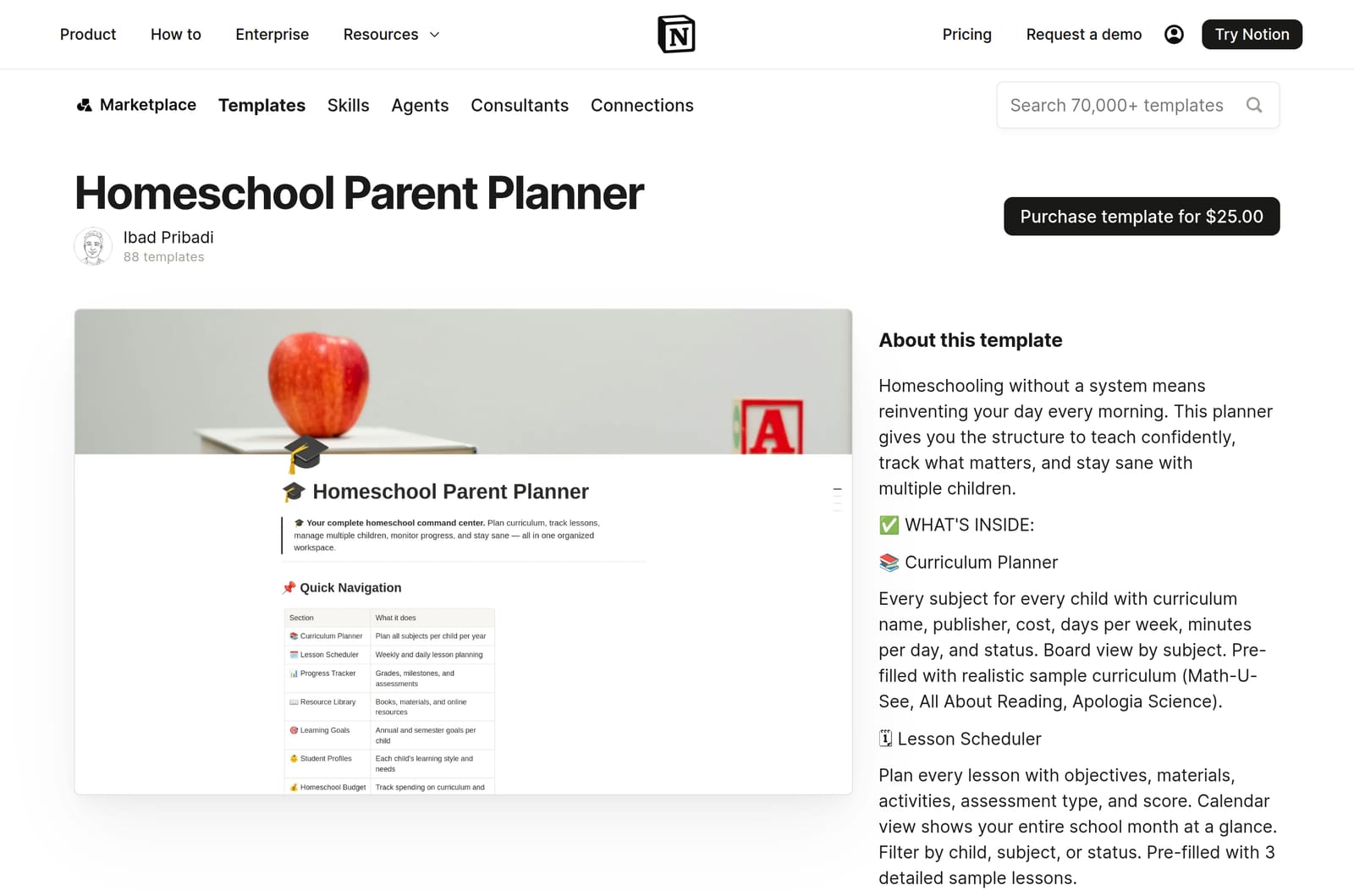
Paid, $25, by Ibad Pribadi. It opens on a Quick Navigation table to a Curriculum Planner, Lesson Scheduler, Progress Tracker, Resource Library, Learning Goals, Student Profiles and a Homeschool Budget. Its page says every subject for every child gets a card on a board with curriculum, cost and days per week, lessons sit on a monthly calendar you can filter by child, and sample lessons come filled in.
Get the Homeschool Parent Planner
Schoolwork Schedules
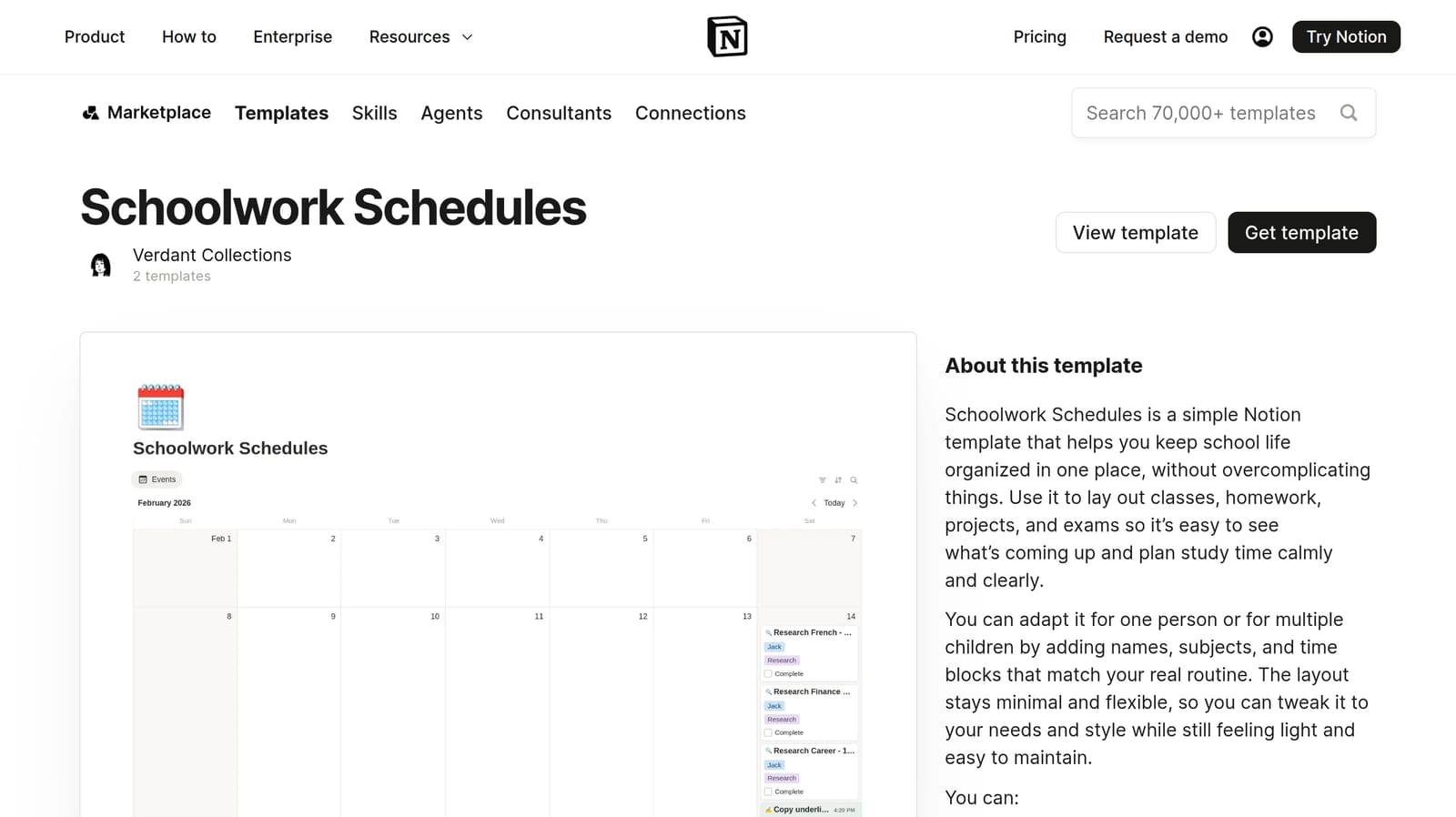
Free (Get template, no price), by Verdant Collections. A plain calendar called Events, shown a month at a time, where each card holds a task such as a research assignment, with a tag for the child, a tag for the kind of work and a Complete box. Its page says it lays out classes, homework, projects and exams, for one child or several once you add their names.
2026 Homeschool Planner
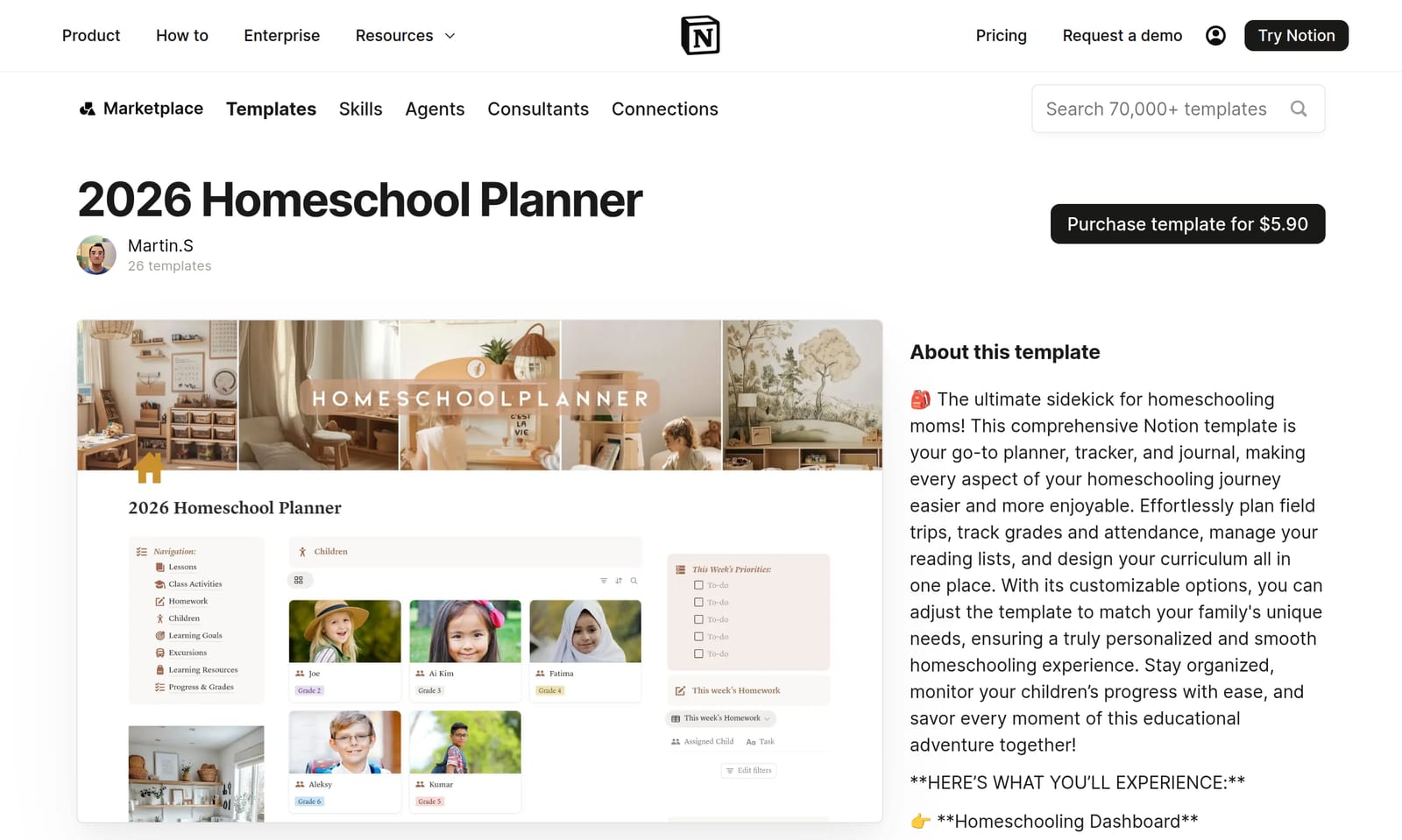
Paid, $5.90, by Martin.S. The dashboard has a navigation list (Lessons, Class Activities, Homework, Children, Learning Goals, Excursions, Learning Resources, Progress & Grades), a Children gallery with a card and grade tag for each child, a This Week's Priorities checklist and a list of this week's homework. A low-cost pick for a family with children in different grades.
Get the 2026 Homeschool Planner
Homeschool Planner
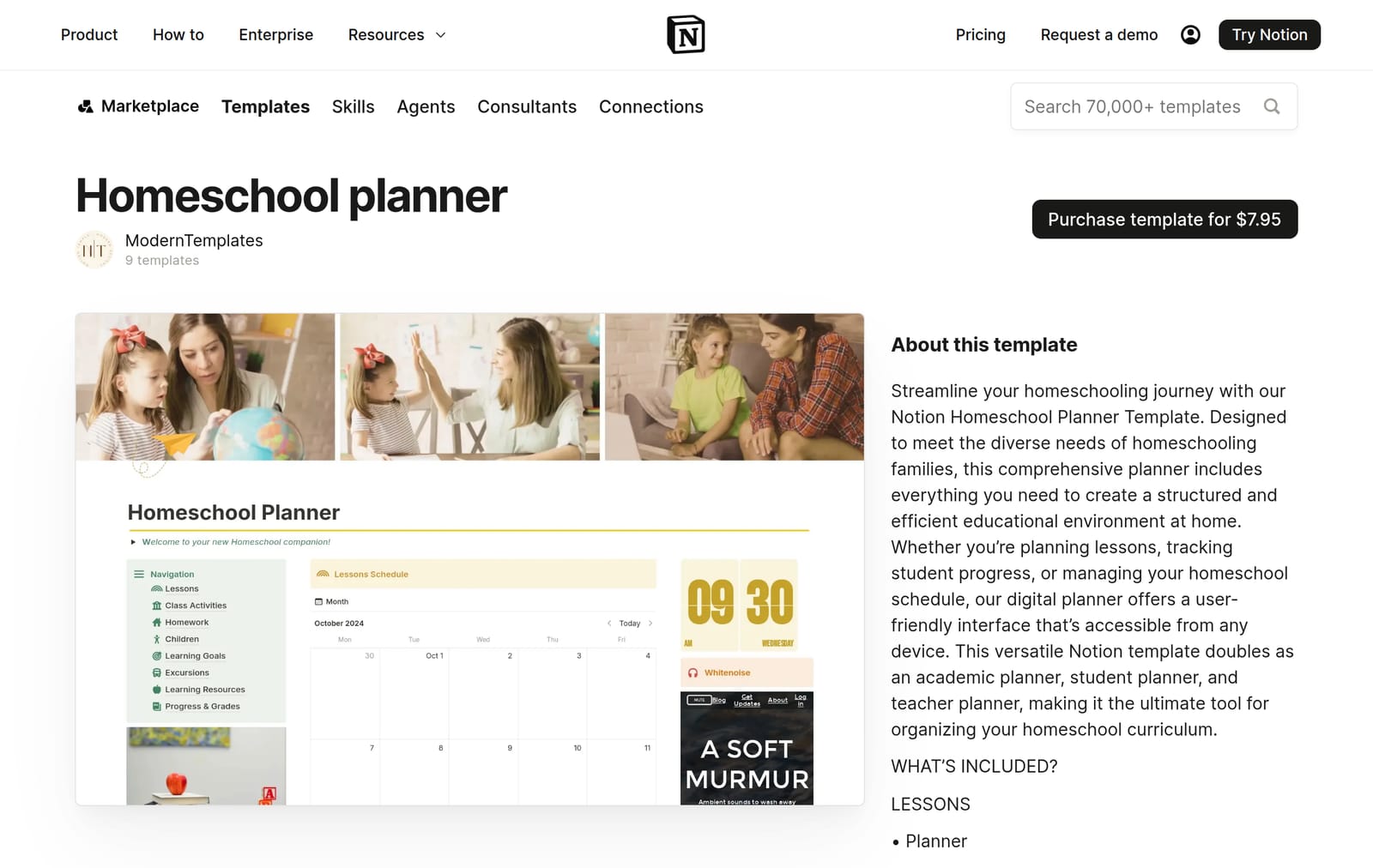
Paid, $7.95, by ModernTemplates. Its dashboard puts a navigation list (Lessons, Class Activities, Homework, Children, Learning Goals, Excursions, Learning Resources, Progress & Grades) beside a Lessons Schedule calendar shown by month, with a clock and a white-noise player on the right. For a parent who plans the week's lessons on a calendar.
Homeschool lesson and curriculum planners
A lesson planner holds what you teach each day; a curriculum map holds what you will cover over the year, unit by unit. Together they answer "what are we doing today?" and "are we on track for the year?".
Lesson Planner
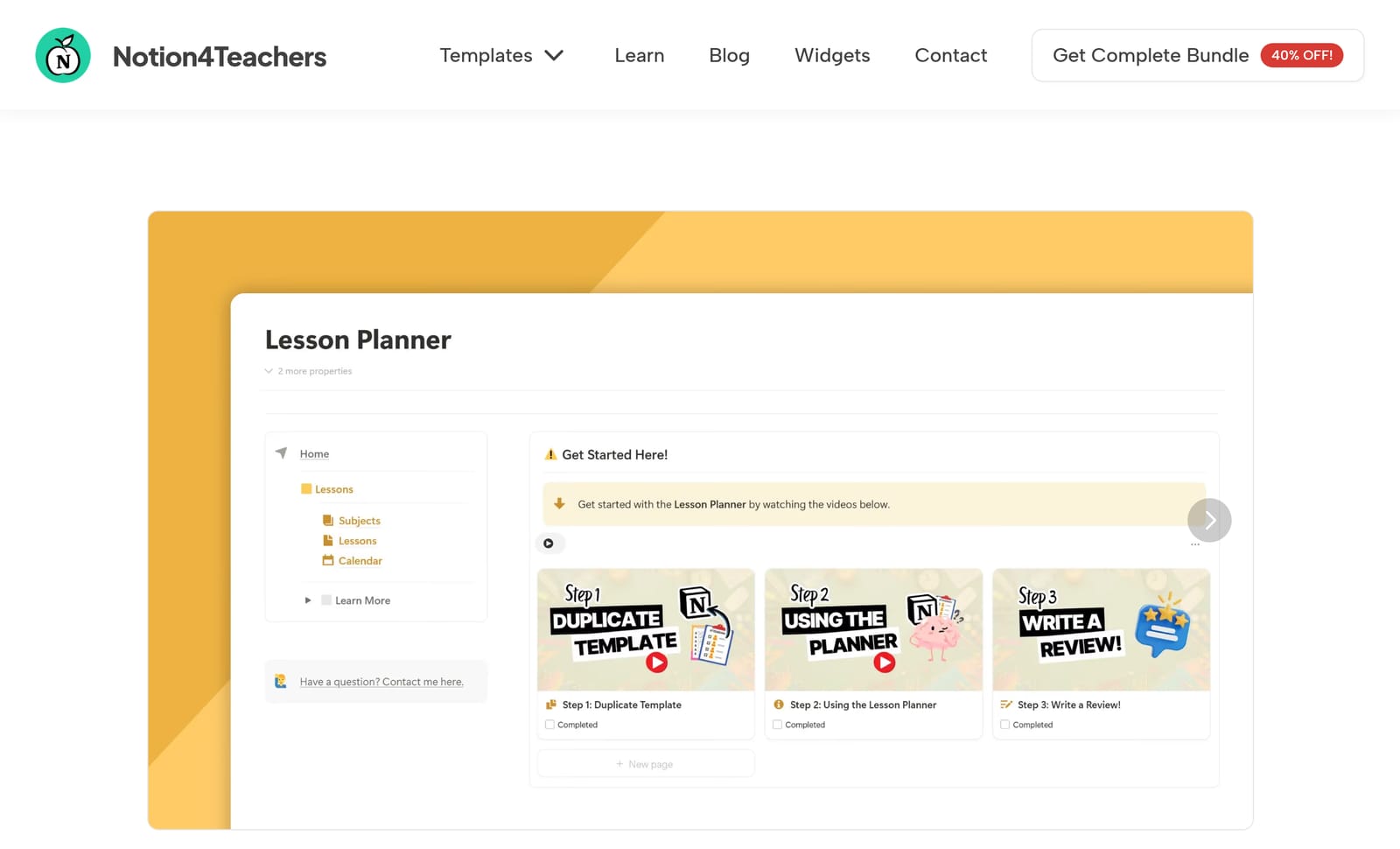
Free. A lesson planner with pages for Subjects, Lessons and a Calendar, reached from a menu on its home page. Its Get Started Here! section has three short videos: duplicating the template, using the planner, and writing a review. For a homeschool parent planning lessons across several subjects.
Curriculum Map
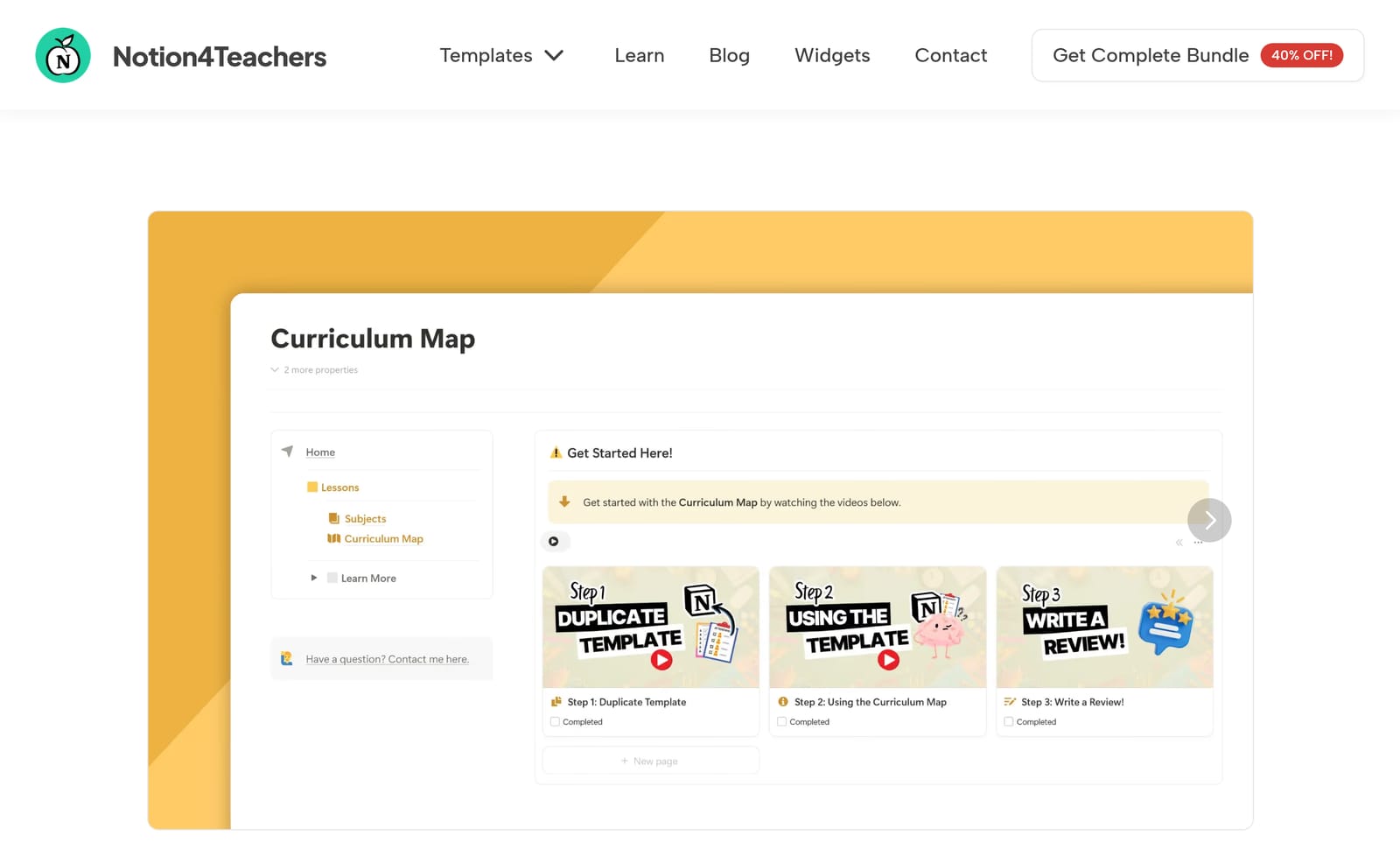
Free. A curriculum map with pages for Subjects and the Curriculum Map itself, for laying out what each subject covers over the year. Its Get Started Here! section has three short videos: duplicating it, using it, and writing a review. For a parent who wants the year mapped out before planning week by week.
Homeschool Curriculum Planner
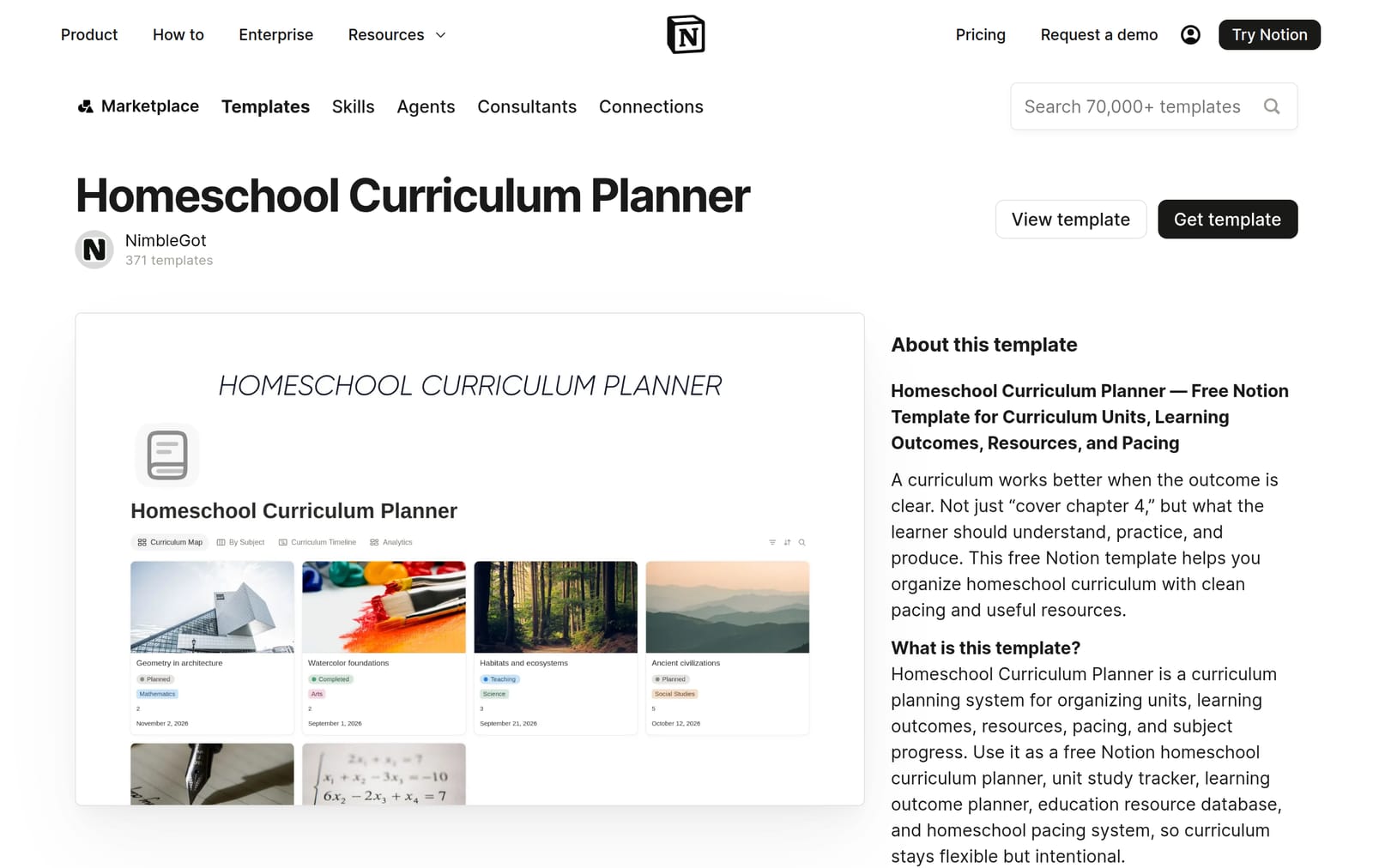
Free (Get template, no price), by NimbleGot. A Curriculum Map gallery with a card for each unit, such as Geometry in architecture or Habitats and ecosystems, tagged Planned, Teaching or Completed, with its subject and a date. Tabs show the units By Subject, on a Curriculum Timeline and in Analytics. For planning a year in units, each with its outcomes, resources and pacing.
Get the Homeschool Curriculum Planner
Homeschool attendance and homework trackers
A tracker records what was done: the days your children were present and the work they handed in. Many families keep a record of school days, and a tracker in Notion keeps it next to the schedule it came from.
Attendance Tracker
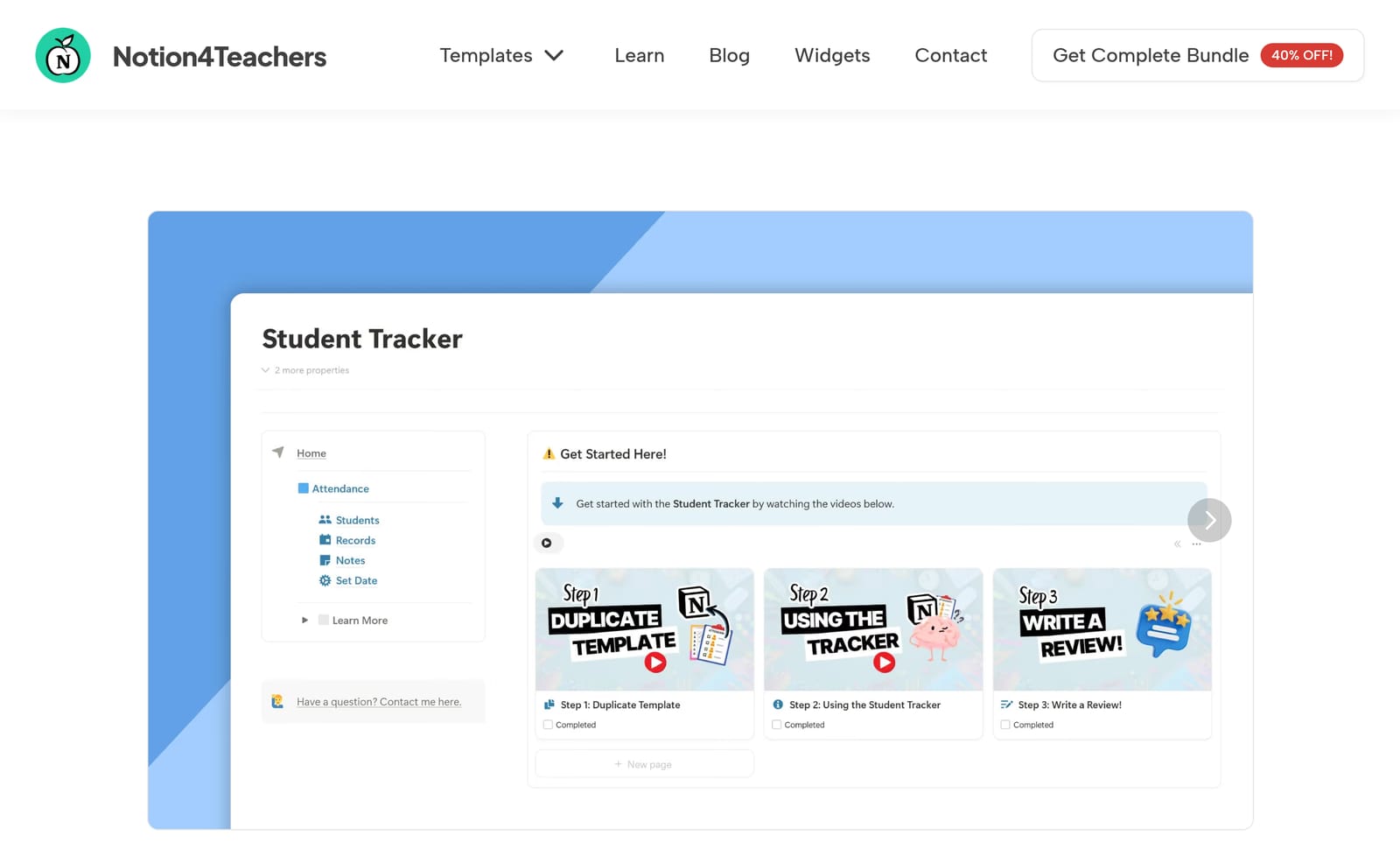
Free. Its page names it Student Tracker: an Attendance section with pages for Students, Records, Notes and Set Date, for keeping a record of each child's school days and notes on them. Its Get Started Here! section has three short videos: duplicating it, using it, and writing a review.
Homework Tracker
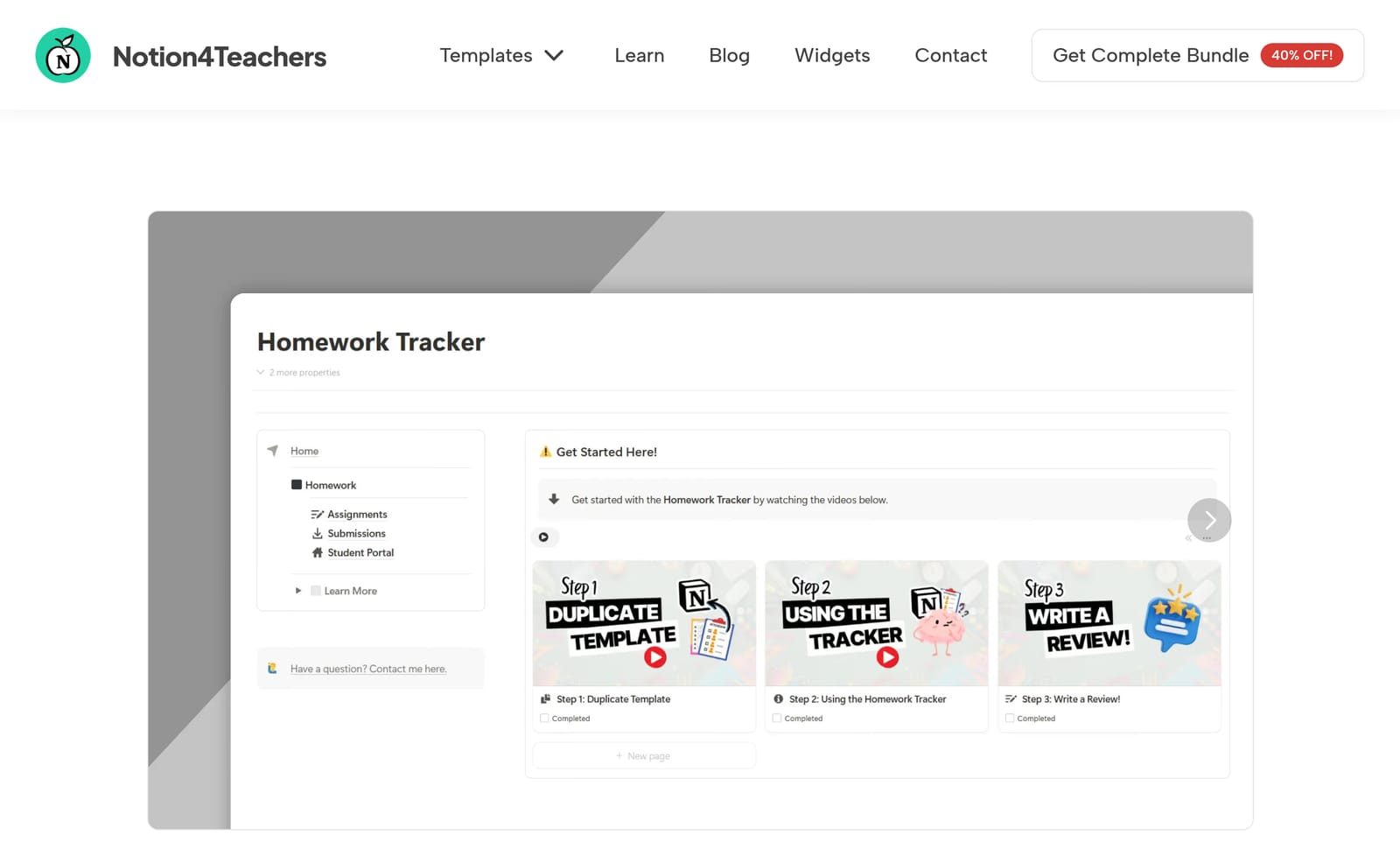
Free. A homework tracker with pages for Assignments, Submissions and a Student Portal, for setting work, collecting it and keeping the student's side apart. Its Get Started Here! section has three short videos: duplicating it, using the tracker, and writing a review. For a parent with several children doing different work.
A schedule for several children
The hardest part of a homeschool schedule is more than one child. On paper, that means one sheet per child, or one crowded sheet. In Notion, a schedule is a database: every block (a lesson, a meal, a break) is one entry, and each entry says which child it is for.
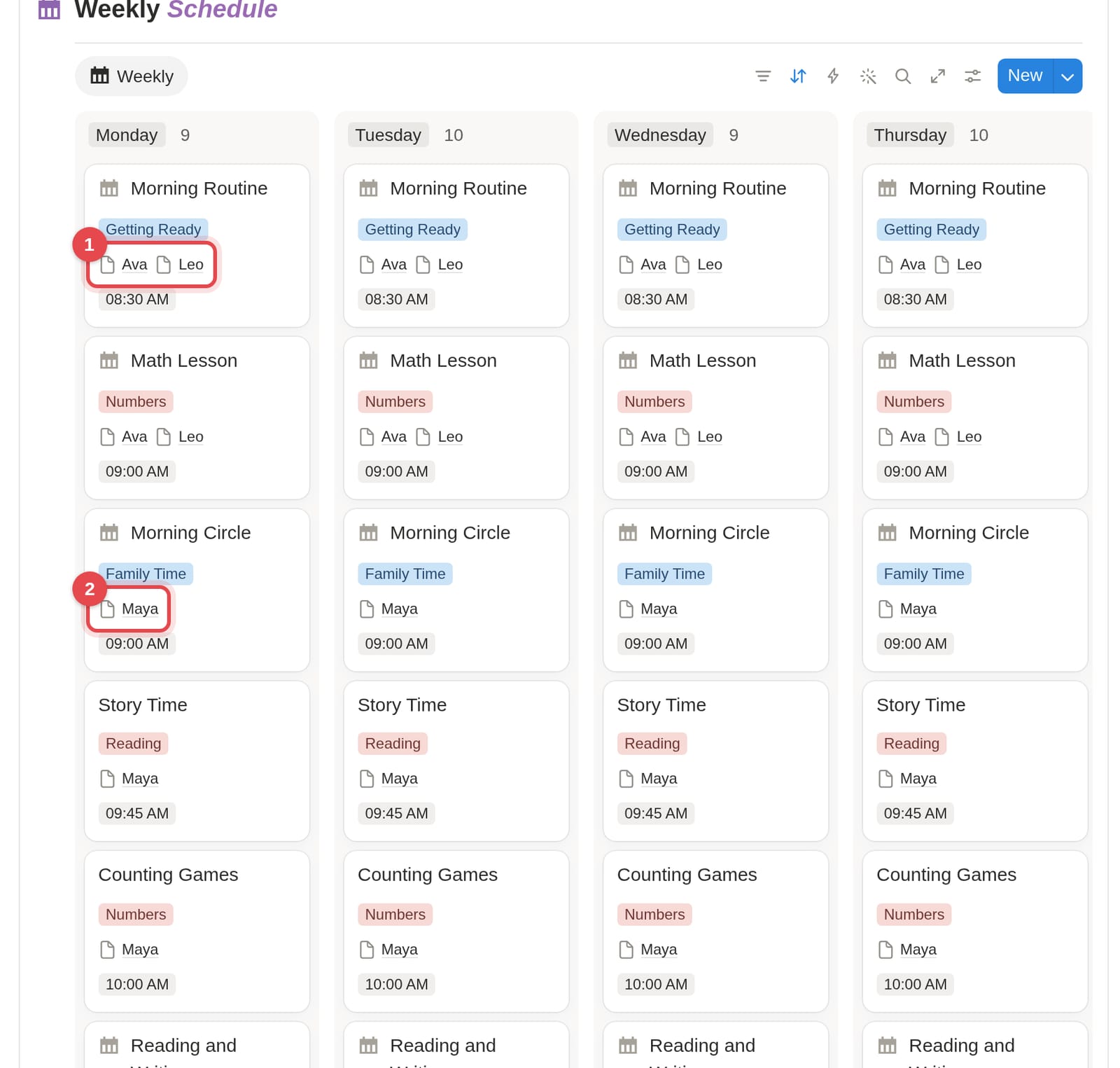
In our Ultimate Homeschool Planner, each schedule block has a Students field. A block can belong to one child or to several: in the example below, the Morning Routine and the Math Lesson are shared by Ava and Leo, while Morning Circle and Story Time belong to Maya alone. The Weekly board on the Dashboard shows every child's blocks together, in order of their time and with the children's names on each card: on Monday at 9:00 AM you see Ava and Leo at their Math Lesson and Maya at Morning Circle. The All tab of the Schedule page lists the same blocks as a table, one row each.
Daily or weekly, time blocks or a loop
A weekly schedule is the shape of a normal week: Morning Circle at 9:00 AM every weekday, Lunch at 12:00 PM. You set it up once and leave it. A daily schedule is today's list: the lessons for this one day, ticked off as you go. Most families need both. The Ultimate Homeschool Planner has a Weekly Schedule board for the week's rhythm and a Today's Lessons view for the day.
Time blocks give each part of the day a clock time. They suit younger children and families who like a fixed routine. A loop has no fixed times or days: you keep your subjects in order and do the next one when you reach it, so a slow Monday never pushes the whole week back. Time blocks belong in a schedule with a time on each block, like the one below; for a loop, a lesson planner or a simple list of subjects in order works better.
How to add a template to your Notion
Every template in this list is a page you copy into your own workspace. Open the template's page from the list and press its button:
Our free templates: Free Download opens our store's checkout at $0.00. It asks for your e-mail address (Email) and has a Complete order button.
Our Ultimate Homeschool Planner (paid): open its page on our site and press Get Instant Access, at the top right of the page or under its first heading.
Templates on Notion's own template gallery: a free one has a Get template button; a paid one says Purchase template for and its price.
A template shared as a plain Notion page: press Duplicate at the top of the page and choose your workspace.
Homeschool Records OS has a Get the template button that leads to its Gumroad page.
How the schedule works in the Ultimate Homeschool Planner
This is our planner in use, with a made-up family of three children. For the rest of the planner, see our Ultimate Homeschool Planner review and guide.
Open the Dashboard and scroll down to Weekly Schedule. Its Weekly view is a board with a column for each day, Monday to Friday, and the number of blocks that day beside its name. The board is wider than the page: Monday to Thursday show first, and you scroll it sideways to the right to reach Friday. Each card is one block: its name, its tag, the children it is for and its time.
To see every block at once, open the Schedule page (it is under Key Activities in the menu on the left of the Dashboard) and choose the All tab. To give the table more room, press Open as full page. Each row is one block, with its Students, its Time of Day and its Day of Week. If a row's days are cut off at the right, drag the right edge of a column's heading: here the Tags column was made narrower and Day of Week wider, so Monday to Friday show in full.
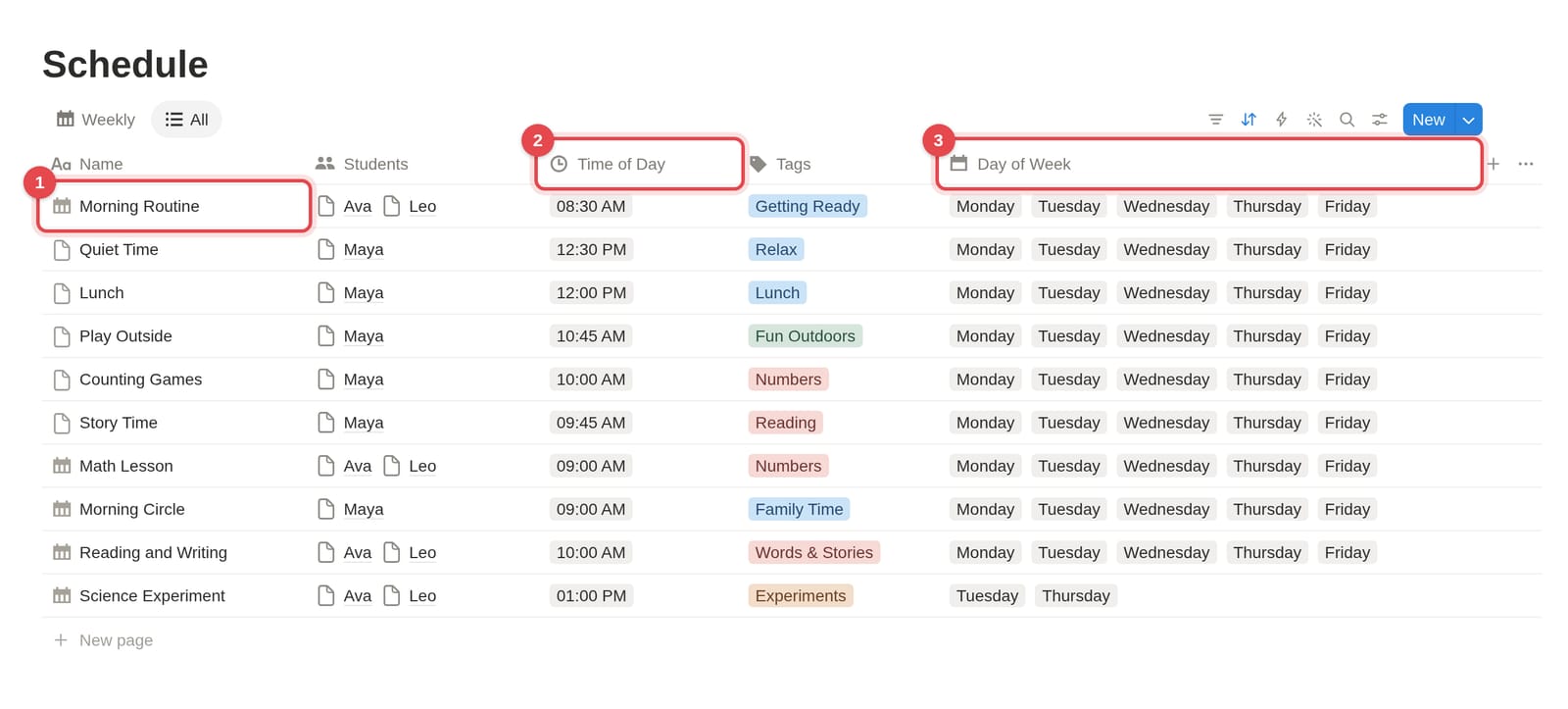
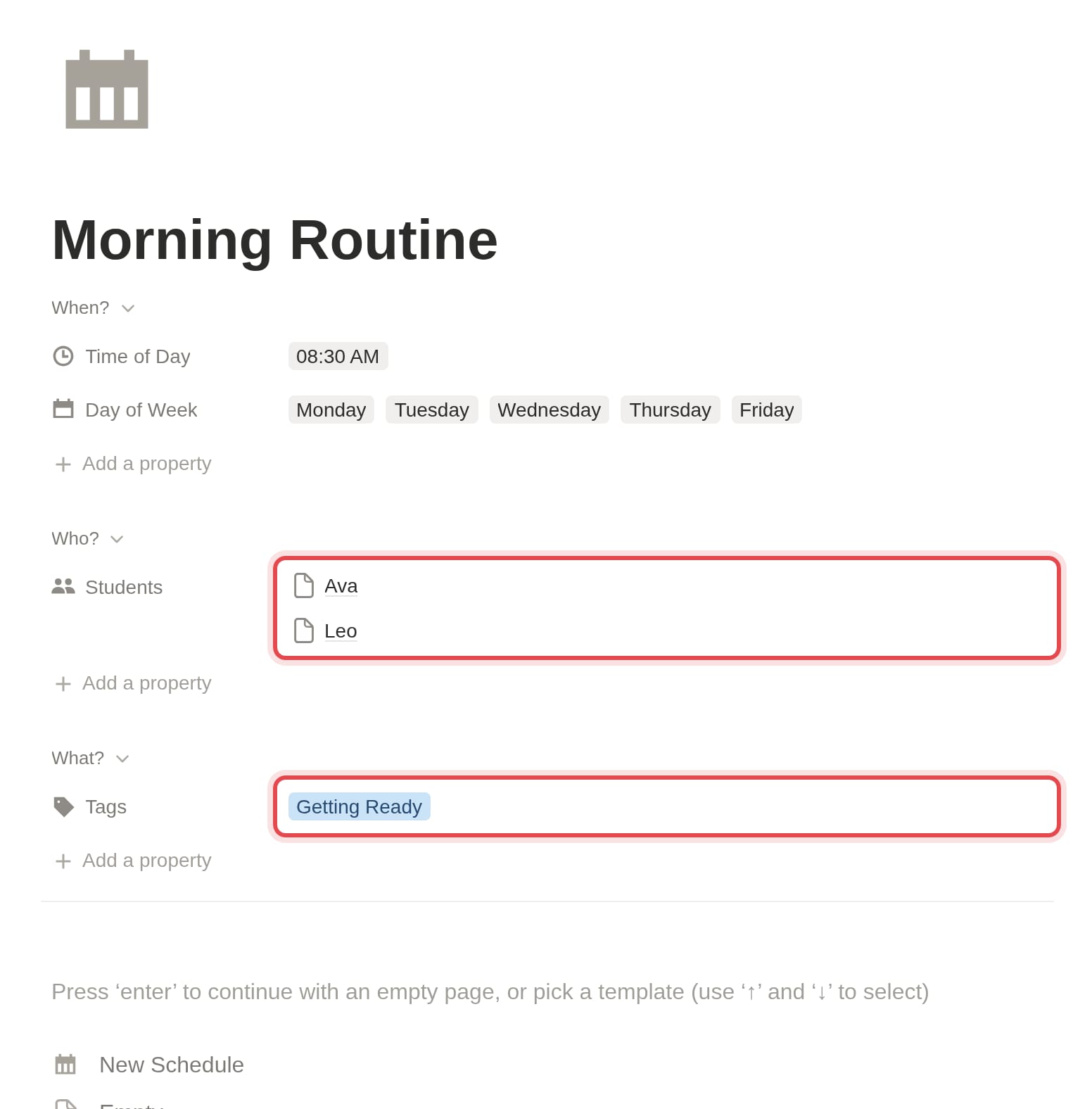
To open a block, point at its row and press OPEN. The block shows three parts: When? (Time of Day, Day of Week), Who? (Students) and What? (Tags). The Morning Routine here runs at 08:30 AM, Monday to Friday, for Ava and Leo, and is tagged Getting Ready.
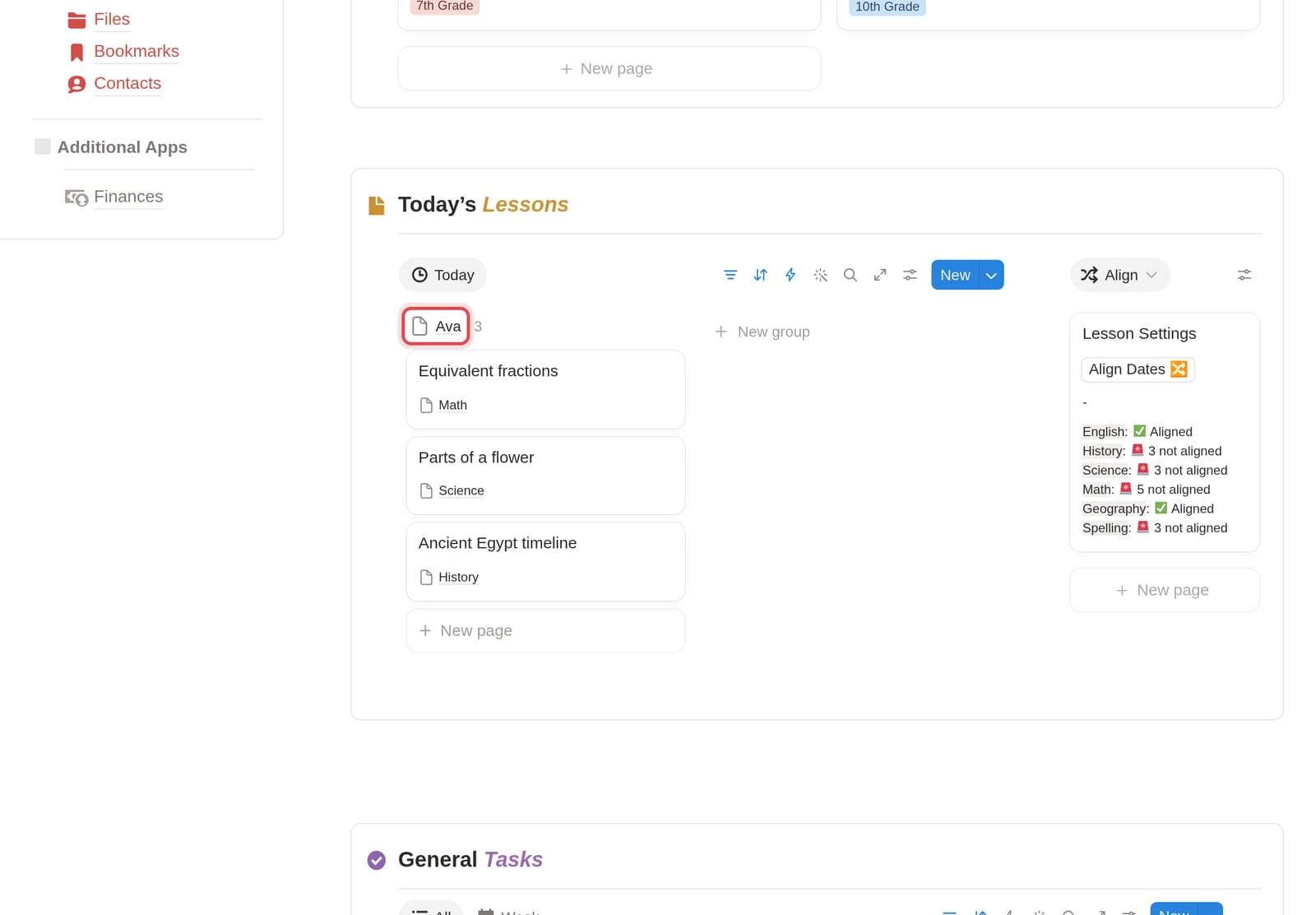
Back on the Dashboard, scroll to Today's Lessons. It shows the lessons dated today, grouped by child: here Ava has Equivalent fractions (Math), Parts of a flower (Science) and Ancient Egypt timeline (History). Beside it, a Lesson Settings panel lists each subject with a note such as "Aligned" or "3 not aligned", and an Align Dates button.
If you teach a young child, read our guide to building a homeschool kindergarten schedule in Notion. For older children who plan their own work, see the best Notion student planners. More templates for teaching at home and in class are on our home page.
FAQ
Is there a free homeschool schedule template for Notion?
Yes. Every template above says whether it is free or paid. Our Lesson Planner, Curriculum Map, Attendance Tracker and Homework Tracker are free: Free Download opens our store's checkout at $0.00.
Can one Notion template schedule several children?
Yes. In the Ultimate Homeschool Planner each schedule block has a Students field, and a block can belong to one child or to several. The Weekly board on the Dashboard shows every child's blocks together, with the children's names on each card, and the Schedule page's All tab lists them all in a table.
Should my homeschool schedule be daily or weekly?
Both, for most families. A weekly schedule holds the routine that repeats; a daily view holds today's lessons. The Ultimate Homeschool Planner has a Weekly Schedule board and a Today's Lessons view on the same Dashboard.
What is a loop schedule in homeschooling?
A loop is a list of subjects done in order, with no fixed day or time for each. When you finish one, you start the next, so a missed day never leaves a gap in the week. It suits families whose days vary; time blocks suit those who like a set routine.
How do I get a Notion template into my own workspace?
Open the template's page and press its button: Get template on Notion's gallery, Duplicate on a shared Notion page, Free Download on our free templates, and Purchase template for and its price on a paid one in Notion's gallery.
Ultimate Teacher Planner
The ultimate all-in-one education management system in Notion.