The Best Notion Journal Templates (Free and Paid)

Here are 11 Notion journal templates in four groups: wellness and gratitude journals, daily journals, all-in-one planner journals, and reading and travel journals, with ours first in each group where we have one, each on its own page. For wellbeing and habits, pick our Wellness Journal & Habit Tracker (paid); for a simple daily journal, Notion's Basic Daily Journals (free); for planning and journaling in one place, the Ultimate Digital Journal + AI (paid, $25) or the Aesthetic Pink Life Planner & Journal (free). For books, our Aesthetic Book Tracker (paid), and for trips, the Travel Journal by The Organized Notebook (free).
Every template below says what it holds and whether it is free or paid, with a picture of its page. Further down: what a journal template is made of, how to add one, how to write your first dated entry, and a weekly reflection routine for teachers.
Still grading everything by hand?
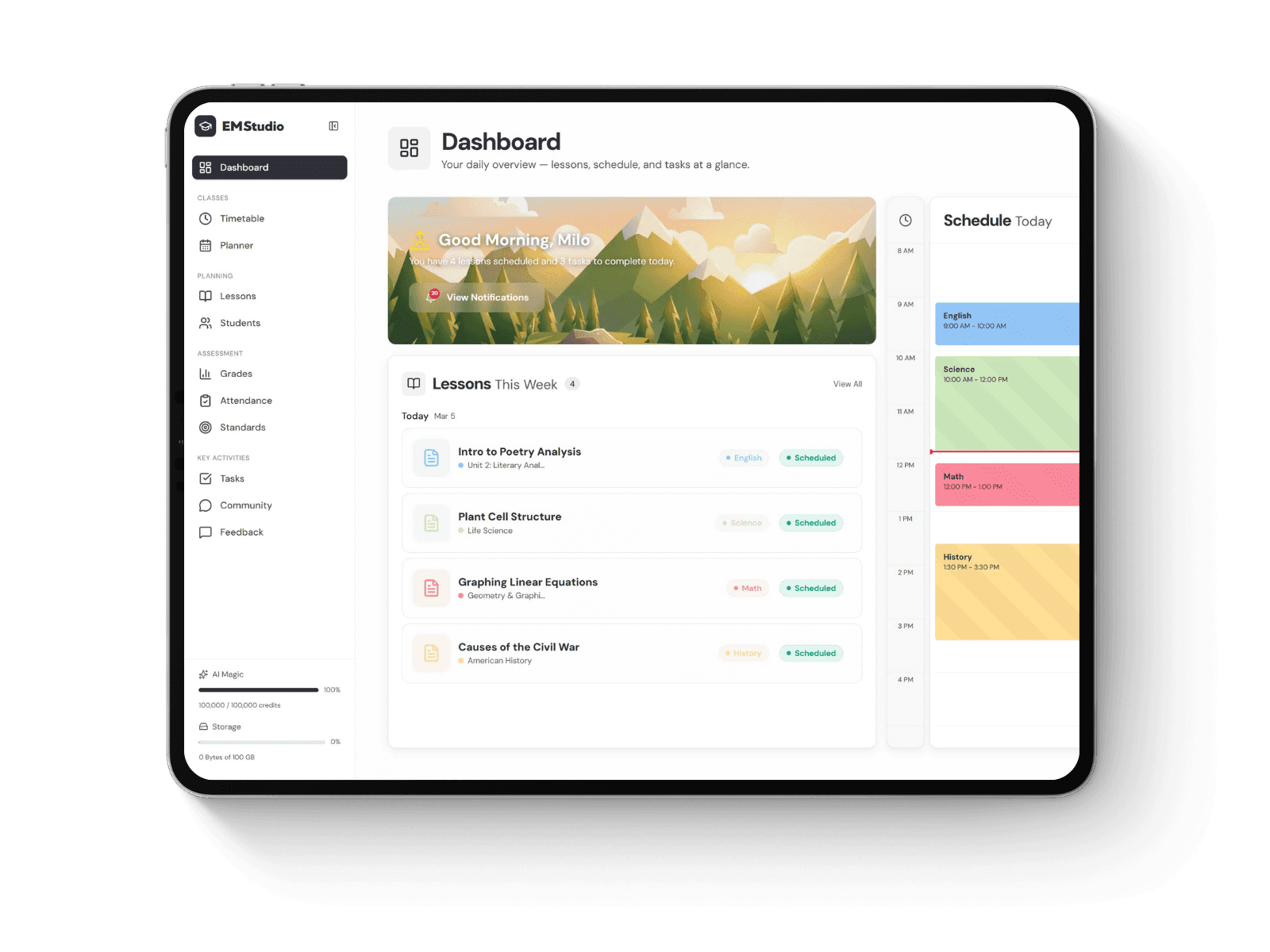
EMStudio is a free teaching management app — manage your classes, students, lessons, and more!
What a Notion journal template is
A Notion journal template is a database of dated entries. Each entry is its own page with a date on it, and the database shows your entries as cards, as a table or on a calendar. Most templates add writing prompts, a mood tracker or a habit tracker on top, and some put the journal on a dashboard next to a planner.
That also means you can keep a journal in any template that has a database with a date in it, including a teacher planner you already use. The steps further down do exactly that in our Ultimate Teacher Planner.
Wellness, mood and gratitude journal templates
These journals are about how you are doing rather than what you have to do: mood, habits, a line of gratitude, a calmer start to the day. For a teacher they are a few minutes at the end of the day to notice how the week is going before it wears you down. Students can use the same kind of journal for a gratitude or mindfulness routine.
Wellness Journal & Habit Tracker
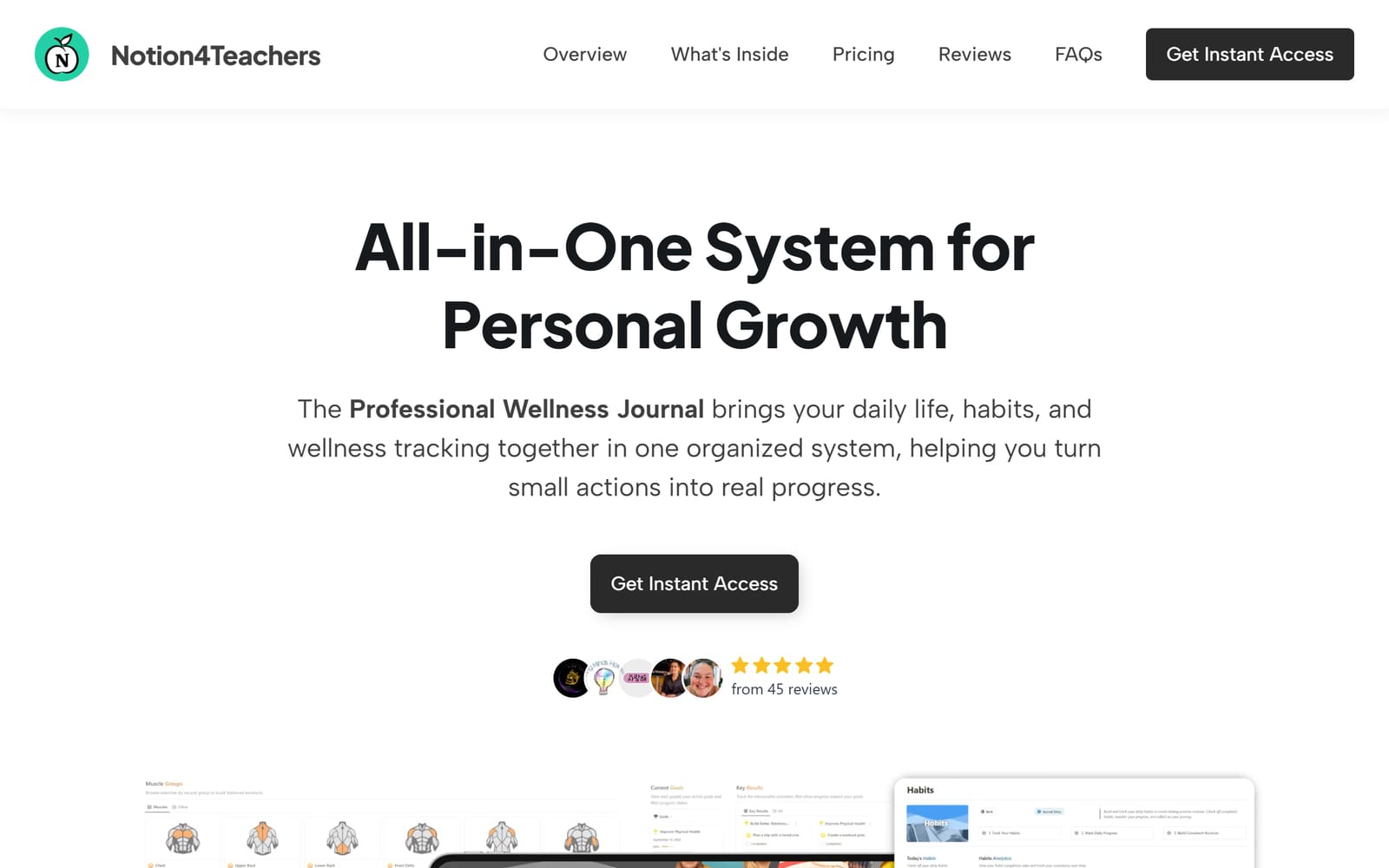
Paid. Our wellness journal brings daily entries, habits and wellness tracking into one Notion system; its page previews a habits dashboard among several linked pages. For a teacher who wants one place to note how the week went, keep up a habit like walking or reading, and watch the progress build over a term.
Get the Wellness Journal & Habit Tracker
Stoic Journal by Alfred Swee
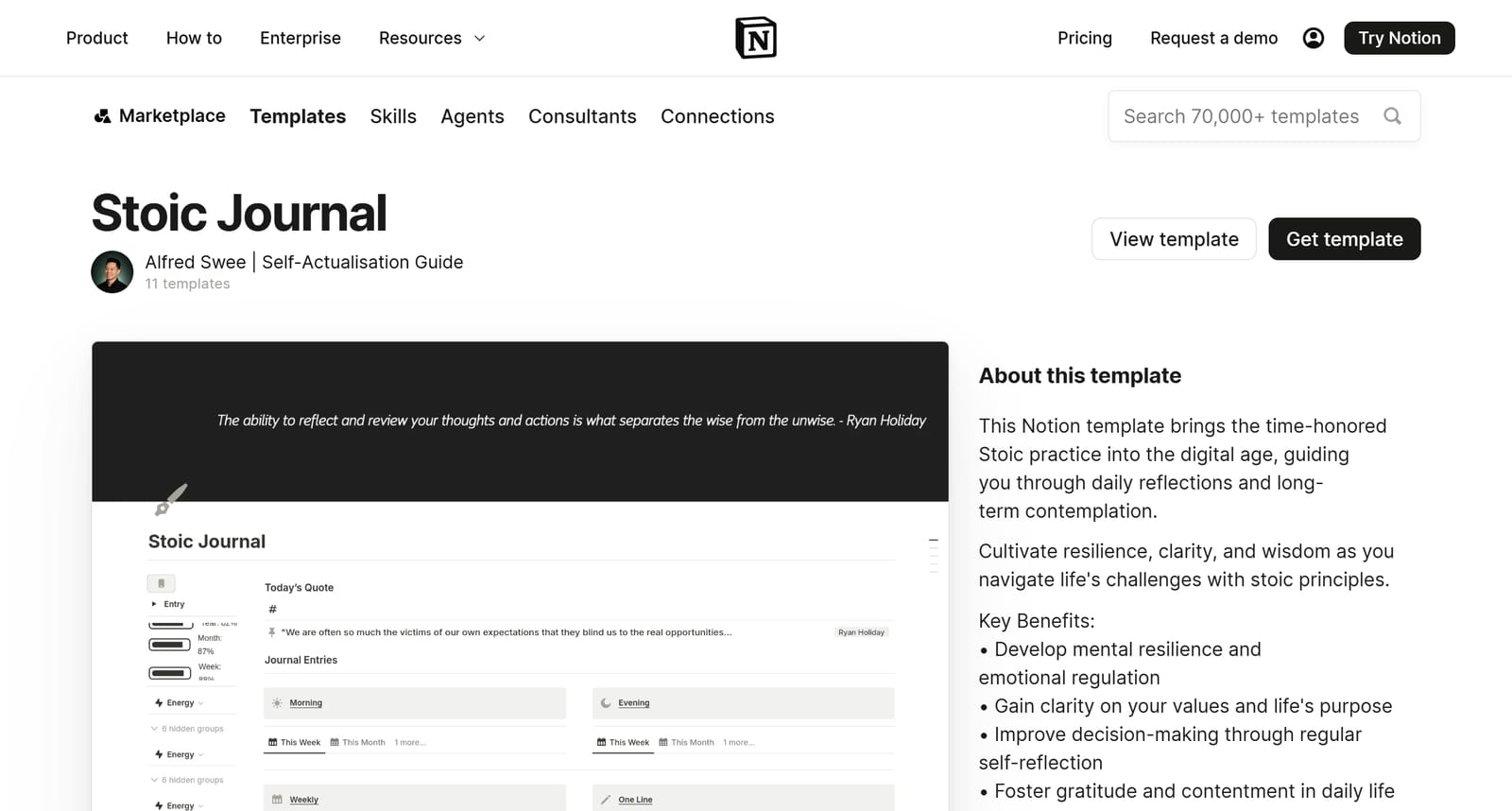
Free. A Stoic Journal page that opens with a quote banner and a Today's Quote block, then Journal Entries split into Morning, Evening, Weekly and One Line, each with This Week and This Month views. Its page lists daily Stoic prompts and weekly, quarterly and yearly reflections. Suits a teacher who wants a short morning and evening check-in, or a high school ethics or philosophy class trying daily reflection.
Get the Stoic Journal by Alfred Swee
Daily journal templates
A daily journal gives you one entry a day and very little else, which makes it the easiest kind to keep going. It suits a teacher who wants to set the day's priorities before first period or note how a lesson went, and a student building a reflection habit. Most of these are free from Notion's own template gallery.
Basic Daily Journals
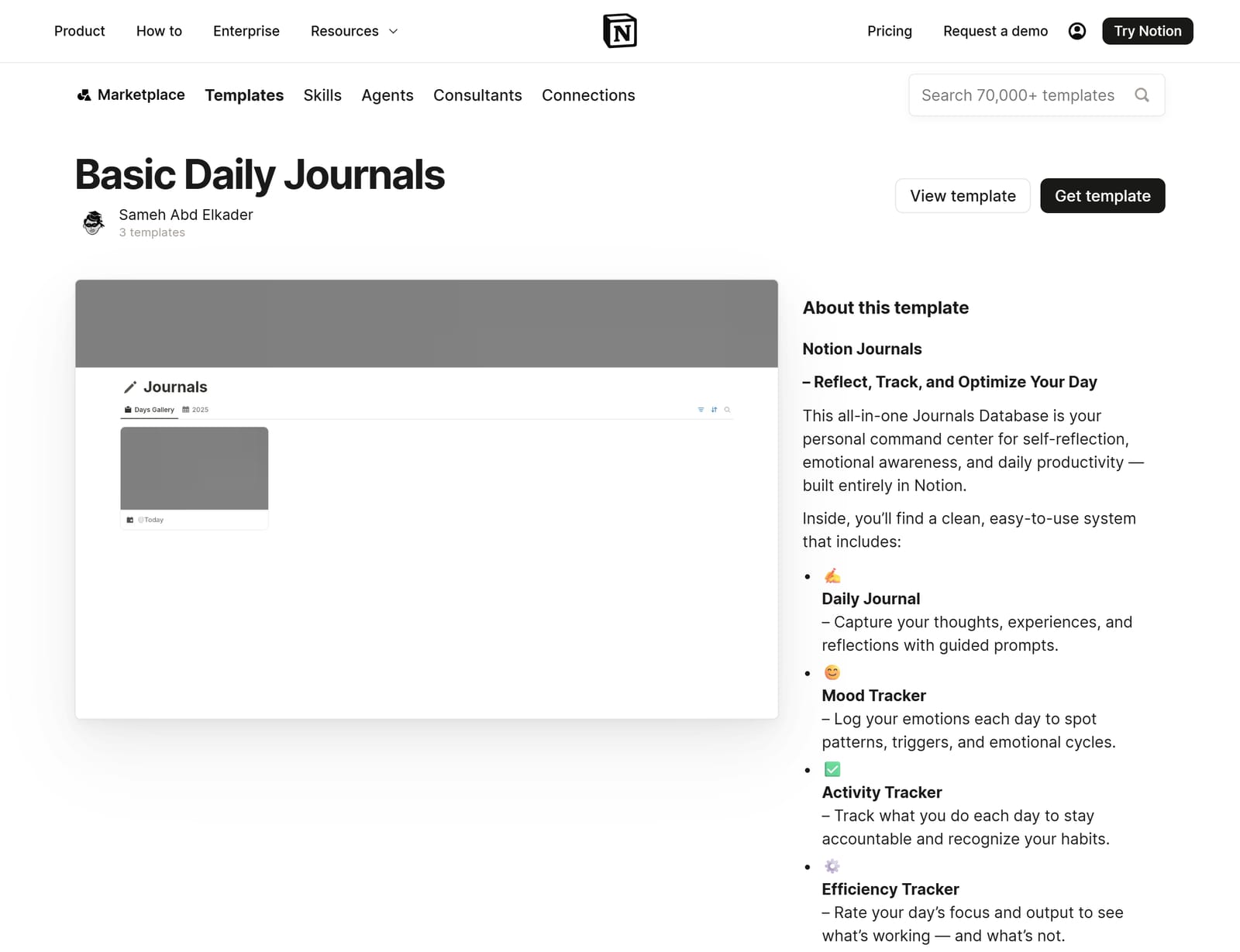
Free. A single Journals database with a Days Gallery view, where each day is a card you open and write in. Its page lists a daily journal with guided prompts and a mood tracker. Simple enough for a student starting a reflection habit, or a teacher who wants one card a day and nothing more.
Daily Focus Journal by Nebula
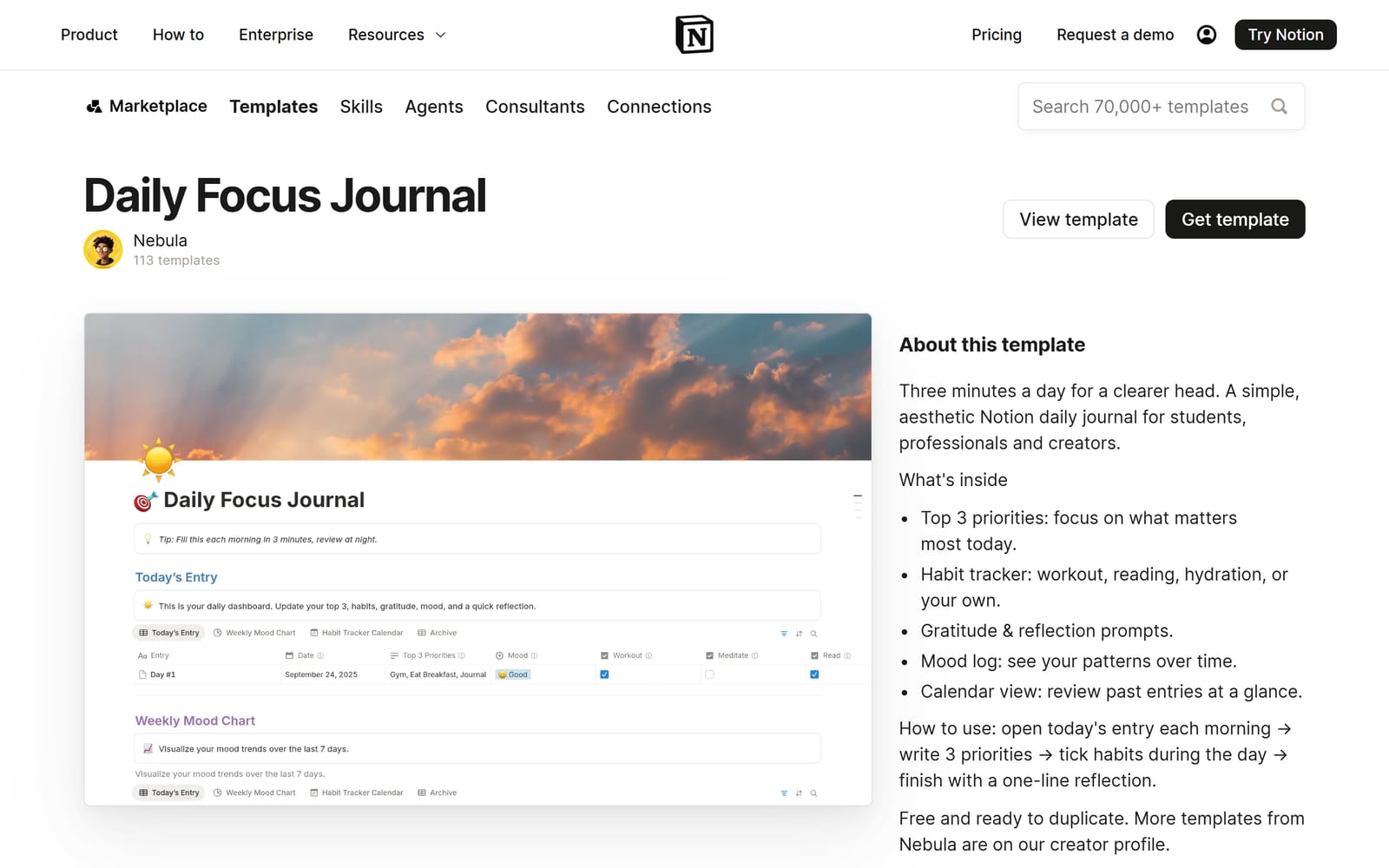
Free. One page with a Today's Entry table (date, top three priorities, mood, and tick boxes for workout, meditate and read), a weekly mood chart, a habit tracker calendar and an archive. Its page suggests three minutes each morning. Good for a teacher who wants to set the day's three priorities before first period.
Get the Daily Focus Journal by Nebula
Journal Template by Bertil
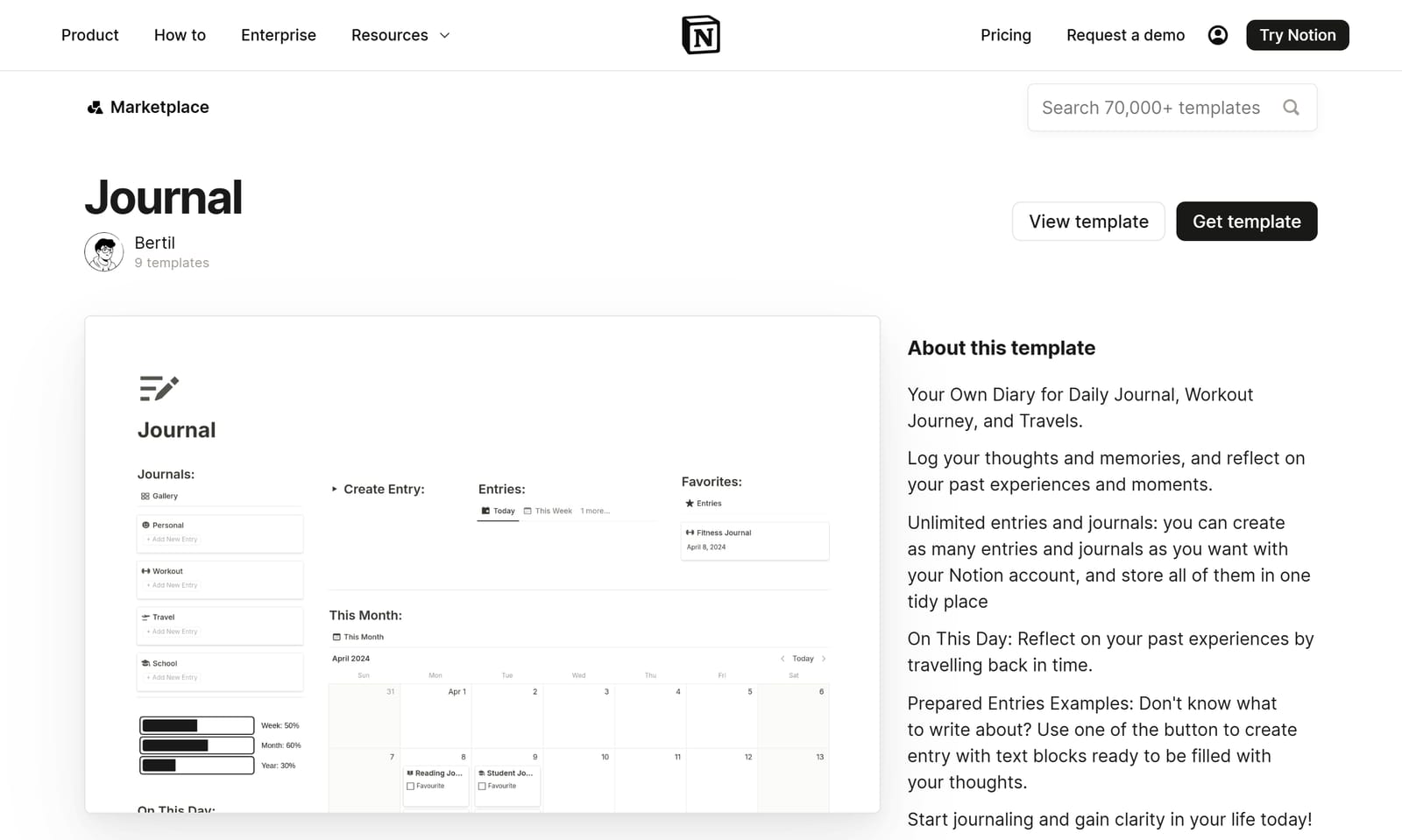
Free. A journal dashboard with separate journals as cards (Personal, Workout, Travel, School), a Create Entry button, today's and this week's entries, favorites, a month calendar and progress bars for the week, month and year. An On This Day section brings back past entries. A student could keep a School journal next to a personal one.
Get the Journal Template by Bertil
Journals by The Notion Experience
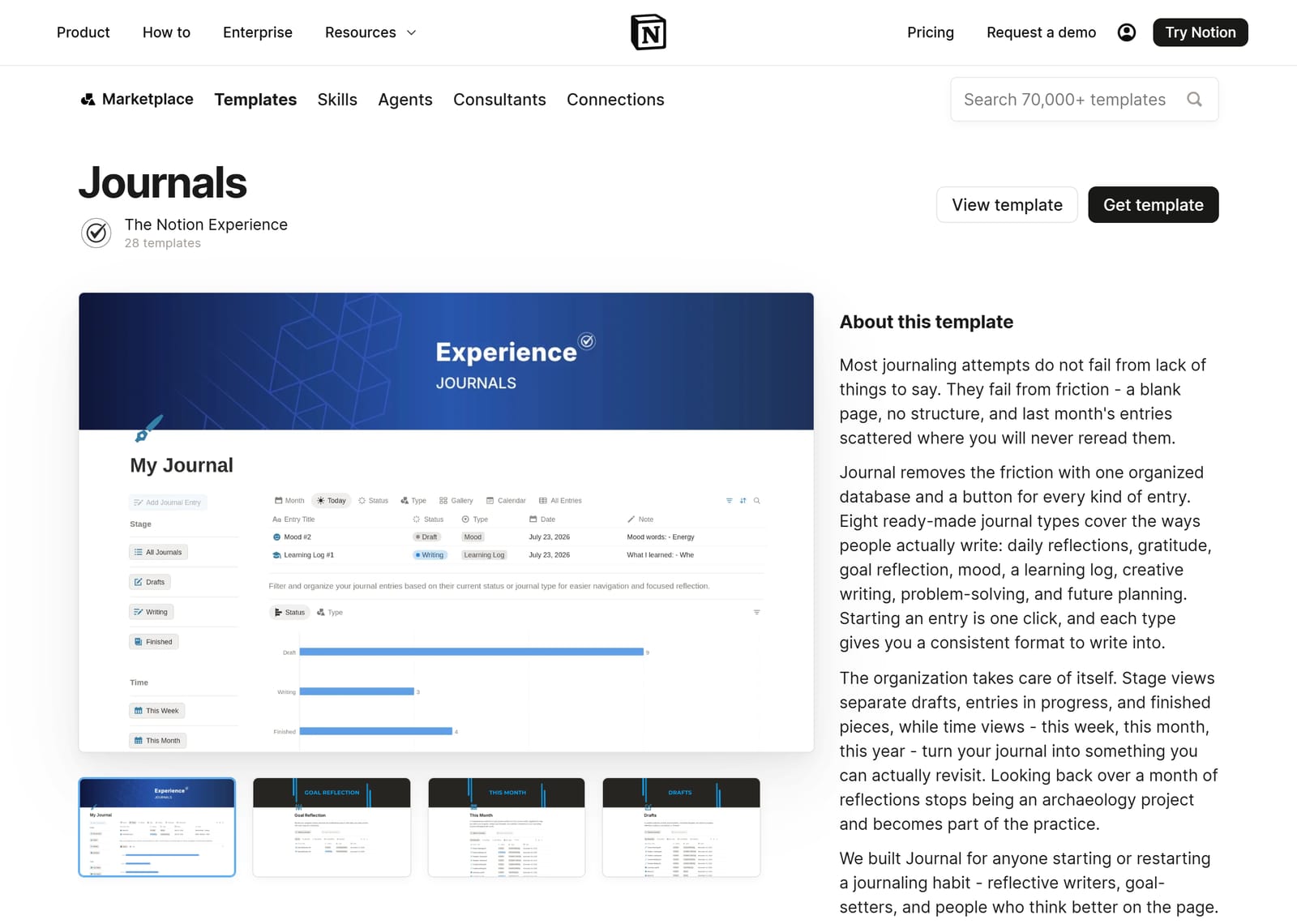
Free. A My Journal database with views by stage (drafts, writing, finished) and by time (this week, this month), a table of entries with status, type and date, and a chart of entries by status. Its page lists eight entry types, among them gratitude, mood and a learning log, which suits a teacher noting what worked in a lesson.
Get the Journals by The Notion Experience
All-in-one planner and journal templates
These put the journal right next to the planning: today's agenda, to-dos, goals and routines on the same dashboard as the day's entry. They are for someone who wants one page to open each morning instead of two apps. They are also the biggest to learn, so set aside an evening to find your way around.
Ultimate Digital Journal + AI by The Organized Notebook
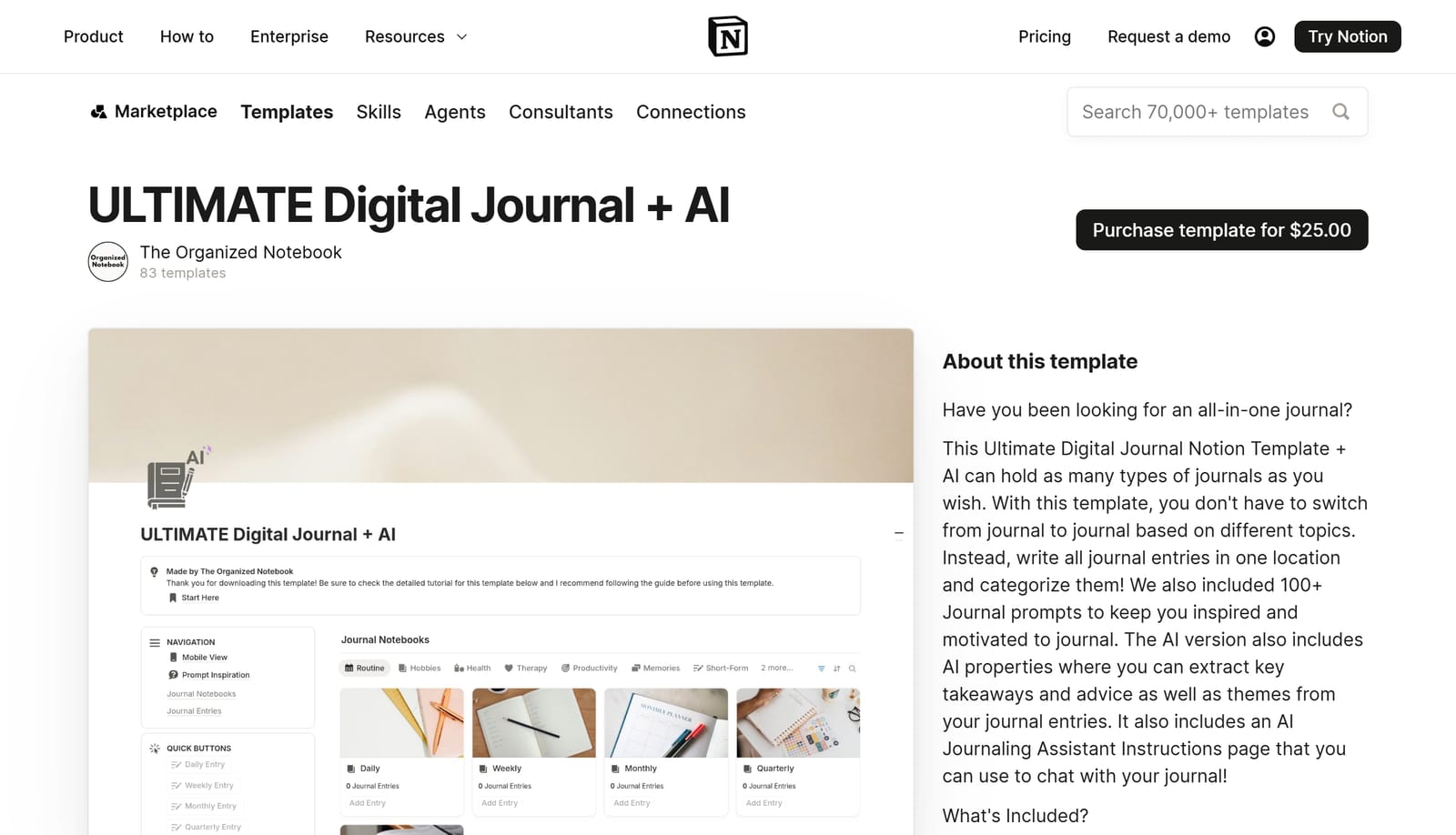
Paid, $25. A journal hub with a navigation panel (mobile view, prompt inspiration, notebooks, entries), quick buttons for daily, weekly, monthly and quarterly entries, and a gallery of journal notebooks under tabs such as routine, health, therapy and productivity. Its page lists 100+ prompts and AI properties that pull takeaways from entries. For a teacher who keeps several journals at once.
Get the Ultimate Digital Journal + AI by The Organized Notebook
Personal Planner & Journal by Thorn Templates
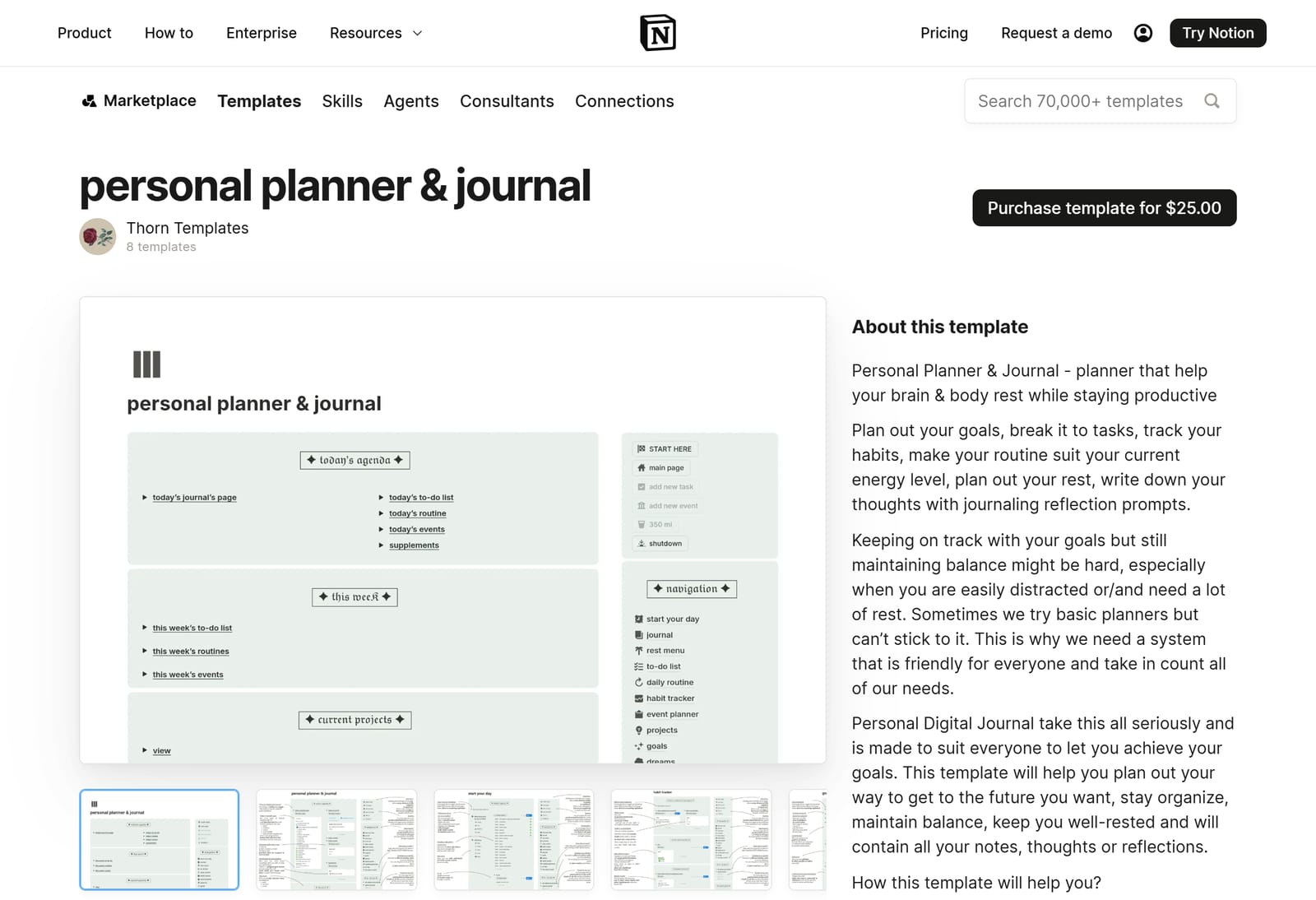
Paid, $25. A planner and journal in one, in muted green: a today's agenda block linking today's journal page, to-do list, routine and events, a this-week block, current projects, and a navigation list with a daily routine, habit tracker, event planner, goals and a rest menu. For a teacher who plans the week and journals in the same place.
Get the Personal Planner & Journal by Thorn Templates
Aesthetic Pink Life Planner & Journal
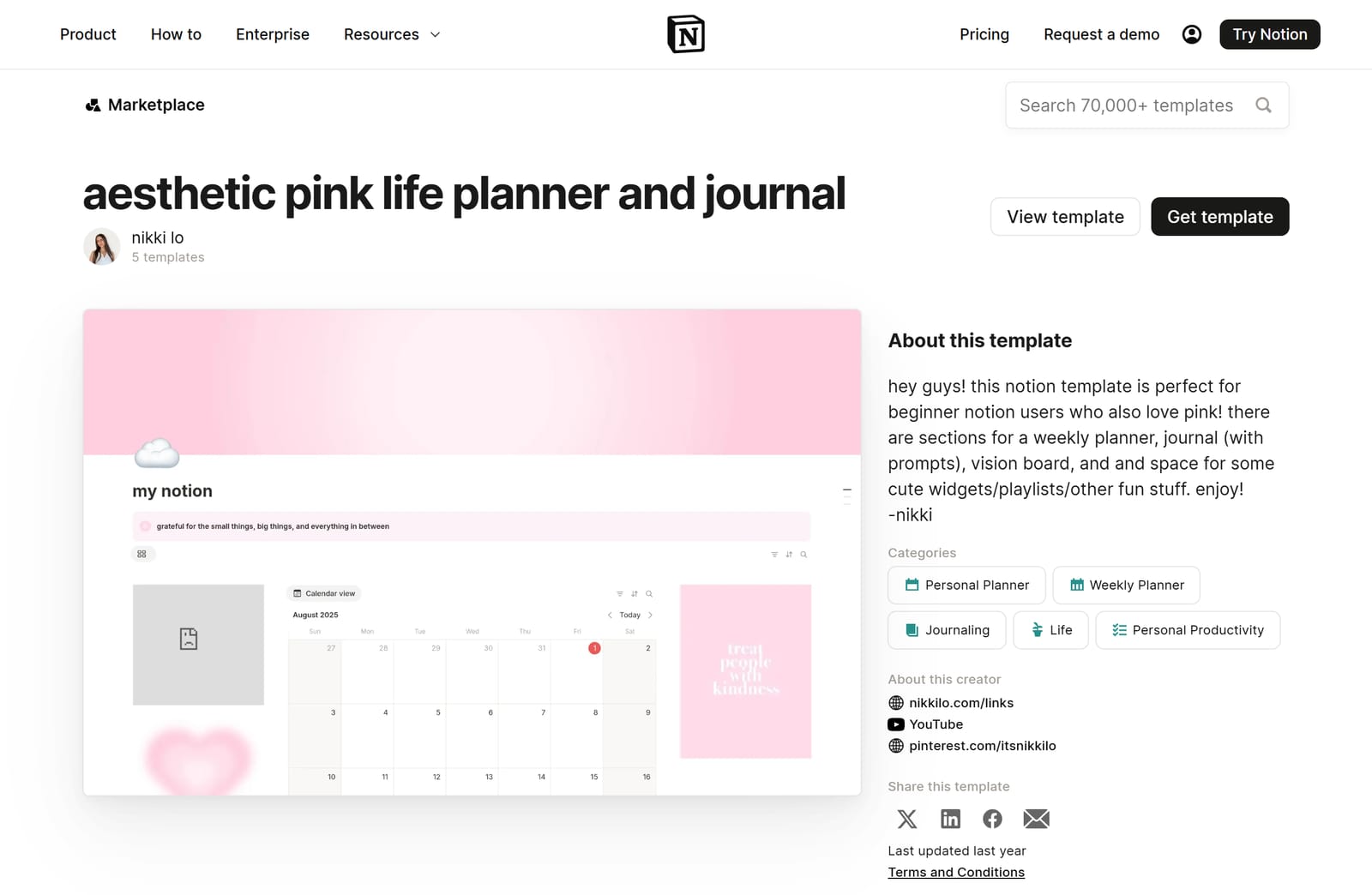
Free. A pink personal dashboard titled my notion, with a gratitude line at the top, a monthly calendar view, spaces for pictures and a quote card. Its maker lists a weekly planner, a journal with prompts, a vision board and room for widgets and playlists. Made for beginners, it suits a student who wants a simple first journal.
Get the Aesthetic Pink Life Planner & Journal
Reading and travel journal templates
A reading journal keeps one entry per book, and a travel journal one per trip, each with its own notes and pictures. Teachers use a reading journal for their own books or the class novels, and as a model for students' reading logs. A travel journal works for school trips as well as the summer holidays.
Aesthetic Book Tracker
Paid. Our book tracker is a reading journal in Notion: its page previews a dark Book Tracker page under a Journey for the mind banner, with a row of book cards. A teacher can log their own reading or the class novels, and an English teacher can use it as a model for students' reading logs.
Get the Aesthetic Book Tracker

Travel Journal by The Organized Notebook
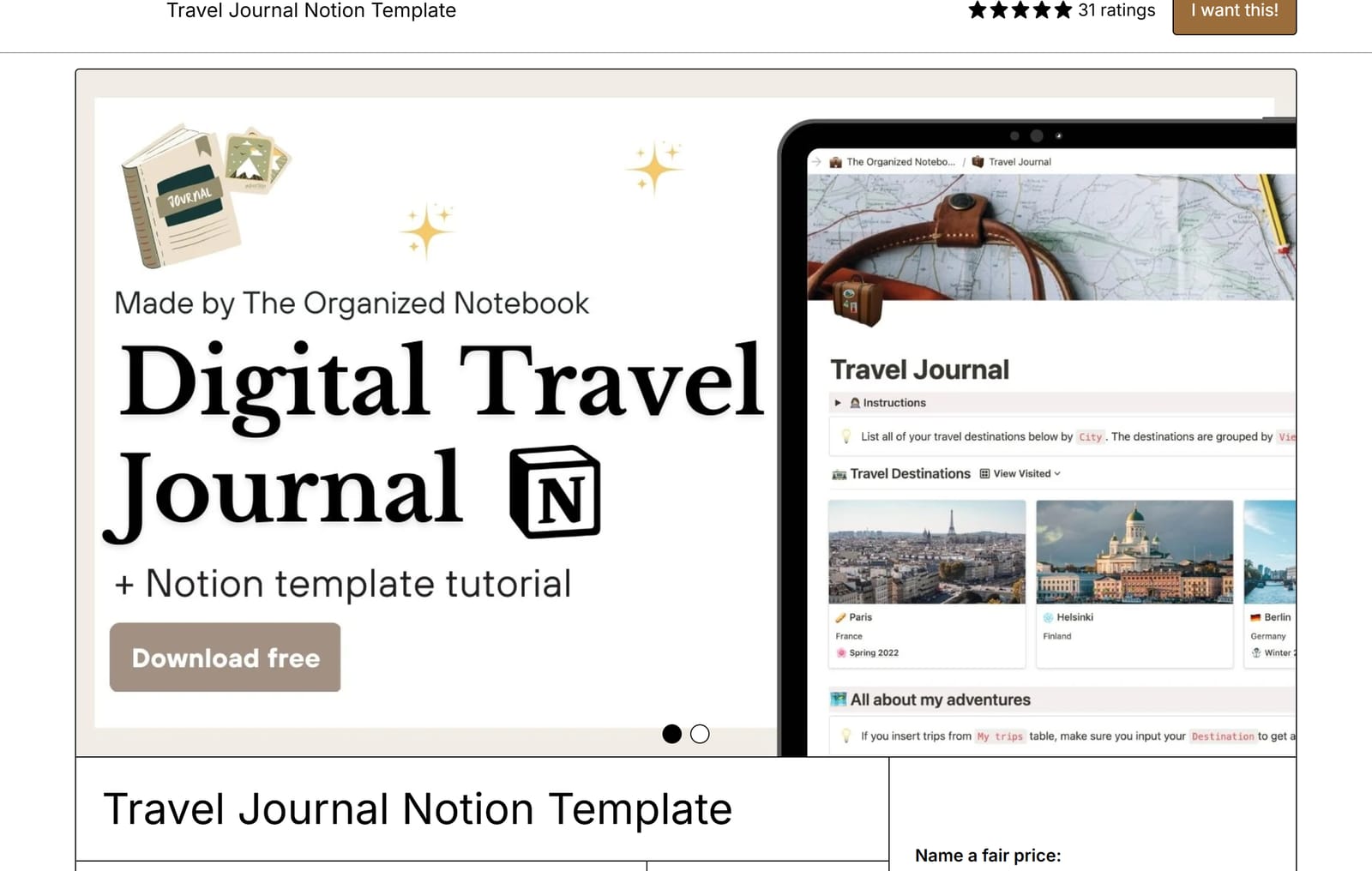
Free. A Travel Journal page with instructions, a gallery of travel destinations showing a photo, city, country and season for each, and an All about my adventures section tied to a My trips table. Its shop page offers it as a free download with an optional name-a-fair-price box. A teacher could record school trips or summer travel in it.
Get the Travel Journal by The Organized Notebook
How to add a journal template to Notion
Each template above has a page of its own, and the button you press depends on where it is sold or shared:
Free templates in Notion's gallery: open the template's page, press Get template, then choose the workspace it should go into.
Paid templates in Notion's gallery: the button reads Purchase template for $25.00.
The Travel Journal on Gumroad: type 0 in Name a fair price and press I want this!. Gumroad's checkout asks for an Email address and has a Get button.
Our own templates: press Get Instant Access on the template's page.
What a template looks like once it is in your workspace
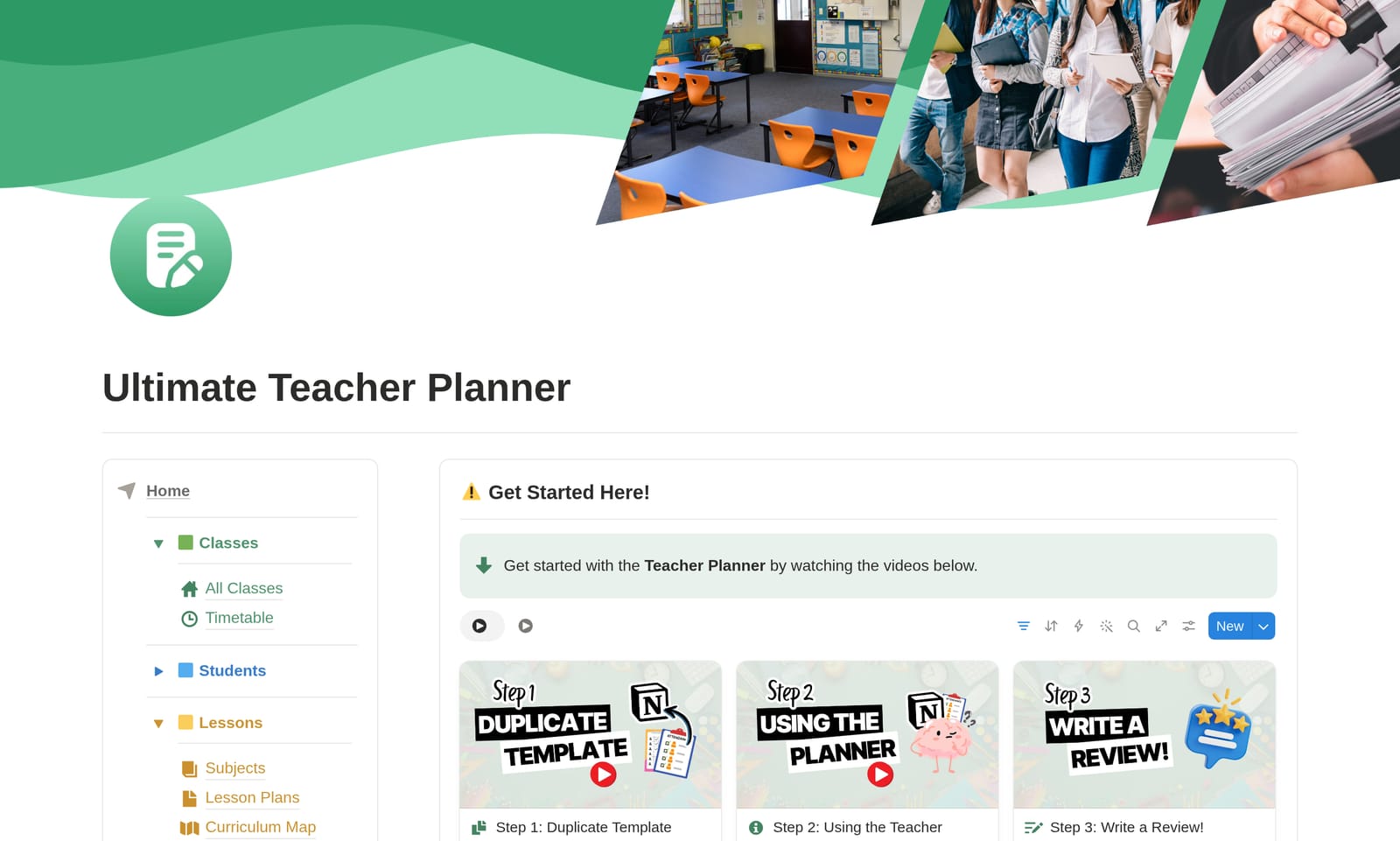
A template you add becomes a page in your workspace like any other, with its databases already inside and ready to fill. This is our Ultimate Teacher Planner once added: a Home list of its sections on the left (Classes, Students, Lessons and more further down) and a Get Started Here section with three short videos.
Start a journal entry with today's date
A journal entry is a new page in a database, with the day's date on it. In the planner I used the Tasks database, which has a Due Date and a Type with a Review option, so it works as a reflection journal too:
In the planner's Home list, under Key Activities, open Tasks.
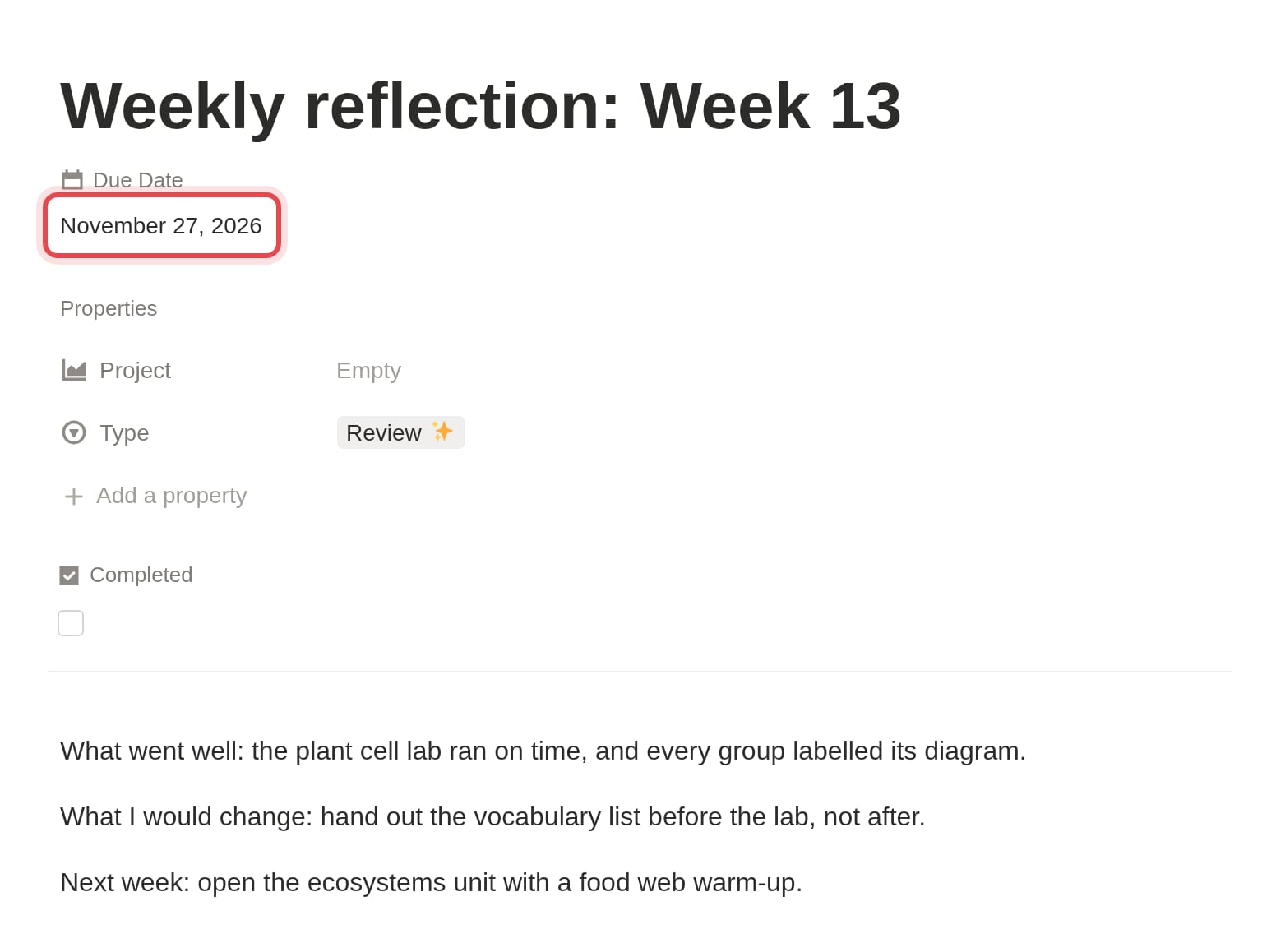
In the Tasks table, press the blue New button. Notion adds an entry called New Task, and its Due Date is already filled in with today's date (November 27, 2026, the day I did it). The entry is listed under the Today tab.
Open the entry, click its title and type the entry's name. I used Weekly reflection: Week 13.
Click Empty next to Type and choose Review.
Click below the properties and write. I wrote three lines, each starting with a prompt: what went well, what I would change, and next week.
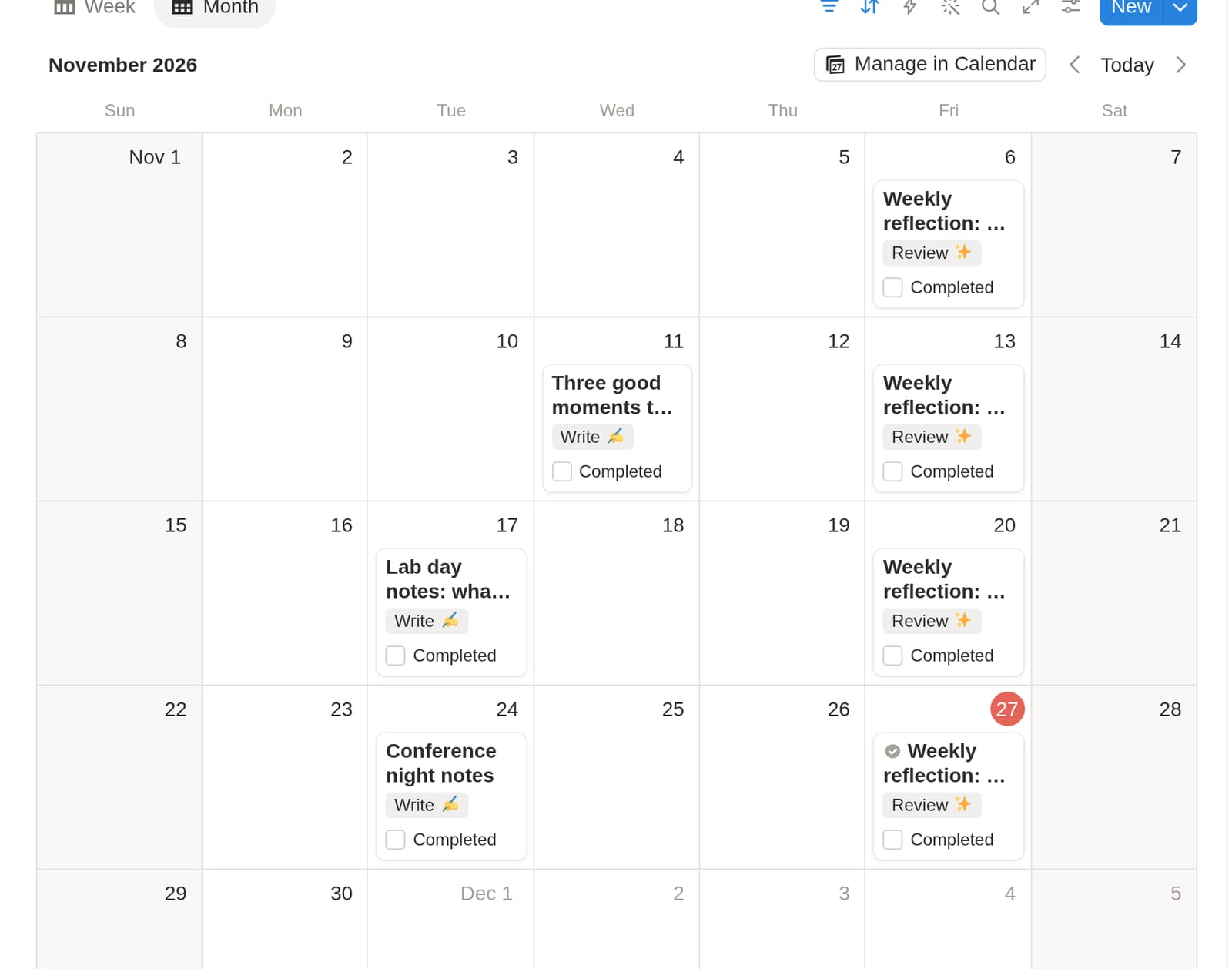
See your entries by day on a calendar
Because every entry has a date, a calendar view puts each one on its day. The planner's Tasks page has one further down:
Scroll down the Tasks page to the Calendar block.
Press Month.
Each entry sits on its date, with its Type under its name, and today's date is circled in red. After a few weeks of entries, my Friday reflections lined up down the Fri column, with shorter notes on other days. To add a calendar to a journal that has none, see Notion's help on calendar views.
Journaling for teachers: a weekly reflection on lessons
A journal does not have to be daily to help your teaching. One entry each Friday, ten minutes with three prompts, is enough to see over a term what to keep and what to change:
What went well: the lesson or moment you would teach the same way again.
What I would change: one thing, small enough to try next time.
Next week: how you will open the next lesson or unit.
Keep these in the planner you already plan lessons in, as in the steps above, and each reflection sits on the calendar in the week it is about. If you want a separate journal for your own wellbeing, our Wellness Journal & Habit Tracker keeps entries and habits together. For more templates, see the best Notion templates for teachers, the best Notion student planners and the best Notion notes templates for students and teachers.
FAQ
Is there a free Notion journal template?
Yes. Seven on this list are free, among them Basic Daily Journals, the Daily Focus Journal and Journal Template by Bertil from Notion's gallery, where you press Get template. The Travel Journal on Gumroad is free when you type 0 as the price.
What should a teacher write in a Notion journal?
A weekly reflection works well: what went well, what you would change, and what comes next week. A few lines each Friday is enough to see patterns by the end of term.
Can I keep a journal in my teacher planner instead of a separate template?
Yes, as long as it has a database with a date. In our Ultimate Teacher Planner, a new entry in Tasks gets today's date as its Due Date, and its Type has a Review option for reflections.
What is the difference between a journal template and a planner template?
A planner looks ahead: lessons, tasks and due dates. A journal looks back: one entry a day or a week about what happened. The all-in-one templates above do both on one page.
Can students use these journal templates?
Yes. The daily journals are the simplest for students, and Journal Template by Bertil has a School journal next to a personal one. For planners made for students, see the best Notion student planners.
How do I see my journal entries by date?
Use a calendar view: each entry appears on the day of its date. In the planner, the Calendar block on the Tasks page has a Month tab that shows the whole month at once.
Still grading everything by hand?
EMStudio is a free teaching management app — manage your classes, students, lessons, and more!