The Best Notion Study Planner Templates, Free and Paid

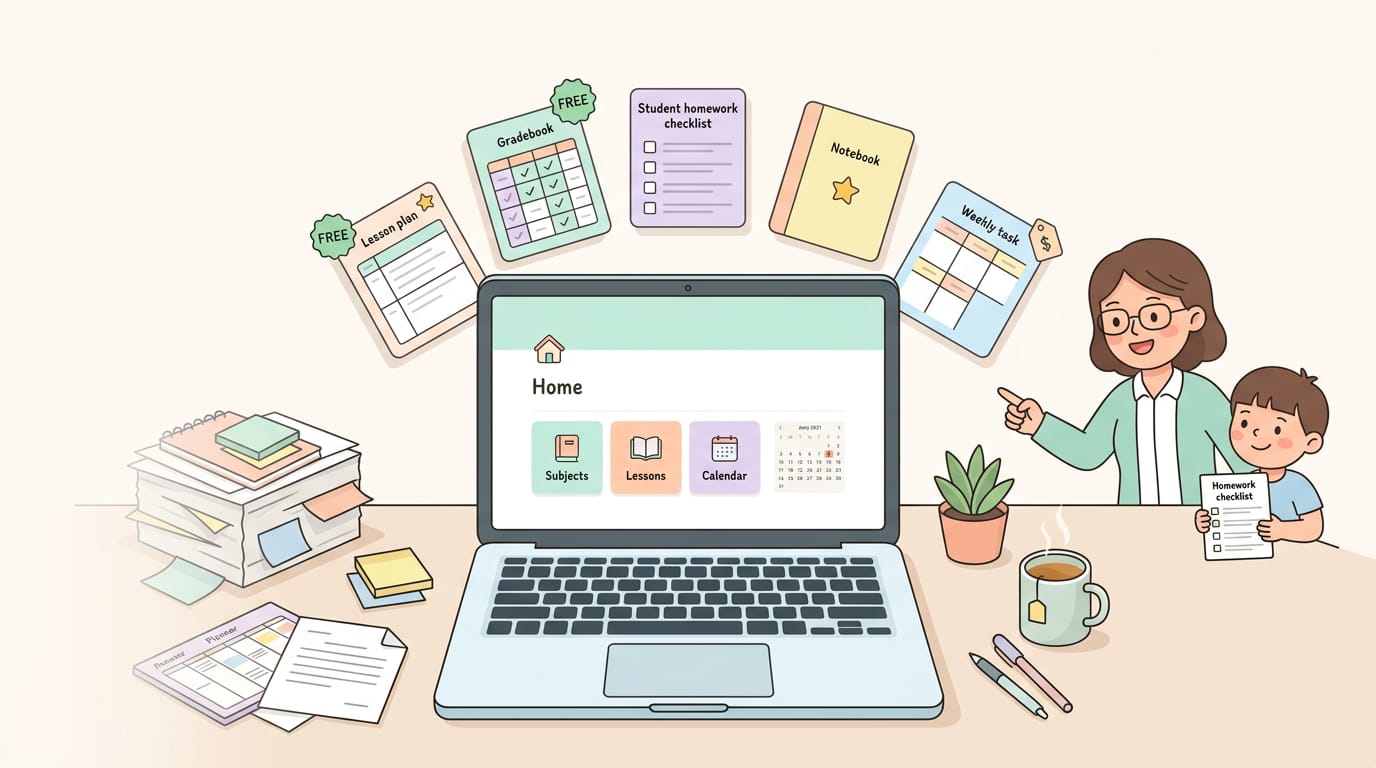
Here are 21 Notion study planner templates in five groups: homework and assignment trackers, notes and exam prep, all-in-one study planners, aesthetic planners and university planners. Our own three free trackers come first in their groups, each with its own page, and every template says plainly whether it is free or paid. If you only want one, take the best pick for what you need:
Homework and assignments: our Notion Homework Tracker (free).
Notes and exam prep: our Notion Note Tracker (free), or the Exam Prep & Study Planner (free) when an exam is close.
Everything in one place: StudyFlow OS (free).
A calm, good-looking page: the Minimalist Student Dashboard (free).
University and college: University Kit: Study Planner + Student Budget (paid).
Still grading everything by hand?
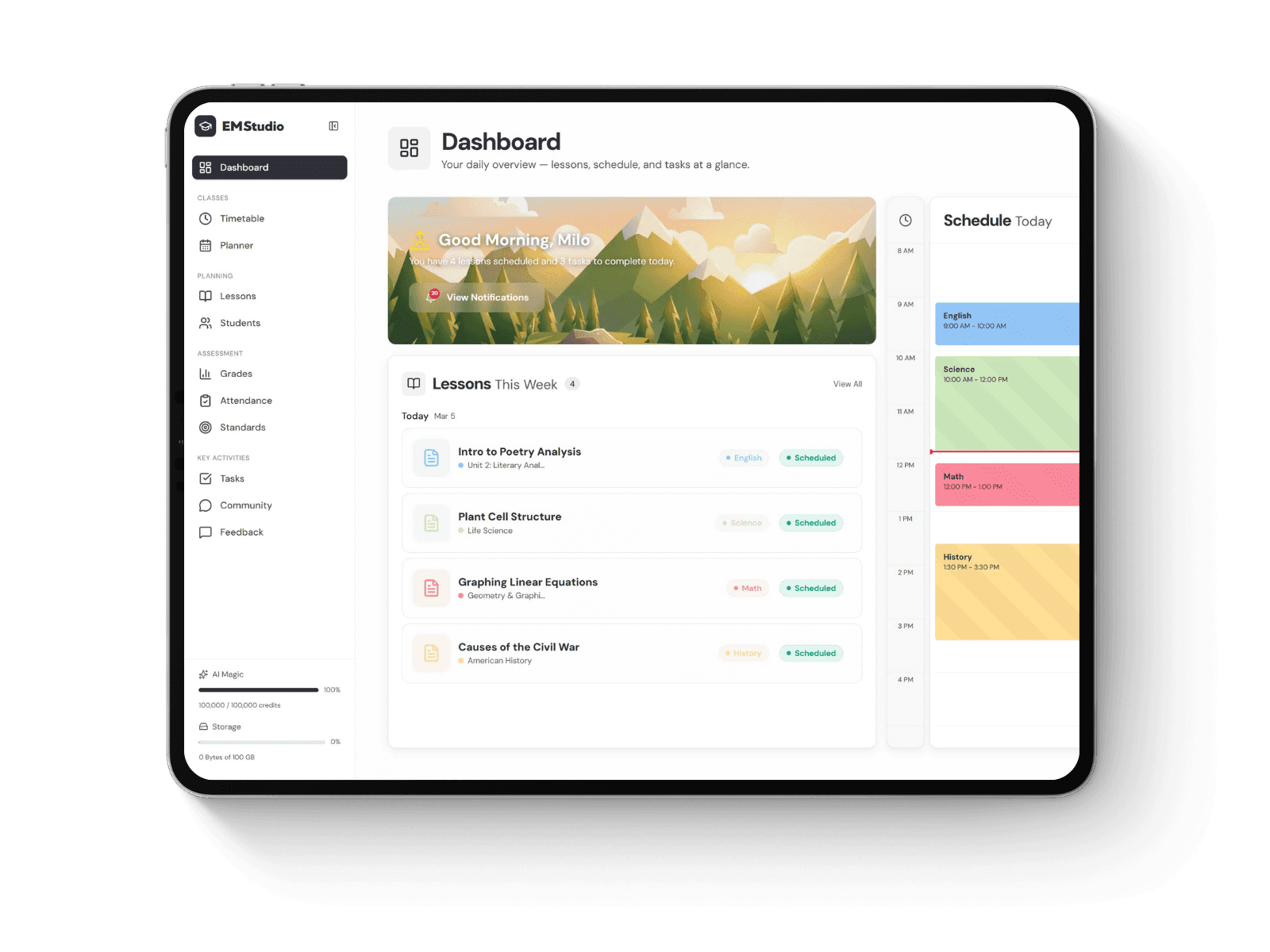
EMStudio is a free teaching management app — manage your classes, students, lessons, and more!
Homework and assignment trackers
A homework tracker is one list of every piece of work with its due date, so nothing is forgotten between one lesson and the next. Teachers use one to set work and follow what comes back; students use one to see what is due this week. If you mostly need a to-do list, our roundup of the best Notion task manager templates has more.
Notion Homework Tracker (Notion4Teachers, free)
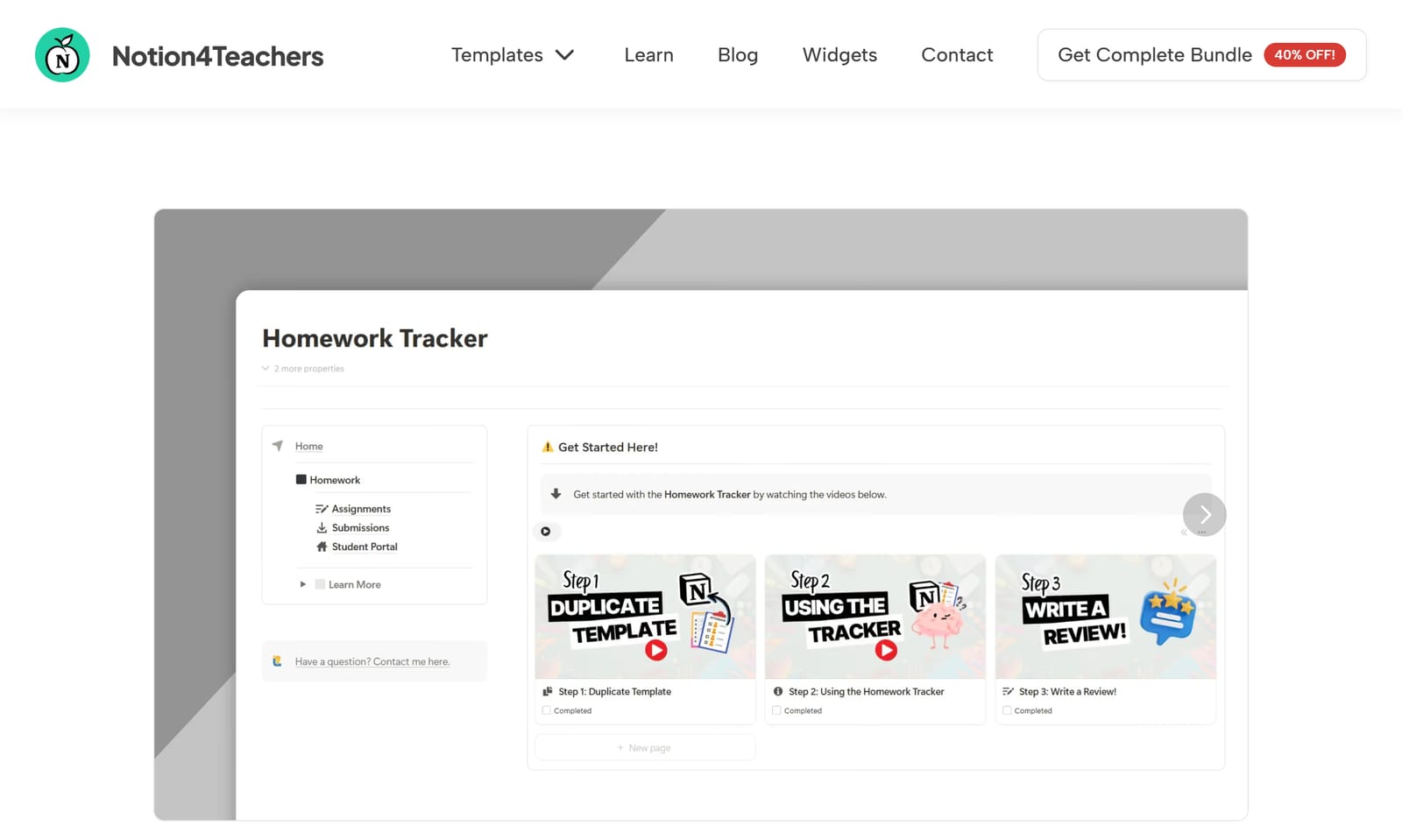
Free. A homework tracker with a Home page that leads to a Homework section holding three pages: Assignments, Submissions and a Student Portal. A Get Started Here box holds three short videos on duplicating it and using it. A teacher can set work in Assignments and follow what comes back in Submissions.
Get the Notion Homework Tracker (Notion4Teachers, free)
Notion Task Manager (Notion4Teachers, free)
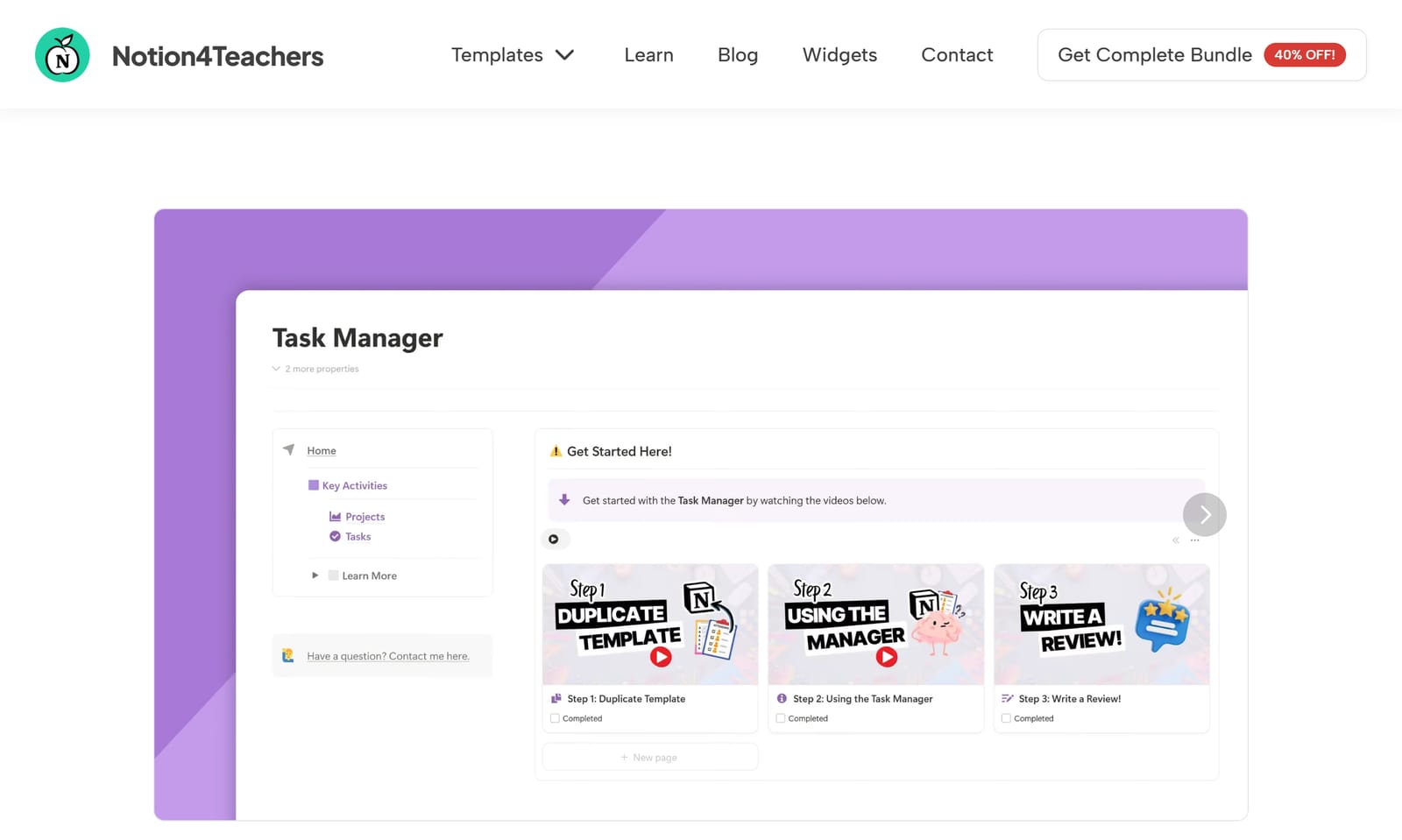
Free. A task manager with two pages under Key Activities: Projects and Tasks. A Get Started Here box holds three short videos on duplicating it and using it. A student can put each assignment in Tasks and group the bigger pieces of work, such as a unit or an exam, as Projects.
Get the Notion Task Manager (Notion4Teachers, free)
University Assignment Tracker
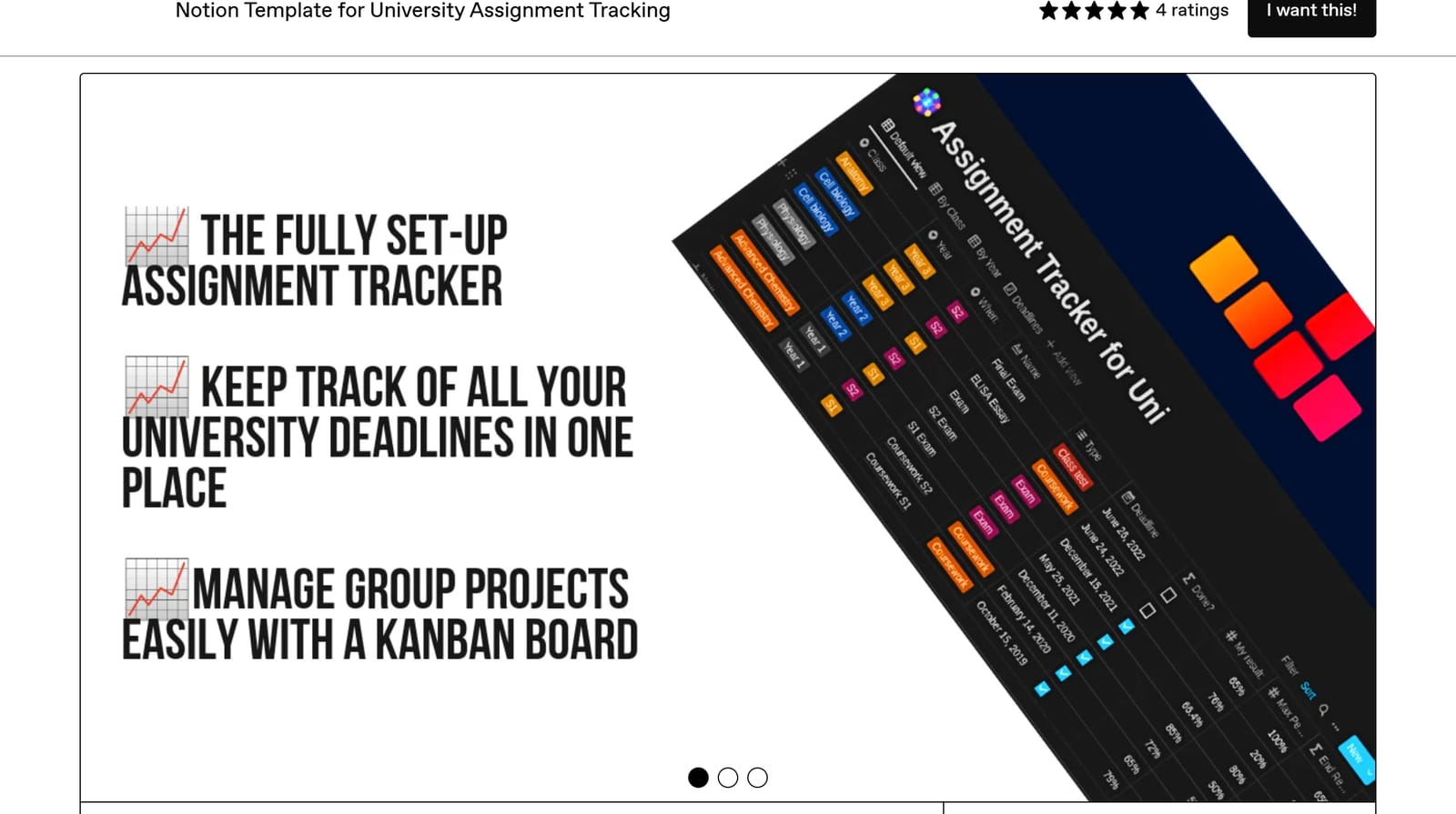
An assignment tracker for university students: one database lists every assignment and exam with its course, type (exam or coursework), due date and score, and the shop page adds a Kanban board for group projects. The preview is in dark mode with coloured course tags. Free: the shop's "Name a fair price" box lets you pay what you want.
Get the University Assignment Tracker
Pomodoro Task Management
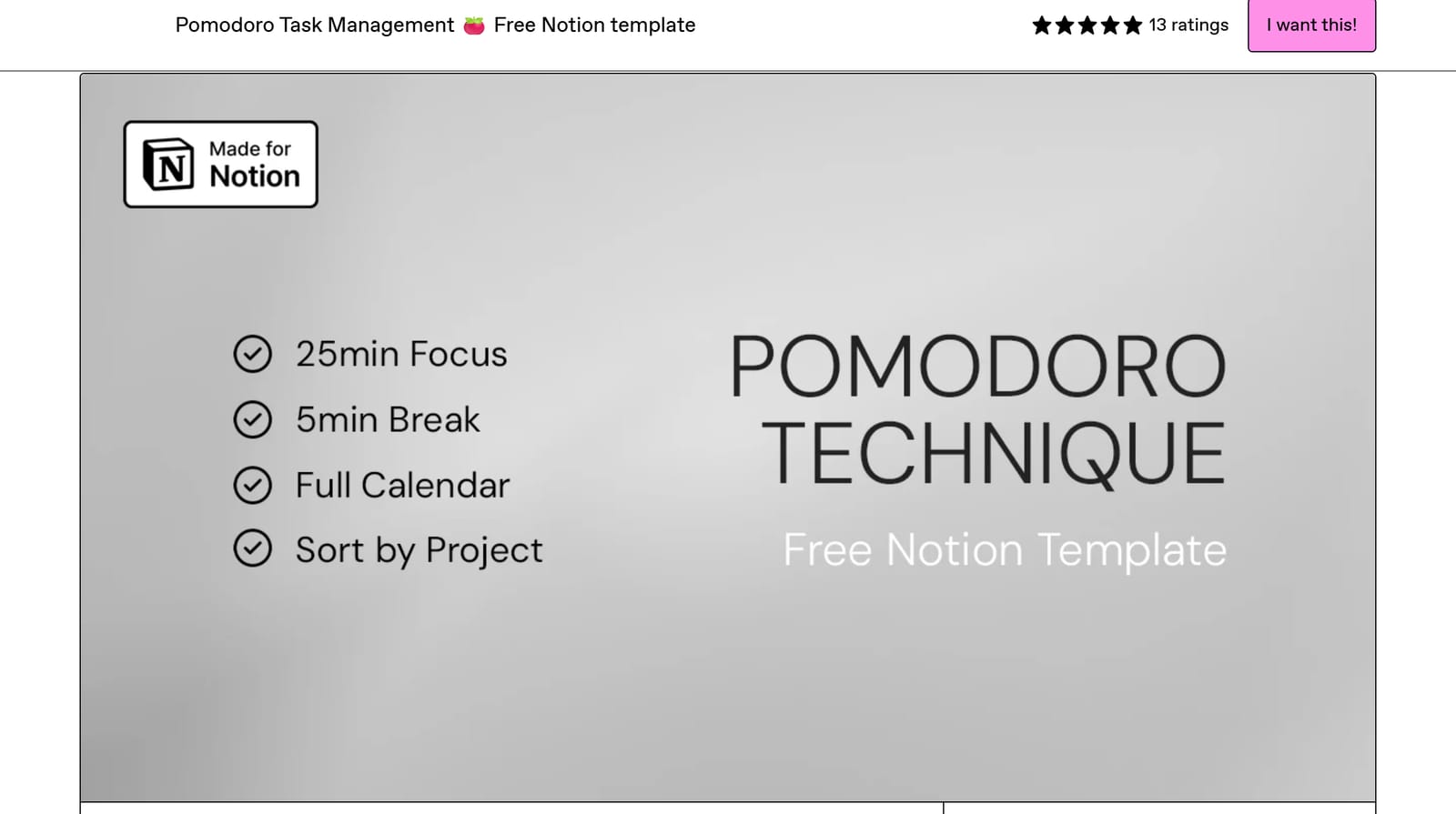
A task list built around the Pomodoro technique: 25-minute focus blocks and 5-minute breaks, a full calendar of your tasks, and tasks sorted by project. Suits a student who studies in timed sprints, or a teacher who marks in short blocks. Free: the shop page is headed "Free Notion template".
Get the Pomodoro Task Management
Notion templates for notes and exam prep
These keep class notes by subject or topic and turn them into revision: flashcards, study sessions linked to an exam, a countdown to the exam date. They suit a student building up to a test, or a teacher who wants to show a class one tidy way to revise.
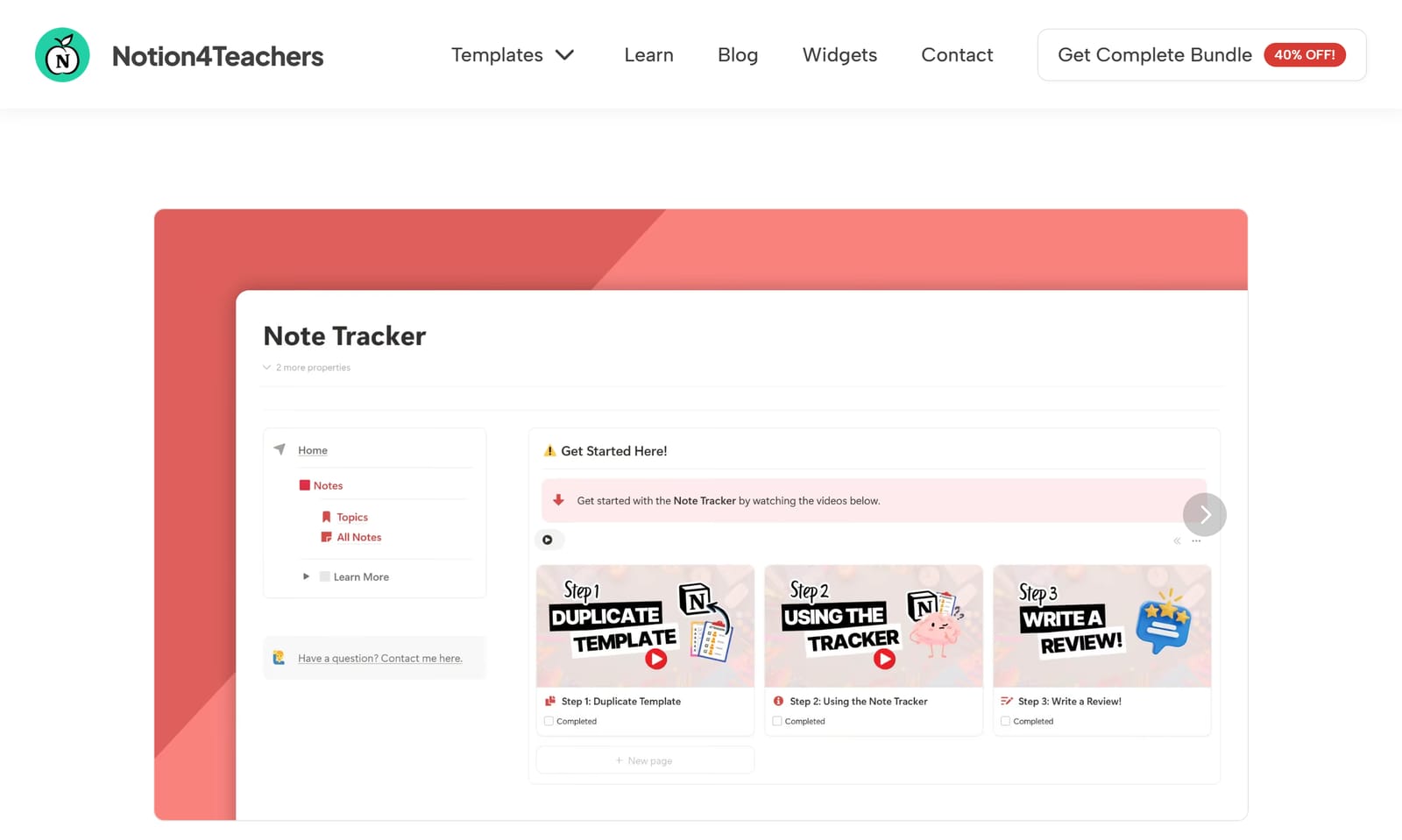
Notion Note Tracker (Notion4Teachers, free)
Free. A note tracker with two pages under Notes: Topics and All Notes, for keeping class notes by topic and seeing them all in one list. A Get Started Here box holds three short videos on setting it up. Suits a student building notes to revise from before an exam.
Get the Notion Note Tracker (Notion4Teachers, free)
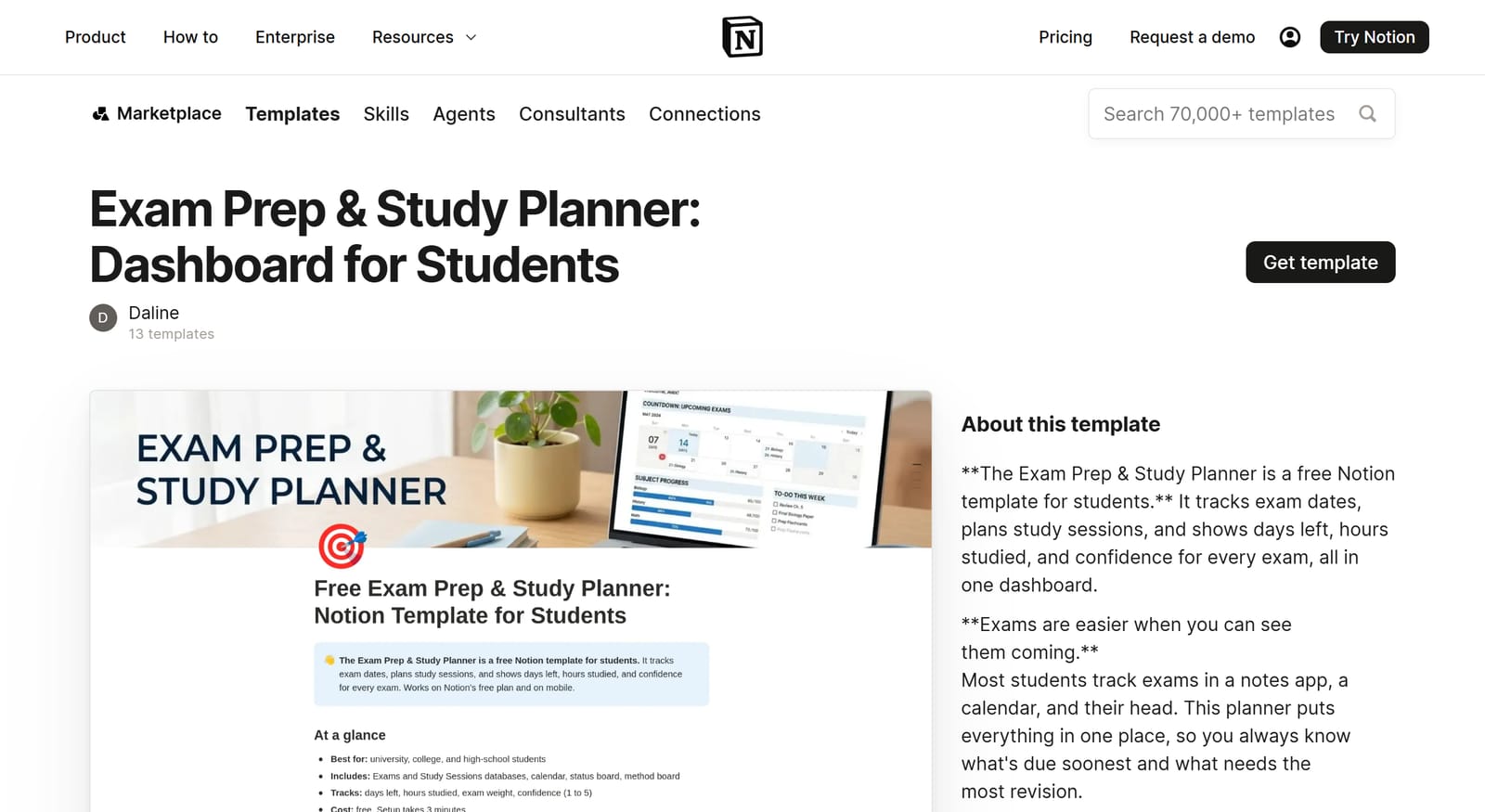
Exam Prep & Study Planner
One dashboard for exam season: an Exams database with course, exam date, weight, status, confidence and topics to cover, a Study Sessions database linked to each exam, and a countdown of days left. Notion's page says it suits university, college and high-school students and works on Notion's free plan. Free: Get template, no price.
Get the Exam Prep & Study Planner
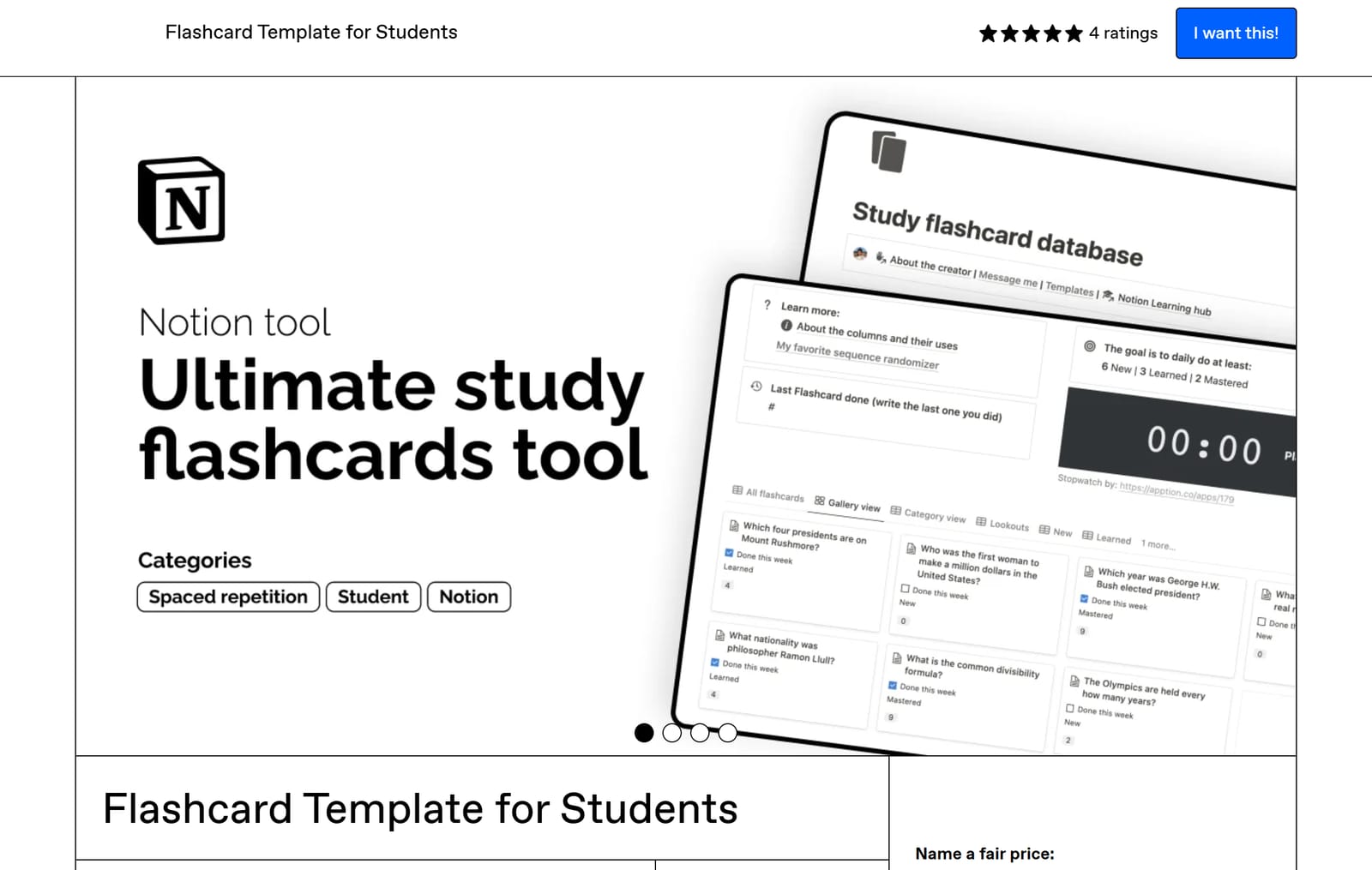
Notion Flashcard Template
A flashcard database for spaced repetition: each card holds a question, a "Done this week" box and a stage (New, Learned, Mastered), shown as a gallery. The page sets a daily goal by stage and has a stopwatch to time a session. Useful for vocabulary or key terms before a test. Free: the shop's "Name a fair price" box lets you pay what you want.
Get the Notion Flashcard Template
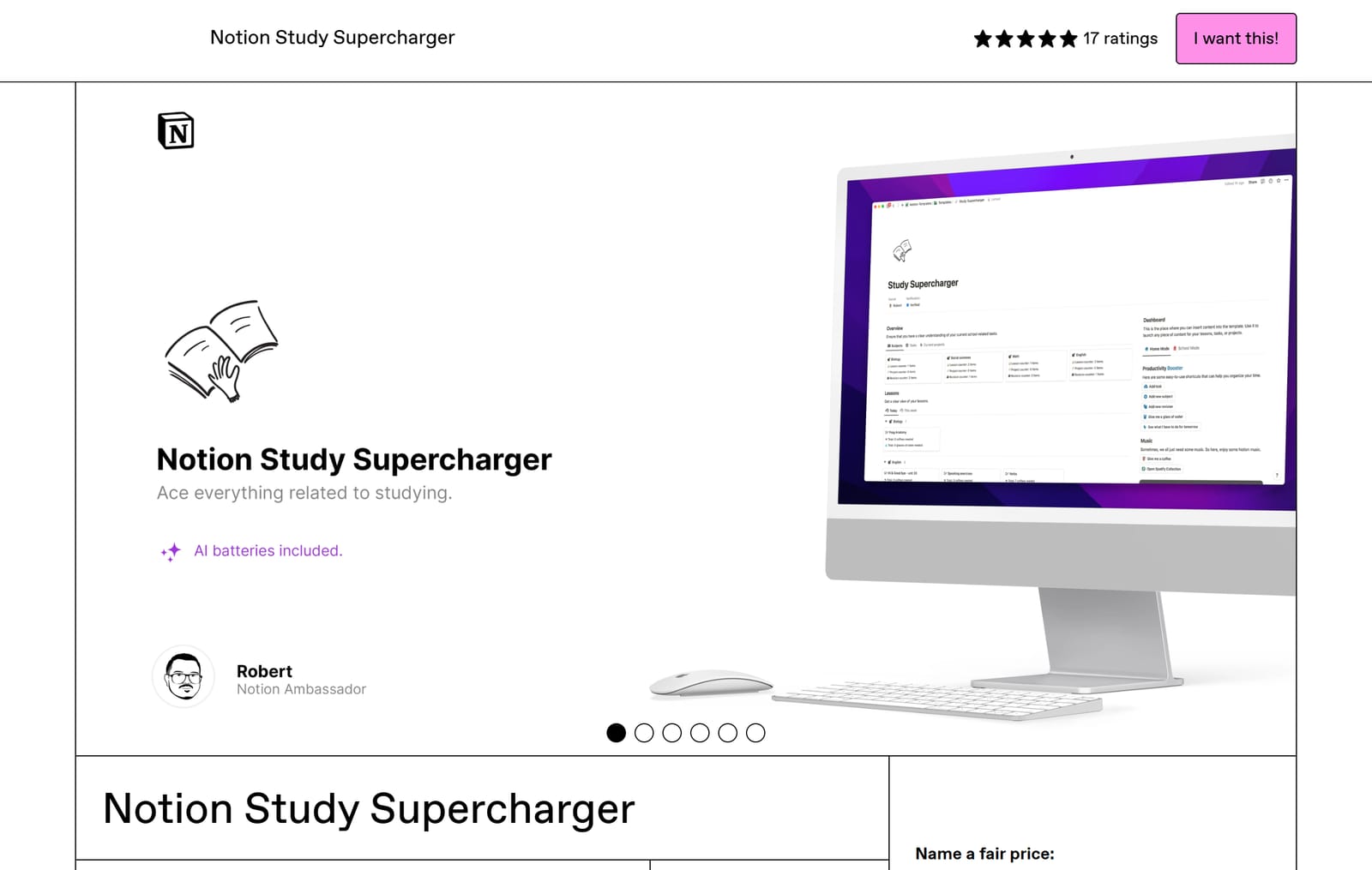
Notion Study Supercharger
A study page that sorts your work by subject (biology, math, English and more), each with counters for lessons, projects and revision, plus a Lessons view for today and this week. A side dashboard switches between Home Mode and School Mode and has buttons to add a task, a subject or a revision. The shop page says "AI batteries included". Paid.
Get the Notion Study Supercharger
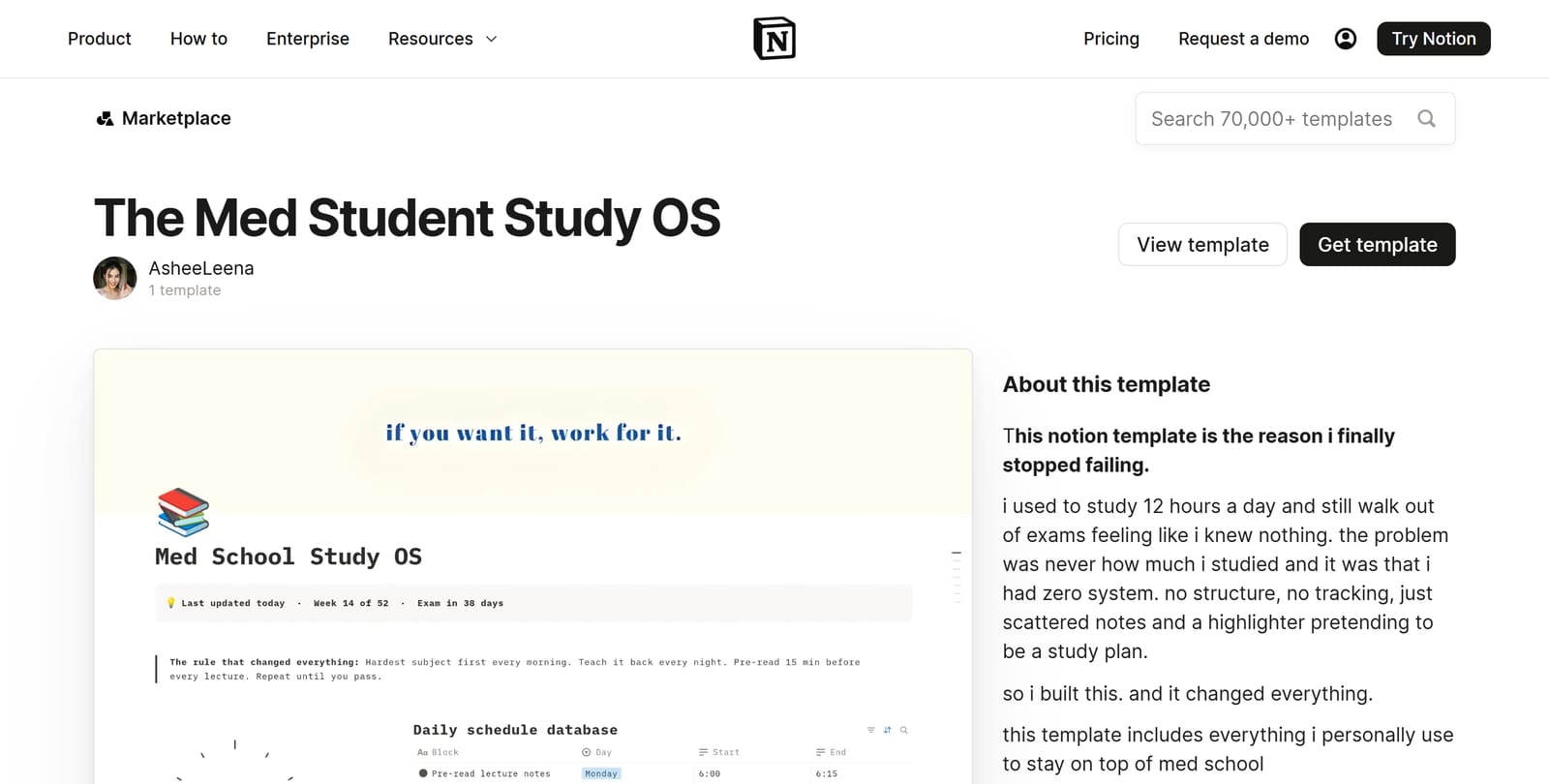
The Med Student Study OS
Made for medical school: a daily schedule database of study blocks (pre-reading lecture notes, biochemistry, pharmacology, anatomy diagrams, flashcard review) with start and end times, a clock, a week counter and an exam countdown. Its page also lists a Subject Tracker and a Study Tracker. Free: Get template, no price.
All-in-one Notion study planners
An all-in-one planner puts courses, assignments, exams, notes and study time on one dashboard, linked to each other. It takes longer to set up than a single tracker, but a student then opens one page each day instead of five. Several of these also track habits; to build that part yourself, see how to make a habit tracker in Notion.
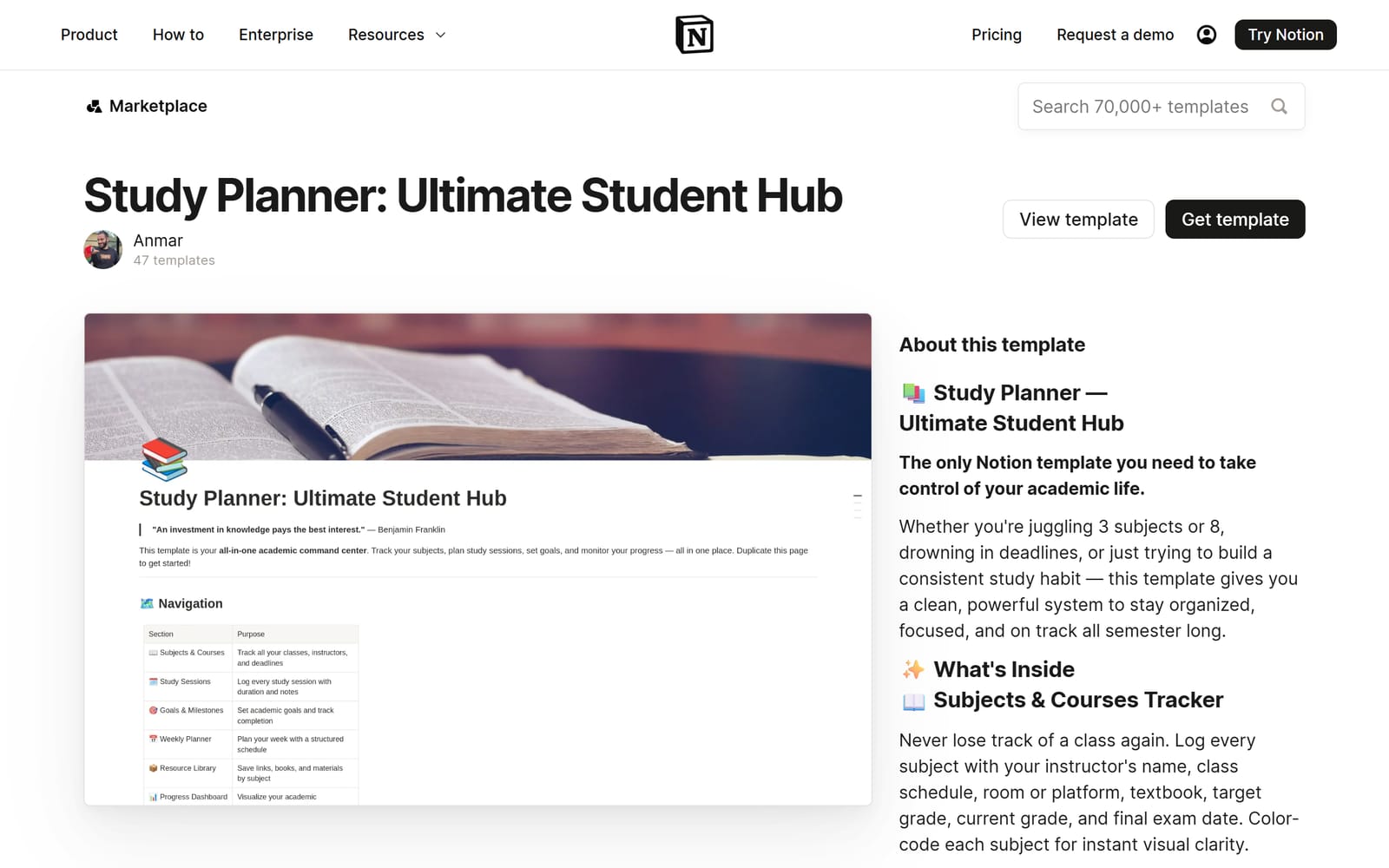
Study Planner: Ultimate Student Hub
Free on Notion's template gallery (Get template, no price). It opens on a Navigation table: Subjects & Courses, Study Sessions, Goals & Milestones, Weekly Planner, Resource Library and Progress Dashboard. Its page says each subject gets its instructor, class schedule, room, textbook, target grade, current grade and final exam date.
Get the Study Planner: Ultimate Student Hub
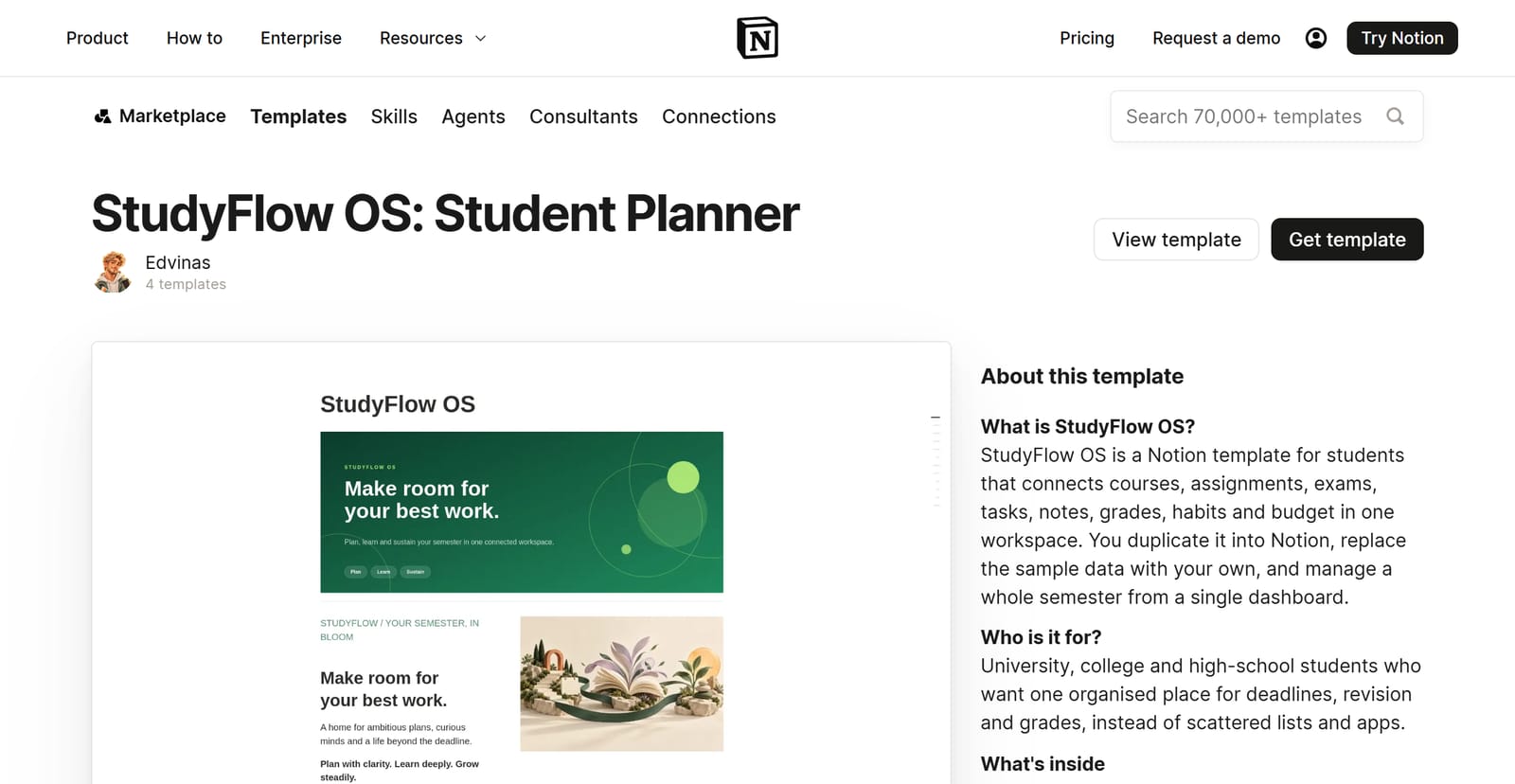
StudyFlow OS
Free on Notion's template gallery (Get template, no price). A green semester dashboard; its page says it connects courses, assignments, exams, tasks, notes, grades, habits and budget in 12 linked databases, with Today and Next seven days views. It is written for university, college and high-school students.
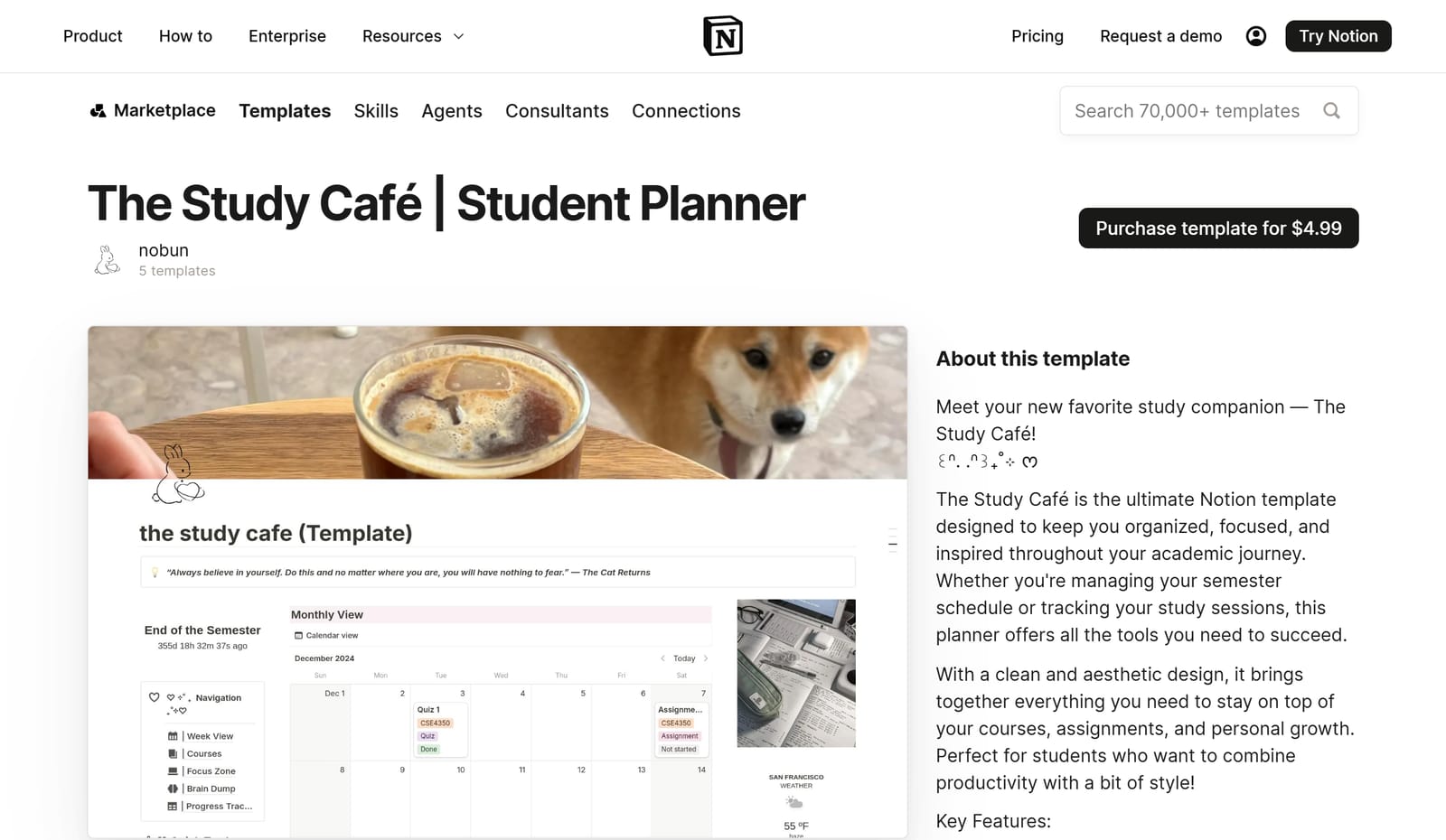
The Study Café Student Planner
Paid: $4.99 on Notion's template gallery. A coffee-themed planner whose dashboard shows an End of the Semester countdown, links to Week View, Courses, Focus Zone, Brain Dump and Progress Tracker, and a monthly calendar with quizzes and assignments marked by status.
Get The Study Café Student Planner
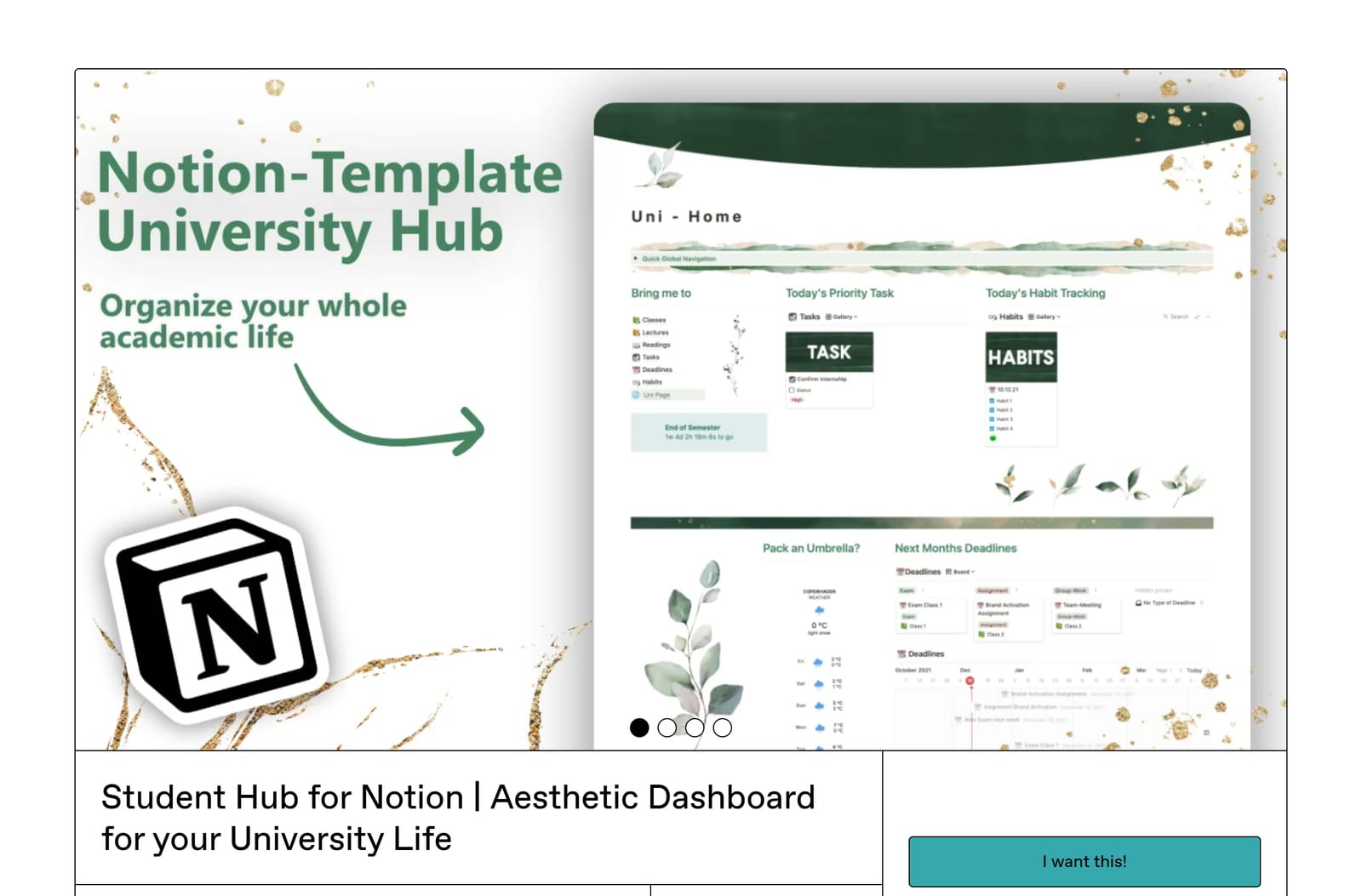
Student Hub for Notion
A university home page in green and gold: links to classes, lectures, readings, tasks, deadlines and habits, today's priority task and habit tracking, a weather check, and next month's deadlines on a board and a timeline. For a student who wants one page to open each day. Paid.
Get the Student Hub for Notion
The Ultimate Student Planner
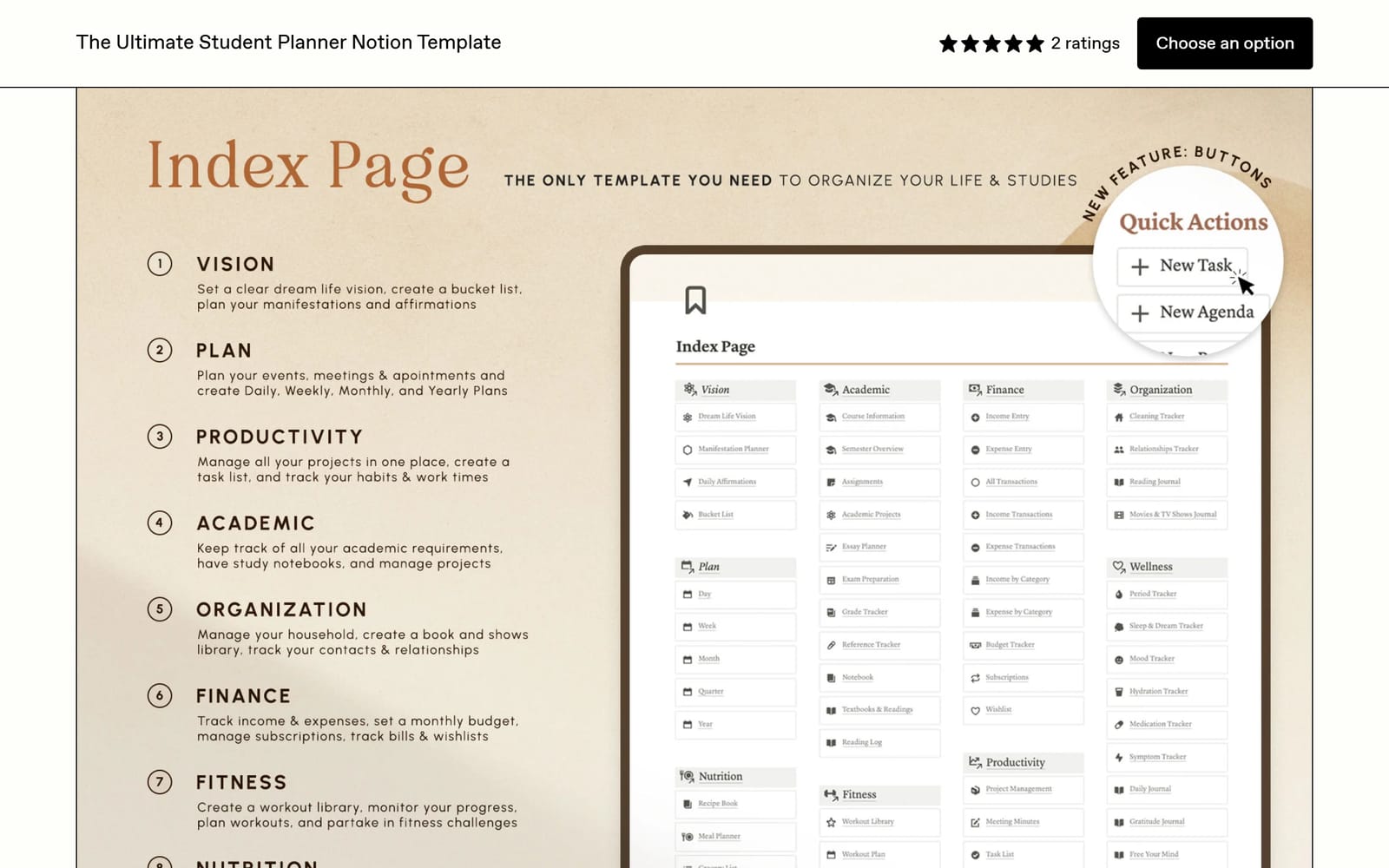
A whole-life planner with an academic part: its Index Page links to course information, a semester overview, assignments, exam preparation, a grade tracker and a reading log, next to day-to-year plans and finance, fitness and wellness trackers, with Quick Action buttons such as New Task. Its shop page shows no price until you choose an option.
Get The Ultimate Student Planner
Aesthetic Notion study planners
These do the same work as the planners above, with a strong look: a theme, a colour, artwork on every page. For a student who keeps coming back to a page because they like opening it, that look is worth having. Check that the parts you need are there, not only the style.
Aero Study OS
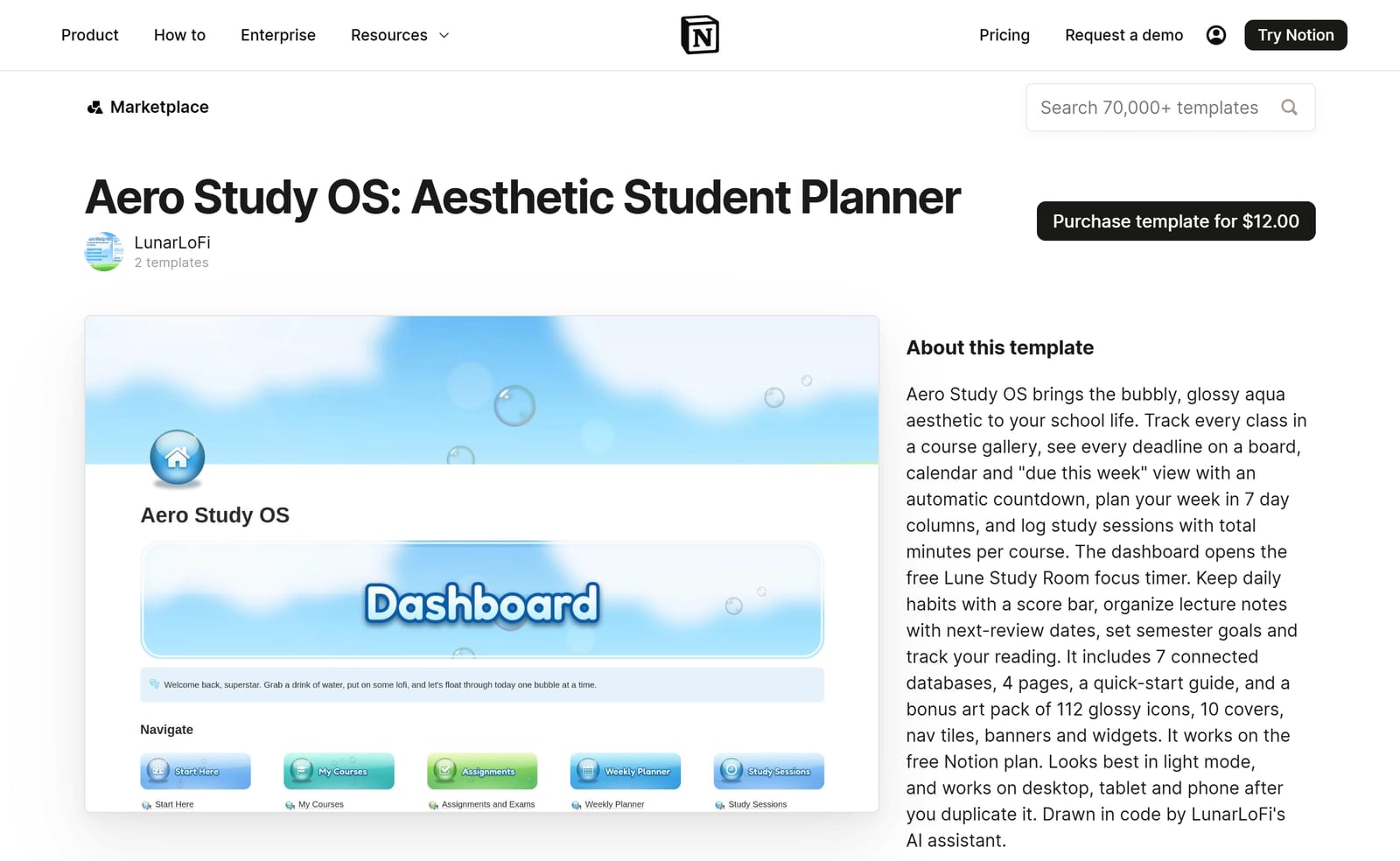
Paid: $12.00 on Notion's template gallery. A glossy aqua, bubble-themed planner with dashboard buttons for Start Here, My Courses, Assignments, Weekly Planner and Study Sessions. Its page lists 7 connected databases: a course gallery, deadlines on a board and calendar, a 7-day week plan, study sessions with minutes per course, habits and lecture notes.
Owl/Moon Night Study Planner
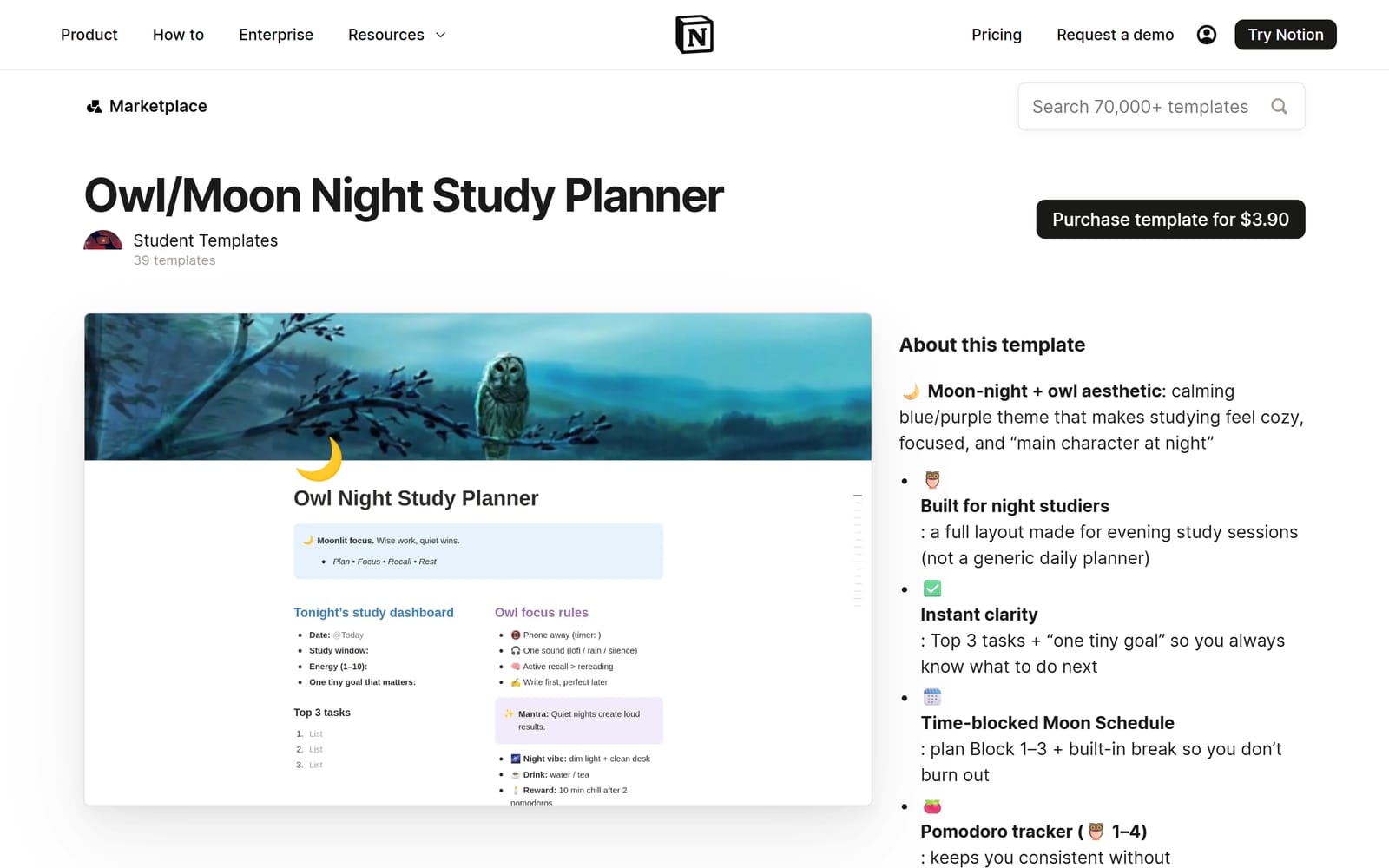
Paid: $3.90 on Notion's template gallery. A dark blue owl-and-moon planner for studying in the evening: a Tonight's study dashboard (date, study window, energy from 1 to 10, one tiny goal), Top 3 tasks and Owl focus rules. Its page also lists a time-blocked schedule and a Pomodoro tracker.
Get the Owl/Moon Night Study Planner
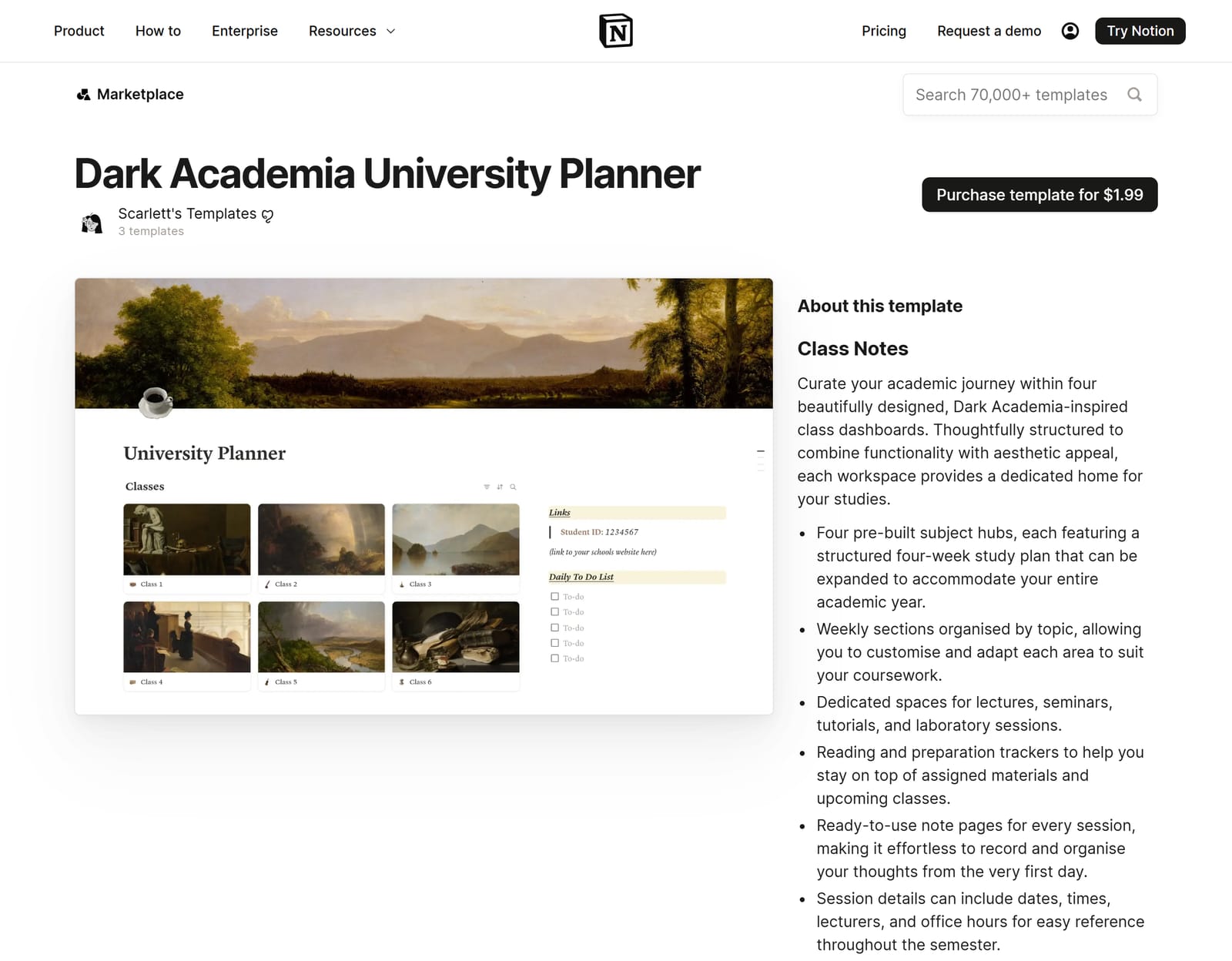
Dark Academia University Planner
Paid: $1.99 on Notion's template gallery. A university planner styled with old oil paintings: a gallery of class pages, a Links box for a student ID and a Daily To Do List. Its page says each subject hub has a four-week study plan, with sections for lectures, seminars, tutorials and lab sessions.
Get the Dark Academia University Planner
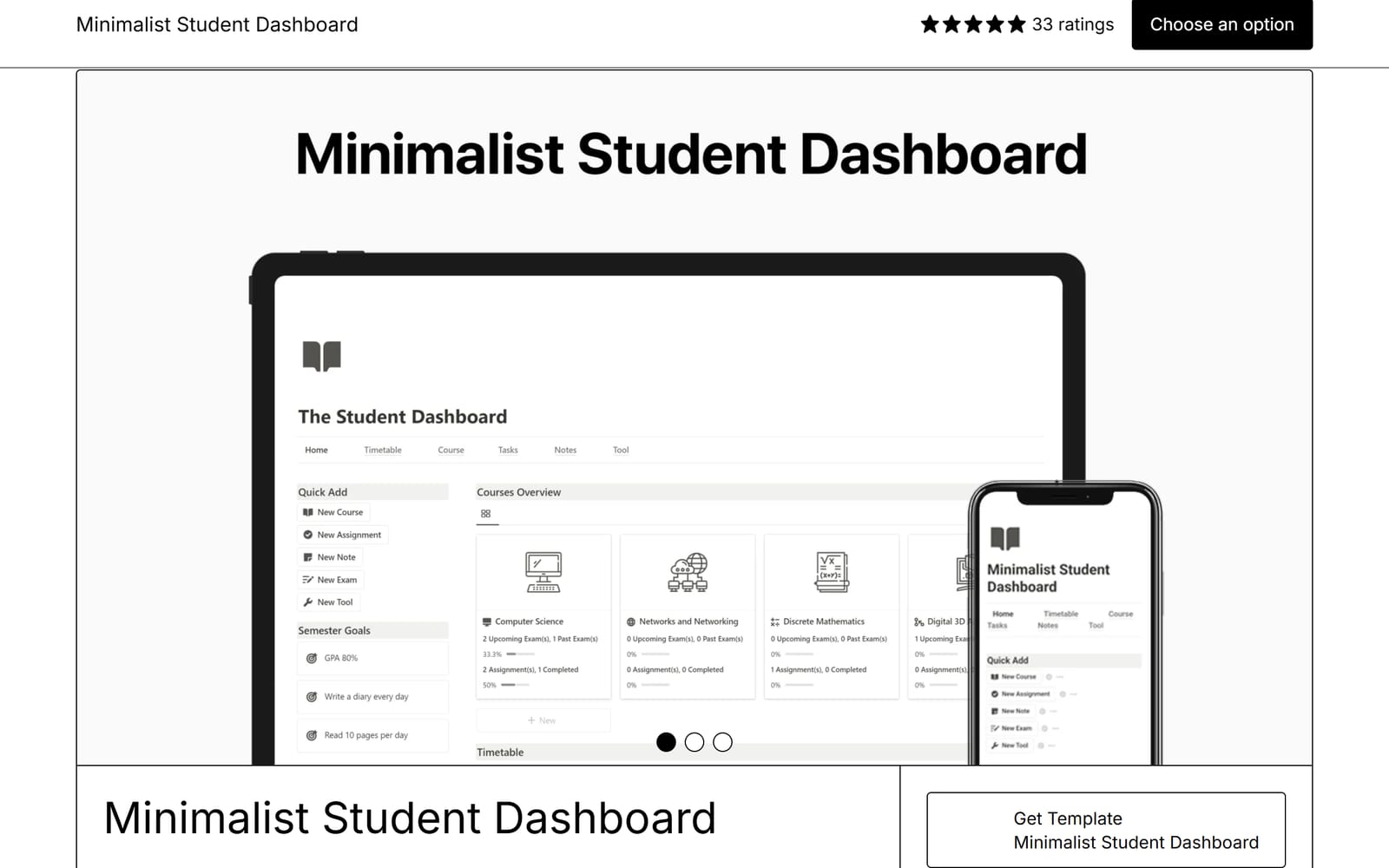
Minimalist Student Dashboard
Free, from its maker's Gumroad shop. A black-and-white dashboard with tabs for Timetable, Course, Tasks, Notes and Tool, Quick Add buttons for a new course, assignment, note or exam, Semester Goals such as a GPA target, and course cards that count upcoming exams and completed assignments. Shown on a phone too.
Get the Minimalist Student Dashboard
Notion planners for university and college
University planners are built around courses and semesters: credits, grades against a target, lectures, seminars and labs. They suit a college student, or a teacher studying for a degree or a qualification of their own.
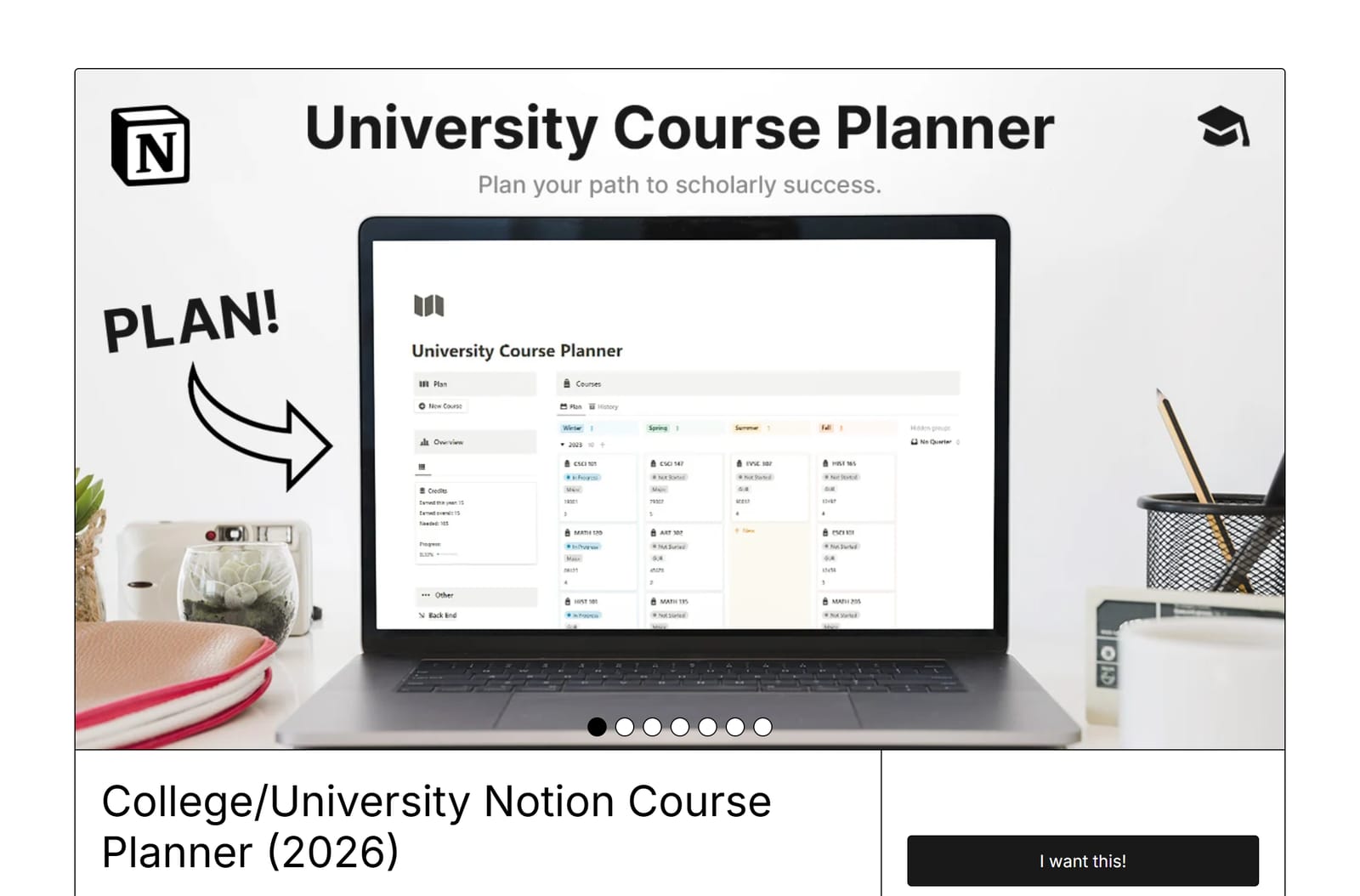
Notion University Course Planner
Plans a whole degree: a Courses board in columns by term (Winter, Spring, Summer, Fall), each card a course code with a status such as In progress, and an overview of credits earned and still needed. For a college student mapping which courses to take when. Paid.
Get the Notion University Course Planner
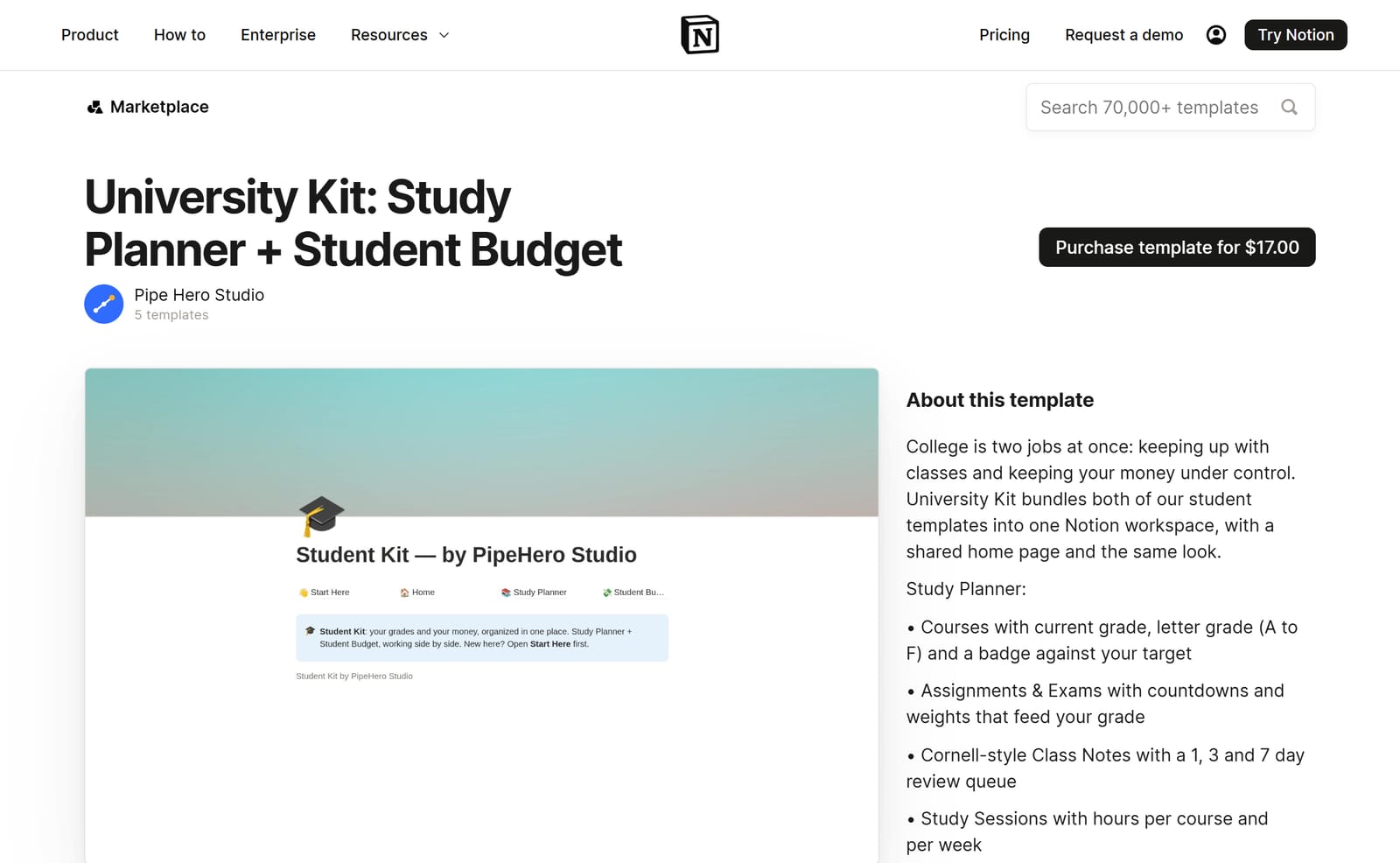
University Kit: Study Planner + Student Budget
A study planner and a student budget in one workspace with a shared home page. The planner tracks each course's current and letter grade against your target, assignments and exams with countdowns and weights, Cornell-style class notes with a 1, 3 and 7 day review queue, and study hours per course. Paid: $17.
Get the University Kit: Study Planner + Student Budget
The Student Blueprint by NOTIRI
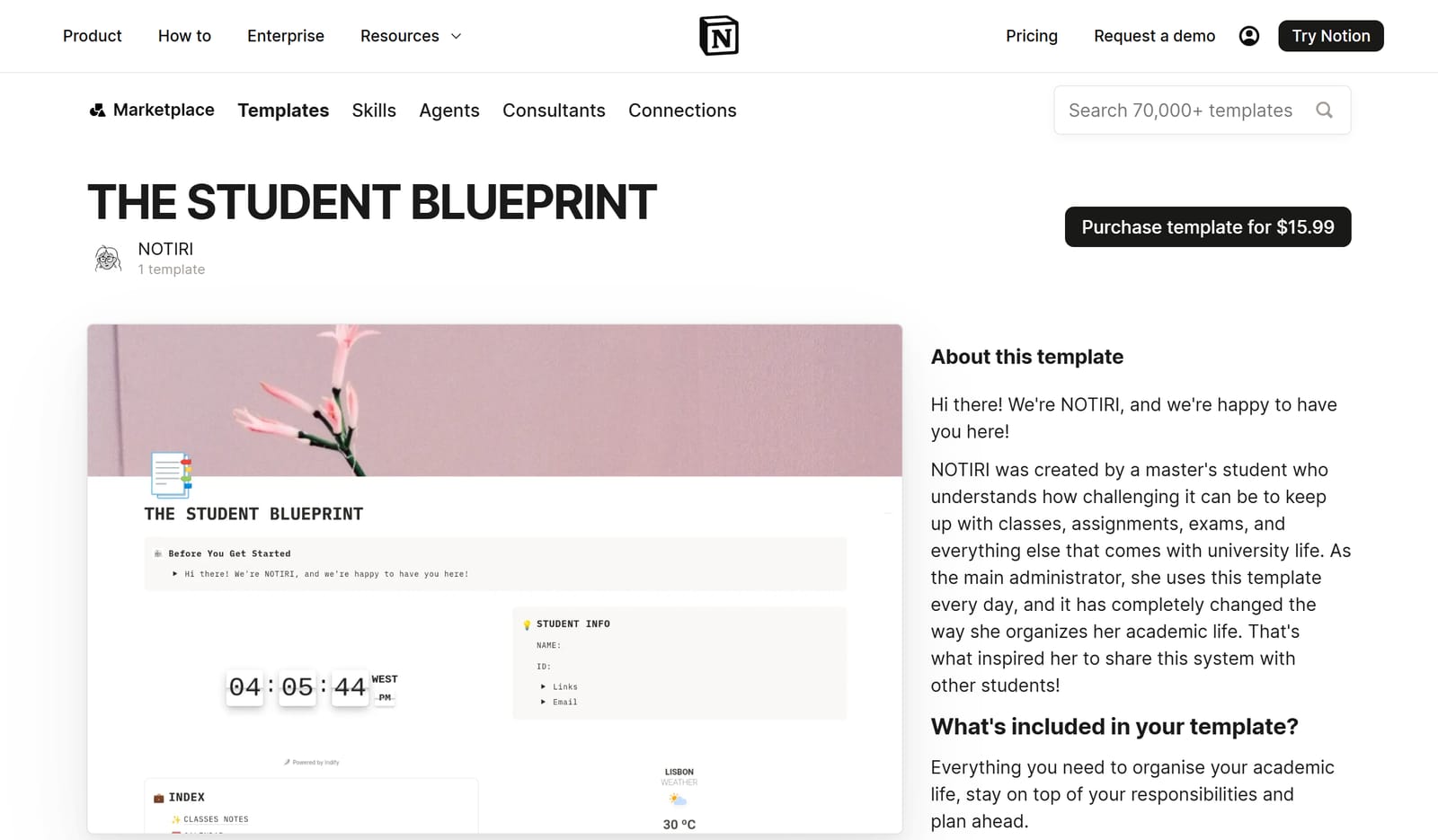
Paid, $15.99. A university planner made by a master's student. Its preview opens on a dashboard with a flip clock, a student info box for name, ID, links and email, a weather widget and an index that starts with class notes. Its page says it covers classes, assignments and exams, with notes kept by subject.
Get The Student Blueprint by NOTIRI
Which study planners are free and which are paid
Each template above says whether it is free or paid in its own description. In short:
Free: our Notion Homework Tracker, Notion Task Manager and Notion Note Tracker; University Assignment Tracker; Pomodoro Task Management; Exam Prep & Study Planner; Notion Flashcard Template; The Med Student Study OS; Study Planner: Ultimate Student Hub; StudyFlow OS; and the Minimalist Student Dashboard.
Paid: Notion Study Supercharger; The Study Café Student Planner; Student Hub for Notion; Aero Study OS; Owl/Moon Night Study Planner; Dark Academia University Planner; Notion University Course Planner; University Kit: Study Planner + Student Budget; and The Student Blueprint by NOTIRI.
The Ultimate Student Planner shows no price on its shop page until you choose an option there.
Some shop pages have a Name a fair price box: you can pay what you want, and with 0 in the box the template is free.
How to add a study planner template to your Notion
You need a Notion account. Then:
Open the template's page from its link in the list above.
Press the page's button. Its words depend on where the template is sold:
Our free trackers: Free Download opens our store's checkout at $0.00. Type your address in Email and press Complete order. The same pages also have a Get Ultimate Planner button, which leads to our full planners.
Notion's template gallery: a free template has a Get template button. A paid one has Purchase template for, followed by its price. Choose the workspace the copy should go into.
Gumroad: put 0 in Name a fair price where the box is there (or the price, where there is one) and press I want this!. Gumroad's checkout asks for your Email address and has a Get button. A few makers use their own words for the button, such as Get Template.
Open the copy in your own Notion and start with its home page.
If you are setting a planner up for a class, each student gets their own copy from the template's page in the same way, so one student's work never lands in another's planner.
What a study planner looks like once it is in Notion
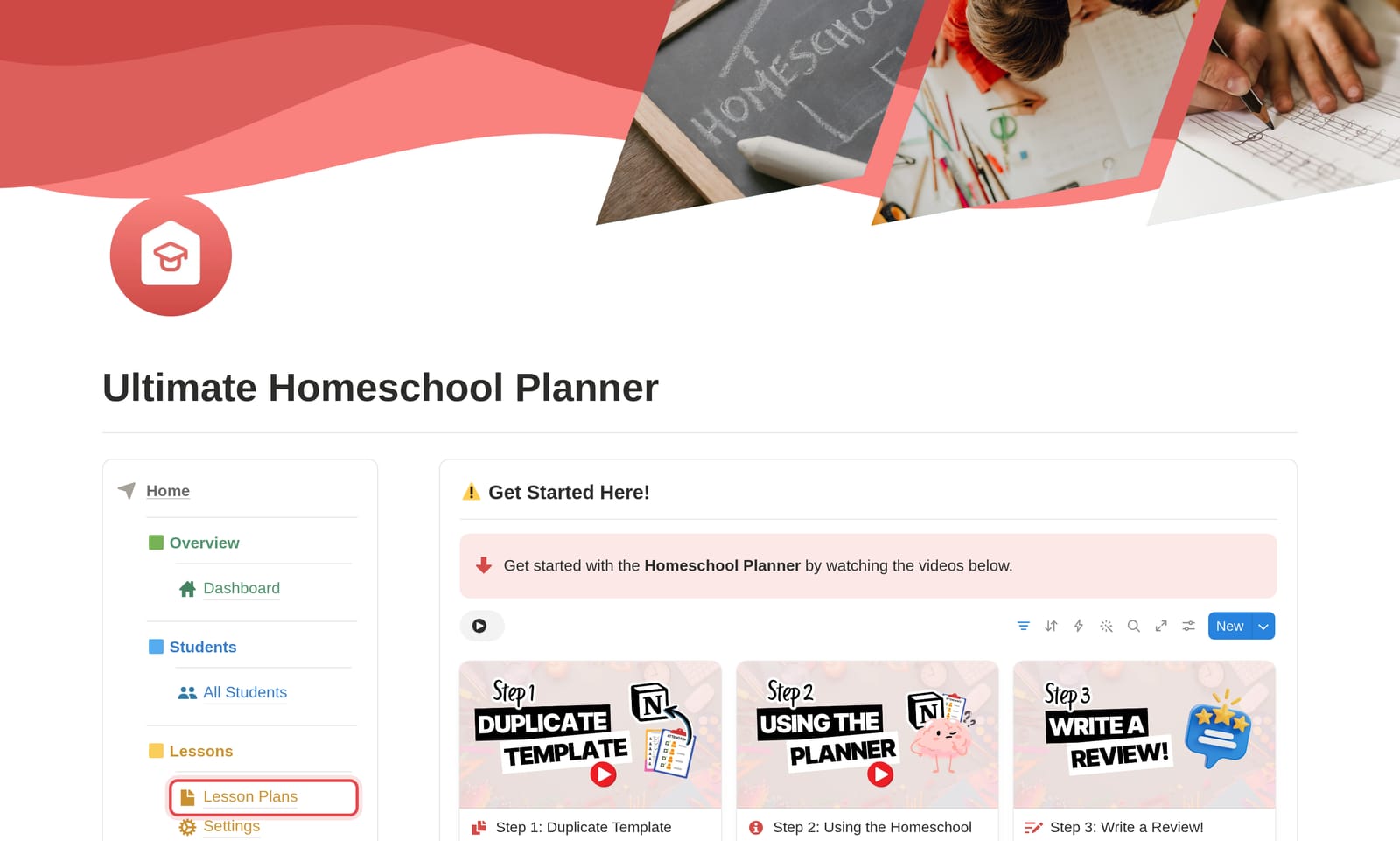
Here is one of our full planners, the Ultimate Homeschool Planner, open in Notion, with a week of sample lessons added. Most study planners are laid out the same way: a home page that leads to everything, and a schedule that sorts the work by day.
Open the planner's home page. A side menu leads to each part: Overview with the Dashboard, Students with All Students, and Lessons with Lesson Plans and Settings. Next to it, a Get Started Here! box holds three short videos: Step 1: Duplicate Template, Step 2: Using the Homeschool Planner and Step 3: Write a Review!
Click Lesson Plans. At the top, a Subjects table has a tick box for each day from Mon to Sun, so you set which subject is taught on which day: here Math and English every weekday, Science on Monday, Wednesday and Friday, and History on Tuesday and Thursday.
Scroll down to Lessons and press the Week tab (the others are All, Month and Completed). The week opens as a calendar: each day shows its lessons as cards, with the lesson's name and its subject under it, and today's date is circled.
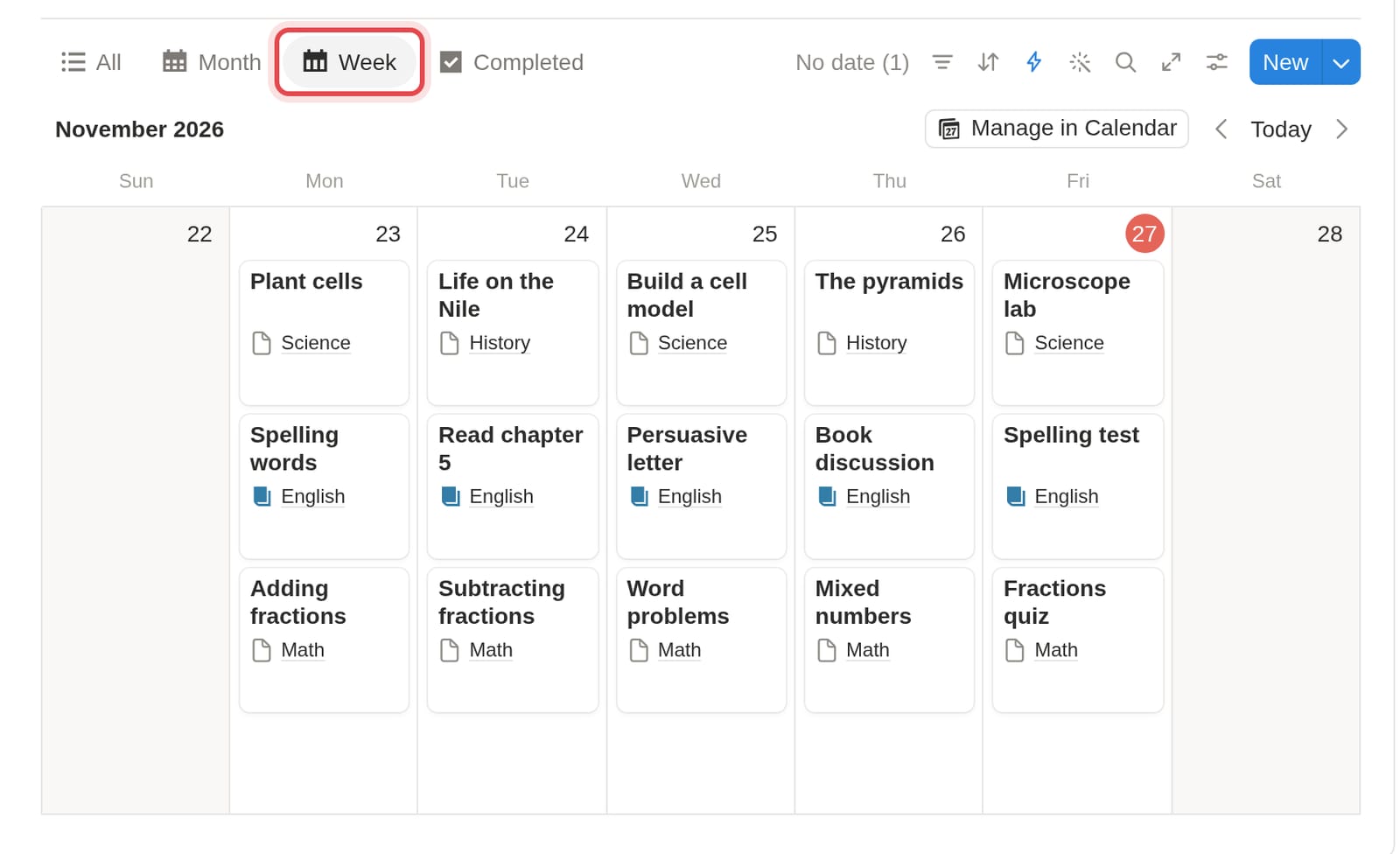
A student planner from the list above works the same way with assignments, exams or study sessions in place of lessons: fill in the dates once, and each day's work is waiting on the calendar.
FAQ
Is there a free Notion study planner template?
Yes. Eleven of the templates in this list are free, including our Notion Homework Tracker, Notion Task Manager and Notion Note Tracker. StudyFlow OS and the Exam Prep & Study Planner are free on Notion's template gallery.
Which Notion template is best for exam revision?
The Exam Prep & Study Planner links study sessions to each exam and counts down the days left. For learning key terms, pair our Notion Note Tracker with the Notion Flashcard Template.
Can I give a Notion study planner to my students?
Yes. Send them the template's page, and each student adds their own copy to their own Notion with its button. Each copy is separate, so students fill in their own work.
What is the difference between a study planner and a homework tracker?
A homework tracker is one list of work and due dates. A study planner adds the rest around it: a class schedule, exams, notes and time set aside to study, usually on one dashboard.
Can I change a template after I add it?
Yes. The copy in your workspace is your own page, so you can rename things, add subjects and leave out the parts you do not need.
Still grading everything by hand?
EMStudio is a free teaching management app — manage your classes, students, lessons, and more!