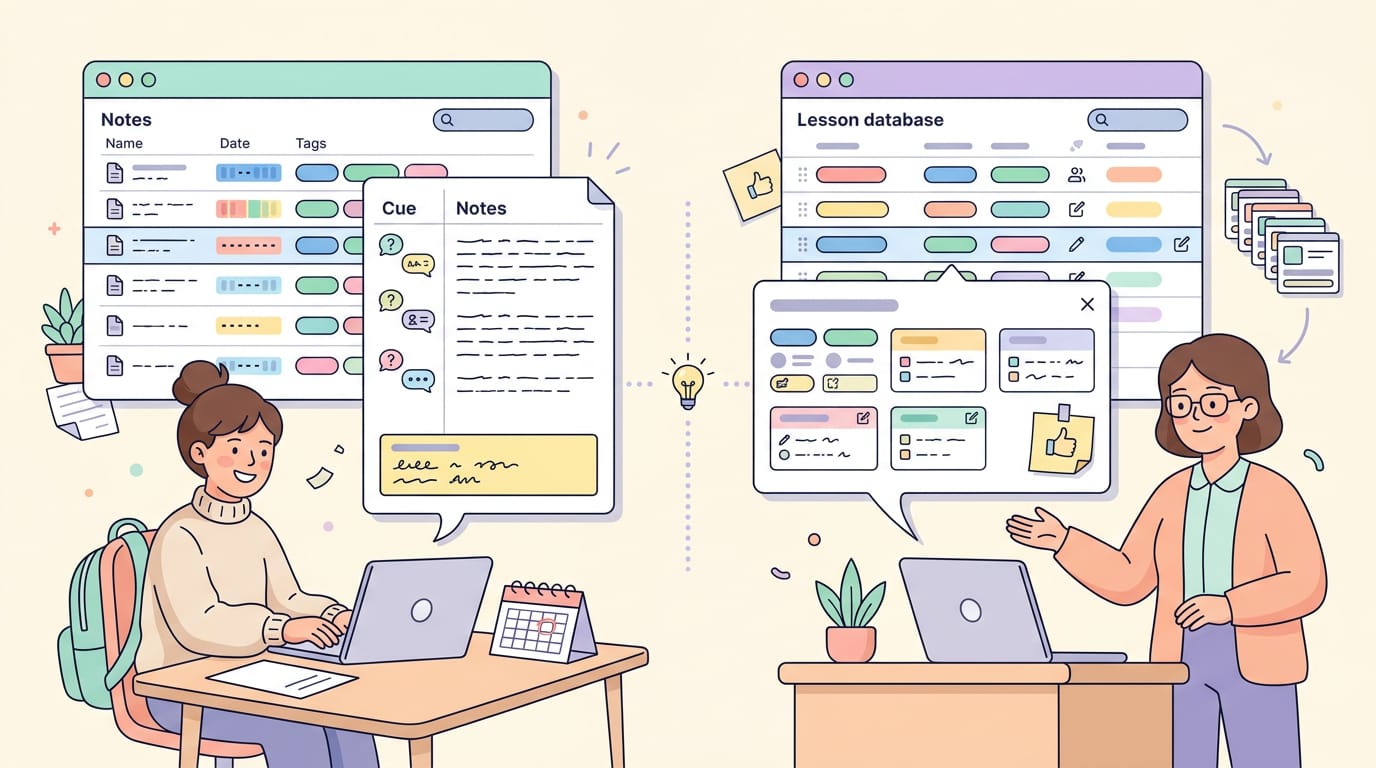
The Best Notion Notes Templates for Students and Teachers

Here are 19 Notion notes templates for students and teachers, in four groups: class and lecture notes, Cornell notes, note-taking systems such as Zettelkasten and a second brain, and simple free notes templates. The top picks: for class notes, our Notion Note Tracker (free); for Cornell notes, the Cornell Note Taking Method from Notion's template gallery (free); for a Zettelkasten, Zettelkasten Nexus (paid); and for something simple, the Notes Template by Farel MP (free). For a teacher keeping notes on lessons, the pick is our Ultimate Teacher Planner (paid): every lesson in its lesson table is a page of its own, with room for notes.
Still grading everything by hand?
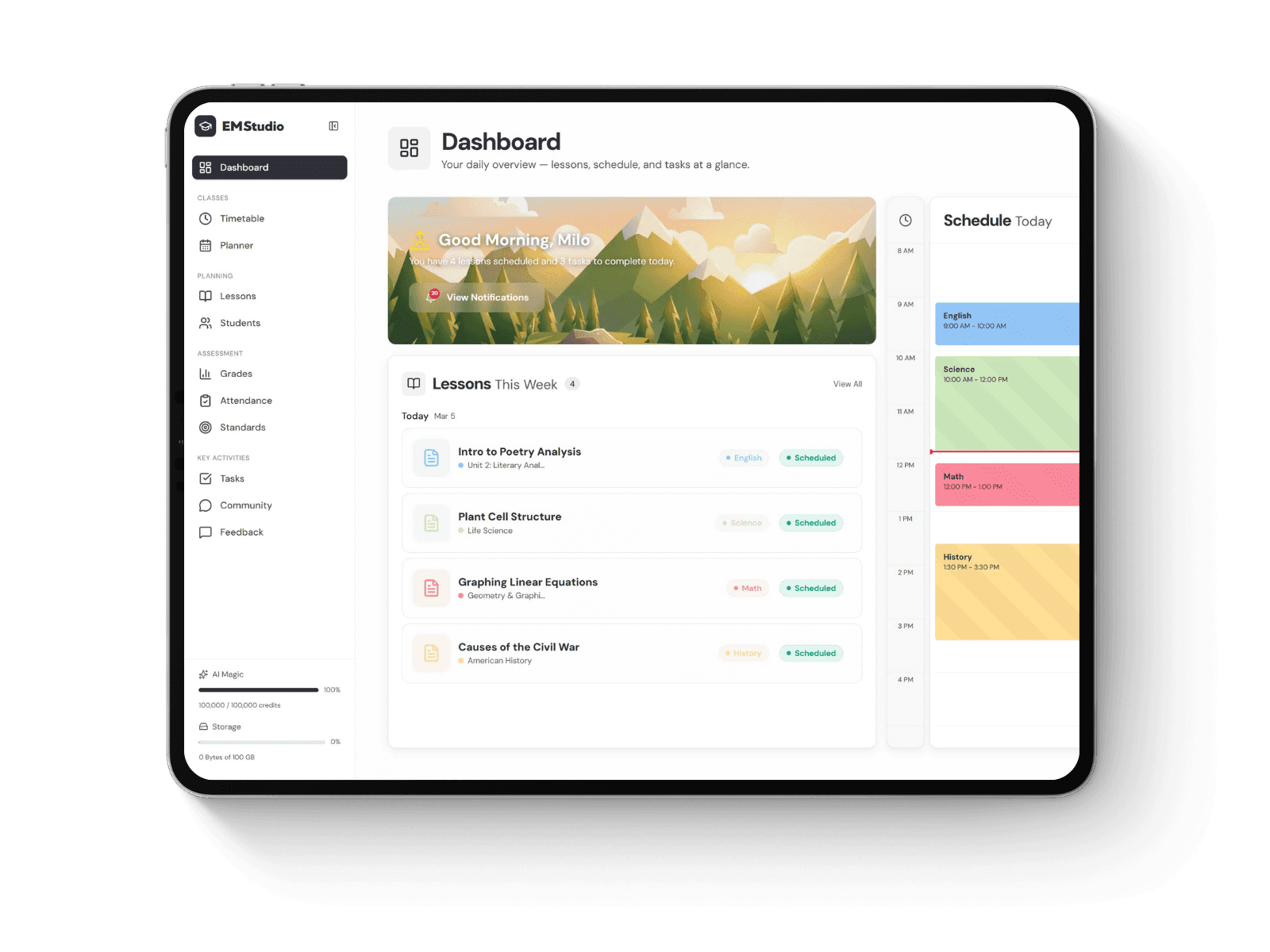
EMStudio is a free teaching management app — manage your classes, students, lessons, and more!
Which notes template suits a student, and which a teacher
The kind of notes decides the template, more than the looks.
A student taking class notes needs one note per lesson or lecture, filed under the class and dated, so last Tuesday's notes are easy to find before a test. Start with the class and lecture notes group, our free Note Tracker first.
A student revising for tests gets the most from Cornell notes: the cue column turns into questions to quiz yourself with.
A teacher keeping notes on lessons (what worked, what to change, which group needed more time) is best served when the notes sit on the lesson itself, next to its date, class and plan. That is how our Ultimate Teacher Planner works: each lesson has fields for its standards, activities and assessment, and room for notes on its page. For more planners built for the classroom, see the best Notion templates for teachers.
Older students and teachers who read a lot for a degree, a course or their own professional development can grow into a note-taking system, where notes link to each other.
Anyone who wants something small can begin with a simple free notes template and add to it later.
Meeting notes and business templates are left out: every pick here is for class notes, study or notes on teaching, and each is marked free or paid.
Class and lecture notes templates
A class notes template gives every lesson or lecture its own page and files it under a subject or course, so a week of notes is one filter away instead of spread across notebooks. These suit students from middle school to university, and teachers who want one page for each lesson they teach.
Notion Note Tracker
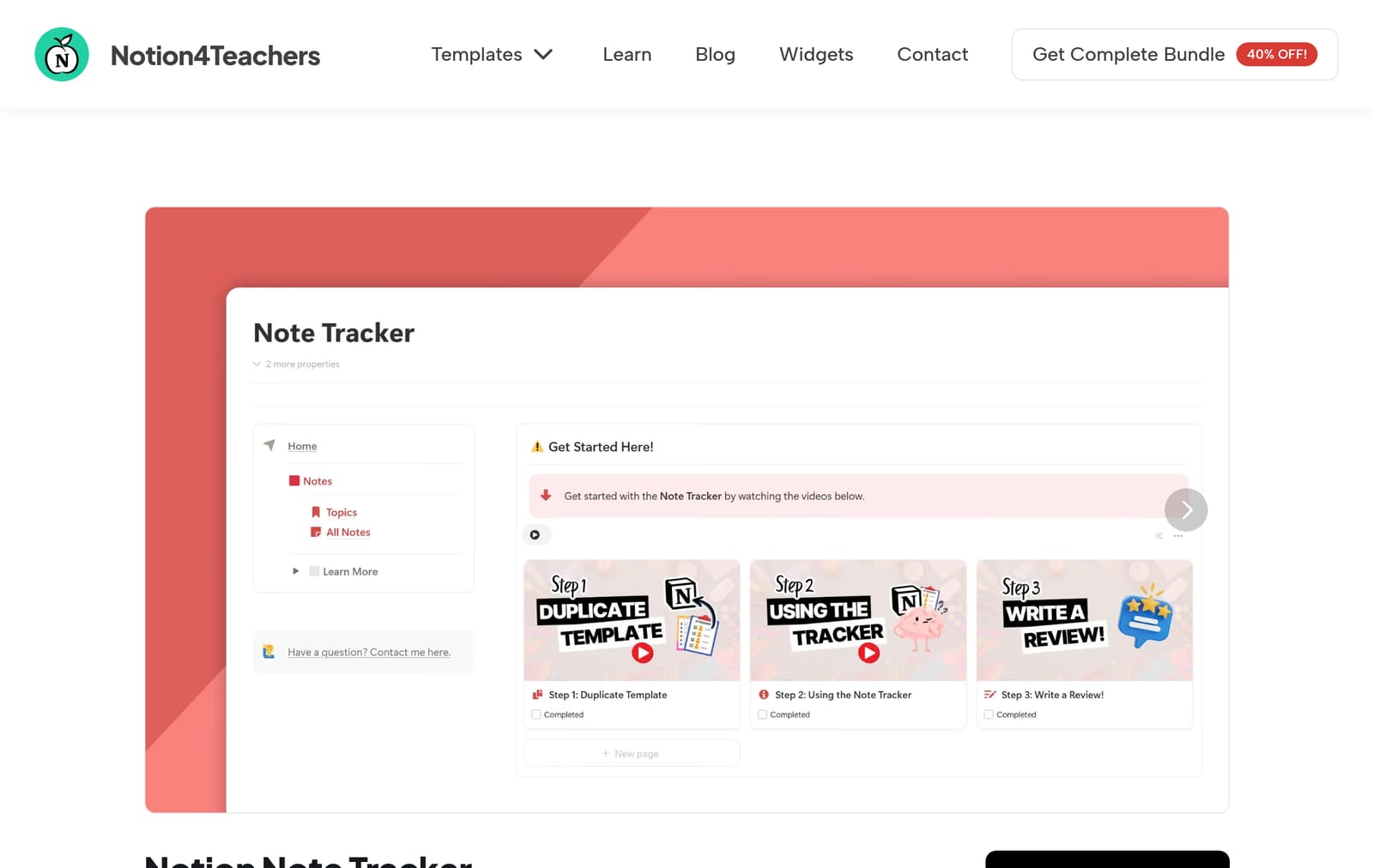
Our own template, and it is free. A notes system on one Notion page: its menu leads to Notes, Topics and All Notes, so a student or teacher can file each note under a topic and still see every note in one list. A Get Started section walks through three short videos (duplicating the template, using the tracker, writing a review), each with a box to tick when done.
Notion Student OS
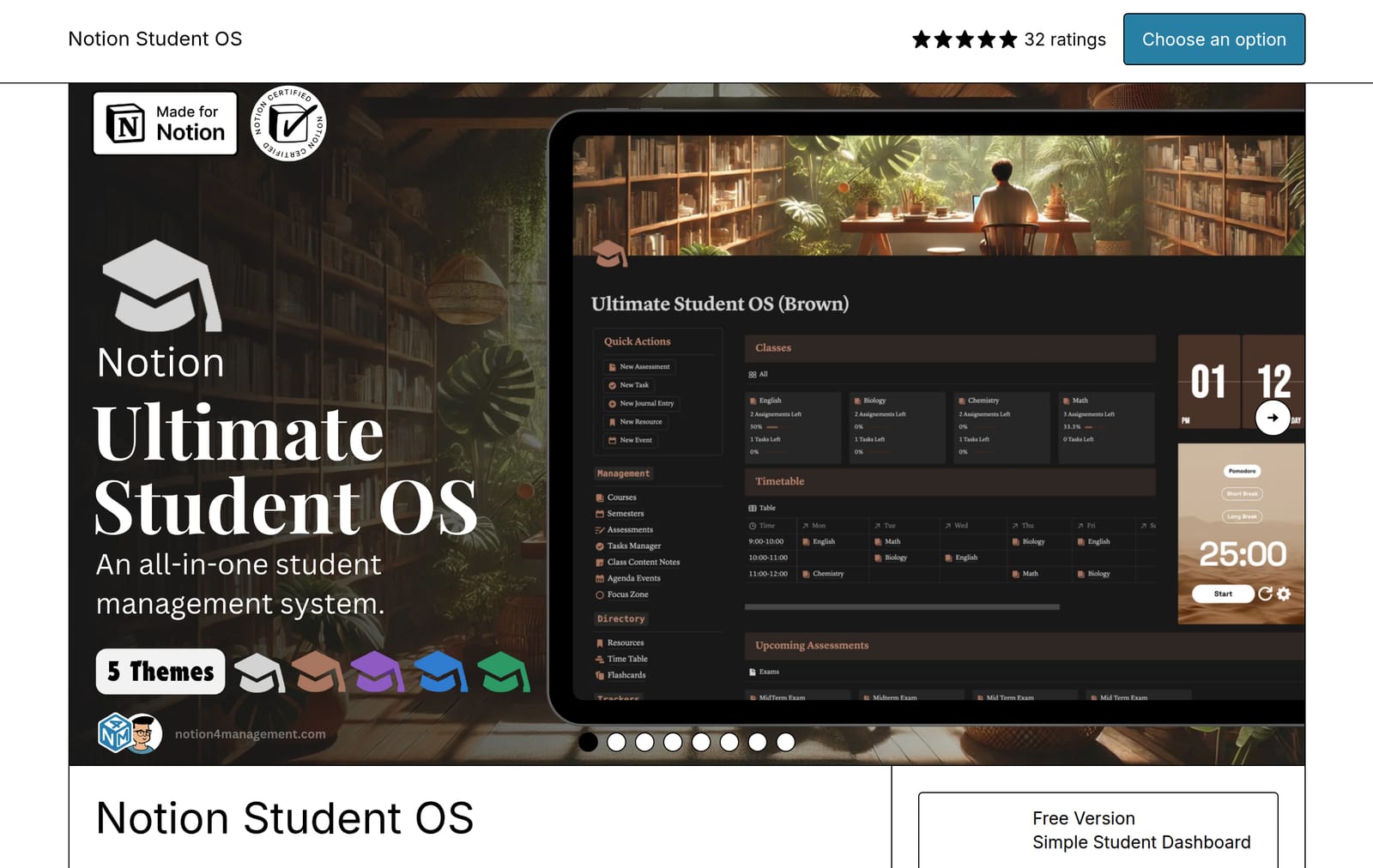
An all-in-one student system, with notes as one part of it. The preview shows quick actions for new assessments, tasks and journal entries, a card for each class with assignments left, a weekly timetable, upcoming exams and a 25-minute Pomodoro timer. Its menu includes Class Content Notes and Flashcards, and it comes in five color themes. The full system is paid; its page also offers a simpler free version, a student dashboard.
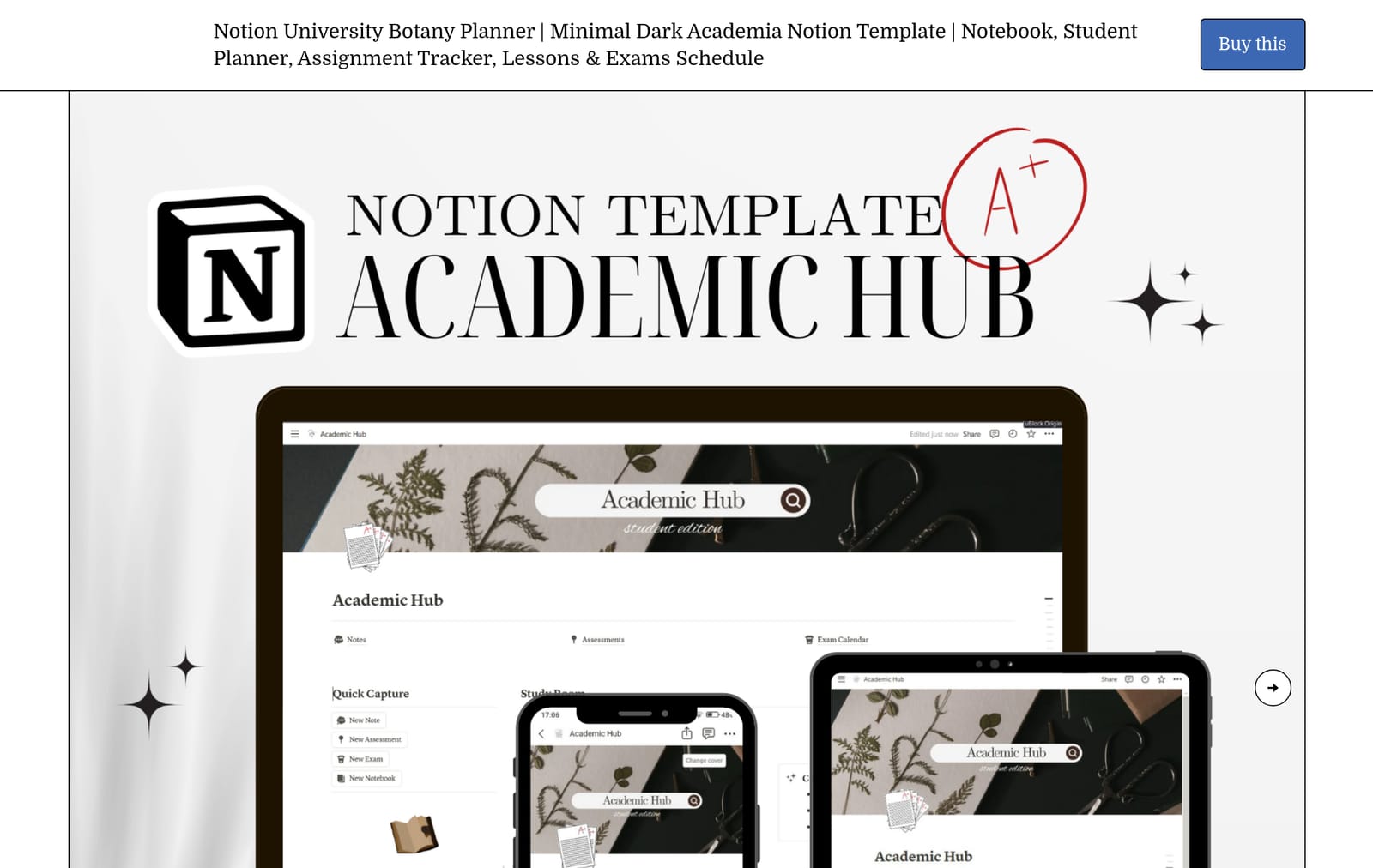
Academic Hub
A dark-academia student hub, sold as a botany-themed university planner. The preview shows an Academic Hub page with links to Notes, Assessments and an Exams Calendar, Quick Capture buttons for a new note, assessment, exam or notebook, and a study room, on a laptop, a tablet and a phone. It is paid.
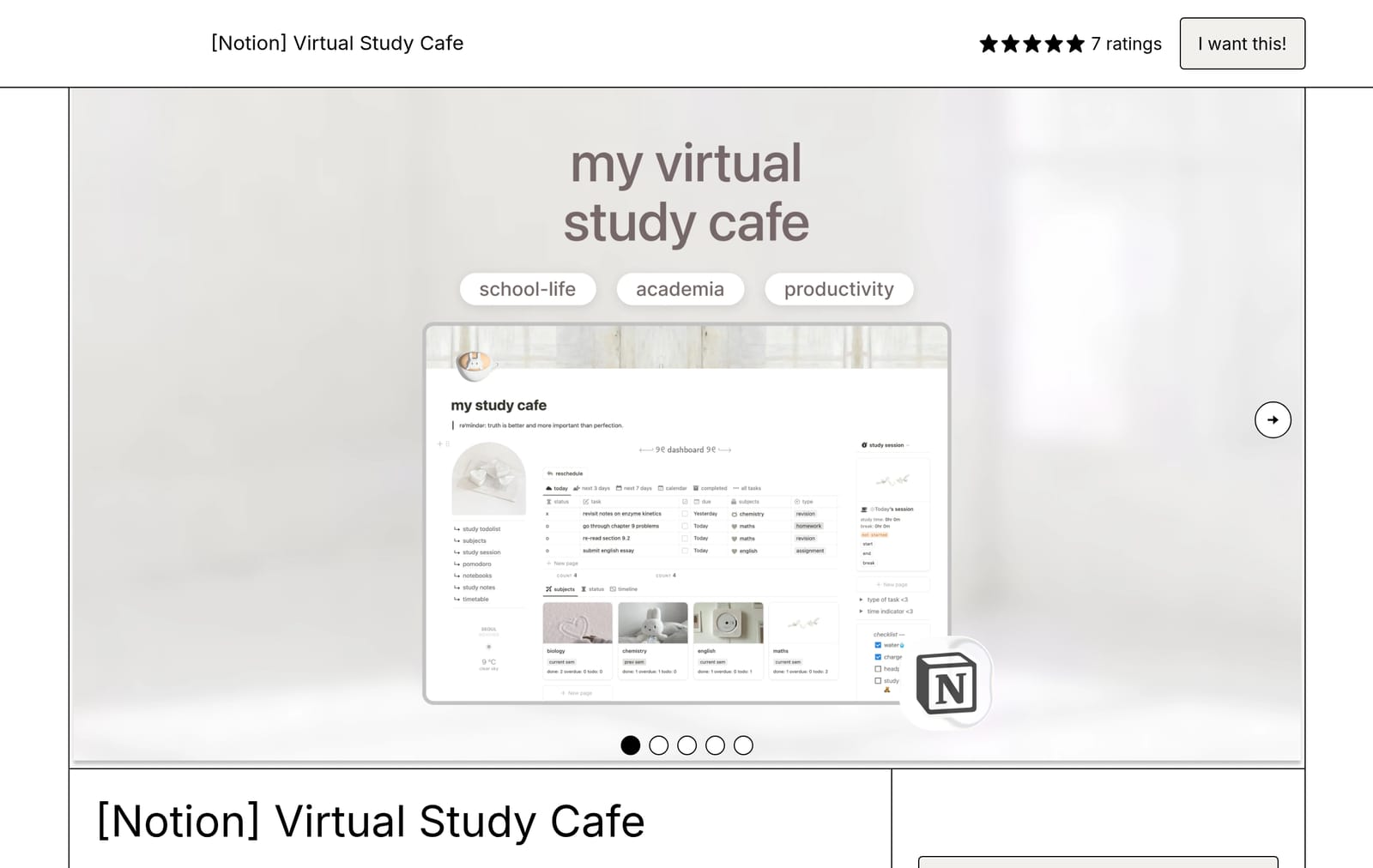
Virtual Study Cafe
A soft, cafe-styled study dashboard. The preview shows today's tasks with a due day, a subject and a type such as revision or homework, cards for biology, chemistry, English and maths that count done and overdue work, and a study session timer. Its side menu leads to notebooks, study notes, a Pomodoro page and a timetable. It is paid.
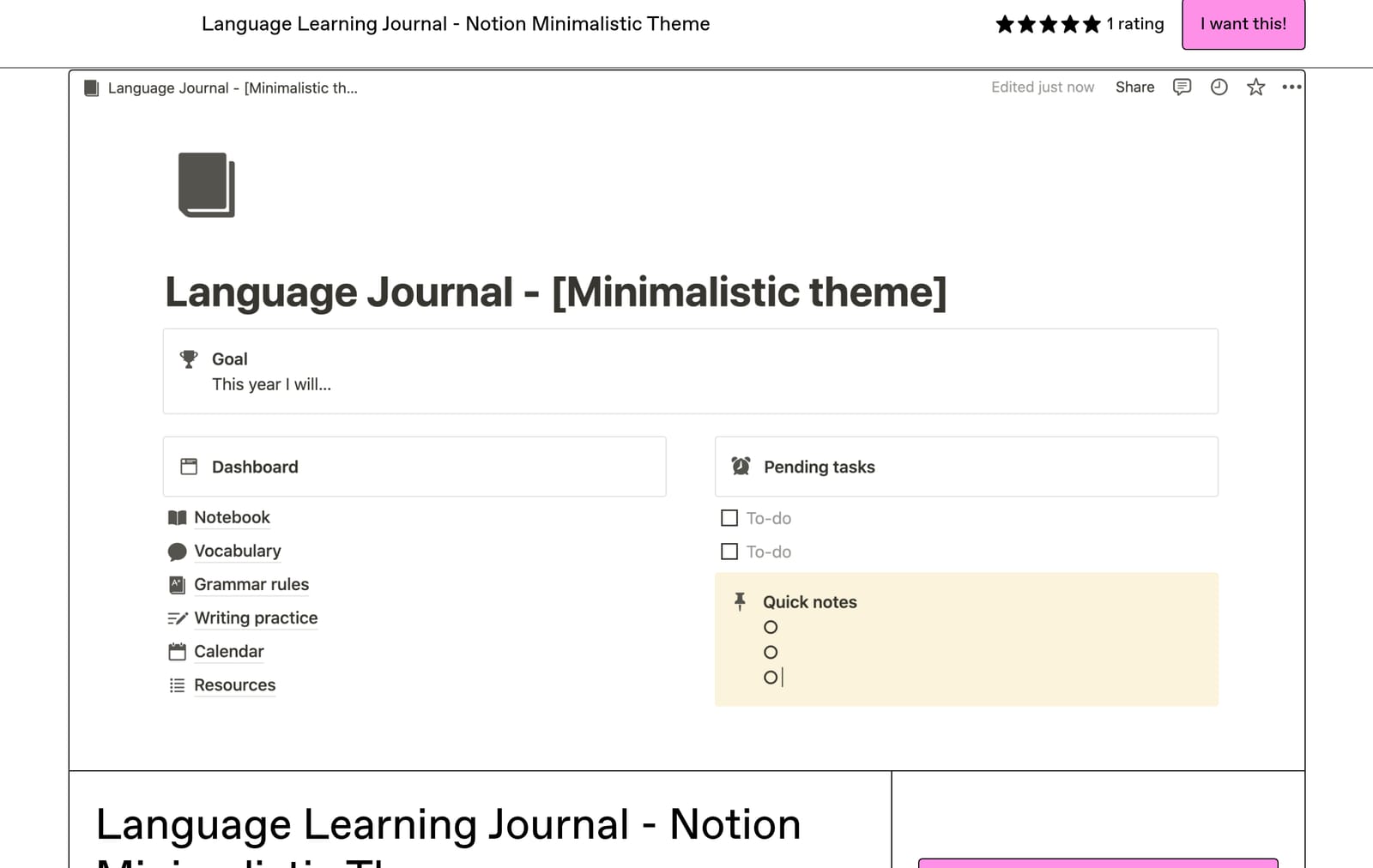
Language Learning Journal
A plain, minimal page for learning a language. It holds a goal for the year, a dashboard linking to Notebook, Vocabulary, Grammar rules, Writing practice, Calendar and Resources, a short list of pending tasks and a box for quick notes. Suits a student keeping a language class's notes in one place. It is paid.
Get the Language Learning Journal
Cornell notes templates
The Cornell method splits a page into a narrow cue column for questions and keywords, a wider column for the notes themselves, and a short summary at the bottom. Students take the notes in class, write the cues afterwards, then cover the notes and answer the cues aloud before a test. If you would rather build the page yourself, the steps are further down.
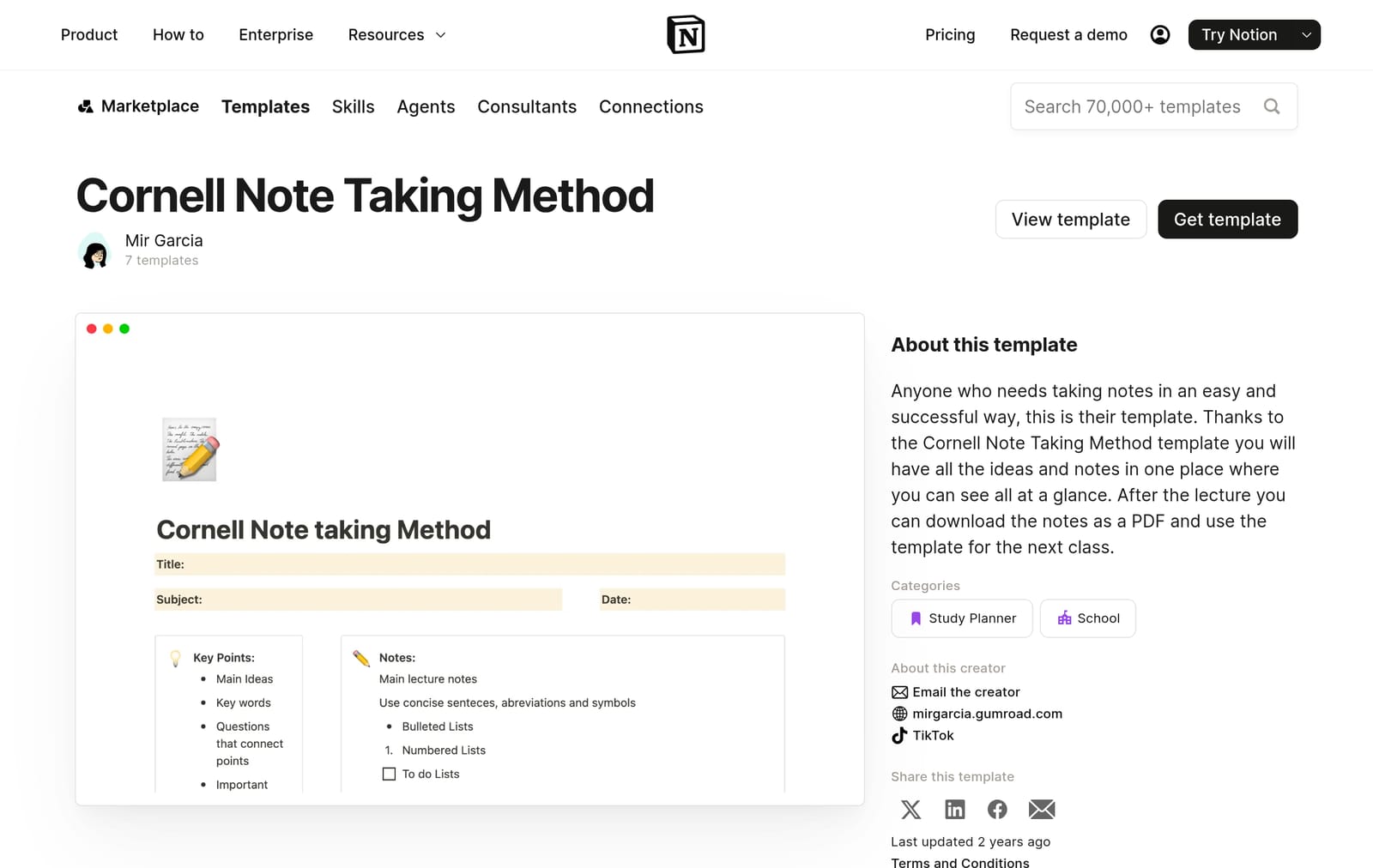
Cornell Note Taking Method
A single Cornell notes page from Notion's own template gallery, and it is free. It has fields for title, subject and date, a Key Points column for main ideas, key words and questions, and a wide Notes column for the lecture notes themselves. Its description says that after class you can download the notes as a PDF and use the page again for the next lesson.
Get the Cornell Note Taking Method
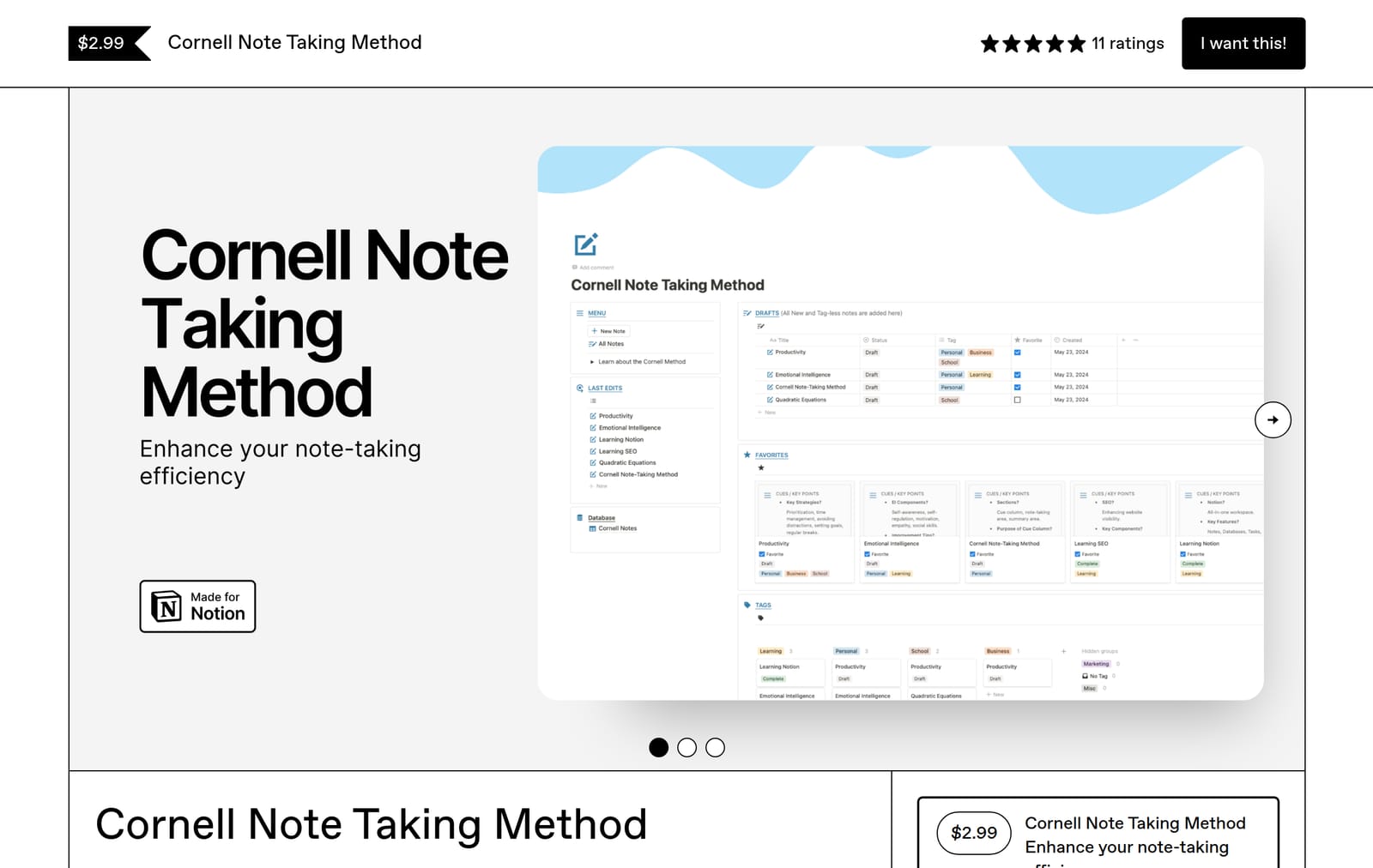
Cornell Note Taking Method by Bogdan Cozma
A Cornell notes database rather than a single page. The preview has a menu with New Note and All Notes, a guide to the Cornell method, a table of draft notes tagged School, Learning or Personal, a gallery of favorite notes and a board sorted by tag. Its page showed $2.99.
Get the Cornell Note Taking Method by Bogdan Cozma
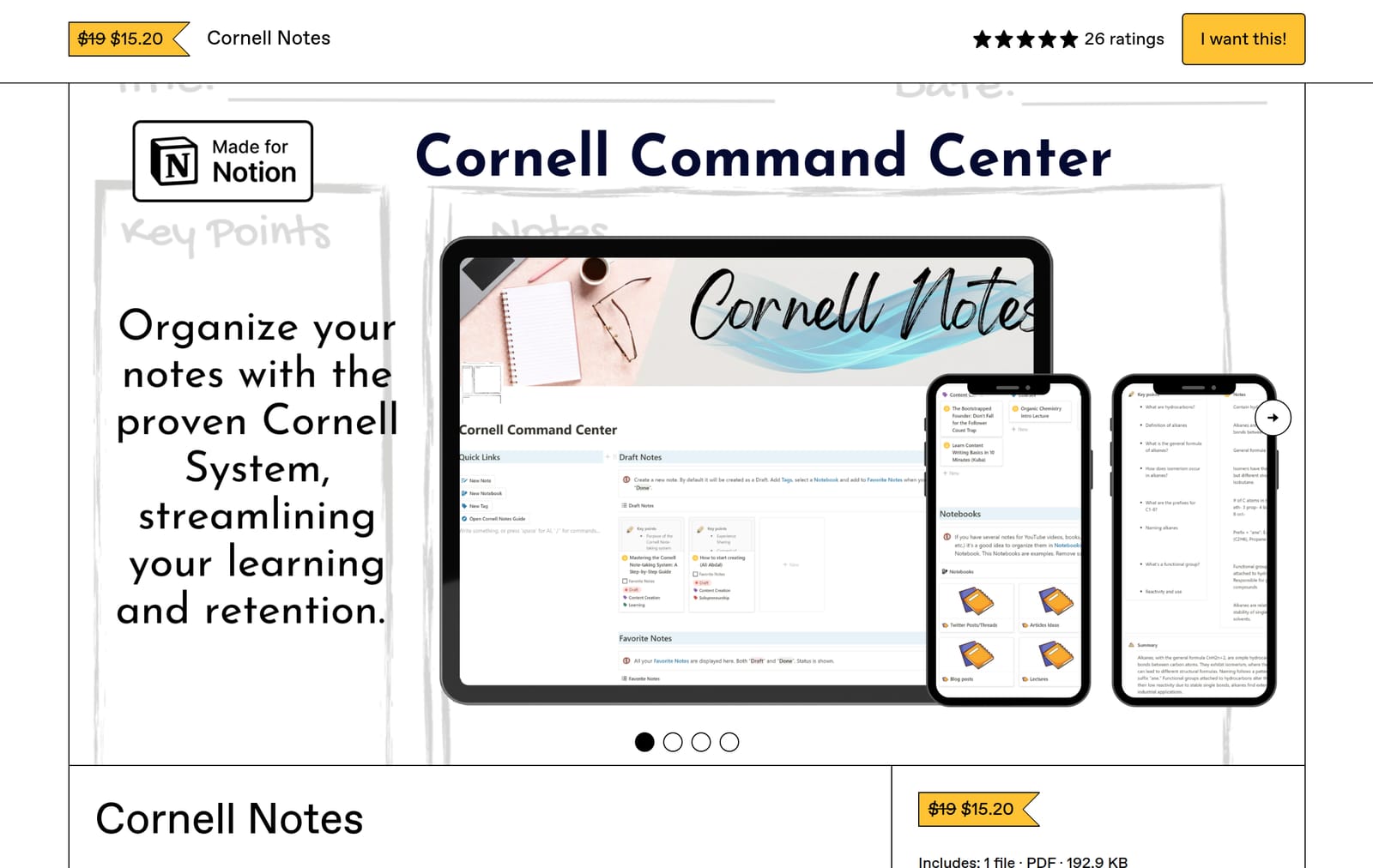
Cornell Command Center
A notes dashboard built on the Cornell method. The preview shows quick links, draft notes, notebooks with their own covers and favorite notes, with a note page laid out with questions down one side and a summary at the bottom, on a tablet and two phones. Its page showed $19, marked down to $15.20.
Get the Cornell Command Center
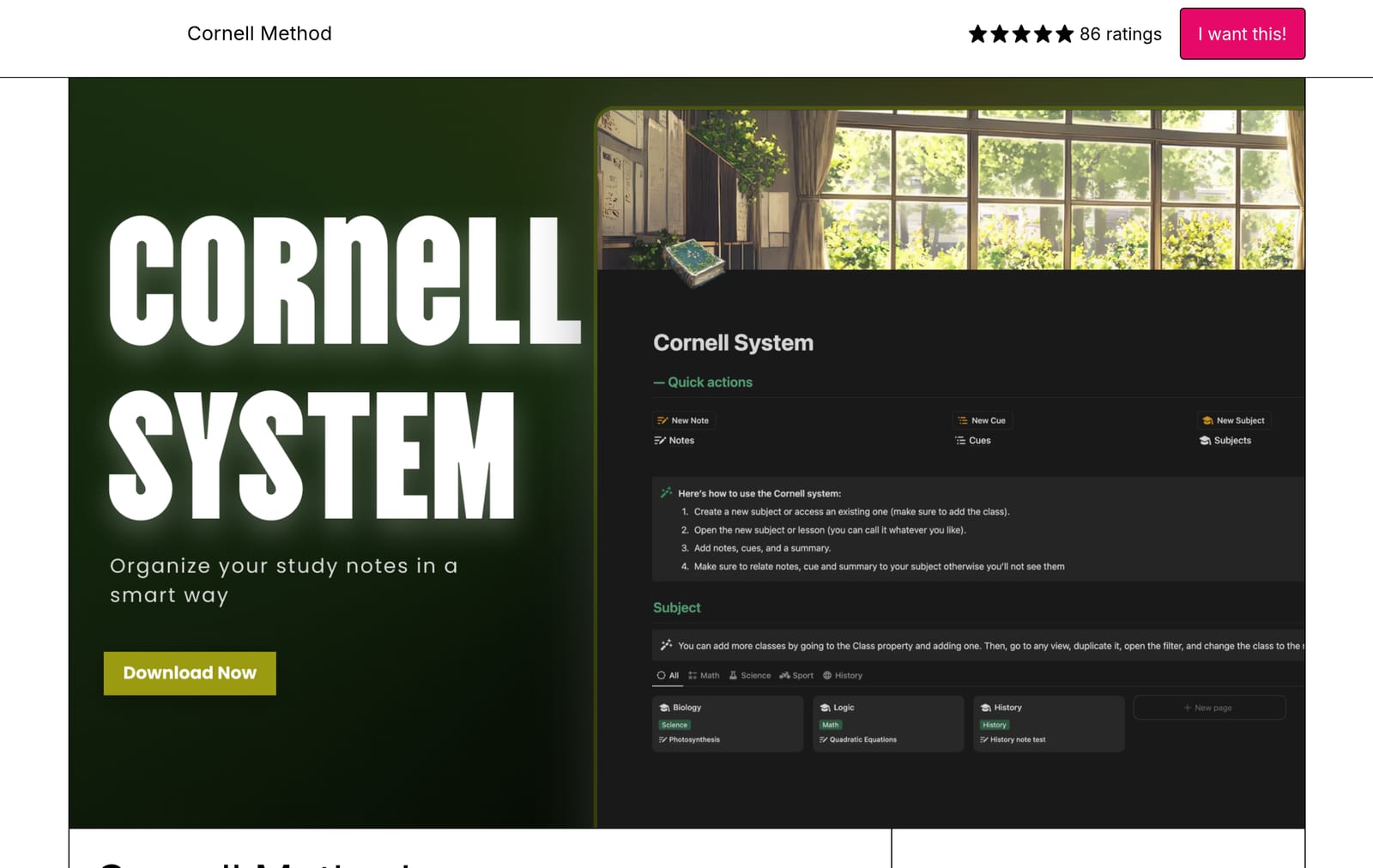
Cornell System
A dark-themed Cornell setup that keeps notes, cues and subjects apart. Quick-action buttons add a new note, cue or subject, a short guide lists the four steps, and a subject board can be filtered by class, with examples such as Biology with a note on photosynthesis. It is free.
Note-taking systems: Zettelkasten and second brain templates
These go further than one page per class. In a Zettelkasten, each idea gets its own short note and notes link to each other; a second brain gathers notes, sources, projects and tasks in one place. They take longer to set up and to learn, so they suit university students, and teachers who read for professional development or build units from many sources.
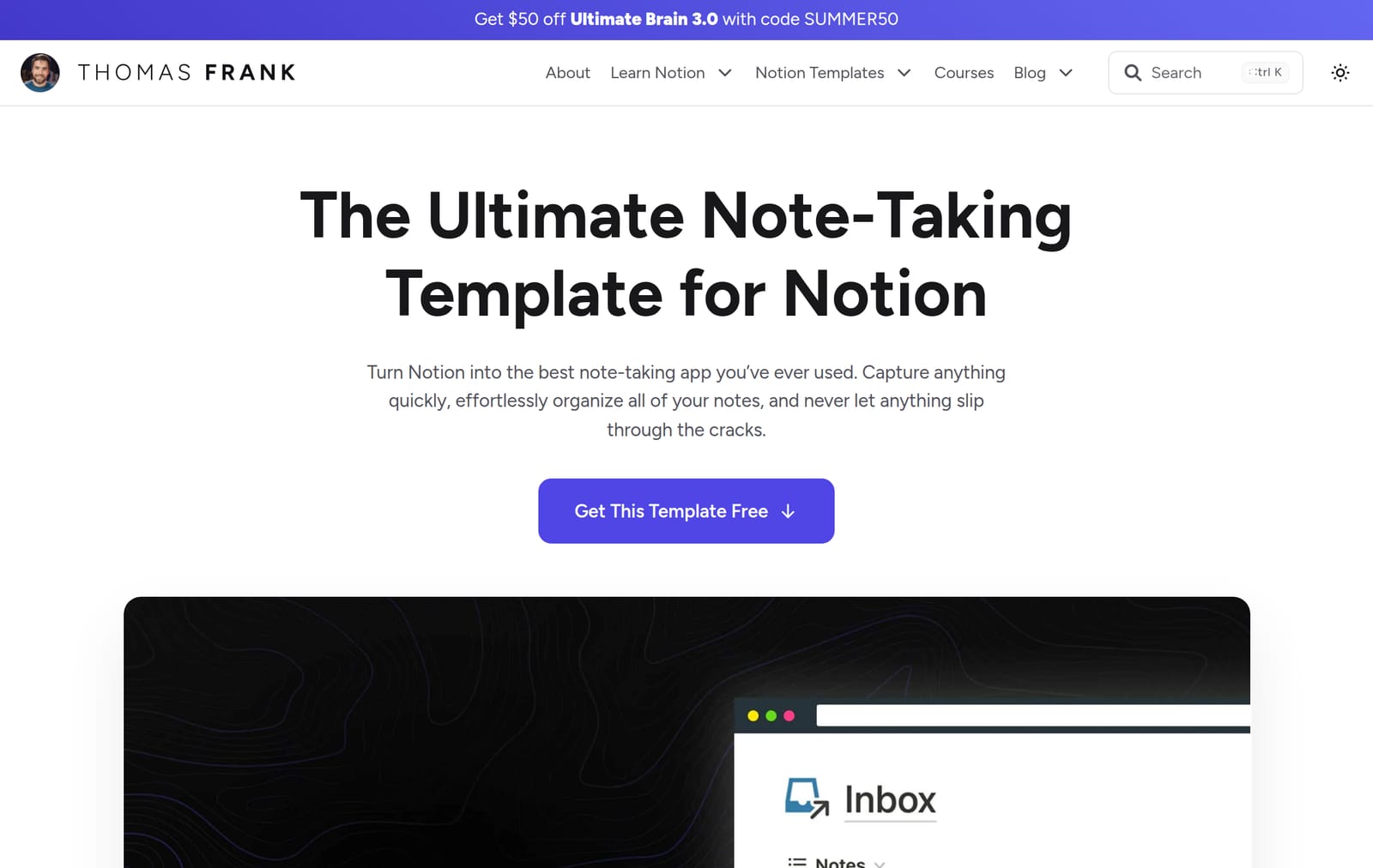
Ultimate Note-Taking Template by Thomas Frank
A general note-taking system, not made for school, that works for class notes too. Its page promises quick capture and tidy organizing of all your notes, and the preview opens on an Inbox of notes. The page offers it with a Get This Template Free button.
Get the Ultimate Note-Taking Template by Thomas Frank
Master Notes by Jeff Su
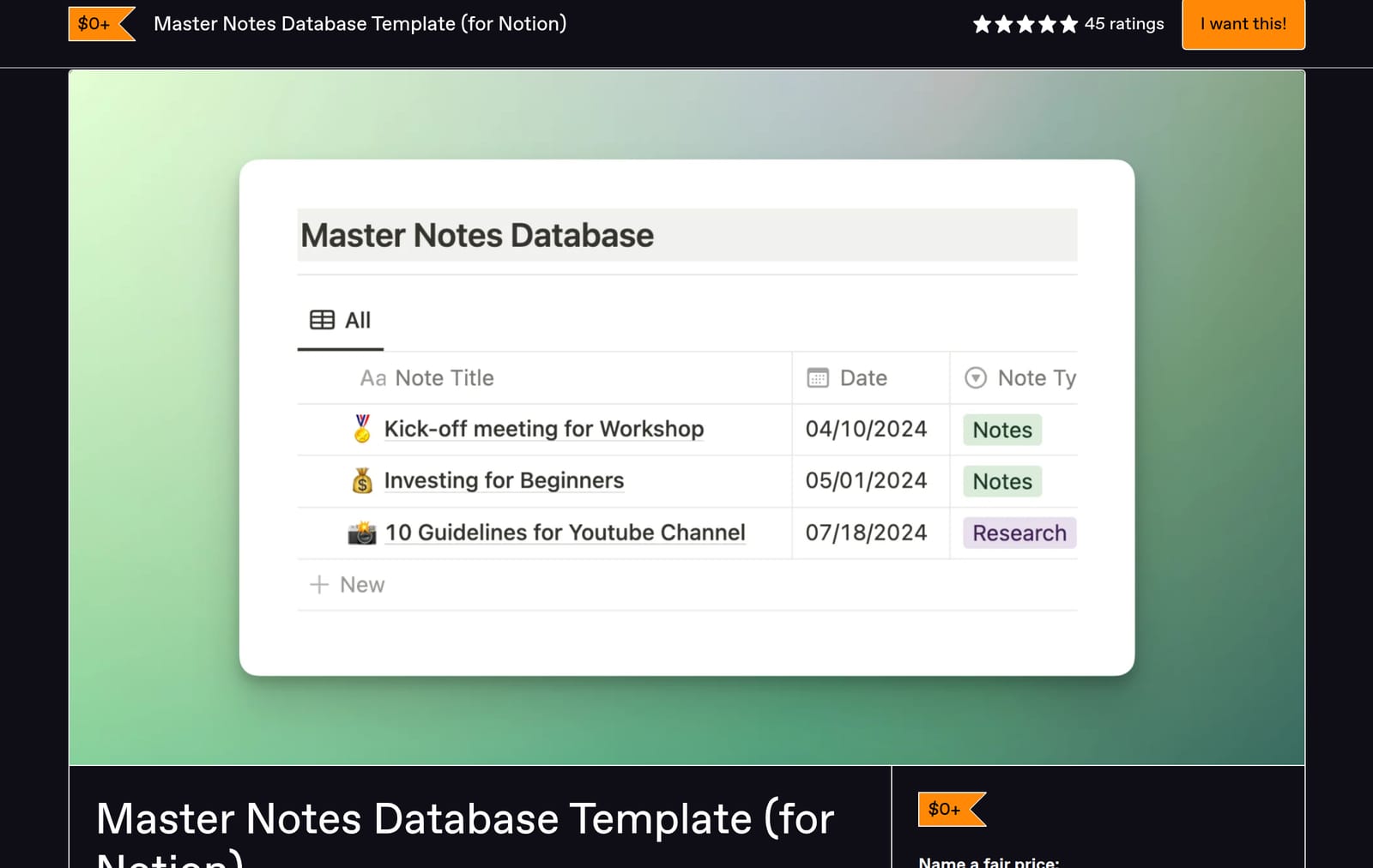
Puts every note in one database. The preview shows an All view where each entry has a title, a date and a note type (Notes or Research), so meeting notes, reading notes and ideas sit in one table you can sort and filter. A teacher could log staff meetings and training sessions side by side. Free: the page asks $0+ and lets you name a price.
Get the Master Notes by Jeff Su
Zettelkasten Nexus
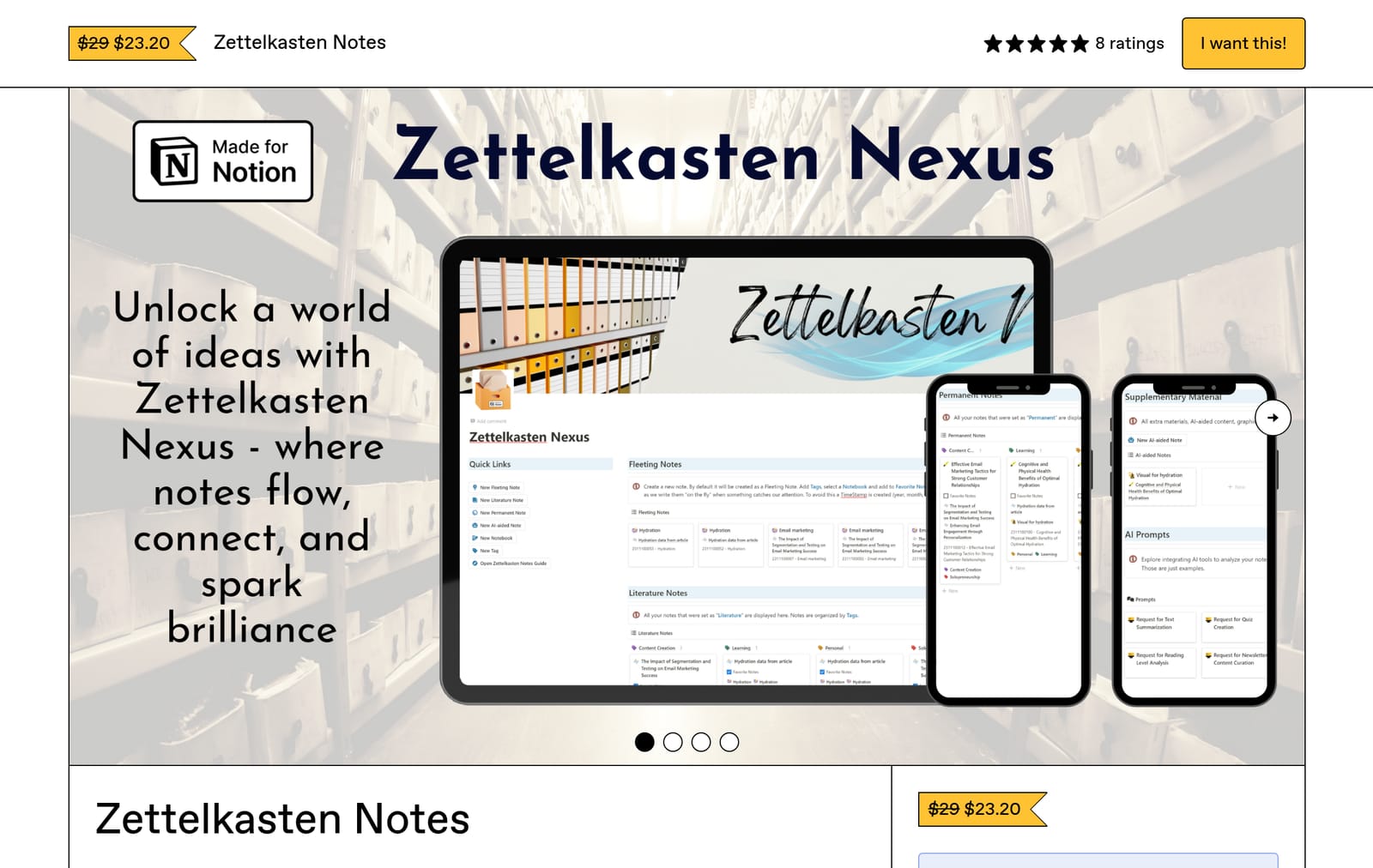
A Zettelkasten system. Notes move from Fleeting Notes to Literature Notes to Permanent Notes, with Quick Links at the top, a Supplementary Material section and a page of AI Prompts. It suits an older student or a teacher building a long-term bank of linked ideas from reading and research. Paid.
Smart Notes
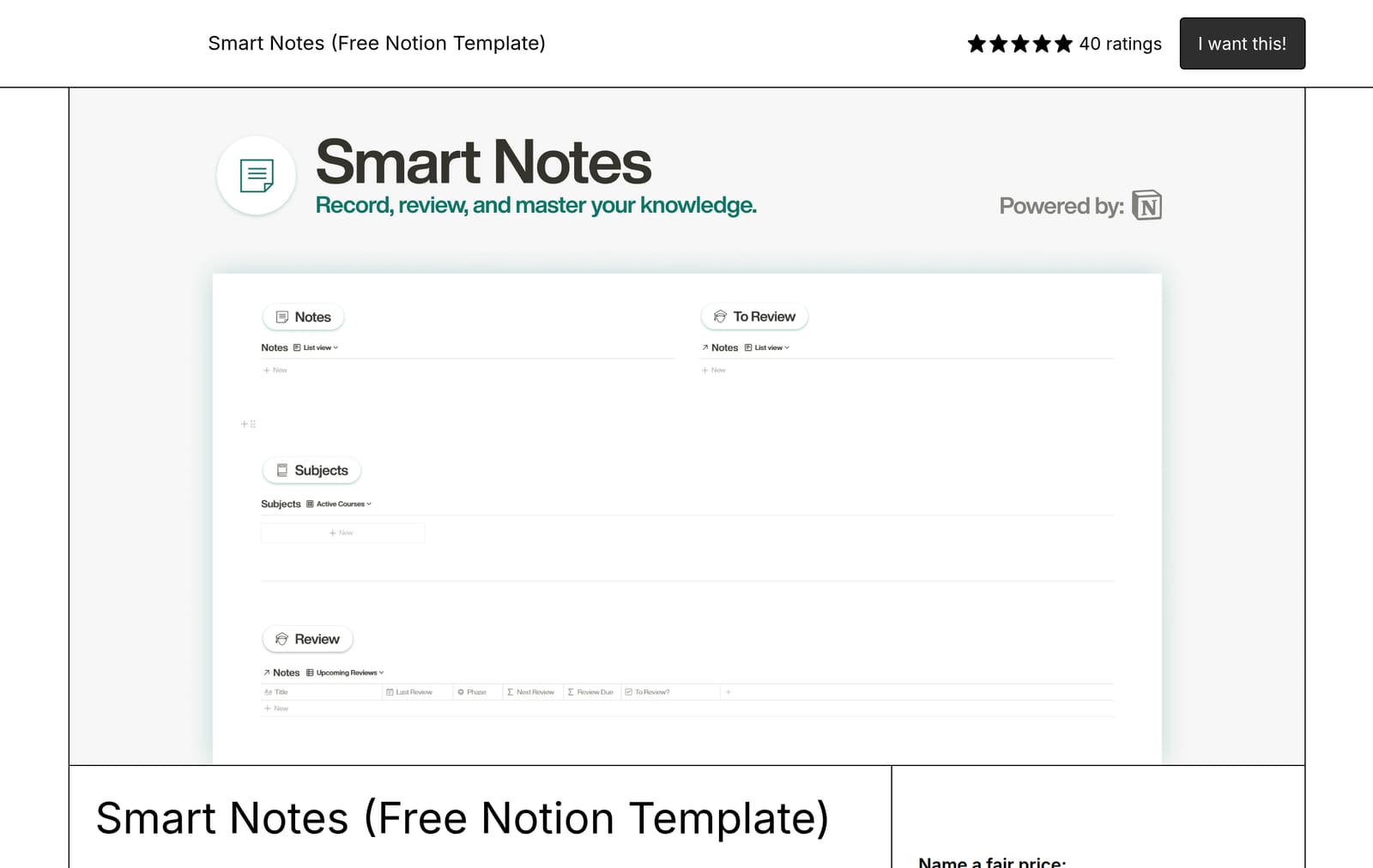
Built around review. It has a Notes list, a To Review list, a Subjects board filtered to active courses, and an Upcoming Reviews table with Last Review, Phase, Next Review and Review Due columns. A student taking notes for several classes can see which notes are due for revision. The listing calls it a free template and asks you to name a fair price.
Knowledge Vault
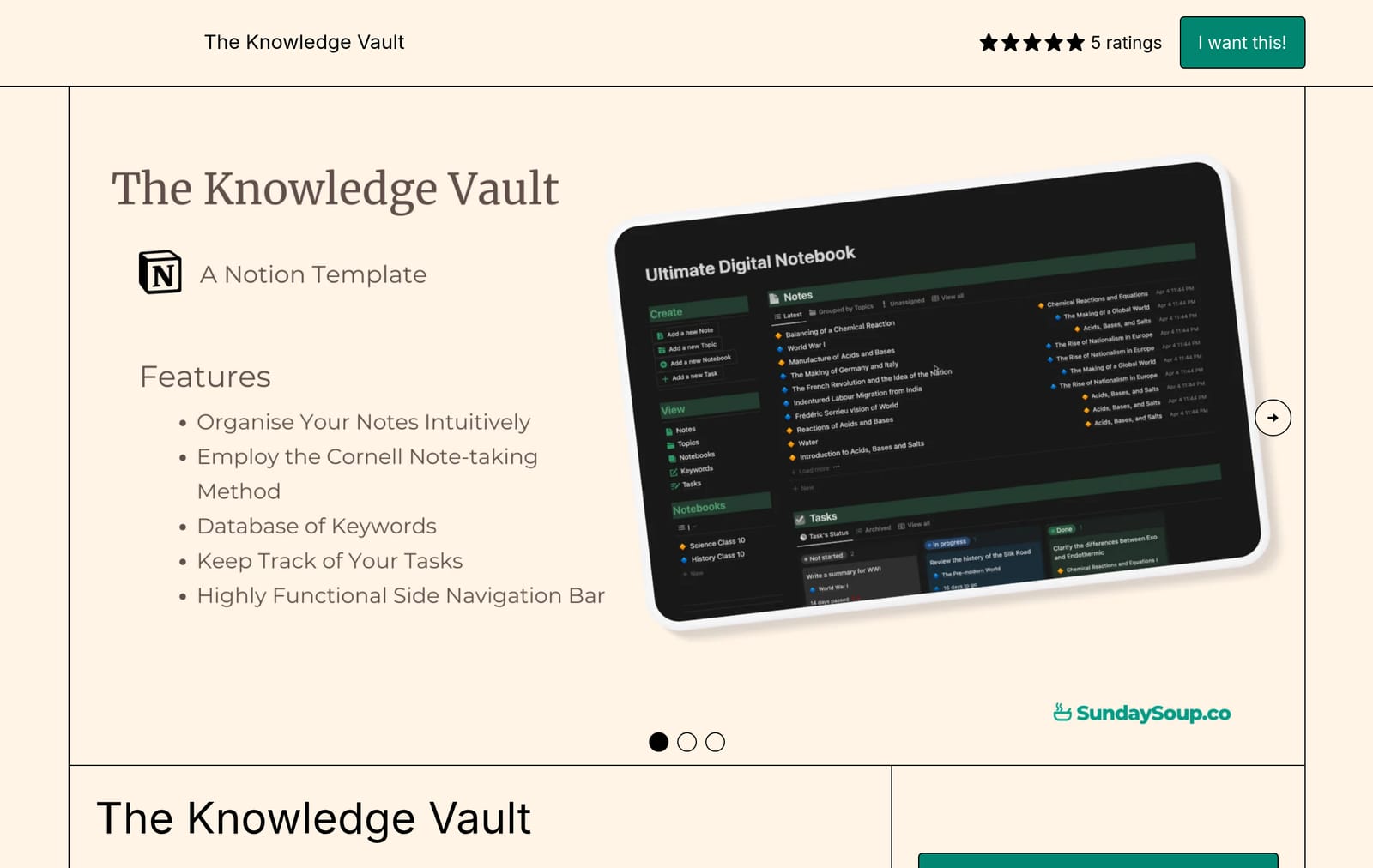
A digital notebook for school subjects. Notes are grouped by topic and by notebook (the preview has Science Class 10 and History Class 10), with a database of keywords, a task board, a side navigation bar and notes set up for the Cornell method. It fits a middle or high school student keeping notes for each class. Paid.
Notes 2.0 by The Notion Experience
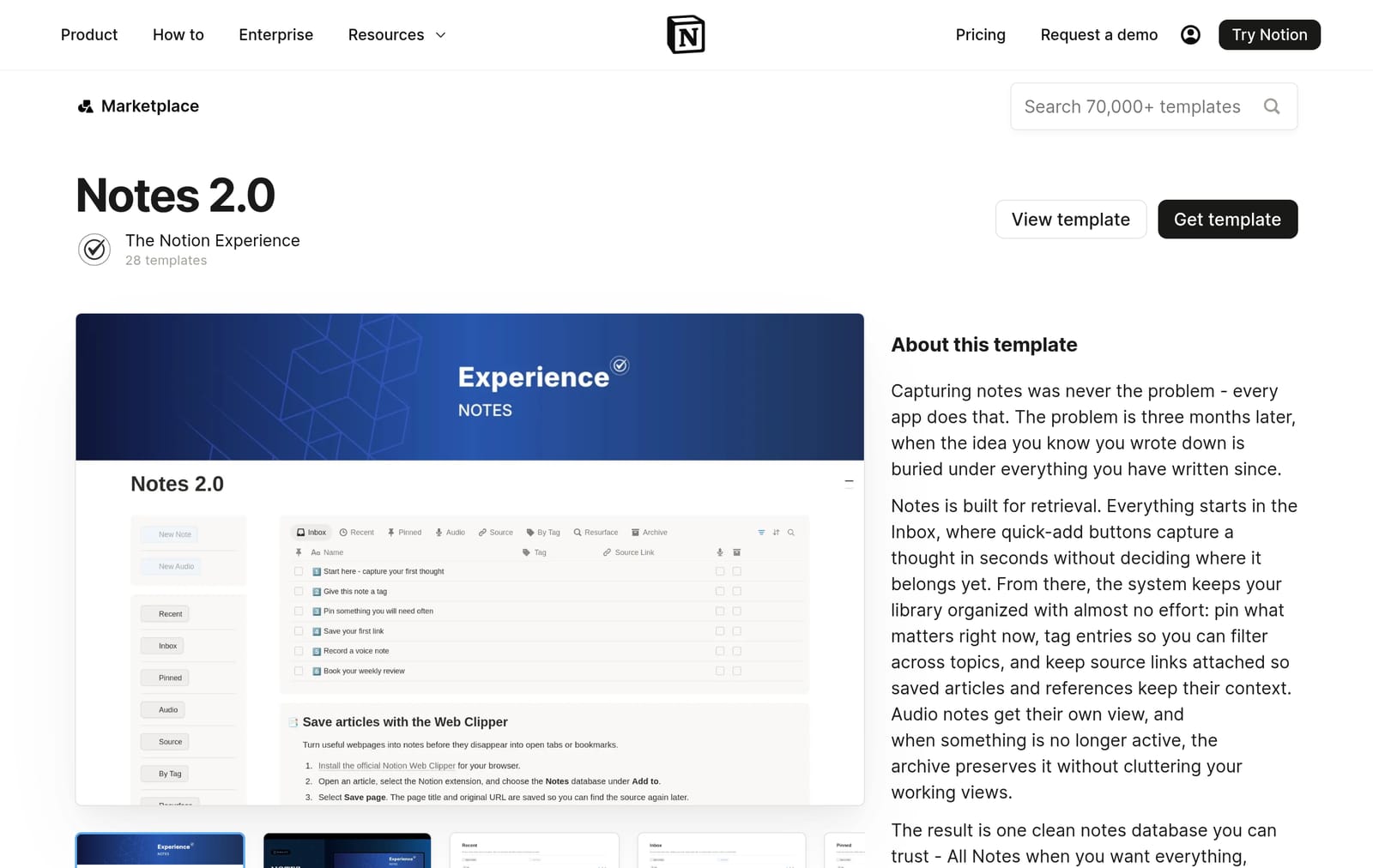
Every note starts in an Inbox, added with New Note and New Audio buttons, and is then pinned, tagged or linked to its source. Views for Recent, Pinned, Audio, Source, By Tag, Resurface and Archive keep a growing library sorted, and the page explains saving articles with the Notion Web Clipper. It suits a teacher collecting ideas and articles over a school year. Free, from Notion's template gallery.
Get the Notes 2.0 by The Notion Experience
Simple free Notion notes templates
If you only want a tidy place for notes that you can tag and find again, start here. A small template is quicker to learn, and it is easy to keep next to a class dashboard you already use.
Notes Template by Farel MP
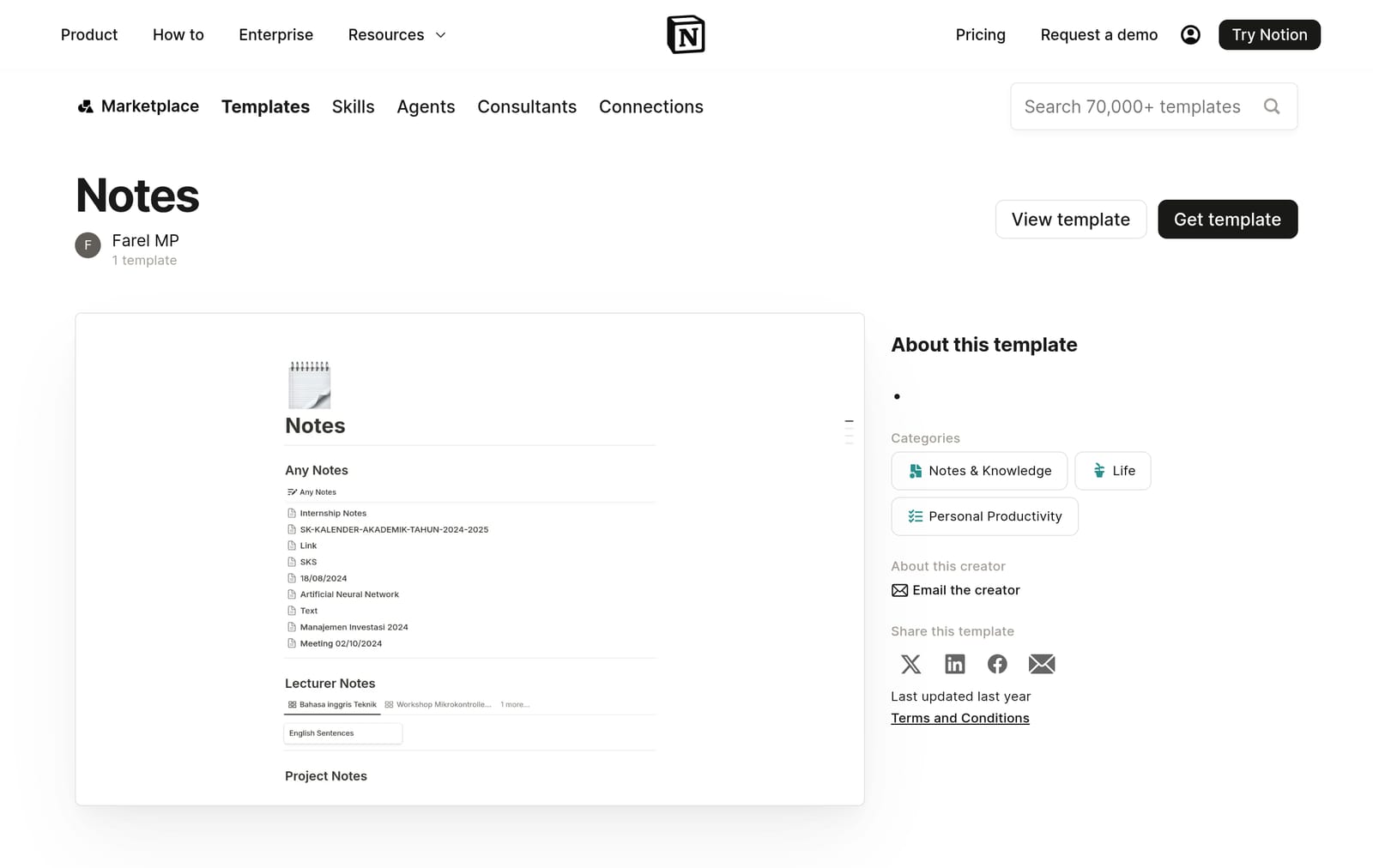
A single plain page in three parts: Any Notes, a list of note pages; Lecturer Notes, with a tab for each course; and Project Notes. A student who wants all their class notes on one page, sorted by course, without a dashboard to learn, could start here. Free, from Notion's template gallery.
Get the Notes Template by Farel MP
Note Planner
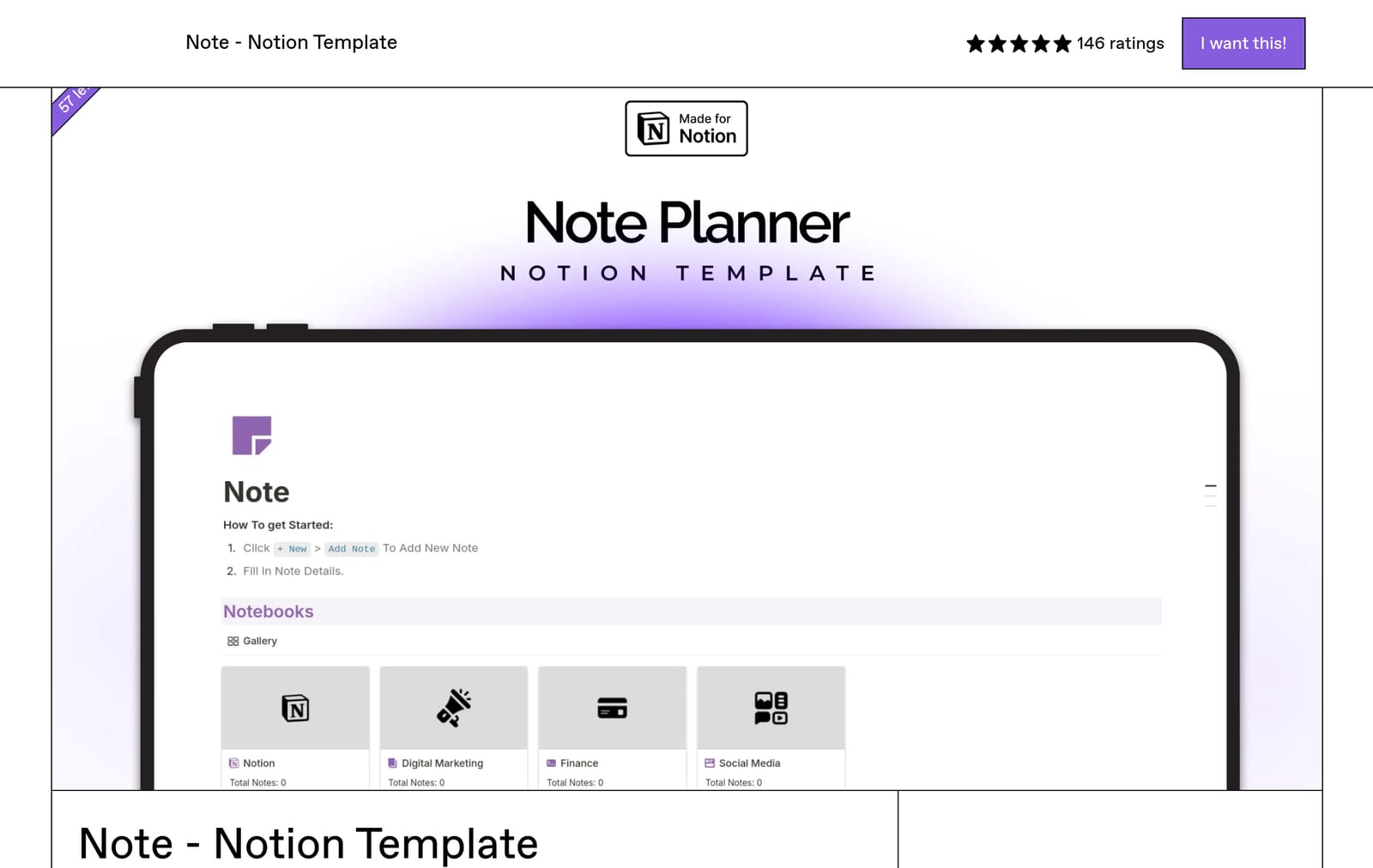
Notes are filed into notebooks. The preview shows a gallery of notebook cards, each counting its notes, and two steps at the top for adding one: New, then Add Note, then fill in the details. A teacher could make one notebook per class or per subject. Free.
Notes Manager
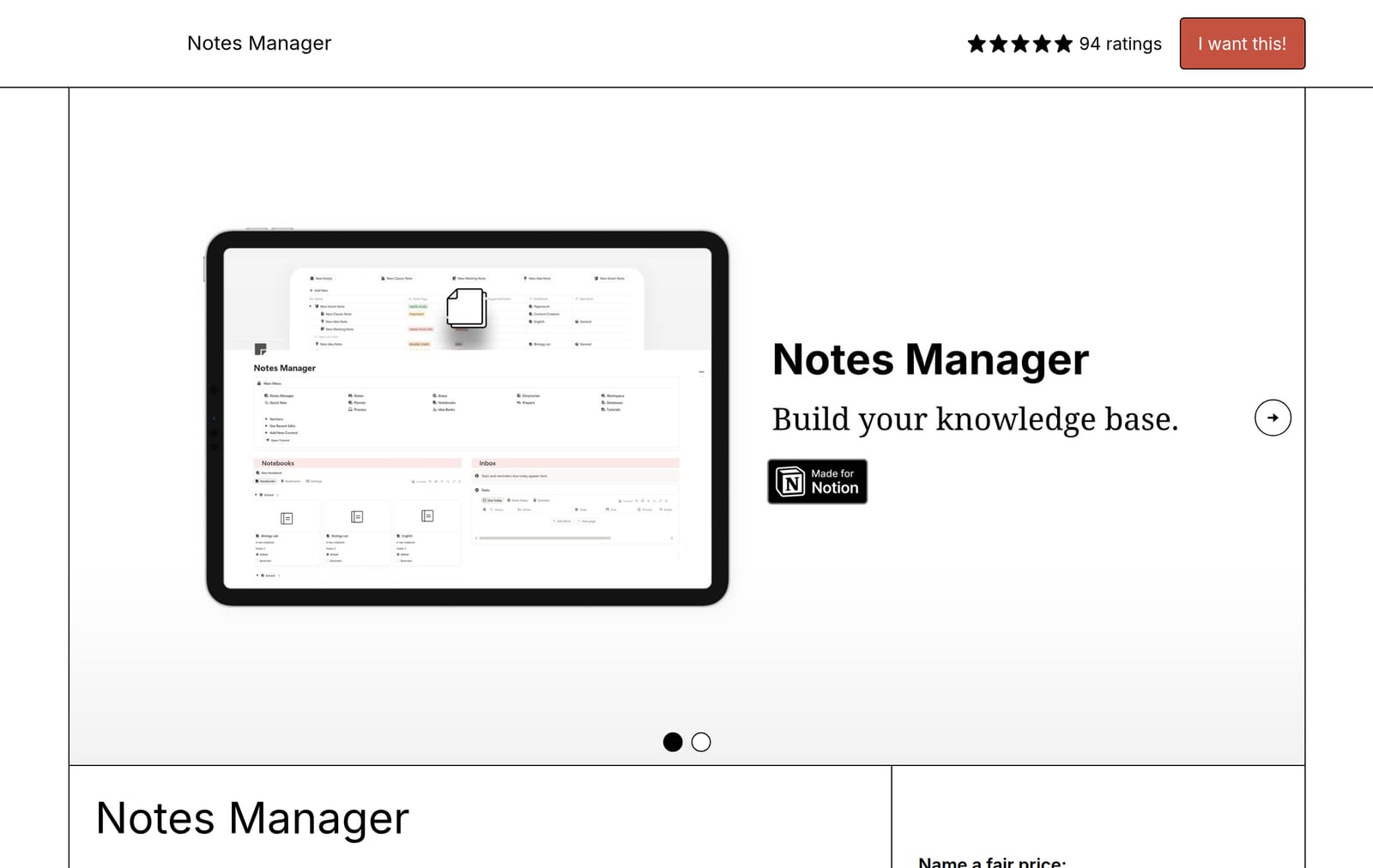
A knowledge base built from the two parts its preview shows: a Notebooks gallery, for filing notes by subject or class, and an Inbox, for notes not yet sorted. It suits a student or teacher who writes notes quickly and files them later. Free.
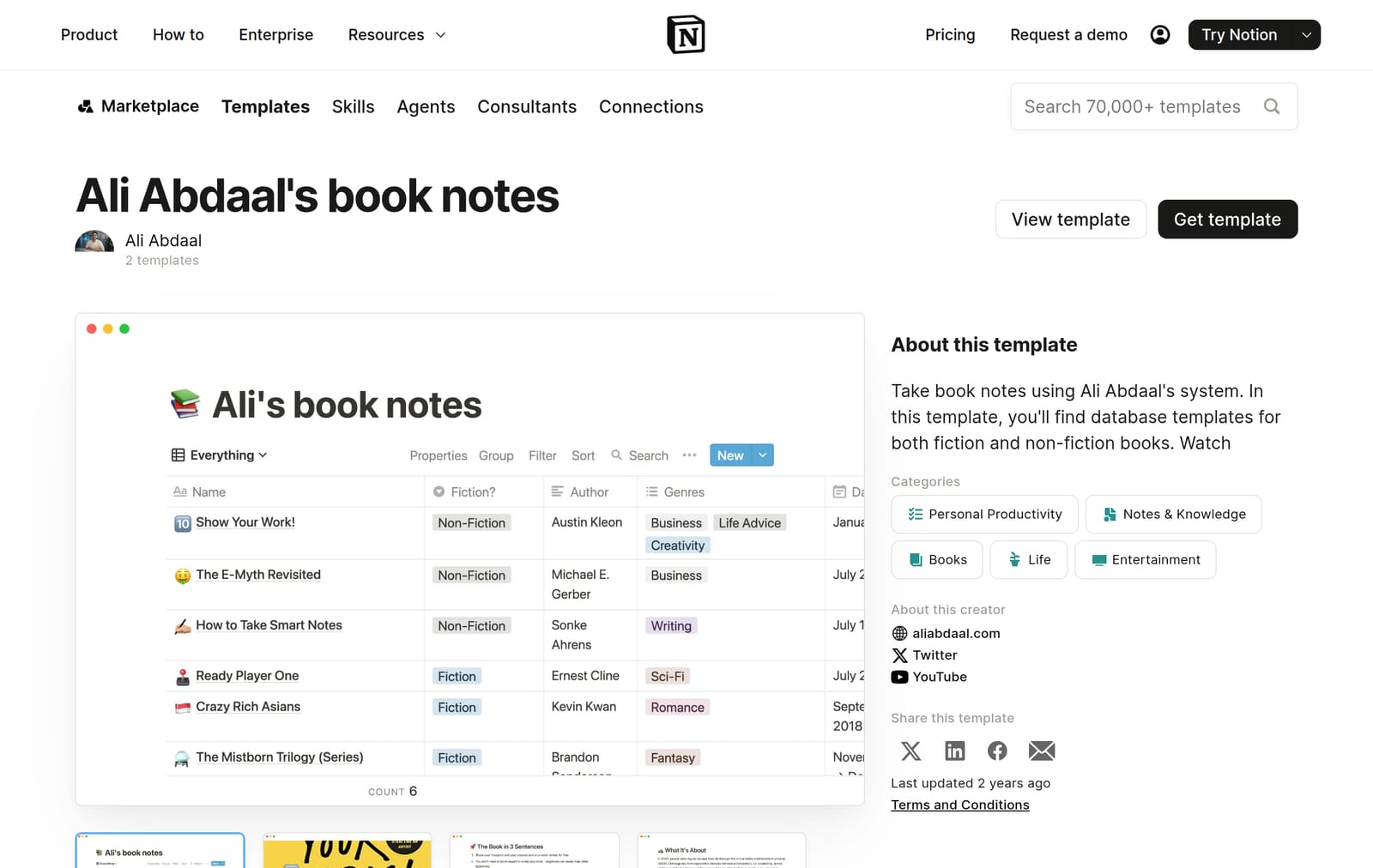
Ali Abdaal's Book Notes
A reading log. One table of books has columns for Fiction?, Author, Genres and a date, and the page says it comes with separate templates for fiction and non-fiction notes. A teacher could track their own professional reading, or use it as a class reading log where each book gets its own page of notes. Free, from Notion's template gallery.
Get the Ali Abdaal's Book Notes
How to add a notes template to your own Notion
Every template in this list is a Notion page that you copy into your own workspace. You do not need to rebuild anything.
Open the template's page from its link in this list.
If it is paid, buy it first. What you get is a link to the template's page in Notion.
On that page, press Duplicate (on some pages the button reads Get template) and choose the workspace to add it to.
The copy is now yours. Rename it, delete the example notes, and add your own classes.
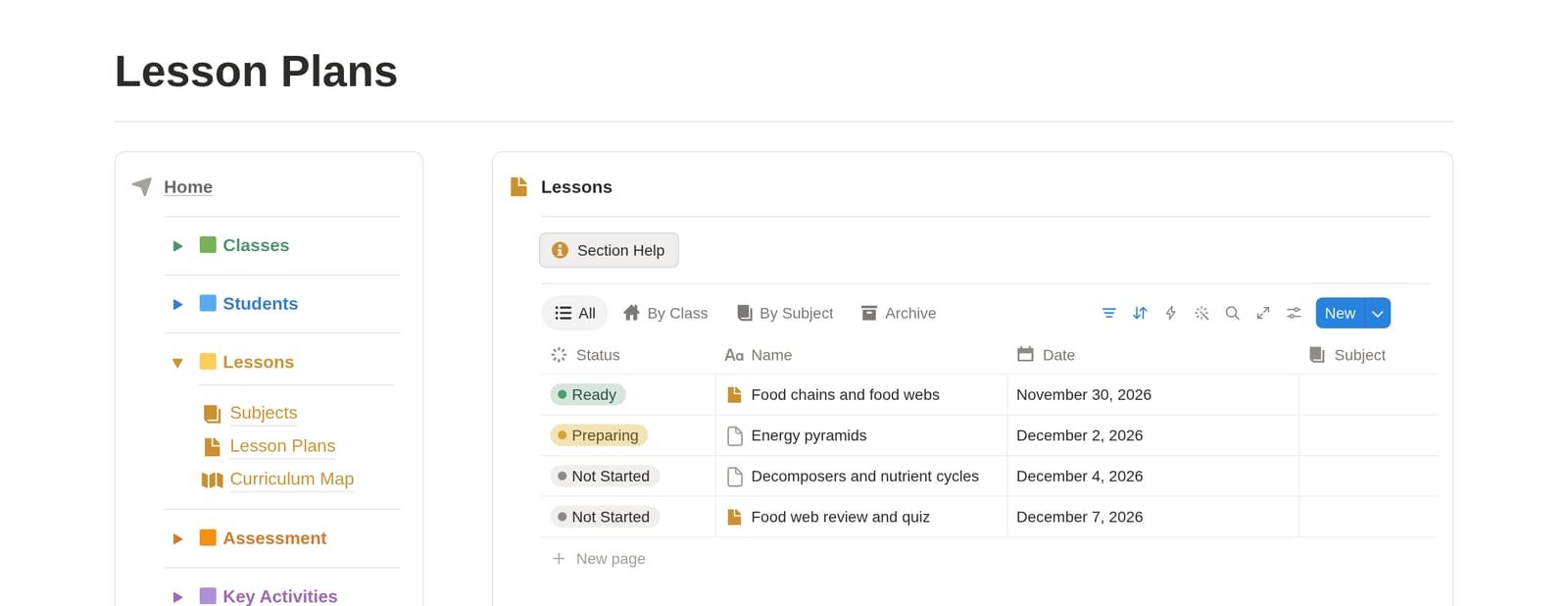
Here is what a template looks like once it is in a workspace: our Ultimate Teacher Planner, open on its Lesson Plans page. The menu on the left leads to classes, students, lessons, assessment and key activities. On the right is the lesson table, with each lesson's status (Ready, Preparing, Not Started) and date, a Subject column, and tabs that group the lessons by class or by subject, plus an archive. Each lesson in the table is a page of its own, so your notes on how it went can go inside it.
More templates made for teachers, with what each one holds, are in our list of Notion teacher templates.
Make your own Cornell notes page in Notion
You do not need a template for Cornell notes. Notion's columns give you the layout on any page:
In a new page, write the class and the date on the first line.
On the next line, type
/2 columnsand press Enter. Notion adds two empty columns side by side, with the cursor in the left one.In the left column, type
### Cuesand press Enter. The three hash signs and a space turn the line into a small heading. Then write one question or keyword per line.Click into the empty right column, type
### Notesand press Enter. Type-and a space to start a bulleted list; each Enter starts a new bullet.On a new line below the two columns, type
### Summary, press Enter, and sum up the lesson in two or three sentences.The two columns start at equal width, and the cue column should be the narrow one. Move the pointer into the gap between the columns, just below your last note, until a thin grey line shows from the top of the columns to the bottom: that is the divider. Level with a line of notes, the pointer brings up that line's + and six-dot handles instead, and those move the line, not the column.
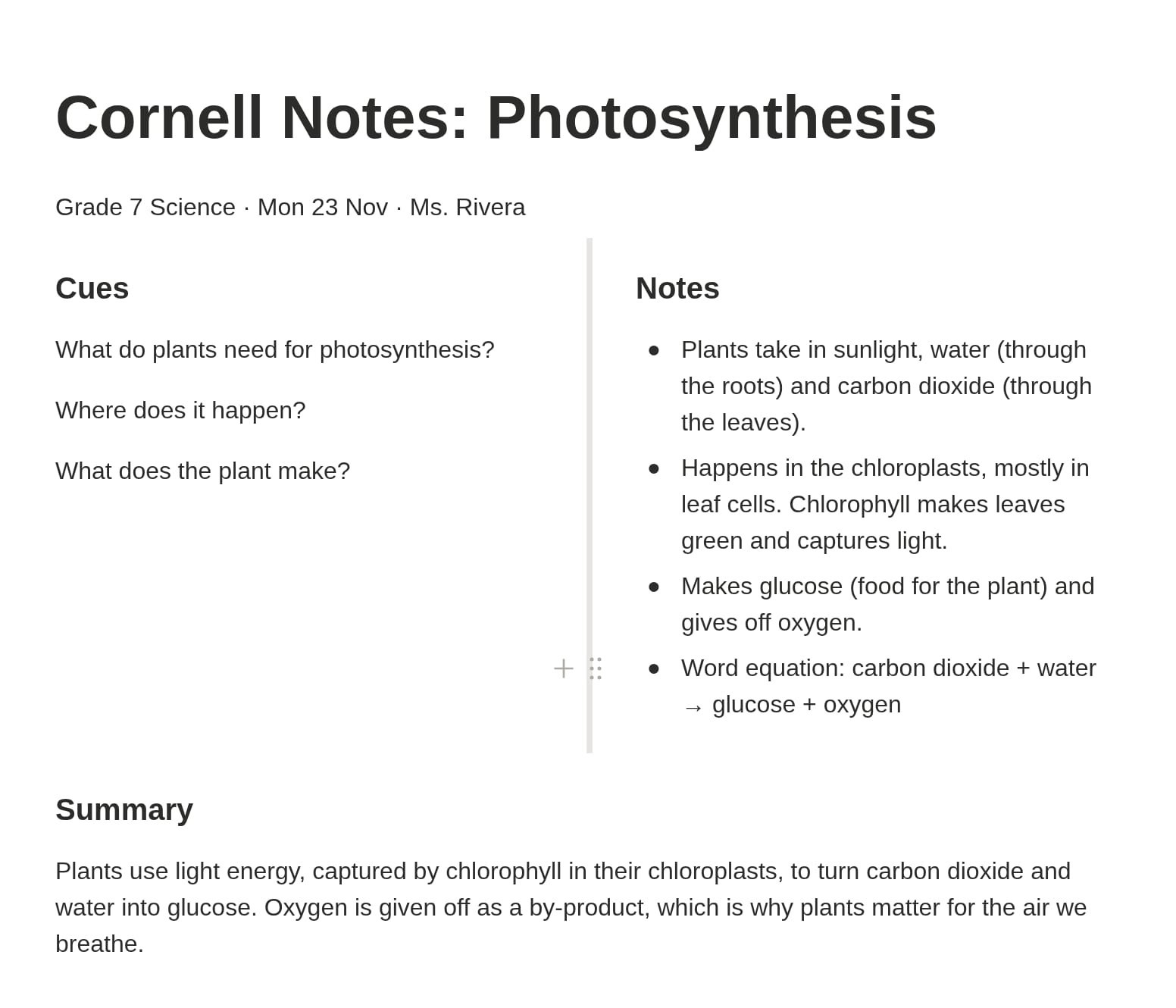
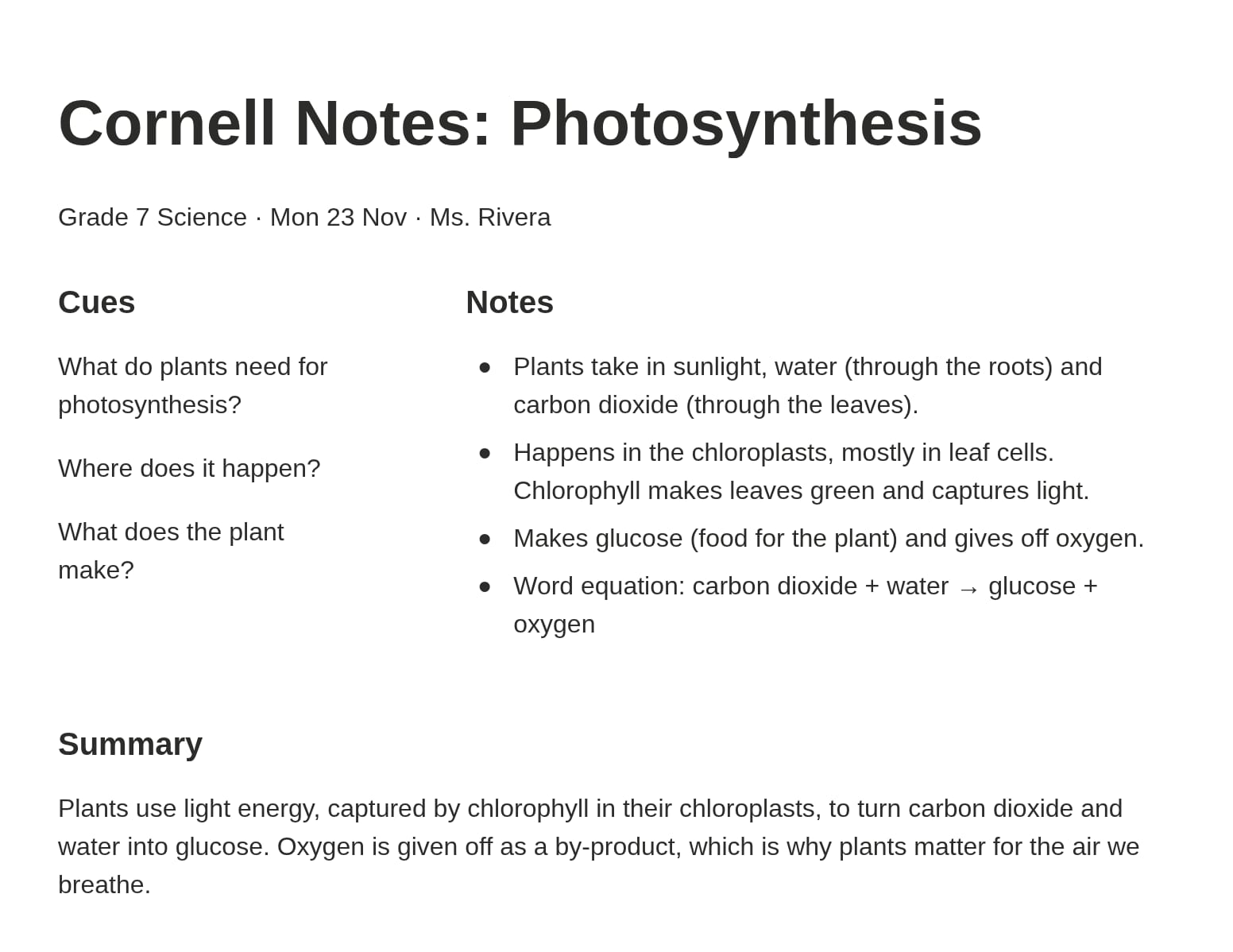
Press on the divider and drag it to the left until the cue column takes about a third of the page, then let go. The notes column widens to fill the rest.
FAQ
Is there a free Notion notes template?
Yes. Our Notion Note Tracker is free, and several others in this list are too. Each pick says plainly whether it is free or paid, so you can tell before you open its link.
What is the best Notion template for Cornell notes?
For a single page, the Cornell Note Taking Method from Notion's template gallery is free. If you want more around the page, such as a list of all your notes by class, choose from the Cornell notes group above. If you only need the layout, a page with two columns and a summary underneath takes a few lines to build, as shown above.
How should a teacher keep lesson notes in Notion?
Keep the notes on the lesson itself: a table of lessons where each lesson is a page, with its date and class. Our Ultimate Teacher Planner works this way. For a lighter start, a simple free notes template with a tag for each class does the same job.
What is the difference between a Zettelkasten and a second brain template?
A Zettelkasten keeps one idea per note and links the notes to each other, so ideas build on one another. A second brain is broader and gathers notes, sources, projects and tasks in one workspace. Both take longer to set up than a class notes template.
Can I change a template after I duplicate it?
Yes. The duplicate is your own copy: rename its pages, change or add properties, and delete the example notes. What you change does not touch the original.
Should students use a template for every class?
One notes template is usually enough. Add a property for the class, or a page per class inside it, so all your notes stay in one place and one search finds them.
Still grading everything by hand?
EMStudio is a free teaching management app — manage your classes, students, lessons, and more!