
Instructional Technology: A Complete Guide for K-12 Educators
Instructional Technology: A Complete Guide for K-12 Educators

Article by
Milo
ESL Content Coordinator & Educator
ESL Content Coordinator & Educator
All Posts
Instructional technology is the systematic design, development, and implementation of learning experiences using digital tools and platforms. It combines learning science with technical systems—including Learning Management Systems, adaptive software, and multimedia content—to create, deliver, and assess educational materials that improve student engagement and achievement outcomes in K-12 settings.
The Association for Educational Communications and Technology defines it as the systematic design, development, utilization, management, and evaluation of learning resources and processes. This is not about shiny gadgets. It is about intentional planning that moves student learning forward through deliberate choices about digital tools.
Picture the SAMR model as a four-rung ladder. At the bottom, Substitution swaps paper worksheets for digital PDFs. Augmentation adds spell-check to Word documents. Modification shifts students into collaborative Google Docs with embedded video and live editing. At the top, Redefinition enables global pen pal projects using Flipgrid, connecting your 3rd graders to classrooms in Seoul in real time.
Still grading everything by hand?
EMStudio is a free teaching management app — manage your classes, students, lessons, and more!
Learn More

Still grading everything by hand?
EMStudio is a free teaching management app — manage your classes, students, lessons, and more!
Learn More
Table of Contents
What Is Instructional Technology?
Reality check: basic software implementation runs $50 to $100 per student annually. Comprehensive 1:1 device programs demand $300 to $500 per student upfront for hardware, plus replacement cycles every three to four years when screens crack and batteries fail.
Effective integration requires TPACK—the intersection of Technological, Pedagogical, And Content Knowledge. You need to know your subject, know how to teach it, and know which digital tool actually helps. Miss one corner of that triangle and you get either a fun but worthless activity or a rigorous lesson that puts everyone to sleep.
The Core Components of Modern Instructional Systems
Hardware first. A 1:1 Chromebook cart runs 30 devices at roughly $250 per unit. Shared iPad stations place six tablets per classroom at $329 each. BYOD policies shift costs to families but create equity gaps when some students lack devices or reliable home internet.
Bandwidth matters more than brand names. You need minimum 1 Mbps per student for cloud-based learning. A school of 500 students requires 500 Mbps synchronous capacity to prevent lag when everyone logs into adaptive learning platforms at 9:00 AM.
Human capital keeps it running. Education technicians support 500 to 750 devices each sustainably. Instructional coaches bridge the gap between IT and pedagogy. IT administrators manage Single Sign-On through platforms like ClassLink or Google Workspace so students stop losing passwords and start learning.
Instructional Design Technology vs. Educational Technology
Instructional design technology focuses on systematic creation. Practitioners use instructional design frameworks like the ADDIE method—Analyze, Design, Develop, Implement, Evaluate—to build courses from scratch. Educational technology covers the broader usage of tools and media in classrooms.
The tools differ. Articulate 360 and Adobe Captivate represent instructional design technology for professional course authoring. Kahoot and Quizizz represent educational technology for quick classroom assessment. One builds the highway; the other drives the car.
Career paths split here. Instructional designers typically hold graduate certificates or master's degrees in learning theory. Education technicians often hold A+ certifications or associate degrees for hardware and software support. Both matter, but they fix different problems.
From Overhead Projectors to AI: A Brief Evolution
The 1990s classroom relied on overhead projectors and TV/VCR carts wheeled in on rainy Fridays. The 2000s brought Interactive Smart Boards at $3,000 per unit with projector systems. The 2010s saw 1:1 iPad initiatives and Chromebook dominance, with institutions like Korea University of Technology and Education pushing infrastructure standards internationally.
The 2020s introduced AI tutoring systems and immersive VR headsets. Post-COVID hybrid environments now combine Zoom or Google Meet for synchronous connection, Canvas or Google Classroom as the learning management system, and Kami or Edpuzzle for content delivery. These integrated ecosystems define modern definitions and types of educational technology.

Why Does Instructional Technology Matter in K-12 Education?
Instructional technology matters because it enables personalized learning paths that adapt to individual student needs, provides accessibility has required for IDEA and Section 504 compliance, and builds essential digital literacy skills. Research indicates that active, well-implemented technology integration can significantly enhance feedback loops and student self-regulation capabilities.
John Hattie's Visible Learning meta-analysis puts feedback at an effect size of 0.70 and self-regulation strategies at 0.52. Digital tools deliver both at scale. Students get immediate responses instead of waiting three days for graded papers.
But implementation determines everything. Passive consumption—silent video watching without pause points—shows zero or negative effects on achievement. Active use drives gains: creation, collaboration, computation. A kid passively watching a video learns less than one wrestling with a Desmos calculator. Schools must also meet WCAG 2.1 AA standards under ADA and Section 504. Your learning management systems need screen reader compatibility and captions. This isn't just legal protection; it's the only way some students access grade-level content.
Personalizing Learning for Diverse Student Needs
Adaptive platforms make differentiation manageable. IXL adjusts math and ELA practice in real time, dropping difficulty when students struggle. Khan Academy's Mastery Learning system blocks advancement until students demonstrate understanding across multiple question types. DreamBox Math uses virtual manipulatives that respond to strategies, not just final answers, building number sense through exploration.
Picture your 5th grade classroom in October. Reading levels span 2nd to 8th grade. You assign a current events article through Newsela at five different Lexile levels simultaneously. No one knows who's reading the "easier" version. The content stays dignified while the scaffolding becomes invisible. This is multimodal instruction that respects student dignity.
Students using adaptive learning platforms typically progress through 20-30% more curriculum content annually compared to lockstep instruction. They move when ready. That self-pacing builds the self-regulation Hattie identified as high-impact, without you creating five different lesson plans every night.
Closing Achievement Gaps Through Accessibility Features
Accessibility tools remove barriers. Microsoft's Immersive Reader provides text-to-speech and syllable breakdown. Read&Write by Texthelp offers predictive text and voice notes, though districts pay roughly $145 per student annually. These aren't luxury add-ons. They're required accommodations for many IEPs and 504 plans.
Specific populations rely on these has to access digital curriculum. Students with dyslexia benefit from OpenDyslexic fonts and audio support. English Language Learners use instant translation to access grade-level content while acquiring language. Students with physical disabilities navigate iPads using switch control. Check out these tools for inclusive classrooms and accessible learning.
Compliance isn't negotiable. Schools must meet WCAG 2.1 AA standards under ADA and Section 504. Free accessibility has built into G Suite and Office 365 meet basic standards. Sometimes your existing blended learning models provide sufficient accommodation without expensive specialized software.
Building Digital Literacy for Future Careers
Digital literacy is job preparation. By 6th grade, students need typing proficiency of 25 WPM. They need to manage sharing permissions and version history in Google Drive. They need to evaluate source credibility using the SIFT method. These are baseline expectations for edtech integration across content areas.
Bureau of Labor Statistics data shows education technician roles and technical support positions growing steadily. These jobs require learning management systems administration and hardware troubleshooting. When your 4th graders help troubleshoot a Chromebook connection or organize a shared Drive folder, they're building resume skills for high-demand support roles.
The ISTE Standards for Students target Empowered Learner and Digital Citizen domains with specific grade-band benchmarks for K-2, 3-5, 6-8, and 9-12. Use this essential digital literacy skills framework to map your instructional technology use to tangible outcomes. Teach the critical thinking behind the tools.
How Does Instructional Technology Work?
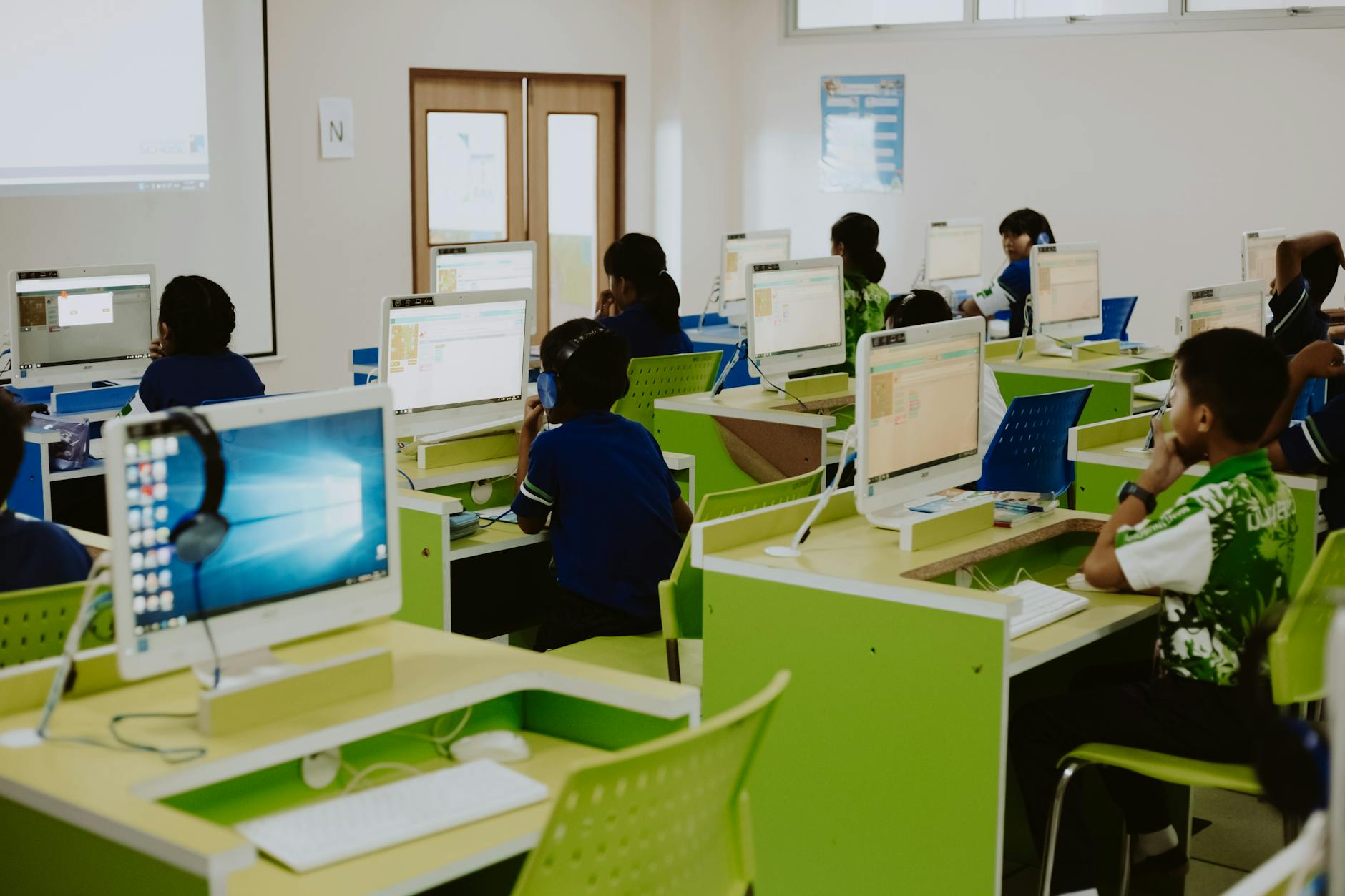
Instructional technology operates through integrated digital ecosystems where Learning Management Systems serve as central hubs, adaptive algorithms adjust content difficulty based on real-time assessment data, and multimedia platforms deliver differentiated materials. This infrastructure requires approximately 1 Mbps bandwidth per student and seamless single sign-on integration to function effectively.
Think of it as a three-layer stack. The bottom infrastructure layer is your WiFi, devices, and bandwidth—about 1 Mbps per student for basic operations. The middle platform layer hosts your learning management systems and SIS. The top application layer is where teaching happens: creation tools, adaptive learning platforms, and your digital curriculum.
Integration binds the layers. Single sign-on via SAML or OAuth connects the platform to applications so students click once from the LMS into any tool. The infrastructure must support cross-platform compatibility between iOS, Chrome OS, and Windows. When the stack aligns, edtech integration feels invisible.
Choose your modality based on the goal. Synchronous tools like Zoom build community and allow immediate clarification. Asynchronous tools like Flipgrid give kids processing time for deeper reflection. Match the tool to the moment.
Bandwidth breaks down by activity. Video conferencing needs 2-3 Mbps per student. Simple document editing needs only 0.5 Mbps. Plan your blended learning models accordingly; you cannot run twenty-five video streams on a connection built for email.
Learning Management Systems and Digital Workflows
Your platform choice shapes your daily life. Google Classroom is free but offers limited gradebook features, best for schools already using Workspace. Canvas runs $10-20 per student annually with robust analytics and rubrics. Schoology hits a similar price with stronger parent communication tools that keep guardians informed without extra emails.
Try this workflow. Create a Google Form exit ticket with an answer key. Responses dump into Sheets where conditional formatting highlights scores below 70%. Assign differentiated homework via your learning management systems for digital workflows groups. No manual grading.
Automation saves time. Digital submission and auto-grading cut 5-7 hours weekly for teachers with 150+ students compared to paper-based workflows. SSO keeps students from getting locked out, reducing interruptions during your bell ringer.
Adaptive Algorithms and Real-Time Assessment Data
Adaptive platforms use knowledge tracing—Bayesian networks or deep learning—to track 50+ micro-skills per domain. The software watches response patterns and adjusts difficulty immediately, powering true personalization in blended learning models.
In DreamBox Math, if a student misses two fraction problems, the system automatically serves virtual manipulatives—digital fraction bars—and reviews division prerequisites before advancing. It knows fractions fail without that foundation. This is multimodal instruction triggered by data, not hunches.
Dashboards on Lexia Core5 or i-Ready show proficiency percentages, time-on-task, and growth trajectories. If a student logs time but shows no growth, intervene before the summative. Research from korea university of technology and education confirms these alerts improve retention.
Multimedia Content Creation and Delivery Platforms
Creation tools enable multimodal instruction. Edpuzzle inserts multiple-choice and open-response questions at video timestamps, forcing engagement. Nearpod offers interactive slides with virtual field trips and drawing responses. Canva for Education provides drag-and-drop design with templates for professional-looking posters and infographics in minutes.
Building multimedia lessons takes 30-45 minutes initially versus 5 minutes for a worksheet. But reusability across sections improves long-term efficiency. After three uses, you deliver richer instructional technology experiences while saving time.
Choose formats with purpose. Use video for complex procedures like lab safety where visual nuance matters. Deploy simulations for dangerous or expensive experiments you cannot run in class. Use interactive text for close reading and annotation exercises. Match the medium to the learning goal, not the trend.

What Does Instructional Technology Look Like in Real Classrooms?
In elementary classrooms, instructional technology appears as gamified math apps like Prodigy and OSMO phonics stations. Middle schools use Google Sites for collaborative history projects and virtual field trips. High schools implement virtual labs such as Labster and career simulation tools like EverFi, with costs ranging from $15 to $100 per student annually.
You need concrete examples, not buzzwords. Here is exactly what instructional technology in education looks like across grade bands. These tools integrate with your existing learning management systems or stand alone.
Elementary classrooms (ages 5-10) run station rotation with one device per four students, typically iPads or Chromebooks. Budget $15 to $30 per student annually for adaptive learning platforms and digital libraries. Keep screen time under 20 to 30 percent of instructional time for primary grades. The focus remains on concrete skill mastery, not novelty.
Middle school (ages 11-13) shifts to one-to-one shared carts, spending $20 to $40 per student on blended learning models. Device usage caps at 30 to 40 percent during project weeks. High school (ages 14-18) requires full take-home one-to-one programs, investing $30 to $100 for digital curriculum and virtual labs. Career and technical education courses may reach 50 percent screen time for multimodal instruction using CAD or simulation tools.
Exceed these limits and you hit diminishing returns. When five-year-olds spend half the day on tablets, behavior tanks. When high schoolers stare at screens for every minute, eye strain and disengagement follow. Stick to the ratios.
Elementary Applications: Gamification and Interactive Storytelling
Young learners need proven classroom gamification methods that feel like play. Prodigy Math wraps adaptive curriculum in an RPG format, free with premium tiers for tracking. Epic Books provides 40,000 titles for $5 per student annually. Seesaw is a digital portfolio where K-5 students photograph work and record voice explanations.
The station rotation model works here. Four stations rotate every fifteen minutes: one teacher-led, one independent reading, one hands-on manipulatives, and one tech station. With twenty students and five iPads, four kids work together on phonics apps while others build with blocks or read paper books. No child stares at glass for more than fifteen consecutive minutes.
Consider the OSMO base system, a $100 camera attachment for iPads paired with $50 game kits. Students arrange physical letter tiles in front of the device to spell words on screen. The camera sees the tiles and registers correct answers. This is edtech integration done right—tactile and digital modalities working together, not replacing handwriting with tapping.
Middle School Strategies: Collaborative Digital Projects and Virtual Field Trips
Eleven-year-olds need ownership. Google Sites lets them build multi-page project portfolios that persist through middle school. Minecraft Education Edition reconstructs Roman aqueducts or Mayan temples block by block. For immersive learning environments using VR and AR, Nearpod VR offers forty destinations for $10 monthly per teacher—far cheaper than bussing 120 kids to a museum.
Structure collaboration explicitly. Assign slide numbers in shared Google Slides: Student One owns slides one through three, Student Two owns four through six. Use comment threads for peer review, then check revision history to see who actually contributed. This prevents one kid from doing all the work while others watch.
Run a two-week project on climate change using Padlet for research curation and WeVideo for three-minute documentaries. Students collect sources on the Padlet wall, storyboard in Google Slides, then edit video. The rubric assesses both content mastery and collaboration skills. You are building digital literacy alongside science understanding.
High School Implementations: Virtual Labs and Career Simulation Tools
High school science needs lab experience without the broken glass budget. Labster runs virtual chemistry and biology simulations with digital pipettes and microscopes for roughly $50 per student annually. Gizmos by ExploreLearning offers math and science simulations at $20 per student. PhET interactive simulations from the University of Colorado provide free physics and chemistry labs when funds run dry.
Career preparation requires specialized tools. EverFi delivers financial literacy and career readiness modules free to K-12 schools through banking sponsors. Nepris connects students with working STEM professionals for virtual job shadowing. Engineering pathways use AutoCAD for authentic design work that mirrors industry practice.
AP courses benefit significantly. Pivot Interactives supplies inquiry labs for AP Physics when your pendulum apparatus is missing springs. Virtual Biology Labs run cellular respiration investigations that would take weeks to grow in petri dishes. These tools fill gaps in your physical inventory while teaching the same experimental design skills.

How Do You Get Started With Instructional Technology?
Begin with a technology audit using the SAMR model to assess current substitution versus redefinition levels, survey teacher confidence on 1-5 scales, and test bandwidth capacity. Align one pilot tool to specific standards, run a 4-6 week trial with 3-5 volunteer teachers, and allocate 10% of budget to sustained professional development before expanding.
Most districts buy the devices first. Then they wonder why teachers leave them in carts. Start with what you have, who you have, and what you actually need.
Think of this as a decision tree with strict go/no-go checkpoints. Do not proceed to selecting tools until your infrastructure audit confirms 1 Mbps per student capacity and your teacher survey shows 80% comfort with basic digital literacy. District data shows that 60% of failed implementations happen when leaders purchase hardware before completing curriculum alignment and professional development planning.
Avoid the "device dump" trap at all costs. Budget for the long haul: sustainable implementations allocate 60% to hardware, 30% to software, and 10% minimum to ongoing training, bumping that to 15% for complex learning management systems transitions. Plan for 18 to 24 months from initial audit to mature schoolwide usage, with pilot phases lasting 4-6 weeks minimum.
Step 1 — Audit Your Current Infrastructure and Teacher Comfort Levels
Run a speed test during peak usage, not at 6 AM when the building is empty. You need 100 Mbps minimum for elementary schools and 500+ Mbps for large high schools. Inventory every device. Retire anything older than five years. Check the battery life on your mobile carts; if they die before lunch, you need new hardware before rolling out digital curriculum to thirty students simultaneously.
Survey your teachers with a simple Google Form. Use a Likert scale from 1 to 5 covering learning management systems usage, Google Workspace skills, and basic troubleshooting like resetting passwords or connecting to Wi-Fi. If your staff averages below 3.0 on any category, you need an education technician support plan or targeted coaching before any new rollout. Do not skip this diagnostic.
Conduct a SAMR baseline assessment. Look at your current edtech integration across three random weeks of lesson plans. If over 80% of usage falls in Substitution—direct tool replacement with zero functional change—plan for an Augmentation phase before attempting Modification or Redefinition. Moving too fast destroys teacher confidence and wastes your budget.
Step 2 — Align Specific Tools with Measurable Learning Objectives
Create an alignment matrix: Tool X, perhaps adaptive learning platforms like Gizmos, addresses Standard Y through Activity Z with measurable outcomes like student-drawn models. If you cannot draw a straight line from the software to specific state standards and gradeable artifacts, do not buy it.
Verify LTI 1.3 support for seamless gradebook passback to Canvas, Google Classroom, or Schoology. Double-entry grading kills teacher enthusiasm faster than slow Wi-Fi. integrating edtech seamlessly into your lesson plans requires this technical backbone.
Limit first-year pilots to three core tools maximum. Each additional platform exponentially increases cognitive load for teachers and login fatigue for students across your blended learning models. Resist feature creep. Master a few tools supporting multimodal instruction rather than collecting expensive license graveyards.
Step 3 — Launch Pilot Programs Before Schoolwide Rollout
Select three to five volunteer teachers across different grade levels and subjects, including skeptics and early adopters. Cap the first phase at 60 to 150 students maximum. This keeps your support load manageable when the single sign-on breaks.
Structure the timeline tightly. Weeks one and two: teacher training and sandbox practice. Weeks three and four: full student implementation with blended learning models. Weeks five and six: data collection and observation. Week seven: go/no-go decision meeting. Do not extend indefinitely; six weeks reveals scalability issues.
Define success metrics upfront: 70% teacher satisfaction via survey, 80% student login and participation rates, and non-negative assessment data. If pilot classes show significant learning loss compared to traditional control groups, pause immediately and fix before expanding schoolwide.
Step 4 — Build Sustainable Professional Development Plans
Replace one-shot workshops with monthly 90-minute Professional Learning Communities focused on specific instructional goals like multimodal instruction, not generic tool clicks. Teachers need to see how technology improves specific student outcomes, not just button locations.
Offer micro-credentialing pathways with digital badges for learning management systems mastery or Google Certified Educator levels. Provide $100 to $250 stipends per credential earned. Compensate teachers for the time spent learning complex adaptive learning platforms outside contract hours.
Budget $2,000 to $5,000 per teacher annually for high-quality professional development opportunities for teachers, including ISTE conference attendance and substitute coverage for planning days. If you spend six figures on hardware but skip sustained training, you own expensive paperweights.

Instructional Technology: The 3-Step Kickoff
You don't need to overhaul your teaching tomorrow. Pick one tool that solves a real problem—maybe your learning management system is a mess, or your digital curriculum sits unused while you print worksheets. Fix that first. Mastery beats novelty every time. Your students need consistency more than they need another login to remember.
Whether you're running blended learning models or experimenting with adaptive learning platforms, the goal stays the same: less time managing clicks, more time connecting with kids. Start small. Build habits. Let the instructional technology serve your classroom, not the other way around. When the tech actually works, you forget it's there.
Audit your current tools. Kill the ones that eat time without helping learning.
Pick one platform. Learn it well enough to troubleshoot when the wifi sputters.
Try one new strategy for two weeks. Collect student feedback, then adjust or abandon.

What Is Instructional Technology?
Reality check: basic software implementation runs $50 to $100 per student annually. Comprehensive 1:1 device programs demand $300 to $500 per student upfront for hardware, plus replacement cycles every three to four years when screens crack and batteries fail.
Effective integration requires TPACK—the intersection of Technological, Pedagogical, And Content Knowledge. You need to know your subject, know how to teach it, and know which digital tool actually helps. Miss one corner of that triangle and you get either a fun but worthless activity or a rigorous lesson that puts everyone to sleep.
The Core Components of Modern Instructional Systems
Hardware first. A 1:1 Chromebook cart runs 30 devices at roughly $250 per unit. Shared iPad stations place six tablets per classroom at $329 each. BYOD policies shift costs to families but create equity gaps when some students lack devices or reliable home internet.
Bandwidth matters more than brand names. You need minimum 1 Mbps per student for cloud-based learning. A school of 500 students requires 500 Mbps synchronous capacity to prevent lag when everyone logs into adaptive learning platforms at 9:00 AM.
Human capital keeps it running. Education technicians support 500 to 750 devices each sustainably. Instructional coaches bridge the gap between IT and pedagogy. IT administrators manage Single Sign-On through platforms like ClassLink or Google Workspace so students stop losing passwords and start learning.
Instructional Design Technology vs. Educational Technology
Instructional design technology focuses on systematic creation. Practitioners use instructional design frameworks like the ADDIE method—Analyze, Design, Develop, Implement, Evaluate—to build courses from scratch. Educational technology covers the broader usage of tools and media in classrooms.
The tools differ. Articulate 360 and Adobe Captivate represent instructional design technology for professional course authoring. Kahoot and Quizizz represent educational technology for quick classroom assessment. One builds the highway; the other drives the car.
Career paths split here. Instructional designers typically hold graduate certificates or master's degrees in learning theory. Education technicians often hold A+ certifications or associate degrees for hardware and software support. Both matter, but they fix different problems.
From Overhead Projectors to AI: A Brief Evolution
The 1990s classroom relied on overhead projectors and TV/VCR carts wheeled in on rainy Fridays. The 2000s brought Interactive Smart Boards at $3,000 per unit with projector systems. The 2010s saw 1:1 iPad initiatives and Chromebook dominance, with institutions like Korea University of Technology and Education pushing infrastructure standards internationally.
The 2020s introduced AI tutoring systems and immersive VR headsets. Post-COVID hybrid environments now combine Zoom or Google Meet for synchronous connection, Canvas or Google Classroom as the learning management system, and Kami or Edpuzzle for content delivery. These integrated ecosystems define modern definitions and types of educational technology.
Why Does Instructional Technology Matter in K-12 Education?
Instructional technology matters because it enables personalized learning paths that adapt to individual student needs, provides accessibility has required for IDEA and Section 504 compliance, and builds essential digital literacy skills. Research indicates that active, well-implemented technology integration can significantly enhance feedback loops and student self-regulation capabilities.
John Hattie's Visible Learning meta-analysis puts feedback at an effect size of 0.70 and self-regulation strategies at 0.52. Digital tools deliver both at scale. Students get immediate responses instead of waiting three days for graded papers.
But implementation determines everything. Passive consumption—silent video watching without pause points—shows zero or negative effects on achievement. Active use drives gains: creation, collaboration, computation. A kid passively watching a video learns less than one wrestling with a Desmos calculator. Schools must also meet WCAG 2.1 AA standards under ADA and Section 504. Your learning management systems need screen reader compatibility and captions. This isn't just legal protection; it's the only way some students access grade-level content.
Personalizing Learning for Diverse Student Needs
Adaptive platforms make differentiation manageable. IXL adjusts math and ELA practice in real time, dropping difficulty when students struggle. Khan Academy's Mastery Learning system blocks advancement until students demonstrate understanding across multiple question types. DreamBox Math uses virtual manipulatives that respond to strategies, not just final answers, building number sense through exploration.
Picture your 5th grade classroom in October. Reading levels span 2nd to 8th grade. You assign a current events article through Newsela at five different Lexile levels simultaneously. No one knows who's reading the "easier" version. The content stays dignified while the scaffolding becomes invisible. This is multimodal instruction that respects student dignity.
Students using adaptive learning platforms typically progress through 20-30% more curriculum content annually compared to lockstep instruction. They move when ready. That self-pacing builds the self-regulation Hattie identified as high-impact, without you creating five different lesson plans every night.
Closing Achievement Gaps Through Accessibility Features
Accessibility tools remove barriers. Microsoft's Immersive Reader provides text-to-speech and syllable breakdown. Read&Write by Texthelp offers predictive text and voice notes, though districts pay roughly $145 per student annually. These aren't luxury add-ons. They're required accommodations for many IEPs and 504 plans.
Specific populations rely on these has to access digital curriculum. Students with dyslexia benefit from OpenDyslexic fonts and audio support. English Language Learners use instant translation to access grade-level content while acquiring language. Students with physical disabilities navigate iPads using switch control. Check out these tools for inclusive classrooms and accessible learning.
Compliance isn't negotiable. Schools must meet WCAG 2.1 AA standards under ADA and Section 504. Free accessibility has built into G Suite and Office 365 meet basic standards. Sometimes your existing blended learning models provide sufficient accommodation without expensive specialized software.
Building Digital Literacy for Future Careers
Digital literacy is job preparation. By 6th grade, students need typing proficiency of 25 WPM. They need to manage sharing permissions and version history in Google Drive. They need to evaluate source credibility using the SIFT method. These are baseline expectations for edtech integration across content areas.
Bureau of Labor Statistics data shows education technician roles and technical support positions growing steadily. These jobs require learning management systems administration and hardware troubleshooting. When your 4th graders help troubleshoot a Chromebook connection or organize a shared Drive folder, they're building resume skills for high-demand support roles.
The ISTE Standards for Students target Empowered Learner and Digital Citizen domains with specific grade-band benchmarks for K-2, 3-5, 6-8, and 9-12. Use this essential digital literacy skills framework to map your instructional technology use to tangible outcomes. Teach the critical thinking behind the tools.
How Does Instructional Technology Work?
Instructional technology operates through integrated digital ecosystems where Learning Management Systems serve as central hubs, adaptive algorithms adjust content difficulty based on real-time assessment data, and multimedia platforms deliver differentiated materials. This infrastructure requires approximately 1 Mbps bandwidth per student and seamless single sign-on integration to function effectively.
Think of it as a three-layer stack. The bottom infrastructure layer is your WiFi, devices, and bandwidth—about 1 Mbps per student for basic operations. The middle platform layer hosts your learning management systems and SIS. The top application layer is where teaching happens: creation tools, adaptive learning platforms, and your digital curriculum.
Integration binds the layers. Single sign-on via SAML or OAuth connects the platform to applications so students click once from the LMS into any tool. The infrastructure must support cross-platform compatibility between iOS, Chrome OS, and Windows. When the stack aligns, edtech integration feels invisible.
Choose your modality based on the goal. Synchronous tools like Zoom build community and allow immediate clarification. Asynchronous tools like Flipgrid give kids processing time for deeper reflection. Match the tool to the moment.
Bandwidth breaks down by activity. Video conferencing needs 2-3 Mbps per student. Simple document editing needs only 0.5 Mbps. Plan your blended learning models accordingly; you cannot run twenty-five video streams on a connection built for email.
Learning Management Systems and Digital Workflows
Your platform choice shapes your daily life. Google Classroom is free but offers limited gradebook features, best for schools already using Workspace. Canvas runs $10-20 per student annually with robust analytics and rubrics. Schoology hits a similar price with stronger parent communication tools that keep guardians informed without extra emails.
Try this workflow. Create a Google Form exit ticket with an answer key. Responses dump into Sheets where conditional formatting highlights scores below 70%. Assign differentiated homework via your learning management systems for digital workflows groups. No manual grading.
Automation saves time. Digital submission and auto-grading cut 5-7 hours weekly for teachers with 150+ students compared to paper-based workflows. SSO keeps students from getting locked out, reducing interruptions during your bell ringer.
Adaptive Algorithms and Real-Time Assessment Data
Adaptive platforms use knowledge tracing—Bayesian networks or deep learning—to track 50+ micro-skills per domain. The software watches response patterns and adjusts difficulty immediately, powering true personalization in blended learning models.
In DreamBox Math, if a student misses two fraction problems, the system automatically serves virtual manipulatives—digital fraction bars—and reviews division prerequisites before advancing. It knows fractions fail without that foundation. This is multimodal instruction triggered by data, not hunches.
Dashboards on Lexia Core5 or i-Ready show proficiency percentages, time-on-task, and growth trajectories. If a student logs time but shows no growth, intervene before the summative. Research from korea university of technology and education confirms these alerts improve retention.
Multimedia Content Creation and Delivery Platforms
Creation tools enable multimodal instruction. Edpuzzle inserts multiple-choice and open-response questions at video timestamps, forcing engagement. Nearpod offers interactive slides with virtual field trips and drawing responses. Canva for Education provides drag-and-drop design with templates for professional-looking posters and infographics in minutes.
Building multimedia lessons takes 30-45 minutes initially versus 5 minutes for a worksheet. But reusability across sections improves long-term efficiency. After three uses, you deliver richer instructional technology experiences while saving time.
Choose formats with purpose. Use video for complex procedures like lab safety where visual nuance matters. Deploy simulations for dangerous or expensive experiments you cannot run in class. Use interactive text for close reading and annotation exercises. Match the medium to the learning goal, not the trend.
What Does Instructional Technology Look Like in Real Classrooms?
In elementary classrooms, instructional technology appears as gamified math apps like Prodigy and OSMO phonics stations. Middle schools use Google Sites for collaborative history projects and virtual field trips. High schools implement virtual labs such as Labster and career simulation tools like EverFi, with costs ranging from $15 to $100 per student annually.
You need concrete examples, not buzzwords. Here is exactly what instructional technology in education looks like across grade bands. These tools integrate with your existing learning management systems or stand alone.
Elementary classrooms (ages 5-10) run station rotation with one device per four students, typically iPads or Chromebooks. Budget $15 to $30 per student annually for adaptive learning platforms and digital libraries. Keep screen time under 20 to 30 percent of instructional time for primary grades. The focus remains on concrete skill mastery, not novelty.
Middle school (ages 11-13) shifts to one-to-one shared carts, spending $20 to $40 per student on blended learning models. Device usage caps at 30 to 40 percent during project weeks. High school (ages 14-18) requires full take-home one-to-one programs, investing $30 to $100 for digital curriculum and virtual labs. Career and technical education courses may reach 50 percent screen time for multimodal instruction using CAD or simulation tools.
Exceed these limits and you hit diminishing returns. When five-year-olds spend half the day on tablets, behavior tanks. When high schoolers stare at screens for every minute, eye strain and disengagement follow. Stick to the ratios.
Elementary Applications: Gamification and Interactive Storytelling
Young learners need proven classroom gamification methods that feel like play. Prodigy Math wraps adaptive curriculum in an RPG format, free with premium tiers for tracking. Epic Books provides 40,000 titles for $5 per student annually. Seesaw is a digital portfolio where K-5 students photograph work and record voice explanations.
The station rotation model works here. Four stations rotate every fifteen minutes: one teacher-led, one independent reading, one hands-on manipulatives, and one tech station. With twenty students and five iPads, four kids work together on phonics apps while others build with blocks or read paper books. No child stares at glass for more than fifteen consecutive minutes.
Consider the OSMO base system, a $100 camera attachment for iPads paired with $50 game kits. Students arrange physical letter tiles in front of the device to spell words on screen. The camera sees the tiles and registers correct answers. This is edtech integration done right—tactile and digital modalities working together, not replacing handwriting with tapping.
Middle School Strategies: Collaborative Digital Projects and Virtual Field Trips
Eleven-year-olds need ownership. Google Sites lets them build multi-page project portfolios that persist through middle school. Minecraft Education Edition reconstructs Roman aqueducts or Mayan temples block by block. For immersive learning environments using VR and AR, Nearpod VR offers forty destinations for $10 monthly per teacher—far cheaper than bussing 120 kids to a museum.
Structure collaboration explicitly. Assign slide numbers in shared Google Slides: Student One owns slides one through three, Student Two owns four through six. Use comment threads for peer review, then check revision history to see who actually contributed. This prevents one kid from doing all the work while others watch.
Run a two-week project on climate change using Padlet for research curation and WeVideo for three-minute documentaries. Students collect sources on the Padlet wall, storyboard in Google Slides, then edit video. The rubric assesses both content mastery and collaboration skills. You are building digital literacy alongside science understanding.
High School Implementations: Virtual Labs and Career Simulation Tools
High school science needs lab experience without the broken glass budget. Labster runs virtual chemistry and biology simulations with digital pipettes and microscopes for roughly $50 per student annually. Gizmos by ExploreLearning offers math and science simulations at $20 per student. PhET interactive simulations from the University of Colorado provide free physics and chemistry labs when funds run dry.
Career preparation requires specialized tools. EverFi delivers financial literacy and career readiness modules free to K-12 schools through banking sponsors. Nepris connects students with working STEM professionals for virtual job shadowing. Engineering pathways use AutoCAD for authentic design work that mirrors industry practice.
AP courses benefit significantly. Pivot Interactives supplies inquiry labs for AP Physics when your pendulum apparatus is missing springs. Virtual Biology Labs run cellular respiration investigations that would take weeks to grow in petri dishes. These tools fill gaps in your physical inventory while teaching the same experimental design skills.
How Do You Get Started With Instructional Technology?
Begin with a technology audit using the SAMR model to assess current substitution versus redefinition levels, survey teacher confidence on 1-5 scales, and test bandwidth capacity. Align one pilot tool to specific standards, run a 4-6 week trial with 3-5 volunteer teachers, and allocate 10% of budget to sustained professional development before expanding.
Most districts buy the devices first. Then they wonder why teachers leave them in carts. Start with what you have, who you have, and what you actually need.
Think of this as a decision tree with strict go/no-go checkpoints. Do not proceed to selecting tools until your infrastructure audit confirms 1 Mbps per student capacity and your teacher survey shows 80% comfort with basic digital literacy. District data shows that 60% of failed implementations happen when leaders purchase hardware before completing curriculum alignment and professional development planning.
Avoid the "device dump" trap at all costs. Budget for the long haul: sustainable implementations allocate 60% to hardware, 30% to software, and 10% minimum to ongoing training, bumping that to 15% for complex learning management systems transitions. Plan for 18 to 24 months from initial audit to mature schoolwide usage, with pilot phases lasting 4-6 weeks minimum.
Step 1 — Audit Your Current Infrastructure and Teacher Comfort Levels
Run a speed test during peak usage, not at 6 AM when the building is empty. You need 100 Mbps minimum for elementary schools and 500+ Mbps for large high schools. Inventory every device. Retire anything older than five years. Check the battery life on your mobile carts; if they die before lunch, you need new hardware before rolling out digital curriculum to thirty students simultaneously.
Survey your teachers with a simple Google Form. Use a Likert scale from 1 to 5 covering learning management systems usage, Google Workspace skills, and basic troubleshooting like resetting passwords or connecting to Wi-Fi. If your staff averages below 3.0 on any category, you need an education technician support plan or targeted coaching before any new rollout. Do not skip this diagnostic.
Conduct a SAMR baseline assessment. Look at your current edtech integration across three random weeks of lesson plans. If over 80% of usage falls in Substitution—direct tool replacement with zero functional change—plan for an Augmentation phase before attempting Modification or Redefinition. Moving too fast destroys teacher confidence and wastes your budget.
Step 2 — Align Specific Tools with Measurable Learning Objectives
Create an alignment matrix: Tool X, perhaps adaptive learning platforms like Gizmos, addresses Standard Y through Activity Z with measurable outcomes like student-drawn models. If you cannot draw a straight line from the software to specific state standards and gradeable artifacts, do not buy it.
Verify LTI 1.3 support for seamless gradebook passback to Canvas, Google Classroom, or Schoology. Double-entry grading kills teacher enthusiasm faster than slow Wi-Fi. integrating edtech seamlessly into your lesson plans requires this technical backbone.
Limit first-year pilots to three core tools maximum. Each additional platform exponentially increases cognitive load for teachers and login fatigue for students across your blended learning models. Resist feature creep. Master a few tools supporting multimodal instruction rather than collecting expensive license graveyards.
Step 3 — Launch Pilot Programs Before Schoolwide Rollout
Select three to five volunteer teachers across different grade levels and subjects, including skeptics and early adopters. Cap the first phase at 60 to 150 students maximum. This keeps your support load manageable when the single sign-on breaks.
Structure the timeline tightly. Weeks one and two: teacher training and sandbox practice. Weeks three and four: full student implementation with blended learning models. Weeks five and six: data collection and observation. Week seven: go/no-go decision meeting. Do not extend indefinitely; six weeks reveals scalability issues.
Define success metrics upfront: 70% teacher satisfaction via survey, 80% student login and participation rates, and non-negative assessment data. If pilot classes show significant learning loss compared to traditional control groups, pause immediately and fix before expanding schoolwide.
Step 4 — Build Sustainable Professional Development Plans
Replace one-shot workshops with monthly 90-minute Professional Learning Communities focused on specific instructional goals like multimodal instruction, not generic tool clicks. Teachers need to see how technology improves specific student outcomes, not just button locations.
Offer micro-credentialing pathways with digital badges for learning management systems mastery or Google Certified Educator levels. Provide $100 to $250 stipends per credential earned. Compensate teachers for the time spent learning complex adaptive learning platforms outside contract hours.
Budget $2,000 to $5,000 per teacher annually for high-quality professional development opportunities for teachers, including ISTE conference attendance and substitute coverage for planning days. If you spend six figures on hardware but skip sustained training, you own expensive paperweights.
Instructional Technology: The 3-Step Kickoff
You don't need to overhaul your teaching tomorrow. Pick one tool that solves a real problem—maybe your learning management system is a mess, or your digital curriculum sits unused while you print worksheets. Fix that first. Mastery beats novelty every time. Your students need consistency more than they need another login to remember.
Whether you're running blended learning models or experimenting with adaptive learning platforms, the goal stays the same: less time managing clicks, more time connecting with kids. Start small. Build habits. Let the instructional technology serve your classroom, not the other way around. When the tech actually works, you forget it's there.
Audit your current tools. Kill the ones that eat time without helping learning.
Pick one platform. Learn it well enough to troubleshoot when the wifi sputters.
Try one new strategy for two weeks. Collect student feedback, then adjust or abandon.
Still grading everything by hand?
EMStudio is a free teaching management app — manage your classes, students, lessons, and more!
Learn More
Still grading everything by hand?
EMStudio is a free teaching management app — manage your classes, students, lessons, and more!
Learn More






Notion4Teachers
Notion templates to simplify administrative tasks and enhance your teaching experience.



2026 Notion4Teachers. All Rights Reserved.
Notion4Teachers
Notion templates to simplify administrative tasks and enhance your teaching experience.
2026 Notion4Teachers. All Rights Reserved.
Notion4Teachers
Notion templates to simplify administrative tasks and enhance your teaching experience.
2026 Notion4Teachers. All Rights Reserved.