
Educational Technology: Definitions, Types, and Classroom Use
Educational Technology: Definitions, Types, and Classroom Use

Article by
Milo
ESL Content Coordinator & Educator
ESL Content Coordinator & Educator
All Posts
Is that quiz app your district bought actually educational technology, or just a digital worksheet with better graphics? I asked myself this last year when we rolled out three new platforms in one semester. After fifteen years in the classroom, I've learned that educational technology isn't about the flashiest tools—it's about what actually helps kids learn and saves your sanity during grading. Sometimes it's the simple text-to-speech feature that helps your struggling readers finish the science passage. Other times it's the collaborative doc that keeps group projects from turning into a mess of lost papers.
This post cuts through the jargon. We'll look at instructional technology that works in real classrooms, from the Chromebooks collecting dust in your cart to the learning management system your principal wants you to master. I'll show you the difference between computer assisted learning drill-and-kill software and true electronic learning that builds thinking skills. We'll cover blended learning setups that don't require you to reinvent your entire schedule, plus when to use synchronous learning versus letting kids work asynchronously so you can actually sleep. You need digital literacy skills to evaluate these tools, not just another sales pitch. Everything here comes from my own trials, errors, and the occasional victory with 7th graders who'd rather be on TikTok.
Still grading everything by hand?
EMStudio is a free teaching management app — manage your classes, students, lessons, and more!
Learn More

Still grading everything by hand?
EMStudio is a free teaching management app — manage your classes, students, lessons, and more!
Learn More
Table of Contents
What Is Educational Technology?
Educational technology refers to the combined use of hardware, software, and pedagogical theory to facilitate learning. It encompasses physical tools like Chromebooks and iPads, software platforms such as Canvas and Google Classroom, and even practical resources such as a 3d printing service Sacramento schools might use to support hands-on projects, along with systematic instructional design methods. These resources improve student outcomes through enhanced engagement, accessibility, and data-driven personalization.
The Association for Educational Communications and Technology defined it in 2008 as "the study and ethical practice of facilitating learning and improving performance by creating, using, and managing appropriate technological processes and resources." That was a shift from their 1963 definition, which treated the field as merely audio-visual aids and media delivery. Some veterans still call it instructional technology, though the field has expanded beyond just instruction to include performance support and ethical practice. We've moved from thinking about film strips and overhead projectors to understanding how technology reshapes the entire learning experience.
In my classroom, that hardware means specific machines I can actually rely on: Chromebooks with minimum 4GB RAM and 8-hour battery life so they don't die during third period, iPads from the 9th generation or newer with Apple Pencil compatibility for math sketches and annotation, and Interactive Whiteboards like the Smart Board MX series or Promethean ActivPanel where I can pinch and swipe while students collaborate at the board instead of just watching me lecture.
The software side breaks into three buckets I use weekly. Learning management systems like Canvas, Google Classroom, and Schoology host my materials and track submissions without the physical inbox. Assessment tools including Kahoot!, Quizizz, and Blooket let me check for understanding in real time without the worksheet stack. Creation suites such as Adobe Express, Canva for Education, and Book Creator give kids ways to show what they know beyond the five-paragraph essay, building digital literacy while they demonstrate mastery.
There's a crucial distinction between "technology in education" and "technology of education." The first is using PowerPoint to present your existing notes—taking an old method and simply adding a glowing screen. The second is systematic instructional design using the ADDIE model to build true blended learning experiences where synchronous learning video lessons feed into asynchronous learning practice modules that adapt to each student's pace. One is decoration; the other is architecture. If you're looking for a comprehensive framework for educational technology integration, start by deciding whether you're papering over old habits or actually redesigning how learning happens in your room.
Why Does Educational Technology Matter for Modern Teaching?
Educational technology matters because it enables personalized learning paths, bridges geographic barriers through virtual classrooms, and develops digital literacy essential for modern careers. When implemented correctly, research indicates it can significantly improve student achievement, with effect sizes comparable to high-impact teaching strategies like feedback and metacognitive approaches.
John Hattie's Visible Learning meta-analysis puts hard numbers on what many of us have observed in our rooms. Classroom technology shows an effect size of 0.63 when we use it for active learning—think students collaborating on shared docs or giving each other digital feedback. That drops to 0.28 when we default to passive use like lecture videos or digital worksheets that are just glorified busywork. The difference is stark. The tool isn't magic; it's how we deploy it that drives results.
But deployment depends on infrastructure reality, not just ambition. I've watched districts struggle when they assume a shared cart model—three students to one device—can support seamless blended learning. It can't. You need 1:1 programs for true personalization. You also need bandwidth of at least 1 Mbps per student minimum if you want cloud-based tools to load before the bell rings. Without that pipe, you're not teaching; you're waiting for spinning wheels.
Last spring, my colleague ran a hybrid 9th-grade biology class when our lab was under renovation. Physical microscopes sat in boxes behind caution tape. Instead, she used Labster virtual microscopes. Twenty-eight students completed dissection simulations simultaneously on their Chromebooks. Kids who would have waited twenty minutes for a turn at a physical station instead ran the simulation three times. They adjusted variables and tested hypotheses that would have destroyed actual specimens.
Beyond content knowledge, we're preparing students for workplaces that demand specific competencies. Computational thinking—using Scratch or Python to analyze authentic data sets—builds problem-solving muscles that transfer across disciplines. Digital collaboration through version control in Google Workspace mirrors how modern engineering teams actually work. Information literacy, like evaluating sources using the CRAAP test, becomes automatic when students research daily instead of twice a semester. We must also focus on protecting student privacy in the age of edtech while leveraging new technologies to enhance student learning. These aren't add-ons; they're the core of what educational technology in education should deliver.

How Educational Technology Works: From Hardware to Pedagogy
I wasted two years treating my Smart Board like a digital whiteboard. I was substituting, not transforming. That is the heart of the SAMR model, a ladder that shows how we actually use educational technology in practice. At the substitution rung, you are simply swapping tools. I had students type essays in Google Docs instead of writing them in notebooks. Same assignment, different medium. The learning did not change. They still wrote five paragraphs about summer vacation, only now they stared at a screen instead of a lined page.
Augmentation adds a functional improvement. Those same Google Docs now catch spelling errors instantly and offer the Explore tool for quick research citations. The task remains essentially the same—write an essay—but the technology makes it smoother. I saw fewer misspelled words, but I was still asking for five paragraphs about the same topic I had assigned for fifteen years. The grammar checker helped, yet the thinking stayed static.
Modification demands that you redesign the task itself. Last fall, I asked my seventh graders to co-author a documentary script in Docs. They embedded YouTube clips and left comments on each other's research. The writing became collaborative and multimodal. One student would highlight a weak thesis statement. Another would drop in a relevant news clip. A third would revise the argument based on both inputs. The technology allowed something impossible with paper and pencil.
Redefinition happens when the technology enables previously inconceivable learning. My students published their scripts to a class blog and received video responses from a classroom in Mumbai. They were writing for a global audience. They engaged in asynchronous learning across time zones. The Mumbai students challenged their assumptions about climate change. My kids had to defend their claims with stronger evidence. That dialogue could not happen on a poster board in the hallway. That is the top of the ladder.
But climbing that ladder requires more than clever apps. You need TPACK, a framework that sits at the intersection of three knowledge domains. Technological Knowledge means you can operate your learning management system without calling the tech coach every Tuesday. Pedagogical Knowledge covers your modern pedagogical approaches—how you group students, differentiate instruction, or manage a discussion. Content Knowledge is your expertise in algebra concepts or thesis statements. True integration happens only where these three circles overlap. I can know Photoshop and teach poetry. But if I do not understand how visual composition supports literary analysis, I am just doing digital arts and crafts. This distinction between technology in education and technology of education matters deeply. The first uses tools to teach the same content. The second understands that the tool changes what is possible to learn.
The backbone supporting all of this is infrastructure you never see but always feel. A school with five hundred students needs at least one hundred megabits per second of bandwidth, minimum. Your blended learning setup will crash during standardized testing if you ignore this. Plan for one access point per thirty to forty devices on the five gigahertz band. I learned this the hard way when thirty iPads tried to stream video simultaneously and brought the network to its knees. You need charging carts with thirty-two slots and individual LED indicators. Nothing kills a lesson like hunting for the one dead Chromebook. These specifications separate education and information technologies that actually function from expensive paperweights.
I have watched districts get this backwards. They bought thirty VR headsets because the superintendent saw them at a conference. The hardware arrived with zero curriculum alignment. Teachers stared at the boxes. They had no digital literacy training and no lesson plans for virtual reality. The headsets went into closets. That is what happens when hardware drives pedagogy. Contrast that with my colleague who selected Padlet for a synchronous learning activity. Her learning objective required every student contributing ideas simultaneously. She chose the tool after she knew what she needed to teach. That is pedagogy driving hardware, and it is the only way instructional technology actually works.

Computer Assisted Learning vs. Electronic Learning: Understanding the Distinctions
We often use these terms interchangeably, but they're different beasts in the classroom. Computer Assisted Learning (CAL) is the older sibling—software that lives on your machine or local network. It's designed for one student moving at their own pace through drill-and-practice sequences. Electronic learning (or e-learning) is the cloud-native cousin, requiring constant internet to pull content from distant servers. Both fall under the umbrella of educational technology, but they solve different problems in your digital learning ecosystem. Knowing which to deploy—and when—saves you from that mid-lesson crash when the Wi-Fi dies during state testing.
Definition | CAL: Local software with adaptive algorithms for individual skill building. E-learning: Internet-delivered content via platforms or video conferencing. |
Delivery Method | CAL: LAN-based installation or standalone CDs/USB drives. Works offline. E-learning: Cloud-based streaming through browsers or apps. Requires persistent connection. |
Interactivity Level | CAL: High immediate feedback but limited multimedia (mostly text and static graphics). E-learning: Rich video, simulations, and discussion boards, but lag-dependent. |
Content Update Frequency | CAL: Manual updates via annual subscriptions or physical media. Static for months. E-learning: Real-time updates, live curriculum changes, immediate bug fixes. |
Cost Structure | CAL: $15–25 per student annually for site licenses (like IXL or Rosetta Stone institutional accounts). E-learning: Free tiers (Khan Academy) to $200–400 per teacher annually for enterprise features in learning management systems like Canvas paid tiers or Coursera for Campus. |
Best Use Case | CAL: Rural districts with spotty Wi-Fi, IEP accommodations needing consistent response patterns, or standardized test prep requiring identical question sets. E-learning: boosting classroom success with e-learning tools that require current events, multimedia diversity, or synchronous learning alongside asynchronous learning modules. |
I've watched CAL evolve since the Plato Learning Environment days. Think green text on black screens in the computer lab, circa 2005, where kids clicked through geometry proofs at lunch while I graded papers. Today's versions like IXL Math still follow that DNA. The program detects when a 4th grader struggles with long division and serves easier problems until they stabilize. All this happens without phoning home to a server. Rosetta Stone runs the same way—local installation and speech recognition that doesn't need the cloud. Its individualized pacing algorithms remember where each student left off even if you unplug the Ethernet cable. These tools build digital literacy through repetition and immediate correction loops. They form the backbone of many blended learning rotations where half the class works offline while I pull small groups for intervention.
E-learning looks nothing like that solitary experience. When my district piloted Coursera for Schools last spring, we needed significant bandwidth just to load the three-minute video lectures on Shakespeare. Khan Academy Districts offers a free tier for practice problems that works fine for homework. But the paid analytics package runs $200-plus per teacher annually. That's where you actually see which standards your kids are missing in real time and can assign remediation automatically. And Zoom synchronous learning? That's pure e-learning: real-time, cloud-dependent, useless when the internet drops during a snowstorm. The trade-off is access to infinite content updates and diverse media formats that CAL simply can't match. This shift represents modern instructional technology moving toward flexibility over stability, for better or worse.
Choose CAL if you teach in a rural area where connectivity is a myth, or if you have IEP students who need software that responds identically every single time without server lag. I learned this the hard way last October. Our building's fiber cut out during a math benchmark. We lost thirty minutes of instructional time because the e-learning platform couldn't load a single quiz question. Choose e-learning if your curriculum changes monthly or if you need the multimedia diversity and collaboration features that cloud platforms provide. Your budget and your bandwidth will decide for you most days, so audit your infrastructure before you sign that purchase order.
Technology Enhanced Learning: Practical Applications Across Grade Levels
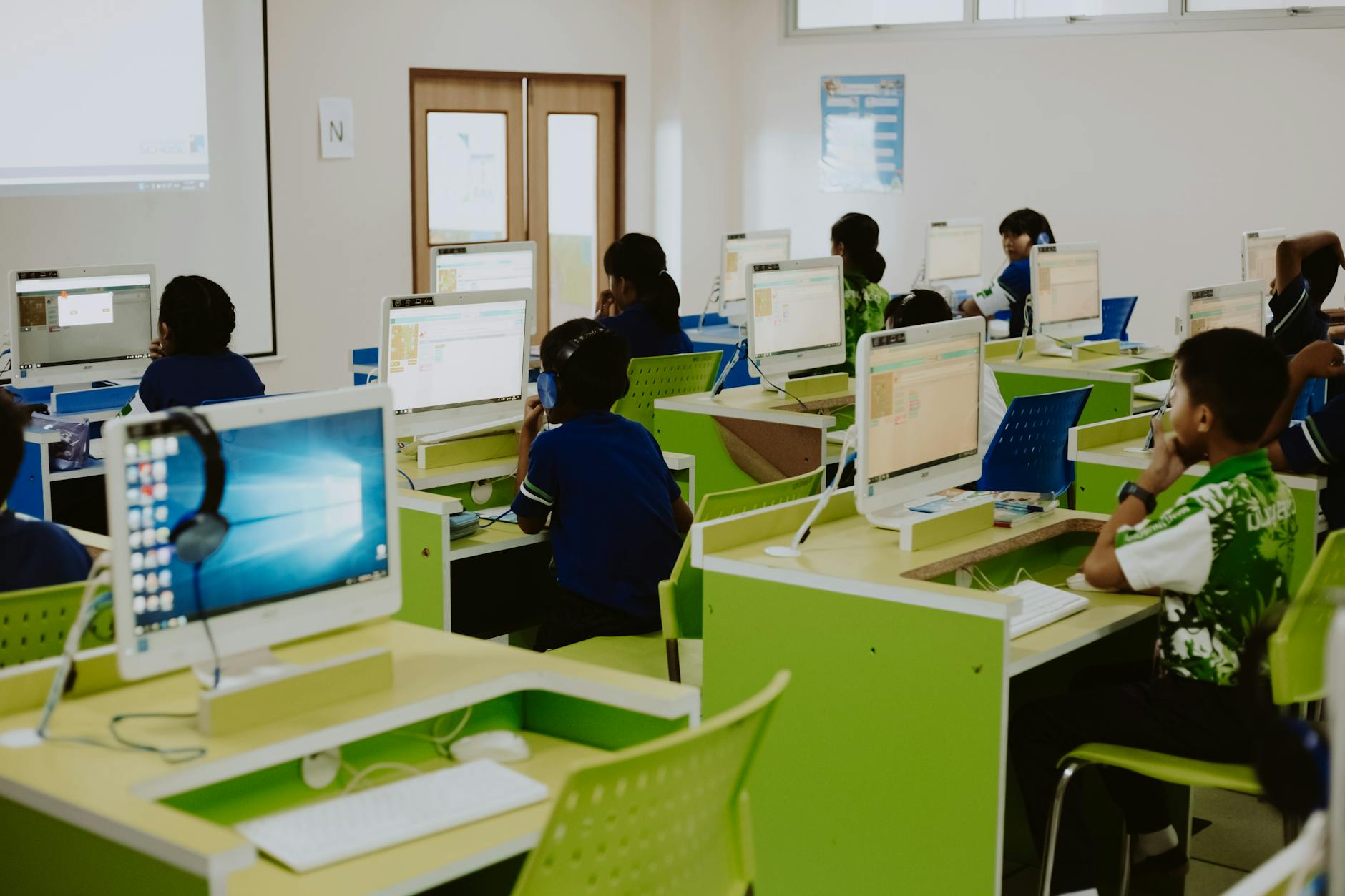
When I taught first grade, my ELL students needed a way to show what they knew without writing paragraphs they weren't ready for. Seesaw Learning Journal became our literacy center staple for technology enhanced learning. This isn't just screen time; it's purposeful technology for learning that meets kids where they are. Early technology learning happens best when students create content rather than consume it. Kids recorded voice responses to reading prompts, drawing pictures while they talked. The free teacher plan handled our basic needs, but the $120 yearly premium was worth it for family access—parents could hear their child's reading progress in real time. For accommodations, I enabled text-to-speech on every assignment so directions read aloud automatically. Students with 504 plans for extended time simply hit pause during recordings, and those with fine motor struggles used the microphone instead of the drawing tool for alternative input. The platform stores these voice entries as digital portfolios, creating a record of growth that follows them through the year.
Fourth graders learning volume need to build, not just calculate. I used Minecraft Education Edition for a unit where students constructed 10x10x10 structures to prove they understood cubic units. The district paid for Microsoft 365 A3 licenses—about $2.50 per student monthly—which unlocked the education features. This wasn't just play; it was immersive learning environments using VR and AR on a budget. For IEP accommodations, I turned on the immersive reader for all text instructions, set extended time parameters in the assignment settings for students who needed processing delays, and allowed joystick input instead of keyboard commands for kids with dexterity challenges. The blended learning approach let them toggle between physical blocks and digital builds, reinforcing that volume is three-dimensional space regardless of the medium.
Seventh grade math demands concrete connections to abstract linear equations. Desmos Graphing Calculator with Activity Builder let me create card sorts where students matched equations to graphs by dragging digital cards on their Chromebooks. The platform is free, which helps when budgets are tight, but you need that 1:1 device access to make the tech-enabled collaborative learning work. I built in accommodations by ensuring every text element had audio support through browser extensions, creating unlimited time versions of the same activity for specific students, and accepting voice-to-text explanations for students who couldn't type their reasoning efficiently. This instructional technology bridges the gap between synchronous learning in class and asynchronous learning review at home, letting kids revisit the card sort until the patterns click.
High school audio engineering requires professional tools without professional complexity. Soundtrap by Spotify runs $249 yearly for 50 seats—perfect for a single class—while FL Studio site licenses run about $350 yearly for lab installations if you need local software. Both support the educational technology goals of building digital literacy through authentic creation. For accommodations, I configured text-to-speech for all menu navigation instructions, disabled session timeouts for students with extended time allowances, and mapped MIDI controllers as alternative input methods for students who couldn't manipulate standard mouse and keyboard setups due to physical limitations. Whether you choose cloud-based or installed software, the key is ensuring your learning management system can embed these tools so students access everything through one portal rather than juggling multiple logins.

How Do You Implement Educational Technology in Your First Week?
In your first week using educational technology, audit existing hardware capacity by testing WiFi with a full class device load, select one pilot tool matched to your primary learning objective, prepare analog backups for every digital activity, and execute a single 20-minute tech-integrated lesson rather than attempting full digital transformation immediately. I learned this the hard way during my second year when I tried rolling out three apps simultaneously and spent the entire period troubleshooting login issues instead of teaching content. Start small and build confidence before you worry about blended learning or synchronous learning environments.
Day one is for auditing reality, not ambition. I always test the WiFi by streaming video on thirty devices at once while walking to every corner of my room. If the buffer wheel spins, you need a backup plan before you integrate edtech seamlessly into your lesson plans. Check that Chromebook batteries hold six hours of charge; anything less means dead devices by period three when kids start losing their work. Verify every student has active directory credentials before they walk in, because nothing kills momentum like a room full of kids staring at login error screens while the clock ticks.
Day two establishes your non-negotiables. I teach three protocols until they become muscle memory. First, screens down during direct instruction signals absolute attention; I use a specific hand gesture so I never have to shout over the hum of fans. Second, the three-before-me rule: check your cables, restart your device, ask a peer before you ask me. This saves my sanity during asynchronous learning rotations. Third, show them exactly how to submit a digital exit ticket so you can end class cleanly without a traffic jam at the door or missing submissions.
Days three and four require brutal honesty about your context. If you have fewer than twenty-five students and a Google Workspace domain, use Google Classroom. If you have larger classes and need deep gradebook integration, choose Canvas. If your primary headache is parent communication rather than assignment workflow, pick ClassDojo. Do not introduce multiple platforms. I once watched a colleague juggle four apps and lose fifteen minutes of instructional time every single day. You can explore essential digital tools for new teachers later, but master one platform first before expanding your technology use in education.
Day five is your debut. Run one twenty-minute activity with a fail-safe protocol. I always print paper copies of the assignment, pair my tech-confident kids with hesitant ones using a buddy system, and verify Google Drive works in offline mode in case the network hiccups. This is your proof of concept for instructional technology, not a Broadway opening. Watch how they use the interface and note who needs extra support with basic digital literacy skills.
Know when to skip tech entirely. Never use it during standardized testing windows when devices become distractions rather than tools. Do not reach for tablets when a student is having an emotional regulation crisis; human connection takes priority over any learning management system. Check the weather forecast; if storms mean a twenty percent chance of internet outage, pivot to analog. Avoid the rookie mistake of learning the tool alongside your students; practice the clicks at home until they are automatic. Never introduce three or more new platforms simultaneously or you will drown in support requests. Finally, never assume digital natives possess actual tech proficiency. They have comfort with screens, not skill in using them for academic purposes. Teaching tech and learning requires the same patience as teaching long division.

Getting Started with Educational Technology
Don't let the acronyms and jargon fool you. Educational technology is just a toolbox. Some days you'll use it for synchronous learning when half your class is home with the flu. Other days you'll lean on asynchronous learning so your 7th graders can rewatch that grammar video three times without admitting they're confused. I've seen teachers panic-buy tablets during a district rollout only to use them as expensive paperweights. Don't be that teacher. The goal isn't to replace you—it's to give you leverage.
Start small. Pick one blended learning routine that actually saves you time, like digital exit tickets or a single auto-graded assignment. You don't need to be the TikTok teacher with the fancy green screen. Master that before you add the next tool. I spent my first year trying to juggle six apps and nearly quit. My third year, I ran everything through one LMS and slept through the night. Your sanity matters more than your tech stack.
Remember, instructional technology only works if it serves your teaching, not the other way around. Trust your gut when something feels like busywork. If a tool adds ten minutes of setup for two minutes of benefit, dump it. The best tech fades into the background so you can focus on the kid who finally raised his hand.
Pick one paper assignment from next week and move it to a digital format you already have—don't buy anything new.
Set up one auto-graded check for understanding (even a three-question Google Form) so you can see who gets it before the bell rings.
Test it with your most patient class, note where they click the wrong buttons, then fix the instructions before rolling it out to everyone.

What Is Educational Technology?
Educational technology refers to the combined use of hardware, software, and pedagogical theory to facilitate learning. It encompasses physical tools like Chromebooks and iPads, software platforms such as Canvas and Google Classroom, and even practical resources such as a 3d printing service Sacramento schools might use to support hands-on projects, along with systematic instructional design methods. These resources improve student outcomes through enhanced engagement, accessibility, and data-driven personalization.
The Association for Educational Communications and Technology defined it in 2008 as "the study and ethical practice of facilitating learning and improving performance by creating, using, and managing appropriate technological processes and resources." That was a shift from their 1963 definition, which treated the field as merely audio-visual aids and media delivery. Some veterans still call it instructional technology, though the field has expanded beyond just instruction to include performance support and ethical practice. We've moved from thinking about film strips and overhead projectors to understanding how technology reshapes the entire learning experience.
In my classroom, that hardware means specific machines I can actually rely on: Chromebooks with minimum 4GB RAM and 8-hour battery life so they don't die during third period, iPads from the 9th generation or newer with Apple Pencil compatibility for math sketches and annotation, and Interactive Whiteboards like the Smart Board MX series or Promethean ActivPanel where I can pinch and swipe while students collaborate at the board instead of just watching me lecture.
The software side breaks into three buckets I use weekly. Learning management systems like Canvas, Google Classroom, and Schoology host my materials and track submissions without the physical inbox. Assessment tools including Kahoot!, Quizizz, and Blooket let me check for understanding in real time without the worksheet stack. Creation suites such as Adobe Express, Canva for Education, and Book Creator give kids ways to show what they know beyond the five-paragraph essay, building digital literacy while they demonstrate mastery.
There's a crucial distinction between "technology in education" and "technology of education." The first is using PowerPoint to present your existing notes—taking an old method and simply adding a glowing screen. The second is systematic instructional design using the ADDIE model to build true blended learning experiences where synchronous learning video lessons feed into asynchronous learning practice modules that adapt to each student's pace. One is decoration; the other is architecture. If you're looking for a comprehensive framework for educational technology integration, start by deciding whether you're papering over old habits or actually redesigning how learning happens in your room.
Why Does Educational Technology Matter for Modern Teaching?
Educational technology matters because it enables personalized learning paths, bridges geographic barriers through virtual classrooms, and develops digital literacy essential for modern careers. When implemented correctly, research indicates it can significantly improve student achievement, with effect sizes comparable to high-impact teaching strategies like feedback and metacognitive approaches.
John Hattie's Visible Learning meta-analysis puts hard numbers on what many of us have observed in our rooms. Classroom technology shows an effect size of 0.63 when we use it for active learning—think students collaborating on shared docs or giving each other digital feedback. That drops to 0.28 when we default to passive use like lecture videos or digital worksheets that are just glorified busywork. The difference is stark. The tool isn't magic; it's how we deploy it that drives results.
But deployment depends on infrastructure reality, not just ambition. I've watched districts struggle when they assume a shared cart model—three students to one device—can support seamless blended learning. It can't. You need 1:1 programs for true personalization. You also need bandwidth of at least 1 Mbps per student minimum if you want cloud-based tools to load before the bell rings. Without that pipe, you're not teaching; you're waiting for spinning wheels.
Last spring, my colleague ran a hybrid 9th-grade biology class when our lab was under renovation. Physical microscopes sat in boxes behind caution tape. Instead, she used Labster virtual microscopes. Twenty-eight students completed dissection simulations simultaneously on their Chromebooks. Kids who would have waited twenty minutes for a turn at a physical station instead ran the simulation three times. They adjusted variables and tested hypotheses that would have destroyed actual specimens.
Beyond content knowledge, we're preparing students for workplaces that demand specific competencies. Computational thinking—using Scratch or Python to analyze authentic data sets—builds problem-solving muscles that transfer across disciplines. Digital collaboration through version control in Google Workspace mirrors how modern engineering teams actually work. Information literacy, like evaluating sources using the CRAAP test, becomes automatic when students research daily instead of twice a semester. We must also focus on protecting student privacy in the age of edtech while leveraging new technologies to enhance student learning. These aren't add-ons; they're the core of what educational technology in education should deliver.
How Educational Technology Works: From Hardware to Pedagogy
I wasted two years treating my Smart Board like a digital whiteboard. I was substituting, not transforming. That is the heart of the SAMR model, a ladder that shows how we actually use educational technology in practice. At the substitution rung, you are simply swapping tools. I had students type essays in Google Docs instead of writing them in notebooks. Same assignment, different medium. The learning did not change. They still wrote five paragraphs about summer vacation, only now they stared at a screen instead of a lined page.
Augmentation adds a functional improvement. Those same Google Docs now catch spelling errors instantly and offer the Explore tool for quick research citations. The task remains essentially the same—write an essay—but the technology makes it smoother. I saw fewer misspelled words, but I was still asking for five paragraphs about the same topic I had assigned for fifteen years. The grammar checker helped, yet the thinking stayed static.
Modification demands that you redesign the task itself. Last fall, I asked my seventh graders to co-author a documentary script in Docs. They embedded YouTube clips and left comments on each other's research. The writing became collaborative and multimodal. One student would highlight a weak thesis statement. Another would drop in a relevant news clip. A third would revise the argument based on both inputs. The technology allowed something impossible with paper and pencil.
Redefinition happens when the technology enables previously inconceivable learning. My students published their scripts to a class blog and received video responses from a classroom in Mumbai. They were writing for a global audience. They engaged in asynchronous learning across time zones. The Mumbai students challenged their assumptions about climate change. My kids had to defend their claims with stronger evidence. That dialogue could not happen on a poster board in the hallway. That is the top of the ladder.
But climbing that ladder requires more than clever apps. You need TPACK, a framework that sits at the intersection of three knowledge domains. Technological Knowledge means you can operate your learning management system without calling the tech coach every Tuesday. Pedagogical Knowledge covers your modern pedagogical approaches—how you group students, differentiate instruction, or manage a discussion. Content Knowledge is your expertise in algebra concepts or thesis statements. True integration happens only where these three circles overlap. I can know Photoshop and teach poetry. But if I do not understand how visual composition supports literary analysis, I am just doing digital arts and crafts. This distinction between technology in education and technology of education matters deeply. The first uses tools to teach the same content. The second understands that the tool changes what is possible to learn.
The backbone supporting all of this is infrastructure you never see but always feel. A school with five hundred students needs at least one hundred megabits per second of bandwidth, minimum. Your blended learning setup will crash during standardized testing if you ignore this. Plan for one access point per thirty to forty devices on the five gigahertz band. I learned this the hard way when thirty iPads tried to stream video simultaneously and brought the network to its knees. You need charging carts with thirty-two slots and individual LED indicators. Nothing kills a lesson like hunting for the one dead Chromebook. These specifications separate education and information technologies that actually function from expensive paperweights.
I have watched districts get this backwards. They bought thirty VR headsets because the superintendent saw them at a conference. The hardware arrived with zero curriculum alignment. Teachers stared at the boxes. They had no digital literacy training and no lesson plans for virtual reality. The headsets went into closets. That is what happens when hardware drives pedagogy. Contrast that with my colleague who selected Padlet for a synchronous learning activity. Her learning objective required every student contributing ideas simultaneously. She chose the tool after she knew what she needed to teach. That is pedagogy driving hardware, and it is the only way instructional technology actually works.
Computer Assisted Learning vs. Electronic Learning: Understanding the Distinctions
We often use these terms interchangeably, but they're different beasts in the classroom. Computer Assisted Learning (CAL) is the older sibling—software that lives on your machine or local network. It's designed for one student moving at their own pace through drill-and-practice sequences. Electronic learning (or e-learning) is the cloud-native cousin, requiring constant internet to pull content from distant servers. Both fall under the umbrella of educational technology, but they solve different problems in your digital learning ecosystem. Knowing which to deploy—and when—saves you from that mid-lesson crash when the Wi-Fi dies during state testing.
Definition | CAL: Local software with adaptive algorithms for individual skill building. E-learning: Internet-delivered content via platforms or video conferencing. |
Delivery Method | CAL: LAN-based installation or standalone CDs/USB drives. Works offline. E-learning: Cloud-based streaming through browsers or apps. Requires persistent connection. |
Interactivity Level | CAL: High immediate feedback but limited multimedia (mostly text and static graphics). E-learning: Rich video, simulations, and discussion boards, but lag-dependent. |
Content Update Frequency | CAL: Manual updates via annual subscriptions or physical media. Static for months. E-learning: Real-time updates, live curriculum changes, immediate bug fixes. |
Cost Structure | CAL: $15–25 per student annually for site licenses (like IXL or Rosetta Stone institutional accounts). E-learning: Free tiers (Khan Academy) to $200–400 per teacher annually for enterprise features in learning management systems like Canvas paid tiers or Coursera for Campus. |
Best Use Case | CAL: Rural districts with spotty Wi-Fi, IEP accommodations needing consistent response patterns, or standardized test prep requiring identical question sets. E-learning: boosting classroom success with e-learning tools that require current events, multimedia diversity, or synchronous learning alongside asynchronous learning modules. |
I've watched CAL evolve since the Plato Learning Environment days. Think green text on black screens in the computer lab, circa 2005, where kids clicked through geometry proofs at lunch while I graded papers. Today's versions like IXL Math still follow that DNA. The program detects when a 4th grader struggles with long division and serves easier problems until they stabilize. All this happens without phoning home to a server. Rosetta Stone runs the same way—local installation and speech recognition that doesn't need the cloud. Its individualized pacing algorithms remember where each student left off even if you unplug the Ethernet cable. These tools build digital literacy through repetition and immediate correction loops. They form the backbone of many blended learning rotations where half the class works offline while I pull small groups for intervention.
E-learning looks nothing like that solitary experience. When my district piloted Coursera for Schools last spring, we needed significant bandwidth just to load the three-minute video lectures on Shakespeare. Khan Academy Districts offers a free tier for practice problems that works fine for homework. But the paid analytics package runs $200-plus per teacher annually. That's where you actually see which standards your kids are missing in real time and can assign remediation automatically. And Zoom synchronous learning? That's pure e-learning: real-time, cloud-dependent, useless when the internet drops during a snowstorm. The trade-off is access to infinite content updates and diverse media formats that CAL simply can't match. This shift represents modern instructional technology moving toward flexibility over stability, for better or worse.
Choose CAL if you teach in a rural area where connectivity is a myth, or if you have IEP students who need software that responds identically every single time without server lag. I learned this the hard way last October. Our building's fiber cut out during a math benchmark. We lost thirty minutes of instructional time because the e-learning platform couldn't load a single quiz question. Choose e-learning if your curriculum changes monthly or if you need the multimedia diversity and collaboration features that cloud platforms provide. Your budget and your bandwidth will decide for you most days, so audit your infrastructure before you sign that purchase order.
Technology Enhanced Learning: Practical Applications Across Grade Levels
When I taught first grade, my ELL students needed a way to show what they knew without writing paragraphs they weren't ready for. Seesaw Learning Journal became our literacy center staple for technology enhanced learning. This isn't just screen time; it's purposeful technology for learning that meets kids where they are. Early technology learning happens best when students create content rather than consume it. Kids recorded voice responses to reading prompts, drawing pictures while they talked. The free teacher plan handled our basic needs, but the $120 yearly premium was worth it for family access—parents could hear their child's reading progress in real time. For accommodations, I enabled text-to-speech on every assignment so directions read aloud automatically. Students with 504 plans for extended time simply hit pause during recordings, and those with fine motor struggles used the microphone instead of the drawing tool for alternative input. The platform stores these voice entries as digital portfolios, creating a record of growth that follows them through the year.
Fourth graders learning volume need to build, not just calculate. I used Minecraft Education Edition for a unit where students constructed 10x10x10 structures to prove they understood cubic units. The district paid for Microsoft 365 A3 licenses—about $2.50 per student monthly—which unlocked the education features. This wasn't just play; it was immersive learning environments using VR and AR on a budget. For IEP accommodations, I turned on the immersive reader for all text instructions, set extended time parameters in the assignment settings for students who needed processing delays, and allowed joystick input instead of keyboard commands for kids with dexterity challenges. The blended learning approach let them toggle between physical blocks and digital builds, reinforcing that volume is three-dimensional space regardless of the medium.
Seventh grade math demands concrete connections to abstract linear equations. Desmos Graphing Calculator with Activity Builder let me create card sorts where students matched equations to graphs by dragging digital cards on their Chromebooks. The platform is free, which helps when budgets are tight, but you need that 1:1 device access to make the tech-enabled collaborative learning work. I built in accommodations by ensuring every text element had audio support through browser extensions, creating unlimited time versions of the same activity for specific students, and accepting voice-to-text explanations for students who couldn't type their reasoning efficiently. This instructional technology bridges the gap between synchronous learning in class and asynchronous learning review at home, letting kids revisit the card sort until the patterns click.
High school audio engineering requires professional tools without professional complexity. Soundtrap by Spotify runs $249 yearly for 50 seats—perfect for a single class—while FL Studio site licenses run about $350 yearly for lab installations if you need local software. Both support the educational technology goals of building digital literacy through authentic creation. For accommodations, I configured text-to-speech for all menu navigation instructions, disabled session timeouts for students with extended time allowances, and mapped MIDI controllers as alternative input methods for students who couldn't manipulate standard mouse and keyboard setups due to physical limitations. Whether you choose cloud-based or installed software, the key is ensuring your learning management system can embed these tools so students access everything through one portal rather than juggling multiple logins.
How Do You Implement Educational Technology in Your First Week?
In your first week using educational technology, audit existing hardware capacity by testing WiFi with a full class device load, select one pilot tool matched to your primary learning objective, prepare analog backups for every digital activity, and execute a single 20-minute tech-integrated lesson rather than attempting full digital transformation immediately. I learned this the hard way during my second year when I tried rolling out three apps simultaneously and spent the entire period troubleshooting login issues instead of teaching content. Start small and build confidence before you worry about blended learning or synchronous learning environments.
Day one is for auditing reality, not ambition. I always test the WiFi by streaming video on thirty devices at once while walking to every corner of my room. If the buffer wheel spins, you need a backup plan before you integrate edtech seamlessly into your lesson plans. Check that Chromebook batteries hold six hours of charge; anything less means dead devices by period three when kids start losing their work. Verify every student has active directory credentials before they walk in, because nothing kills momentum like a room full of kids staring at login error screens while the clock ticks.
Day two establishes your non-negotiables. I teach three protocols until they become muscle memory. First, screens down during direct instruction signals absolute attention; I use a specific hand gesture so I never have to shout over the hum of fans. Second, the three-before-me rule: check your cables, restart your device, ask a peer before you ask me. This saves my sanity during asynchronous learning rotations. Third, show them exactly how to submit a digital exit ticket so you can end class cleanly without a traffic jam at the door or missing submissions.
Days three and four require brutal honesty about your context. If you have fewer than twenty-five students and a Google Workspace domain, use Google Classroom. If you have larger classes and need deep gradebook integration, choose Canvas. If your primary headache is parent communication rather than assignment workflow, pick ClassDojo. Do not introduce multiple platforms. I once watched a colleague juggle four apps and lose fifteen minutes of instructional time every single day. You can explore essential digital tools for new teachers later, but master one platform first before expanding your technology use in education.
Day five is your debut. Run one twenty-minute activity with a fail-safe protocol. I always print paper copies of the assignment, pair my tech-confident kids with hesitant ones using a buddy system, and verify Google Drive works in offline mode in case the network hiccups. This is your proof of concept for instructional technology, not a Broadway opening. Watch how they use the interface and note who needs extra support with basic digital literacy skills.
Know when to skip tech entirely. Never use it during standardized testing windows when devices become distractions rather than tools. Do not reach for tablets when a student is having an emotional regulation crisis; human connection takes priority over any learning management system. Check the weather forecast; if storms mean a twenty percent chance of internet outage, pivot to analog. Avoid the rookie mistake of learning the tool alongside your students; practice the clicks at home until they are automatic. Never introduce three or more new platforms simultaneously or you will drown in support requests. Finally, never assume digital natives possess actual tech proficiency. They have comfort with screens, not skill in using them for academic purposes. Teaching tech and learning requires the same patience as teaching long division.
Getting Started with Educational Technology
Don't let the acronyms and jargon fool you. Educational technology is just a toolbox. Some days you'll use it for synchronous learning when half your class is home with the flu. Other days you'll lean on asynchronous learning so your 7th graders can rewatch that grammar video three times without admitting they're confused. I've seen teachers panic-buy tablets during a district rollout only to use them as expensive paperweights. Don't be that teacher. The goal isn't to replace you—it's to give you leverage.
Start small. Pick one blended learning routine that actually saves you time, like digital exit tickets or a single auto-graded assignment. You don't need to be the TikTok teacher with the fancy green screen. Master that before you add the next tool. I spent my first year trying to juggle six apps and nearly quit. My third year, I ran everything through one LMS and slept through the night. Your sanity matters more than your tech stack.
Remember, instructional technology only works if it serves your teaching, not the other way around. Trust your gut when something feels like busywork. If a tool adds ten minutes of setup for two minutes of benefit, dump it. The best tech fades into the background so you can focus on the kid who finally raised his hand.
Pick one paper assignment from next week and move it to a digital format you already have—don't buy anything new.
Set up one auto-graded check for understanding (even a three-question Google Form) so you can see who gets it before the bell rings.
Test it with your most patient class, note where they click the wrong buttons, then fix the instructions before rolling it out to everyone.
Still grading everything by hand?
EMStudio is a free teaching management app — manage your classes, students, lessons, and more!
Learn More
Still grading everything by hand?
EMStudio is a free teaching management app — manage your classes, students, lessons, and more!
Learn More




Notion4Teachers
Notion templates to simplify administrative tasks and enhance your teaching experience.



2026 Notion4Teachers. All Rights Reserved.
Notion4Teachers
Notion templates to simplify administrative tasks and enhance your teaching experience.
2026 Notion4Teachers. All Rights Reserved.
Notion4Teachers
Notion templates to simplify administrative tasks and enhance your teaching experience.
2026 Notion4Teachers. All Rights Reserved.