
Technology Literacy: The Complete Guide for K-12 Educators
Technology Literacy: The Complete Guide for K-12 Educators

Article by
Milo
ESL Content Coordinator & Educator
ESL Content Coordinator & Educator
All Posts
What does technology literacy actually mean for your classroom? It's not about teaching kids to type faster or which buttons to click in Google Docs. Technology literacy is the ability to use digital tools to solve real problems, evaluate information, and create something meaningful.
I spent my first three years thinking I was covering technology literacy because my fifth graders could log into Chromebooks and format slides. Then I watched a student copy-paste a Wikipedia article into a 'research project' without reading a word of it, and I realized we were missing the point. Technology literacy isn't digital obedience—knowing which icon to tap when the teacher says so.
It's digital fluency. It's knowing why you're using a tool and whether it's the right one for the job. It's the difference between a kid who can use a calculator and a kid who knows when mental math is actually faster.
In this guide, I'll break down the difference between computer literacy and technology literacy—because confusing the two wastes precious instructional time. We'll look at the core components your students actually need. That includes information literacy (finding truth in a sea of clickbait), computational thinking (breaking down problems logically), and digital citizenship that goes beyond 'don't cyberbully.' You'll get practical integration strategies using the TPACK framework to fit this into your existing units without adding another 45-minute special to your already-packed schedule. No theory-heavy jargon. Just what works in real classrooms.
Still grading everything by hand?
EMStudio is a free teaching management app — manage your classes, students, lessons, and more!
Learn More

Still grading everything by hand?
EMStudio is a free teaching management app — manage your classes, students, lessons, and more!
Learn More
Table of Contents
What Is Technology Literacy?
Technology literacy is the strategic ability to select, evaluate, and use digital tools for learning and creation. It encompasses computational thinking, digital ethics, and critical evaluation—moving well beyond basic software operation to purposeful technological decision-making when solving real classroom problems.
It's not about knowing every app. It's about knowing which app to pick when your lesson falls flat—and why.
The ISTE Standards for Students (2016) frame technology literacy as strategic decision-making, not just clicking buttons correctly. You choose the right tool for the job, troubleshoot when the WiFi drops mid-upload, and know when to abandon a platform entirely when it stops serving your students. This is computational thinking in action—evaluating digital options against your specific learning goals, not defaulting to the software pre-installed on district laptops. It requires genuine adaptability.
Back in the 90s, computer literacy meant touch-typing and mastering WordPerfect formatting codes. Teachers drilled students on keyboarding speed and mail-merge functions for future office work. Today, digital fluency looks nothing like that rigid, software-specific training. We're not preparing students to operate specific programs—we're preparing them to thrive in an information ecosystem where the tools change every semester and the interface you learned in September gets redesigned by December without warning.
I watched a 10th grader "research" the French Revolution last week by typing "french revolution facts" into Google and clicking the first three blue links without scanning the URLs or checking dates. That's not research—it's random clicking. Real information literacy requires Boolean operators to narrow results, the CARS checklist to test domain authority, and the ability to synthesize video testimony with primary source documents into a coherent historical argument. She needed to evaluate sources, not just accumulate them.
In kindergarten, my kids program Bee-Bots to cross the rug without hitting the legos. They're learning operational basics—input commands, predict outcomes, debug when the robot veers left into the bookshelf. It's concrete, tactile, and builds the foundational logic they'll need when they encounter block-based coding in third grade. These are the first steps toward systematic problem-solving with physical feedback.
By fourth grade, students choose between creating a podcast, infographic, or Scratch animation to explain river erosion. They're not learning one mandated tool—they're selecting the medium that best fits their message and audience. This is where the TPACK framework becomes visible: teachers matching technological options with specific pedagogical goals, letting content drive the choice, not the other way around. Student agency matters here.
Middle schoolers collect pH data from local streams and use spreadsheets to spot contamination patterns over time. They evaluate which data visualization tells the ecological truth and which one obscures it through misleading scales. This stage needs algorithmic thinking: breaking complex environmental problems into discrete steps, recognizing patterns in datasets, and automating calculations through logical sequences, not manual counting of every cell.
High schoolers build Python apps that pull real-time weather API data to advise community farmers on optimal planting schedules. They're integrating external systems, handling JSON authentication errors, and iterating based on genuine user feedback. This isn't using technology—it's architecting solutions. They shift from consumers to creators who understand the architecture beneath the interface, making intentional decisions about data structures and security.
True literacy includes digital citizenship—knowing when to cite a meme, how to spot deepfakes in political ads, and why privacy settings matter when colleges scan social media. You need cross-platform adaptability; the tool you teach today gets acquired or shut down next year. Check our essential digital literacy skills framework for the full progression map. Ethics aren't an add-on—they're the foundation that keeps tech literacy from becoming mere technical skill without moral direction.
Why Does Technology Literacy Matter in Modern Classrooms?
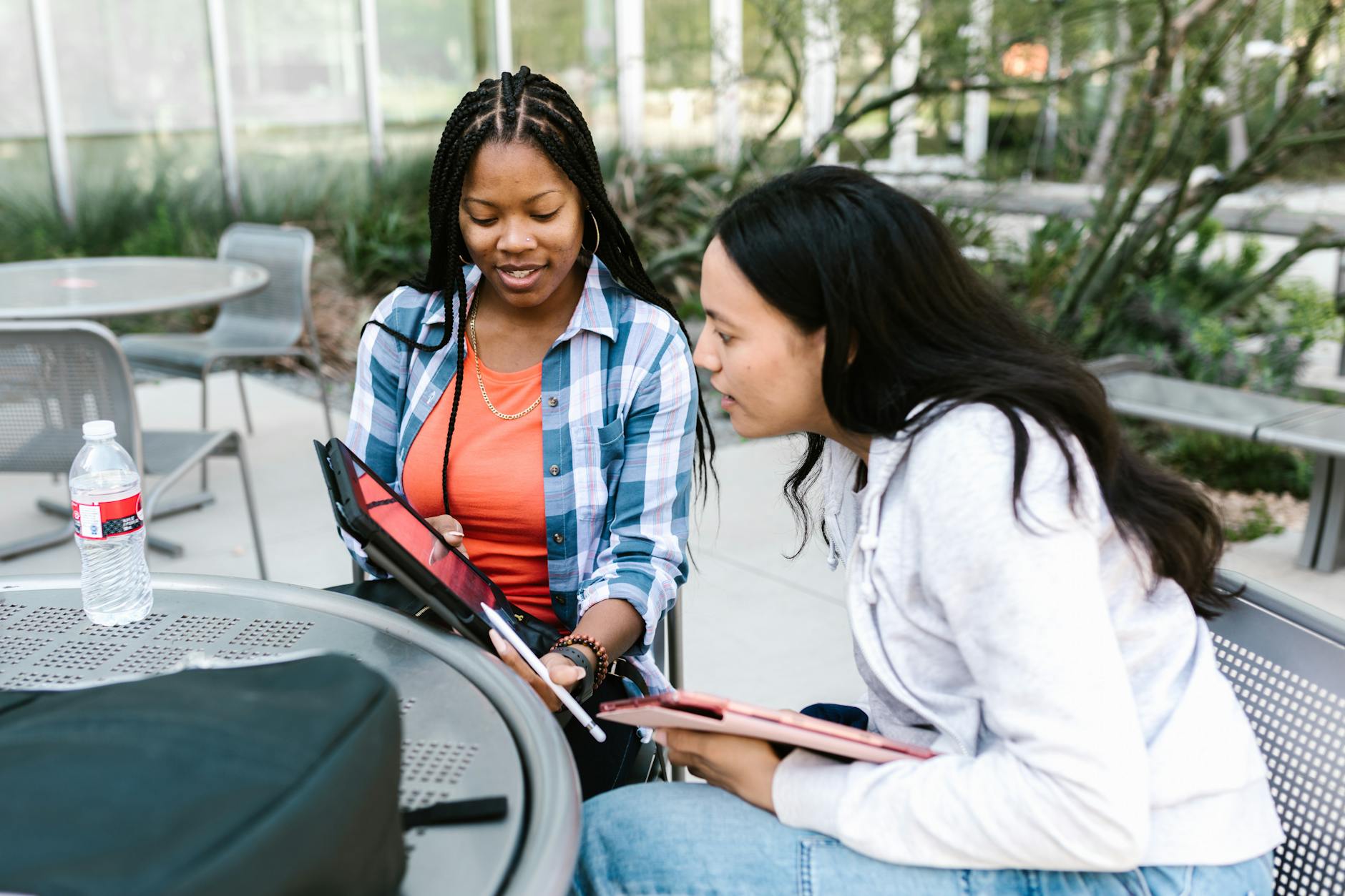
Technology literacy matters because it prepares students for rapidly growing tech-heavy career fields while developing critical evaluation skills to combat misinformation. It bridges the digital use divide by transforming device access into active creation, ethical participation, and strategic problem-solving capabilities important for modern citizenship.
We are not teaching PowerPoint anymore. We are teaching survival skills for a world where algorithms curate reality and jobs demand computational thinking. The students who thrive will be those who can question what the screen shows them.
The Bureau of Labor Statistics projects computer and information technology occupations will grow 14.6 percent through 2032. That is more than double the average for all occupations. The median annual wage for these jobs sits significantly above the national average, which means we are preparing kids for economic mobility, not just digital convenience. When I showed this data to my 8th graders last spring, the room went quiet. They stopped asking why we were learning Python loops and started asking how to build portfolios that colleges might actually view.
But access alone is not enough. The Department of Education warns about the Digital Use Divide. This is the gap between students who passively consume content—watching YouTube for hours—and those who actively create podcasts, build data visualizations, or code interactive stories. I watched two students with Chromebooks side by side last week; one consumed gaming streams while the other built a website. Same device, different cognitive engagement. The builder remembered specifics days later. The viewer forgot. Active creation sticks. Passive scrolling does not.
Nearly every school now has high-speed internet. NCES data shows 94 percent of public schools now have the connectivity we dreamed about a decade ago. The equity issue has shifted from "Can we get online?" to "What are we doing once we get there?" Without strong ICT literacy and information literacy, that district-issued Chromebook becomes a thousand-dollar streaming device. We need to ensure those glowing screens translate into equitable learning outcomes and skill acquisition, not just entertainment access.
None of this works if kids cannot read. I learned this the hard way with a 7th grader last year who cracked TikTok's algorithm better than I could, but could not comprehend the text-based coding tutorials I assigned. If a student reads below a 3rd grade level, pause the digital fluency push. Focus on print literacy first. Technology should support decoding and comprehension, not replace them. I have seen too many teachers—myself included—get seduced by flashy edtech when half the class is still sounding out words on a page.
This is where understanding digital citizenship intersects with practical skill building. We need students who grasp ethical participation, sure. But we also need them possessing genuine algorithmic thinking capabilities and the judgment to evaluate sources. The TPACK framework helps us balance this—matching technological knowledge with pedagogical content knowledge so we are not just adding tech for tech's sake. We are building thinkers who can debug both broken code and biased news articles. That is the literacy that matters.
The Core Components Every Student Needs
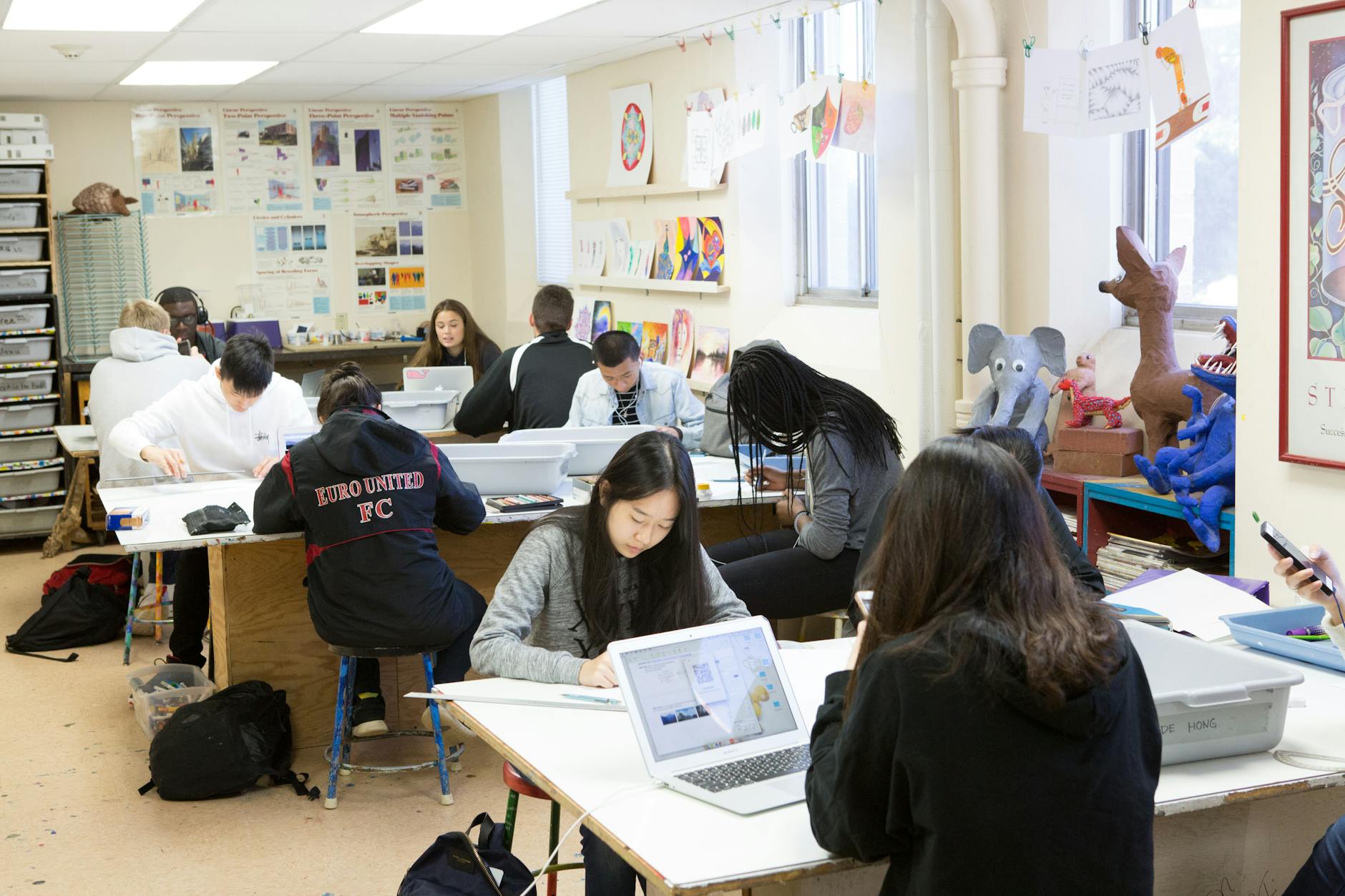
Technology literacy isn't a single checkbox. It's a bundle of competencies that evolve from kindergarten through graduation. I've watched 1st graders code Bee-Bots to cross a masking-tape maze on the carpet, sequencing forward arrows until the robot hits the target. They chant the steps aloud before pressing go. Those same kids, by 5th grade, debug Scratch Jr stories where the cat won't disappear on cue. They tap the purple blocks, check the loop counts, and fix the logic. That's algorithmic thinking in action — teaching students to break problems into steps and fix what breaks.
Middle grades need harder logic. My 7th graders write Python functions to calculate area, or they wrestle with Excel formulas for budgeting projects. They learn syntax matters. One missing colon crashes the whole script. By high school, we're talking API integrations. My juniors built automation scripts that pull live weather data into Google Sheets every hour without manual updates. They started with simple loops in 6th grade. Now they connect to external data sources. The jump from blocks to text surprises them every time. It sounds fancy, but it's just computational thinking scaled up.
Then there's information literacy. Last month, a viral TikTok claimed California's drought ended overnight because of one rainstorm. My students applied the SIFT method. Stop. Investigate the source. Find better coverage. Trace claims to original studies. They opened three tabs side-by-side — lateral reading — comparing the TikTok against NOAA and Reuters. They checked the upload date and the account history. They discovered the video clipped a 2019 headline and added fake rain sounds. Real skills, real misinformation, real-time correction. They learned to check the date before hitting share.
Creation matters too. My 4th graders smash together videos in Adobe Express for book reports. It's free for K-12, and most figure it out in one period. The timeline confuses some at first, but they adapt quickly. Canva Education templates save my middle schoolers hours on science posters; drag, drop, done. They customize the colors but keep the structure. For elementary multimedia, Book Creator lets 2nd graders record themselves reading their own picture books. All three platforms cost nothing for schools. Adobe Express has the steepest curve. Book Creator works for kids who can't spell yet. Each tool serves different ages.
Finally, digital citizenship isn't optional. I use Common Sense Media's 'Digital Life' curriculum for concrete scenarios. My 8th graders install Bitwarden Education to manage passwords — no more "sunshine123" on every account. They generate 20-character strings they never have to memorize. We play Google's Interland to spot phishing links disguised as game rewards. For seniors, we skim actual terms of service for Instagram, showing the arbitration clause they usually ignore. They need to know they're giving away rights when they click "agree." These conversations prevent future headaches.
This is about empowering students with digital literacy in ways that stick. When you weave these four components into daily instruction, you're building digital fluency that outlasts any app. The TPACK framework reminds us that content knowledge and pedagogy must merge with technology, not compete against it. You don't teach these skills in isolation. You embed them when students are actually researching, creating, or coding. That's when they stick. You stop being the tech teacher and start being the teacher who uses tech. That shift changes everything. These aren't separate subjects. They're the grammar of digital literacies for learning.
Technology Literacy vs. Computer Literacy: Key Differences
Computer literacy is knowing how to drive the car. Technology literacy is knowing when to take the bus, how to read the map, and whether you should even make the trip. One teaches procedure. The other teaches judgment. Both matter, but confusing them wastes time and leaves kids unprepared. I've watched teachers spend weeks on computer literacy in education—teaching Excel formulas—when students need to decide if a spreadsheet is even the right format for their campaign.
Here's how they break down across four dimensions.
Dimension | Computer Literacy | Technology Literacy |
|---|---|---|
Definition | Procedural execution: following steps to operate software or hardware. | Strategic application: selecting and combining tools to solve complex problems. |
Cognitive Demand | Recall and comprehension: remembering commands, menus, and interfaces. | Evaluation and synthesis: judging which tool fits the audience, purpose, and constraints. |
Tool Relationship | Single-platform mastery: deep expertise in one specific program or system. | Cross-platform selection: fluency across different types of educational technology, matching task to affordance. |
Assessment Method | Skills test: checklists of competencies (can save a file, can format text). | Authentic portfolio: evidence of decision-making, reflections on tool choices, and ethical considerations. |
Picture a 5th grader asked to share research about local water quality. Computer literacy is formatting that Word document with proper headings and page numbers. It's necessary. But technology literacy is that same kid looking at the rubric, considering her audience—parents at the school board meeting—and choosing between Word, Google Sites, or Adobe Spark based on accessibility, visual impact, and collaboration needs. She's practicing information literacy and digital fluency simultaneously. The computer-literate student makes the tool work. The technology-literate student makes the tool work for her goals.
Computer literacy fails when we overapply it. It's sufficient for administrative tasks, standardized testing environments, and basic productivity. You don't need strategic tool selection to take attendance in your SIS or proctor a state exam on a locked-down browser. Those are closed systems with predetermined procedures. But computer literacy collapses during project-based learning, open-ended research tasks, and creative production. That's when students need to evaluate sources, understand algorithmic thinking, and exercise digital citizenship to avoid misinformation and privacy pitfalls. Without technology literacy, they default to the first tool they learned, regardless of fit.
The jump from one to the other isn't automatic. I watch kids master Google Docs in 3rd grade but still reach for Docs in 8th grade when a video or podcast better serves their message. They default to familiarity. That gap is missing technology literacy—the ability to step back and ask "Is this the right tool for this specific audience and purpose?" They need a bridge, not just more has to memorize.
That bridge has three steps. First, tool mastery—the computer literacy foundation where kids learn the buttons, shortcuts, and basic troubleshooting. Second, application across diverse contexts—using that same tool in science, art, and social studies until they naturally feel its edges and limitations. Third, critical evaluation and ethical decision-making—the TPACK framework in action, where they weigh privacy, accessibility, bias, and audience against technical capability. That's computational thinking applied to life, not just code. That's when they stop consuming technology and start commanding it.

Practical Integration Strategies for K-12 Teachers
I used to bolt tech onto lessons like a shiny hood ornament. Then I tried these five approaches. They stick because they solve real classroom problems without eating your prep time. Each one targets a specific pain point I faced last year.
Choice boards changed how my 7th graders tackle science reports. I built a simple 3x3 grid in Google Slides, nine cells total. Row one: research tools—Britannica School, Gale, or Sweet Search. Row two: creation apps—Canva, Adobe Spark, or Google Slides. Row three: sharing platforms—Padlet or Flipgrid. Students pick one from each row. Prep took sixty minutes last August. Now when I say "start your climate project," nobody asks what app to use. They just work.
This builds digital fluency because kids learn which tool fits which job. One kid last week told me Sweet Search was "too basic" for her ecosystem topic and switched to Gale mid-research. That's the decision-making I want. They evaluate sources based on depth, not just because I told them to.
Stop being the help desk. I printed a tech troubleshooting protocol on neon yellow cardstock and laminated five copies per table at the district office during lunch. Step one: check your hardware. Step two: check the wifi. Step three: soft refresh with F5. Step four: hard refresh with Ctrl+F5. Step five: consult a peer. Step six: escalate to me.
My interruption rate during writing workshop dropped from twelve per period to two. Teachers across my hall report similar reductions once the flowchart goes up. Students develop computational thinking when they diagnose their own tech failures instead of waving their hands frantically. The card lives in the pencil caddy. They use it.
Digital citizenship dies when crammed into a single September assembly. I run Tech Talk Tuesdays—fifteen minutes, every week right after recess—using Common Sense Education's K-12 Scope and Sequence. Last month we dissected this scenario: "What if a classmate shares your photo without permission?" The debate lasted twenty minutes. Kids started policing their own group chats.
Embedding these conversations weekly makes information literacy part of your classroom culture, not an add-on. One student reported an Instagram impersonation account the next day because we had practiced the exact reporting protocol during our Tuesday talk. She knew the steps.
Break down the walls. Partner with your librarian for Research Friday sessions using the SIFT method—Stop, Investigate the source, Find better coverage, Trace claims. Our librarian Ms. Chen runs these like a detective game.
Collaborate with art for digital portfolios built on Google Sites. Team up with math for data visualization projects using Google Sheets and Infogram. When you integrate EdTech seamlessly into your lesson plans across subjects, technology literacy becomes the language of the whole school day, not just computer lab hour.
My 8th graders just built Infogram charts for their history fair data. They remembered the spreadsheet formulas from math class because the skills transferred. The art teacher's portfolio requirements actually improved their Google Sites navigation skills for my class.
Finally, normalize broken things. I created Debug Logs—shared Google Docs where students in grades 4-12 document tech failures and solutions. "Chromebook won't connect to printer. Solution: delete job queue and restart." This builds institutional knowledge.
Next year's class reads last year's errors. It also teaches resilience. Fourth graders write simpler entries than twelfth graders, but both add value. Students with strong algorithmic thinking skills don't panic when code breaks; they troubleshoot systematically.
Fifth graders contribute alongside seniors. The log is twenty pages long now and growing. Kids actually cheer when they solve a new error and add it to the doc.
These five strategies align with the TPACK framework—Technological, Pedagogical, And Content Knowledge. They blend your content knowledge with solid pedagogy and purposeful tech. You stop teaching tools and start teaching thinking. That's the difference between tech literacy and actual learning. The tools will change next year. The thinking stays.

Step-by-Step Implementation in Your Curriculum
Start with your foundation, not your lesson plans. I learned this the hard way when my 7th graders tried to upload videos on bandwidth that couldn't handle three streams at once. The uploads failed. The class stalled. Infrastructure first. Curriculum second. You cannot build digital fluency on broken wifi.
Week 1 is your Infrastructure Audit. Count devices. You need 1:1 or at least 2:1 to do meaningful work beyond digital worksheets. Test your bandwidth—aim for 100 kbps per student minimum or you'll watch loading wheels spin through your entire period. Send a Google Form home asking about internet access, device availability, and shared spaces. Ask specifically: "Does your child have a quiet place to record?" Flag the "tech equity" gaps immediately. Those kids need alternatives before you assign anything cloud-based. I found three families in my first audit using phones only. We adjusted.
Weeks 2-3: Standards Alignment. Pull your state CS standards or ISTE Standards. Map them grade by grade. Create a Scope and Sequence document showing what each level actually accomplishes. My district went with 3rd graders mastering typing and basic search skills—real information literacy—while 8th graders tackled data analysis and digital citizenship conversations about source credibility. Be specific. "Students will use technology" means nothing. "Students will evaluate three sources for bias" means everything. Work in computational thinking benchmarks where logical—pattern recognition for elementary, abstraction for middle school.
Week 4: Tool Consolidation. Limit yourself to three platforms max. More than that and you’re managing passwords, not teaching. Pick your LMS (Google Classroom or Canvas), your Creation Suite (Google Workspace or Microsoft 365 Education), and one specialized tool. For elementary, that's Seesaw. For secondary, I use Notion for unit hubs and student project management. All offer free education tiers. This restraint builds deep fluency. Students master the tool. They won't skim across six apps and forget each one.
Months 2-3 run your Pilot Program. Choose one early adopter grade—I suggest 5th or 9th. These transition years handle change better and set norms for the school. Go deep with them while other grades maintain basic computer literacy. Document everything. What crashed? What took twice as long as planned? I kept a running Google Doc during our pilot. Those messy notes became our troubleshooting bible when we expanded district-wide. This is where you test tech-enabled collaborative learning strategies without drowning your entire staff in new workflows.
Professional Development follows, not precedes. Schedule one 2-hour session introducing the TPACK framework—Technological, Pedagogical, And Content Knowledge. Teachers need to see where their subject expertise overlaps with digital tools, not sit through generic "click here" tutorials that insult their intelligence. Then run monthly 45-minute PLC meetings. Short. Focused. One problem, one solution. October covers troubleshooting; November tackles rubrics. Add a peer observation protocol using a 4-point rubric looking at algorithmic thinking integration and student agency. Teachers trust other teachers more than outside consultants.
Month 4 establishes your Assessment Baseline. Administer a performance task: "Research and present a solution to a local environmental issue." Students must find data, evaluate sources, and present findings digitally using your consolidated tools. Use an ISTE-aligned rubric scoring technology literacy and ict literacy, not just PowerPoint prettiness. Save these artifacts. In Month 9, run the same task type with a different topic. Compare the growth. Numbers don't lie—you'll see the jump from baseline to final, and you'll have concrete proof your implementation actually worked.

How to Assess Technology Literacy Skills?
Assess technology literacy through performance-based portfolios rather than multiple-choice tests. Evaluate student work using ISTE-aligned rubrics measuring strategic tool selection, ethical digital behavior, and computational thinking. Look for evidence in authentic tasks like multimedia research projects, computational artifacts, and problem-solving scenarios that mirror how students actually use technology outside school.
Stop timing how fast kids type. Real technology literacy shows up when students pick the right tool for the job, defend their choice, and explain why they trust their sources.
I’ve seen districts waste money on typing speed software and mouse-click efficiency drills. These measure computer literacy from 1998, not the strategic technology use we need now. Software feature identification quizzes are just as useless—knowing where the "bold" button lives proves nothing about digital fluency. If your assessment looks like a driver's ed exam for software, scrap it.
Last year my district bought a "digital skills benchmark" that tested whether 5th graders could identify the Save icon. Half my class failed because they’ve only ever used auto-save apps. That’s not assessment; that’s trivia. True digital literacies for learning require students to troubleshoot when the wifi drops, recover lost work, or evaluate if a source is trustworthy enough to cite.
The 4 Artifact Requirement approach works better. I require four artifacts that show real digital literacies for learning. First, a computational artifact—maybe a Scratch game that models a science concept or a spreadsheet predicting population growth. Second, a research project with an annotated bibliography where students explicitly show their SIFT method application for information literacy. Third, a creative communication piece like a podcast episode or documentary video. Fourth, a "Letter to Future Self" reflection essay analyzing their digital footprint and algorithmic thinking patterns.
The reflection essay catches kids who faked their way through the technical parts. I ask them to predict what their digital footprint will look like in ten years based on current habits. One 8th grader wrote about realizing her Instagram algorithm only showed her beauty content and how that shaped her self-image. That’s the ethical application you can’t fake.
I use a four-point scale: Novice, Developing, Proficient, Advanced. Three domains drive the scoring—Technical Fluency, Critical Evaluation, and Ethical Application. Each level has concrete anchor papers from 4th, 8th, and 12th grades so kids see what "Proficient" looks like at their developmental stage. When a 7th grader asks what separates Developing from Proficient, I pull up the 8th-grade anchor showing strategic tool selection versus random app hopping.
I keep anchor papers in a shared drive organized by grade band. When a 4th grader hits Advanced on Technical Fluency, it means they debugged their own Scratch code without asking me. An 12th grader at Advanced synthesized three different data visualization tools to prove their research thesis, showing sophisticated information literacy. The concrete examples silence arguments about "effort" versus actual skill.
Weekly exit tickets via Google Forms are part of my steps for progress monitoring in K-12. Three questions only: What tool did you use today? Why did you choose it? What would you do differently? These responses reveal their TPACK framework understanding better than any test. I read them during my prep period and adjust next week’s instruction based on who’s still guessing versus who’s thinking strategically.
Last Tuesday’s exit ticket caught a kid using TikTok for research because "it loads faster than Google." That’s exactly the kind of information literacy red flag I need to see. We had a conversation Wednesday about vertical video platforms versus academic databases. You don’t get that intelligence from a multiple-choice question about browser buttons.
The semester ends with a 10-minute portfolio defense. Students present their growth trajectory using specific artifacts mapped to ISTE indicators. It’s a student-led conference where they argue for their technology literacy level. I ask questions. They justify their digital citizenship choices. When you’re transitioning to digital exams and assessments, this beats a scantron every time.
The defense mimics real-world tech interviews. Students must demonstrate computational thinking by walking me through their problem-solving steps. My favorite moment last semester was watching a sophomore explain how she chose Canva over PowerPoint for accessibility reasons. She cited WCAG guidelines she’d researched herself. That’s the digital fluency and algorithmic thinking we’re chasing.

What Is Technology Literacy?
Technology literacy is the strategic ability to select, evaluate, and use digital tools for learning and creation. It encompasses computational thinking, digital ethics, and critical evaluation—moving well beyond basic software operation to purposeful technological decision-making when solving real classroom problems.
It's not about knowing every app. It's about knowing which app to pick when your lesson falls flat—and why.
The ISTE Standards for Students (2016) frame technology literacy as strategic decision-making, not just clicking buttons correctly. You choose the right tool for the job, troubleshoot when the WiFi drops mid-upload, and know when to abandon a platform entirely when it stops serving your students. This is computational thinking in action—evaluating digital options against your specific learning goals, not defaulting to the software pre-installed on district laptops. It requires genuine adaptability.
Back in the 90s, computer literacy meant touch-typing and mastering WordPerfect formatting codes. Teachers drilled students on keyboarding speed and mail-merge functions for future office work. Today, digital fluency looks nothing like that rigid, software-specific training. We're not preparing students to operate specific programs—we're preparing them to thrive in an information ecosystem where the tools change every semester and the interface you learned in September gets redesigned by December without warning.
I watched a 10th grader "research" the French Revolution last week by typing "french revolution facts" into Google and clicking the first three blue links without scanning the URLs or checking dates. That's not research—it's random clicking. Real information literacy requires Boolean operators to narrow results, the CARS checklist to test domain authority, and the ability to synthesize video testimony with primary source documents into a coherent historical argument. She needed to evaluate sources, not just accumulate them.
In kindergarten, my kids program Bee-Bots to cross the rug without hitting the legos. They're learning operational basics—input commands, predict outcomes, debug when the robot veers left into the bookshelf. It's concrete, tactile, and builds the foundational logic they'll need when they encounter block-based coding in third grade. These are the first steps toward systematic problem-solving with physical feedback.
By fourth grade, students choose between creating a podcast, infographic, or Scratch animation to explain river erosion. They're not learning one mandated tool—they're selecting the medium that best fits their message and audience. This is where the TPACK framework becomes visible: teachers matching technological options with specific pedagogical goals, letting content drive the choice, not the other way around. Student agency matters here.
Middle schoolers collect pH data from local streams and use spreadsheets to spot contamination patterns over time. They evaluate which data visualization tells the ecological truth and which one obscures it through misleading scales. This stage needs algorithmic thinking: breaking complex environmental problems into discrete steps, recognizing patterns in datasets, and automating calculations through logical sequences, not manual counting of every cell.
High schoolers build Python apps that pull real-time weather API data to advise community farmers on optimal planting schedules. They're integrating external systems, handling JSON authentication errors, and iterating based on genuine user feedback. This isn't using technology—it's architecting solutions. They shift from consumers to creators who understand the architecture beneath the interface, making intentional decisions about data structures and security.
True literacy includes digital citizenship—knowing when to cite a meme, how to spot deepfakes in political ads, and why privacy settings matter when colleges scan social media. You need cross-platform adaptability; the tool you teach today gets acquired or shut down next year. Check our essential digital literacy skills framework for the full progression map. Ethics aren't an add-on—they're the foundation that keeps tech literacy from becoming mere technical skill without moral direction.
Why Does Technology Literacy Matter in Modern Classrooms?
Technology literacy matters because it prepares students for rapidly growing tech-heavy career fields while developing critical evaluation skills to combat misinformation. It bridges the digital use divide by transforming device access into active creation, ethical participation, and strategic problem-solving capabilities important for modern citizenship.
We are not teaching PowerPoint anymore. We are teaching survival skills for a world where algorithms curate reality and jobs demand computational thinking. The students who thrive will be those who can question what the screen shows them.
The Bureau of Labor Statistics projects computer and information technology occupations will grow 14.6 percent through 2032. That is more than double the average for all occupations. The median annual wage for these jobs sits significantly above the national average, which means we are preparing kids for economic mobility, not just digital convenience. When I showed this data to my 8th graders last spring, the room went quiet. They stopped asking why we were learning Python loops and started asking how to build portfolios that colleges might actually view.
But access alone is not enough. The Department of Education warns about the Digital Use Divide. This is the gap between students who passively consume content—watching YouTube for hours—and those who actively create podcasts, build data visualizations, or code interactive stories. I watched two students with Chromebooks side by side last week; one consumed gaming streams while the other built a website. Same device, different cognitive engagement. The builder remembered specifics days later. The viewer forgot. Active creation sticks. Passive scrolling does not.
Nearly every school now has high-speed internet. NCES data shows 94 percent of public schools now have the connectivity we dreamed about a decade ago. The equity issue has shifted from "Can we get online?" to "What are we doing once we get there?" Without strong ICT literacy and information literacy, that district-issued Chromebook becomes a thousand-dollar streaming device. We need to ensure those glowing screens translate into equitable learning outcomes and skill acquisition, not just entertainment access.
None of this works if kids cannot read. I learned this the hard way with a 7th grader last year who cracked TikTok's algorithm better than I could, but could not comprehend the text-based coding tutorials I assigned. If a student reads below a 3rd grade level, pause the digital fluency push. Focus on print literacy first. Technology should support decoding and comprehension, not replace them. I have seen too many teachers—myself included—get seduced by flashy edtech when half the class is still sounding out words on a page.
This is where understanding digital citizenship intersects with practical skill building. We need students who grasp ethical participation, sure. But we also need them possessing genuine algorithmic thinking capabilities and the judgment to evaluate sources. The TPACK framework helps us balance this—matching technological knowledge with pedagogical content knowledge so we are not just adding tech for tech's sake. We are building thinkers who can debug both broken code and biased news articles. That is the literacy that matters.
The Core Components Every Student Needs
Technology literacy isn't a single checkbox. It's a bundle of competencies that evolve from kindergarten through graduation. I've watched 1st graders code Bee-Bots to cross a masking-tape maze on the carpet, sequencing forward arrows until the robot hits the target. They chant the steps aloud before pressing go. Those same kids, by 5th grade, debug Scratch Jr stories where the cat won't disappear on cue. They tap the purple blocks, check the loop counts, and fix the logic. That's algorithmic thinking in action — teaching students to break problems into steps and fix what breaks.
Middle grades need harder logic. My 7th graders write Python functions to calculate area, or they wrestle with Excel formulas for budgeting projects. They learn syntax matters. One missing colon crashes the whole script. By high school, we're talking API integrations. My juniors built automation scripts that pull live weather data into Google Sheets every hour without manual updates. They started with simple loops in 6th grade. Now they connect to external data sources. The jump from blocks to text surprises them every time. It sounds fancy, but it's just computational thinking scaled up.
Then there's information literacy. Last month, a viral TikTok claimed California's drought ended overnight because of one rainstorm. My students applied the SIFT method. Stop. Investigate the source. Find better coverage. Trace claims to original studies. They opened three tabs side-by-side — lateral reading — comparing the TikTok against NOAA and Reuters. They checked the upload date and the account history. They discovered the video clipped a 2019 headline and added fake rain sounds. Real skills, real misinformation, real-time correction. They learned to check the date before hitting share.
Creation matters too. My 4th graders smash together videos in Adobe Express for book reports. It's free for K-12, and most figure it out in one period. The timeline confuses some at first, but they adapt quickly. Canva Education templates save my middle schoolers hours on science posters; drag, drop, done. They customize the colors but keep the structure. For elementary multimedia, Book Creator lets 2nd graders record themselves reading their own picture books. All three platforms cost nothing for schools. Adobe Express has the steepest curve. Book Creator works for kids who can't spell yet. Each tool serves different ages.
Finally, digital citizenship isn't optional. I use Common Sense Media's 'Digital Life' curriculum for concrete scenarios. My 8th graders install Bitwarden Education to manage passwords — no more "sunshine123" on every account. They generate 20-character strings they never have to memorize. We play Google's Interland to spot phishing links disguised as game rewards. For seniors, we skim actual terms of service for Instagram, showing the arbitration clause they usually ignore. They need to know they're giving away rights when they click "agree." These conversations prevent future headaches.
This is about empowering students with digital literacy in ways that stick. When you weave these four components into daily instruction, you're building digital fluency that outlasts any app. The TPACK framework reminds us that content knowledge and pedagogy must merge with technology, not compete against it. You don't teach these skills in isolation. You embed them when students are actually researching, creating, or coding. That's when they stick. You stop being the tech teacher and start being the teacher who uses tech. That shift changes everything. These aren't separate subjects. They're the grammar of digital literacies for learning.
Technology Literacy vs. Computer Literacy: Key Differences
Computer literacy is knowing how to drive the car. Technology literacy is knowing when to take the bus, how to read the map, and whether you should even make the trip. One teaches procedure. The other teaches judgment. Both matter, but confusing them wastes time and leaves kids unprepared. I've watched teachers spend weeks on computer literacy in education—teaching Excel formulas—when students need to decide if a spreadsheet is even the right format for their campaign.
Here's how they break down across four dimensions.
Dimension | Computer Literacy | Technology Literacy |
|---|---|---|
Definition | Procedural execution: following steps to operate software or hardware. | Strategic application: selecting and combining tools to solve complex problems. |
Cognitive Demand | Recall and comprehension: remembering commands, menus, and interfaces. | Evaluation and synthesis: judging which tool fits the audience, purpose, and constraints. |
Tool Relationship | Single-platform mastery: deep expertise in one specific program or system. | Cross-platform selection: fluency across different types of educational technology, matching task to affordance. |
Assessment Method | Skills test: checklists of competencies (can save a file, can format text). | Authentic portfolio: evidence of decision-making, reflections on tool choices, and ethical considerations. |
Picture a 5th grader asked to share research about local water quality. Computer literacy is formatting that Word document with proper headings and page numbers. It's necessary. But technology literacy is that same kid looking at the rubric, considering her audience—parents at the school board meeting—and choosing between Word, Google Sites, or Adobe Spark based on accessibility, visual impact, and collaboration needs. She's practicing information literacy and digital fluency simultaneously. The computer-literate student makes the tool work. The technology-literate student makes the tool work for her goals.
Computer literacy fails when we overapply it. It's sufficient for administrative tasks, standardized testing environments, and basic productivity. You don't need strategic tool selection to take attendance in your SIS or proctor a state exam on a locked-down browser. Those are closed systems with predetermined procedures. But computer literacy collapses during project-based learning, open-ended research tasks, and creative production. That's when students need to evaluate sources, understand algorithmic thinking, and exercise digital citizenship to avoid misinformation and privacy pitfalls. Without technology literacy, they default to the first tool they learned, regardless of fit.
The jump from one to the other isn't automatic. I watch kids master Google Docs in 3rd grade but still reach for Docs in 8th grade when a video or podcast better serves their message. They default to familiarity. That gap is missing technology literacy—the ability to step back and ask "Is this the right tool for this specific audience and purpose?" They need a bridge, not just more has to memorize.
That bridge has three steps. First, tool mastery—the computer literacy foundation where kids learn the buttons, shortcuts, and basic troubleshooting. Second, application across diverse contexts—using that same tool in science, art, and social studies until they naturally feel its edges and limitations. Third, critical evaluation and ethical decision-making—the TPACK framework in action, where they weigh privacy, accessibility, bias, and audience against technical capability. That's computational thinking applied to life, not just code. That's when they stop consuming technology and start commanding it.
Practical Integration Strategies for K-12 Teachers
I used to bolt tech onto lessons like a shiny hood ornament. Then I tried these five approaches. They stick because they solve real classroom problems without eating your prep time. Each one targets a specific pain point I faced last year.
Choice boards changed how my 7th graders tackle science reports. I built a simple 3x3 grid in Google Slides, nine cells total. Row one: research tools—Britannica School, Gale, or Sweet Search. Row two: creation apps—Canva, Adobe Spark, or Google Slides. Row three: sharing platforms—Padlet or Flipgrid. Students pick one from each row. Prep took sixty minutes last August. Now when I say "start your climate project," nobody asks what app to use. They just work.
This builds digital fluency because kids learn which tool fits which job. One kid last week told me Sweet Search was "too basic" for her ecosystem topic and switched to Gale mid-research. That's the decision-making I want. They evaluate sources based on depth, not just because I told them to.
Stop being the help desk. I printed a tech troubleshooting protocol on neon yellow cardstock and laminated five copies per table at the district office during lunch. Step one: check your hardware. Step two: check the wifi. Step three: soft refresh with F5. Step four: hard refresh with Ctrl+F5. Step five: consult a peer. Step six: escalate to me.
My interruption rate during writing workshop dropped from twelve per period to two. Teachers across my hall report similar reductions once the flowchart goes up. Students develop computational thinking when they diagnose their own tech failures instead of waving their hands frantically. The card lives in the pencil caddy. They use it.
Digital citizenship dies when crammed into a single September assembly. I run Tech Talk Tuesdays—fifteen minutes, every week right after recess—using Common Sense Education's K-12 Scope and Sequence. Last month we dissected this scenario: "What if a classmate shares your photo without permission?" The debate lasted twenty minutes. Kids started policing their own group chats.
Embedding these conversations weekly makes information literacy part of your classroom culture, not an add-on. One student reported an Instagram impersonation account the next day because we had practiced the exact reporting protocol during our Tuesday talk. She knew the steps.
Break down the walls. Partner with your librarian for Research Friday sessions using the SIFT method—Stop, Investigate the source, Find better coverage, Trace claims. Our librarian Ms. Chen runs these like a detective game.
Collaborate with art for digital portfolios built on Google Sites. Team up with math for data visualization projects using Google Sheets and Infogram. When you integrate EdTech seamlessly into your lesson plans across subjects, technology literacy becomes the language of the whole school day, not just computer lab hour.
My 8th graders just built Infogram charts for their history fair data. They remembered the spreadsheet formulas from math class because the skills transferred. The art teacher's portfolio requirements actually improved their Google Sites navigation skills for my class.
Finally, normalize broken things. I created Debug Logs—shared Google Docs where students in grades 4-12 document tech failures and solutions. "Chromebook won't connect to printer. Solution: delete job queue and restart." This builds institutional knowledge.
Next year's class reads last year's errors. It also teaches resilience. Fourth graders write simpler entries than twelfth graders, but both add value. Students with strong algorithmic thinking skills don't panic when code breaks; they troubleshoot systematically.
Fifth graders contribute alongside seniors. The log is twenty pages long now and growing. Kids actually cheer when they solve a new error and add it to the doc.
These five strategies align with the TPACK framework—Technological, Pedagogical, And Content Knowledge. They blend your content knowledge with solid pedagogy and purposeful tech. You stop teaching tools and start teaching thinking. That's the difference between tech literacy and actual learning. The tools will change next year. The thinking stays.
Step-by-Step Implementation in Your Curriculum
Start with your foundation, not your lesson plans. I learned this the hard way when my 7th graders tried to upload videos on bandwidth that couldn't handle three streams at once. The uploads failed. The class stalled. Infrastructure first. Curriculum second. You cannot build digital fluency on broken wifi.
Week 1 is your Infrastructure Audit. Count devices. You need 1:1 or at least 2:1 to do meaningful work beyond digital worksheets. Test your bandwidth—aim for 100 kbps per student minimum or you'll watch loading wheels spin through your entire period. Send a Google Form home asking about internet access, device availability, and shared spaces. Ask specifically: "Does your child have a quiet place to record?" Flag the "tech equity" gaps immediately. Those kids need alternatives before you assign anything cloud-based. I found three families in my first audit using phones only. We adjusted.
Weeks 2-3: Standards Alignment. Pull your state CS standards or ISTE Standards. Map them grade by grade. Create a Scope and Sequence document showing what each level actually accomplishes. My district went with 3rd graders mastering typing and basic search skills—real information literacy—while 8th graders tackled data analysis and digital citizenship conversations about source credibility. Be specific. "Students will use technology" means nothing. "Students will evaluate three sources for bias" means everything. Work in computational thinking benchmarks where logical—pattern recognition for elementary, abstraction for middle school.
Week 4: Tool Consolidation. Limit yourself to three platforms max. More than that and you’re managing passwords, not teaching. Pick your LMS (Google Classroom or Canvas), your Creation Suite (Google Workspace or Microsoft 365 Education), and one specialized tool. For elementary, that's Seesaw. For secondary, I use Notion for unit hubs and student project management. All offer free education tiers. This restraint builds deep fluency. Students master the tool. They won't skim across six apps and forget each one.
Months 2-3 run your Pilot Program. Choose one early adopter grade—I suggest 5th or 9th. These transition years handle change better and set norms for the school. Go deep with them while other grades maintain basic computer literacy. Document everything. What crashed? What took twice as long as planned? I kept a running Google Doc during our pilot. Those messy notes became our troubleshooting bible when we expanded district-wide. This is where you test tech-enabled collaborative learning strategies without drowning your entire staff in new workflows.
Professional Development follows, not precedes. Schedule one 2-hour session introducing the TPACK framework—Technological, Pedagogical, And Content Knowledge. Teachers need to see where their subject expertise overlaps with digital tools, not sit through generic "click here" tutorials that insult their intelligence. Then run monthly 45-minute PLC meetings. Short. Focused. One problem, one solution. October covers troubleshooting; November tackles rubrics. Add a peer observation protocol using a 4-point rubric looking at algorithmic thinking integration and student agency. Teachers trust other teachers more than outside consultants.
Month 4 establishes your Assessment Baseline. Administer a performance task: "Research and present a solution to a local environmental issue." Students must find data, evaluate sources, and present findings digitally using your consolidated tools. Use an ISTE-aligned rubric scoring technology literacy and ict literacy, not just PowerPoint prettiness. Save these artifacts. In Month 9, run the same task type with a different topic. Compare the growth. Numbers don't lie—you'll see the jump from baseline to final, and you'll have concrete proof your implementation actually worked.
How to Assess Technology Literacy Skills?
Assess technology literacy through performance-based portfolios rather than multiple-choice tests. Evaluate student work using ISTE-aligned rubrics measuring strategic tool selection, ethical digital behavior, and computational thinking. Look for evidence in authentic tasks like multimedia research projects, computational artifacts, and problem-solving scenarios that mirror how students actually use technology outside school.
Stop timing how fast kids type. Real technology literacy shows up when students pick the right tool for the job, defend their choice, and explain why they trust their sources.
I’ve seen districts waste money on typing speed software and mouse-click efficiency drills. These measure computer literacy from 1998, not the strategic technology use we need now. Software feature identification quizzes are just as useless—knowing where the "bold" button lives proves nothing about digital fluency. If your assessment looks like a driver's ed exam for software, scrap it.
Last year my district bought a "digital skills benchmark" that tested whether 5th graders could identify the Save icon. Half my class failed because they’ve only ever used auto-save apps. That’s not assessment; that’s trivia. True digital literacies for learning require students to troubleshoot when the wifi drops, recover lost work, or evaluate if a source is trustworthy enough to cite.
The 4 Artifact Requirement approach works better. I require four artifacts that show real digital literacies for learning. First, a computational artifact—maybe a Scratch game that models a science concept or a spreadsheet predicting population growth. Second, a research project with an annotated bibliography where students explicitly show their SIFT method application for information literacy. Third, a creative communication piece like a podcast episode or documentary video. Fourth, a "Letter to Future Self" reflection essay analyzing their digital footprint and algorithmic thinking patterns.
The reflection essay catches kids who faked their way through the technical parts. I ask them to predict what their digital footprint will look like in ten years based on current habits. One 8th grader wrote about realizing her Instagram algorithm only showed her beauty content and how that shaped her self-image. That’s the ethical application you can’t fake.
I use a four-point scale: Novice, Developing, Proficient, Advanced. Three domains drive the scoring—Technical Fluency, Critical Evaluation, and Ethical Application. Each level has concrete anchor papers from 4th, 8th, and 12th grades so kids see what "Proficient" looks like at their developmental stage. When a 7th grader asks what separates Developing from Proficient, I pull up the 8th-grade anchor showing strategic tool selection versus random app hopping.
I keep anchor papers in a shared drive organized by grade band. When a 4th grader hits Advanced on Technical Fluency, it means they debugged their own Scratch code without asking me. An 12th grader at Advanced synthesized three different data visualization tools to prove their research thesis, showing sophisticated information literacy. The concrete examples silence arguments about "effort" versus actual skill.
Weekly exit tickets via Google Forms are part of my steps for progress monitoring in K-12. Three questions only: What tool did you use today? Why did you choose it? What would you do differently? These responses reveal their TPACK framework understanding better than any test. I read them during my prep period and adjust next week’s instruction based on who’s still guessing versus who’s thinking strategically.
Last Tuesday’s exit ticket caught a kid using TikTok for research because "it loads faster than Google." That’s exactly the kind of information literacy red flag I need to see. We had a conversation Wednesday about vertical video platforms versus academic databases. You don’t get that intelligence from a multiple-choice question about browser buttons.
The semester ends with a 10-minute portfolio defense. Students present their growth trajectory using specific artifacts mapped to ISTE indicators. It’s a student-led conference where they argue for their technology literacy level. I ask questions. They justify their digital citizenship choices. When you’re transitioning to digital exams and assessments, this beats a scantron every time.
The defense mimics real-world tech interviews. Students must demonstrate computational thinking by walking me through their problem-solving steps. My favorite moment last semester was watching a sophomore explain how she chose Canva over PowerPoint for accessibility reasons. She cited WCAG guidelines she’d researched herself. That’s the digital fluency and algorithmic thinking we’re chasing.
Still grading everything by hand?
EMStudio is a free teaching management app — manage your classes, students, lessons, and more!
Learn More
Still grading everything by hand?
EMStudio is a free teaching management app — manage your classes, students, lessons, and more!
Learn More




Notion4Teachers
Notion templates to simplify administrative tasks and enhance your teaching experience.



2025 Notion4Teachers. All Rights Reserved.
Notion4Teachers
Notion templates to simplify administrative tasks and enhance your teaching experience.
2025 Notion4Teachers. All Rights Reserved.
Notion4Teachers
Notion templates to simplify administrative tasks and enhance your teaching experience.
2025 Notion4Teachers. All Rights Reserved.