Printable Books Template: Complete Classroom Guide
Printable Books Template: Complete Classroom Guide

Article by
Milo
ESL Content Coordinator & Educator
ESL Content Coordinator & Educator
All Posts
This template builds printable books as 8.5x11 foldable booklets for grades K-5. You get two formats: a locked PDF ready for immediate printing, and editable Google Slides and PowerPoint files you can customize. Page counts scale with readiness—8 pages for kindergarten emergent literacy work, up to 24 pages for upper elementary guided reading levels.
The PDF works for quick decodable readers you need tomorrow morning. The editable files let you tailor texts to your specific phonics scope and sequence.
Last spring, my second graders were struggling with vowel teams. I spent my Sunday formatting a reader from scratch—tweaking margins, hunting for midlines, adjusting font sizes. Ninety minutes vanished. The template fixes this.
Still grading everything by hand?
EMStudio is a free teaching management app — manage your classes, students, lessons, and more!
Learn More

Still grading everything by hand?
EMStudio is a free teaching management app — manage your classes, students, lessons, and more!
Learn More
Table of Contents
What This Template Covers
Pre-formatted margins, embedded fonts, and image placeholders calibrated to Flesch-Kincaid grade levels 1.0 through 5.0 cut prep time from 90 minutes to 15 minutes per book set. The readability scores are baked in. You plug in your content; the template handles the typography automatically. No more guessing if your sentence length matches your students' instructional level.
Differentiation is built into the layout. Kindergarten and first grade pages include dotted midlines for handwriting support. Fourth and fifth grade versions shift to single-line spacing for fluent writers. Every version includes comprehension checkboxes aligned to Bloom's Taxonomy levels 1 through 3—recall, understanding, and application—right in the margins where you need them during small group instruction. You select the version that matches your students' developmental stage.
The workflow follows four stages: Design, Illustrate, Assess, Assemble. Primary students complete a book in three class days. Upper elementary need five days for the longer page counts and deeper comprehension work. You control the pacing based on your literacy block schedule. Each stage includes clear exit criteria so you know when students are ready to move from drafting to final assembly.
You will need 24lb paper—standard copy paper tears at the spine during booklet printing. Grab a long-reach stapler and scissors. That is it. No special binding equipment. These simple materials let you produce classroom libraries full of leveled readers without the glossy expense of commercial story books pdf free download versions. Your students create the content. You provide the structure. The result is differentiated instruction that looks professional but costs pennies per book.
Template Structure and Core Components
Every printable books template follows four core components. Cover and Story Spreads remain mandatory for all grade bands. Comprehension pages become optional for grades 4-5 when students transition to novel studies. Back Matter stays mandatory but shrinks content for older students who need less visual scaffolding.
File standards matter when you take these to the copier. Require 300 DPI resolution for all images, CMYK color mode for laser printers, 0.5-inch gutter margins for binding, and PDF/X-1a compliance for professional printing. These technical specs prevent the faded covers and cut-off text that ruin picture books pdf projects.
Cover Design and Title Page Layout
The front cover measures 5.5x8.5 inches, perfect for half-letter booklet printing. I use Arial Rounded MT Bold at 36pt minimum for K-2 titles, switching to Times New Roman for grades 3-5. Subtitles sit at 18pt. Leave a 2x2 inch placeholder for student photos or illustrations.
Required elements include the title, an author line reading "Written by [Student Name]," and an optional dedication starting with "For my..." Add a genre label sticker in the top right corner to help with transform your classroom library with picture books organization and easy library sorting.
Illustrated Story Page Spreads
Layout uses left-right spreads with specific text boxes. K-1 students get 4-inch wide boxes with 3x4 inch illustration spaces covering 60% of the page. By grades 4-5, text boxes expand to 5 inches while visuals shrink to 2x3 inches, reflecting the natural shift from emergent literacy to text-heavy analytical work.
Format text double-spaced at 18pt for emergent readers, single-spaced 12pt for upper grades. Cap K-1 pages at 20 words. For grades 4-5, allow up to 150 words per page. These specs align with guided reading levels and support differentiated instruction across your classroom libraries.
Comprehension Check and Activity Pages
I include three question types in every book: one literal recall question, one inferential "Why did..." prompt, and one critical "What would you do..." challenge. Format these as checkboxes for pre-writers or lines for older students depending on their motor skills.
Add a 5-word vocabulary crossword using story content and sequencing strips for cut-and-paste activities. Place a 4-point rubric checklist on the inside back cover. These elements turn simple picture story books pdf files into complete literacy units for decodable readers practice and independent assessment.
Author Credits and Back Matter
The author bio template follows a strict formula: "I am [Name]. I am [age] years old. I like [hobby]. This is my [number] book." Keep it to three lines maximum. I learned this limit prevents writer fatigue during our personalized storybook layouts unit with 2nd graders last spring.
Back matter includes a "Books by this Author" section with three blank lines for future titles, a copyright notice reading "Classroom Use Only 2024," and a teacher feedback box. These finishing touches make students feel like published authors in your classroom libraries while building their writing portfolio.
Step-by-Step Setup Guide
Creating printable books that survive constant copying requires precision. One wrong setting turns your emergent literacy tool into a stapled stack of confusion. These steps build decodable readers that actually work in real classroom libraries.
Step 1: Download and Secure Your Master Files
Choose your format based on your machine. Download the PDF if you want immediate printing without fuss. Grab the .pptx only if you run Windows PowerPoint 2016 or newer. Older versions corrupt the master slides and scramble your fonts. The Google Slides link works for Chromebooks, though custom fonts sometimes shift to Arial.
Save a 'MASTER COPY' backup before editing anything. I duplicate the file and append "DO NOT TOUCH" to the name. Store it in a separate folder. You will accidentally hit save at 2 AM after deleting half the slides. This backup saves your sanity.
Check software compatibility now. You need Adobe Reader 10 or newer, or PowerPoint 2016+. District laptops from 2014 struggle with new template features and freeze during saves.
Step 2: Set Your Canvas and Colors
Open your template and set the slide size to Letter (8.5x11). Choose Notes Pages orientation. This creates the correct gutter margins for booklet printing without math headaches. Standard slides print with weird borders that chop off your text.
Customize theme colors using hex codes. #000000 gives crisp black text for emergent readers. #FF0000 works for titles if you want that classic Dick-and-Jane pop. Avoid gradient fills. They look muddy when photocopied on school machines.
Enable Snap to Grid at 0.1-inch increments. Your text boxes and images lock into place. No more eyeballing alignment while squinting at the screen during your lunch break.
Step 3: Write and Check Your Text
Input your story text using Hemingway Editor or Readable.com. Verify the grade level matches your students. Aim for 1.0-2.0 for Kindergarten and 5.0-6.0 for fifth grade guided reading levels. Split any sentence that scores above target. Long sentences kill fluency in early readers.
Insert images as JPEG or PNG at 300 DPI minimum. Anything less prints fuzzy on laser copiers. Compress each picture to under 100KB using an online compressor. I learned this the hard way when a 45-page story book pdf crashed the office copier and IT banned me from the print queue for a week.
If students write their own content for differentiated instruction, pair these templates with tools to support creative writers.
Step 4: Export and Test Print
Export to PDF using Print to PDF. Select Flip on Long Edge for double-sided printing. This ensures page two aligns correctly behind page one. Short Edge flipping creates upside-down backs. Save the file as [BookTitle]_Grade[X]_Class[Year].pdf. The date prevents you from grabbing last year's outdated version when building classroom libraries for the new semester.
Print one test copy on scratch paper. Flip through every page. Last October, I printed thirty copies of a 2nd grade dinosaur book for my small reading groups. The backs printed upside-down. I had selected Flip on Short Edge by mistake. Thirty kids stared at inverted T-Rexes. The mistake costs paper and time you do not have.
Check your settings. Run your full stack only after the test copy proves clean.

How to Customize for Different Grade Levels?
Adjust text complexity using the Fry Readability Graph. For Grade 1, aim for 1-2 sentences per page; Grade 5 needs 3-4 paragraphs. Modify illustration space—larger for K-1, smaller for 4-5—and adapt vocabulary using Dolch Sight Words lists, selecting Pre-primer for kindergarten and Grade 3 lists for fifth grade.
Differentiation separates useful printable books from shelf-fillers. When I taught first grade, I watched kids shut down when text overwhelmed the image. They needed that 1:1 picture-to-text correspondence to decode successfully. Match the book to the reader's zone, not just their grade label.
If your students read below grade level—those DIBELS red zone kids—stick with one picture per sentence and decodable CVC words only. For on-grade level readers showing green zone scores, shift to a 1:4 text-to-picture ratio with high-frequency vocabulary woven through longer phrases. This isn't guessing; it's using assessment data to drive your booklet printing choices.
I see teachers ruin emergent literacy projects by using adult-level fonts like Times New Roman or adding fancy borders to K-2 books. That visual noise distracts from the text. Conversely, fifth graders cringe at "babyish" clip art meant for nursery books pdf free download. Match visual sophistication to developmental stage or lose your audience entirely.
Keep kindergarten and first grade books to 50-75 words total across 8-12 pages. By fourth and fifth grade, your classroom libraries need books hitting 500-800 words across 16-24 pages with chapter breaks every four pages. These aren't arbitrary numbers—they align with guided reading levels and attention spans.
Simplifying Text for Early Readers
Use repetitive frames like "I see the ___" or "The ___ is big." Limit vocabulary to CVC patterns and Dolch Pre-primer sight words, keeping total word count between 40 and 60. Ensure pictures match text explicitly—decodable readers work when the image confirms the word they just sounded out.
Set font to 24pt minimum with double spacing. Add dotted midlines on alternating pages for copying practice. This write-and-illustrate format belongs in your differentiated instruction strategies toolkit for intervention groups.
Adding Complexity for Upper Elementary
Introduce dialogue punctuation and paragraph indentation. Include three to five vocabulary words from academic word lists like Coxhead or Marzano, with glossary definitions at the back. Use genres like mystery or historical fiction with a three-plot structure: setup, problem, resolution.
Add text features from scholastic story books pdf free download—tables of contents, bolded vocabulary, and "About the Author" sections written in third person. These signal sophisticated cognitive development by grade level expectations.
Modifying Visual Elements by Age Group
For K-1, use thick black line drawings with high contrast and five or more colors. Keep text isolated in the top third of the page. For fourth and fifth grade, shift to grayscale or pen-and-ink illustrations with text wrapping around images. Comic panel layouts work for graphic novels.
Binding matters too. K-1 books use single staple saddle stitch that small hands can open. Fourth and fifth graders need perfect binding simulation with glue or thermal covers for that professional appearance.
Printing Specifications and Assembly Instructions
Printable books only work if they survive the trip home. Whether you're printing decodable readers for emergent literacy groups or titles from a story books PDF free download for your classroom libraries, the paper and binding choices separate books that last from books that litter the hallway.
Paper That Won't Disappoint
24lb bright white (98 brightness) costs roughly $0.02 per sheet and handles daily use during differentiated instruction rotations. For take-home titles that parents actually save, upgrade to 28lb laser paper at $0.04 per sheet. Avoid standard 20lb copy paper—it becomes translucent when you print double-sided, letting illustrations bleed through from the back and distracting readers during guided reading levels work.
Binding Options Compared
I switched to elastic books after watching my first graders destroy three comb-bound phonics sets in one month. The GBC comb looked professional but cracked when dropped on tile. Now I punch holes in the left margin, thread 12-inch elastic through, and knot the ends. Kids wrap the cord around the back cover—it holds tight, removes easily, and costs $0.05 per book.
Saddle stitch: Buy a long-reach stapler ($15) to drive through the center fold. Stick to books under 32 pages or the spine bulges too thick to fold flat.
Comb binding: The GBC machine ($45) punches rectangular holes and threads a plastic spine. Books lay completely flat on desks for writing activities.
Elastic cord: Punch holes along the left margin and loop 12-inch elastic ($0.05/book). Students tighten or loosen the tension themselves, and the cord is reusable.
Brads: Push 1/2-inch brass fasteners ($0.01 each) through three holes punched in the top corner. Fast, cheap, and easy to replace when bent.
The Assembly Line
Booklet printing requires setting your PDF to print page one and the last page on the same sheet. Feed paper into the tray in groups of five—anything larger causes jams in older copiers that handle thick cardstock poorly. Fold each signature using a bone folder or the edge of a ruler to crush the paper fibers flat; a crisp crease helps the book stay open during independent reading.
Cut the fore-edge with a guillotine cutter to remove the ragged printer margins and create clean edges. Safety rule: keep the blade guard down and your free hand on the table's side, never near the stack. A straight cut makes the difference between a book that looks homemade and one that looks professional enough for your classroom libraries.
When Things Go Wrong
If the backs emerge upside-down, you selected "Flip on Short Edge" instead of "Flip on Long Edge"—swap the setting in the printer dialog. Smudged toner means your machine assumes standard weight; open the tray settings and select "Heavy Paper" mode. When pages shift during double-sided printing, use the registration marks included in your template. Align those crosshairs on the glass, and your text blocks stay square for emergent literacy activities.

Where to Source Free PDF Content Legally
Finding picture books pdf files for your classroom libraries starts with knowing what you can legally use. Works published before 1929 in the US are in the Public Domain and safe to print. Creative Commons materials require attribution—check if the license is CC BY (share freely with credit) or CC BY-NC (no commercial use). Fair Use limits you to 10% of copyrighted material for classroom use only; you cannot sell these printable books.
Quality matters as much as legality. Verify files are at least 300 DPI for crisp booklet printing. Scan for OCR errors—"the" often becomes "tbe" in old scans. Confirm the extension is actually .pdf, not .exe malware. Check publication dates on science and social studies content; anything pre-2000 might contain outdated facts unless you're teaching history. Open the file and flip through every page before printing a full run.
Use Google Advanced Search with syntax like filetype:pdf "public domain" "children's books" to find clean files. For filtered results, search site:archive.org "childrens books" to target specific archives.
Public Domain Picture Books PDF Collections
I once printed The Tale of Peter Rabbit for my 2nd graders during our spring farm unit. The 1901 edition from Project Gutenberg Children's Books has 70,000+ titles with clean typography. Internet Archive Children's Library offers full-color scanned picture books pdf files that look authentic on the page.
The Library of Congress Rare Book Selection and the Baldwin Library of Historical Children's Literature at the University of Florida provide high-resolution scans of early editions. Download The Wizard of Oz (1900) or pre-1920 Mother Goose collections with original illustrations for guided reading levels work.
These sources offer complete texts, not excerpts. You can print full decodable readers for differentiated instruction without worrying about copyright notices. Check out our roundup of free digital libraries for kids for more options.
Scholastic Story Books PDF Free Download Options
Scholastic offers legitimate scholastic story books pdf free download options through specific channels. Their Learn at Home archives contain weekly PDF packets organized by grade. Book Wizard lets you create lists with printable excerpts, but stay within Fair Use limits—print only 10% of any copyrighted title.
The Storia app provides free trials with export limitations, and the Teacher Store offers sample chapters if you register with a .edu email. These work well for emergent literacy stations where you need specific titles.
Remember the hard rule: Scholastic content cannot be repackaged into new books for sale. Use these only for classroom distribution, and include the original copyright notice on any prints.
Nursery Books PDF Free Download Resources
For your youngest readers, Unite for Literacy pairs audiobooks with text files perfect for ESL families. The audio support helps with pronunciation during independent reading centers. FreeKidsBooks.org organizes nursery books pdf free download files by leveled A-Z categories. Oxford Owl requires registration but hosts 250+ titles for early readers.
Reading A-Z offers limited free weekly samples that work for targeted intervention. When you download these PDFs, use PDFsam or Adobe Acrobat to extract specific pages for remixing into your custom template. This lets you build phonics-focused booklets targeting specific skill gaps without overwhelming beginning readers with too many pages.
Open Source Picture Story Books PDF Archives
Modern open educational resources provide culturally diverse picture story books pdf files. CKLA (Core Knowledge Language Arts) offers free domain texts for K-2 with explicit phonics alignment. BookDash publishes African language stories under Creative Commons licenses, while the Global Storybooks Portal hosts tales in 40+ languages. These multicultural texts fill gaps in traditional classroom libraries.
Before remixing these into your printable books, verify the license. CC0 means public domain dedication—no attribution needed. CC BY requires you to maintain an attribution page in the back matter. OpenStax literacy supplements also offer research-based content for older elementary students.
Always keep a record of your source URLs. If you distribute these beyond your classroom, that attribution page protects you legally and teaches students about intellectual property. For more on OER, read our guide to open educational resources.

Tips for Managing Classroom Distribution and Storage
You can download every story book pdf on the internet and print them tonight. If you can't find it when you need it, you've got nothing. I learned this the hard way with 24 first graders hunting for level C books. We spent twenty minutes searching while three kids practiced emergent literacy skills by crying on the carpet.
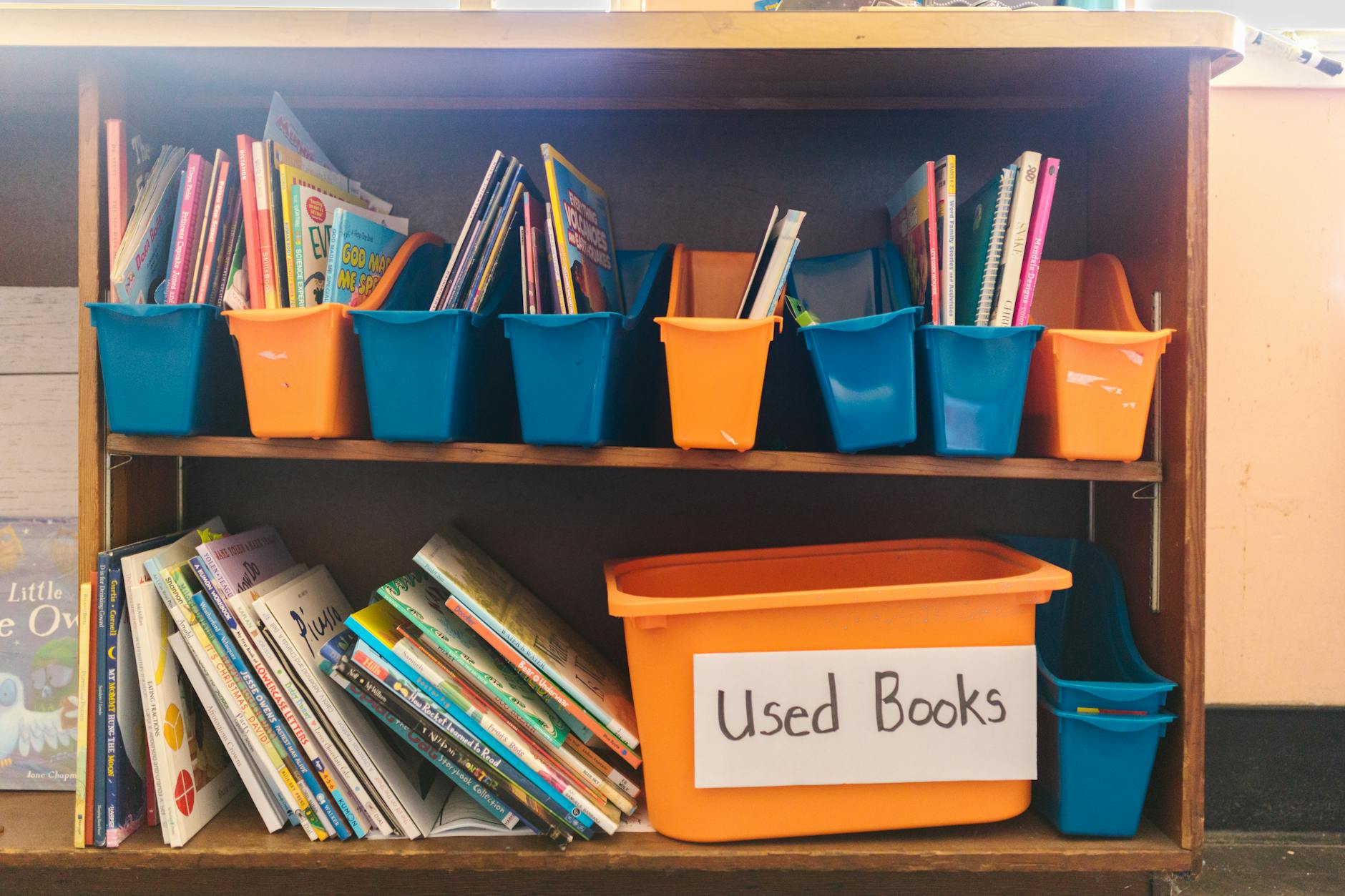
Organization starts with color-coding. Use Fountas & Pinnell A-Z bins: red for A-C, yellow for D-F, green for G-I, blue for J-L, purple for M+. Assign each printable books file a 3-digit ID: Grade-Level-Number. A book labeled 3-024 sits in the third-grade section, guided reading levels B, slot twenty-four.
Apply colored dot stickers to spines. Blue dots mark fiction. Green dots mark science. Orange dots mark biography. Students return books correctly within a week because the system is visual and explicit. No more guessing.
Distribution needs a rhythm that doesn't eat your prep time. Try the Book Box method: four students share one plastic shoebox, rotating weekly on Mondays. Nobody fights over titles when the rotation is automatic and predictable. For booklet printing projects, pair 5th graders with Kindergarten for Buddy Reading. Older students model fluency while little ones get individual attention.
For digital tracking, tape a QR code inside each cover linking to a simple Google Form. Students scan when they take it, scan when they return. You see exactly who has what. Track your classroom materials inventory without the clipboard headaches.
Storage hardware determines how long your classroom libraries last. Ziploc bags run $0.05 each and rip by Halloween, spilling pages everywhere. Magazine file boxes cost $2, last for years, but eat serious shelf space. Hanging file folders fit in standard drawers and stay compact, but small hands struggle to flip through them without crumpling pages or giving up.
I use magazine boxes for current units and Ziplocs for seasonal storage. The boxes let kids flip through covers like a real bookstore.
Protect your paper investment strategically. Laminate covers only for $0.10 per book using 3mil pouches at the district office or local print shop. Full lamination hits $0.50 and makes decodable readers too stiff for small hands to open. Run clear packing tape down spines before they split.
Set up a Book Hospital bin with tape and glue sticks for student repairs. Teach them to patch torn pages themselves. Set replacement cost at $0.25 for paper books and $1.00 for hardcover. Kids treat books better when their lunch money is on the line.
Books will vanish into backpacks and car seats. When a title doesn't return home, send a second copy only after parents sign a Loan Agreement (template included) listing the book ID and replacement cost. It takes two minutes to fill out and creates accountability.
Create a Classroom Library wish list posted by your door or class website. Parents donate when they know you need level D books, not random hardcovers from their attic. Be specific. List exact titles and levels they can buy or print.
Research-based classroom organization strategies turn your story books pdf free download collection into a working system. Good storage means you spend less time managing stuff and more time on differentiated instruction. Your future self will thank you when June comes.
What This Template Covers
Pre-formatted margins, embedded fonts, and image placeholders calibrated to Flesch-Kincaid grade levels 1.0 through 5.0 cut prep time from 90 minutes to 15 minutes per book set. The readability scores are baked in. You plug in your content; the template handles the typography automatically. No more guessing if your sentence length matches your students' instructional level.
Differentiation is built into the layout. Kindergarten and first grade pages include dotted midlines for handwriting support. Fourth and fifth grade versions shift to single-line spacing for fluent writers. Every version includes comprehension checkboxes aligned to Bloom's Taxonomy levels 1 through 3—recall, understanding, and application—right in the margins where you need them during small group instruction. You select the version that matches your students' developmental stage.
The workflow follows four stages: Design, Illustrate, Assess, Assemble. Primary students complete a book in three class days. Upper elementary need five days for the longer page counts and deeper comprehension work. You control the pacing based on your literacy block schedule. Each stage includes clear exit criteria so you know when students are ready to move from drafting to final assembly.
You will need 24lb paper—standard copy paper tears at the spine during booklet printing. Grab a long-reach stapler and scissors. That is it. No special binding equipment. These simple materials let you produce classroom libraries full of leveled readers without the glossy expense of commercial story books pdf free download versions. Your students create the content. You provide the structure. The result is differentiated instruction that looks professional but costs pennies per book.
Template Structure and Core Components
Every printable books template follows four core components. Cover and Story Spreads remain mandatory for all grade bands. Comprehension pages become optional for grades 4-5 when students transition to novel studies. Back Matter stays mandatory but shrinks content for older students who need less visual scaffolding.
File standards matter when you take these to the copier. Require 300 DPI resolution for all images, CMYK color mode for laser printers, 0.5-inch gutter margins for binding, and PDF/X-1a compliance for professional printing. These technical specs prevent the faded covers and cut-off text that ruin picture books pdf projects.
Cover Design and Title Page Layout
The front cover measures 5.5x8.5 inches, perfect for half-letter booklet printing. I use Arial Rounded MT Bold at 36pt minimum for K-2 titles, switching to Times New Roman for grades 3-5. Subtitles sit at 18pt. Leave a 2x2 inch placeholder for student photos or illustrations.
Required elements include the title, an author line reading "Written by [Student Name]," and an optional dedication starting with "For my..." Add a genre label sticker in the top right corner to help with transform your classroom library with picture books organization and easy library sorting.
Illustrated Story Page Spreads
Layout uses left-right spreads with specific text boxes. K-1 students get 4-inch wide boxes with 3x4 inch illustration spaces covering 60% of the page. By grades 4-5, text boxes expand to 5 inches while visuals shrink to 2x3 inches, reflecting the natural shift from emergent literacy to text-heavy analytical work.
Format text double-spaced at 18pt for emergent readers, single-spaced 12pt for upper grades. Cap K-1 pages at 20 words. For grades 4-5, allow up to 150 words per page. These specs align with guided reading levels and support differentiated instruction across your classroom libraries.
Comprehension Check and Activity Pages
I include three question types in every book: one literal recall question, one inferential "Why did..." prompt, and one critical "What would you do..." challenge. Format these as checkboxes for pre-writers or lines for older students depending on their motor skills.
Add a 5-word vocabulary crossword using story content and sequencing strips for cut-and-paste activities. Place a 4-point rubric checklist on the inside back cover. These elements turn simple picture story books pdf files into complete literacy units for decodable readers practice and independent assessment.
Author Credits and Back Matter
The author bio template follows a strict formula: "I am [Name]. I am [age] years old. I like [hobby]. This is my [number] book." Keep it to three lines maximum. I learned this limit prevents writer fatigue during our personalized storybook layouts unit with 2nd graders last spring.
Back matter includes a "Books by this Author" section with three blank lines for future titles, a copyright notice reading "Classroom Use Only 2024," and a teacher feedback box. These finishing touches make students feel like published authors in your classroom libraries while building their writing portfolio.
Step-by-Step Setup Guide
Creating printable books that survive constant copying requires precision. One wrong setting turns your emergent literacy tool into a stapled stack of confusion. These steps build decodable readers that actually work in real classroom libraries.
Step 1: Download and Secure Your Master Files
Choose your format based on your machine. Download the PDF if you want immediate printing without fuss. Grab the .pptx only if you run Windows PowerPoint 2016 or newer. Older versions corrupt the master slides and scramble your fonts. The Google Slides link works for Chromebooks, though custom fonts sometimes shift to Arial.
Save a 'MASTER COPY' backup before editing anything. I duplicate the file and append "DO NOT TOUCH" to the name. Store it in a separate folder. You will accidentally hit save at 2 AM after deleting half the slides. This backup saves your sanity.
Check software compatibility now. You need Adobe Reader 10 or newer, or PowerPoint 2016+. District laptops from 2014 struggle with new template features and freeze during saves.
Step 2: Set Your Canvas and Colors
Open your template and set the slide size to Letter (8.5x11). Choose Notes Pages orientation. This creates the correct gutter margins for booklet printing without math headaches. Standard slides print with weird borders that chop off your text.
Customize theme colors using hex codes. #000000 gives crisp black text for emergent readers. #FF0000 works for titles if you want that classic Dick-and-Jane pop. Avoid gradient fills. They look muddy when photocopied on school machines.
Enable Snap to Grid at 0.1-inch increments. Your text boxes and images lock into place. No more eyeballing alignment while squinting at the screen during your lunch break.
Step 3: Write and Check Your Text
Input your story text using Hemingway Editor or Readable.com. Verify the grade level matches your students. Aim for 1.0-2.0 for Kindergarten and 5.0-6.0 for fifth grade guided reading levels. Split any sentence that scores above target. Long sentences kill fluency in early readers.
Insert images as JPEG or PNG at 300 DPI minimum. Anything less prints fuzzy on laser copiers. Compress each picture to under 100KB using an online compressor. I learned this the hard way when a 45-page story book pdf crashed the office copier and IT banned me from the print queue for a week.
If students write their own content for differentiated instruction, pair these templates with tools to support creative writers.
Step 4: Export and Test Print
Export to PDF using Print to PDF. Select Flip on Long Edge for double-sided printing. This ensures page two aligns correctly behind page one. Short Edge flipping creates upside-down backs. Save the file as [BookTitle]_Grade[X]_Class[Year].pdf. The date prevents you from grabbing last year's outdated version when building classroom libraries for the new semester.
Print one test copy on scratch paper. Flip through every page. Last October, I printed thirty copies of a 2nd grade dinosaur book for my small reading groups. The backs printed upside-down. I had selected Flip on Short Edge by mistake. Thirty kids stared at inverted T-Rexes. The mistake costs paper and time you do not have.
Check your settings. Run your full stack only after the test copy proves clean.
How to Customize for Different Grade Levels?
Adjust text complexity using the Fry Readability Graph. For Grade 1, aim for 1-2 sentences per page; Grade 5 needs 3-4 paragraphs. Modify illustration space—larger for K-1, smaller for 4-5—and adapt vocabulary using Dolch Sight Words lists, selecting Pre-primer for kindergarten and Grade 3 lists for fifth grade.
Differentiation separates useful printable books from shelf-fillers. When I taught first grade, I watched kids shut down when text overwhelmed the image. They needed that 1:1 picture-to-text correspondence to decode successfully. Match the book to the reader's zone, not just their grade label.
If your students read below grade level—those DIBELS red zone kids—stick with one picture per sentence and decodable CVC words only. For on-grade level readers showing green zone scores, shift to a 1:4 text-to-picture ratio with high-frequency vocabulary woven through longer phrases. This isn't guessing; it's using assessment data to drive your booklet printing choices.
I see teachers ruin emergent literacy projects by using adult-level fonts like Times New Roman or adding fancy borders to K-2 books. That visual noise distracts from the text. Conversely, fifth graders cringe at "babyish" clip art meant for nursery books pdf free download. Match visual sophistication to developmental stage or lose your audience entirely.
Keep kindergarten and first grade books to 50-75 words total across 8-12 pages. By fourth and fifth grade, your classroom libraries need books hitting 500-800 words across 16-24 pages with chapter breaks every four pages. These aren't arbitrary numbers—they align with guided reading levels and attention spans.
Simplifying Text for Early Readers
Use repetitive frames like "I see the ___" or "The ___ is big." Limit vocabulary to CVC patterns and Dolch Pre-primer sight words, keeping total word count between 40 and 60. Ensure pictures match text explicitly—decodable readers work when the image confirms the word they just sounded out.
Set font to 24pt minimum with double spacing. Add dotted midlines on alternating pages for copying practice. This write-and-illustrate format belongs in your differentiated instruction strategies toolkit for intervention groups.
Adding Complexity for Upper Elementary
Introduce dialogue punctuation and paragraph indentation. Include three to five vocabulary words from academic word lists like Coxhead or Marzano, with glossary definitions at the back. Use genres like mystery or historical fiction with a three-plot structure: setup, problem, resolution.
Add text features from scholastic story books pdf free download—tables of contents, bolded vocabulary, and "About the Author" sections written in third person. These signal sophisticated cognitive development by grade level expectations.
Modifying Visual Elements by Age Group
For K-1, use thick black line drawings with high contrast and five or more colors. Keep text isolated in the top third of the page. For fourth and fifth grade, shift to grayscale or pen-and-ink illustrations with text wrapping around images. Comic panel layouts work for graphic novels.
Binding matters too. K-1 books use single staple saddle stitch that small hands can open. Fourth and fifth graders need perfect binding simulation with glue or thermal covers for that professional appearance.
Printing Specifications and Assembly Instructions
Printable books only work if they survive the trip home. Whether you're printing decodable readers for emergent literacy groups or titles from a story books PDF free download for your classroom libraries, the paper and binding choices separate books that last from books that litter the hallway.
Paper That Won't Disappoint
24lb bright white (98 brightness) costs roughly $0.02 per sheet and handles daily use during differentiated instruction rotations. For take-home titles that parents actually save, upgrade to 28lb laser paper at $0.04 per sheet. Avoid standard 20lb copy paper—it becomes translucent when you print double-sided, letting illustrations bleed through from the back and distracting readers during guided reading levels work.
Binding Options Compared
I switched to elastic books after watching my first graders destroy three comb-bound phonics sets in one month. The GBC comb looked professional but cracked when dropped on tile. Now I punch holes in the left margin, thread 12-inch elastic through, and knot the ends. Kids wrap the cord around the back cover—it holds tight, removes easily, and costs $0.05 per book.
Saddle stitch: Buy a long-reach stapler ($15) to drive through the center fold. Stick to books under 32 pages or the spine bulges too thick to fold flat.
Comb binding: The GBC machine ($45) punches rectangular holes and threads a plastic spine. Books lay completely flat on desks for writing activities.
Elastic cord: Punch holes along the left margin and loop 12-inch elastic ($0.05/book). Students tighten or loosen the tension themselves, and the cord is reusable.
Brads: Push 1/2-inch brass fasteners ($0.01 each) through three holes punched in the top corner. Fast, cheap, and easy to replace when bent.
The Assembly Line
Booklet printing requires setting your PDF to print page one and the last page on the same sheet. Feed paper into the tray in groups of five—anything larger causes jams in older copiers that handle thick cardstock poorly. Fold each signature using a bone folder or the edge of a ruler to crush the paper fibers flat; a crisp crease helps the book stay open during independent reading.
Cut the fore-edge with a guillotine cutter to remove the ragged printer margins and create clean edges. Safety rule: keep the blade guard down and your free hand on the table's side, never near the stack. A straight cut makes the difference between a book that looks homemade and one that looks professional enough for your classroom libraries.
When Things Go Wrong
If the backs emerge upside-down, you selected "Flip on Short Edge" instead of "Flip on Long Edge"—swap the setting in the printer dialog. Smudged toner means your machine assumes standard weight; open the tray settings and select "Heavy Paper" mode. When pages shift during double-sided printing, use the registration marks included in your template. Align those crosshairs on the glass, and your text blocks stay square for emergent literacy activities.
Where to Source Free PDF Content Legally
Finding picture books pdf files for your classroom libraries starts with knowing what you can legally use. Works published before 1929 in the US are in the Public Domain and safe to print. Creative Commons materials require attribution—check if the license is CC BY (share freely with credit) or CC BY-NC (no commercial use). Fair Use limits you to 10% of copyrighted material for classroom use only; you cannot sell these printable books.
Quality matters as much as legality. Verify files are at least 300 DPI for crisp booklet printing. Scan for OCR errors—"the" often becomes "tbe" in old scans. Confirm the extension is actually .pdf, not .exe malware. Check publication dates on science and social studies content; anything pre-2000 might contain outdated facts unless you're teaching history. Open the file and flip through every page before printing a full run.
Use Google Advanced Search with syntax like filetype:pdf "public domain" "children's books" to find clean files. For filtered results, search site:archive.org "childrens books" to target specific archives.
Public Domain Picture Books PDF Collections
I once printed The Tale of Peter Rabbit for my 2nd graders during our spring farm unit. The 1901 edition from Project Gutenberg Children's Books has 70,000+ titles with clean typography. Internet Archive Children's Library offers full-color scanned picture books pdf files that look authentic on the page.
The Library of Congress Rare Book Selection and the Baldwin Library of Historical Children's Literature at the University of Florida provide high-resolution scans of early editions. Download The Wizard of Oz (1900) or pre-1920 Mother Goose collections with original illustrations for guided reading levels work.
These sources offer complete texts, not excerpts. You can print full decodable readers for differentiated instruction without worrying about copyright notices. Check out our roundup of free digital libraries for kids for more options.
Scholastic Story Books PDF Free Download Options
Scholastic offers legitimate scholastic story books pdf free download options through specific channels. Their Learn at Home archives contain weekly PDF packets organized by grade. Book Wizard lets you create lists with printable excerpts, but stay within Fair Use limits—print only 10% of any copyrighted title.
The Storia app provides free trials with export limitations, and the Teacher Store offers sample chapters if you register with a .edu email. These work well for emergent literacy stations where you need specific titles.
Remember the hard rule: Scholastic content cannot be repackaged into new books for sale. Use these only for classroom distribution, and include the original copyright notice on any prints.
Nursery Books PDF Free Download Resources
For your youngest readers, Unite for Literacy pairs audiobooks with text files perfect for ESL families. The audio support helps with pronunciation during independent reading centers. FreeKidsBooks.org organizes nursery books pdf free download files by leveled A-Z categories. Oxford Owl requires registration but hosts 250+ titles for early readers.
Reading A-Z offers limited free weekly samples that work for targeted intervention. When you download these PDFs, use PDFsam or Adobe Acrobat to extract specific pages for remixing into your custom template. This lets you build phonics-focused booklets targeting specific skill gaps without overwhelming beginning readers with too many pages.
Open Source Picture Story Books PDF Archives
Modern open educational resources provide culturally diverse picture story books pdf files. CKLA (Core Knowledge Language Arts) offers free domain texts for K-2 with explicit phonics alignment. BookDash publishes African language stories under Creative Commons licenses, while the Global Storybooks Portal hosts tales in 40+ languages. These multicultural texts fill gaps in traditional classroom libraries.
Before remixing these into your printable books, verify the license. CC0 means public domain dedication—no attribution needed. CC BY requires you to maintain an attribution page in the back matter. OpenStax literacy supplements also offer research-based content for older elementary students.
Always keep a record of your source URLs. If you distribute these beyond your classroom, that attribution page protects you legally and teaches students about intellectual property. For more on OER, read our guide to open educational resources.
Tips for Managing Classroom Distribution and Storage
You can download every story book pdf on the internet and print them tonight. If you can't find it when you need it, you've got nothing. I learned this the hard way with 24 first graders hunting for level C books. We spent twenty minutes searching while three kids practiced emergent literacy skills by crying on the carpet.
Organization starts with color-coding. Use Fountas & Pinnell A-Z bins: red for A-C, yellow for D-F, green for G-I, blue for J-L, purple for M+. Assign each printable books file a 3-digit ID: Grade-Level-Number. A book labeled 3-024 sits in the third-grade section, guided reading levels B, slot twenty-four.
Apply colored dot stickers to spines. Blue dots mark fiction. Green dots mark science. Orange dots mark biography. Students return books correctly within a week because the system is visual and explicit. No more guessing.
Distribution needs a rhythm that doesn't eat your prep time. Try the Book Box method: four students share one plastic shoebox, rotating weekly on Mondays. Nobody fights over titles when the rotation is automatic and predictable. For booklet printing projects, pair 5th graders with Kindergarten for Buddy Reading. Older students model fluency while little ones get individual attention.
For digital tracking, tape a QR code inside each cover linking to a simple Google Form. Students scan when they take it, scan when they return. You see exactly who has what. Track your classroom materials inventory without the clipboard headaches.
Storage hardware determines how long your classroom libraries last. Ziploc bags run $0.05 each and rip by Halloween, spilling pages everywhere. Magazine file boxes cost $2, last for years, but eat serious shelf space. Hanging file folders fit in standard drawers and stay compact, but small hands struggle to flip through them without crumpling pages or giving up.
I use magazine boxes for current units and Ziplocs for seasonal storage. The boxes let kids flip through covers like a real bookstore.
Protect your paper investment strategically. Laminate covers only for $0.10 per book using 3mil pouches at the district office or local print shop. Full lamination hits $0.50 and makes decodable readers too stiff for small hands to open. Run clear packing tape down spines before they split.
Set up a Book Hospital bin with tape and glue sticks for student repairs. Teach them to patch torn pages themselves. Set replacement cost at $0.25 for paper books and $1.00 for hardcover. Kids treat books better when their lunch money is on the line.
Books will vanish into backpacks and car seats. When a title doesn't return home, send a second copy only after parents sign a Loan Agreement (template included) listing the book ID and replacement cost. It takes two minutes to fill out and creates accountability.
Create a Classroom Library wish list posted by your door or class website. Parents donate when they know you need level D books, not random hardcovers from their attic. Be specific. List exact titles and levels they can buy or print.
Research-based classroom organization strategies turn your story books pdf free download collection into a working system. Good storage means you spend less time managing stuff and more time on differentiated instruction. Your future self will thank you when June comes.
Still grading everything by hand?
EMStudio is a free teaching management app — manage your classes, students, lessons, and more!
Learn More
Still grading everything by hand?
EMStudio is a free teaching management app — manage your classes, students, lessons, and more!
Learn More






Notion4Teachers
Notion templates to simplify administrative tasks and enhance your teaching experience.



2026 Notion4Teachers. All Rights Reserved.
Notion4Teachers
Notion templates to simplify administrative tasks and enhance your teaching experience.
2026 Notion4Teachers. All Rights Reserved.
Notion4Teachers
Notion templates to simplify administrative tasks and enhance your teaching experience.
2026 Notion4Teachers. All Rights Reserved.