
Instructional Technology: A Guide for K-12 Educators
Instructional Technology: A Guide for K-12 Educators

Article by
Milo
ESL Content Coordinator & Educator
ESL Content Coordinator & Educator
All Posts
In 2022, ninety-four percent of public schools provided digital devices to students, according to the National Center for Education Statistics. That figure is the cartons of Chromebooks and iPads currently stacked in your supply closet or charging on the counter. But hardware is just the beginning. Instructional technology is what happens when you stop treating those screens as expensive digital worksheets and start using them to change how you teach and how kids actually learn. It is the difference between uploading a PDF of a worksheet and building an interactive lesson that adapts when a student gets stuck.
This is not about replacing you with an algorithm. It is the practical work of choosing the right tool for the moment—whether that means a quick formative assessment during third-grade math or a writing platform for reluctant middle schoolers. This guide cuts through vendor promises to show you what works in real classrooms. We will walk through the essential technology categories and real applications by grade level, helping you build blended learning environments that serve students without burning you out.
Still grading everything by hand?
EMStudio is a free teaching management app — manage your classes, students, lessons, and more!
Learn More

Still grading everything by hand?
EMStudio is a free teaching management app — manage your classes, students, lessons, and more!
Learn More
Table of Contents
What Is Instructional Technology?
Instructional technology is the systematic design and implementation of learning experiences using digital tools, combining pedagogical theory with technological resources. It encompasses everything from learning management systems to adaptive software, focusing on improving student outcomes through evidence-based integration rather than simply deploying hardware.
It's not the Chromebook. It's what you do with it.
The Association for Educational Communications and Technology defines it as "the study and ethical practice of facilitating learning and improving performance by creating, using, and managing appropriate technological processes and resources." That distinguishes it from general IT support, which keeps networks running and fixes broken screens but doesn't design lessons. In most K-12 districts, one instructional technologist supports 200 to 400 students.
Modern instructional technology in education differs from the audiovisual aids of the 1970s. Those film projectors and overhead transparencies were passive delivery mechanisms. Today's tools incorporate pedagogical frameworks like ADDIE and learning analytics that track engagement minute-by-minute. The theoretical roots run deep: B.F. Skinner's behaviorist teaching machines programmed immediate feedback loops, Richard Mayer's cognitivist multimedia learning theory optimized cognitive load for digital natives, and Seymour Papert's constructivist constructionism showed us that students learn by building with technology—coding, creating, modeling—not just consuming content passively.
Defining Instructional Technology in Education
The AECT definition centers on intentionality. You're not accumulating apps; you're selecting and sequencing digital tools based on specific learning objectives. That Nearpod presentation isn't instructional technology because it projects slides on student devices. It becomes instructional technology when you deploy the embedded formative assessment loops, collect real-time data showing exactly which students missed question three, and use the differentiation has to automatically push advanced readers to the extension activity while the rest review the concept with targeted support.
This is educational technology integration with purpose. The "ethical practice" component matters too—it means evaluating whether that shiny new platform actually improves learning or just complicates your workflow. It requires understanding formative assessment technology deeply enough to know when to use it and when pencil-and-paper works better.
The Role of Instructional Design Technology
Most districts use the ADDIE model when building blended learning environments: Analyze, Design, Develop, Implement, Evaluate. The Analysis phase for a single unit typically takes two to three weeks as you map standards to digital resources and identify learner gaps. Development runs another one to two weeks as you build assessments, record video tutorials, and organize content in your learning management systems.
Contrast that with SAM—the Successive Approximation Model—used by edtech startups for rapid prototyping. SAM works for pilot programs where you test and iterate weekly with a handful of classrooms. Districts reserve SAM for small-scale trials while relying on ADDIE for district-wide curriculum rollouts where 500 teachers need consistent implementation and standardized pacing guides.
Education Technician vs. Instructional Technologist
An education technician installs hardware, troubleshoots networks, and repairs devices. They earn $35,000 to $50,000 annually and typically hold an associate's degree or CompTIA A+ certification. Korea University of Technology and Education offers specialized certification programs for this track internationally, training technicians to maintain the infrastructure.
An instructional technologist designs professional development, evaluates software for pedagogical alignment, and coaches teachers on digital pedagogy. They earn $55,000 to $78,000 and usually hold a Master's in Instructional Technology or Educational Technology plus three or more years of classroom experience. If you're curious about this career path, read more about the role of an instructional technologist.
The technician keeps the devices working. The technologist ensures the technology-enhanced learning actually teaches something.

Why Does Instructional Technology Matter in K-12 Education?
Instructional technology matters because it enables personalized learning pathways that close achievement gaps and builds digital literacy important for modern careers. When implemented with strong instructional design, research shows it improves student engagement and prepares learners for workforce realities where digital competency is required.
It cuts through the noise. When you match the right tool to the right learning objective, students who struggled suddenly catch up, and those who were bored finally get stretched. But the tool itself teaches nothing without you guiding the process.
John Hattie's Visible Learning research puts numbers to what veteran teachers suspect. Technology integration for collaboration yields an effect size of 0.46, while feedback mechanisms clock in at 0.33. Both sit in the "medium impact" zone, but only when paired with strong instructional design. Without your pedagogical expertise, those numbers plummet.
The Bureau of Labor Statistics shows digital literacy requirements appearing in over 75% of middle-skill job postings. This isn't about coding apps. It's about navigating spreadsheets, managing digital workflows, and communicating through screens. Educational technology integration isn't a supplement anymore; it's workforce preparation.
Then there's the equity reality. Research on the "second digital divide" shows that usage quality, not just access, widens achievement gaps by 15-20% between high and low SES schools. Schools with strong technology-enhanced learning models close those gaps. Schools that park kids in front of screens without guidance widen them.
Closing Achievement Gaps Through Personalized Learning
Take IXL Math as a concrete example. When students performing below the 25th percentile use the platform for thirty minutes weekly with active teacher facilitation, they gain an average of 0.8 grade levels per year. Control groups without that structured support gain only 0.4.
But here's the warning. Unsupervised screen time without goal-setting produces zero significant learning gains. Worse, it erodes attention spans. I've watched students click through blended learning environments on autopilot, earning points while learning nothing.
The gap closes when formative assessment technology feeds you real-time data that changes tomorrow's instruction. You see three kids stuck on fractions, pull them for small group while others advance. That responsive teaching moves the needle, not the software badge. The students who benefit most would otherwise slip through cracks in whole-group instruction.
Preparing Students for Digital Workforce Realities
Your students need specific competencies. They need spreadsheet literacy in Google Sheets or Excel. They need video conferencing etiquette for Zoom and Teams, knowing when to mute and how to share screens professionally. They need cloud collaboration with shared documents and version control.
Most critically, they need information literacy. Can they evaluate source credibility when search returns ten thousand results? These aren't elective skills. They're survival tools for the modern workplace.
This brings us to preparing students for digital workforce realities through measurable benchmarks. Google Workspace Certification and Microsoft Office Specialist exams give high school students credentials that actually matter to employers. Pass rates correlate directly to post-secondary job placement in administrative roles. When you build digital pedagogy around these concrete outcomes, you teach economic mobility, not just software buttons.

How Instructional Technology Works in Practice
Think of instructional technology as a ladder. The SAMR model shows the rungs. Substitution is the bottom step—using a Kindle instead of a paperback. Same task, new device. Augmentation adds a functional improvement, like built-in dictionaries. Modification changes the task structure significantly. Redefinition sits at the top—tasks impossible without tech. Picture students creating collaborative digital stories on Flipgrid, then receiving peer review from classrooms in three countries. That is redefinition. It is true instructional design technology rather than simple digitization.
New platforms follow a 12-week adoption cycle. Weeks 1-3 cover infrastructure and selection. Weeks 4-6 bring pilot testing with one grade level. Weeks 7-9 focus on professional development and refinement based on teacher feedback. Weeks 10-12 demand hard evaluation and scaling decisions. Skip this cycle and you bolt technology onto lessons. Build it into curriculum maps. When you fail to integrate, usage drops 60 percent after the novelty fades. Teachers abandon tools that feel like extra work. Natural workflow wins.
The Implementation Cycle: From Planning to Assessment
Phase 1 needs honest infrastructure checks. Run a Speedtest.net audit during peak usage. You need one Mbps per student for cloud-based tools to function without lag. Count your devices. Target 1:1 or at worst 1:2 ratios; shared carts create scheduling wars that kill consistency. Complete the ISTE Essential Conditions self-assessment, a free online tool that exposes gaps in shared vision or technical support before you spend money on licenses.
Phase 4 requires ruthless evaluation. Use the Triple E Framework to judge your implementation cycle from planning to assessment. Ask if the tool genuinely improves learning outcomes that pencil and paper cannot achieve. Measure extension—does the learning continue beyond the bell? Engagement alone is insufficient; busy screens do not equal learning gains in blended learning environments or within learning management systems. Even formative assessment technology fails if it only replicates multiple-choice worksheets.
Integration with Existing Curriculum Standards
Alignment prevents technology from becoming digital babysitting. Map specific tools to Common Core State Standards and ISTE Standards for Students. For example, Padlet serves CCSS.ELA-LITERACY.W.8.6 (digital writing and production) while simultaneously addressing ISTE Standard 1.6 (Creative Communicator). This approach grounds digital pedagogy in measurable outcomes rather than novelty or entertainment value.
Create a three-column chart for your curriculum maps. Column one lists the standard. Column two describes the traditional activity. Column three details the technology-enhanced learning version. This keeps your educational technology integration honest. If the third column shows the same learning outcome with more steps, delete it. Technology must serve the standard, not vice versa. I have watched teachers fill these charts during planning periods and immediately spot which apps were just flashy distractions.

What Are the Essential Categories of Classroom Technology?
Essential categories include learning management systems like Google Classroom and Canvas, interactive whiteboards such as SMART Boards, adaptive learning software like DreamBox, and assessment platforms including GoFormative. These tools range from free open-source options to premium comprehensive suites, serving functions from content delivery to real-time analytics. Selecting the right platform requires evaluating specific LMS features for remote learning to ensure they support both synchronous instruction and asynchronous organization.
Instructional technology falls into four buckets. Each serves a distinct phase of teaching: organizing content, delivering instruction, personalizing practice, and measuring growth. Know which bucket you're filling before you buy.
If your budget sits under $5,000 annually, invest in a solid learning management system and formative assessment technology. These form the foundation of sound instructional design technology. Districts with $20,000 or more can add adaptive math and literacy tools for targeted intervention. Skip the fancy hardware until your software foundation supports your digital pedagogy.
Learning Management Systems and Digital Classrooms
Google Classroom remains the entry point for educational technology integration. It is free, caps classes at 100 students, and integrates with Google Workspace. Setup takes thirty minutes.
Canvas offers free individual accounts, but district licenses cost $10,000 to $50,000 for districts under 5,000 students and require two to three weeks of configuration. Schoology, absorbed by PowerSchool, operates on enterprise pricing.
When comparing Learning Management Systems and digital classrooms, weigh parent portals and LTI compatibility. Storage limits vary: Google offers unlimited with Workspace, while competitors often cap users at 500MB.
Interactive Whiteboards and Student Response Systems
The SMART Board MX series runs $3,000 to $5,000 for 4K resolution with 20-point touch. Promethean’s ActivPanel costs $2,800 to $4,500 with built-in Android. Both represent significant capital outlays.
Here is the cautionary metric: 68% of districts report owning interactive whiteboards that function primarily as expensive projectors due to lack of professional development. Without training, teachers default to static slides.
For student response systems, Kahoot allows ten players free or 2,000 for $180 yearly. Plickers remains free and requires no student devices; you scan QR cards with your phone. Nearpod Gold costs $159 annually and includes VR field trips for blended learning environments.
Adaptive Learning Software and AI Tutors
DreamBox serves K-8 math at $20 to $30 per student annually, adjusting pathways in real time. Khan Academy offers comprehensive coverage for free, though it lacks true adaptive algorithms. Carnegie Learning provides AI-driven cognitive tutoring for high schoolers at $25 per student yearly.
For literacy, Lexia Core5 targets K-5 readers at $40 per student annually. Achieve3000 delivers differentiated nonfiction to grades 2 through 12 for $25 to $35 per student. These tools require 90 minutes of weekly usage to show measurable gains; buying them for occasional use wastes money.
Districts exploring adaptive learning software and AI tutors should align usage mandates with schedule realities before purchasing. This category needs consistent implementation to justify the cost.
Assessment Tools and Learning Analytics Platforms
GoFormative offers 100MB storage free or unlimited for $144 yearly. Edulastic provides 100MB at no cost or premium has for $100 annually. Pear Deck operates free basic, but student-paced mode requires the $149 yearly upgrade. These define formative assessment technology.
Many districts purchase separate analytics platforms while ignoring built-in tools. Canvas Data and Google Classroom Insights often sit dormant. BrightBytes once dominated this space but discontinued service, leaving schools with orphaned data. Master your existing LMS analytics before seeking external solutions.
Effective technology-enhanced learning requires measuring what matters without drowning in dashboards. Feed data directly into your gradebook.

Real-World Applications by Grade Level and Subject
Elementary Literacy and Math Gamification
Grade 2 Math: Prodigy Math Game runs for 20 minutes daily during centers. The platform aligns to Eureka Math/EngageNY and adjusts difficulty in real time. You check the teacher dashboard weekly to monitor standards mastery through formative assessment technology. Grade K Literacy: Seesaw captures portfolios twice weekly for 15 minutes with a 1:4 device ratio. Students photograph writing samples and record voice explanations. You respond with async voice comments. This setup creates blended learning environments that run smoothly even with limited hardware.
Differentiation happens automatically. Prodigy scales questions from SPED to gifted without separate assignments. In Seesaw, struggling writers draw illustrations while advanced students record video reflections explaining their thinking. Both groups demonstrate understanding without standardized output requirements. This is practical educational technology integration that respects developmental ranges. No one gets left behind or held back.
Watch the failure mode. Math games become slot machines if you only track points. Check that students explain their reasoning, not just collect badges. elementary literacy and math gamification works only when instructional technology supports conceptual development, not just recall. Verify understanding through oral explanations during small group time.
Middle School Science Virtual Labs and Simulations
Grade 7 Science: PhET simulations from the University of Colorado run during the "Build an Atom" unit. Students manipulate protons, neutrons, and electrons to observe real-time changes in atomic mass and charge. Sessions last 25 minutes. You assess understanding through exit tickets asking students to predict element behavior before running the simulation. Students test predictions immediately. This approach embodies sound digital pedagogy.
For dissection, Froguts costs $300 per site license while BioDigital Human offers free alternatives. Both work well for pre-lab preparation. Differentiate by having SPED students follow guided exploration protocols while gifted students design experiments testing atomic stability limits. The same tool scales across IEP levels without separate software. The interface remains consistent for all learners.
The failure mode is substitution without inquiry. Virtual labs become animated textbooks if students just click through steps. Always pair simulations with physical models or hands-on data collection. Technology-enhanced learning maintains the inquiry process, not skips it. Your education technician can help ensure lab hardware complements the software. Ask students to articulate why the virtual results matter.
High School Humanities Collaborative Research Projects
Grade 11 AP US History: Hypothes.is enables collaborative annotation of primary sources. Students highlight the Federalist Papers and discuss them in the margins. Threads anchor directly to text passages. Implementation runs 30 minutes twice weekly. You assess depth of analysis through the quality of marginalia, not summary essays. Students see peer thinking in real time. This moves beyond basic learning management systems into interactive reading.
NoodleTools costs $15 per student annually for citation management and collaborative notecards. Students evaluate sources using the CRAAP test before importing them. Differentiate by providing SPED students with annotation sentence starters while gifted students moderate weekly discussion threads. Both groups engage with the same primary texts at different complexity levels. Collaboration happens naturally within the platform.
The failure mode focuses on surveillance over teaching. Plagiarism checkers catch cheating after it happens. NoodleTools prevents it by forcing students to analyze sources during the research phase. Good digital pedagogy requires teaching discernment, not just monitoring it. Build critical evaluation habits early. Quality research habits matter more than perfect citations.
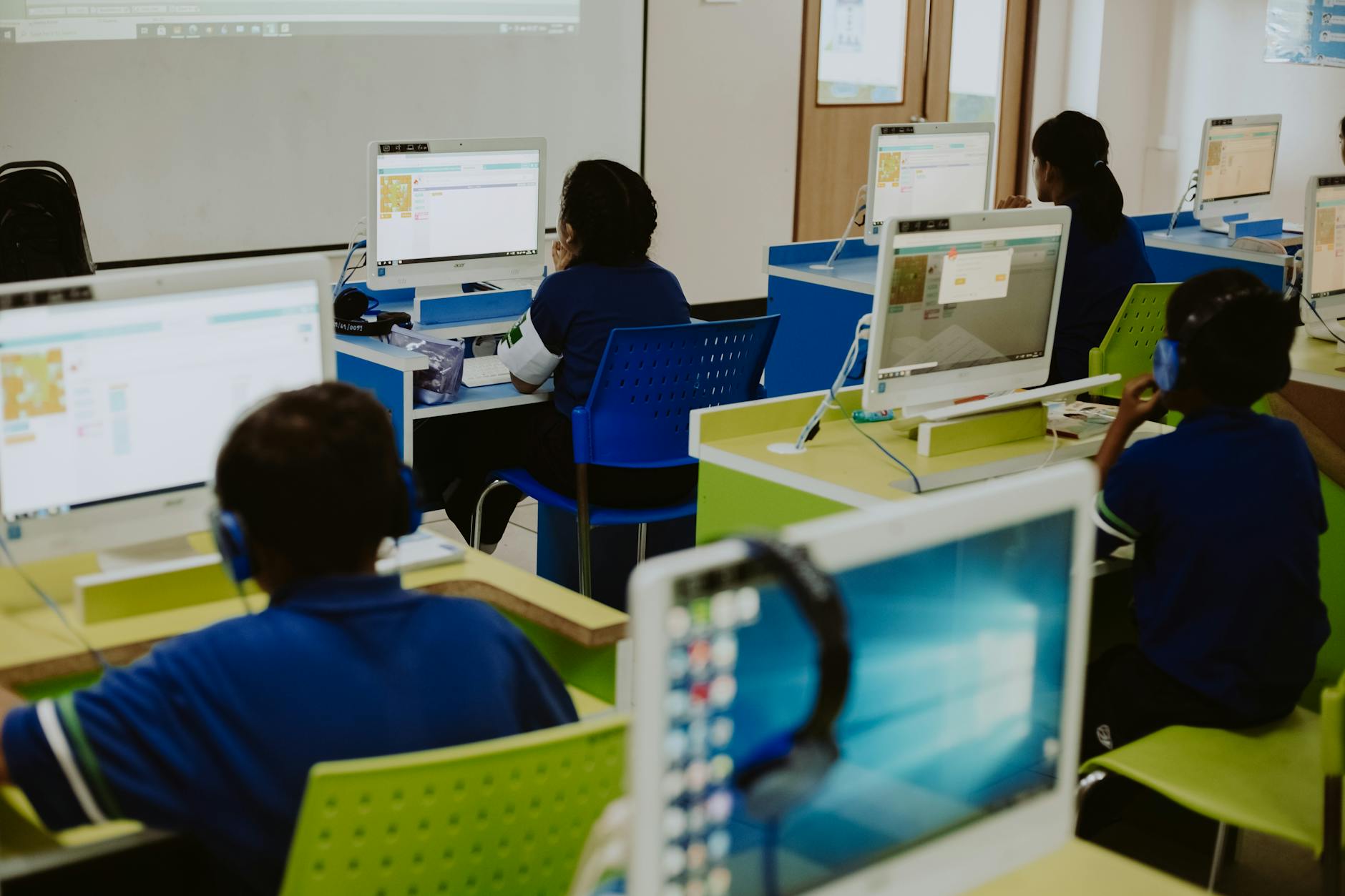
How to Choose the Right Tools Without Overwhelming Your Budget?
Choose tools by conducting a needs assessment against ISTE Essential Conditions, comparing free options like Moodle against premium platforms, and calculating total cost of ownership including PD. Prioritize single-purpose apps for small districts under 500 students, and comprehensive platforms for larger 1:1 implementations to maximize budget efficiency.
Your budget dies on hidden costs, not sticker prices.
Look at three dimensions before signing any contract. Cost means total cost of ownership over three years, not just year-one licenses. Implementation Complexity tracks actual IT hours required to launch and maintain. Pedagogical Flexibility measures whether the tool adapts to your digital pedagogy or forces you to adapt to it. Most districts evaluate price tags alone and miss the other two until teachers are stuck with unusable software.
Software licenses typically represent only 30% of costs; 70% is professional development, IT support, and ongoing maintenance. That $10,000 Canvas quote balloons to $33,000 when you factor in training your staff and hiring support. Skip the math and you will eat next year's technology budget fixing this year's mistake.
Know when to walk away from premium solutions. Districts with over 25% teacher turnover lack the stability to justify expensive long-term contracts. If your infrastructure provides less than 1 Mbps per student, premium tools will crawl and frustrate everyone. Without at least one dedicated instructional technologist FTE, complex learning management systems become shelfware. In these cases, free formative assessment technology and lightweight apps keep educational technology integration alive without draining resources.
Free and Open-Source vs. Premium Solutions
Free tools demand sweat equity. Moodle runs on Linux servers and consumes 40+ IT hours for initial setup plus ongoing security patches you must apply manually. H5P creates interactive content but requires WordPress or Drupal hosting knowledge that most teachers lack. OpenEdX scales beautifully for MOOCs but needs a dedicated server team. These work when you have technical staff willing to trade time for money and customize every detail.
Premium platforms like Canvas ($10,000–$50,000 institutional licenses), Blackboard, and PowerSchool include hosting, uptime guarantees, and phone support. The break-even point typically hits at 500 students where per-seat pricing becomes cheaper than paying IT staff to maintain open-source servers year-round. For blended learning environments serving smaller populations, free options preserve cash for hardware purchases and technology-enhanced learning coaching while avoiding costly license fees.
Single-Purpose Apps vs. Comprehensive Platforms
Single-purpose apps solve specific problems fast. Quizlet costs $35.99 per teacher annually. Desmos provides graphing calculators free. ReadTheory delivers reading comprehension practice at no cost. These fit districts with under ten teachers, targeted intervention groups, or pilot phases where you are choosing the right tools without overwhelming your budget before deeper investment.
Comprehensive platforms like Canvas and Schoology consolidate everything into one login. They suit districts with over fifty teachers, true 1:1 device ratios, and pressing needs for SIS integration that single apps cannot provide. Here is your decision rule: if teachers currently juggle eight or more separate single apps, the cognitive load wastes more money than a unified platform costs. Switching reduces password resets, simplifies instructional technology support, and eases grading workflows across Korea University of Technology and Education style vocational programs or standard K-12 tracks alike.

How Do You Implement Instructional Technology Successfully?
Successful implementation requires a three-phase approach: conducting infrastructure audits making sure 1 Mbps bandwidth per student, running 6-8 week pilots with 2-3 diverse classrooms, and establishing ongoing PD systems with tech liaisons. Avoid school-wide deployment without pilot data showing 80% teacher readiness and measurable engagement gains.
To implement instructional technology successfully, start with your foundation. Check your bandwidth and devices before you buy a single license. Most failed rollouts crash because the Wi-Fi chokes when thirty kids try to log in simultaneously.
Step 1: Conduct a Needs Assessment and Infrastructure Audit
Run a bandwidth test first. You need 1 Mbps per student minimum. Check every device older than three years for battery health—dead Chromebooks block instruction faster than a fire drill. Verify your learning management systems support Google or Microsoft OAuth so kids don't juggle twelve passwords. This audit takes two days but saves six months of headaches.
Then survey your teachers using the Concerns-Based Adoption Model. Look for where they land: awareness, personal, or consequence. If fewer than 60 percent reach the personal stage or higher, stop. They're not ready. Spend your money on foundational PD before you buy tools nobody will use.
Step 2: Pilot Programs Before School-Wide Deployment
Run your pilot for six to eight weeks. Pick two or three classrooms that mirror your school's diversity—include SPED, ELL, and gifted clusters. Assign one tech mentor teacher to each pilot room. These mentors troubleshoot daily so you catch friction points early.
Collect data weekly. Teachers fill out a five-minute Google Form. Track student usage analytics aiming for 75 percent weekly active use. Compare formative assessment results between pilot classes and controls using formative assessment technology. Only proceed if you hit 80 percent teacher satisfaction, 90 percent student login rates, and measurable engagement gains observed via COPUS. Abort or pause if teachers resist or engagement drops.
Step 3: Ongoing Professional Development and Support Systems
Launch with six hours of summer training. Follow with monthly one-hour PLCs and a peer coaching model. Assign one coach per ten teachers with a five-hundred to one-thousand-dollar stipend. This creates ongoing professional development and support systems that last beyond the honeymoon phase.
Build a tiered help desk. Level one is a teacher buddy. Level two is your site tech. Level three is the district instructional technologist. Demand less than twenty-four-hour response times for instructional-critical issues. Without this safety net, instructional technology gathers dust.
Sixty percent of edtech initiatives fail within two years when schools skip this step. Watch for warning signs. Teachers might abandon the tool after six weeks. Help desk tickets spike. Student usage drops below 50 percent. If you see these, pause and reassess before dumping more money into broken systems.

The Bottom Line on Instructional Technology
Instructional technology only works when it serves your teaching, not the other way around. The best blended learning environments mix tech with solid pedagogy to solve specific problems — whether that means automating grading so you can conference with struggling readers, or giving shy students a digital voice. You don't need every new app that shows up in your email. You need two or three tools that fit your curriculum and that you'll actually use past October without abandoning them.
Make one change. Master your learning management systems or a single assessment platform before adding anything else. Successful educational technology integration happens when teachers choose tools based on student needs, not vendor promises. Your 3rd graders need consistency more than they need novelty, and your sanity depends on systems you can manage during a busy Tuesday.
Remember that digital pedagogy is still pedagogy. The technology should disappear when the learning begins. Pick what supports your specific goals, train yourself thoroughly, and be willing to drop what doesn't move your students forward. When you get it right, the tech becomes invisible and the learning becomes visible.

What Is Instructional Technology?
Instructional technology is the systematic design and implementation of learning experiences using digital tools, combining pedagogical theory with technological resources. It encompasses everything from learning management systems to adaptive software, focusing on improving student outcomes through evidence-based integration rather than simply deploying hardware.
It's not the Chromebook. It's what you do with it.
The Association for Educational Communications and Technology defines it as "the study and ethical practice of facilitating learning and improving performance by creating, using, and managing appropriate technological processes and resources." That distinguishes it from general IT support, which keeps networks running and fixes broken screens but doesn't design lessons. In most K-12 districts, one instructional technologist supports 200 to 400 students.
Modern instructional technology in education differs from the audiovisual aids of the 1970s. Those film projectors and overhead transparencies were passive delivery mechanisms. Today's tools incorporate pedagogical frameworks like ADDIE and learning analytics that track engagement minute-by-minute. The theoretical roots run deep: B.F. Skinner's behaviorist teaching machines programmed immediate feedback loops, Richard Mayer's cognitivist multimedia learning theory optimized cognitive load for digital natives, and Seymour Papert's constructivist constructionism showed us that students learn by building with technology—coding, creating, modeling—not just consuming content passively.
Defining Instructional Technology in Education
The AECT definition centers on intentionality. You're not accumulating apps; you're selecting and sequencing digital tools based on specific learning objectives. That Nearpod presentation isn't instructional technology because it projects slides on student devices. It becomes instructional technology when you deploy the embedded formative assessment loops, collect real-time data showing exactly which students missed question three, and use the differentiation has to automatically push advanced readers to the extension activity while the rest review the concept with targeted support.
This is educational technology integration with purpose. The "ethical practice" component matters too—it means evaluating whether that shiny new platform actually improves learning or just complicates your workflow. It requires understanding formative assessment technology deeply enough to know when to use it and when pencil-and-paper works better.
The Role of Instructional Design Technology
Most districts use the ADDIE model when building blended learning environments: Analyze, Design, Develop, Implement, Evaluate. The Analysis phase for a single unit typically takes two to three weeks as you map standards to digital resources and identify learner gaps. Development runs another one to two weeks as you build assessments, record video tutorials, and organize content in your learning management systems.
Contrast that with SAM—the Successive Approximation Model—used by edtech startups for rapid prototyping. SAM works for pilot programs where you test and iterate weekly with a handful of classrooms. Districts reserve SAM for small-scale trials while relying on ADDIE for district-wide curriculum rollouts where 500 teachers need consistent implementation and standardized pacing guides.
Education Technician vs. Instructional Technologist
An education technician installs hardware, troubleshoots networks, and repairs devices. They earn $35,000 to $50,000 annually and typically hold an associate's degree or CompTIA A+ certification. Korea University of Technology and Education offers specialized certification programs for this track internationally, training technicians to maintain the infrastructure.
An instructional technologist designs professional development, evaluates software for pedagogical alignment, and coaches teachers on digital pedagogy. They earn $55,000 to $78,000 and usually hold a Master's in Instructional Technology or Educational Technology plus three or more years of classroom experience. If you're curious about this career path, read more about the role of an instructional technologist.
The technician keeps the devices working. The technologist ensures the technology-enhanced learning actually teaches something.
Why Does Instructional Technology Matter in K-12 Education?
Instructional technology matters because it enables personalized learning pathways that close achievement gaps and builds digital literacy important for modern careers. When implemented with strong instructional design, research shows it improves student engagement and prepares learners for workforce realities where digital competency is required.
It cuts through the noise. When you match the right tool to the right learning objective, students who struggled suddenly catch up, and those who were bored finally get stretched. But the tool itself teaches nothing without you guiding the process.
John Hattie's Visible Learning research puts numbers to what veteran teachers suspect. Technology integration for collaboration yields an effect size of 0.46, while feedback mechanisms clock in at 0.33. Both sit in the "medium impact" zone, but only when paired with strong instructional design. Without your pedagogical expertise, those numbers plummet.
The Bureau of Labor Statistics shows digital literacy requirements appearing in over 75% of middle-skill job postings. This isn't about coding apps. It's about navigating spreadsheets, managing digital workflows, and communicating through screens. Educational technology integration isn't a supplement anymore; it's workforce preparation.
Then there's the equity reality. Research on the "second digital divide" shows that usage quality, not just access, widens achievement gaps by 15-20% between high and low SES schools. Schools with strong technology-enhanced learning models close those gaps. Schools that park kids in front of screens without guidance widen them.
Closing Achievement Gaps Through Personalized Learning
Take IXL Math as a concrete example. When students performing below the 25th percentile use the platform for thirty minutes weekly with active teacher facilitation, they gain an average of 0.8 grade levels per year. Control groups without that structured support gain only 0.4.
But here's the warning. Unsupervised screen time without goal-setting produces zero significant learning gains. Worse, it erodes attention spans. I've watched students click through blended learning environments on autopilot, earning points while learning nothing.
The gap closes when formative assessment technology feeds you real-time data that changes tomorrow's instruction. You see three kids stuck on fractions, pull them for small group while others advance. That responsive teaching moves the needle, not the software badge. The students who benefit most would otherwise slip through cracks in whole-group instruction.
Preparing Students for Digital Workforce Realities
Your students need specific competencies. They need spreadsheet literacy in Google Sheets or Excel. They need video conferencing etiquette for Zoom and Teams, knowing when to mute and how to share screens professionally. They need cloud collaboration with shared documents and version control.
Most critically, they need information literacy. Can they evaluate source credibility when search returns ten thousand results? These aren't elective skills. They're survival tools for the modern workplace.
This brings us to preparing students for digital workforce realities through measurable benchmarks. Google Workspace Certification and Microsoft Office Specialist exams give high school students credentials that actually matter to employers. Pass rates correlate directly to post-secondary job placement in administrative roles. When you build digital pedagogy around these concrete outcomes, you teach economic mobility, not just software buttons.
How Instructional Technology Works in Practice
Think of instructional technology as a ladder. The SAMR model shows the rungs. Substitution is the bottom step—using a Kindle instead of a paperback. Same task, new device. Augmentation adds a functional improvement, like built-in dictionaries. Modification changes the task structure significantly. Redefinition sits at the top—tasks impossible without tech. Picture students creating collaborative digital stories on Flipgrid, then receiving peer review from classrooms in three countries. That is redefinition. It is true instructional design technology rather than simple digitization.
New platforms follow a 12-week adoption cycle. Weeks 1-3 cover infrastructure and selection. Weeks 4-6 bring pilot testing with one grade level. Weeks 7-9 focus on professional development and refinement based on teacher feedback. Weeks 10-12 demand hard evaluation and scaling decisions. Skip this cycle and you bolt technology onto lessons. Build it into curriculum maps. When you fail to integrate, usage drops 60 percent after the novelty fades. Teachers abandon tools that feel like extra work. Natural workflow wins.
The Implementation Cycle: From Planning to Assessment
Phase 1 needs honest infrastructure checks. Run a Speedtest.net audit during peak usage. You need one Mbps per student for cloud-based tools to function without lag. Count your devices. Target 1:1 or at worst 1:2 ratios; shared carts create scheduling wars that kill consistency. Complete the ISTE Essential Conditions self-assessment, a free online tool that exposes gaps in shared vision or technical support before you spend money on licenses.
Phase 4 requires ruthless evaluation. Use the Triple E Framework to judge your implementation cycle from planning to assessment. Ask if the tool genuinely improves learning outcomes that pencil and paper cannot achieve. Measure extension—does the learning continue beyond the bell? Engagement alone is insufficient; busy screens do not equal learning gains in blended learning environments or within learning management systems. Even formative assessment technology fails if it only replicates multiple-choice worksheets.
Integration with Existing Curriculum Standards
Alignment prevents technology from becoming digital babysitting. Map specific tools to Common Core State Standards and ISTE Standards for Students. For example, Padlet serves CCSS.ELA-LITERACY.W.8.6 (digital writing and production) while simultaneously addressing ISTE Standard 1.6 (Creative Communicator). This approach grounds digital pedagogy in measurable outcomes rather than novelty or entertainment value.
Create a three-column chart for your curriculum maps. Column one lists the standard. Column two describes the traditional activity. Column three details the technology-enhanced learning version. This keeps your educational technology integration honest. If the third column shows the same learning outcome with more steps, delete it. Technology must serve the standard, not vice versa. I have watched teachers fill these charts during planning periods and immediately spot which apps were just flashy distractions.
What Are the Essential Categories of Classroom Technology?
Essential categories include learning management systems like Google Classroom and Canvas, interactive whiteboards such as SMART Boards, adaptive learning software like DreamBox, and assessment platforms including GoFormative. These tools range from free open-source options to premium comprehensive suites, serving functions from content delivery to real-time analytics. Selecting the right platform requires evaluating specific LMS features for remote learning to ensure they support both synchronous instruction and asynchronous organization.
Instructional technology falls into four buckets. Each serves a distinct phase of teaching: organizing content, delivering instruction, personalizing practice, and measuring growth. Know which bucket you're filling before you buy.
If your budget sits under $5,000 annually, invest in a solid learning management system and formative assessment technology. These form the foundation of sound instructional design technology. Districts with $20,000 or more can add adaptive math and literacy tools for targeted intervention. Skip the fancy hardware until your software foundation supports your digital pedagogy.
Learning Management Systems and Digital Classrooms
Google Classroom remains the entry point for educational technology integration. It is free, caps classes at 100 students, and integrates with Google Workspace. Setup takes thirty minutes.
Canvas offers free individual accounts, but district licenses cost $10,000 to $50,000 for districts under 5,000 students and require two to three weeks of configuration. Schoology, absorbed by PowerSchool, operates on enterprise pricing.
When comparing Learning Management Systems and digital classrooms, weigh parent portals and LTI compatibility. Storage limits vary: Google offers unlimited with Workspace, while competitors often cap users at 500MB.
Interactive Whiteboards and Student Response Systems
The SMART Board MX series runs $3,000 to $5,000 for 4K resolution with 20-point touch. Promethean’s ActivPanel costs $2,800 to $4,500 with built-in Android. Both represent significant capital outlays.
Here is the cautionary metric: 68% of districts report owning interactive whiteboards that function primarily as expensive projectors due to lack of professional development. Without training, teachers default to static slides.
For student response systems, Kahoot allows ten players free or 2,000 for $180 yearly. Plickers remains free and requires no student devices; you scan QR cards with your phone. Nearpod Gold costs $159 annually and includes VR field trips for blended learning environments.
Adaptive Learning Software and AI Tutors
DreamBox serves K-8 math at $20 to $30 per student annually, adjusting pathways in real time. Khan Academy offers comprehensive coverage for free, though it lacks true adaptive algorithms. Carnegie Learning provides AI-driven cognitive tutoring for high schoolers at $25 per student yearly.
For literacy, Lexia Core5 targets K-5 readers at $40 per student annually. Achieve3000 delivers differentiated nonfiction to grades 2 through 12 for $25 to $35 per student. These tools require 90 minutes of weekly usage to show measurable gains; buying them for occasional use wastes money.
Districts exploring adaptive learning software and AI tutors should align usage mandates with schedule realities before purchasing. This category needs consistent implementation to justify the cost.
Assessment Tools and Learning Analytics Platforms
GoFormative offers 100MB storage free or unlimited for $144 yearly. Edulastic provides 100MB at no cost or premium has for $100 annually. Pear Deck operates free basic, but student-paced mode requires the $149 yearly upgrade. These define formative assessment technology.
Many districts purchase separate analytics platforms while ignoring built-in tools. Canvas Data and Google Classroom Insights often sit dormant. BrightBytes once dominated this space but discontinued service, leaving schools with orphaned data. Master your existing LMS analytics before seeking external solutions.
Effective technology-enhanced learning requires measuring what matters without drowning in dashboards. Feed data directly into your gradebook.
Real-World Applications by Grade Level and Subject
Elementary Literacy and Math Gamification
Grade 2 Math: Prodigy Math Game runs for 20 minutes daily during centers. The platform aligns to Eureka Math/EngageNY and adjusts difficulty in real time. You check the teacher dashboard weekly to monitor standards mastery through formative assessment technology. Grade K Literacy: Seesaw captures portfolios twice weekly for 15 minutes with a 1:4 device ratio. Students photograph writing samples and record voice explanations. You respond with async voice comments. This setup creates blended learning environments that run smoothly even with limited hardware.
Differentiation happens automatically. Prodigy scales questions from SPED to gifted without separate assignments. In Seesaw, struggling writers draw illustrations while advanced students record video reflections explaining their thinking. Both groups demonstrate understanding without standardized output requirements. This is practical educational technology integration that respects developmental ranges. No one gets left behind or held back.
Watch the failure mode. Math games become slot machines if you only track points. Check that students explain their reasoning, not just collect badges. elementary literacy and math gamification works only when instructional technology supports conceptual development, not just recall. Verify understanding through oral explanations during small group time.
Middle School Science Virtual Labs and Simulations
Grade 7 Science: PhET simulations from the University of Colorado run during the "Build an Atom" unit. Students manipulate protons, neutrons, and electrons to observe real-time changes in atomic mass and charge. Sessions last 25 minutes. You assess understanding through exit tickets asking students to predict element behavior before running the simulation. Students test predictions immediately. This approach embodies sound digital pedagogy.
For dissection, Froguts costs $300 per site license while BioDigital Human offers free alternatives. Both work well for pre-lab preparation. Differentiate by having SPED students follow guided exploration protocols while gifted students design experiments testing atomic stability limits. The same tool scales across IEP levels without separate software. The interface remains consistent for all learners.
The failure mode is substitution without inquiry. Virtual labs become animated textbooks if students just click through steps. Always pair simulations with physical models or hands-on data collection. Technology-enhanced learning maintains the inquiry process, not skips it. Your education technician can help ensure lab hardware complements the software. Ask students to articulate why the virtual results matter.
High School Humanities Collaborative Research Projects
Grade 11 AP US History: Hypothes.is enables collaborative annotation of primary sources. Students highlight the Federalist Papers and discuss them in the margins. Threads anchor directly to text passages. Implementation runs 30 minutes twice weekly. You assess depth of analysis through the quality of marginalia, not summary essays. Students see peer thinking in real time. This moves beyond basic learning management systems into interactive reading.
NoodleTools costs $15 per student annually for citation management and collaborative notecards. Students evaluate sources using the CRAAP test before importing them. Differentiate by providing SPED students with annotation sentence starters while gifted students moderate weekly discussion threads. Both groups engage with the same primary texts at different complexity levels. Collaboration happens naturally within the platform.
The failure mode focuses on surveillance over teaching. Plagiarism checkers catch cheating after it happens. NoodleTools prevents it by forcing students to analyze sources during the research phase. Good digital pedagogy requires teaching discernment, not just monitoring it. Build critical evaluation habits early. Quality research habits matter more than perfect citations.
How to Choose the Right Tools Without Overwhelming Your Budget?
Choose tools by conducting a needs assessment against ISTE Essential Conditions, comparing free options like Moodle against premium platforms, and calculating total cost of ownership including PD. Prioritize single-purpose apps for small districts under 500 students, and comprehensive platforms for larger 1:1 implementations to maximize budget efficiency.
Your budget dies on hidden costs, not sticker prices.
Look at three dimensions before signing any contract. Cost means total cost of ownership over three years, not just year-one licenses. Implementation Complexity tracks actual IT hours required to launch and maintain. Pedagogical Flexibility measures whether the tool adapts to your digital pedagogy or forces you to adapt to it. Most districts evaluate price tags alone and miss the other two until teachers are stuck with unusable software.
Software licenses typically represent only 30% of costs; 70% is professional development, IT support, and ongoing maintenance. That $10,000 Canvas quote balloons to $33,000 when you factor in training your staff and hiring support. Skip the math and you will eat next year's technology budget fixing this year's mistake.
Know when to walk away from premium solutions. Districts with over 25% teacher turnover lack the stability to justify expensive long-term contracts. If your infrastructure provides less than 1 Mbps per student, premium tools will crawl and frustrate everyone. Without at least one dedicated instructional technologist FTE, complex learning management systems become shelfware. In these cases, free formative assessment technology and lightweight apps keep educational technology integration alive without draining resources.
Free and Open-Source vs. Premium Solutions
Free tools demand sweat equity. Moodle runs on Linux servers and consumes 40+ IT hours for initial setup plus ongoing security patches you must apply manually. H5P creates interactive content but requires WordPress or Drupal hosting knowledge that most teachers lack. OpenEdX scales beautifully for MOOCs but needs a dedicated server team. These work when you have technical staff willing to trade time for money and customize every detail.
Premium platforms like Canvas ($10,000–$50,000 institutional licenses), Blackboard, and PowerSchool include hosting, uptime guarantees, and phone support. The break-even point typically hits at 500 students where per-seat pricing becomes cheaper than paying IT staff to maintain open-source servers year-round. For blended learning environments serving smaller populations, free options preserve cash for hardware purchases and technology-enhanced learning coaching while avoiding costly license fees.
Single-Purpose Apps vs. Comprehensive Platforms
Single-purpose apps solve specific problems fast. Quizlet costs $35.99 per teacher annually. Desmos provides graphing calculators free. ReadTheory delivers reading comprehension practice at no cost. These fit districts with under ten teachers, targeted intervention groups, or pilot phases where you are choosing the right tools without overwhelming your budget before deeper investment.
Comprehensive platforms like Canvas and Schoology consolidate everything into one login. They suit districts with over fifty teachers, true 1:1 device ratios, and pressing needs for SIS integration that single apps cannot provide. Here is your decision rule: if teachers currently juggle eight or more separate single apps, the cognitive load wastes more money than a unified platform costs. Switching reduces password resets, simplifies instructional technology support, and eases grading workflows across Korea University of Technology and Education style vocational programs or standard K-12 tracks alike.
How Do You Implement Instructional Technology Successfully?
Successful implementation requires a three-phase approach: conducting infrastructure audits making sure 1 Mbps bandwidth per student, running 6-8 week pilots with 2-3 diverse classrooms, and establishing ongoing PD systems with tech liaisons. Avoid school-wide deployment without pilot data showing 80% teacher readiness and measurable engagement gains.
To implement instructional technology successfully, start with your foundation. Check your bandwidth and devices before you buy a single license. Most failed rollouts crash because the Wi-Fi chokes when thirty kids try to log in simultaneously.
Step 1: Conduct a Needs Assessment and Infrastructure Audit
Run a bandwidth test first. You need 1 Mbps per student minimum. Check every device older than three years for battery health—dead Chromebooks block instruction faster than a fire drill. Verify your learning management systems support Google or Microsoft OAuth so kids don't juggle twelve passwords. This audit takes two days but saves six months of headaches.
Then survey your teachers using the Concerns-Based Adoption Model. Look for where they land: awareness, personal, or consequence. If fewer than 60 percent reach the personal stage or higher, stop. They're not ready. Spend your money on foundational PD before you buy tools nobody will use.
Step 2: Pilot Programs Before School-Wide Deployment
Run your pilot for six to eight weeks. Pick two or three classrooms that mirror your school's diversity—include SPED, ELL, and gifted clusters. Assign one tech mentor teacher to each pilot room. These mentors troubleshoot daily so you catch friction points early.
Collect data weekly. Teachers fill out a five-minute Google Form. Track student usage analytics aiming for 75 percent weekly active use. Compare formative assessment results between pilot classes and controls using formative assessment technology. Only proceed if you hit 80 percent teacher satisfaction, 90 percent student login rates, and measurable engagement gains observed via COPUS. Abort or pause if teachers resist or engagement drops.
Step 3: Ongoing Professional Development and Support Systems
Launch with six hours of summer training. Follow with monthly one-hour PLCs and a peer coaching model. Assign one coach per ten teachers with a five-hundred to one-thousand-dollar stipend. This creates ongoing professional development and support systems that last beyond the honeymoon phase.
Build a tiered help desk. Level one is a teacher buddy. Level two is your site tech. Level three is the district instructional technologist. Demand less than twenty-four-hour response times for instructional-critical issues. Without this safety net, instructional technology gathers dust.
Sixty percent of edtech initiatives fail within two years when schools skip this step. Watch for warning signs. Teachers might abandon the tool after six weeks. Help desk tickets spike. Student usage drops below 50 percent. If you see these, pause and reassess before dumping more money into broken systems.
The Bottom Line on Instructional Technology
Instructional technology only works when it serves your teaching, not the other way around. The best blended learning environments mix tech with solid pedagogy to solve specific problems — whether that means automating grading so you can conference with struggling readers, or giving shy students a digital voice. You don't need every new app that shows up in your email. You need two or three tools that fit your curriculum and that you'll actually use past October without abandoning them.
Make one change. Master your learning management systems or a single assessment platform before adding anything else. Successful educational technology integration happens when teachers choose tools based on student needs, not vendor promises. Your 3rd graders need consistency more than they need novelty, and your sanity depends on systems you can manage during a busy Tuesday.
Remember that digital pedagogy is still pedagogy. The technology should disappear when the learning begins. Pick what supports your specific goals, train yourself thoroughly, and be willing to drop what doesn't move your students forward. When you get it right, the tech becomes invisible and the learning becomes visible.
Still grading everything by hand?
EMStudio is a free teaching management app — manage your classes, students, lessons, and more!
Learn More
Still grading everything by hand?
EMStudio is a free teaching management app — manage your classes, students, lessons, and more!
Learn More






Notion4Teachers
Notion templates to simplify administrative tasks and enhance your teaching experience.



2026 Notion4Teachers. All Rights Reserved.
Notion4Teachers
Notion templates to simplify administrative tasks and enhance your teaching experience.
2026 Notion4Teachers. All Rights Reserved.
Notion4Teachers
Notion templates to simplify administrative tasks and enhance your teaching experience.
2026 Notion4Teachers. All Rights Reserved.