
Blended Learning DCPS: Implementation Guide for Teachers
Blended Learning DCPS: Implementation Guide for Teachers

Article by
Milo
ESL Content Coordinator & Educator
ESL Content Coordinator & Educator
All Posts
You got the email. Maybe it mentioned blended learning dcps requirements for next semester, or your principal walked through expecting to see three different station rotations running while you pulled a small group for differentiated instruction. Now you're staring at Canvas modules and i-Ready wondering how you're supposed to teach multiplication to six kids while keeping the other twenty actually learning on devices. I've been there—watching a rotation dissolve into chaos because half the class couldn't log in and the other half finished in two minutes then started throwing erasers.
This isn't about replacing you with adaptive learning software. DCPS wants personalized learning that gives you data and breathing room, but the setup matters more than the sales pitch. When the rotation model works, you get focused small-group time while technology handles the review. When it doesn't, you're managing behavior instead of teaching. This guide covers what DCPS actually expects, how the systems connect, and how veteran teachers make this work without working three times as hard.
Still grading everything by hand?
EMStudio is a free teaching management app — manage your classes, students, lessons, and more!
Learn More

Still grading everything by hand?
EMStudio is a free teaching management app — manage your classes, students, lessons, and more!
Learn More
Table of Contents
What Is Blended Learning in DCPS?
Blended learning in DCPS combines face-to-face instruction with digital content through structured rotation models. Students alternate between teacher-led small groups, collaborative stations, and independent online work using platforms like Lexia and ST Math. This approach allows for personalized pacing while maintaining high-quality in-person instruction across DC public schools.
This isn't emergency remote learning with cameras off. It's not handing kids Chromebooks for 45 minutes of silent typing while you catch up on emails. True blended learning education requires intentional design. You group students based on real-time data from yesterday's exit ticket. You maintain physical presence—every kid comes to the building. And you stick to a strict ratio: no more than one-third of instructional time spent on screens. The other two-thirds belong to human conversation, paper-and-pencil practice, and hands-on manipulation. The district audits this balance during walkthroughs. DCPS recognizes three distinct rotation models. Station Rotation happens entirely within your classroom walls. Lab Rotation splits the grade level, sending half to a dedicated computer lab while the other half works with you. Flex offers individualized playlists for specific intervention blocks. For K-8, Station Rotation is the default. You'll see Lab Rotation in some middle schools for intensive math blocks, and Flex only appears in select high school credit recovery programs. This structure creates true differentiated instruction—not just three worksheets of varying difficulty, but entirely different learning pathways based on what each child actually needs. The district mandates specific guardrails to prevent "digital babysitting." You must use platform data to drive your small-group formation daily. Students must be in the building—these aren't virtual academies. And that 1:3 ratio is non-negotiable. If you have 60 minutes for your literacy block, 20 minutes max can be screen time. The rest is you teaching, them talking, or collaborative work. This balance protects the blended learning meaning: technology enhances rather than replaces your expertise. Blended learning dcps specifically requires this physical-digital hybrid; you can't opt for fully virtual and still call it the district model.
Defining the DCPS Rotation Model
In a standard 3rd grade classroom with 28 students, Station Rotation runs like clockwork. You divide the room into four zones with seven kids each. Station one meets with you at the kidney table for direct phonics instruction. Station two collaborates on a word-sort at the back table. Station three plugs into Lexia on Chromebooks. Station four works on independent writing at desks. Every 15 minutes, a timer chimes. Two minutes for transitions—kids slide to the next spot. After four rotations, you've hit 60 minutes including your 10-minute whole-group mini-lesson at the start. It looks chaotic to outsiders. It feels choreographed when you nail it. The key is timing: cut transitions to 90 seconds and you gain six extra minutes of instructional time.
Lab Rotation looks different. Your 28 kids split into two groups of 14. Group A walks to the computer lab with a paraprofessional for 45 minutes of intensive adaptive practice. You keep Group B for small-group intervention—reteaching yesterday's fraction concept to six kids who missed it, enriching eight kids who mastered it. At the halfway mark, you switch. This model demands tight coordination with your colleagues and a reliable lab proctor. It works best when you have significant skill gaps within the same classroom and only one teacher. The trade-off? Less flexibility. If Group B has a breakthrough moment at minute 40, you still have to swap. The bell doesn't wait. You also lose the ability to pivot quickly if the fire drill interrupts your schedule.
Technology Platforms and Digital Tools
DCPS funds a core suite of adaptive learning software that adjusts difficulty in real time. The district mandates five primary platforms:
Lexia Core5 covers literacy for K-5.
PowerUp serves literacy intervention for grades 6-8.
ST Math handles visual math instruction district-wide.
i-Ready Diagnostic provides assessment and personalized learning pathways K-8.
Canvas LMS hosts assignments and gradebooks for secondary students.
These aren't suggestions—they're district-funded mandates. You also have freedom to layer in teacher-choice supplemental tools like Nearpod or Padlet for specific engagement strategies, though these don't replace the core platforms. Everything connects through Clever SSO, so students tap one icon instead of typing passwords for ten minutes. You can read more about implementing these tools in our comprehensive guide to blended learning.
The hardware matters as much as the software. DCPS issues military-grade drop-protected Chromebooks to all students grades 3-12 through the 1:1 initiative. K-2 classrooms share carts. You need over-ear headphones, not earbuds—noise cancellation helps when seven kids are doing ST Math while seven others discuss a read-aloud with you. The district promises 25 Mbps bandwidth minimum per classroom. That sounds technical, but it means videos don't buffer when the whole class logs into i-Ready simultaneously. If your router struggles, file a ticket immediately. Nothing kills a rotation faster than 28 kids staring at loading screens. Understanding these learning management systems and digital tools helps you troubleshoot before the timer chimes.

Why Does DCPS Use Blended Learning?
DCPS implemented blended learning to deliver differentiated instruction at scale across diverse classrooms. The system enables teachers to use real-time data from digital platforms to form targeted small groups, addressing learning gaps while allowing advanced students to accelerate. This approach supports the district's equity goals by ensuring all students access grade-level content at their appropriate level.
The blended learning system addresses a stubborn reality: DCPS serves students from Ward 7 and Ward 8 in the same grade level as those in Ward 3, often with vastly different access to resources outside school. By standardizing high-quality digital curriculum across all schools, the district ensures that a 4th grader in Anacostia works through the same rigorous Lexia units as a peer in Northwest Washington. This isn't about replacing teachers with screens. It's about giving every student access to personalized learning paths that would be impossible to create manually for 25+ kids.
The research foundation comes from John Hattie's Visible Learning meta-analysis. Direct instruction shows an effect size of 0.59, while computer-assisted instruction clocks in at 0.48. Neither alone is revolutionary. Combined thoughtfully in a rotation model, however, they create conditions where students get teacher-led clarity on concepts, then immediate adaptive practice. DCPS bet that integrating these approaches would outperform traditional whole-group instruction, especially for students performing below grade level.
Scalability drove the decision too. A single teacher can effectively manage three distinct learning paths—remediation, on-grade, and acceleration—without tripling preparation time. During the implementation phase, teachers reported saving an estimated 5-7 hours weekly on worksheet creation because adaptive learning software auto-generates standards-aligned practice. You’re not hunting for leveled texts at 10 PM on Sunday. The platform serves the right problem set to each kid while you sleep. That time savings translates directly into better instruction—hours reclaimed for analyzing student work or planning small-group interventions rather than copying worksheets.
Differentiated Instruction at Scale
Monday mornings in DCPS classrooms start with data. Teachers pull diagnostic reports from i-Ready or Lexia to form fluid groups for the week. You might have one group working on foundational phonics, another practicing grade-level comprehension, and a third tackling above-grade texts. The protocol is specific:
Pull Monday diagnostic data from i-Ready or Lexia.
Form fluid groups based on skill gaps, not static reading levels.
Move students out of remedial groups within three weeks if they show mastery.
If the software shows stagnant growth, you adjust the intervention, not just the grouping. This prevents the trap where struggling students get stuck doing low-level busywork while others move ahead.
This contrasts sharply with traditional differentiation. Last decade, you might have spent Sundays creating 28 unique worksheets, trying to hit every child's exact level. The blended learning dcps approach asks you to prepare three scaffolded lesson variants instead. You teach the core concept once, then let the platform algorithms auto-adjust digital content difficulty. A student working on fractions might see visual models while another sees abstract equations, both generated automatically based on their previous session's accuracy. The computer handles the infinite variations; you handle the high-value teaching.
The equity piece matters here. In a Ward 7 school with high teacher turnover, the educational technology preserves instructional quality. New teachers don't need five years of experience to differentiate effectively. The system provides the differentiated instruction strategies built into the software, ensuring students get personalized learning regardless of which adults rotate through the building. Every student deserves instruction matched to their level, not just those lucky enough to land in a veteran teacher's classroom.
Real-Time Data for Teachers
The dashboards don't wait for Friday. Lexia updates "Minutes and Units" accuracy rates hourly. During transition times—while students shuffle between station rotation spots—you scan for red flags on your tablet or laptop. A student showing less than 70% accuracy for two consecutive sessions triggers immediate action. You don't need to grade exit tickets to know there's a problem. The data arrives fresh, letting you catch misconceptions before they solidify into bad habits. No more surprises when the unit assessment rolls around.
Here's what that looks like in practice. The data shows Malik struggled with 4.NBT.4 (multi-digit addition) during his last two independent sessions. His accuracy dropped to 65%, then 62%. During the next rotation cycle, you pull him while the rest of the class works at their stations. Ten minutes. Concrete-representational-abstract intervention using base-ten blocks. You model regrouping physically, draw it on whiteboards, then connect to the algorithm. He returns to his digital practice immediately, applying the new understanding while it's hot. Back to the station. Total disruption to your main lesson plan? Zero. This is data-driven teaching implementation that actually fits inside a 45-minute block.
The protocol follows a clear sequence:
Monitor Lexia or i-Ready dashboards during transitions.
Flag students with less than 70% accuracy for two consecutive sessions.
Pull for immediate 10-minute CRA intervention during next rotation.
The blended learning system turns assessment into instruction. Instead of discovering learning gaps on the summative test, you catch them within 24 hours. For teachers managing 30 students across multiple performance levels, this real-time feedback loop is the difference between reactive remediation and proactive support. You know exactly who needs help, exactly which standard they missed, and exactly how long you have to fix it before the next concept builds on shaky ground.
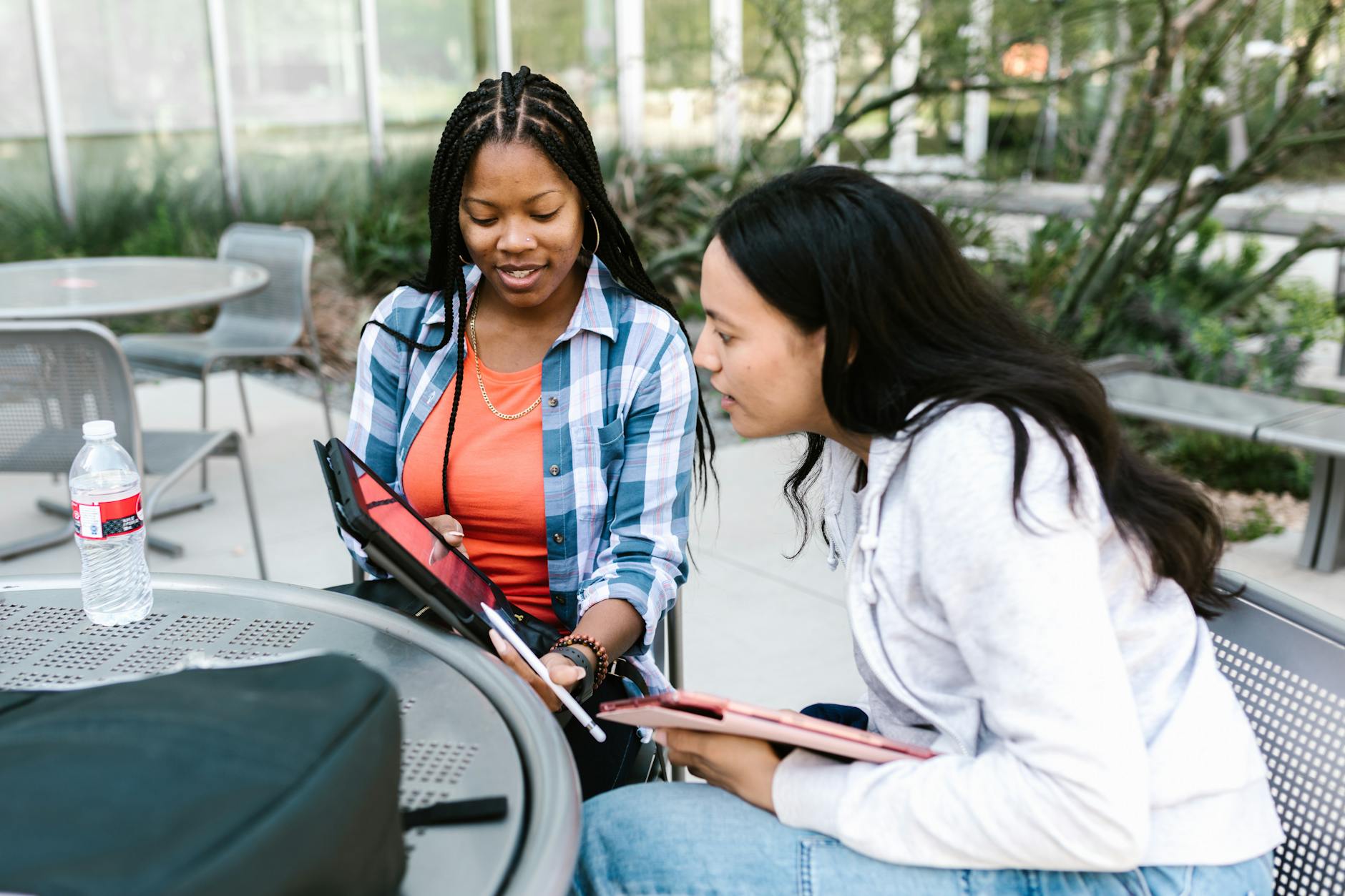
How the DCPS Blended Learning System Works
Choosing the right setup depends on your space and device access. If your classroom has 1:1 devices and an open floor plan, run a full station rotation. If you share a device cart with 15 Chromebooks, use a Modified Station with partner work. If you have a dedicated computer lab, implement Lab Rotation for 50% of the block.
This isn't unique to DC. The blended learning wjec model in Wales uses similar rotations for exam preparation, while blended learning njatc programs apply the concept to electrical apprenticeship training. DCPS differs by focusing on mastery-based progression rather than time-based or competency-based trade models.
Avoid digital babysitting. Effective implementation requires teacher proximity mapping: you must visually scan all screens within 3 seconds from your small-group position. Use the Hot Spot technique: position your kidney table facing the room with your back to the wall. This maintains sightlines on digital stations during small-group instruction, preventing off-task behavior.
Station Rotation Fundamentals
In elementary, set four distinct zones:
Teacher Table: Direct instruction for 4-6 kids.
Tech Station: Adaptive learning software like ST Math or Lexia with mandatory headphones.
Collaborative Station: Partner games or manipulatives.
Independent Practice: Fluency work or writing.
This setup maximizes differentiated instruction without creating three separate lesson plans. You teach one concept to a small group, but the practice looks different at each station based on readiness.
Timing matters more than content. For grades K-2, stick to 15-minute rotations. Their attention spans crater after that. Grades 3-5 can handle 20 minutes. Post a rotation anchor chart at the front showing exactly where each group moves next. I use colored sticky dots corresponding to group colors. When the timer chimes, students check the chart and transition in under 30 seconds. Any longer and you lose instructional minutes.
Your room layout determines success. Refer to effective classroom design for learning zones when arranging furniture. Keep the Tech Station within your peripheral vision from the Teacher Table, and ensure pathways don't force students to walk behind your small group while you're teaching. The educational technology at the Tech Station should reinforce what students learned at the Teacher Table two rotations prior, not introduce new concepts. If you're teaching fractions at the kidney table today, the Tech Station should practice yesterday's fraction comparison, not launch into equivalent fractions. This sequencing prevents cognitive overload and ensures the adaptive software actually supports mastery rather than causing frustration.
Lab Rotation and Individualized Pathways
Middle school requires different logistics. With Lab Rotation, split your class of 24 into Group A and Group B. Group A heads to the computer lab for 45 minutes working on ST Math puzzles or Lexia comprehension units while Group B stays with you for hands-on science labs or Socratic seminars. Then you switch. This rotation model solves the device shortage problem while keeping class sizes manageable for discussion-based work.
The real power lies in the individualized pathway algorithms. ST Math uses JiJi puzzles that adapt in real-time. If a student fails three consecutive puzzles, the system automatically drops them to prerequisite concepts without requiring you to manually adjust settings. This creates true personalized learning pathways that respond faster than any weekly data meeting. You see the alerts on your dashboard, but the remediation happens instantly.
However, don't assume the lab teacher handles everything. You need to check the data before the next class. If three kids in Group A got dropped to kindergarten-level counting overnight, you need to know that before they walk into your room tomorrow. The software provides the data, but you provide the context.
Lab Rotation also works for schools with shared spaces. If you don't have a dedicated lab, partner with a colleague. You take both classes in your room for the discussion phase while they supervise the tech phase in their room, then swap the next day. This requires coordination, but it doubles your effective device access and allows for true differentiated instruction without purchasing more hardware.
Teacher-Led Small Group Integration
When students reach the Teacher Table during rotations, don't reteach the whole-group lesson. Instead, use DCPS-approved intervention programs. For reading, pull out SIPPS (Systematic Instruction in Phonological Awareness, Phonics, and Sight Words). For math, use Do The Math. These targeted programs address specific skill deficits rather than repeating what students already heard at the rug. That's the difference between blended learning dcps style and simple digital supplementation.
Your grouping strategy determines effectiveness. At the Collaborative Station, mix ability levels so stronger students can model thinking for struggling peers—the peer tutoring model works here. But at the Teacher Table, keep groups homogeneous based on specific skill deficits. If four kids still confuse /b/ and /d/, group them together for SIPPS regardless of their overall reading level. Change these groups every 5-7 instructional days based on formative data, not calendar weeks.
Data changes fast in a blended model. Waiting two weeks to regroup means half your kids are working on skills they've already mastered while others are stuck. Five days is the sweet spot—long enough to see progress, short enough to catch misconceptions before they cement.
Watch your sightlines. Even while running SIPPS flashcards at the kidney table, you should be able to see every Chromebook screen in the room. If you turn your back to check a student's writing, the kids at the Tech Station know it. Position yourself at the Hot Spot, keep your body angled toward the room, and use your peripheral vision. The adaptive learning software keeps them on task only if they know you're watching.

Practical Applications Across Grade Levels
Blended learning dcps looks different in a kindergarten room than in an AP classroom. The model adapts to developmental needs while keeping the core intact: online plus face-to-face, planned with intention.
Blended learning adalah a phrase you might hear from Indonesian-speaking families in your DCPS classroom. The term "adalah" simply means "is" in Indonesian, and "pembelajaran campuran" refers to the same mix of digital and in-person instruction you're implementing. For DCPS's multilingual learner population, knowing this connection helps explain the model to families who might already understand the concept in their home language.
Here's how the rotation model shifts across grade bands:
Elementary (K-5): Station rotation dominates. Fifteen-minute centers target foundational skills—phonics, fact fluency, sentence construction. You move, they move, the devices stay put.
Middle (6-8): Lab rotation or flex models work better for content integration. Students rotate between wet labs, digital simulations, and collaborative analysis. The schedule loosens as students gain independence.
High School (9-12): Flipped classroom or flex support credit recovery and AP courses. Seniors watch lectures at midnight if they want. You spend class time on labs and discussion.
The targets matter. In third grade, aim for 85% of students mastering grade-level math standards by June using adaptive learning software to fill gaps during stations. In high school, credit recovery students should complete 0.5 credits in six weeks rather than dragging through a full semester.
Content drives platform selection. Literacy stations need different structures than math centers. Decoding practice requires different educational technology than comprehension monitoring.
Elementary Literacy and Math Centers
Second grade teachers at LaSalle-Backus run a modified Daily 5 structure that actually works. Four stations rotate every 28 minutes within a 90-minute ELA block. Word Work happens on Lexia Core5, targeting specific phonics deficits that show up in your diagnostic data. Listen to Reading uses Epic Books with the read-aloud function—crucial for evidence-based literacy instruction fluency practice. Work on Writing happens in Google Docs with voice typing enabled, removing the handwriting barrier while building composition skills.
The teacher table runs every other day. You see six kids for 20 minutes of guided reading using Fountas & Pinnell leveled books while the other 18 work independently. Transition time eats two minutes between rotations. That's tight, but third graders learn the routine by October.
Math follows a similar station rotation but splits between procedural practice on i-Ready and problem-solving with manipulatives. The differentiated instruction happens naturally—one group works on double-digit subtraction with regrouping on Chromebooks while you reteach place value concepts to four kids who missed the benchmark. You don't need to create thirty different worksheets. The software adjusts the difficulty in real-time while you handle the conceptual gaps face-to-face.
Middle School Science and Social Studies
Seventh grade science at Deal uses lab rotation to bridge physical and digital experimentation. Station 1 runs wet labs—mixing chemicals, observing reactions, writing observations in composition notebooks. Station 2 runs PhET interactive simulations for reactions you can't safely do in a classroom, like radioactive decay. Station 3 analyzes primary sources about scientific discoveries from the 1920s, pulling in digital tools for middle school social studies. Station 4 pushes through Canvas LMS modules with embedded formative checks that auto-grade while students work.
The magic happens on Canvas Discussion boards. Students post claims about chemical reactions and cite evidence from the PhET simulations they ran earlier. You grade scientific argumentation during your prep period instead of collecting lab notebooks. Students engage with the material twice—once with their hands, once with their keyboards.
This integration matters. By combining science and social studies stations, you solve the scheduling crunch while building interdisciplinary literacy. Students learn that scientific discoveries happen in historical contexts, not vacuums.
High School Credit Recovery and Advanced Courses
Roosevelt HS runs credit recovery on Apex Learning. Eleventh graders who failed Algebra I or English 9 work independently through modules, hitting personalized learning targets at their own speed. They meet with the facilitator twice weekly for 30 minutes—just enough time to clear misconceptions and mark progress. Most complete 0.5 credits in six weeks rather than sitting through a full semester of seat time they don't need. The facilitator tracks engagement metrics daily, pulling students back on track before they disappear.
AP Biology flips the model entirely. Students watch Bozeman Science video lectures at home, taking embedded quizzes that feed into Canvas gradebooks. Class time belongs to inquiry—PCR gel electrophoresis, bacterial transformation, data analysis with peer groups. You track completion percentages in Canvas modules to ensure they actually watch the content before handling expensive equipment.
The flexibility serves working students. A senior recovering English credits can log hours at night after their job. An AP student can rewatch a mitosis lecture three times before the lab. Both use the same blended learning dcps infrastructure, just configured for different goals. The system adapts to the student, not the other way around.

Getting Started with Blended Learning in Your DCPS Classroom
DCPS provides the infrastructure. You provide the structure. Before you launch your rotation model, know that blended learning dcps classrooms serve families speaking over 140 languages, including Hindi. For Hindi-speaking families, blended learning meaning in hindi is मिश्रित सीखना — the same balance of human instruction and technology you use daily. Canvas offers Google Translate integration for parent communication in Hindi, Amharic, Spanish, and other prevalent DCPS languages, so send those welcome messages home without worrying about the language barrier. When parents log into Canvas to check grades, they can toggle their home language with one click. This matters for Hindi-speaking families in Ward 3 or Ward 5 who need to support their children's personalized learning journeys but face language gaps in traditional homework instructions.
District resources cover the big items. DCPS supplies Chromebooks and platform licenses district-wide, including access to Lexia, i-Ready, and Canvas. You will need classroom headphones — budget $15-25 per student if Title I funds haven't covered them — plus a charging cart management system. Label each slot with student roster numbers and assign specific devices to specific kids. That ownership cuts down on "someone took my Chromebook" disputes by 90%. If you are in a building without 1:1 take-home devices, organize your charging cart so students plug in during dismissal; dead batteries at 9:00 AM destroy your station rotation schedule.
Technology Requirements and Setup
Test your WiFi before you test your students. Walk to all four corners of your room with a Chromebook and run a speed test. You need minimum 25 Mbps per device for adaptive learning software to function without lag. Dead zones near the reading nook or back lab table will derail your differentiated instruction faster than any lesson plan mistake. If you find weak signals, request a WiFi extender from your building tech coordinator immediately — do not wait for the formal work order system to crawl through central office.
Label everything. Assign each Chromebook a roster number matching your gradebook, not just the asset tag DCPS stuck on the back. Issue noise-canceling headphones with individual storage pouches — the kind with students' names on zip-lock bags work fine. Bookmark all platforms in the Chrome browser toolbar for one-click access; 2nd graders cannot type URLs correctly, but they can click a star icon. For younger students, tape a screenshot of the Clever login page to the inside of their notebook or desk lid.
Verify access before day one. Log into Clever and confirm your roster matches your actual class list — students missing from sections cannot log in. Test credentials for IEP/504 students requiring text-to-speech accommodations; these settings sometimes drop during summer rostering. For ELL students, double-check that native language support is enabled in Lexia or i-Ready settings. If parents ask about platform access in Hindi, show them the Google Translate option in Canvas — it converts assignment instructions and announcements instantly. Send home a one-page guide in Hindi explaining how to toggle the language setting; your family liaison can help translate.
Prepare for the inevitable tech failures. Clever badge login failures happen when the camera smudges or the lighting shifts. Teach students to wipe the badge with their shirt sleeve and hold it three inches from the camera. If the badge scanner still fails, type the student ID manually — keep a printed class roster with usernames and passwords taped inside your desk drawer for manual entry backup. When the WiFi drops district-wide — and it will — have paper packets ready for two stations so instruction continues while IT fixes the pipes.
Week-by-Week Implementation Timeline
Start with silence and movement, not math problems. Here is your implementation roadmap:
Pre-Launch (T-4 weeks): Set up hardware, verify Clever rosters, send home headphone request letters (translated via Canvas for Hindi, Spanish, and Amharic families), and create non-academic station activities. Test every login yourself. Walk through the room transitions during your planning period — literally move from the rug to the desks to the tech station to feel the traffic flow.
Launch Week: Teach only transitions and tech procedures. Use non-academic stations — puzzles, coloring, book browsing — so students practice moving quietly and logging into devices without content pressure. Time your transitions. Aim for 90% efficiency (under 60 seconds) before adding academics. If it takes eight minutes to rotate because three kids cannot find their Chromebooks, stop and fix the system before opening Lexia.
Weeks 2-4 (Gradual Release): Introduce one academic station per week. Week 2: familiar review content so students focus on procedure, not new concepts. Week 3: current grade-level content with educational technology running independently. Week 4: full differentiated instruction rotation with four distinct activities. Schedule daily five-minute "tech troubleshooting" time where students help peers solve forgotten passwords or dead batteries. Train two "tech helpers" per table to handle basic issues like refreshing the browser or checking volume settings.
Full Implementation (Week 5+): Run all four stations with personalized learning content, pulling small groups while adaptive software runs independently. Monitor noise levels and engagement. Adjust groupings weekly based on Friday data reviews.
Avoid the top three implementation mistakes DCPS teachers make:
Launching all four stations with academic content on Day 1 without teaching transition routines — you will spend 40 minutes managing chaos instead of teaching.
Selecting unapproved platforms not on the DCPS Digital Tools Menu, violating student data privacy laws (FERPA) and risking data loss when the compliance audit hits.
Creating static ability groups that never change — rotate students every two weeks based on fresh data, or you create tracking effects that hurt the kids who need growth opportunities most. The "low" group should see different faces regularly.
Assessment and Progress Monitoring Strategies
Data drives the rotation, but only if you look at it. Every Monday morning, spend 20 minutes reviewing platform dashboards. Check Lexia "My Progress" or i-Ready "My Path" for "red flag" students below 50% progress toward weekly goals. Immediately adjust small group assignments for these students — do not wait for the next unit test. If Maria is at 30% completion in her phonics strand in October, she moves to your Tuesday small group for targeted intervention, even if the algorithm says she is "on track."
Track patterns across weeks. If the same three students show red flags for three consecutive Mondays, investigate whether the issue is skill-based or procedural. Sometimes 4th graders struggle not because they cannot read, but because they spend 15 minutes of their 20-minute station time searching for headphones or dealing with Clever login loops.
Balance digital data with district benchmarks. While platforms provide daily formative data through formative assessment examples for progress monitoring, administer DCPS Interim Assessments (IAs) every 6-8 weeks to validate that platform progress correlates with grade-level standards mastery. If your Lexia data shows 80% mastery but the IA shows 40%, calibrate your platform usage time — either increase minutes for skill gaps or decrease if students are plateauing on software without transferring skills to paper. The IAs serve as your reality check against the algorithm.
When integrating edtech into your lesson plans, remember that educational technology serves the standards, not the other way around. Use the rotation data to inform your face-to-face instruction, not replace your professional judgment about what your specific group of kids needs on a Wednesday afternoon. Blended learning works when the tech handles the practice and you handle the teaching.

Final Thoughts on Blended Learning DCPS
The biggest difference isn't which adaptive learning software you choose or whether you build the perfect rotation model on day one. It's picking one small change and doing it consistently for three weeks. I've watched teachers try to launch four stations, personalized learning pathways, and new tech tools all at once in October. The kids get confused, you burn out by November, and the laptops become expensive paperweights. Pick one station—just one—and run it until the routine is so boring you could do it in your sleep. That's when real differentiated instruction actually happens, because you're teaching content instead of managing chaos.
Look at your schedule for tomorrow morning. Find 20 minutes where you usually lecture the whole class. Replace it with a simple two-station rotation: you at the small group table with three kids who need help, and everyone else working on one specific digital assignment. Don't build a complex playlist. Don't rearrange your furniture. Just try it once, notice exactly who gets stuck on the login screen, and fix that one thing for next time.
Blended learning DCPS works when it becomes invisible—just how you teach, not a special event. Start tomorrow.

What Is Blended Learning in DCPS?
Blended learning in DCPS combines face-to-face instruction with digital content through structured rotation models. Students alternate between teacher-led small groups, collaborative stations, and independent online work using platforms like Lexia and ST Math. This approach allows for personalized pacing while maintaining high-quality in-person instruction across DC public schools.
This isn't emergency remote learning with cameras off. It's not handing kids Chromebooks for 45 minutes of silent typing while you catch up on emails. True blended learning education requires intentional design. You group students based on real-time data from yesterday's exit ticket. You maintain physical presence—every kid comes to the building. And you stick to a strict ratio: no more than one-third of instructional time spent on screens. The other two-thirds belong to human conversation, paper-and-pencil practice, and hands-on manipulation. The district audits this balance during walkthroughs. DCPS recognizes three distinct rotation models. Station Rotation happens entirely within your classroom walls. Lab Rotation splits the grade level, sending half to a dedicated computer lab while the other half works with you. Flex offers individualized playlists for specific intervention blocks. For K-8, Station Rotation is the default. You'll see Lab Rotation in some middle schools for intensive math blocks, and Flex only appears in select high school credit recovery programs. This structure creates true differentiated instruction—not just three worksheets of varying difficulty, but entirely different learning pathways based on what each child actually needs. The district mandates specific guardrails to prevent "digital babysitting." You must use platform data to drive your small-group formation daily. Students must be in the building—these aren't virtual academies. And that 1:3 ratio is non-negotiable. If you have 60 minutes for your literacy block, 20 minutes max can be screen time. The rest is you teaching, them talking, or collaborative work. This balance protects the blended learning meaning: technology enhances rather than replaces your expertise. Blended learning dcps specifically requires this physical-digital hybrid; you can't opt for fully virtual and still call it the district model.
Defining the DCPS Rotation Model
In a standard 3rd grade classroom with 28 students, Station Rotation runs like clockwork. You divide the room into four zones with seven kids each. Station one meets with you at the kidney table for direct phonics instruction. Station two collaborates on a word-sort at the back table. Station three plugs into Lexia on Chromebooks. Station four works on independent writing at desks. Every 15 minutes, a timer chimes. Two minutes for transitions—kids slide to the next spot. After four rotations, you've hit 60 minutes including your 10-minute whole-group mini-lesson at the start. It looks chaotic to outsiders. It feels choreographed when you nail it. The key is timing: cut transitions to 90 seconds and you gain six extra minutes of instructional time.
Lab Rotation looks different. Your 28 kids split into two groups of 14. Group A walks to the computer lab with a paraprofessional for 45 minutes of intensive adaptive practice. You keep Group B for small-group intervention—reteaching yesterday's fraction concept to six kids who missed it, enriching eight kids who mastered it. At the halfway mark, you switch. This model demands tight coordination with your colleagues and a reliable lab proctor. It works best when you have significant skill gaps within the same classroom and only one teacher. The trade-off? Less flexibility. If Group B has a breakthrough moment at minute 40, you still have to swap. The bell doesn't wait. You also lose the ability to pivot quickly if the fire drill interrupts your schedule.
Technology Platforms and Digital Tools
DCPS funds a core suite of adaptive learning software that adjusts difficulty in real time. The district mandates five primary platforms:
Lexia Core5 covers literacy for K-5.
PowerUp serves literacy intervention for grades 6-8.
ST Math handles visual math instruction district-wide.
i-Ready Diagnostic provides assessment and personalized learning pathways K-8.
Canvas LMS hosts assignments and gradebooks for secondary students.
These aren't suggestions—they're district-funded mandates. You also have freedom to layer in teacher-choice supplemental tools like Nearpod or Padlet for specific engagement strategies, though these don't replace the core platforms. Everything connects through Clever SSO, so students tap one icon instead of typing passwords for ten minutes. You can read more about implementing these tools in our comprehensive guide to blended learning.
The hardware matters as much as the software. DCPS issues military-grade drop-protected Chromebooks to all students grades 3-12 through the 1:1 initiative. K-2 classrooms share carts. You need over-ear headphones, not earbuds—noise cancellation helps when seven kids are doing ST Math while seven others discuss a read-aloud with you. The district promises 25 Mbps bandwidth minimum per classroom. That sounds technical, but it means videos don't buffer when the whole class logs into i-Ready simultaneously. If your router struggles, file a ticket immediately. Nothing kills a rotation faster than 28 kids staring at loading screens. Understanding these learning management systems and digital tools helps you troubleshoot before the timer chimes.
Why Does DCPS Use Blended Learning?
DCPS implemented blended learning to deliver differentiated instruction at scale across diverse classrooms. The system enables teachers to use real-time data from digital platforms to form targeted small groups, addressing learning gaps while allowing advanced students to accelerate. This approach supports the district's equity goals by ensuring all students access grade-level content at their appropriate level.
The blended learning system addresses a stubborn reality: DCPS serves students from Ward 7 and Ward 8 in the same grade level as those in Ward 3, often with vastly different access to resources outside school. By standardizing high-quality digital curriculum across all schools, the district ensures that a 4th grader in Anacostia works through the same rigorous Lexia units as a peer in Northwest Washington. This isn't about replacing teachers with screens. It's about giving every student access to personalized learning paths that would be impossible to create manually for 25+ kids.
The research foundation comes from John Hattie's Visible Learning meta-analysis. Direct instruction shows an effect size of 0.59, while computer-assisted instruction clocks in at 0.48. Neither alone is revolutionary. Combined thoughtfully in a rotation model, however, they create conditions where students get teacher-led clarity on concepts, then immediate adaptive practice. DCPS bet that integrating these approaches would outperform traditional whole-group instruction, especially for students performing below grade level.
Scalability drove the decision too. A single teacher can effectively manage three distinct learning paths—remediation, on-grade, and acceleration—without tripling preparation time. During the implementation phase, teachers reported saving an estimated 5-7 hours weekly on worksheet creation because adaptive learning software auto-generates standards-aligned practice. You’re not hunting for leveled texts at 10 PM on Sunday. The platform serves the right problem set to each kid while you sleep. That time savings translates directly into better instruction—hours reclaimed for analyzing student work or planning small-group interventions rather than copying worksheets.
Differentiated Instruction at Scale
Monday mornings in DCPS classrooms start with data. Teachers pull diagnostic reports from i-Ready or Lexia to form fluid groups for the week. You might have one group working on foundational phonics, another practicing grade-level comprehension, and a third tackling above-grade texts. The protocol is specific:
Pull Monday diagnostic data from i-Ready or Lexia.
Form fluid groups based on skill gaps, not static reading levels.
Move students out of remedial groups within three weeks if they show mastery.
If the software shows stagnant growth, you adjust the intervention, not just the grouping. This prevents the trap where struggling students get stuck doing low-level busywork while others move ahead.
This contrasts sharply with traditional differentiation. Last decade, you might have spent Sundays creating 28 unique worksheets, trying to hit every child's exact level. The blended learning dcps approach asks you to prepare three scaffolded lesson variants instead. You teach the core concept once, then let the platform algorithms auto-adjust digital content difficulty. A student working on fractions might see visual models while another sees abstract equations, both generated automatically based on their previous session's accuracy. The computer handles the infinite variations; you handle the high-value teaching.
The equity piece matters here. In a Ward 7 school with high teacher turnover, the educational technology preserves instructional quality. New teachers don't need five years of experience to differentiate effectively. The system provides the differentiated instruction strategies built into the software, ensuring students get personalized learning regardless of which adults rotate through the building. Every student deserves instruction matched to their level, not just those lucky enough to land in a veteran teacher's classroom.
Real-Time Data for Teachers
The dashboards don't wait for Friday. Lexia updates "Minutes and Units" accuracy rates hourly. During transition times—while students shuffle between station rotation spots—you scan for red flags on your tablet or laptop. A student showing less than 70% accuracy for two consecutive sessions triggers immediate action. You don't need to grade exit tickets to know there's a problem. The data arrives fresh, letting you catch misconceptions before they solidify into bad habits. No more surprises when the unit assessment rolls around.
Here's what that looks like in practice. The data shows Malik struggled with 4.NBT.4 (multi-digit addition) during his last two independent sessions. His accuracy dropped to 65%, then 62%. During the next rotation cycle, you pull him while the rest of the class works at their stations. Ten minutes. Concrete-representational-abstract intervention using base-ten blocks. You model regrouping physically, draw it on whiteboards, then connect to the algorithm. He returns to his digital practice immediately, applying the new understanding while it's hot. Back to the station. Total disruption to your main lesson plan? Zero. This is data-driven teaching implementation that actually fits inside a 45-minute block.
The protocol follows a clear sequence:
Monitor Lexia or i-Ready dashboards during transitions.
Flag students with less than 70% accuracy for two consecutive sessions.
Pull for immediate 10-minute CRA intervention during next rotation.
The blended learning system turns assessment into instruction. Instead of discovering learning gaps on the summative test, you catch them within 24 hours. For teachers managing 30 students across multiple performance levels, this real-time feedback loop is the difference between reactive remediation and proactive support. You know exactly who needs help, exactly which standard they missed, and exactly how long you have to fix it before the next concept builds on shaky ground.
How the DCPS Blended Learning System Works
Choosing the right setup depends on your space and device access. If your classroom has 1:1 devices and an open floor plan, run a full station rotation. If you share a device cart with 15 Chromebooks, use a Modified Station with partner work. If you have a dedicated computer lab, implement Lab Rotation for 50% of the block.
This isn't unique to DC. The blended learning wjec model in Wales uses similar rotations for exam preparation, while blended learning njatc programs apply the concept to electrical apprenticeship training. DCPS differs by focusing on mastery-based progression rather than time-based or competency-based trade models.
Avoid digital babysitting. Effective implementation requires teacher proximity mapping: you must visually scan all screens within 3 seconds from your small-group position. Use the Hot Spot technique: position your kidney table facing the room with your back to the wall. This maintains sightlines on digital stations during small-group instruction, preventing off-task behavior.
Station Rotation Fundamentals
In elementary, set four distinct zones:
Teacher Table: Direct instruction for 4-6 kids.
Tech Station: Adaptive learning software like ST Math or Lexia with mandatory headphones.
Collaborative Station: Partner games or manipulatives.
Independent Practice: Fluency work or writing.
This setup maximizes differentiated instruction without creating three separate lesson plans. You teach one concept to a small group, but the practice looks different at each station based on readiness.
Timing matters more than content. For grades K-2, stick to 15-minute rotations. Their attention spans crater after that. Grades 3-5 can handle 20 minutes. Post a rotation anchor chart at the front showing exactly where each group moves next. I use colored sticky dots corresponding to group colors. When the timer chimes, students check the chart and transition in under 30 seconds. Any longer and you lose instructional minutes.
Your room layout determines success. Refer to effective classroom design for learning zones when arranging furniture. Keep the Tech Station within your peripheral vision from the Teacher Table, and ensure pathways don't force students to walk behind your small group while you're teaching. The educational technology at the Tech Station should reinforce what students learned at the Teacher Table two rotations prior, not introduce new concepts. If you're teaching fractions at the kidney table today, the Tech Station should practice yesterday's fraction comparison, not launch into equivalent fractions. This sequencing prevents cognitive overload and ensures the adaptive software actually supports mastery rather than causing frustration.
Lab Rotation and Individualized Pathways
Middle school requires different logistics. With Lab Rotation, split your class of 24 into Group A and Group B. Group A heads to the computer lab for 45 minutes working on ST Math puzzles or Lexia comprehension units while Group B stays with you for hands-on science labs or Socratic seminars. Then you switch. This rotation model solves the device shortage problem while keeping class sizes manageable for discussion-based work.
The real power lies in the individualized pathway algorithms. ST Math uses JiJi puzzles that adapt in real-time. If a student fails three consecutive puzzles, the system automatically drops them to prerequisite concepts without requiring you to manually adjust settings. This creates true personalized learning pathways that respond faster than any weekly data meeting. You see the alerts on your dashboard, but the remediation happens instantly.
However, don't assume the lab teacher handles everything. You need to check the data before the next class. If three kids in Group A got dropped to kindergarten-level counting overnight, you need to know that before they walk into your room tomorrow. The software provides the data, but you provide the context.
Lab Rotation also works for schools with shared spaces. If you don't have a dedicated lab, partner with a colleague. You take both classes in your room for the discussion phase while they supervise the tech phase in their room, then swap the next day. This requires coordination, but it doubles your effective device access and allows for true differentiated instruction without purchasing more hardware.
Teacher-Led Small Group Integration
When students reach the Teacher Table during rotations, don't reteach the whole-group lesson. Instead, use DCPS-approved intervention programs. For reading, pull out SIPPS (Systematic Instruction in Phonological Awareness, Phonics, and Sight Words). For math, use Do The Math. These targeted programs address specific skill deficits rather than repeating what students already heard at the rug. That's the difference between blended learning dcps style and simple digital supplementation.
Your grouping strategy determines effectiveness. At the Collaborative Station, mix ability levels so stronger students can model thinking for struggling peers—the peer tutoring model works here. But at the Teacher Table, keep groups homogeneous based on specific skill deficits. If four kids still confuse /b/ and /d/, group them together for SIPPS regardless of their overall reading level. Change these groups every 5-7 instructional days based on formative data, not calendar weeks.
Data changes fast in a blended model. Waiting two weeks to regroup means half your kids are working on skills they've already mastered while others are stuck. Five days is the sweet spot—long enough to see progress, short enough to catch misconceptions before they cement.
Watch your sightlines. Even while running SIPPS flashcards at the kidney table, you should be able to see every Chromebook screen in the room. If you turn your back to check a student's writing, the kids at the Tech Station know it. Position yourself at the Hot Spot, keep your body angled toward the room, and use your peripheral vision. The adaptive learning software keeps them on task only if they know you're watching.
Practical Applications Across Grade Levels
Blended learning dcps looks different in a kindergarten room than in an AP classroom. The model adapts to developmental needs while keeping the core intact: online plus face-to-face, planned with intention.
Blended learning adalah a phrase you might hear from Indonesian-speaking families in your DCPS classroom. The term "adalah" simply means "is" in Indonesian, and "pembelajaran campuran" refers to the same mix of digital and in-person instruction you're implementing. For DCPS's multilingual learner population, knowing this connection helps explain the model to families who might already understand the concept in their home language.
Here's how the rotation model shifts across grade bands:
Elementary (K-5): Station rotation dominates. Fifteen-minute centers target foundational skills—phonics, fact fluency, sentence construction. You move, they move, the devices stay put.
Middle (6-8): Lab rotation or flex models work better for content integration. Students rotate between wet labs, digital simulations, and collaborative analysis. The schedule loosens as students gain independence.
High School (9-12): Flipped classroom or flex support credit recovery and AP courses. Seniors watch lectures at midnight if they want. You spend class time on labs and discussion.
The targets matter. In third grade, aim for 85% of students mastering grade-level math standards by June using adaptive learning software to fill gaps during stations. In high school, credit recovery students should complete 0.5 credits in six weeks rather than dragging through a full semester.
Content drives platform selection. Literacy stations need different structures than math centers. Decoding practice requires different educational technology than comprehension monitoring.
Elementary Literacy and Math Centers
Second grade teachers at LaSalle-Backus run a modified Daily 5 structure that actually works. Four stations rotate every 28 minutes within a 90-minute ELA block. Word Work happens on Lexia Core5, targeting specific phonics deficits that show up in your diagnostic data. Listen to Reading uses Epic Books with the read-aloud function—crucial for evidence-based literacy instruction fluency practice. Work on Writing happens in Google Docs with voice typing enabled, removing the handwriting barrier while building composition skills.
The teacher table runs every other day. You see six kids for 20 minutes of guided reading using Fountas & Pinnell leveled books while the other 18 work independently. Transition time eats two minutes between rotations. That's tight, but third graders learn the routine by October.
Math follows a similar station rotation but splits between procedural practice on i-Ready and problem-solving with manipulatives. The differentiated instruction happens naturally—one group works on double-digit subtraction with regrouping on Chromebooks while you reteach place value concepts to four kids who missed the benchmark. You don't need to create thirty different worksheets. The software adjusts the difficulty in real-time while you handle the conceptual gaps face-to-face.
Middle School Science and Social Studies
Seventh grade science at Deal uses lab rotation to bridge physical and digital experimentation. Station 1 runs wet labs—mixing chemicals, observing reactions, writing observations in composition notebooks. Station 2 runs PhET interactive simulations for reactions you can't safely do in a classroom, like radioactive decay. Station 3 analyzes primary sources about scientific discoveries from the 1920s, pulling in digital tools for middle school social studies. Station 4 pushes through Canvas LMS modules with embedded formative checks that auto-grade while students work.
The magic happens on Canvas Discussion boards. Students post claims about chemical reactions and cite evidence from the PhET simulations they ran earlier. You grade scientific argumentation during your prep period instead of collecting lab notebooks. Students engage with the material twice—once with their hands, once with their keyboards.
This integration matters. By combining science and social studies stations, you solve the scheduling crunch while building interdisciplinary literacy. Students learn that scientific discoveries happen in historical contexts, not vacuums.
High School Credit Recovery and Advanced Courses
Roosevelt HS runs credit recovery on Apex Learning. Eleventh graders who failed Algebra I or English 9 work independently through modules, hitting personalized learning targets at their own speed. They meet with the facilitator twice weekly for 30 minutes—just enough time to clear misconceptions and mark progress. Most complete 0.5 credits in six weeks rather than sitting through a full semester of seat time they don't need. The facilitator tracks engagement metrics daily, pulling students back on track before they disappear.
AP Biology flips the model entirely. Students watch Bozeman Science video lectures at home, taking embedded quizzes that feed into Canvas gradebooks. Class time belongs to inquiry—PCR gel electrophoresis, bacterial transformation, data analysis with peer groups. You track completion percentages in Canvas modules to ensure they actually watch the content before handling expensive equipment.
The flexibility serves working students. A senior recovering English credits can log hours at night after their job. An AP student can rewatch a mitosis lecture three times before the lab. Both use the same blended learning dcps infrastructure, just configured for different goals. The system adapts to the student, not the other way around.
Getting Started with Blended Learning in Your DCPS Classroom
DCPS provides the infrastructure. You provide the structure. Before you launch your rotation model, know that blended learning dcps classrooms serve families speaking over 140 languages, including Hindi. For Hindi-speaking families, blended learning meaning in hindi is मिश्रित सीखना — the same balance of human instruction and technology you use daily. Canvas offers Google Translate integration for parent communication in Hindi, Amharic, Spanish, and other prevalent DCPS languages, so send those welcome messages home without worrying about the language barrier. When parents log into Canvas to check grades, they can toggle their home language with one click. This matters for Hindi-speaking families in Ward 3 or Ward 5 who need to support their children's personalized learning journeys but face language gaps in traditional homework instructions.
District resources cover the big items. DCPS supplies Chromebooks and platform licenses district-wide, including access to Lexia, i-Ready, and Canvas. You will need classroom headphones — budget $15-25 per student if Title I funds haven't covered them — plus a charging cart management system. Label each slot with student roster numbers and assign specific devices to specific kids. That ownership cuts down on "someone took my Chromebook" disputes by 90%. If you are in a building without 1:1 take-home devices, organize your charging cart so students plug in during dismissal; dead batteries at 9:00 AM destroy your station rotation schedule.
Technology Requirements and Setup
Test your WiFi before you test your students. Walk to all four corners of your room with a Chromebook and run a speed test. You need minimum 25 Mbps per device for adaptive learning software to function without lag. Dead zones near the reading nook or back lab table will derail your differentiated instruction faster than any lesson plan mistake. If you find weak signals, request a WiFi extender from your building tech coordinator immediately — do not wait for the formal work order system to crawl through central office.
Label everything. Assign each Chromebook a roster number matching your gradebook, not just the asset tag DCPS stuck on the back. Issue noise-canceling headphones with individual storage pouches — the kind with students' names on zip-lock bags work fine. Bookmark all platforms in the Chrome browser toolbar for one-click access; 2nd graders cannot type URLs correctly, but they can click a star icon. For younger students, tape a screenshot of the Clever login page to the inside of their notebook or desk lid.
Verify access before day one. Log into Clever and confirm your roster matches your actual class list — students missing from sections cannot log in. Test credentials for IEP/504 students requiring text-to-speech accommodations; these settings sometimes drop during summer rostering. For ELL students, double-check that native language support is enabled in Lexia or i-Ready settings. If parents ask about platform access in Hindi, show them the Google Translate option in Canvas — it converts assignment instructions and announcements instantly. Send home a one-page guide in Hindi explaining how to toggle the language setting; your family liaison can help translate.
Prepare for the inevitable tech failures. Clever badge login failures happen when the camera smudges or the lighting shifts. Teach students to wipe the badge with their shirt sleeve and hold it three inches from the camera. If the badge scanner still fails, type the student ID manually — keep a printed class roster with usernames and passwords taped inside your desk drawer for manual entry backup. When the WiFi drops district-wide — and it will — have paper packets ready for two stations so instruction continues while IT fixes the pipes.
Week-by-Week Implementation Timeline
Start with silence and movement, not math problems. Here is your implementation roadmap:
Pre-Launch (T-4 weeks): Set up hardware, verify Clever rosters, send home headphone request letters (translated via Canvas for Hindi, Spanish, and Amharic families), and create non-academic station activities. Test every login yourself. Walk through the room transitions during your planning period — literally move from the rug to the desks to the tech station to feel the traffic flow.
Launch Week: Teach only transitions and tech procedures. Use non-academic stations — puzzles, coloring, book browsing — so students practice moving quietly and logging into devices without content pressure. Time your transitions. Aim for 90% efficiency (under 60 seconds) before adding academics. If it takes eight minutes to rotate because three kids cannot find their Chromebooks, stop and fix the system before opening Lexia.
Weeks 2-4 (Gradual Release): Introduce one academic station per week. Week 2: familiar review content so students focus on procedure, not new concepts. Week 3: current grade-level content with educational technology running independently. Week 4: full differentiated instruction rotation with four distinct activities. Schedule daily five-minute "tech troubleshooting" time where students help peers solve forgotten passwords or dead batteries. Train two "tech helpers" per table to handle basic issues like refreshing the browser or checking volume settings.
Full Implementation (Week 5+): Run all four stations with personalized learning content, pulling small groups while adaptive software runs independently. Monitor noise levels and engagement. Adjust groupings weekly based on Friday data reviews.
Avoid the top three implementation mistakes DCPS teachers make:
Launching all four stations with academic content on Day 1 without teaching transition routines — you will spend 40 minutes managing chaos instead of teaching.
Selecting unapproved platforms not on the DCPS Digital Tools Menu, violating student data privacy laws (FERPA) and risking data loss when the compliance audit hits.
Creating static ability groups that never change — rotate students every two weeks based on fresh data, or you create tracking effects that hurt the kids who need growth opportunities most. The "low" group should see different faces regularly.
Assessment and Progress Monitoring Strategies
Data drives the rotation, but only if you look at it. Every Monday morning, spend 20 minutes reviewing platform dashboards. Check Lexia "My Progress" or i-Ready "My Path" for "red flag" students below 50% progress toward weekly goals. Immediately adjust small group assignments for these students — do not wait for the next unit test. If Maria is at 30% completion in her phonics strand in October, she moves to your Tuesday small group for targeted intervention, even if the algorithm says she is "on track."
Track patterns across weeks. If the same three students show red flags for three consecutive Mondays, investigate whether the issue is skill-based or procedural. Sometimes 4th graders struggle not because they cannot read, but because they spend 15 minutes of their 20-minute station time searching for headphones or dealing with Clever login loops.
Balance digital data with district benchmarks. While platforms provide daily formative data through formative assessment examples for progress monitoring, administer DCPS Interim Assessments (IAs) every 6-8 weeks to validate that platform progress correlates with grade-level standards mastery. If your Lexia data shows 80% mastery but the IA shows 40%, calibrate your platform usage time — either increase minutes for skill gaps or decrease if students are plateauing on software without transferring skills to paper. The IAs serve as your reality check against the algorithm.
When integrating edtech into your lesson plans, remember that educational technology serves the standards, not the other way around. Use the rotation data to inform your face-to-face instruction, not replace your professional judgment about what your specific group of kids needs on a Wednesday afternoon. Blended learning works when the tech handles the practice and you handle the teaching.
Final Thoughts on Blended Learning DCPS
The biggest difference isn't which adaptive learning software you choose or whether you build the perfect rotation model on day one. It's picking one small change and doing it consistently for three weeks. I've watched teachers try to launch four stations, personalized learning pathways, and new tech tools all at once in October. The kids get confused, you burn out by November, and the laptops become expensive paperweights. Pick one station—just one—and run it until the routine is so boring you could do it in your sleep. That's when real differentiated instruction actually happens, because you're teaching content instead of managing chaos.
Look at your schedule for tomorrow morning. Find 20 minutes where you usually lecture the whole class. Replace it with a simple two-station rotation: you at the small group table with three kids who need help, and everyone else working on one specific digital assignment. Don't build a complex playlist. Don't rearrange your furniture. Just try it once, notice exactly who gets stuck on the login screen, and fix that one thing for next time.
Blended learning DCPS works when it becomes invisible—just how you teach, not a special event. Start tomorrow.
Still grading everything by hand?
EMStudio is a free teaching management app — manage your classes, students, lessons, and more!
Learn More
Still grading everything by hand?
EMStudio is a free teaching management app — manage your classes, students, lessons, and more!
Learn More






Notion4Teachers
Notion templates to simplify administrative tasks and enhance your teaching experience.



2026 Notion4Teachers. All Rights Reserved.
Notion4Teachers
Notion templates to simplify administrative tasks and enhance your teaching experience.
2026 Notion4Teachers. All Rights Reserved.
Notion4Teachers
Notion templates to simplify administrative tasks and enhance your teaching experience.
2026 Notion4Teachers. All Rights Reserved.