
What Makes an Education App Useful for Students and Teachers
What Makes an Education App Useful for Students and Teachers

Article by
Milo
ESL Content Coordinator & Educator
ESL Content Coordinator & Educator
All Posts
Digital transformation has made educational technology essential infrastructure for schools, universities, and training centers. Building useful learning tools requires moving past superficial design gimmicks to balance administrative efficiency with intuitive user engagement. Confusing navigation or missing features quickly drops student participation while increasing teacher workloads.

Still grading everything by hand?
EMStudio is a free teaching management app — manage your classes, students, lessons, and more!
Learn More

Still grading everything by hand?
EMStudio is a free teaching management app — manage your classes, students, lessons, and more!
Learn More
Table of Contents
Common Obstacles in Legacy Educational Technology
Off the shelf software often fails practical classroom needs due to cluttered interfaces, rigid navigation, and poor mobile optimization. Teachers lose valuable instructional hours just trying to post assignments or record grades on complex dashboards. Inaccessible design and fragmented communication tools create friction, whereas modern platforms unify daily academic workflows into a single intuitive environment.
Core Pillars of Effective Educational Software Architecture
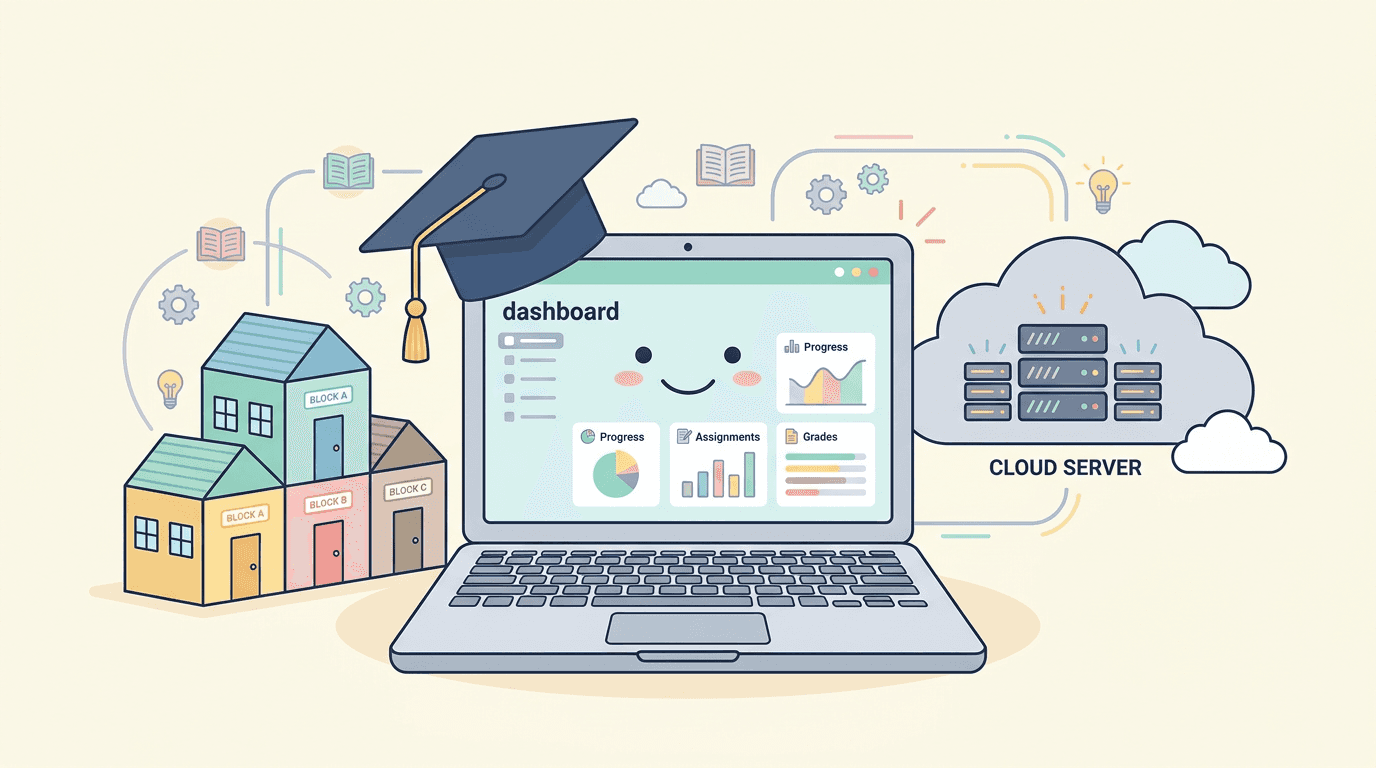
Engineered learning platforms resolve operational friction by embedding usability guidelines and flexible access controls directly into system architecture. Purpose built educational software unifies classroom management tools, tracks individual student growth, and maintains real time synchronization across web and mobile devices.
Building centralized database structures allows educational platforms to serve multiple user roles securely while protecting sensitive student records and academic performance data.
Integrating student facing interfaces with comprehensive teacher administrative portals ensures that assignment distribution, grading, and performance tracking occur smoothly without manual data entry.
Partnering with an experienced education app development team equips educational leaders with the technical guidance necessary to construct scalable learning systems. As emphasized by senior technical managers at SoftDoes, "Engineering impactful educational applications requires a deep understanding of classroom dynamics, where intuitive navigation, automated grading routines, and real time progress metrics must work in harmony to support both teachers and students."
Research published byMIT Technology Review demonstrates how thoughtfully designed educational software and interactive digital tools significantly improve student engagement while reducing routine administrative friction for faculty members.
Critical Capabilities That Define Great Educational Platforms
Intuitive Design and Frictionless Navigation
Navigating a learning platform must feel effortless for users of all age groups and technical skill levels. Clean layout structures, clear visual hierarchies, and straightforward menus minimize onboarding time, allowing students to focus on masteries rather than software mechanics.
Customized Interfaces for Distinct User Roles
Educational applications must deliver distinct functionality based on user permissions. Students require clean dashboards displaying upcoming assignments, due dates, and learning materials, while teachers need comprehensive portals for curriculum planning, assignment creation, and grade management.
Comprehensive Analytics and Progress Tracking
Automated data visualization dashboards help educators monitor individual student progress, identify learning gaps early, and evaluate overall class performance. Real time gradebooks and progress indicators keep students informed about their academic standing.
Efficient Task Assignment and Digital Submissions
Streamlining homework submission processes allows students to upload documents, media files, or interactive quizzes directly through the platform. Automated grading features for multiple choice assessments free up teacher time for direct instruction.
Integrated Communication and Collaboration Channels
Built-in messaging systems, discussion boards, and real time notification engines facilitate quick communication between students, teachers, and parents, keeping all stakeholders informed regarding academic milestones.
Reporting fromArs Technica highlights how cloud native learning systems and modern data tools continue to transform remote collaboration and digital knowledge sharing across modern institutions.
Crucial Features for Modern Academic Platforms
Upgrading institutional learning environments requires deploying specific software modules across the digital educational landscape:
Interactive Course Content Engines: Support for video lectures, interactive quizzes, downloadable readings, and digital flashcards caters to diverse learning styles.
Automated Notification Engines: Mobile push notifications and email alerts remind students of upcoming due dates, scheduled exams, and new teacher announcements.
Offline Access Capabilities: Allowing students to download learning materials for offline study ensures continuous learning in areas with limited internet connectivity.
Strategic Guide to Selecting an EdTech Development Partner
Building custom educational software requires selecting an external engineering firm that possesses deep technical mastery, user experience expertise, and transparent business practices. Educational founders and executive leaders should evaluate prospective software vendors across five critical areas.
Assessing Past Case Studies and Educational Project Experience
Reviewing a software development agency's historical portfolio provides direct insight into their engineering capabilities. Request detailed case studies demonstrating how the firm previously constructed complex learning management systems, designed intuitive student portals, and integrated third party educational tools.
Evaluating Tech Stack Alignment and System Scalability
The technical capabilities utilized by a development partner must align directly with modern software engineering standards. Verify that senior software architects possess deep expertise in secure cloud infrastructure, responsive frontend frameworks, cross platform mobile technologies, and scalable database architectures.
Partnering with an experienced agency ensures that your EdTech UX remains fast, reliable, and capable of handling sudden spikes in concurrent user traffic during peak exam periods.
Establishing Transparent Communication Protocols
Developing sophisticated educational software requires continuous, structured collaboration between academic leaders, technical product managers, and external engineering teams. High quality development partners utilize organized project management methodologies to maintain clear alignment throughout active development phases.
Agile Sprint Demonstrations: Regularly scheduled review sessions give academic stakeholders opportunities to evaluate functional code updates and refine feature requirements.
Shared Task Tracking Dashboards: Open project boards offer complete visibility into engineering velocity, system testing results, and release schedules.
Demanding Cost and Process Transparency
Ambiguous project scopes and hidden development costs often lead to budget overruns and delayed software rollouts. Reputable software agencies conduct thorough initial discovery audits before presenting detailed project roadmaps tied to explicit milestone deliverables.
Requiring absolute transparency around developer rates, sprint schedules, and scope adjustment policies protects capital resources and keeps engineering outcomes aligned with institutional goals.
Planning Post Launch Maintenance and System Upgrades
Deploying a custom educational platform into live classroom environments represents the beginning of an ongoing software lifecycle. Applications require continuous security patching, cloud performance optimization, framework updates, and feature enhancements to remain effective.
Establish comprehensive service level agreements covering post launch technical support, system monitoring, and ongoing maintenance frameworks. A dedicated technical partner provides structured support to keep your learning platform secure, stable, and performant over the long term.
Strategic Advantages of Purpose Built Educational Tools
Investing in custom software engineering to manage academic operations yields significant strategic advantages across the educational enterprise:
Full Intellectual Property Ownership: Retaining complete ownership of platform source code, custom learning algorithms, and database structures builds institutional value while eliminating recurring licensing fees.
Enhanced Administrative Productivity: Empowering educators with specialized teacher tools automates routine attendance tracking, assignment distribution, and grading tasks.
Improved Learning Outcomes: Providing intuitive student apps encourages self paced learning, increases assignment completion rates, and fosters deeper subject comprehension.
Data Driven Institutional Insights: Centralized reporting dashboards offer administrators actionable insights into overall program effectiveness and student retention trends.
Modernizing educational software platforms transforms complex academic workflows into smooth digital experiences. Educational organizations that invest in modern digital infrastructure eliminate operational friction, empower educators, and establish a resilient foundation for long term academic success.
Common Obstacles in Legacy Educational Technology
Off the shelf software often fails practical classroom needs due to cluttered interfaces, rigid navigation, and poor mobile optimization. Teachers lose valuable instructional hours just trying to post assignments or record grades on complex dashboards. Inaccessible design and fragmented communication tools create friction, whereas modern platforms unify daily academic workflows into a single intuitive environment.
Core Pillars of Effective Educational Software Architecture
Engineered learning platforms resolve operational friction by embedding usability guidelines and flexible access controls directly into system architecture. Purpose built educational software unifies classroom management tools, tracks individual student growth, and maintains real time synchronization across web and mobile devices.
Building centralized database structures allows educational platforms to serve multiple user roles securely while protecting sensitive student records and academic performance data.
Integrating student facing interfaces with comprehensive teacher administrative portals ensures that assignment distribution, grading, and performance tracking occur smoothly without manual data entry.
Partnering with an experienced education app development team equips educational leaders with the technical guidance necessary to construct scalable learning systems. As emphasized by senior technical managers at SoftDoes, "Engineering impactful educational applications requires a deep understanding of classroom dynamics, where intuitive navigation, automated grading routines, and real time progress metrics must work in harmony to support both teachers and students."
Research published byMIT Technology Review demonstrates how thoughtfully designed educational software and interactive digital tools significantly improve student engagement while reducing routine administrative friction for faculty members.
Critical Capabilities That Define Great Educational Platforms
Intuitive Design and Frictionless Navigation
Navigating a learning platform must feel effortless for users of all age groups and technical skill levels. Clean layout structures, clear visual hierarchies, and straightforward menus minimize onboarding time, allowing students to focus on masteries rather than software mechanics.
Customized Interfaces for Distinct User Roles
Educational applications must deliver distinct functionality based on user permissions. Students require clean dashboards displaying upcoming assignments, due dates, and learning materials, while teachers need comprehensive portals for curriculum planning, assignment creation, and grade management.
Comprehensive Analytics and Progress Tracking
Automated data visualization dashboards help educators monitor individual student progress, identify learning gaps early, and evaluate overall class performance. Real time gradebooks and progress indicators keep students informed about their academic standing.
Efficient Task Assignment and Digital Submissions
Streamlining homework submission processes allows students to upload documents, media files, or interactive quizzes directly through the platform. Automated grading features for multiple choice assessments free up teacher time for direct instruction.
Integrated Communication and Collaboration Channels
Built-in messaging systems, discussion boards, and real time notification engines facilitate quick communication between students, teachers, and parents, keeping all stakeholders informed regarding academic milestones.
Reporting fromArs Technica highlights how cloud native learning systems and modern data tools continue to transform remote collaboration and digital knowledge sharing across modern institutions.
Crucial Features for Modern Academic Platforms
Upgrading institutional learning environments requires deploying specific software modules across the digital educational landscape:
Interactive Course Content Engines: Support for video lectures, interactive quizzes, downloadable readings, and digital flashcards caters to diverse learning styles.
Automated Notification Engines: Mobile push notifications and email alerts remind students of upcoming due dates, scheduled exams, and new teacher announcements.
Offline Access Capabilities: Allowing students to download learning materials for offline study ensures continuous learning in areas with limited internet connectivity.
Strategic Guide to Selecting an EdTech Development Partner
Building custom educational software requires selecting an external engineering firm that possesses deep technical mastery, user experience expertise, and transparent business practices. Educational founders and executive leaders should evaluate prospective software vendors across five critical areas.
Assessing Past Case Studies and Educational Project Experience
Reviewing a software development agency's historical portfolio provides direct insight into their engineering capabilities. Request detailed case studies demonstrating how the firm previously constructed complex learning management systems, designed intuitive student portals, and integrated third party educational tools.
Evaluating Tech Stack Alignment and System Scalability
The technical capabilities utilized by a development partner must align directly with modern software engineering standards. Verify that senior software architects possess deep expertise in secure cloud infrastructure, responsive frontend frameworks, cross platform mobile technologies, and scalable database architectures.
Partnering with an experienced agency ensures that your EdTech UX remains fast, reliable, and capable of handling sudden spikes in concurrent user traffic during peak exam periods.
Establishing Transparent Communication Protocols
Developing sophisticated educational software requires continuous, structured collaboration between academic leaders, technical product managers, and external engineering teams. High quality development partners utilize organized project management methodologies to maintain clear alignment throughout active development phases.
Agile Sprint Demonstrations: Regularly scheduled review sessions give academic stakeholders opportunities to evaluate functional code updates and refine feature requirements.
Shared Task Tracking Dashboards: Open project boards offer complete visibility into engineering velocity, system testing results, and release schedules.
Demanding Cost and Process Transparency
Ambiguous project scopes and hidden development costs often lead to budget overruns and delayed software rollouts. Reputable software agencies conduct thorough initial discovery audits before presenting detailed project roadmaps tied to explicit milestone deliverables.
Requiring absolute transparency around developer rates, sprint schedules, and scope adjustment policies protects capital resources and keeps engineering outcomes aligned with institutional goals.
Planning Post Launch Maintenance and System Upgrades
Deploying a custom educational platform into live classroom environments represents the beginning of an ongoing software lifecycle. Applications require continuous security patching, cloud performance optimization, framework updates, and feature enhancements to remain effective.
Establish comprehensive service level agreements covering post launch technical support, system monitoring, and ongoing maintenance frameworks. A dedicated technical partner provides structured support to keep your learning platform secure, stable, and performant over the long term.
Strategic Advantages of Purpose Built Educational Tools
Investing in custom software engineering to manage academic operations yields significant strategic advantages across the educational enterprise:
Full Intellectual Property Ownership: Retaining complete ownership of platform source code, custom learning algorithms, and database structures builds institutional value while eliminating recurring licensing fees.
Enhanced Administrative Productivity: Empowering educators with specialized teacher tools automates routine attendance tracking, assignment distribution, and grading tasks.
Improved Learning Outcomes: Providing intuitive student apps encourages self paced learning, increases assignment completion rates, and fosters deeper subject comprehension.
Data Driven Institutional Insights: Centralized reporting dashboards offer administrators actionable insights into overall program effectiveness and student retention trends.
Modernizing educational software platforms transforms complex academic workflows into smooth digital experiences. Educational organizations that invest in modern digital infrastructure eliminate operational friction, empower educators, and establish a resilient foundation for long term academic success.
Still grading everything by hand?
EMStudio is a free teaching management app — manage your classes, students, lessons, and more!
Learn More
Still grading everything by hand?
EMStudio is a free teaching management app — manage your classes, students, lessons, and more!
Learn More




Notion4Teachers
Notion templates to simplify administrative tasks and enhance your teaching experience.



2026 Notion4Teachers. All Rights Reserved.
Notion4Teachers
Notion templates to simplify administrative tasks and enhance your teaching experience.
2026 Notion4Teachers. All Rights Reserved.
Notion4Teachers
Notion templates to simplify administrative tasks and enhance your teaching experience.
2026 Notion4Teachers. All Rights Reserved.