How to Add a Clock Widget to Notion

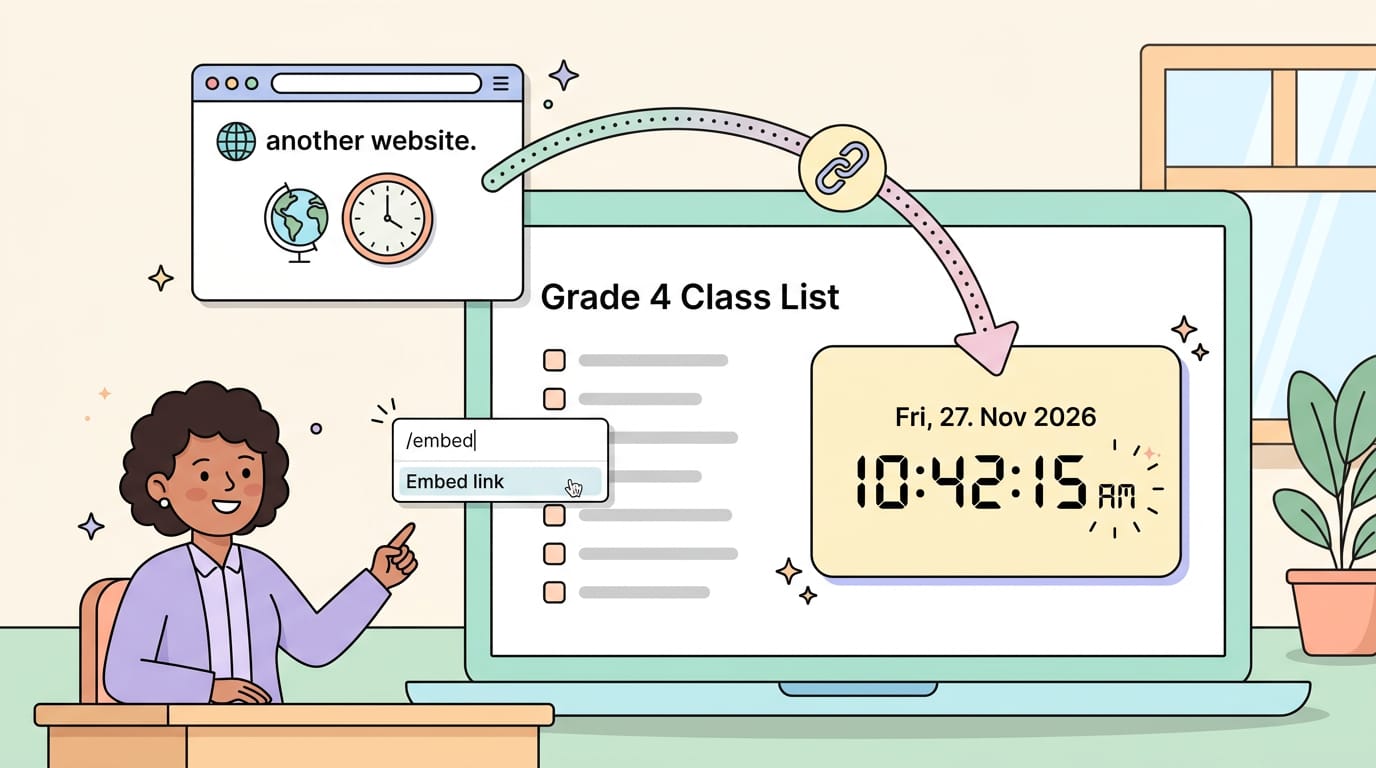
Notion has no clock of its own. A clock in Notion is a small widget from another website, shown inside your page: type /embed, paste the widget's link, and press Embed link. The clock appears in a box on the page and ticks second by second.
Below is the link I used, the steps with a picture of each, how to make the clock smaller and set it beside your class list, and what to do when the box comes up blank.
Still grading everything by hand?
EMStudio is a free teaching management app — manage your classes, students, lessons, and more!
What you need: a clock widget's link
A widget is a web page made to be shown inside other pages. Notion's Embed block shows it in a frame. So the first thing you need is the widget's own link, not the address of the site's home page.
The clock I used is the clock widget from zeitverschiebung.net, a time zone website. This is the exact link I pasted:
https://www.zeitverschiebung.net/clock-widget-iframe-v2?language=en&size=large&timezone=America%2FNew_York
I did not sign up for anything: I pasted the link and the clock showed. It shows the date on one line ("Fri, 27. Nov 2026") and the time under it in large digits, with seconds and a.m. or p.m. The link ends with the time zone, and the clock showed New York time. I did not try other time zones, so if you change that part of the link, check the clock against your own watch.
If you use a different widget site, copy the link it gives you for embedding. In my tests, links that were not a widget's own link did not give a clock (see "If the box stays blank" below).
How to add a clock to a Notion page
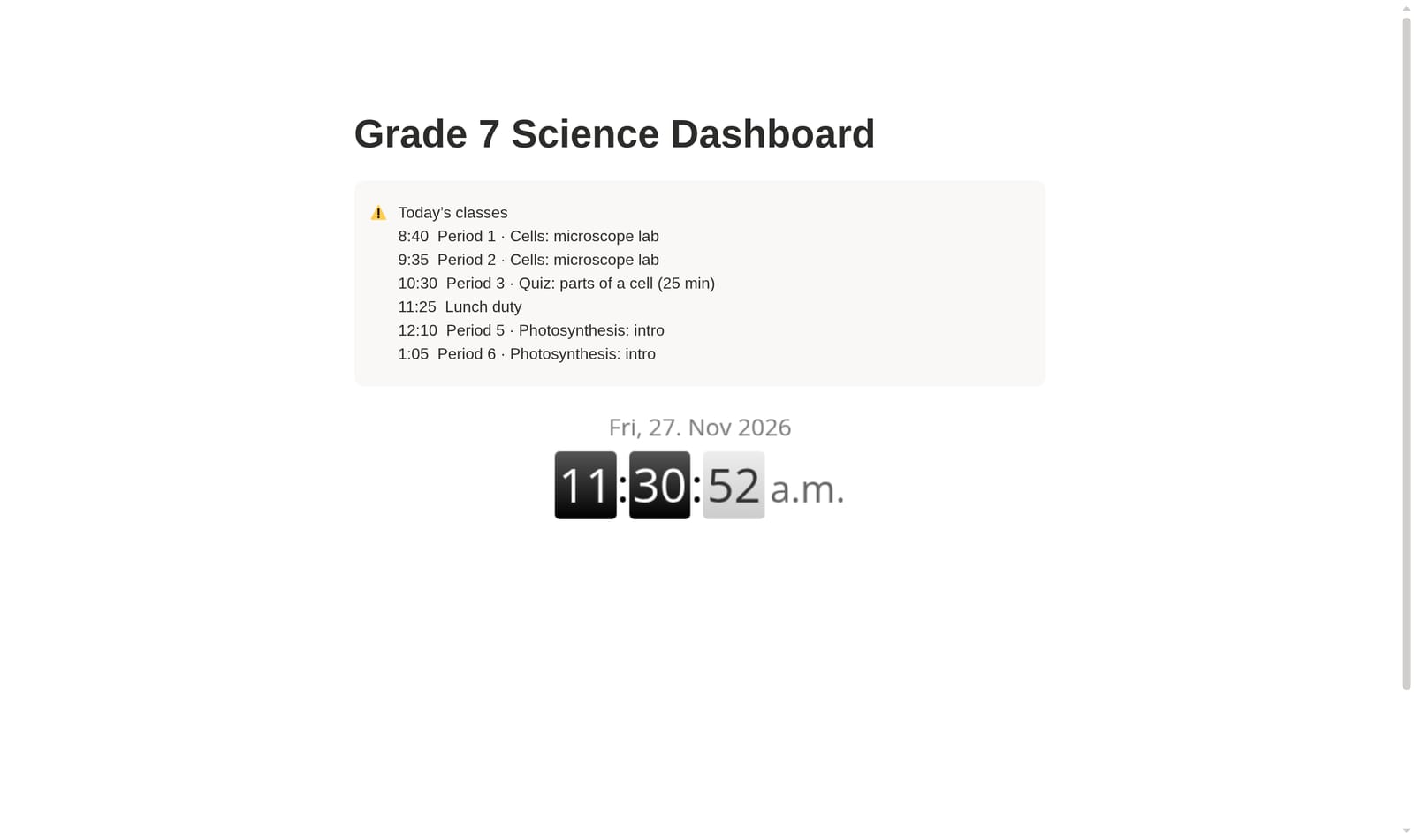
My first example is a Grade 7 Science dashboard: a gray box with today's classes, and the clock under it.
Open the page where you want the clock. Click on an empty line where it should go. I used the empty line under the day's class list.
Type /embed. The block menu opens with Embed · Embeds at the top of "Filtered results".
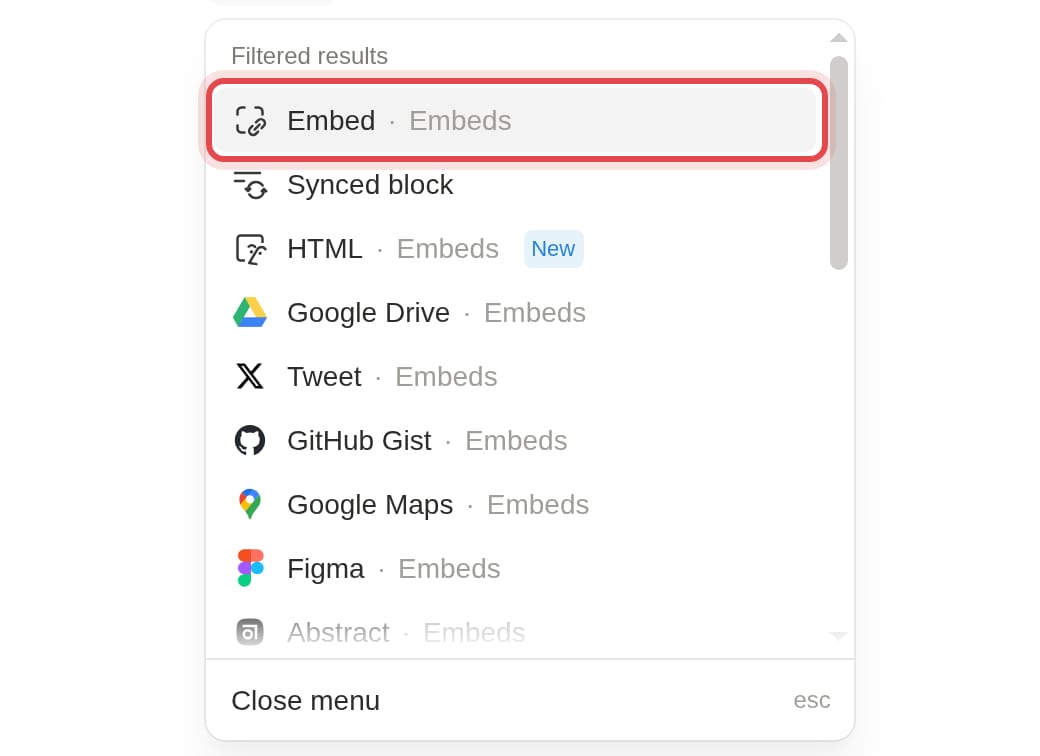
Press Enter (or click Embed). A small box opens with two tabs, Link and Upload, and a field that says "Paste in https://…".
Stay on Link and paste the clock's link into the field. A small x appears at its end if you need to clear it and paste again.
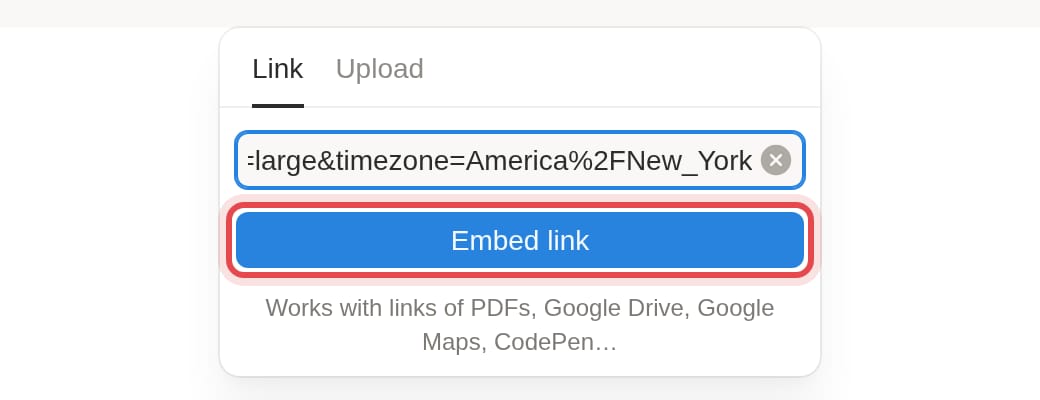
Press Embed link.
The clock appears on the page right away. The seconds tick while the page is open. Across the full width of the page, the frame is much wider and taller than the clock itself, so there is white space under the digits. The next section fixes that.
When you point at the new block, a small toolbar shows at its top right with buttons to comment, set the alignment, add a caption, view the original and open the block's menu. The block's menu, opened from the ⋮⋮ handle to the left of the clock, lists Replace, Caption, Full screen, View original, Copy link to block and Duplicate, among others.
Put the clock beside your class list and make it smaller
On a projected dashboard, the clock is most useful in the top right corner, next to the day's plan, with no empty space around it. This is how I built that on a new page.
On the first empty line under the page's title, type /2 columns and press Enter. Notion makes two columns side by side, and the cursor goes into the left one.
Type the day's classes in the left column. I typed /callout and pressed Enter to get a gray box, then wrote one class a line, in time order, pressing Shift+Enter between lines so they all stay in the one box.
Click the empty line in the right column and add the clock there: /embed, Enter, paste the link, Embed link. The clock fits itself to the width of the column, so it is narrower than on a full page.
Right after you press Embed link, the clock's frame shows bars on its edges and a short bar in the middle of its bottom edge. Drag that bottom bar up until it sits just under the digits. My first drag moved the edge only a little way; a second drag from where it stopped took it the rest of the way.
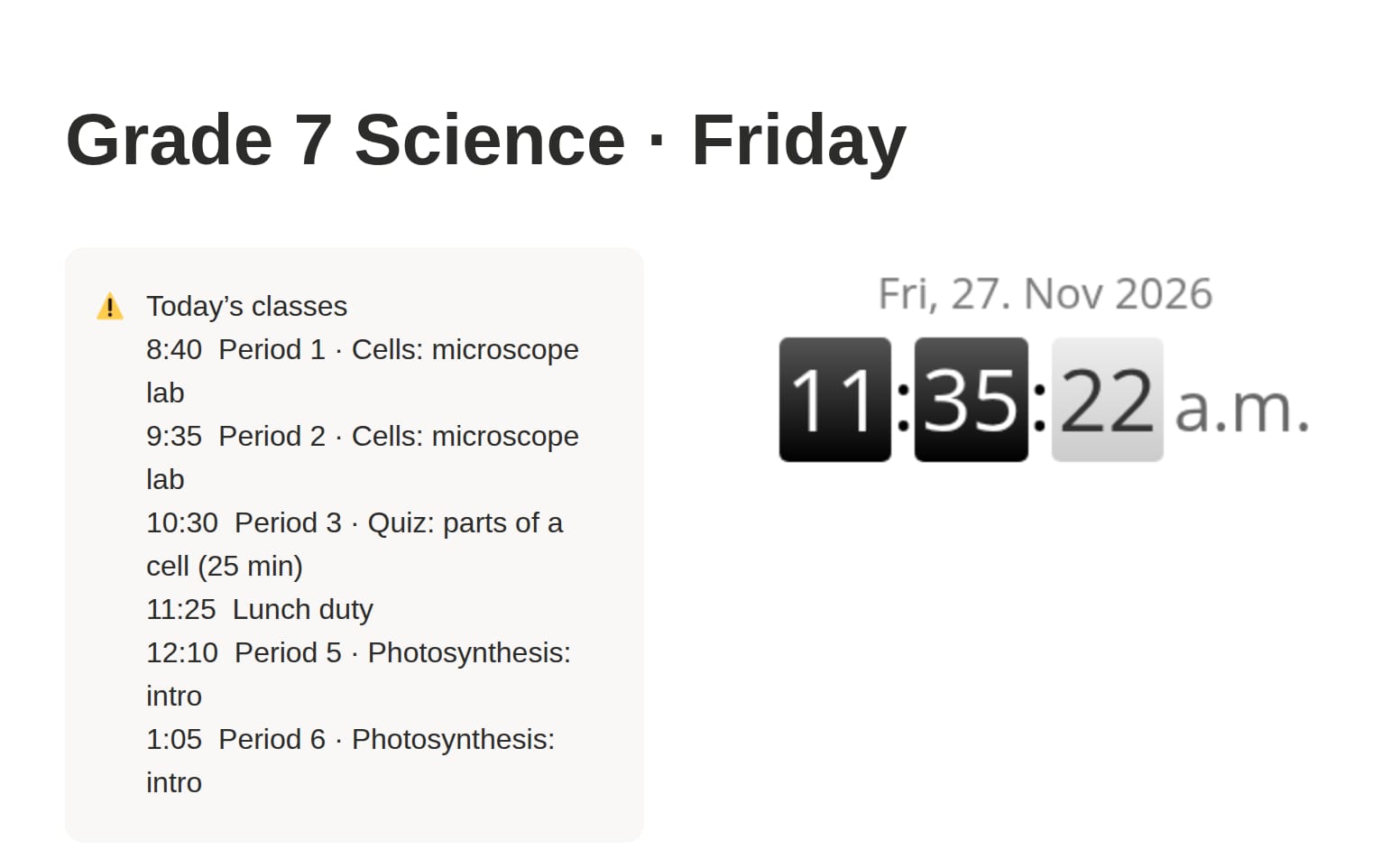
Add the rest of the day under the two columns. I added a Reminders heading (type
###and a space, then the words) and three to-dos (type[]and a space before each one).
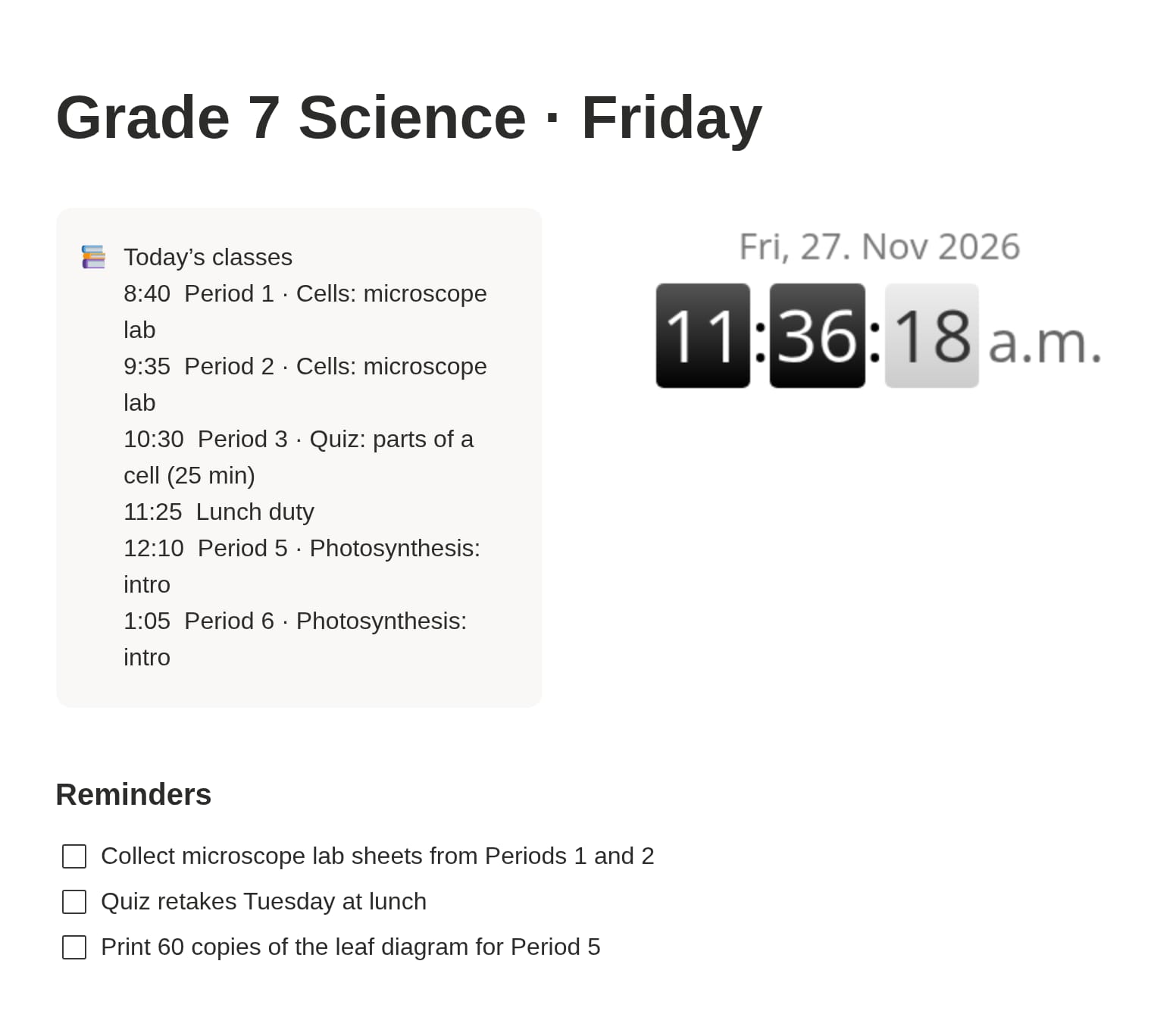
To change the callout's icon, click it: a picker opens with Emoji, Icons and Upload tabs. I chose the books emoji.
Using the clock in class
A clock on the page you project helps most during timed work. On my example dashboard, Period 3 has a 25-minute quiz on the parts of a cell. With the dashboard on the board, students can see the day's plan and watch the seconds tick while they work, without you calling out the time.
Keep everything else on the page short, so the class list, the clock and the reminders fit on the board without scrolling.
For setting up a page for each class, see how to organize your classes in Notion. For other things to put on the same page, see our list of the best Notion widgets. If your students keep their own Notion pages, the best Notion uses for students has ideas they can copy.
If the box stays blank or shows the wrong thing
Before I found a working link, I tried three others. Here is what each looked like inside the Embed block, so you can tell what went wrong:
A loading spinner that never stops. I pasted the home page of a clock website. The frame stayed white with a spinning circle: that page did not show inside Notion. Use a link made for embedding instead.
The site's own "404 ERROR, This page doesn't exist". I guessed a widget's address instead of copying it. Notion showed the site's error page inside the block. The embed works; the link is wrong. Copy the link again from the widget site, exactly as it is, and paste it into a new embed.
A form with "Timezone" and "Name" in it, not a clock. That link was a widget maker's page, where you choose the clock's settings. The address of a maker page shows the maker inside Notion, not a clock.
If your clock shows but the time is wrong, check the time zone in the link.
FAQ
Does Notion have a built-in clock?
No. Notion has no clock block. You add a clock from another site with an Embed block: type /embed, paste the widget's link and press Embed link.
Do I need an account on the widget site?
Not for the one I used: I pasted its link and the clock showed. Other widget sites may work differently, so check on their own pages.
How do I make the clock smaller in Notion?
Put it in a column, and it fits the column's width. Then drag the bar in the middle of its bottom edge up until it sits just under the time.
Why is my Notion clock widget blank?
The link is usually the problem. A site's home page may only show a loading spinner, and a wrong or retyped address shows the site's error page. Copy the widget's own embed link again and paste it into a new embed.
Does the clock keep the right time on its own?
Yes. It ticked second by second the whole time the page was open, with nothing to refresh. Check that the time zone in the link matches yours.
Still grading everything by hand?
EMStudio is a free teaching management app — manage your classes, students, lessons, and more!