How to Add a Calendar Widget in Notion

Notion has no calendar widget of its own, but there are two ways to get one. To hold your own lessons, type /calendar on a page and press Enter: you get a calendar view, which is a small database that lives on the page. To show a calendar from another site, type /embed, paste the calendar's link and click Embed link.
Still grading everything by hand?
EMStudio is a free teaching management app — manage your classes, students, lessons, and more!
Add a calendar view to a page
Use this one for lessons, due dates and anything else you want to open and write in from Notion.
Open the page where the calendar should go and click an empty line.
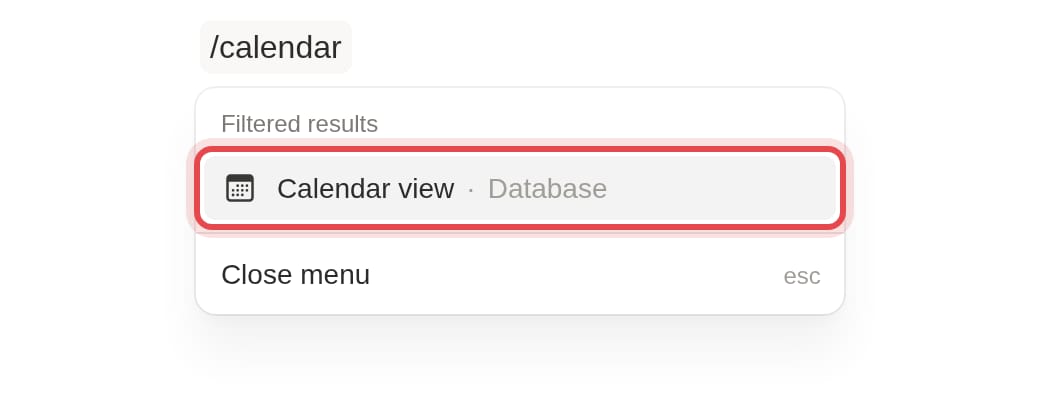
Type
/calendar. The menu shows one entry, Calendar view · Database.
Press Enter. The calendar appears on the page straight away, showing this month with today's date in a red circle.
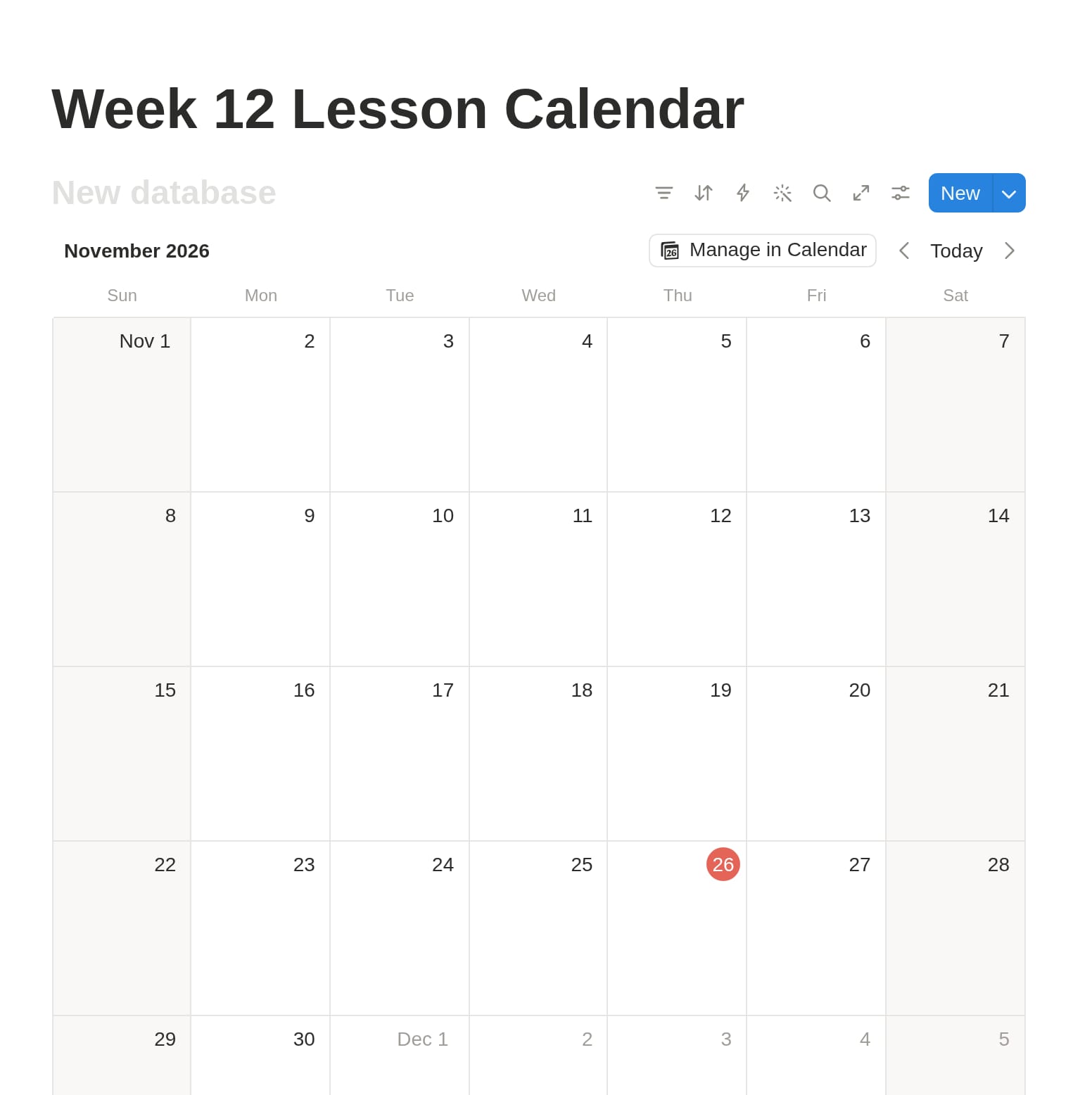
The calendar starts without a name and shows New database in grey where its name goes.
Click New database and type a name, for example
Lessons. Press Enter.
Above the month are the buttons for filtering, sorting and searching, a blue New button and Manage in Calendar. Use the arrows and Today to move between months.
Add a lesson on a date
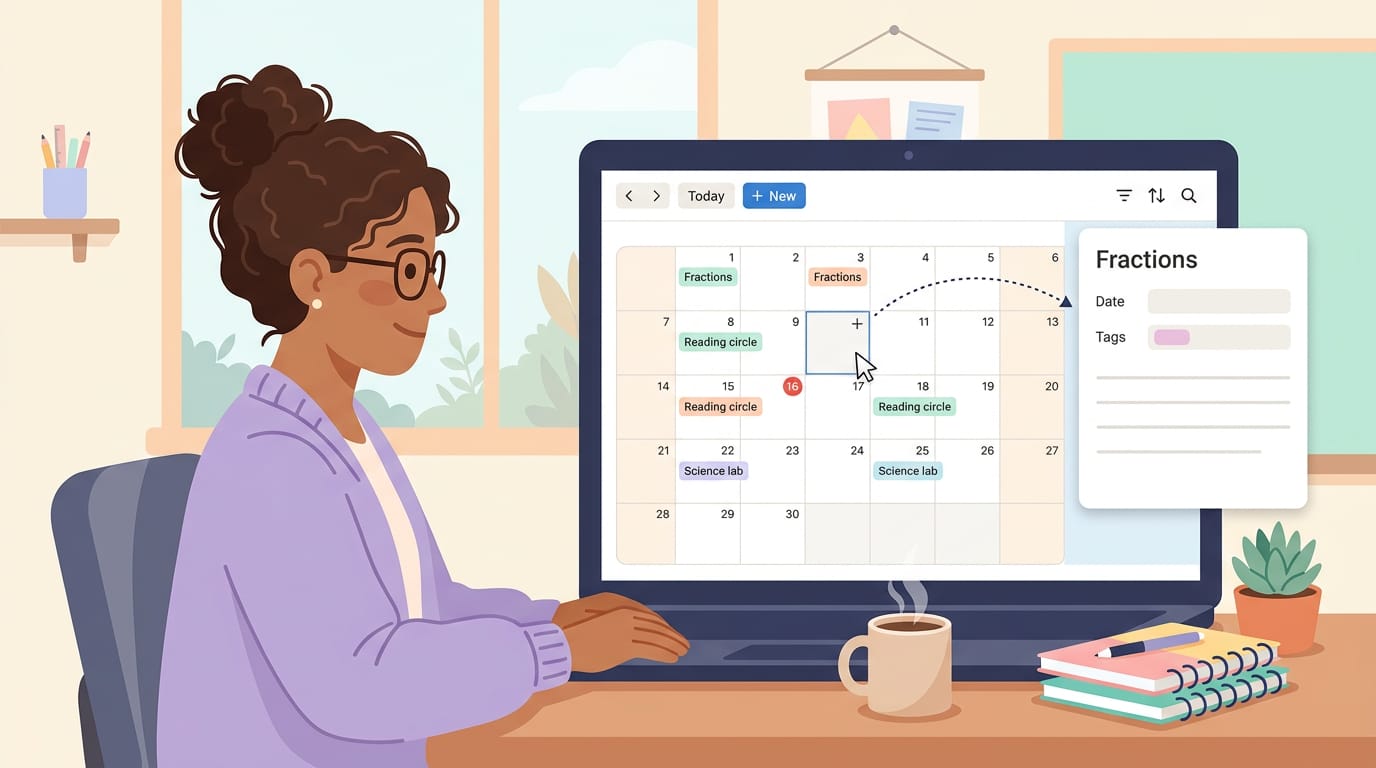
Point at the day you want. A + appears in the corner of that day.
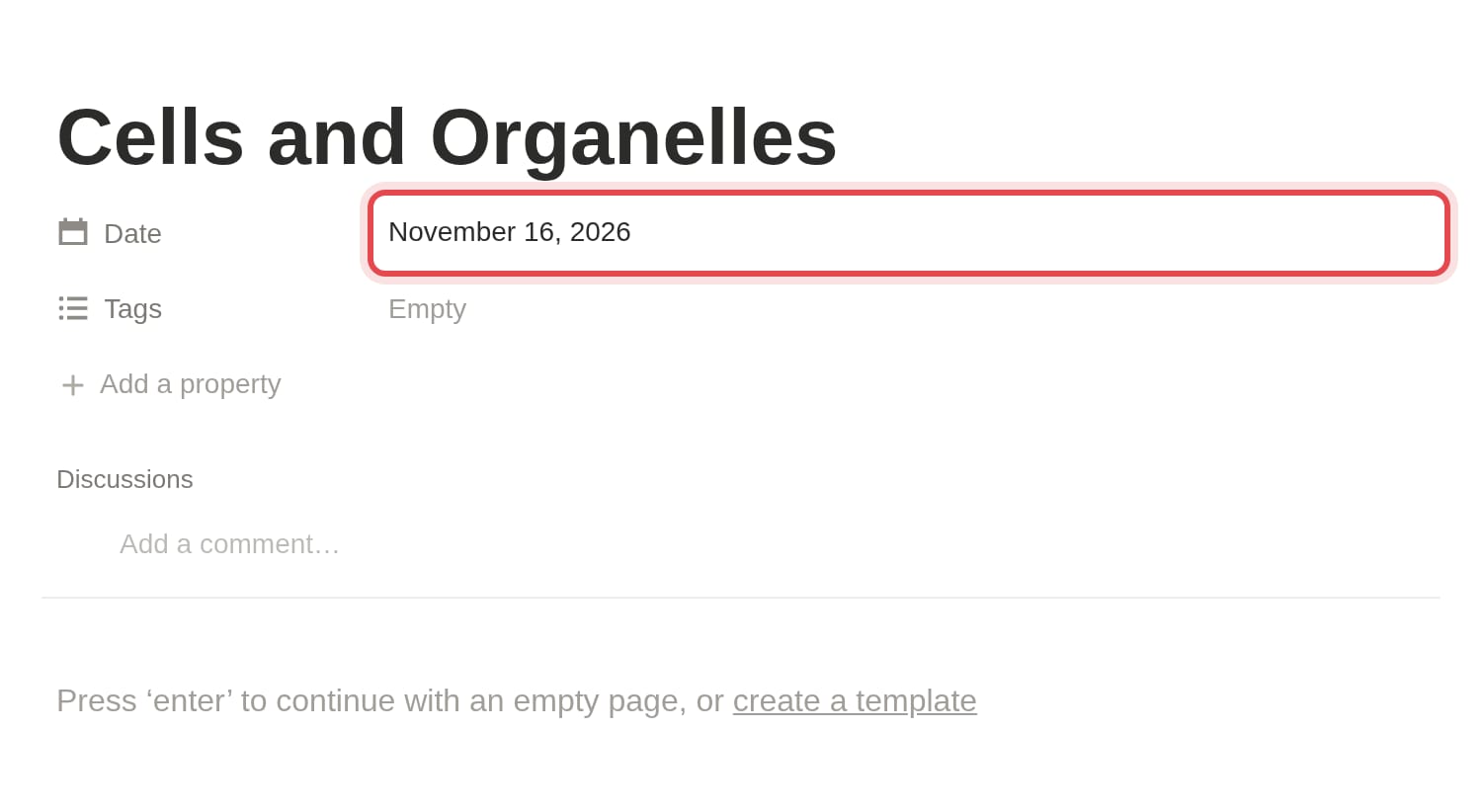
Click the + (its label is "Add an item"). A new entry opens over the page, and its Date is already set to the day you clicked.
Type the lesson's name. It replaces the grey New page title.
Press Escape. The panel closes and the lesson sits on its day.
Each lesson is a page of its own. It has a Date and a Tags property, Add a property to add more, and space underneath for your lesson notes.
Do the same for each day. For Ms. Rivera's Grade 7 science week I added Cells and Organelles on Monday the 16th, Photosynthesis Lab on Tuesday, Food Chains Quiz on Wednesday, Ecosystems Project on Thursday and Unit 3 Review on Friday the 20th.
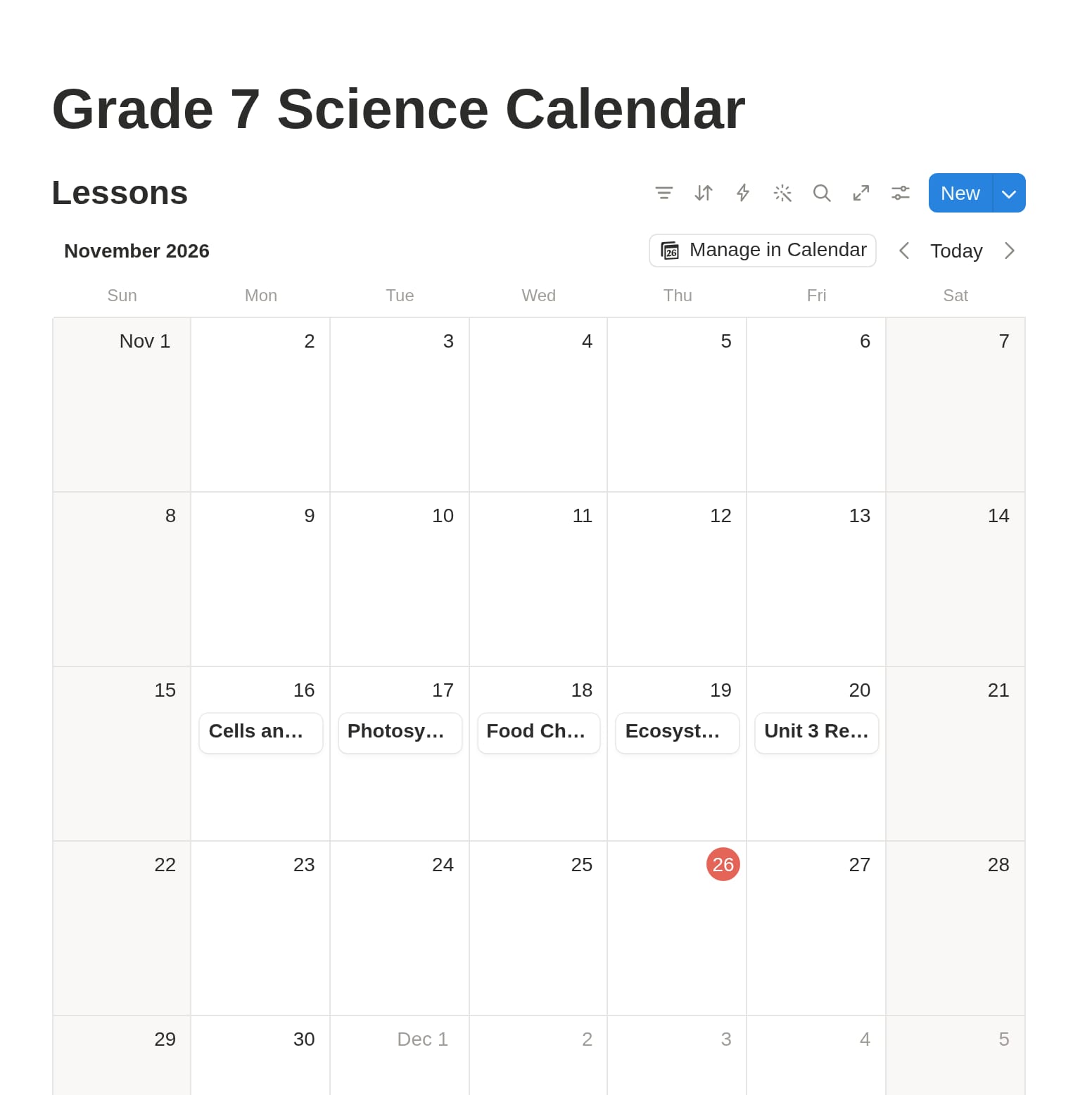
On a page of normal width the cards are too narrow for whole names, so you'll see "Cells an…" and "Photosy…". The full name is still on each lesson's page.
Choose what the cards show
At first a card shows only the lesson's name. To add or remove what's on it:
Click Settings, the sliders button just left of New.
Click Property visibility. Under Shown in calendar is Name; under Hidden in calendar are Date and Tags.
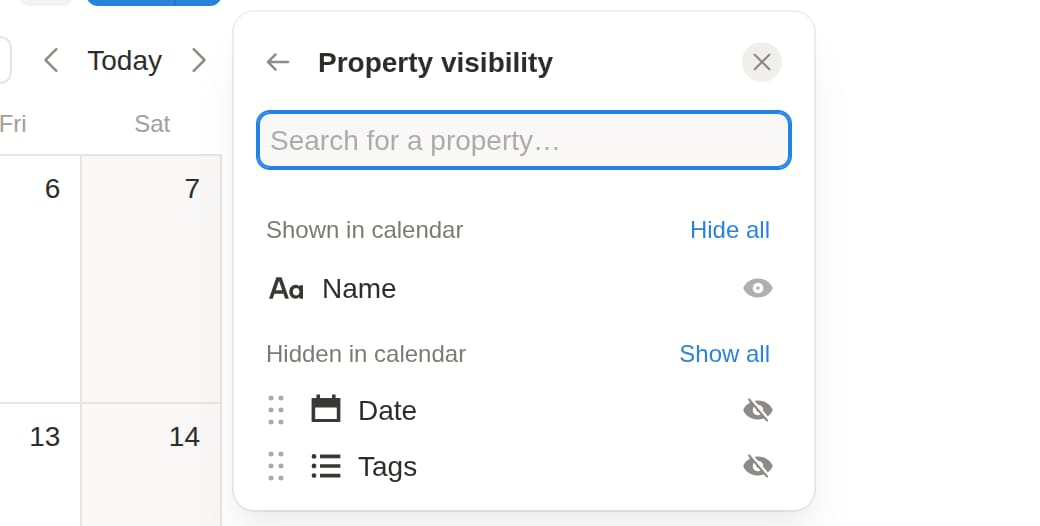
Click the eye at the right of a property to show or hide it. When I turned on Date, it moved up to the shown list and each card got a second line with its date ("November 16,"), cut short like the name. Clicking the eye again hid it.
Make it small: a calendar in a column beside a to-do list
A calendar added on its own line fills the full width of the page. To make it look like a widget on a dashboard, put it in a column. I did this on a second page, a dashboard, showing the same Lessons calendar.
On an empty line, type
/2 columnsand press Enter. Two empty columns appear, with the cursor in the left one.In the left column, type
/linkedand press Enter on Linked view of data source. (Typing/calendarhere gives you a second, empty calendar called "New database", not your lessons.)Click Link a data source, type
Lessonsand pick Lessons from the list. The page it lives on is shown beside its name.Click Calendar view. A settings panel opens. Press Escape to close it. The calendar now sits in the column as ↗ Lessons, with the week's lessons on their days.
Click in the right column, type
/to-doand press Enter. Type your first task, press Enter and type the next one.Give the calendar more room. Point at the gap between the two columns and drag it to the right. The calendar's column gets wider and the to-do column narrower, so longer tasks wrap onto two or three lines.
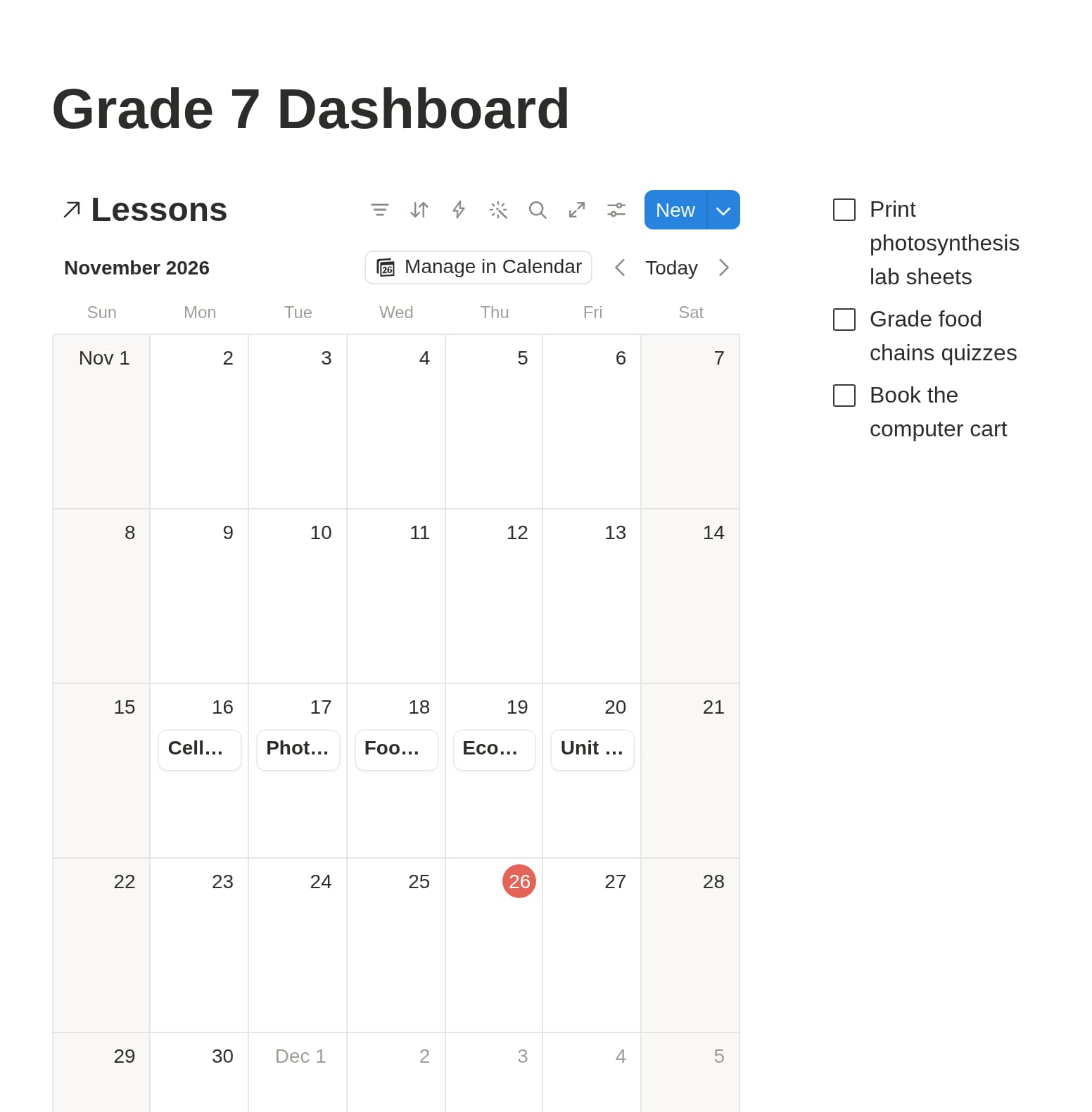
The small calendar shows the same lessons as the big one because it is a second view of the same database.
When the columns were half and half, each card showed only one letter ("C…", "P…"). After I dragged the line so the calendar had about two-thirds of the page, the cards showed three or four letters ("Cell…", "Phot…", "Eco…"). That's enough to tell the lessons apart at a glance. Whole names didn't fit at any width I tried, not even on the full-width calendar, so open a lesson or use short names to read it in full.
For more ways to lay out a class page around a calendar, see how to organize a class in Notion.
Embed a calendar from another site
An embed shows another site's page inside yours. I used a public Google Calendar of US holidays. Widget sites also give you links to embed. There's a round-up of them in the best Notion widgets.
Copy the calendar's embed link. A Google Calendar one starts with
https://calendar.google.com/calendar/embed?src=. This is the one I used:https://calendar.google.com/calendar/embed?src=en.usa%23holiday%40group.v.calendar.google.com&mode=MONTHOn an empty line, type
/embed. Choose Embed at the top of the menu, not Google Drive or the other entries below it.
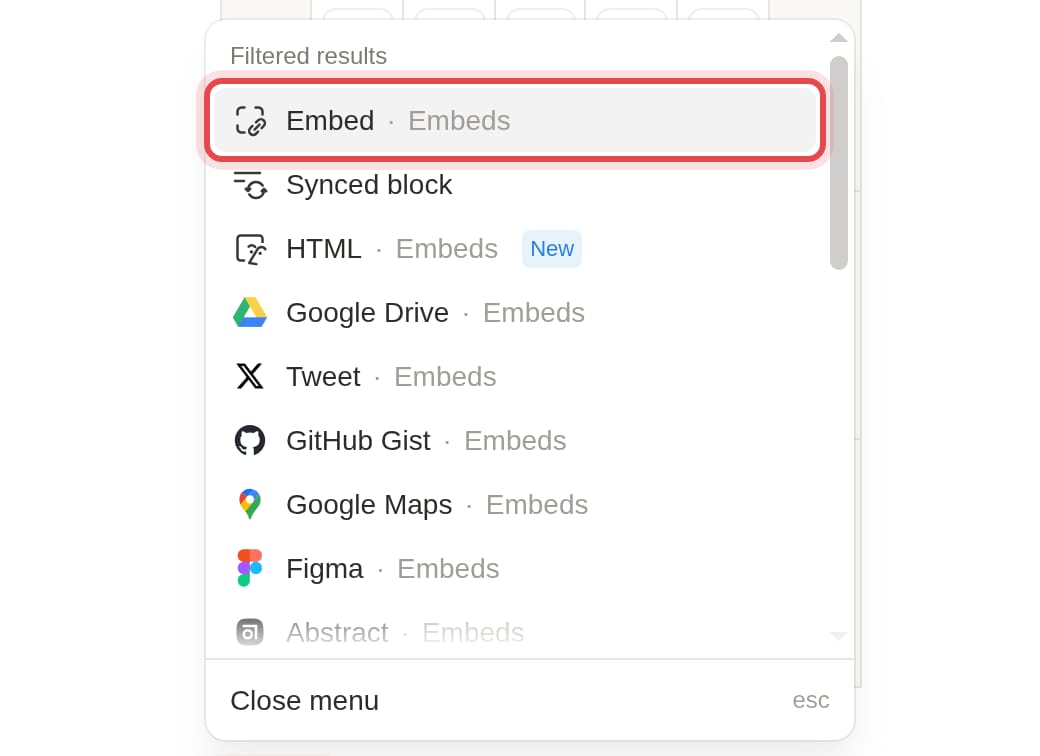
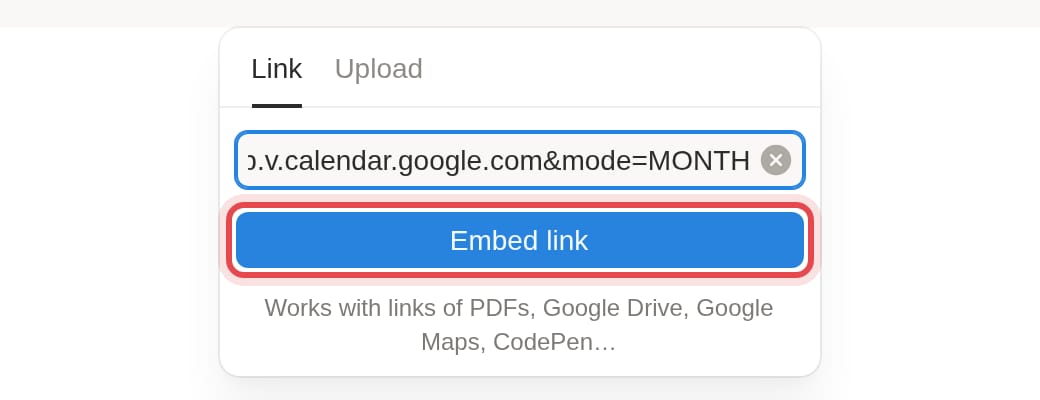
Press Enter. A small box opens with two tabs, Link and Upload. Click the Paste in https://… field and paste the link.
Click Embed link.
The calendar appears on the page. It shows the month name with arrows at the top, the holidays on their days, and the calendar's name ("Holidays in United States") underneath.
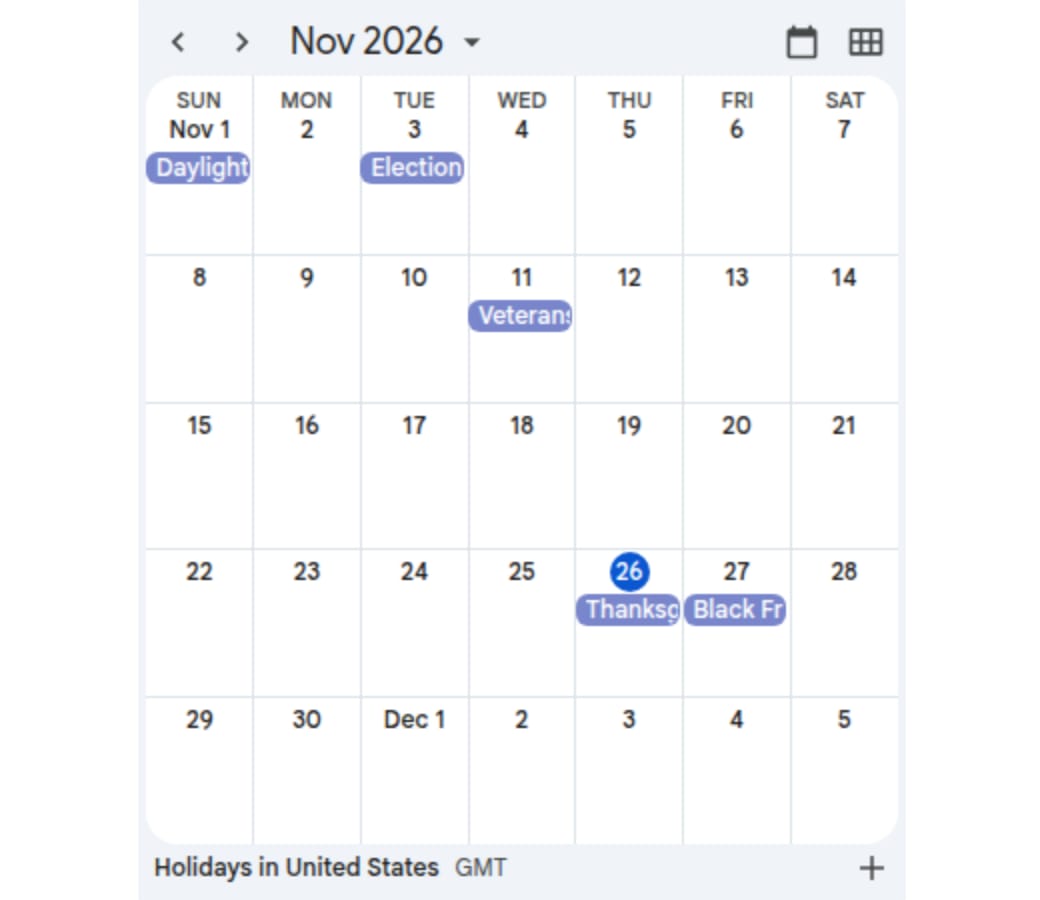
To resize it, point at the embed. Handles appear on its left and right edges and along the bottom. Drag the bottom one down to make it taller, or a side one outward to make it wider.
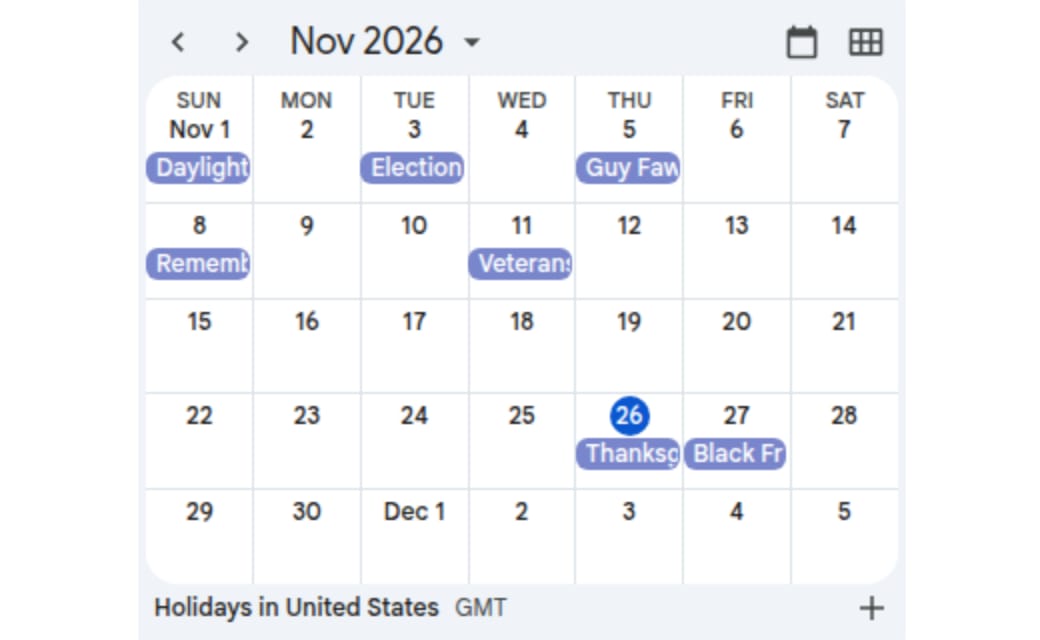
When I dragged the bottom edge down, the month's rows got taller and the width stayed the same. When I dragged the right edge outward, both sides moved together and the embed stayed centered on the page. At that width, Google switched to a fuller layout: a Today button at the top, longer holiday names ("Veterans Day", "Election Day", "Black Friday"), and the time zone and an Add to Google Calendar link under the calendar's name. At the first, narrower width the names were cut ("Veteran…").
What an embed can and can't show
Only what the link shows. The lessons on the Notion calendar don't appear in the Google widget, and the holidays don't appear on the Notion calendar. They are two separate calendars on one page.
Several Google calendars in one widget. Add a second
src=part to the link. I added&src=en.uk%23holiday%40group.v.calendar.google.combefore&mode=MONTH, and that one widget showed both US and UK holidays (Guy Fawkes Night on the 5th, Remembrance Sunday on the 8th). Both calendars were in the same color, and the line underneath still named only "Holidays in United States".Public calendars only, as far as I tested. I didn't try a private calendar, so I can't say how one behaves.
Notion Calendar is a different thing
Notion Calendar is Notion's separate calendar app, not a block you put on a page. A calendar view has a Manage in Calendar button at the top, but nothing in this article needs it.
What goes wrong
Dragging blocks onto the calendar. I tried to move two to-do items beside the calendar by dragging them. When I dropped them on the calendar, they became calendar entries on Friday 27 November. Use
/2 columnsinstead, as above./calendaralways makes a new calendar. In a column it gave me a second, empty one called "New database". To show a calendar you already have, use/linked.Escape leaves the text behind. If you close the slash menu with Escape, what you typed (
/embed) stays on the page as a plain line of text.Cut-off names. Cards on a calendar are only as wide as a day, so short lesson names read best.
Tip: name each calendar as soon as you make it. The list you link from shows each calendar by its name and its page.
If you'd rather start from a full planner than build pages one at a time, see the Ultimate Digital Teacher Planner.
FAQ
Can I put a Google Calendar on a Notion page?
Yes, with an embed: type /embed, choose Embed, paste the calendar's embed link and click Embed link. It shows the calendar the way Google shows it. Your Notion entries don't appear in it.
How do I make a Notion calendar smaller?
Put it in a column: type /2 columns, then /linked in one of the columns and pick your calendar. Drag the gap between the columns to set its width. In half a page the cards showed one letter, and in about two-thirds of the page three or four.
Can one embed show several Google calendars?
Yes. One link with two src= parts showed two public holiday calendars together in one widget, in the same color. I tested this with public calendars only.
Is Notion Calendar the same as a calendar view?
No. A calendar view is a database that sits on your page and holds your own entries. Notion Calendar is a separate app.
Do I need a widget site to get a calendar in Notion?
No. /calendar is built into Notion and needs no outside site. A widget site only gives you a link to embed.
Still grading everything by hand?
EMStudio is a free teaching management app — manage your classes, students, lessons, and more!