
How to Flip a Coin Online for the Classroom
How to Flip a Coin Online for the Classroom

Article by
Milo
ESL Content Coordinator & Educator
ESL Content Coordinator & Educator
All Posts
Table of Contents
A lesson is already underway when a student asks who should present first, which team gets a topic, or whether the class should take a short break. The teacher needs a neutral answer immediately, but searching for a physical coin can interrupt the moment. A browser-based coin flip solves the decision quickly, and with a little planning, it can also become a useful lesson about randomness, evidence, digital fairness, and student misconceptions.
Teachers can make the activity more meaningful by recording outcomes in a class workspace such as Notion, displaying the process on a projector, and treating surprising streaks as evidence rather than errors. The best classroom use of an online coin flip isn't just producing Heads or Tails. It gives students something observable to predict, test, question, and explain.
Quick Ways to Generate a Random Result
A teacher has just assigned two debate positions, but both groups want to argue the same side. Opening an app store would waste time. The fastest solution is usually already available in the classroom browser or on the teacher's phone.
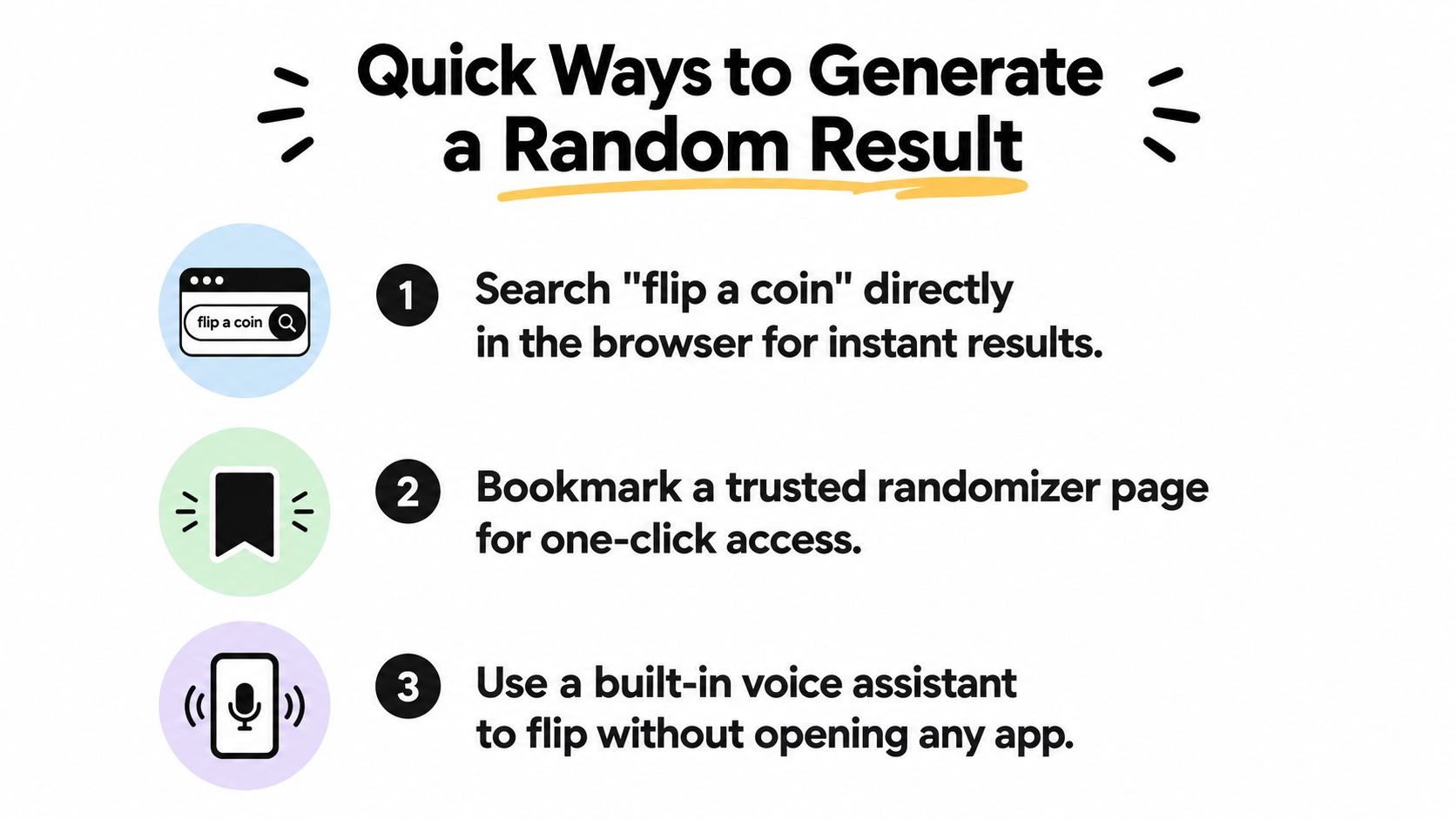
Use the browser first
A teacher can open Google and search for “flip a coin.” The built-in widget displays a virtual coin with Heads and Tails outcomes. On a classroom projector, this approach works well because students can see the result without learning a new interface or visiting an unfamiliar website.
The search widget is best for a public, one-off decision. The teacher can state the rule before clicking, such as “Heads chooses the affirmative side, Tails chooses the negative side,” then run the flip where everyone can see it. Explaining the mapping prevents students from feeling that the teacher changed the interpretation after seeing the result.
Use a voice assistant for private planning
Siri and Alexa can generate a coin result without opening a browser. A teacher preparing a lesson, selecting between two warm-up tasks, or deciding which activity to set up first can say, “Flip a coin.” The result is convenient, but it may be less suitable for a projected classroom because students might not hear the response or understand how it was generated.
Voice assistants also create a useful accessibility option for educators who prefer spoken controls. The teacher should still say the decision rule aloud before requesting the flip, especially if the result affects students.
Keep a trusted page close
A bookmarked randomizer avoids repeated searches and makes the workflow predictable. A browser bookmark, pinned tab, or home-screen shortcut can open the chosen tool with minimal friction. This option works particularly well when the teacher wants a visible history, custom labels, or settings that a search widget doesn't provide.
For live projection, the page should have large controls, readable contrast, and no distracting advertising. For private planning, visual polish matters less than speed and reliable access.
Practical rule: Choose the method that makes the process visible to the people affected by the result. Speed matters, but perceived fairness matters too.
Before class, the teacher can test the page, confirm that sound won't surprise students, and decide what happens if the internet connection fails. A physical coin remains a sensible fallback for an important decision. The digital tool is most effective when it removes friction without making the process mysterious.
Evaluating Digital Fairness and Transparency
Students often challenge a digital result when the same side appears repeatedly. That reaction creates an opportunity to distinguish fairness, randomness, and verifiability. A spinning animation may look convincing, but the visual effect alone doesn't show how the result was selected.
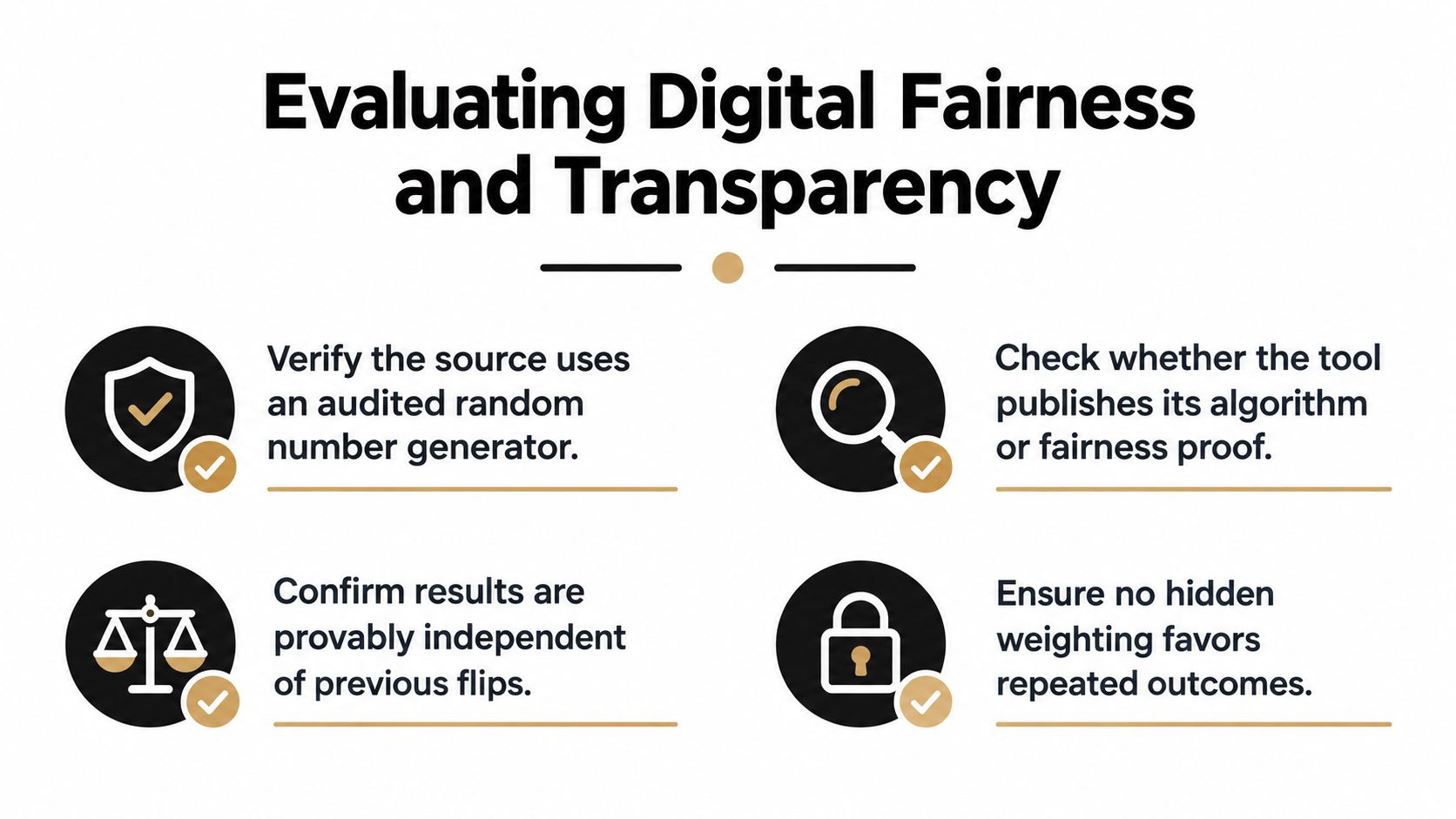
A basic digital tool may use ordinary pseudo-random generation. A more technically documented implementation can use the browser's Web Crypto API and rejection sampling to avoid modulo bias. For a binary choice, the possible 32-bit values divide evenly between the two outcomes, allowing each side to map to a probability of 0.5 without that particular bias, as described in the technical explanation of online coin-flip randomness.
What teachers should ask
A teacher doesn't need to inspect every line of code, but the tool should communicate enough for users to understand its process. The following checklist helps separate a decorative animation from a result that people can reasonably audit.
Identify the randomness source. Does the tool explain whether it uses a browser generator, a server process, or only an animation?
Check the algorithm description. A transparent tool should publish meaningful technical information or explain its fairness method in plain language.
Review the result history. Students should be able to see the sequence rather than relying on a single dramatic display.
Clarify data handling. The page should state whether flips are stored, transmitted, or kept only in the browser.
Look for reproducibility. A saved configuration, visible settings, or exportable sequence helps teachers revisit a classroom decision.
Avoid false expectations. A fair process doesn't need to alternate, and a short sequence doesn't need to show an exact split.
A teacher selecting a student for a privilege might only need a quick public flip. A department resolving a dispute or documenting a selection process needs stronger transparency. In that situation, the teacher can display the full sequence, record the rule in the class workspace, and offer a physical-coin fallback if participants don't trust the digital method.
For broader edtech decisions, educators can apply the same habit of checking claims, permissions, data use, and documentation described in this guide to verifying edtech platforms.
The central classroom message is simple: random doesn't mean predictable, and technically fair doesn't automatically mean socially trusted. Students need both ideas. A visible method, a clear rule, and an accessible record can turn an ordinary decision into a small demonstration of responsible technology use.
How FlipSimu Can Help
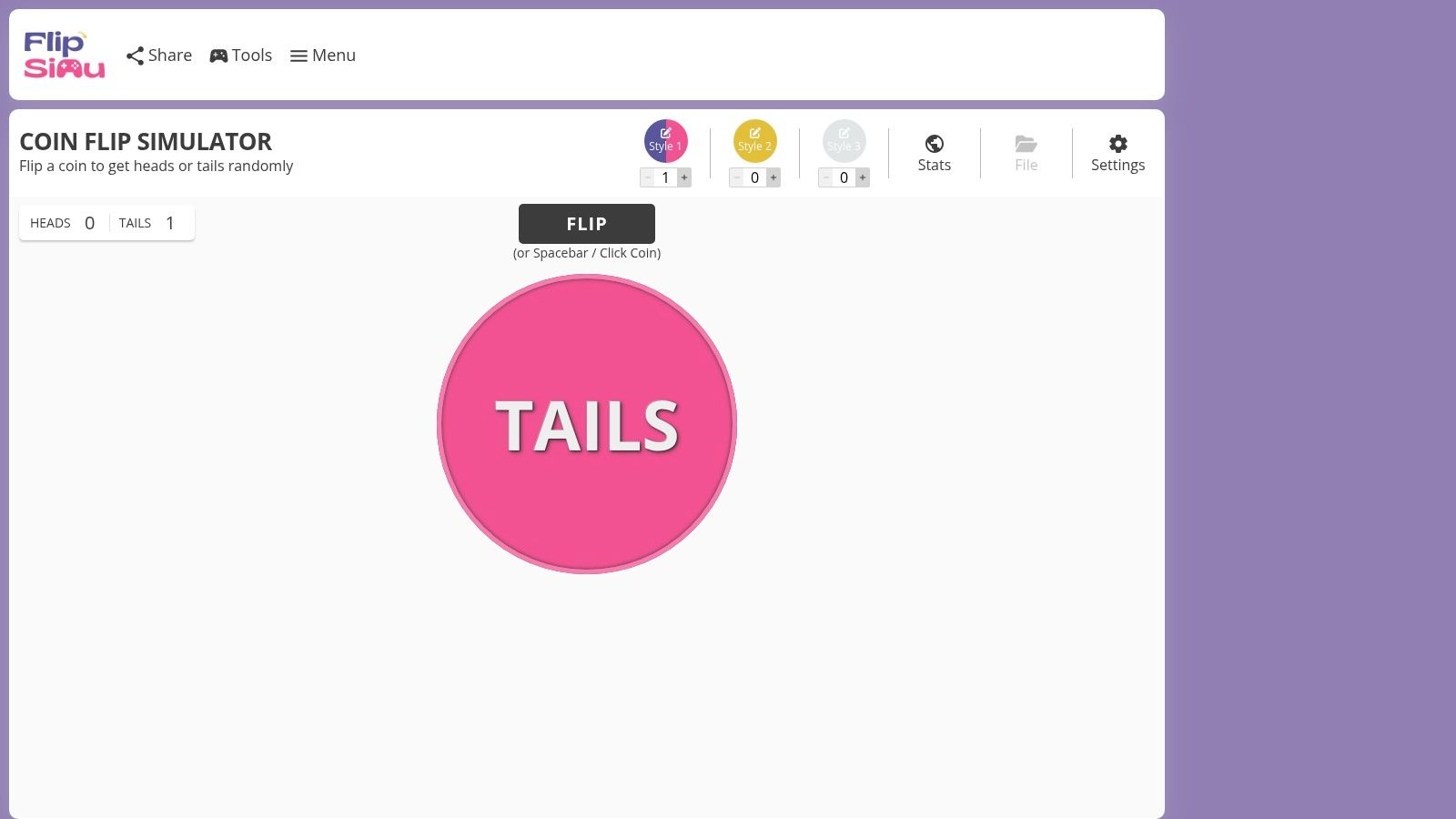
A generic search widget is useful for a single decision, but teachers sometimes need a more flexible environment. FlipSimu is a browser-based collection of randomization tools centered on a customizable Coin Flip Simulator. It also includes dice, binary decision variants, number flashcards, and small tests that invite users to predict or track results.
Match the tool to the activity
The main simulator lets a teacher customize Heads and Tails labels, images, colors, backgrounds, flip energy, and sound. That makes it easier to match a class theme, create a recognizable visual routine, or make the result legible on a projector. Purpose-built options such as Yes or No Coin, Stay or Go Coin, and 1 or 2 Coin reduce the need to explain what each side means.
The Intuition Test asks users to predict before a flip, while the Luck Test focuses on streaks. Those modes work well when the teacher wants students to notice their own expectations rather than only watch an animation.
FlipSimu also supports dice formats such as d4, d6, d8, d10, d12, and d20, along with a DnD Dice Roller and number flashcards. A teacher who uses random outcomes across mathematics, games, or classroom routines can keep those activities in one browser-based toolkit.
Build a reusable classroom setup
The platform supports multiple coin styles and can run several coins in a session. Account features allow teachers to save configurations, use custom color sets, and access saved setups across devices. Sharing and embedding options can preserve a current configuration through a direct URL, which helps a co-teacher or substitute reproduce the same activity.
Those features matter when a teacher wants the randomizer to become part of a repeatable routine rather than a one-time novelty. A class dashboard can link to a prepared coin, while a presentation slide can open a specific binary decision tool.
For a quick, visual binary choice, teachers can use flip a coin online when assigning groups, choosing between two prompts, or letting a class decide which of two activities comes first. It isn't the right choice for every high-stakes decision, especially when participants need a formal audit trail, but it offers more control than a basic search result.
Embedding Interactive Flips in Notion and Slides
A randomizer becomes more useful when students can reach it from the same place as the lesson agenda. A Notion class page can hold the day's objective, resources, group assignments, and a coin-flip link in one visible workspace. The teacher doesn't need to interrupt the lesson by searching again.
Create a Notion decision block
A teacher can add an Embed block to a Notion page and paste the URL of a compatible coin tool. If the page allows interactive embedding, students can use the control directly inside the dashboard. If the site blocks embedding, a simple bookmark block with a descriptive label still keeps the tool one click away.
The page should include three nearby lines:
Decision rule: Heads assigns the first discussion prompt, Tails assigns the second.
Recorder: One student enters each result in a table.
Follow-up: The class explains whether the sequence looked as expected.
A Notion database can include columns for trial number, result, prediction, group, and observation. Students can then compare their predictions with the actual sequence without treating the result as a black box. Educators looking for other interactive additions can review Notion widgets for classroom pages.
Use links and reveals in presentations
Google Slides and PowerPoint don't always support a live interactive webpage inside a slide. The dependable workaround is a large button linked to the prepared coin tool. The teacher can open it in a browser tab, perform the flip, and return to the slide without changing the lesson sequence.
For an offline presentation, a teacher can create a click-to-reveal simulation. Place a covered shape over “Heads” and “Tails,” then use the presentation's animation or trigger settings to reveal one outcome. The teacher should label this clearly as a prepared simulation rather than presenting it as a live random event.
The most important misconception to challenge is the belief that fairness requires alternation. A sequence such as Heads, Tails, Heads, Tails may look reassuring, but it isn't more trustworthy just because it looks tidy. A visible streak gives students a better reason to ask whether each flip depends on the previous one.
A fair coin doesn't remember what happened on the previous flip. Students can record the sequence, test their predictions, and decide whether their intuition matches that principle.
Teaching Probability Through Unexpected Streaks
The strongest classroom moment may arrive when the result looks wrong. Students see several Heads in succession and argue that Tails must come next. That is the gambler's fallacy, the mistaken belief that an independent event must correct an earlier run.
Research on probability learning reports that students commonly expect random outcomes to alternate frequently and to produce an almost exact 50/50 split in short sequences. These misconceptions occur substantially among students in Grades 5–9, and targeted instruction can improve some misunderstandings, although equiprobability bias may remain resistant to intervention, as discussed in the IASE probability instruction research.
Turn the result into an investigation
The teacher can prepare a simple prediction-and-recording routine:
Predict the next result. Each student marks Heads or Tails before the flip.
Run a short sample. The class records 10 flips and describes the sequence.
Extend the record. Students continue through 50 flips and then 100 flips.
Compare observations. The class compares the observed frequencies with the theoretical probability.
Explain independence. Students write why independence doesn't mean equal results in every short sample.
The teacher shouldn't restart the activity when the sequence looks uneven. An example such as eight Heads in a row is a useful prompt, not a broken result. Students can discuss two separate questions: what was the probability of the next flip, and how surprising did the whole observed run feel?
Separate three ideas students blend together
Students often use “random,” “fair,” and “even” as if they mean the same thing. A class discussion can separate them.
Random: The next outcome isn't determined by the previous outcome.
Fair: The two outcomes have equal theoretical chances in the model.
Even: The recorded totals happen to be close after a particular number of trials.
A short record can be uneven while every flip remains fair. Over many trials, observed frequencies may move closer to the theoretical probability, but that pattern doesn't promise a neat result at every checkpoint.
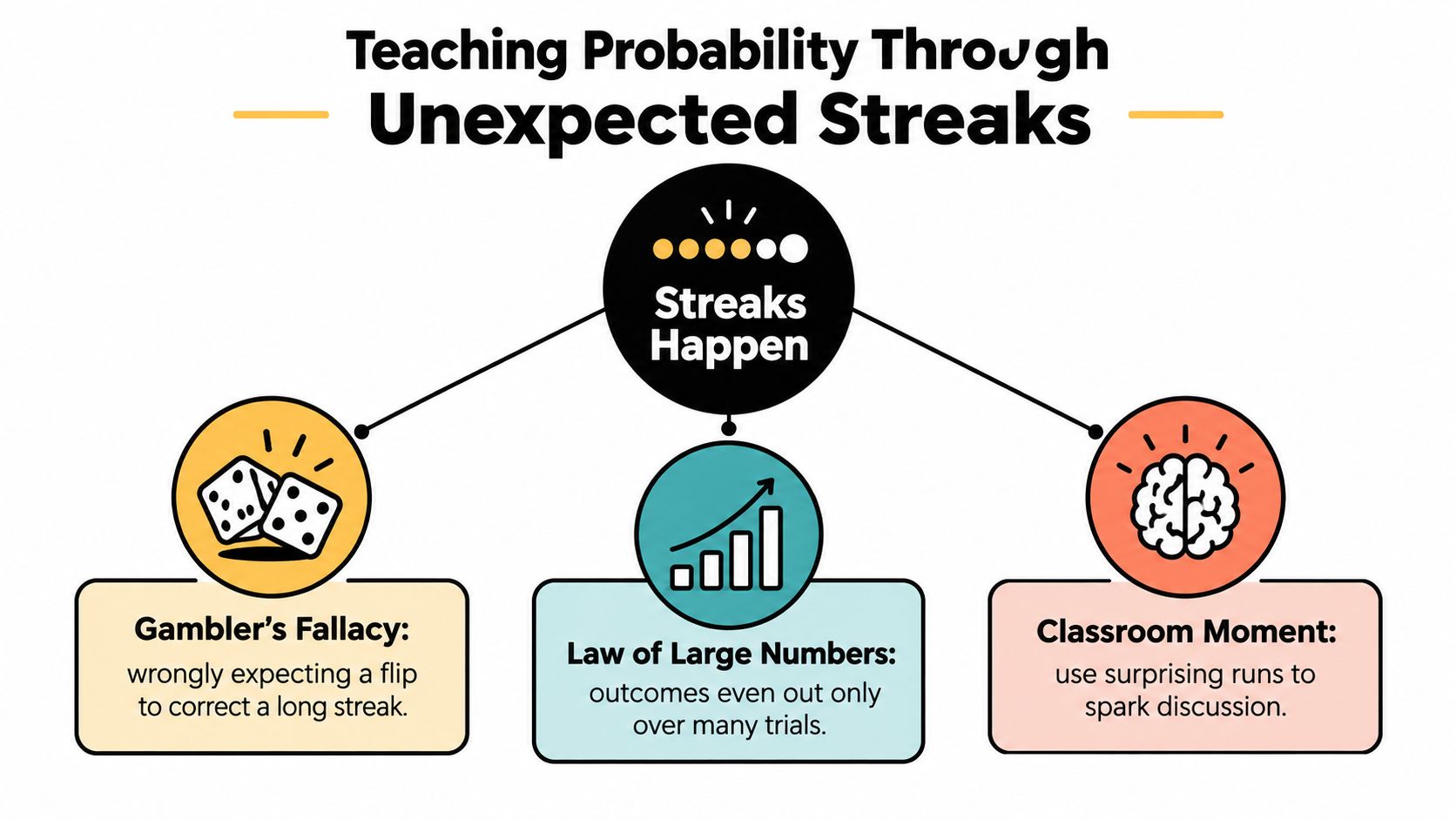
A Notion table can make the thinking visible. One column stores the result, another captures the prediction, and a third records comments such as “I expected Tails because Heads had appeared repeatedly.” The teacher can revisit those comments after the longer run and ask whether the original reasoning described independence accurately.
The activity also supports formative assessment. A student who predicts Tails because “Heads is due” has revealed a specific misconception. The teacher can respond with another trial, not just a correction, and ask the student to justify the prediction using the rule that each flip is independent.
The teacher's role is to protect the surprising result long enough for students to examine it. A bad-looking streak can produce better reasoning than a tidy alternation because it forces the class to distinguish appearance from evidence.
Practical Classroom Activities and Game Ideas
A digital coin flip can support more than a probability worksheet. Once the teacher defines what Heads and Tails mean, the same tool can assign roles, launch creative constraints, or add uncertainty to a game. The rule should remain visible so students understand that the result determines the activity rather than the teacher's preference.
Language and humanities
For creative writing, Heads can require a first-person narrator and Tails a third-person narrator. Another pair can assign setting, tone, or a conflict type. Students write for a short period, then explain how the random constraint changed their opening.
In a language class, the flip can choose between two speaking tasks. Heads might require a question-and-answer exchange, while Tails asks students to describe an image using target vocabulary. The teacher can keep the outcomes in a shared table and rotate the activity without selecting students based on personal preference.
Peer review and group work
A teacher can use a coin to assign which draft a student reviews first, or to choose between two feedback lenses such as evidence and organization. The result doesn't replace a rubric. It just distributes the first focus consistently.
For group formation, the teacher can label Heads as one workflow and Tails as another, then combine the outcome with a prepared seating plan. This works best when students see the rule before the flip and understand that the randomizer assigns a process, not a judgment about ability.
Game-based learning
A classroom role-playing activity can use a coin to resolve a binary action. Heads might mean an attempt succeeds, while Tails introduces a complication. The teacher should keep the stakes modest and use the result to create narrative choices rather than punish a student.
A broader collection of classroom game formats can help teachers adapt this idea for different subjects and age groups, including activities described in these online classroom game ideas.
A repeatable activity card
Teachers can save a short template in the lesson workspace:
Prompt: What decision or constraint needs a random outcome?
Mapping: What does Heads mean, and what does Tails mean?
Prediction: What do students expect before the flip?
Record: Where will the class store the result?
Reflection: What did the outcome reveal about the subject or the students' reasoning?
That structure keeps the tool connected to learning. A coin flip can select a debate position, choose a revision focus, introduce a plot twist, or decide which team begins. The educational value comes from the explanation that follows.
Teachers ready to make random decisions more transparent can build a Notion page with a prepared flip link, a simple results table, and a reflection prompt. Notion4Teachers offers practical guidance on classroom organization, Notion workflows, and interactive teaching tools at Notion4Teachers.
A lesson is already underway when a student asks who should present first, which team gets a topic, or whether the class should take a short break. The teacher needs a neutral answer immediately, but searching for a physical coin can interrupt the moment. A browser-based coin flip solves the decision quickly, and with a little planning, it can also become a useful lesson about randomness, evidence, digital fairness, and student misconceptions.
Teachers can make the activity more meaningful by recording outcomes in a class workspace such as Notion, displaying the process on a projector, and treating surprising streaks as evidence rather than errors. The best classroom use of an online coin flip isn't just producing Heads or Tails. It gives students something observable to predict, test, question, and explain.
Quick Ways to Generate a Random Result
A teacher has just assigned two debate positions, but both groups want to argue the same side. Opening an app store would waste time. The fastest solution is usually already available in the classroom browser or on the teacher's phone.
Use the browser first
A teacher can open Google and search for “flip a coin.” The built-in widget displays a virtual coin with Heads and Tails outcomes. On a classroom projector, this approach works well because students can see the result without learning a new interface or visiting an unfamiliar website.
The search widget is best for a public, one-off decision. The teacher can state the rule before clicking, such as “Heads chooses the affirmative side, Tails chooses the negative side,” then run the flip where everyone can see it. Explaining the mapping prevents students from feeling that the teacher changed the interpretation after seeing the result.
Use a voice assistant for private planning
Siri and Alexa can generate a coin result without opening a browser. A teacher preparing a lesson, selecting between two warm-up tasks, or deciding which activity to set up first can say, “Flip a coin.” The result is convenient, but it may be less suitable for a projected classroom because students might not hear the response or understand how it was generated.
Voice assistants also create a useful accessibility option for educators who prefer spoken controls. The teacher should still say the decision rule aloud before requesting the flip, especially if the result affects students.
Keep a trusted page close
A bookmarked randomizer avoids repeated searches and makes the workflow predictable. A browser bookmark, pinned tab, or home-screen shortcut can open the chosen tool with minimal friction. This option works particularly well when the teacher wants a visible history, custom labels, or settings that a search widget doesn't provide.
For live projection, the page should have large controls, readable contrast, and no distracting advertising. For private planning, visual polish matters less than speed and reliable access.
Practical rule: Choose the method that makes the process visible to the people affected by the result. Speed matters, but perceived fairness matters too.
Before class, the teacher can test the page, confirm that sound won't surprise students, and decide what happens if the internet connection fails. A physical coin remains a sensible fallback for an important decision. The digital tool is most effective when it removes friction without making the process mysterious.
Evaluating Digital Fairness and Transparency
Students often challenge a digital result when the same side appears repeatedly. That reaction creates an opportunity to distinguish fairness, randomness, and verifiability. A spinning animation may look convincing, but the visual effect alone doesn't show how the result was selected.
A basic digital tool may use ordinary pseudo-random generation. A more technically documented implementation can use the browser's Web Crypto API and rejection sampling to avoid modulo bias. For a binary choice, the possible 32-bit values divide evenly between the two outcomes, allowing each side to map to a probability of 0.5 without that particular bias, as described in the technical explanation of online coin-flip randomness.
What teachers should ask
A teacher doesn't need to inspect every line of code, but the tool should communicate enough for users to understand its process. The following checklist helps separate a decorative animation from a result that people can reasonably audit.
Identify the randomness source. Does the tool explain whether it uses a browser generator, a server process, or only an animation?
Check the algorithm description. A transparent tool should publish meaningful technical information or explain its fairness method in plain language.
Review the result history. Students should be able to see the sequence rather than relying on a single dramatic display.
Clarify data handling. The page should state whether flips are stored, transmitted, or kept only in the browser.
Look for reproducibility. A saved configuration, visible settings, or exportable sequence helps teachers revisit a classroom decision.
Avoid false expectations. A fair process doesn't need to alternate, and a short sequence doesn't need to show an exact split.
A teacher selecting a student for a privilege might only need a quick public flip. A department resolving a dispute or documenting a selection process needs stronger transparency. In that situation, the teacher can display the full sequence, record the rule in the class workspace, and offer a physical-coin fallback if participants don't trust the digital method.
For broader edtech decisions, educators can apply the same habit of checking claims, permissions, data use, and documentation described in this guide to verifying edtech platforms.
The central classroom message is simple: random doesn't mean predictable, and technically fair doesn't automatically mean socially trusted. Students need both ideas. A visible method, a clear rule, and an accessible record can turn an ordinary decision into a small demonstration of responsible technology use.
How FlipSimu Can Help
A generic search widget is useful for a single decision, but teachers sometimes need a more flexible environment. FlipSimu is a browser-based collection of randomization tools centered on a customizable Coin Flip Simulator. It also includes dice, binary decision variants, number flashcards, and small tests that invite users to predict or track results.
Match the tool to the activity
The main simulator lets a teacher customize Heads and Tails labels, images, colors, backgrounds, flip energy, and sound. That makes it easier to match a class theme, create a recognizable visual routine, or make the result legible on a projector. Purpose-built options such as Yes or No Coin, Stay or Go Coin, and 1 or 2 Coin reduce the need to explain what each side means.
The Intuition Test asks users to predict before a flip, while the Luck Test focuses on streaks. Those modes work well when the teacher wants students to notice their own expectations rather than only watch an animation.
FlipSimu also supports dice formats such as d4, d6, d8, d10, d12, and d20, along with a DnD Dice Roller and number flashcards. A teacher who uses random outcomes across mathematics, games, or classroom routines can keep those activities in one browser-based toolkit.
Build a reusable classroom setup
The platform supports multiple coin styles and can run several coins in a session. Account features allow teachers to save configurations, use custom color sets, and access saved setups across devices. Sharing and embedding options can preserve a current configuration through a direct URL, which helps a co-teacher or substitute reproduce the same activity.
Those features matter when a teacher wants the randomizer to become part of a repeatable routine rather than a one-time novelty. A class dashboard can link to a prepared coin, while a presentation slide can open a specific binary decision tool.
For a quick, visual binary choice, teachers can use flip a coin online when assigning groups, choosing between two prompts, or letting a class decide which of two activities comes first. It isn't the right choice for every high-stakes decision, especially when participants need a formal audit trail, but it offers more control than a basic search result.
Embedding Interactive Flips in Notion and Slides
A randomizer becomes more useful when students can reach it from the same place as the lesson agenda. A Notion class page can hold the day's objective, resources, group assignments, and a coin-flip link in one visible workspace. The teacher doesn't need to interrupt the lesson by searching again.
Create a Notion decision block
A teacher can add an Embed block to a Notion page and paste the URL of a compatible coin tool. If the page allows interactive embedding, students can use the control directly inside the dashboard. If the site blocks embedding, a simple bookmark block with a descriptive label still keeps the tool one click away.
The page should include three nearby lines:
Decision rule: Heads assigns the first discussion prompt, Tails assigns the second.
Recorder: One student enters each result in a table.
Follow-up: The class explains whether the sequence looked as expected.
A Notion database can include columns for trial number, result, prediction, group, and observation. Students can then compare their predictions with the actual sequence without treating the result as a black box. Educators looking for other interactive additions can review Notion widgets for classroom pages.
Use links and reveals in presentations
Google Slides and PowerPoint don't always support a live interactive webpage inside a slide. The dependable workaround is a large button linked to the prepared coin tool. The teacher can open it in a browser tab, perform the flip, and return to the slide without changing the lesson sequence.
For an offline presentation, a teacher can create a click-to-reveal simulation. Place a covered shape over “Heads” and “Tails,” then use the presentation's animation or trigger settings to reveal one outcome. The teacher should label this clearly as a prepared simulation rather than presenting it as a live random event.
The most important misconception to challenge is the belief that fairness requires alternation. A sequence such as Heads, Tails, Heads, Tails may look reassuring, but it isn't more trustworthy just because it looks tidy. A visible streak gives students a better reason to ask whether each flip depends on the previous one.
A fair coin doesn't remember what happened on the previous flip. Students can record the sequence, test their predictions, and decide whether their intuition matches that principle.
Teaching Probability Through Unexpected Streaks
The strongest classroom moment may arrive when the result looks wrong. Students see several Heads in succession and argue that Tails must come next. That is the gambler's fallacy, the mistaken belief that an independent event must correct an earlier run.
Research on probability learning reports that students commonly expect random outcomes to alternate frequently and to produce an almost exact 50/50 split in short sequences. These misconceptions occur substantially among students in Grades 5–9, and targeted instruction can improve some misunderstandings, although equiprobability bias may remain resistant to intervention, as discussed in the IASE probability instruction research.
Turn the result into an investigation
The teacher can prepare a simple prediction-and-recording routine:
Predict the next result. Each student marks Heads or Tails before the flip.
Run a short sample. The class records 10 flips and describes the sequence.
Extend the record. Students continue through 50 flips and then 100 flips.
Compare observations. The class compares the observed frequencies with the theoretical probability.
Explain independence. Students write why independence doesn't mean equal results in every short sample.
The teacher shouldn't restart the activity when the sequence looks uneven. An example such as eight Heads in a row is a useful prompt, not a broken result. Students can discuss two separate questions: what was the probability of the next flip, and how surprising did the whole observed run feel?
Separate three ideas students blend together
Students often use “random,” “fair,” and “even” as if they mean the same thing. A class discussion can separate them.
Random: The next outcome isn't determined by the previous outcome.
Fair: The two outcomes have equal theoretical chances in the model.
Even: The recorded totals happen to be close after a particular number of trials.
A short record can be uneven while every flip remains fair. Over many trials, observed frequencies may move closer to the theoretical probability, but that pattern doesn't promise a neat result at every checkpoint.
A Notion table can make the thinking visible. One column stores the result, another captures the prediction, and a third records comments such as “I expected Tails because Heads had appeared repeatedly.” The teacher can revisit those comments after the longer run and ask whether the original reasoning described independence accurately.
The activity also supports formative assessment. A student who predicts Tails because “Heads is due” has revealed a specific misconception. The teacher can respond with another trial, not just a correction, and ask the student to justify the prediction using the rule that each flip is independent.
The teacher's role is to protect the surprising result long enough for students to examine it. A bad-looking streak can produce better reasoning than a tidy alternation because it forces the class to distinguish appearance from evidence.
Practical Classroom Activities and Game Ideas
A digital coin flip can support more than a probability worksheet. Once the teacher defines what Heads and Tails mean, the same tool can assign roles, launch creative constraints, or add uncertainty to a game. The rule should remain visible so students understand that the result determines the activity rather than the teacher's preference.
Language and humanities
For creative writing, Heads can require a first-person narrator and Tails a third-person narrator. Another pair can assign setting, tone, or a conflict type. Students write for a short period, then explain how the random constraint changed their opening.
In a language class, the flip can choose between two speaking tasks. Heads might require a question-and-answer exchange, while Tails asks students to describe an image using target vocabulary. The teacher can keep the outcomes in a shared table and rotate the activity without selecting students based on personal preference.
Peer review and group work
A teacher can use a coin to assign which draft a student reviews first, or to choose between two feedback lenses such as evidence and organization. The result doesn't replace a rubric. It just distributes the first focus consistently.
For group formation, the teacher can label Heads as one workflow and Tails as another, then combine the outcome with a prepared seating plan. This works best when students see the rule before the flip and understand that the randomizer assigns a process, not a judgment about ability.
Game-based learning
A classroom role-playing activity can use a coin to resolve a binary action. Heads might mean an attempt succeeds, while Tails introduces a complication. The teacher should keep the stakes modest and use the result to create narrative choices rather than punish a student.
A broader collection of classroom game formats can help teachers adapt this idea for different subjects and age groups, including activities described in these online classroom game ideas.
A repeatable activity card
Teachers can save a short template in the lesson workspace:
Prompt: What decision or constraint needs a random outcome?
Mapping: What does Heads mean, and what does Tails mean?
Prediction: What do students expect before the flip?
Record: Where will the class store the result?
Reflection: What did the outcome reveal about the subject or the students' reasoning?
That structure keeps the tool connected to learning. A coin flip can select a debate position, choose a revision focus, introduce a plot twist, or decide which team begins. The educational value comes from the explanation that follows.
Teachers ready to make random decisions more transparent can build a Notion page with a prepared flip link, a simple results table, and a reflection prompt. Notion4Teachers offers practical guidance on classroom organization, Notion workflows, and interactive teaching tools at Notion4Teachers.
Table of Contents



Notion4Teachers
Notion templates to simplify administrative tasks and enhance your teaching experience.



2026 Notion4Teachers. All Rights Reserved.
Notion4Teachers
Notion templates to simplify administrative tasks and enhance your teaching experience.
2026 Notion4Teachers. All Rights Reserved.
Notion4Teachers
Notion templates to simplify administrative tasks and enhance your teaching experience.
2026 Notion4Teachers. All Rights Reserved.