Easy Teacher Worksheets: Ready-to-Use Template
Easy Teacher Worksheets: Ready-to-Use Template

Article by
Milo
ESL Content Coordinator & Educator
ESL Content Coordinator & Educator
All Posts
You know the Sunday night feeling. You need something for tomorrow's lesson, but the textbook worksheet doesn't quite fit, and building your own means wrestling with text boxes in Google Docs until midnight. You've tried those generic worksheet sites, but half the printable activities assume your kids can read at a different level, or the clip art looks like it's from 1997.
That's exactly why I built this system. These easy teacher worksheets aren't just blanks to fill in—they're lesson plan templates with the structure already done. You get the bones: clear objectives, space for differentiation strategies, and graphic organizers that actually match the skill you're teaching. Whether you need a quick bell ringer or a full formative assessment, you copy the template, adjust three things, and print.
Below, I'll walk you through exactly what's in the template, how to set it up in under ten minutes, and how to tweak it for kindergarten or 8th grade without starting over.
Still grading everything by hand?
EMStudio is a free teaching management app — manage your classes, students, lessons, and more!
Learn More

Still grading everything by hand?
EMStudio is a free teaching management app — manage your classes, students, lessons, and more!
Learn More
Table of Contents
What This Template Covers
This system builds easy teacher worksheets by removing every decision that slows you down. You know the 45-minute trap: picking fonts, adjusting margins, debating whether to add a second column, then realizing the header looks wrong so you start over. This template locks the formatting. You open the file, type your content into pre-set fields for objectives and practice problems, and print. The whole process takes fifteen minutes. Maybe ten if you are reusing last quarter's word problems with new numbers.
The framework serves Kindergarten through 12th grade with subject-specific bones built in. Third graders in October need different lines than juniors in April. The math variation includes equation editors and centimeter grid space for geometry sketches. ELA provides paragraph frames and vocabulary boxes sized for 8-year-old handwriting versus the narrow college-ruled lines high schoolers expect. Science loads data tables with pre-formatted columns for hypothesis testing. Social studies drops in timeline templates and primary source analysis frames that work for 5th grade state history or AP Government document analysis. You pick your subject from the dropdown; the worksheet skeleton shifts underneath.
You work on whatever platform your district actually supports. Google Docs wins for collaboration—share the master with your team and stop emailing version twelve back and forth. Microsoft Word handles the heavy formatting if you need mail-merge features or complex tables for lab reports. Canva serves up visual-heavy layouts when you want icon-based instructions for emerging readers or infographic-style review sheets. Every option exports to PDF that prints cleanly on the machine that never seems to have cyan ink.
Here is what the reusable master system includes:
One template file with dropdown menus for unit titles, standards, and differentiation strategies
Auto-populating fields that generate modified versions without copy-paste
Sections for bell ringers, guided practice, and formative assessment that appear or hide based on your selection
Graphic organizers that expand or contract based on how much student writing you expect
The magic is in the master file. You create it once. Then you select "Version A" for students who need reduced answer choices, "Version B" for enrichment prompts, or "Version C" for the small group you pulled during intervention. The fields populate automatically. You are not managing twelve separate files named "Worksheet_Final_FINAL_ActualFinal." One template generates unlimited differentiated versions.
Cost sits at zero dollars. These free classroom resources function entirely within free software tiers. Google Workspace for Education provides the cloud storage and real-time collaboration your district already pays for. Word Online covers advanced formatting without the desktop subscription fee. Canva Free exports PDFs without watermarks for classroom use. No paid subscriptions required for the core functionality. You get production-quality printable activities without touching your personal credit card or begging the PTA for software grants.
This system integrates with your standard lesson plan format but attacks the student-facing side. While your lesson plan template maps the arc of the class period, these lesson plan templates become the actual paper students hold. Whether you need emergency sub work in a folder or leveled homework packets, the structure adapts to become whatever free worksheets for teachers you need that day.

Template Structure
Every easy teacher worksheets template follows a four-part architecture that keeps education worksheets organized and scannable. Here is how the page real estate breaks down:
Component | Page Space | Primary Function |
Header | 10% | Learning objective, standard alignment, student info |
Body | 70% | Questions, prompts, and tasks |
Differentiation | 10% | Modifications and challenge options |
Answer Key | 10% | Solutions, point values, and rubric |
Formatting stays consistent across all student worksheets to reduce visual noise. Use Arial 12pt for body text with 1.5 line spacing—this leaves room for handwriting without cramming. Headers sit at 14pt bold. Set margins to 0.75 inches on all sides; anything narrower and copiers chop off content, anything wider wastes paper.
Color-code your free worksheet printables by subject to speed up digital filing. Blue headers for math, green for science, red for ELA, and orange for social studies. When you are hunting for a last-minute decimal review, you spot the blue file instantly.
Respect working memory limits. For elementary printable activities, cap each page at seven items—Miller's Law in action. Secondary students can handle nine to twelve items before cognitive overload kicks in. This is why these teachers for teachers worksheets actually get finished instead of abandoned halfway through.
Header and Learning Objective Section
The learning objective field demands brevity. Twenty-five words maximum. If you cannot state the goal in a single breath, your lesson plan templates need tightening. Paste that same tight language into the header so students see the target immediately.
The Standard Alignment box measures two by one inches—enough space for CCSS codes like 7.RP.A.2 or your state equivalent without bleeding into margins. Below that, run a student info line with three fields spaced two inches apart: Name, Date, Period/Block. This spacing prevents the dreaded "JohnOctober14th" handwriting collision that makes grading a guessing game.
I learned the hard way that cramped headers lead to illegible names. When I shifted to this two-inch spacing, my gradebook errors dropped. The 25-word limit also forces me to cut the edu-jargon. "Students will analyze" becomes "Find the theme." Kids understand it. You will too when you sort stacks of formative assessment papers later.
Content Body and Question Types
The body section holds five preset question format placeholders:
Multiple choice uses A-D bubbles aligned horizontally—vertical stacks waste space.
Short answer gets a five-line response box; fourth graders need that room for descenders and erasure marks.
Matching uses a two-column layout with ten items maximum; beyond that, kids lose track of the letter-to-number correspondence.
Fill-in-the-blank questions show sentence stems with underlined spaces exactly where the word belongs.
Graphic organizers vary by need: concept maps for brainstorming or two-circle Venns for compare-and-contrast.
For grades K-5, every page needs one visual anchor—a diagram, chart, or image—because emerging readers use pictures to decode context.
Spacing protocols differ by delivery. Keep 1.5 line spacing for handwriting accommodation; switch to single spacing only if students type responses directly into the digital file. These bell ringers and exit tickets work best when the format matches the tool.
Differentiation and Modification Fields
The bottom-left corner holds a three-tier checkbox system labeled "Support Level." Check one: Scaffolded (word bank provided), Grade Level (standard format), or Extension (additional challenge problem). This keeps your differentiated instruction strategies visible on the paper itself, not buried in a lesson plan folder.
Next to that, an accommodation notation field lists IEP and 504 specifics: "Extended time," "Read aloud," "Reduced problems (3 of 5)." When paras or co-teachers grab these differentiation strategies materials, they see the legal requirements at a glance. No more sticky notes falling off.
The early finisher extension box sits in the final row. One higher-order thinking question or creative application task—perhaps "Design a word problem using these numbers" or "Rewrite this scene from the antagonist's view." It beats the chaos of early finishers inventing their own entertainment.
Answer Key and Rubric Section
The right-hand column of the answer key uses a two-column layout. Point values appear in parentheses beside each item: one point for recall, two for application, four for analysis. This transparency helps students understand why the "explain your reasoning" question weighs heavier than the vocabulary match.
Open-ended responses need a 4-point rubric row using Standards-Based Grading language: 4 for Exceeds, 3 for Meets, 2 for Approaching, 1 for Beginning. Paste this directly under the answer key so grading happens in one pass.
Follow Hattie's feedback research. An effect size of 0.70 means answer keys should include brief explanations, not just correct letters. Instead of "B," write "B—the dependent variable changes because..." When student worksheets return with these notes, students actually learn from their mistakes rather than guessing at corrections.
Step-by-Step Setup Guide
Setting Up Your Digital Master Copy
Pick your platform based on what your classroom actually has. If your school went 1:1 with Chromebooks, use Google Docs for real-time collaboration when your PLC team edits together during common planning. Choose Word if you need offline access or advanced formatting like text wrapping around images that actually stays put. Canva works best for visual free teacher printables with heavy graphics, but only if you have time to fuss with design and your kids have devices that can handle the file sizes without crashing.
Your file naming convention saves sanity later. Use Subject_Grade_Topic_Version. Math_7_Percents_v2 tells you exactly what you're opening before you click. Share Math_7_Percents_v1 with your team, and when someone suggests changes, save the new version before editing. This prevents the dreaded "final_final_actualfinal" document spiral that clutters your drive and confuses everyone when you're hunting for the right file at 7 AM.
In Google Docs, go to File > Page Setup and set margins to 0.75 inches all around. This width prevents the binding from eating your text in student binders while maximizing usable space. Insert a table for your header section—one row, three columns. Left cell for name, middle for date, right for period. This locks your boxes in place so they don't shift when students copy and paste. Click View > Show ruler to set tab stops that protect your header text alignment. Print one physical test copy before you push this to the copier. Check for ink bleeding on cheap paper and make sure the margins don't get eaten by the school's industrial stapler. I once lost half the questions on a lesson plan template because the margin was too narrow for the building's ancient machine, and twenty-three kids couldn't see the equation.
Adding Auto-Populating Fields for Efficiency
Here's a hard truth from someone who learned the hard way: creating separate files for each class period doubles your prep time and creates version drift. You fix a typo in Period 2's file but forget Period 4 exists. Three weeks later, Period 4 is still working from the broken instructions while Period 2 has the updated version. Meanwhile, Period 6 has some weird hybrid you created at midnight. Use auto-populating fields instead.
Set up mail merge once, save hours later. In Google Sheets, install the free Autocrat add-on. In Word, use Mailings > Start Mail Merge > Step-by-Step Mail Merge Wizard. Connect to a class roster CSV with columns for StudentName, IEP_Status, SmallGroup, and ReadingLevel. Build this CSV once from your gradebook export, and update it when rosters change. These fields automatically tag your differentiation strategies right on the page—small group codes print in the corner, reading levels appear in the header, IEP accommodations flag in the footer. The initial link takes fifteen minutes to set up. After that, generating thirty personalized easy teacher worksheets happens in one click instead of copying and pasting names for twenty minutes and accidentally deleting someone's IEP notes or misspelling three names.
That fifteen-minute investment pays off fast. Initial template setup takes about forty-five minutes total including the mail merge link and testing. Once running, you'll save roughly thirty minutes per weekly lesson through reuse. Your digital resource library for your classroom grows each time you refine the master rather than starting from scratch. Think of it as building a machine that builds free teacher worksheets for you while you drink your coffee and actually talk to your colleagues during lunch.
Creating Print-Ready and Digital Versions
Your printable activities need different specs than your screen versions. Export to PDF with these settings:
0.125 inch bleed if using color backgrounds—otherwise the copier chops off your borders and cuts through the word problems
Duplex (double-sided) enabled to save paper and keep related questions on facing pages
Grayscale setting to reduce ink costs; those cute pastel headers turn into unreadable smudges on the school's black-and-white machine
Check one physical copy before mass printing. I once ruined twenty copies of a graphic organizer because the bleed settings were wrong and the machine sliced off the column headers.
For digital distribution, convert to interactive PDF with fillable form fields using Adobe Acrobat or the free PDFescape. Create text boxes for short answers and dropdown menus for multiple choice. Test these in Kami, Seesaw, and Canvas before sending them out to your entire roster. Last year I built what I thought was a perfect science lab sheet only to discover the text boxes shifted when students opened it in Seesaw on iPads, dropping their answers into the wrong categories. One kid's observation about plant growth ended up in the conclusion section. Test with one kid's device first, or you'll be untangling data all weekend.
Run an accessibility check before you call it done. Tag your headers so screen readers announce them properly—"Question 3" instead of just reading random text out of order. Add alt-text to any images—"Diagram showing photosynthesis process" beats "image1.jpg" every time. These formative assessment tools only work if every student can actually use them, including kids using screen readers or text-to-speech. Save your final masters in two folders: "Print" and "Digital." Label them clearly with the same naming convention you used before. Future you, scrambling to find the bell ringers for Monday morning, will thank present you for the organization when you locate the file in ten seconds instead of ten minutes.

How Do You Customize These Worksheets for Different Grade Levels?
Customize worksheets by adjusting Lexile complexity, visual density, and question formats. For K-2: 14-16pt fonts with picture supports and tracing lines. For 3-8: structured note-taking and multi-step problems with sentence stems. For 9-12: primary source analysis and Socratic questioning. Match cognitive demand to developmental stage, not just content difficulty.
Adjusting Complexity for Kindergarten and Early Elementary
If student reading level falls below 600L, rely on visual cues and word banks rather than text-heavy instructions. Use these formatting rules for early elementary:
14pt Arial font minimum—research confirms this reduces eye strain and improves decoding speed for emerging readers
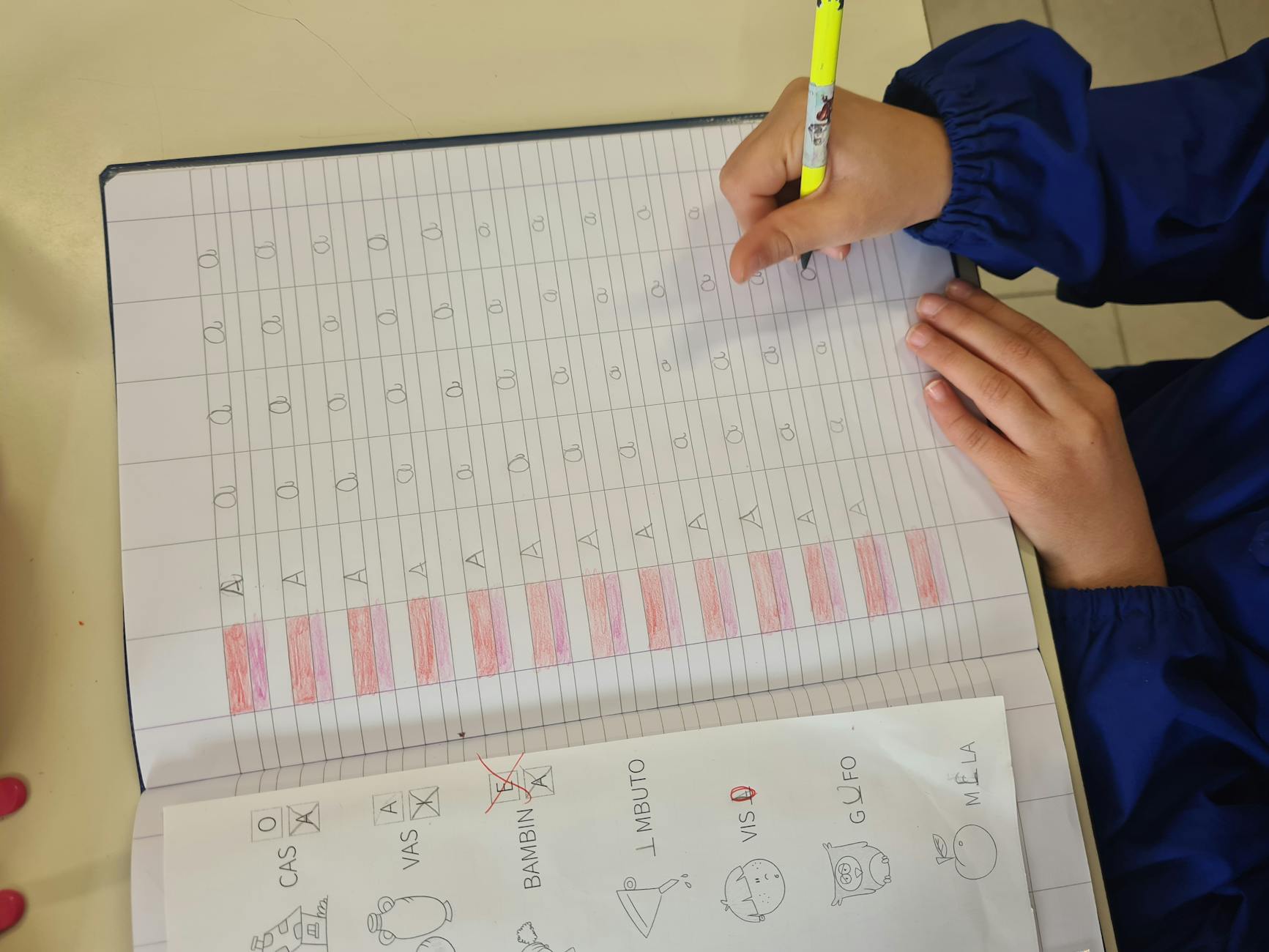
Writing lines with 1-inch height, dotted midlines showing red baselines and blue midlines for proper letter formation
Maximum three to four items per page; anything denser triggers cognitive shutdown in six-year-olds
Include "trace and write" sections with gray-out letters for motor patterning. This isn't filler—it's building neural pathways for automatic handwriting. I once built a set of social studies worksheets for kindergarten featuring community helpers. Kids cut six image cards—police officer, firefighter, doctor—and pasted them next to the correct tools. It took the whole period, but everyone finished with pride. That's the benchmark for free elementary worksheets: completion without frustration.
These pages double as formative assessment tools. When you walk the room, you should spot reversals and grip issues immediately. If the layout hides mistakes or crams too many printable activities into one page, redesign it. Simple always wins with early learners.
Adapting Content for Upper Elementary and Middle School
For the 600L-900L range, swap picture cues for sentence stems that bridge thinking and writing. Increase visual density to six or eight items per page—still respecting Miller's Law of 7±2 working memory chunks, but pushing toward that upper limit as students mature. Structure your lesson plan templates around Cornell notes templates with these dimensions:
Cue column: 2 inches for questions and key terms
Notes column: 6 inches for main content
Summary section: 2 inches at the bottom for synthesis
Add CER (Claim-Evidence-Reasoning) boxes for science, sized 3x3 inches each. They force kids to separate their thinking into distinct, defensible steps. For math, create dedicated "work space" boxes for multi-step problems. I learned this the hard way after watching students squeeze algebraic steps into quarter-inch margins and consistently lose negative signs or misalign place values, turning correct methods into wrong answers.
These k12 learning worksheets should bridge concrete and abstract thinking during these transition years. Use graphic organizers that scaffold the transition without scripting the answer. This is where differentiation strategies become essential—same rigorous content, different entry points. Meeting elementary education instructional needs means knowing exactly when to remove the training wheels.
Modifying for High School Rigor
Above 900L, drop the scaffolds for open-ended inquiry. High schoolers can manage ten to twelve items per page, but only if the cognitive load shifts from visual processing to complex analysis. Build Document-Based Question (DBQ) formats that require:
Source citation lines for author and date
Bias identification for every document
Text-dependent questions using DOK (Depth of Knowledge) level 3 and 4 verbs: analyze, evaluate, synthesize
Skip the recall questions entirely; they waste paper and insult student intelligence. For STEM classes, place formula reference boxes in the margins. It seems counterintuitive, but reducing working memory load on recall actually frees mental space for application and analysis of complex problems.
These printable activities work as bell ringers that prime adolescent brains for the heavy lifting of complex work. When you need easy teacher worksheets that still respect cognitive development by grade level, match your formatting to these developmental markers. Don't hand a DBQ to a second grader, and don't insult a senior with trace-and-write lines.

What Are the Best Practices for Implementation?
Organize your easy teacher worksheets in Google Drive using the naming convention Year_Subject_Unit so you aren't hunting for "that one fractions sheet" in May. Distribute through your LMS when you want instant feedback data, or print in stapled packets of five if you're going analog. Try Worksheet Choice Boards where students pick three of five free learning activities to complete. Never use these as time-fillers—every section should align to specific learning objectives and include a feedback mechanism.
Storage and Organization Systems
I learned the hard way that "Worksheet_Final_Final_UseThisOne" creates chaos by November. Instead, build a folder hierarchy: Year > Subject > Unit > Week. Color-code by quarter—Q1 Blue, Q2 Green, Q3 Yellow, Q4 Red—so you can scan visually during research-based classroom organization systems planning sessions.
Digital: Use Google Drive with folders named by week number; keep 10 blank copies of each homework sheet pre-loaded.
Physical: Store hanging files labeled "Week 1-9" in binders with sheet protectors labeled 1-36 for the school year.
Backup protocol: Export PDFs to an external drive monthly; Google Drive version history retains changes for 30 days.
Store your lesson plan templates in the same root folder so your differentiation strategies live next to the actual printable activities you use.
Distribution Methods for Digital and Print
Your tech situation dictates the method. If you have 1:1 devices, use Kami for PDF annotation with voice comments—students hear your tone instead of reading red ink. If devices are limited, print packets of five front-back to reduce stapling, but always keep a digital backup in your LMS for absent students.
QR codes: Generate codes linking directly to your Google Drive folder for quick access; tape them to student binders.
Bulk printing: Use grayscale (70% cost reduction), duplex printing, and 3-hole punch so students file immediately.
LMS integration: Use Canvas SpeedGrader for PDF annotations; in Google Classroom, select "Make a copy for each student."
When you teachers print homework worksheets, batch them by week to avoid the daily copy machine line.
Student Engagement Strategies
Worksheets die when used as busywork. Integrate a "ticket out the door" in the bottom two inches—three quick questions students complete before leaving. For improving student engagement, run gallery walks where students post completed graphic organizers on walls and leave sticky-note feedback on peers' bell ringers.
Worksheet BINGO: Students complete five different sections to win a small prize or homework pass.
Expert Groups: Use the Jigsaw method where students master one section and teach peers.
Feedback Loops: Provide answer keys with explanations, not just letters—Hattie's research shows feedback has an effect size of 0.70 when students correct their own work with colored pens.
When not to use: Never deploy these for content requiring hands-on manipulation like science labs or social negotiation like Socratic seminars. They fail when used as punishment or time-fillers rather than formative assessment tools. Reserve them for moments where you need to see individual thinking, not group consensus.

The Bigger Picture on Easy Teacher Worksheets
The difference between teachers who drown in copies and those who leave at contract time isn't the template itself. It's the decision to stop tweaking and start using. You can spend an hour choosing the perfect border for your printable activities, or you can teach the lesson. Pick function over polish.
Here's your concrete action: Open your lesson plan for tomorrow. Identify one worksheet you usually grab from the internet or write by hand. Build that single template in the next ten minutes. Don't format the header. Don't add clip art. Just type the questions, save it, and print. You can refine it after you see how your 3rd graders actually respond to the layout.
That's it. One template replaces one Google search. Do that daily for a week, and you'll have a toolkit that actually matches your curriculum instead of some random Pinterest board.

What This Template Covers
This system builds easy teacher worksheets by removing every decision that slows you down. You know the 45-minute trap: picking fonts, adjusting margins, debating whether to add a second column, then realizing the header looks wrong so you start over. This template locks the formatting. You open the file, type your content into pre-set fields for objectives and practice problems, and print. The whole process takes fifteen minutes. Maybe ten if you are reusing last quarter's word problems with new numbers.
The framework serves Kindergarten through 12th grade with subject-specific bones built in. Third graders in October need different lines than juniors in April. The math variation includes equation editors and centimeter grid space for geometry sketches. ELA provides paragraph frames and vocabulary boxes sized for 8-year-old handwriting versus the narrow college-ruled lines high schoolers expect. Science loads data tables with pre-formatted columns for hypothesis testing. Social studies drops in timeline templates and primary source analysis frames that work for 5th grade state history or AP Government document analysis. You pick your subject from the dropdown; the worksheet skeleton shifts underneath.
You work on whatever platform your district actually supports. Google Docs wins for collaboration—share the master with your team and stop emailing version twelve back and forth. Microsoft Word handles the heavy formatting if you need mail-merge features or complex tables for lab reports. Canva serves up visual-heavy layouts when you want icon-based instructions for emerging readers or infographic-style review sheets. Every option exports to PDF that prints cleanly on the machine that never seems to have cyan ink.
Here is what the reusable master system includes:
One template file with dropdown menus for unit titles, standards, and differentiation strategies
Auto-populating fields that generate modified versions without copy-paste
Sections for bell ringers, guided practice, and formative assessment that appear or hide based on your selection
Graphic organizers that expand or contract based on how much student writing you expect
The magic is in the master file. You create it once. Then you select "Version A" for students who need reduced answer choices, "Version B" for enrichment prompts, or "Version C" for the small group you pulled during intervention. The fields populate automatically. You are not managing twelve separate files named "Worksheet_Final_FINAL_ActualFinal." One template generates unlimited differentiated versions.
Cost sits at zero dollars. These free classroom resources function entirely within free software tiers. Google Workspace for Education provides the cloud storage and real-time collaboration your district already pays for. Word Online covers advanced formatting without the desktop subscription fee. Canva Free exports PDFs without watermarks for classroom use. No paid subscriptions required for the core functionality. You get production-quality printable activities without touching your personal credit card or begging the PTA for software grants.
This system integrates with your standard lesson plan format but attacks the student-facing side. While your lesson plan template maps the arc of the class period, these lesson plan templates become the actual paper students hold. Whether you need emergency sub work in a folder or leveled homework packets, the structure adapts to become whatever free worksheets for teachers you need that day.
Template Structure
Every easy teacher worksheets template follows a four-part architecture that keeps education worksheets organized and scannable. Here is how the page real estate breaks down:
Component | Page Space | Primary Function |
Header | 10% | Learning objective, standard alignment, student info |
Body | 70% | Questions, prompts, and tasks |
Differentiation | 10% | Modifications and challenge options |
Answer Key | 10% | Solutions, point values, and rubric |
Formatting stays consistent across all student worksheets to reduce visual noise. Use Arial 12pt for body text with 1.5 line spacing—this leaves room for handwriting without cramming. Headers sit at 14pt bold. Set margins to 0.75 inches on all sides; anything narrower and copiers chop off content, anything wider wastes paper.
Color-code your free worksheet printables by subject to speed up digital filing. Blue headers for math, green for science, red for ELA, and orange for social studies. When you are hunting for a last-minute decimal review, you spot the blue file instantly.
Respect working memory limits. For elementary printable activities, cap each page at seven items—Miller's Law in action. Secondary students can handle nine to twelve items before cognitive overload kicks in. This is why these teachers for teachers worksheets actually get finished instead of abandoned halfway through.
Header and Learning Objective Section
The learning objective field demands brevity. Twenty-five words maximum. If you cannot state the goal in a single breath, your lesson plan templates need tightening. Paste that same tight language into the header so students see the target immediately.
The Standard Alignment box measures two by one inches—enough space for CCSS codes like 7.RP.A.2 or your state equivalent without bleeding into margins. Below that, run a student info line with three fields spaced two inches apart: Name, Date, Period/Block. This spacing prevents the dreaded "JohnOctober14th" handwriting collision that makes grading a guessing game.
I learned the hard way that cramped headers lead to illegible names. When I shifted to this two-inch spacing, my gradebook errors dropped. The 25-word limit also forces me to cut the edu-jargon. "Students will analyze" becomes "Find the theme." Kids understand it. You will too when you sort stacks of formative assessment papers later.
Content Body and Question Types
The body section holds five preset question format placeholders:
Multiple choice uses A-D bubbles aligned horizontally—vertical stacks waste space.
Short answer gets a five-line response box; fourth graders need that room for descenders and erasure marks.
Matching uses a two-column layout with ten items maximum; beyond that, kids lose track of the letter-to-number correspondence.
Fill-in-the-blank questions show sentence stems with underlined spaces exactly where the word belongs.
Graphic organizers vary by need: concept maps for brainstorming or two-circle Venns for compare-and-contrast.
For grades K-5, every page needs one visual anchor—a diagram, chart, or image—because emerging readers use pictures to decode context.
Spacing protocols differ by delivery. Keep 1.5 line spacing for handwriting accommodation; switch to single spacing only if students type responses directly into the digital file. These bell ringers and exit tickets work best when the format matches the tool.
Differentiation and Modification Fields
The bottom-left corner holds a three-tier checkbox system labeled "Support Level." Check one: Scaffolded (word bank provided), Grade Level (standard format), or Extension (additional challenge problem). This keeps your differentiated instruction strategies visible on the paper itself, not buried in a lesson plan folder.
Next to that, an accommodation notation field lists IEP and 504 specifics: "Extended time," "Read aloud," "Reduced problems (3 of 5)." When paras or co-teachers grab these differentiation strategies materials, they see the legal requirements at a glance. No more sticky notes falling off.
The early finisher extension box sits in the final row. One higher-order thinking question or creative application task—perhaps "Design a word problem using these numbers" or "Rewrite this scene from the antagonist's view." It beats the chaos of early finishers inventing their own entertainment.
Answer Key and Rubric Section
The right-hand column of the answer key uses a two-column layout. Point values appear in parentheses beside each item: one point for recall, two for application, four for analysis. This transparency helps students understand why the "explain your reasoning" question weighs heavier than the vocabulary match.
Open-ended responses need a 4-point rubric row using Standards-Based Grading language: 4 for Exceeds, 3 for Meets, 2 for Approaching, 1 for Beginning. Paste this directly under the answer key so grading happens in one pass.
Follow Hattie's feedback research. An effect size of 0.70 means answer keys should include brief explanations, not just correct letters. Instead of "B," write "B—the dependent variable changes because..." When student worksheets return with these notes, students actually learn from their mistakes rather than guessing at corrections.
Step-by-Step Setup Guide
Setting Up Your Digital Master Copy
Pick your platform based on what your classroom actually has. If your school went 1:1 with Chromebooks, use Google Docs for real-time collaboration when your PLC team edits together during common planning. Choose Word if you need offline access or advanced formatting like text wrapping around images that actually stays put. Canva works best for visual free teacher printables with heavy graphics, but only if you have time to fuss with design and your kids have devices that can handle the file sizes without crashing.
Your file naming convention saves sanity later. Use Subject_Grade_Topic_Version. Math_7_Percents_v2 tells you exactly what you're opening before you click. Share Math_7_Percents_v1 with your team, and when someone suggests changes, save the new version before editing. This prevents the dreaded "final_final_actualfinal" document spiral that clutters your drive and confuses everyone when you're hunting for the right file at 7 AM.
In Google Docs, go to File > Page Setup and set margins to 0.75 inches all around. This width prevents the binding from eating your text in student binders while maximizing usable space. Insert a table for your header section—one row, three columns. Left cell for name, middle for date, right for period. This locks your boxes in place so they don't shift when students copy and paste. Click View > Show ruler to set tab stops that protect your header text alignment. Print one physical test copy before you push this to the copier. Check for ink bleeding on cheap paper and make sure the margins don't get eaten by the school's industrial stapler. I once lost half the questions on a lesson plan template because the margin was too narrow for the building's ancient machine, and twenty-three kids couldn't see the equation.
Adding Auto-Populating Fields for Efficiency
Here's a hard truth from someone who learned the hard way: creating separate files for each class period doubles your prep time and creates version drift. You fix a typo in Period 2's file but forget Period 4 exists. Three weeks later, Period 4 is still working from the broken instructions while Period 2 has the updated version. Meanwhile, Period 6 has some weird hybrid you created at midnight. Use auto-populating fields instead.
Set up mail merge once, save hours later. In Google Sheets, install the free Autocrat add-on. In Word, use Mailings > Start Mail Merge > Step-by-Step Mail Merge Wizard. Connect to a class roster CSV with columns for StudentName, IEP_Status, SmallGroup, and ReadingLevel. Build this CSV once from your gradebook export, and update it when rosters change. These fields automatically tag your differentiation strategies right on the page—small group codes print in the corner, reading levels appear in the header, IEP accommodations flag in the footer. The initial link takes fifteen minutes to set up. After that, generating thirty personalized easy teacher worksheets happens in one click instead of copying and pasting names for twenty minutes and accidentally deleting someone's IEP notes or misspelling three names.
That fifteen-minute investment pays off fast. Initial template setup takes about forty-five minutes total including the mail merge link and testing. Once running, you'll save roughly thirty minutes per weekly lesson through reuse. Your digital resource library for your classroom grows each time you refine the master rather than starting from scratch. Think of it as building a machine that builds free teacher worksheets for you while you drink your coffee and actually talk to your colleagues during lunch.
Creating Print-Ready and Digital Versions
Your printable activities need different specs than your screen versions. Export to PDF with these settings:
0.125 inch bleed if using color backgrounds—otherwise the copier chops off your borders and cuts through the word problems
Duplex (double-sided) enabled to save paper and keep related questions on facing pages
Grayscale setting to reduce ink costs; those cute pastel headers turn into unreadable smudges on the school's black-and-white machine
Check one physical copy before mass printing. I once ruined twenty copies of a graphic organizer because the bleed settings were wrong and the machine sliced off the column headers.
For digital distribution, convert to interactive PDF with fillable form fields using Adobe Acrobat or the free PDFescape. Create text boxes for short answers and dropdown menus for multiple choice. Test these in Kami, Seesaw, and Canvas before sending them out to your entire roster. Last year I built what I thought was a perfect science lab sheet only to discover the text boxes shifted when students opened it in Seesaw on iPads, dropping their answers into the wrong categories. One kid's observation about plant growth ended up in the conclusion section. Test with one kid's device first, or you'll be untangling data all weekend.
Run an accessibility check before you call it done. Tag your headers so screen readers announce them properly—"Question 3" instead of just reading random text out of order. Add alt-text to any images—"Diagram showing photosynthesis process" beats "image1.jpg" every time. These formative assessment tools only work if every student can actually use them, including kids using screen readers or text-to-speech. Save your final masters in two folders: "Print" and "Digital." Label them clearly with the same naming convention you used before. Future you, scrambling to find the bell ringers for Monday morning, will thank present you for the organization when you locate the file in ten seconds instead of ten minutes.
How Do You Customize These Worksheets for Different Grade Levels?
Customize worksheets by adjusting Lexile complexity, visual density, and question formats. For K-2: 14-16pt fonts with picture supports and tracing lines. For 3-8: structured note-taking and multi-step problems with sentence stems. For 9-12: primary source analysis and Socratic questioning. Match cognitive demand to developmental stage, not just content difficulty.
Adjusting Complexity for Kindergarten and Early Elementary
If student reading level falls below 600L, rely on visual cues and word banks rather than text-heavy instructions. Use these formatting rules for early elementary:
14pt Arial font minimum—research confirms this reduces eye strain and improves decoding speed for emerging readers
Writing lines with 1-inch height, dotted midlines showing red baselines and blue midlines for proper letter formation
Maximum three to four items per page; anything denser triggers cognitive shutdown in six-year-olds
Include "trace and write" sections with gray-out letters for motor patterning. This isn't filler—it's building neural pathways for automatic handwriting. I once built a set of social studies worksheets for kindergarten featuring community helpers. Kids cut six image cards—police officer, firefighter, doctor—and pasted them next to the correct tools. It took the whole period, but everyone finished with pride. That's the benchmark for free elementary worksheets: completion without frustration.
These pages double as formative assessment tools. When you walk the room, you should spot reversals and grip issues immediately. If the layout hides mistakes or crams too many printable activities into one page, redesign it. Simple always wins with early learners.
Adapting Content for Upper Elementary and Middle School
For the 600L-900L range, swap picture cues for sentence stems that bridge thinking and writing. Increase visual density to six or eight items per page—still respecting Miller's Law of 7±2 working memory chunks, but pushing toward that upper limit as students mature. Structure your lesson plan templates around Cornell notes templates with these dimensions:
Cue column: 2 inches for questions and key terms
Notes column: 6 inches for main content
Summary section: 2 inches at the bottom for synthesis
Add CER (Claim-Evidence-Reasoning) boxes for science, sized 3x3 inches each. They force kids to separate their thinking into distinct, defensible steps. For math, create dedicated "work space" boxes for multi-step problems. I learned this the hard way after watching students squeeze algebraic steps into quarter-inch margins and consistently lose negative signs or misalign place values, turning correct methods into wrong answers.
These k12 learning worksheets should bridge concrete and abstract thinking during these transition years. Use graphic organizers that scaffold the transition without scripting the answer. This is where differentiation strategies become essential—same rigorous content, different entry points. Meeting elementary education instructional needs means knowing exactly when to remove the training wheels.
Modifying for High School Rigor
Above 900L, drop the scaffolds for open-ended inquiry. High schoolers can manage ten to twelve items per page, but only if the cognitive load shifts from visual processing to complex analysis. Build Document-Based Question (DBQ) formats that require:
Source citation lines for author and date
Bias identification for every document
Text-dependent questions using DOK (Depth of Knowledge) level 3 and 4 verbs: analyze, evaluate, synthesize
Skip the recall questions entirely; they waste paper and insult student intelligence. For STEM classes, place formula reference boxes in the margins. It seems counterintuitive, but reducing working memory load on recall actually frees mental space for application and analysis of complex problems.
These printable activities work as bell ringers that prime adolescent brains for the heavy lifting of complex work. When you need easy teacher worksheets that still respect cognitive development by grade level, match your formatting to these developmental markers. Don't hand a DBQ to a second grader, and don't insult a senior with trace-and-write lines.
What Are the Best Practices for Implementation?
Organize your easy teacher worksheets in Google Drive using the naming convention Year_Subject_Unit so you aren't hunting for "that one fractions sheet" in May. Distribute through your LMS when you want instant feedback data, or print in stapled packets of five if you're going analog. Try Worksheet Choice Boards where students pick three of five free learning activities to complete. Never use these as time-fillers—every section should align to specific learning objectives and include a feedback mechanism.
Storage and Organization Systems
I learned the hard way that "Worksheet_Final_Final_UseThisOne" creates chaos by November. Instead, build a folder hierarchy: Year > Subject > Unit > Week. Color-code by quarter—Q1 Blue, Q2 Green, Q3 Yellow, Q4 Red—so you can scan visually during research-based classroom organization systems planning sessions.
Digital: Use Google Drive with folders named by week number; keep 10 blank copies of each homework sheet pre-loaded.
Physical: Store hanging files labeled "Week 1-9" in binders with sheet protectors labeled 1-36 for the school year.
Backup protocol: Export PDFs to an external drive monthly; Google Drive version history retains changes for 30 days.
Store your lesson plan templates in the same root folder so your differentiation strategies live next to the actual printable activities you use.
Distribution Methods for Digital and Print
Your tech situation dictates the method. If you have 1:1 devices, use Kami for PDF annotation with voice comments—students hear your tone instead of reading red ink. If devices are limited, print packets of five front-back to reduce stapling, but always keep a digital backup in your LMS for absent students.
QR codes: Generate codes linking directly to your Google Drive folder for quick access; tape them to student binders.
Bulk printing: Use grayscale (70% cost reduction), duplex printing, and 3-hole punch so students file immediately.
LMS integration: Use Canvas SpeedGrader for PDF annotations; in Google Classroom, select "Make a copy for each student."
When you teachers print homework worksheets, batch them by week to avoid the daily copy machine line.
Student Engagement Strategies
Worksheets die when used as busywork. Integrate a "ticket out the door" in the bottom two inches—three quick questions students complete before leaving. For improving student engagement, run gallery walks where students post completed graphic organizers on walls and leave sticky-note feedback on peers' bell ringers.
Worksheet BINGO: Students complete five different sections to win a small prize or homework pass.
Expert Groups: Use the Jigsaw method where students master one section and teach peers.
Feedback Loops: Provide answer keys with explanations, not just letters—Hattie's research shows feedback has an effect size of 0.70 when students correct their own work with colored pens.
When not to use: Never deploy these for content requiring hands-on manipulation like science labs or social negotiation like Socratic seminars. They fail when used as punishment or time-fillers rather than formative assessment tools. Reserve them for moments where you need to see individual thinking, not group consensus.
The Bigger Picture on Easy Teacher Worksheets
The difference between teachers who drown in copies and those who leave at contract time isn't the template itself. It's the decision to stop tweaking and start using. You can spend an hour choosing the perfect border for your printable activities, or you can teach the lesson. Pick function over polish.
Here's your concrete action: Open your lesson plan for tomorrow. Identify one worksheet you usually grab from the internet or write by hand. Build that single template in the next ten minutes. Don't format the header. Don't add clip art. Just type the questions, save it, and print. You can refine it after you see how your 3rd graders actually respond to the layout.
That's it. One template replaces one Google search. Do that daily for a week, and you'll have a toolkit that actually matches your curriculum instead of some random Pinterest board.
Still grading everything by hand?
EMStudio is a free teaching management app — manage your classes, students, lessons, and more!
Learn More
Still grading everything by hand?
EMStudio is a free teaching management app — manage your classes, students, lessons, and more!
Learn More





Notion4Teachers
Notion templates to simplify administrative tasks and enhance your teaching experience.



2026 Notion4Teachers. All Rights Reserved.
Notion4Teachers
Notion templates to simplify administrative tasks and enhance your teaching experience.
2026 Notion4Teachers. All Rights Reserved.
Notion4Teachers
Notion templates to simplify administrative tasks and enhance your teaching experience.
2026 Notion4Teachers. All Rights Reserved.