
Continuing Education Tracking in Notion
Continuing Education Tracking in Notion

Article by
Milo
ESL Content Coordinator & Educator
ESL Content Coordinator & Educator
All Posts
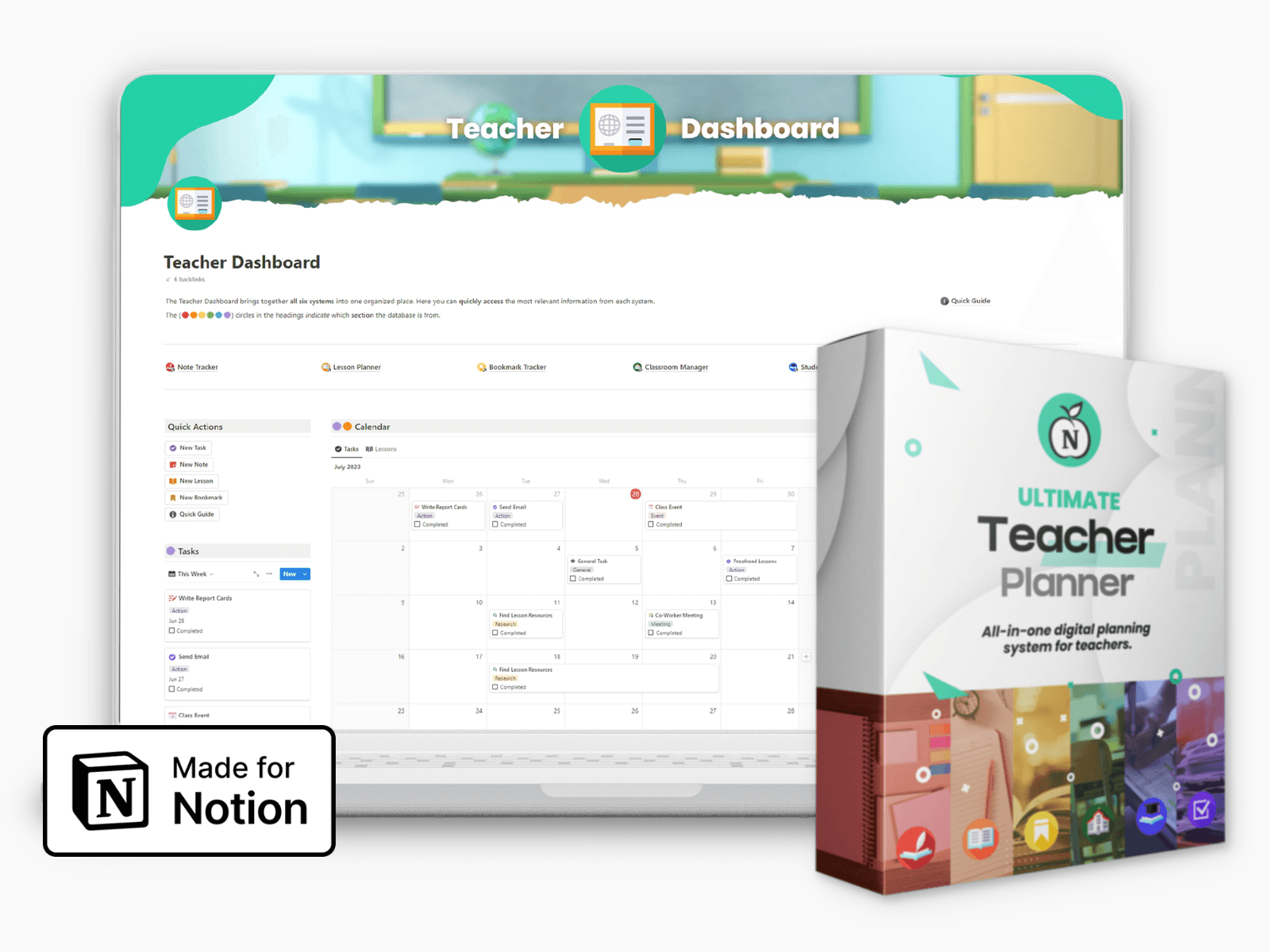
Ultimate Teacher Planner
The ultimate all-in-one education management system in Notion.
Learn More
Ultimate Teacher Planner
The ultimate all-in-one education management system in Notion.
Learn More
Table of Contents
The panic usually starts in a small way. A renewal notice arrives, a principal asks for proof of compliance, or a district HR office wants a cleaner record than the one sitting in three spreadsheets, an email inbox, and a phone full of certificate screenshots. In K-12 and higher ed, continuing education tracking stops being a clerical task the moment one missing file can delay a license, a promotion packet, or a compliance review.
That's why the strongest systems aren't just logs of hours. They act like evidence files, renewal calendars, and audit packets at the same time, with enough structure that a colleague can step in when the original owner is out of the building. OECD tracking data show why the work matters, because adult learning participation is uneven across age, literacy, employment, and attainment groups, so records have to do more than count completions, they have to hold up under scrutiny too (OECD adult-learning trends, OECD who is missing out).
Why Most CE Trackers Fail Before Renewal Season
The failure usually shows up five days before a deadline, not five months before it. A veteran English teacher, a district's most reliable mentor, opens her renewal email and realizes the state board wants a trauma-informed training certificate she can't find. The hours were completed, but the proof lived in a folder labeled “PD stuff,” then got buried under screenshots, old email attachments, and one photo-only certificate saved on a phone that's now been replaced twice.
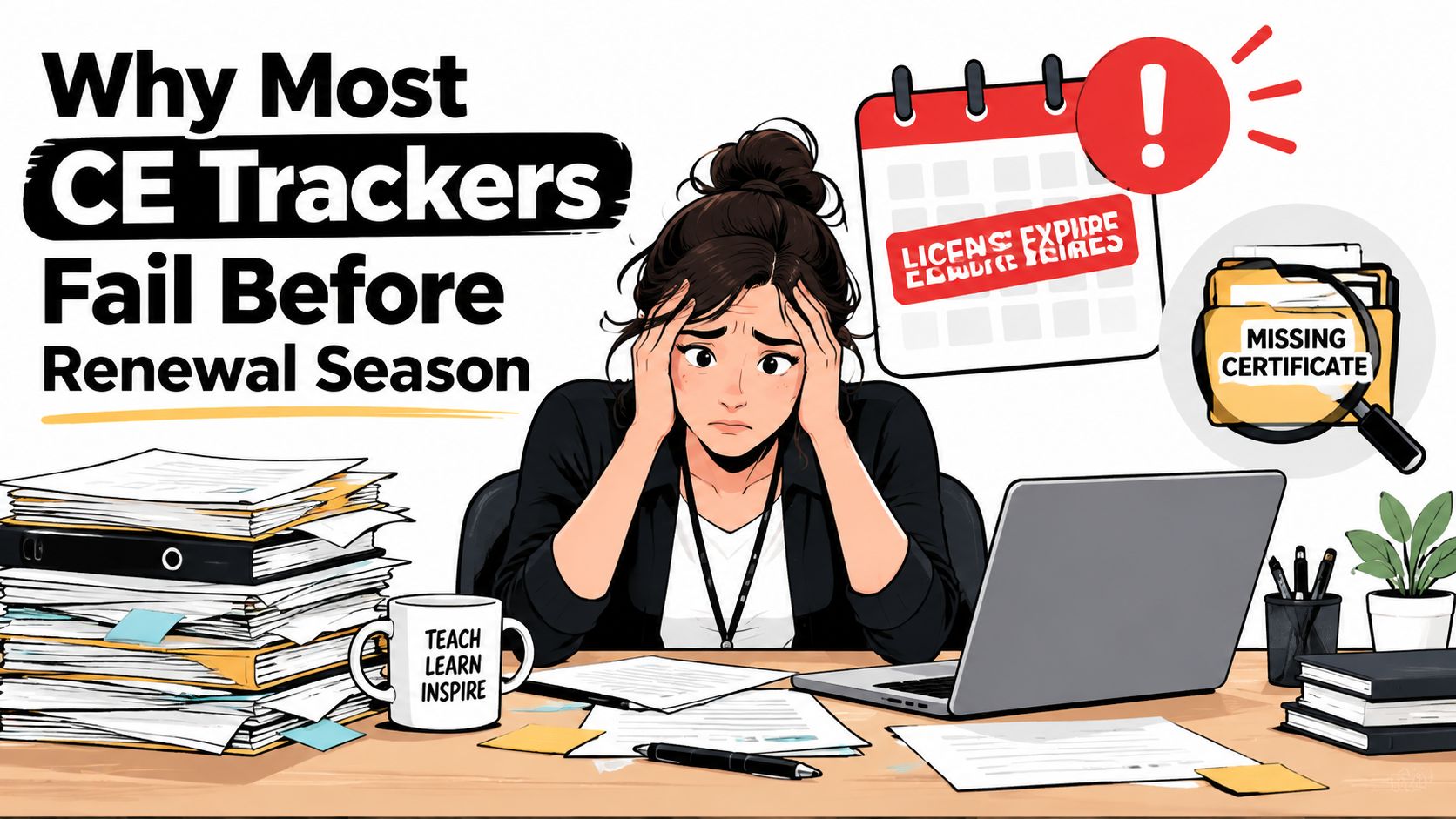
The common pattern is not laziness. It's fragmentation. Teachers and faculty often start with a spreadsheet, then add email receipts, then store PDFs in cloud folders with no naming standard, and finally rely on memory when a board asks for evidence. A practical warning on recordkeeping mistakes in educator workflows appears in this Notion4Teachers guide on managing teacher records online, and it matches what breaks most systems, scattered data, weak naming, and no single source of truth.
Practical rule: If a certificate can't be found in under a minute, it's not tracked, it's merely stored somewhere.
Weak tracking creates very real friction. A missing CE record can mean delayed renewal, lost credit that had never been entered cleanly, or an HR back-and-forth that turns a routine process into a morale drain. It also makes professional learning feel invisible, which matters in schools and universities where educators already carry a heavy administrative load.
A CE tracker only works if it survives the ugliest week of the year, the week when everyone needs proof at once.
That's why the Notion system below isn't a productivity trick. It's a response to the exact failures that show up when records are scattered, when approval codes are missing, and when a renewal packet has to be assembled under pressure. In practice, the fix is less about “logging hours” and more about building a reliable evidence trail, one that can be searched, filtered, exported, and defended.
Designing the Core Database Schema
The core of the system is a single CE Activities database. That name matters less than the structure, because the database has to capture not only what was completed, but also who issued it, why it mattered, and how it ties back to a license or credential. If the fields are loose, the whole tracker becomes a messy notes app.
Build the record around evidence, not memory
Start with Activity Name, Provider, Category, Activity Type, Date Completed, Hours/CEUs, License Domain, Certificate URL, Certificate Expiration, Renewal Cycle Anchor, Status, Cost, and Reflection Notes. The reason for each field is simple. Renewal reviews need the completion, the source, the rule it satisfies, and the proof that can be exported later.
A relation to a separate Certifications database is the field that keeps the system from collapsing when one educator holds more than one credential. That relation lets each CE record roll up into the correct certification, so total hours, renewal status, and expiration timing can be seen without manual math. For a broader example of linked tracking logic in Notion, the structure parallels the approach described in this educator-focused placement tracking build guide.
Use Date for completion and anchor dates, Files & Media for a PDF certificate, and a Formula for days until expiration. A relation plus rollup setup can then calculate totals per license automatically, which is far safer than keeping hours in a separate note page that no one remembers to update.
Property Name | Property Type | Purpose |
|---|---|---|
Activity Name | Title | Identifies the course, webinar, or workshop |
Provider | Text or Select | Shows who issued the credit |
Category | Multi-select | Maps the activity to board, district, or institution rules |
Activity Type | Select | Distinguishes course, webinar, conference, reading, or other activity |
Date Completed | Date | Records when the credit was earned |
Hours/CEUs | Number | Stores the credit value for totals and rollups |
License Domain | Relation | Connects the activity to the correct credential |
Certificate URL | URL or File | Holds the proof document |
Certificate Expiration | Date | Tracks when the activity or certificate expires |
Renewal Cycle Anchor | Date | Marks the start point for the next cycle |
Status | Select | Shows whether it's planned, completed, or pending proof |
Cost | Number | Helps document training spend |
Reflection Notes | Text | Captures evidence of learning and implementation |
Three mistakes create headaches later. First, free-text categories make filtering unreliable. Second, missing Provider fields make audits tedious because no one can trace where the record came from. Third, storing certificates only as image attachments leads to bad exports, poor searchability, and awkward packets when a board or HR office wants a clean PDF bundle.
Automating Reminders and Renewal Triggers
Reminder logic should be boring on purpose. The best pattern is a 90/60/15-day cadence, because it gives enough runway to fix missing hours without flooding educators with noise. A renewal tracker that only wakes up at the deadline is really just a panic alarm.

Set the trigger logic from the renewal date
At 90 days, the system should ping the educator to confirm what's still outstanding. At 60 days, it should surface category gaps, such as compliance hours or required district topics. At 15 days, it should flag any missing certificates and prep the audit packet draft so nothing has to be assembled from scratch.
Notion's date-based automations can handle part of that flow, and filtered views based on Days Until Expiration make the urgent records impossible to miss. Connected nudges through Slack, email, or Google Calendar help when educators don't live inside the database every day, which is common in schools where scheduling happens in several tools at once.
Use a second trigger for expiring training
Some activities have their own expiration, like CPR or bloodborne pathogen training. Those should be tied to the Certificate Expiration field instead of only the license cycle, because the credential may expire earlier than the broader renewal date. That difference is easy to miss in a spreadsheet, and it's exactly where real compliance problems start.
Good automation rule: one reminder stream for the license cycle, another for expiring certifications, never one blended alert that nobody can interpret.
To keep the system maintainable, batch reminders into one weekly digest where possible. Alert fatigue is real, and too many one-off pings make people ignore the only message that mattered. A short How It Works page inside the workspace also helps a colleague understand the logic when the original builder is out for the summer or on leave.
How Premiere Education Can Help
A Notion tracker handles the evidence side well, but many educators still need a source for accredited courses and certificates. That's where Premiere Education fits. It's a U.S.-based online continuing education platform serving healthcare, education, and adjacent industries, with coursework, certificates, assignment tools, and documentation workflows built around compliance needs.
Its catalog spans interactive courses across more than 500 topics, including state-mandated training and clinical certifications, and it also offers group portals for organizations that need to assign courses and monitor completion. For teams comparing platforms, continuing education tracking solutions can be useful when the main problem is centralizing enrollment, completion status, and reporting in one place.
K-12 Educators | Higher-Ed Educators |
|---|---|
Track state-license PD hours and district-approved training | Track discipline-specific CE, association points, and tenure-related development |
Need clear certificate storage for renewal audits | Need flexible records across departments and professional bodies |
Often work from one license cycle at a time | Often manage multiple overlapping calendars and reporting rules |
For K-12 teams, the strongest use case is consolidation, especially when state-mandated training, district requirements, and renewal evidence live in different places. For higher-ed faculty, the value is different, because the platform's mix of certificates, reporting, and self-paced access can support a broader range of learning obligations. A platform screenshot can help teams evaluate the interface and documentation workflow before they commit.

The right choice depends on where the bottleneck sits. If the challenge is finding accredited training and getting documented completion records, a platform like Premiere Education may carry more weight. If the challenge is keeping every certificate, rule, and renewal packet audit-ready across departments, Notion still works better as the master record layer.
Adapting the System for K-12 and Higher-Ed
K-12 and higher-ed educators both need reliable records, but the rules they answer to don't look the same. K-12 teachers usually track seat-time-style professional development tied to state cycles and district approvals. Higher-ed faculty are more likely to combine disciplinary CE, professional association points, and tenure-related development across rolling calendars.
Keep the base identical, branch the views
A shared database avoids duplication, but the fields should flex. K-12 setups often benefit from a State License Number property and a District Approval Code select or multi-select, because those details are what administrators ask for first. Higher-ed records often need a Tenure Cycle date and a Discipline select so that faculty development can be grouped by department or review pathway.
A shared Track Type select keeps both audiences in one table without forcing everyone into the same reporting logic. That makes it possible to keep one source of truth while still building different views for elementary teachers, secondary staff, department chairs, and faculty admins.
Dimension | K-12 Educators | Higher-Ed Educators |
|---|---|---|
Main cycle | State license and district renewal | Tenure, review, or professional advancement calendar |
Common approval layer | District or state-approved provider | Department, college, or association guidance |
Useful identifiers | State License Number, District Approval Code | Tenure Cycle, Discipline |
Typical reporting need | Proof of hours and compliance categories | Proof of disciplinary growth and documented engagement |
Use views to separate jobs, not databases
Calendar views work well for both groups because they show completion dates and expiration windows fast. Gallery views are useful when departments want a visual evidence drawer with certificate previews. Board views grouped by category expose imbalance quickly, which helps when one person has plenty of pedagogy training but no compliance documentation.
Rule of thumb: keep the same record structure, then let each audience see a different slice of it.
That approach keeps maintenance manageable across departments. The database only has to be built once, but the views can be customized without breaking the underlying schema. In practice, that's what makes Notion durable during staff turnover, when the person who built the tracker isn't the person renewing the license.
Building Reporting Views and Dashboards
A CE tracker earns trust when a teacher can answer, “How many hours do I have?” without digging through the workspace. The dashboard should surface that answer first, then show what is missing, what is expiring, and what is ready to export. If it takes too long to interpret, people stop using it when renewal season gets busy.
Match each view to one question
A Calendar view mapped to completion dates shows whether learning is steady or being crammed near the deadline. A Gallery view with certificate thumbnails works like a visual evidence drawer for quick checks, because the proof is visible before a file opens. A Board view grouped by category, such as Pedagogy, Compliance, or Disciplinary, makes gaps easy to spot.
The dashboard itself works best as linked database blocks stacked in two columns. Put summary formulas at the top for hours completed, hours remaining, and days to renewal, then place a filtered table below for upcoming expirations. That layout keeps the most urgent information above the fold and the supporting records one click away.
Roll up hours into the credential record
The parent License or Certification record should roll up child activity hours automatically. When a new activity is marked complete, the total updates without a separate sheet or manual recalculation. That avoids the classic mistake of counting an entry twice or leaving it out of the final packet.
File handling matters too. Certificates should be named so they sort cleanly in cloud storage, and audit packets should be assembled from the filtered view, not from memory. For broader record-keeping guidance that fits educator workflows, this Notion4Teachers guide on collecting and managing educational data gives a useful reference point for structuring records that can be reviewed later.
A dashboard is doing its job when it turns a compliance question into a glance, not a search.
The strongest reporting setups are also repeatable. The same views should work for a teacher checking a state renewal, a department chair reviewing submissions, or an admin building a packet for HR. That consistency is what turns Notion from a note app into a real records system.
Importing Exporting and Keeping Audit-Ready Records
Most trackers look tidy until someone asks for the source files. Then the clean interface falls apart if records do not import cleanly, export consistently, or meet audit evidence requirements. Treat records as a pipeline, not a pile.

Import cleanly before the archive grows
A CSV template with column headers that match the Notion schema saves cleanup time. Dates stay dates, providers stay providers, and the import does not turn into a manual fix-it session. Notion's import flow can handle backfilled records in batches, which helps when a department loads several years of certificates at once.
Export one record or the full trail
Use Notion's native PDF export when someone needs a single certificate record or a small packet. Use a full database export as CSV when a district or department needs the entire history in a format that can be reviewed elsewhere. Both paths matter, so the workspace should make each one easy to find.
Certificates should follow one naming pattern, such as YYYY-MM-DD_Provider_Course_Hours.pdf, so searches work across cloud drives and archive folders. That convention feels minor until renewal week turns into a file hunt.
A basic audit packet usually includes a cover sheet, a sorted PDF bundle, and a summary table pulled from a filtered view. Zipped together, those pieces give HR or a board reviewer one deliverable instead of scattered files. For broader record-keeping guidance, this guide to collecting and managing educational data offers a useful reference for keeping source data and outputs aligned.
Audit-ready means searchable, exportable, and understandable by someone who did not build the system.
The rollout should stay practical. Load old records first, test one export, and then standardize the packet template. If the packet can be built from the database without manual patching, the system is ready for real use.
Your 30 60 90 Day Rollout Plan
The cleanest rollout is staged, because no one has time to rebuild a records system while also teaching full time. The first month should focus on foundation, the second on automation, and the third on stress-testing. That pace gives enough room to catch bad fields before they become bad habits.
Days 1 to 30, build the base
Create the single CE Activities database and the related Certifications database. Import existing certificates from email and cloud folders, then validate the core fields against one current credential so the schema reflects reality instead of wishful thinking. This is also the time to standardize provider names, hours, and renewal dates so the early records are consistent.
A clean start matters because over-tagging creates noise fast. If every record gets too many categories on day one, filtering becomes less useful and the tracker starts feeling heavier than the spreadsheet it replaced.
Days 31 to 60, add automation and basic views
Layer in reminder logic, then build the first two dashboard views, a calendar for expiration timing and a board by status. Run a mock renewal against a fictional deadline so missing certificates and stale fields show up in a safe test environment. That rehearsal usually exposes the records that looked complete but aren't.
Days 61 to 90, prove the packet works
Refine the reporting views, build the audit packet template, and share the system with one colleague or department admin. A second set of eyes will catch whether the exported packet makes sense to someone who didn't assemble it. If the reviewer can follow the trail from activity to certificate to renewal rule, the structure is sound.
Three failure modes deserve attention throughout the rollout. First, stale automations after a rule changes. Second, treating Notion as the only copy of a certificate instead of keeping the source file in a durable folder. Third, letting the database grow so crowded that the important records disappear inside extra tags and redundant properties.
The best CE system is not perfect. It's repeatable, searchable, and calm during renewal week. Build the database, test one renewal cycle, and keep the weekly habit alive, because that's what turns continuing education tracking into a system people can trust.
If renewal season keeps exposing gaps in the way educator records are handled, start a pilot this week. Build one Notion database, load one real credential, and test one export packet before the next deadline arrives.
The panic usually starts in a small way. A renewal notice arrives, a principal asks for proof of compliance, or a district HR office wants a cleaner record than the one sitting in three spreadsheets, an email inbox, and a phone full of certificate screenshots. In K-12 and higher ed, continuing education tracking stops being a clerical task the moment one missing file can delay a license, a promotion packet, or a compliance review.
That's why the strongest systems aren't just logs of hours. They act like evidence files, renewal calendars, and audit packets at the same time, with enough structure that a colleague can step in when the original owner is out of the building. OECD tracking data show why the work matters, because adult learning participation is uneven across age, literacy, employment, and attainment groups, so records have to do more than count completions, they have to hold up under scrutiny too (OECD adult-learning trends, OECD who is missing out).
Why Most CE Trackers Fail Before Renewal Season
The failure usually shows up five days before a deadline, not five months before it. A veteran English teacher, a district's most reliable mentor, opens her renewal email and realizes the state board wants a trauma-informed training certificate she can't find. The hours were completed, but the proof lived in a folder labeled “PD stuff,” then got buried under screenshots, old email attachments, and one photo-only certificate saved on a phone that's now been replaced twice.
The common pattern is not laziness. It's fragmentation. Teachers and faculty often start with a spreadsheet, then add email receipts, then store PDFs in cloud folders with no naming standard, and finally rely on memory when a board asks for evidence. A practical warning on recordkeeping mistakes in educator workflows appears in this Notion4Teachers guide on managing teacher records online, and it matches what breaks most systems, scattered data, weak naming, and no single source of truth.
Practical rule: If a certificate can't be found in under a minute, it's not tracked, it's merely stored somewhere.
Weak tracking creates very real friction. A missing CE record can mean delayed renewal, lost credit that had never been entered cleanly, or an HR back-and-forth that turns a routine process into a morale drain. It also makes professional learning feel invisible, which matters in schools and universities where educators already carry a heavy administrative load.
A CE tracker only works if it survives the ugliest week of the year, the week when everyone needs proof at once.
That's why the Notion system below isn't a productivity trick. It's a response to the exact failures that show up when records are scattered, when approval codes are missing, and when a renewal packet has to be assembled under pressure. In practice, the fix is less about “logging hours” and more about building a reliable evidence trail, one that can be searched, filtered, exported, and defended.
Designing the Core Database Schema
The core of the system is a single CE Activities database. That name matters less than the structure, because the database has to capture not only what was completed, but also who issued it, why it mattered, and how it ties back to a license or credential. If the fields are loose, the whole tracker becomes a messy notes app.
Build the record around evidence, not memory
Start with Activity Name, Provider, Category, Activity Type, Date Completed, Hours/CEUs, License Domain, Certificate URL, Certificate Expiration, Renewal Cycle Anchor, Status, Cost, and Reflection Notes. The reason for each field is simple. Renewal reviews need the completion, the source, the rule it satisfies, and the proof that can be exported later.
A relation to a separate Certifications database is the field that keeps the system from collapsing when one educator holds more than one credential. That relation lets each CE record roll up into the correct certification, so total hours, renewal status, and expiration timing can be seen without manual math. For a broader example of linked tracking logic in Notion, the structure parallels the approach described in this educator-focused placement tracking build guide.
Use Date for completion and anchor dates, Files & Media for a PDF certificate, and a Formula for days until expiration. A relation plus rollup setup can then calculate totals per license automatically, which is far safer than keeping hours in a separate note page that no one remembers to update.
Property Name | Property Type | Purpose |
|---|---|---|
Activity Name | Title | Identifies the course, webinar, or workshop |
Provider | Text or Select | Shows who issued the credit |
Category | Multi-select | Maps the activity to board, district, or institution rules |
Activity Type | Select | Distinguishes course, webinar, conference, reading, or other activity |
Date Completed | Date | Records when the credit was earned |
Hours/CEUs | Number | Stores the credit value for totals and rollups |
License Domain | Relation | Connects the activity to the correct credential |
Certificate URL | URL or File | Holds the proof document |
Certificate Expiration | Date | Tracks when the activity or certificate expires |
Renewal Cycle Anchor | Date | Marks the start point for the next cycle |
Status | Select | Shows whether it's planned, completed, or pending proof |
Cost | Number | Helps document training spend |
Reflection Notes | Text | Captures evidence of learning and implementation |
Three mistakes create headaches later. First, free-text categories make filtering unreliable. Second, missing Provider fields make audits tedious because no one can trace where the record came from. Third, storing certificates only as image attachments leads to bad exports, poor searchability, and awkward packets when a board or HR office wants a clean PDF bundle.
Automating Reminders and Renewal Triggers
Reminder logic should be boring on purpose. The best pattern is a 90/60/15-day cadence, because it gives enough runway to fix missing hours without flooding educators with noise. A renewal tracker that only wakes up at the deadline is really just a panic alarm.
Set the trigger logic from the renewal date
At 90 days, the system should ping the educator to confirm what's still outstanding. At 60 days, it should surface category gaps, such as compliance hours or required district topics. At 15 days, it should flag any missing certificates and prep the audit packet draft so nothing has to be assembled from scratch.
Notion's date-based automations can handle part of that flow, and filtered views based on Days Until Expiration make the urgent records impossible to miss. Connected nudges through Slack, email, or Google Calendar help when educators don't live inside the database every day, which is common in schools where scheduling happens in several tools at once.
Use a second trigger for expiring training
Some activities have their own expiration, like CPR or bloodborne pathogen training. Those should be tied to the Certificate Expiration field instead of only the license cycle, because the credential may expire earlier than the broader renewal date. That difference is easy to miss in a spreadsheet, and it's exactly where real compliance problems start.
Good automation rule: one reminder stream for the license cycle, another for expiring certifications, never one blended alert that nobody can interpret.
To keep the system maintainable, batch reminders into one weekly digest where possible. Alert fatigue is real, and too many one-off pings make people ignore the only message that mattered. A short How It Works page inside the workspace also helps a colleague understand the logic when the original builder is out for the summer or on leave.
How Premiere Education Can Help
A Notion tracker handles the evidence side well, but many educators still need a source for accredited courses and certificates. That's where Premiere Education fits. It's a U.S.-based online continuing education platform serving healthcare, education, and adjacent industries, with coursework, certificates, assignment tools, and documentation workflows built around compliance needs.
Its catalog spans interactive courses across more than 500 topics, including state-mandated training and clinical certifications, and it also offers group portals for organizations that need to assign courses and monitor completion. For teams comparing platforms, continuing education tracking solutions can be useful when the main problem is centralizing enrollment, completion status, and reporting in one place.
K-12 Educators | Higher-Ed Educators |
|---|---|
Track state-license PD hours and district-approved training | Track discipline-specific CE, association points, and tenure-related development |
Need clear certificate storage for renewal audits | Need flexible records across departments and professional bodies |
Often work from one license cycle at a time | Often manage multiple overlapping calendars and reporting rules |
For K-12 teams, the strongest use case is consolidation, especially when state-mandated training, district requirements, and renewal evidence live in different places. For higher-ed faculty, the value is different, because the platform's mix of certificates, reporting, and self-paced access can support a broader range of learning obligations. A platform screenshot can help teams evaluate the interface and documentation workflow before they commit.
The right choice depends on where the bottleneck sits. If the challenge is finding accredited training and getting documented completion records, a platform like Premiere Education may carry more weight. If the challenge is keeping every certificate, rule, and renewal packet audit-ready across departments, Notion still works better as the master record layer.
Adapting the System for K-12 and Higher-Ed
K-12 and higher-ed educators both need reliable records, but the rules they answer to don't look the same. K-12 teachers usually track seat-time-style professional development tied to state cycles and district approvals. Higher-ed faculty are more likely to combine disciplinary CE, professional association points, and tenure-related development across rolling calendars.
Keep the base identical, branch the views
A shared database avoids duplication, but the fields should flex. K-12 setups often benefit from a State License Number property and a District Approval Code select or multi-select, because those details are what administrators ask for first. Higher-ed records often need a Tenure Cycle date and a Discipline select so that faculty development can be grouped by department or review pathway.
A shared Track Type select keeps both audiences in one table without forcing everyone into the same reporting logic. That makes it possible to keep one source of truth while still building different views for elementary teachers, secondary staff, department chairs, and faculty admins.
Dimension | K-12 Educators | Higher-Ed Educators |
|---|---|---|
Main cycle | State license and district renewal | Tenure, review, or professional advancement calendar |
Common approval layer | District or state-approved provider | Department, college, or association guidance |
Useful identifiers | State License Number, District Approval Code | Tenure Cycle, Discipline |
Typical reporting need | Proof of hours and compliance categories | Proof of disciplinary growth and documented engagement |
Use views to separate jobs, not databases
Calendar views work well for both groups because they show completion dates and expiration windows fast. Gallery views are useful when departments want a visual evidence drawer with certificate previews. Board views grouped by category expose imbalance quickly, which helps when one person has plenty of pedagogy training but no compliance documentation.
Rule of thumb: keep the same record structure, then let each audience see a different slice of it.
That approach keeps maintenance manageable across departments. The database only has to be built once, but the views can be customized without breaking the underlying schema. In practice, that's what makes Notion durable during staff turnover, when the person who built the tracker isn't the person renewing the license.
Building Reporting Views and Dashboards
A CE tracker earns trust when a teacher can answer, “How many hours do I have?” without digging through the workspace. The dashboard should surface that answer first, then show what is missing, what is expiring, and what is ready to export. If it takes too long to interpret, people stop using it when renewal season gets busy.
Match each view to one question
A Calendar view mapped to completion dates shows whether learning is steady or being crammed near the deadline. A Gallery view with certificate thumbnails works like a visual evidence drawer for quick checks, because the proof is visible before a file opens. A Board view grouped by category, such as Pedagogy, Compliance, or Disciplinary, makes gaps easy to spot.
The dashboard itself works best as linked database blocks stacked in two columns. Put summary formulas at the top for hours completed, hours remaining, and days to renewal, then place a filtered table below for upcoming expirations. That layout keeps the most urgent information above the fold and the supporting records one click away.
Roll up hours into the credential record
The parent License or Certification record should roll up child activity hours automatically. When a new activity is marked complete, the total updates without a separate sheet or manual recalculation. That avoids the classic mistake of counting an entry twice or leaving it out of the final packet.
File handling matters too. Certificates should be named so they sort cleanly in cloud storage, and audit packets should be assembled from the filtered view, not from memory. For broader record-keeping guidance that fits educator workflows, this Notion4Teachers guide on collecting and managing educational data gives a useful reference point for structuring records that can be reviewed later.
A dashboard is doing its job when it turns a compliance question into a glance, not a search.
The strongest reporting setups are also repeatable. The same views should work for a teacher checking a state renewal, a department chair reviewing submissions, or an admin building a packet for HR. That consistency is what turns Notion from a note app into a real records system.
Importing Exporting and Keeping Audit-Ready Records
Most trackers look tidy until someone asks for the source files. Then the clean interface falls apart if records do not import cleanly, export consistently, or meet audit evidence requirements. Treat records as a pipeline, not a pile.
Import cleanly before the archive grows
A CSV template with column headers that match the Notion schema saves cleanup time. Dates stay dates, providers stay providers, and the import does not turn into a manual fix-it session. Notion's import flow can handle backfilled records in batches, which helps when a department loads several years of certificates at once.
Export one record or the full trail
Use Notion's native PDF export when someone needs a single certificate record or a small packet. Use a full database export as CSV when a district or department needs the entire history in a format that can be reviewed elsewhere. Both paths matter, so the workspace should make each one easy to find.
Certificates should follow one naming pattern, such as YYYY-MM-DD_Provider_Course_Hours.pdf, so searches work across cloud drives and archive folders. That convention feels minor until renewal week turns into a file hunt.
A basic audit packet usually includes a cover sheet, a sorted PDF bundle, and a summary table pulled from a filtered view. Zipped together, those pieces give HR or a board reviewer one deliverable instead of scattered files. For broader record-keeping guidance, this guide to collecting and managing educational data offers a useful reference for keeping source data and outputs aligned.
Audit-ready means searchable, exportable, and understandable by someone who did not build the system.
The rollout should stay practical. Load old records first, test one export, and then standardize the packet template. If the packet can be built from the database without manual patching, the system is ready for real use.
Your 30 60 90 Day Rollout Plan
The cleanest rollout is staged, because no one has time to rebuild a records system while also teaching full time. The first month should focus on foundation, the second on automation, and the third on stress-testing. That pace gives enough room to catch bad fields before they become bad habits.
Days 1 to 30, build the base
Create the single CE Activities database and the related Certifications database. Import existing certificates from email and cloud folders, then validate the core fields against one current credential so the schema reflects reality instead of wishful thinking. This is also the time to standardize provider names, hours, and renewal dates so the early records are consistent.
A clean start matters because over-tagging creates noise fast. If every record gets too many categories on day one, filtering becomes less useful and the tracker starts feeling heavier than the spreadsheet it replaced.
Days 31 to 60, add automation and basic views
Layer in reminder logic, then build the first two dashboard views, a calendar for expiration timing and a board by status. Run a mock renewal against a fictional deadline so missing certificates and stale fields show up in a safe test environment. That rehearsal usually exposes the records that looked complete but aren't.
Days 61 to 90, prove the packet works
Refine the reporting views, build the audit packet template, and share the system with one colleague or department admin. A second set of eyes will catch whether the exported packet makes sense to someone who didn't assemble it. If the reviewer can follow the trail from activity to certificate to renewal rule, the structure is sound.
Three failure modes deserve attention throughout the rollout. First, stale automations after a rule changes. Second, treating Notion as the only copy of a certificate instead of keeping the source file in a durable folder. Third, letting the database grow so crowded that the important records disappear inside extra tags and redundant properties.
The best CE system is not perfect. It's repeatable, searchable, and calm during renewal week. Build the database, test one renewal cycle, and keep the weekly habit alive, because that's what turns continuing education tracking into a system people can trust.
If renewal season keeps exposing gaps in the way educator records are handled, start a pilot this week. Build one Notion database, load one real credential, and test one export packet before the next deadline arrives.
Ultimate Teacher Planner
The ultimate all-in-one education management system in Notion.
Learn More
Ultimate Teacher Planner
The ultimate all-in-one education management system in Notion.
Learn More



Notion4Teachers
Notion templates to simplify administrative tasks and enhance your teaching experience.



2026 Notion4Teachers. All Rights Reserved.
Notion4Teachers
Notion templates to simplify administrative tasks and enhance your teaching experience.
2026 Notion4Teachers. All Rights Reserved.
Notion4Teachers
Notion templates to simplify administrative tasks and enhance your teaching experience.
2026 Notion4Teachers. All Rights Reserved.