How to run a class habit challenge in Notion

Teachers make New Year's resolutions like everyone else. Maybe yours is to move more, to read a book that isn't on the syllabus or to stop taking schoolwork home on Fridays. By February, school is busy again and the resolution is forgotten. It can be hard to keep going on your own, because nobody notices when you skip a day.
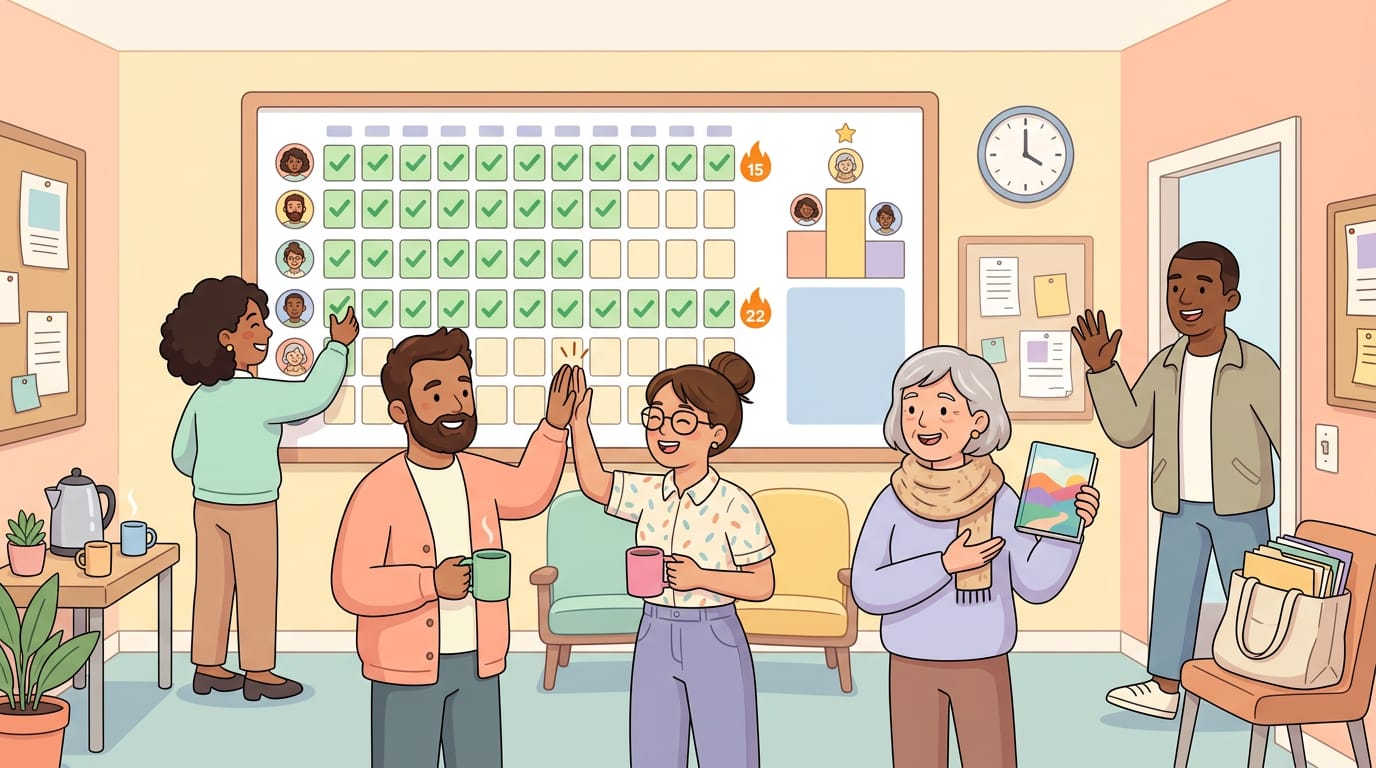
As a teacher, you have something most people don't: a group you see every day. In a staff room or a class, people notice each other's progress and keep going together.
I'm Lucas, the developer behind Habit Heroes. I built it to add streaks, a shared leaderboard and competitions to my habit tracker in Notion, because I keep going longer when friends join in. This guide shows how to set up a challenge like that for your class or your colleagues. Most of the advice applies to any group challenge, whatever tool you use.
Still grading everything by hand?
EMStudio is a free teaching management app — manage your classes, students, lessons, and more!
Who can take part
Notion allows accounts from age 13, and from a higher age in some countries. Habit Heroes is for people aged 16 and over. A challenge like this fits best for:
you and your colleagues in the staff room,
students aged 16 and over, with your school's approval,
university courses and study groups.
With a younger class, you can keep the idea and run the leaderboard on paper.
Step 1: Choose the habits together
Good habits for a class are small enough to do every day and clear enough that everyone knows whether they did them. A few examples:
Read for 20 minutes.
Practice vocabulary for 10 minutes.
Review today's notes before bed.
Go outside for a walk.
Keep your phone away for the first hour of homework.
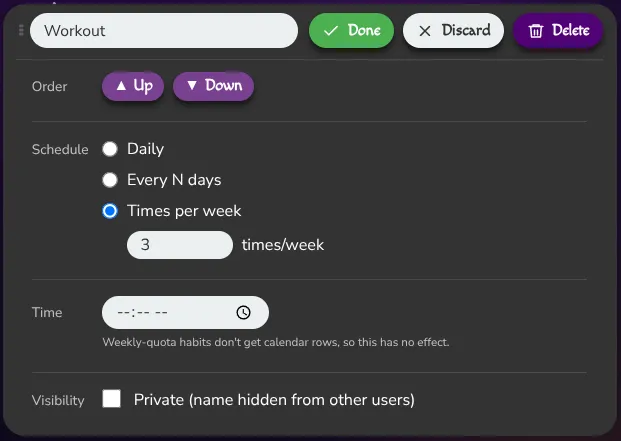
Collect ideas in class and let the group vote for three to five. People stick with habits they chose themselves. By default a habit is due every day, but you can also set it to every few days or to a few times per week.
Try to agree on the same habits and the same schedule for everyone, so that everyone can reach the same number of points.
Habit Heroes also offers a paid Teams plan (4€ per seat per month), where the organizer can set the habits for every member of the group and much more. For a class the free setup described here still works perfectly fine.
Step 2: Set everyone up with a habit page
Habit Heroes comes with a template, a ready-made Notion page with a set of default habits as checkboxes. An interactive widget on the same page automatically shows streaks, as well as the shared leaderboard.
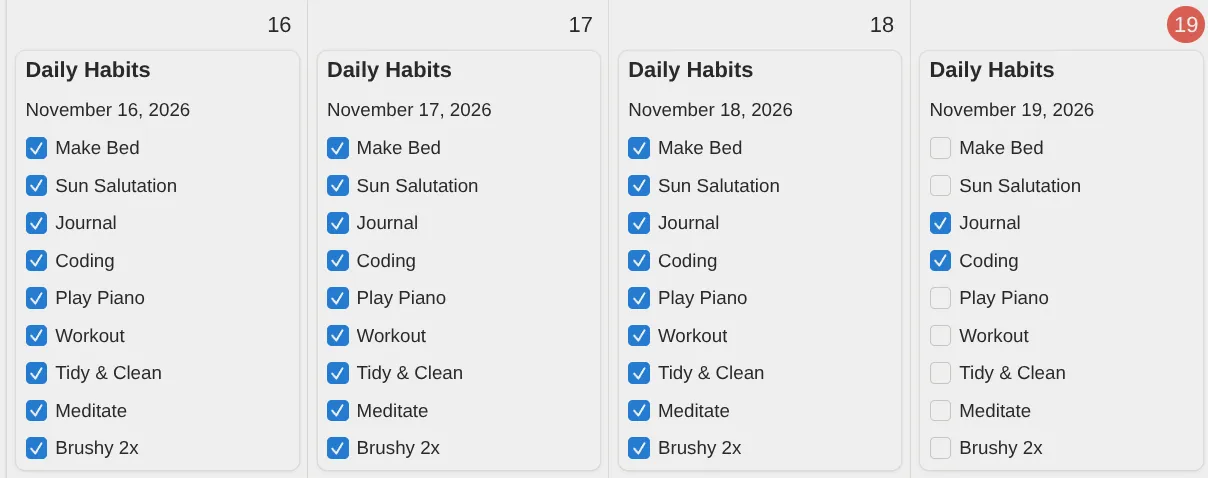
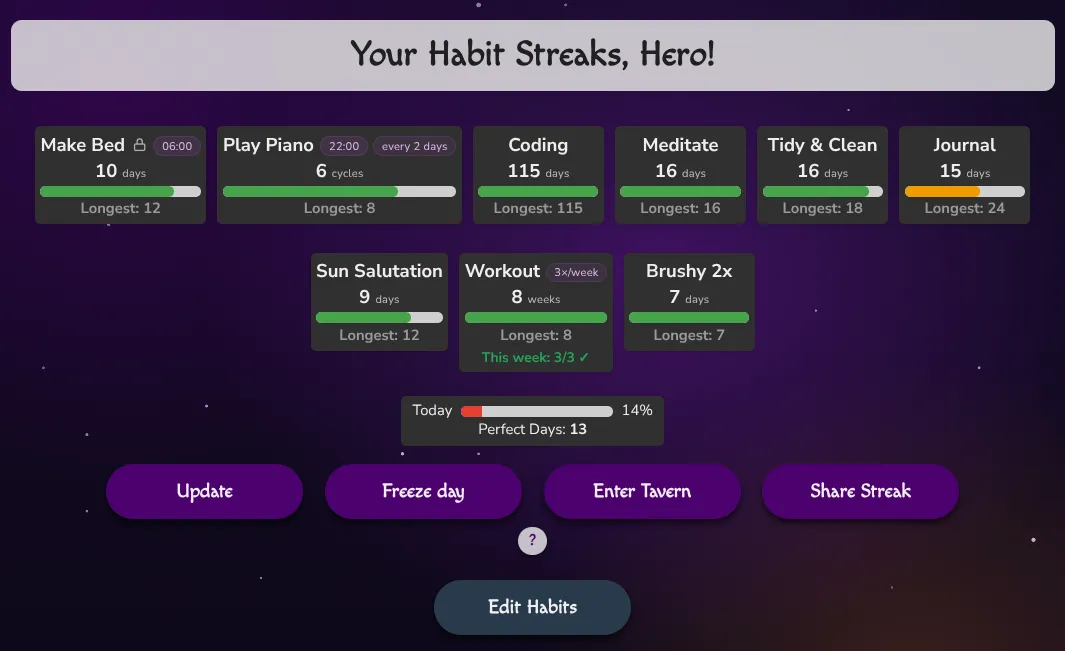
Each participant creates a free Habit Heroes account and connects it to their own free Notion account. Notion duplicates the template page into their workspace during the connection process. The full steps are explained on the how it works page.
Configure the shared class habits directly in the widget, under Edit Habits, replacing the defaults. No need for wrestling with any Notion DB properties. From then on, everyone ticks their habits in their own Notion. Habit Heroes reads only that one page, counts the points and keeps score.
Step 3: Put the class on one leaderboard
In Habit Heroes, a group challenge is called a competition. You create it once on the website, under Competitions, after setting up your own habit page from Step 2. It needs a name, a start date, an end date and a password.
Dates. Set the start a few days ahead, so everyone has time to join. Check both dates, because you can't change them later.
Password. Set one. Otherwise any Habit Heroes user who finds the competition by name can join.
Then click Invite friends and copy the link into your class chat. The link takes each student through sign-up and into your competition. The link works without the password, so share it only with the group.
From the start date on, everyone sees the leaderboard in their widget. It shows each person's rank, username, points, completion rate and perfect days (all ticked). The completion rate is the share of habits someone has successfully completed so far in the span of the competition.
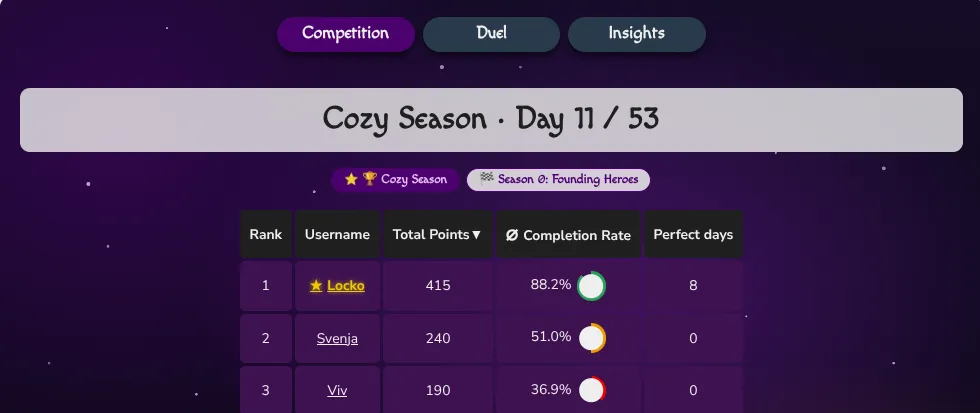
Students can also start a one-on-one duel next to the class competition, as well as see more detailed stats of their habits in the Insights tab.
Two things are worth telling the class before the start. Everyone in the competition sees each other's username, points and public habits. Also new accounts are added to the current Habit Heroes community competition. Anyone who doesn't want that can leave it under Competitions.
Step 4: Keep it short and finish together
Four weeks is a good length for most groups, but longer competitions are also possible. That’s long enough for a habit to become routine and short enough to stay fun.
At the end, Habit Heroes shows the top three on a podium in three categories: total points, completion rate and perfect days. So there is more than one way to win.
Plan a small finish in class, for example a few words of praise and a short reflection. Three questions are enough:
Which habit was easiest to keep, and why?
On which day did you almost skip? What helped you?
Which habit will you keep after the challenge?
Missed days are normal. Tell the class early that everyone misses a day now and then. The points stay, and the next streak starts with the next tick. Habit Heroes also has Freeze days. On a day you can't do your habits, you mark it as a Freeze day and keep your streaks. You can do that once every seven days.
A good time to start: the New Year challenge
Habit Heroes offers a New Year challenge called Season 1. It is a free community challenge that runs for 31 days, from January 1 to January 31, 2027. Joining opens in December. It is an easy way to try the idea with your colleagues first. Your own class competition can run at the same time as Season 1.
What it comes down to
A class habit challenge needs three things: a few small habits, a board where everyone sees the group's progress and an end date. If you try it with your class or your colleagues, I'd love to hear how it went.
Still grading everything by hand?
EMStudio is a free teaching management app — manage your classes, students, lessons, and more!