
Two Notion Templates for People Who Save a Lot of Social Media
Two Notion Templates for People Who Save a Lot of Social Media

Article by
Milo
ESL Content Coordinator & Educator
ESL Content Coordinator & Educator
All Posts
If you save videos and reels off social media with any regularity, you already know the real problem is not the downloading. It's what happens afterward. The files end up scattered across a downloads folder, a phone camera roll, three different chat threads you sent them to yourself in, and by the time you actually want one of them again, it's gone into the void.
Notion fixes the "afterward" part rather well, because a simple database turns a pile of loose files into something you can actually search, filter and pull from. So here are two template setups worth building, each one shaped around a specific kind of content and the tool that feeds it. I went and looked at both tools properly while putting this together, so the way each template is laid out actually maps onto what the tool gives you, not some idealized version of it.
Still grading everything by hand?
EMStudio is a free teaching management app — manage your classes, students, lessons, and more!
Learn More

Still grading everything by hand?
EMStudio is a free teaching management app — manage your classes, students, lessons, and more!
Learn More
Table of Contents
The Content Vault, for Everything You Pull Off Instagram
Instagram is not one type of content, and that is exactly why a flat folder falls apart so fast. A reel is not a carousel is not a story, and you save each of them for different reasons. A Content Vault template is a single Notion database that holds all of it, with a media-type field doing the sorting so a saved reel and a saved photo don't end up in the same undifferentiated heap.
The properties that actually earn their place:
Media type — reel, photo, carousel, story, video, or audio. This one field is what makes the whole thing work.
Source handle — whose account it came from, so you can pull everything from one creator later.
Saved date — obvious, but the thing you'll sort by more than any other.
Purpose / tag — why you saved it. Reference, inspiration, a clip you want to reuse, a sound you liked.
Status — a simple to-watch / used / archived toggle so the vault doesn't just become another pile.
Then set up a couple of views on top of that single database. A gallery view grouped by media type for browsing, and a filtered view showing only "to-watch" so the backlog stays visible instead of quietly growing forever.
Why the Vault Is Built Around Insta-Finsta's Six Tools
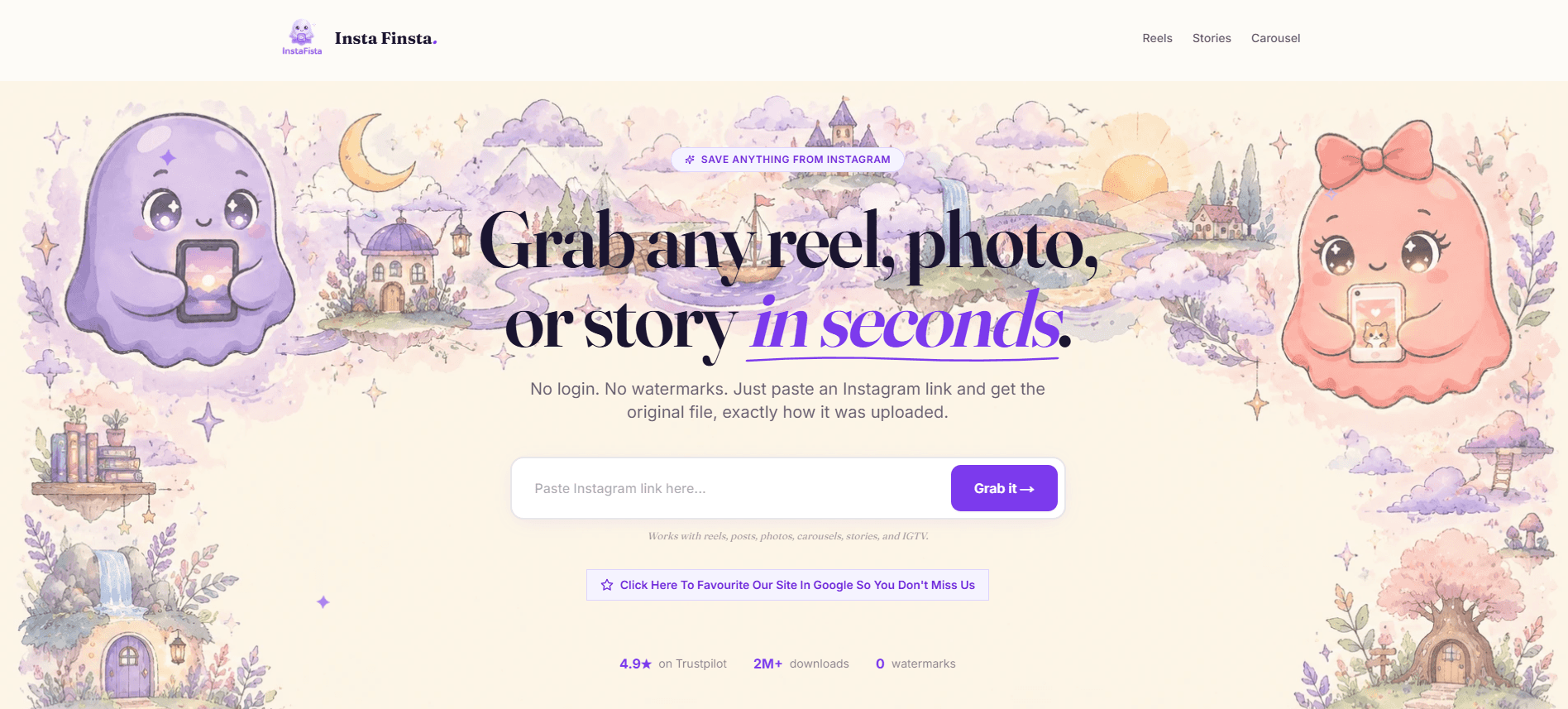
Here is the bit I actually tested. The media-type field above isn't arbitrary, it mirrors exactly what Instafinsta pulls, because there's no point building a category the tool can't fill.
When I went through the site, it breaks Instagram down into six separate tools: reels, photos, carousels, stories, videos, and an audio extractor that strips the sound off a reel on its own. That's the same six options sitting in the Content Vault's media-type field, one to one.
The carousel piece matters more than it sounds, because it pulls a multi-photo post down as a single zip rather than making you click through ten times, which means one carousel becomes one clean entry in your vault instead of ten loose photos you then have to group yourself.
Stories are the other one worth flagging, since they vanish after 24 hours, so a saved story is a genuinely time-sensitive entry and the "saved date" field earns its keep there.
The workflow ends up simple. Paste the Instagram link into insta-finsta, grab the original file with no watermark on it, then log it in the vault under the matching type. The tool handles the download, the vault handles the memory.
The Clip Locker, for X and Twitter Video
X is a different animal and needs its own setup rather than being crammed into the Instagram vault. The content is mostly video, the reasons you save it lean more toward "I want to keep this clip" or "this thread is worth referencing," and the format choices matter in a way they don't on Instagram. So the Clip Locker is a second, separate database, built for that.
The properties here shift to match:
Format — MP4 for the video, MP3 when you only wanted the audio.
Quality — HD, 1080p, or 4K where it was available, worth logging because it's not always the same.
Poster / handle — who posted it.
Context — a short line on what the clip is or why it mattered, since an X video out of context is often meaningless a month later.
Status — same to-watch / used / archived idea as the vault.
One shared principle across both templates: the status field is the thing that stops either database turning into a graveyard. Without it you just accumulate. With it, you actually move through what you saved.
Matching the Locker to How XDownloader Saves

Same thing here, I checked the format fields against the actual tool. Xdownloader pulls X and Twitter video and gives you two real output choices: MP4 for the full video, or MP3 when you only want the sound out of it. That's precisely the "format" field in the Clip Locker, so the property isn't guesswork, it's built from what the tool outputs.
The quality field comes from the same place. The tool saves in HD and, where the original supports it, 1080p and up to 4K, and since that quality isn't guaranteed on every clip, it's genuinely worth recording which one you got rather than assuming. The flow is the same three steps as the Instagram side: copy the post URL off X, paste it into xdownloader, save the MP4 or MP3, then drop the entry into the Locker with its format and quality logged. No login, no watermark, and now the clip is actually findable again.
Two Databases, Not One
You might be tempted to merge them into a single "saved media" database, and I'd argue against it. Instagram and X content behave differently enough, different types, different formats, different reasons for saving, that one database ends up with half its fields blank on any given entry. Two focused templates, each shaped around the tool that feeds it, stays cleaner and stays usable.
The whole point of either one is the same in the end. Downloading a file takes three seconds. Finding it again six weeks later is where everyone falls down, and that is the exact gap a small Notion database closes. Build the vault, build the locker, log things as you save them, and the pile finally becomes a library.
The Content Vault, for Everything You Pull Off Instagram
Instagram is not one type of content, and that is exactly why a flat folder falls apart so fast. A reel is not a carousel is not a story, and you save each of them for different reasons. A Content Vault template is a single Notion database that holds all of it, with a media-type field doing the sorting so a saved reel and a saved photo don't end up in the same undifferentiated heap.
The properties that actually earn their place:
Media type — reel, photo, carousel, story, video, or audio. This one field is what makes the whole thing work.
Source handle — whose account it came from, so you can pull everything from one creator later.
Saved date — obvious, but the thing you'll sort by more than any other.
Purpose / tag — why you saved it. Reference, inspiration, a clip you want to reuse, a sound you liked.
Status — a simple to-watch / used / archived toggle so the vault doesn't just become another pile.
Then set up a couple of views on top of that single database. A gallery view grouped by media type for browsing, and a filtered view showing only "to-watch" so the backlog stays visible instead of quietly growing forever.
Why the Vault Is Built Around Insta-Finsta's Six Tools
Here is the bit I actually tested. The media-type field above isn't arbitrary, it mirrors exactly what Instafinsta pulls, because there's no point building a category the tool can't fill.
When I went through the site, it breaks Instagram down into six separate tools: reels, photos, carousels, stories, videos, and an audio extractor that strips the sound off a reel on its own. That's the same six options sitting in the Content Vault's media-type field, one to one.
The carousel piece matters more than it sounds, because it pulls a multi-photo post down as a single zip rather than making you click through ten times, which means one carousel becomes one clean entry in your vault instead of ten loose photos you then have to group yourself.
Stories are the other one worth flagging, since they vanish after 24 hours, so a saved story is a genuinely time-sensitive entry and the "saved date" field earns its keep there.
The workflow ends up simple. Paste the Instagram link into insta-finsta, grab the original file with no watermark on it, then log it in the vault under the matching type. The tool handles the download, the vault handles the memory.
The Clip Locker, for X and Twitter Video
X is a different animal and needs its own setup rather than being crammed into the Instagram vault. The content is mostly video, the reasons you save it lean more toward "I want to keep this clip" or "this thread is worth referencing," and the format choices matter in a way they don't on Instagram. So the Clip Locker is a second, separate database, built for that.
The properties here shift to match:
Format — MP4 for the video, MP3 when you only wanted the audio.
Quality — HD, 1080p, or 4K where it was available, worth logging because it's not always the same.
Poster / handle — who posted it.
Context — a short line on what the clip is or why it mattered, since an X video out of context is often meaningless a month later.
Status — same to-watch / used / archived idea as the vault.
One shared principle across both templates: the status field is the thing that stops either database turning into a graveyard. Without it you just accumulate. With it, you actually move through what you saved.
Matching the Locker to How XDownloader Saves
Same thing here, I checked the format fields against the actual tool. Xdownloader pulls X and Twitter video and gives you two real output choices: MP4 for the full video, or MP3 when you only want the sound out of it. That's precisely the "format" field in the Clip Locker, so the property isn't guesswork, it's built from what the tool outputs.
The quality field comes from the same place. The tool saves in HD and, where the original supports it, 1080p and up to 4K, and since that quality isn't guaranteed on every clip, it's genuinely worth recording which one you got rather than assuming. The flow is the same three steps as the Instagram side: copy the post URL off X, paste it into xdownloader, save the MP4 or MP3, then drop the entry into the Locker with its format and quality logged. No login, no watermark, and now the clip is actually findable again.
Two Databases, Not One
You might be tempted to merge them into a single "saved media" database, and I'd argue against it. Instagram and X content behave differently enough, different types, different formats, different reasons for saving, that one database ends up with half its fields blank on any given entry. Two focused templates, each shaped around the tool that feeds it, stays cleaner and stays usable.
The whole point of either one is the same in the end. Downloading a file takes three seconds. Finding it again six weeks later is where everyone falls down, and that is the exact gap a small Notion database closes. Build the vault, build the locker, log things as you save them, and the pile finally becomes a library.
Still grading everything by hand?
EMStudio is a free teaching management app — manage your classes, students, lessons, and more!
Learn More
Still grading everything by hand?
EMStudio is a free teaching management app — manage your classes, students, lessons, and more!
Learn More




Notion4Teachers
Notion templates to simplify administrative tasks and enhance your teaching experience.



2026 Notion4Teachers. All Rights Reserved.
Notion4Teachers
Notion templates to simplify administrative tasks and enhance your teaching experience.
2026 Notion4Teachers. All Rights Reserved.
Notion4Teachers
Notion templates to simplify administrative tasks and enhance your teaching experience.
2026 Notion4Teachers. All Rights Reserved.