On the board as the day begins
Project your class page in the morning and today’s word is already there. Say it together, read the meaning and the example, and ask who can use it in a sentence before the first lesson.
Pick the level or type your own words, choose the colors and the style, copy the link, and paste it into any Notion page. A new word shows up every morning by itself.
412 words, a new one each day for over a year.
word | meaning | example (the example is optional)
Today in Room 12
www.notion4teachers.com/embed/word-of-the-dayA word of the day widget is a small web page that shows one word inside your Notion page. You paste its link into Notion, choose Create embed, and the block shows a new word each day by itself, with how to say it, its part of speech, a plain meaning and an example sentence. Pick a level or your own vocabulary list, then the colors, style and font before you copy the link. Nothing to install, and no account.
Teacher Home
Wherever a class or a student looks first each morning. Three moments where it earns its place:
Project your class page in the morning and today’s word is already there. Say it together, read the meaning and the example, and ask who can use it in a sentence before the first lesson.

Ask students to write one sentence of their own with today’s word, or draw what it means. Choose the level that fits the class, or type this week’s vocabulary list so the warm-up matches the unit.

Put the widget at the top of a student dashboard or a test prep page. One new word a day, with the meaning and an example, adds up to hundreds of words over the year.
Set it up once, copy the link, and a new word arrives every day. Here is what you can change before you paste it into Notion.
The word changes with the date on the device that opens the page, so the whole class sees the same word on the same day. Leave the page open overnight and the next word appears after midnight.
Choose words for elementary school, middle school or high school and the SAT. Or type your own vocabulary list, one word a line with its meaning, and the words take turns day by day.
Set the word as a classic dictionary entry, center everything, or fill the whole block with a bold color. Six color sets, from soft paper to a chalkboard, and a serif, sans or typewriter font for the word.
Drag the corners of the embed block and the word and its meaning resize to fill it. The word grows large for the projector, and a long word stays on one line in a narrow column.
Each word comes with a simple guide to saying it, its part of speech and an example sentence with the word underlined. Add the date and a line of your own, and a small button shows one more word.
Five steps, about a minute. The same steps work for every widget on Notion4Teachers.
Pick the level, the colors and the style at the top of this page.
Press Copy Widget Link. Everything you chose is part of the link.
Click where the word should go on your Notion page and paste.
Notion asks what to do with the link. Choose Create embed.
Pull the block’s corner until the word is as big as you want.
The Ultimate Teacher Planner sets up your classes, lessons, grades and attendance in Notion. Put your widgets at the top of it in a minute.
See the Teacher PlannerA word poster stays the same all year. This one brings a new word every day and fits your page.
The block shows the word and its meaning, nothing else. No pop-ups, no logos and no links out.
Every word and part of speech was checked against a dictionary source, and words we could not confirm were left out.
The word fills its block with its own color, and the Night and Chalkboard colors have light words for dark pages.
The word and its meaning fill the block, so a wide embed on the projector reads across the room.
No account and nothing saved on our side. Change a setting, copy the new link.
It reads the date on the device it runs on, so there is nothing to update.
Anyone who opens Notion every day and wants one new word to start with.

On the classroom screen for the morning routine and as a writing warm-up, and at the top of a lesson planner. Pick the level for your class, or type the vocabulary from this week’s unit.

On a study dashboard beside the to-do list and a timer, for one new word before the work starts. The High school and SAT level suits test prep.

On the day’s lesson page, so each morning starts with a word to say aloud, talk about and use. Add the words from a reading book with My own words.

Most word of the day apps pick hard words for adults. This one has three lists, from simple words for young readers to the harder words high school tests ask about, so the word fits the class.

Type the words from this week’s unit or a class novel, one a line with its meaning. The widget shows one a day, in your order, in the colors and style you chose.

Word of the day apps live on a phone and ask you to install them. This one lives on your Notion page: set it up here, copy the link, and there is nothing to register or pay.

A new quote every day in soft colors, from real authors or your own list.

Calm quotes over slowly moving scenes, from a misty lake to rain on a window.
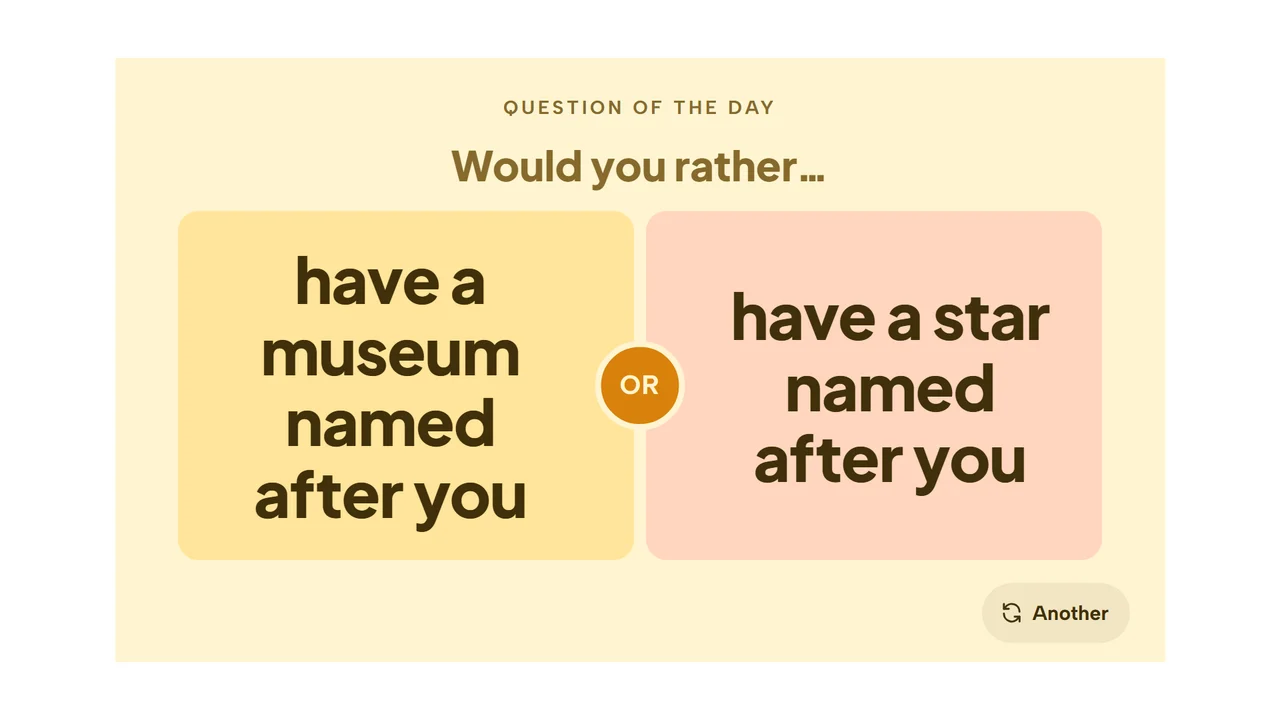
A new question each day for morning meeting or a journal, by kind and age.
Yes. The widget is free to set up, copy and use on as many Notion pages as you like. There is no account to make, no trial and no watermark, and nothing inside the block but the word and its meaning.
Set up the widget at the top of this page and press Copy Widget Link. In Notion, click where you want the word, paste the link, and choose Create embed from the menu that appears. Then drag the corners of the block to the size you want.
Yes, on the same date. The widget picks the word from the date on the device that opens the page, so every student who opens your page that day sees the same word. It changes at midnight by itself, even on a page left open overnight.
Three: Elementary school (244 words with short, plain meanings), Middle school (412 words, the default) and High school and SAT (313 harder words). Each level runs through its whole list in a fixed order before any word comes back, so a word does not repeat for months.
Yes. Under Words for, choose My own words and type one word a line, then a bar and its meaning, and another bar and an example if you like: habitat | the natural home of an animal. The list can be up to 1,200 characters, and the widget shows one word a day in your order.
We wrote the meanings and example sentences ourselves, in plain words for each level. Every word was checked against Princeton WordNet for its part of speech and meaning, and every pronunciation was made from the CMU Pronouncing Dictionary. Words we could not confirm were left out.
Yes. The widget fills its block with its own color, so it looks right on light and dark pages. For a dark page, choose the Night or Chalkboard colors, with light words on a dark block.
Come back to this page and press Change a widget you added, under the preview. Paste the widget’s link (in Notion, ••• then View original shows it), change what you like and copy the link again. In Notion, choose ••• then Replace and paste it: the widget keeps its place and size.

The Complete Bundle has every Notion4Teachers template, with the Ultimate Teacher Planner at its heart.
Get Complete Bundle40% OFF!