
Tutoring Business Website Checklist: What Your Website Builder Needs to Include
Tutoring Business Website Checklist: What Your Website Builder Needs to Include

Article by
Milo
ESL Content Coordinator & Educator
ESL Content Coordinator & Educator
All Posts
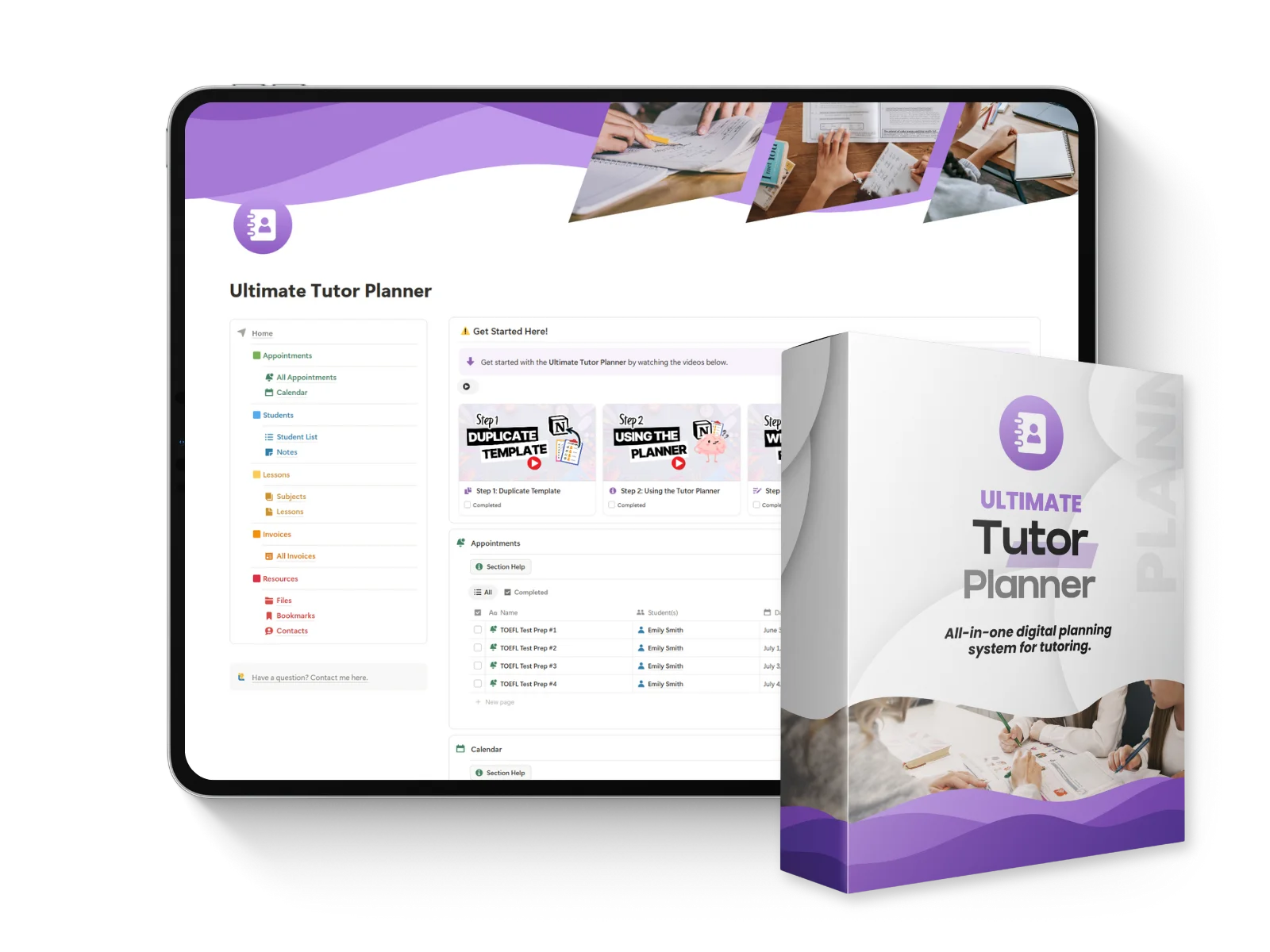
Ultimate Tutor Planner
Complete platform for managing every aspect of private tutoring.
Learn More
Ultimate Tutor Planner
Complete platform for managing every aspect of private tutoring.
Learn More
Table of Contents

Tutoring Business Website Checklist: What Your Website Builder Needs to Include
Most tutors build a tutoring website the same way: pick a template, add a headshot and a bio, publish. Then three months later, they're still wondering why visitors leave without booking a trial lesson.
This isn't a full tutorial on how to build a tutoring website from scratch. It's a shorter, more useful list: what to check before you launch, whether you're comparing website templates for the first time or fixing a site that already exists.
As Hostinger's 2026 web design statistics report, 77% of searches now come from mobile devices, so most of your visitors will find you on a phone, not a laptop, and they decide fast. This checklist covers the twelve elements that actually move a visitor toward a booked trial lesson, plus a simple answer to the question every tutor eventually asks: do I need a website builder, or do I need a developer?
Key Takeaways
A tutoring website has one job: turn a visitor into a booked trial lesson, not showcase every feature a website builder offers
Mobile-friendly design and load speed aren't optional extras; as Envisage's load-time research found, a one-second delay can cost 7% of conversions
Testimonials and social proof do more conversion work than a long list of credentials
A free template is the right starting point for almost every tutoring business; hire a developer only once you hit a specific limitation
Start With the Basics: Domain, Business Name, and Homepage
The homepage's only job is to answer three questions in the first few seconds: who do you tutor, in what subject, and how do they book a trial lesson.
A custom domain name (yourbusinessname.com) reads as more professional than a free subdomain, and it's worth the small annual cost even for a one-person tutoring business. Keep the business name and specialty visible in the main heading, not buried in a paragraph. If you tutor test prep for the SAT, say so in the homepage heading. Search engines and prospective parents both reward that clarity.
One clear call to action above the fold ("Book a trial lesson") beats three competing buttons. Every ready-made template comes with more navigation options than a small tutoring business actually needs; resist the urge to use all of them.
Choose a Template That Doesn't Fight You Later
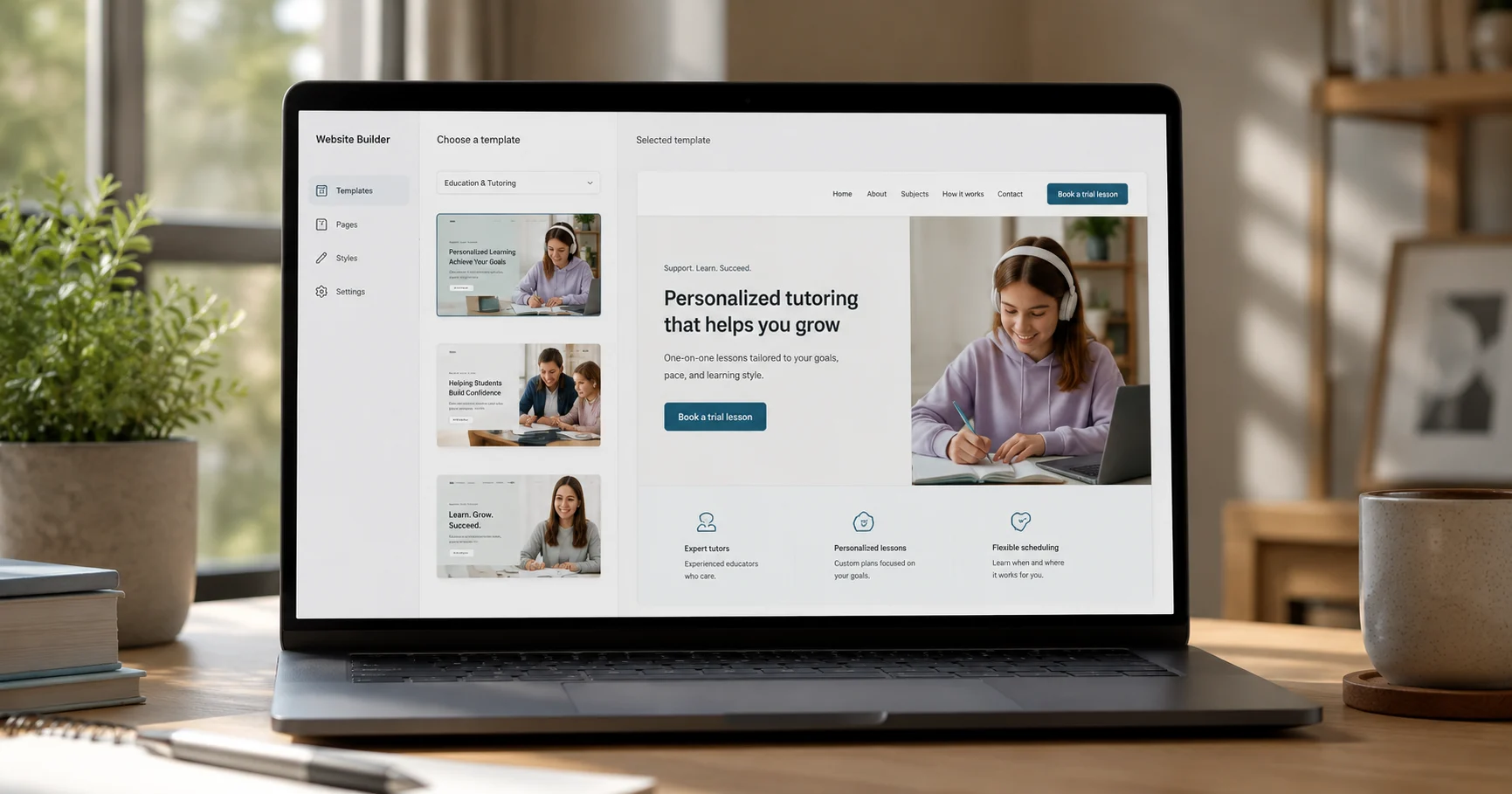
Wix, Squarespace, WordPress, and niche builders like TutorBird can all build a solid tutoring website. None of them require coding, which is exactly the point: the real differentiator isn't the design library, it's whether the template supports a booking widget natively, or whether you'll be bolting on a third-party integration to handle sign-ups.
Squarespace's own guide walks tutors through a 10-step build, and Wix maintains a gallery of tutoring website examples for the same reason: template choice matters more for what it lets you configure later than for how it looks on day one.
A customizable layout with a simple dashboard beats a beautiful template with a rigid structure. Colors and fonts are the last thing to worry about, not the first. A well-designed, user-friendly tutoring site can be built and published for free on most platforms; paying only becomes worthwhile once you need a custom domain or ecommerce features for selling course packages. Whichever builder you pick, optimizing your website for a fast, simple user experience matters more than which logo is on the pricing page.
Key Features Every Tutoring Website Needs
Five features do almost all the conversion work. Everything else is decoration.
A booking or sign-up widget that lets a parent request a trial lesson without emailing first
A bio section describing your teaching style, not just your qualifications
A subjects and specialty list, specific enough that a search engine (and a skimming parent) understands who you serve
A contact form as a backup for prospective clients who aren't ready to book yet
An FAQs section answering the questions prospective and potential students, and their parents, ask before the first message
If you offer online tutoring alongside in-person sessions, say so clearly near the booking widget; parents comparing formats shouldn't have to email you to find out.
Tooltester's load-time research puts it plainly: website conversion rates can drop by more than 4% for every additional second of load time between zero and five seconds. A slow booking widget undoes the rest of this list.
Build Trust Before the First Message
Parents research before they book. A stack of testimonials does more to build trust than a page of credentials.
98% of consumers read online reviews at least sometimes before making a purchase, and 72% trust customer reviews more than a brand's own description of itself (ProveSource, 2026). Most small tutoring sites skip testimonials entirely, which means a page with two or three specific, named testimonials already stands out from most competitors.
Enrollment information (pricing, trial lesson availability, how sessions are scheduled) belongs on the page too, stated plainly. A privacy policy page isn't just a compliance checkbox; for parents deciding whether to hand over a child's contact details, it's a small but visible trust signal.
Make It Mobile-Friendly and Fast
Responsive design isn't a nice-to-have anymore. Celerart's research on responsive design puts conversion rates 11 to 18% higher than non-responsive alternatives.
Slow-loading pages lose mobile visitors fast. Google's own performance guidance sets the bar at 2.5 seconds for a page's largest content to appear (web.dev, Google, retrieved 2026), and most tutoring website templates miss that mark once photos are added without compressing them. Keep the navigation bar simple, keep image file sizes small so the page can load quickly, upload images at a reasonable resolution rather than straight from a camera, and test the booking widget specifically on a phone, since that's how most prospective students and parents will actually find you.
SEO and Getting Found
A tutoring website doesn't need a full SEO campaign. It needs the basics done right: your business name, subject, and location in the page headings, a claimed Google Business Profile if you serve a local area, and analytics installed so you actually know whether the site is working.
Start your website with search engines in mind from day one rather than retrofitting it later. Building an email list from trial-lesson sign-ups is worth setting up early too. It costs nothing to collect and gives you a way to reach prospective students directly instead of relying on search traffic every time.
DIY Template or Hire a Developer? A Simple Threshold
A free or low-cost template is the right call for almost every tutoring business starting out. The question is when it stops being enough.
A template usually reaches its limit at one of these points: you're serving distinct audiences who each need their own path through the site (a parent, an advanced student, a donor), you want to sell course packages through ecommerce rather than one-off sessions, or you need integrations a drag-and-drop builder doesn't support out of the box.
That's roughly the point at which hiring a developer starts paying for itself. A generic template works well for a single tutor with one offering. It works less well for a growing school where a default blog-style homepage buries the information each visitor actually needs; that's an information-architecture problem, not a design problem, and it's the kind of thing Web Ways Tech gets called in to fix. Real demand for custom builds exists beyond any one example: two separate tutoring businesses posted paid design contests on DesignCrowd in mid-2026 specifically requesting a custom website rebuild, not a template.
If none of those limitations apply yet, don't hire a developer. Publish the free template, get your first few bookings, and revisit the question once you've actually hit a wall.
Frequently Asked Questions
Do I need a website if I already use a tutoring marketplace?
A marketplace listing helps you get discovered, but you don't own those bookings. If the platform changes its terms or fees, your client relationships are still tied to their system, not yours. A simple website gives you a direct line to prospective clients that doesn't depend on a third party.
Wix or Squarespace for a tutoring website?
Either works well for a first tutoring website. Check specifically for native booking-widget support before committing to one, since that's the feature most likely to force a workaround later.
How much should a tutoring website cost?
A template build can be free to low-cost on most website builders. A custom developer build varies by scope; it makes sense once you need features a template can't handle, not before.
The Bottom Line
You don't need to build a website that does everything a website builder makes possible. A professional tutoring website needs a clear homepage, a template that supports booking so parents can request a trial lesson without emailing first, testimonials that build trust, mobile-friendly speed, and the basics of search visibility. You can create a website for free on most platforms to start. Upgrade to a custom build only when you hit a specific limit it can't solve.
Tutoring Business Website Checklist: What Your Website Builder Needs to Include
Most tutors build a tutoring website the same way: pick a template, add a headshot and a bio, publish. Then three months later, they're still wondering why visitors leave without booking a trial lesson.
This isn't a full tutorial on how to build a tutoring website from scratch. It's a shorter, more useful list: what to check before you launch, whether you're comparing website templates for the first time or fixing a site that already exists.
As Hostinger's 2026 web design statistics report, 77% of searches now come from mobile devices, so most of your visitors will find you on a phone, not a laptop, and they decide fast. This checklist covers the twelve elements that actually move a visitor toward a booked trial lesson, plus a simple answer to the question every tutor eventually asks: do I need a website builder, or do I need a developer?
Key Takeaways
A tutoring website has one job: turn a visitor into a booked trial lesson, not showcase every feature a website builder offers
Mobile-friendly design and load speed aren't optional extras; as Envisage's load-time research found, a one-second delay can cost 7% of conversions
Testimonials and social proof do more conversion work than a long list of credentials
A free template is the right starting point for almost every tutoring business; hire a developer only once you hit a specific limitation
Start With the Basics: Domain, Business Name, and Homepage
The homepage's only job is to answer three questions in the first few seconds: who do you tutor, in what subject, and how do they book a trial lesson.
A custom domain name (yourbusinessname.com) reads as more professional than a free subdomain, and it's worth the small annual cost even for a one-person tutoring business. Keep the business name and specialty visible in the main heading, not buried in a paragraph. If you tutor test prep for the SAT, say so in the homepage heading. Search engines and prospective parents both reward that clarity.
One clear call to action above the fold ("Book a trial lesson") beats three competing buttons. Every ready-made template comes with more navigation options than a small tutoring business actually needs; resist the urge to use all of them.
Choose a Template That Doesn't Fight You Later
Wix, Squarespace, WordPress, and niche builders like TutorBird can all build a solid tutoring website. None of them require coding, which is exactly the point: the real differentiator isn't the design library, it's whether the template supports a booking widget natively, or whether you'll be bolting on a third-party integration to handle sign-ups.
Squarespace's own guide walks tutors through a 10-step build, and Wix maintains a gallery of tutoring website examples for the same reason: template choice matters more for what it lets you configure later than for how it looks on day one.
A customizable layout with a simple dashboard beats a beautiful template with a rigid structure. Colors and fonts are the last thing to worry about, not the first. A well-designed, user-friendly tutoring site can be built and published for free on most platforms; paying only becomes worthwhile once you need a custom domain or ecommerce features for selling course packages. Whichever builder you pick, optimizing your website for a fast, simple user experience matters more than which logo is on the pricing page.
Key Features Every Tutoring Website Needs
Five features do almost all the conversion work. Everything else is decoration.
A booking or sign-up widget that lets a parent request a trial lesson without emailing first
A bio section describing your teaching style, not just your qualifications
A subjects and specialty list, specific enough that a search engine (and a skimming parent) understands who you serve
A contact form as a backup for prospective clients who aren't ready to book yet
An FAQs section answering the questions prospective and potential students, and their parents, ask before the first message
If you offer online tutoring alongside in-person sessions, say so clearly near the booking widget; parents comparing formats shouldn't have to email you to find out.
Tooltester's load-time research puts it plainly: website conversion rates can drop by more than 4% for every additional second of load time between zero and five seconds. A slow booking widget undoes the rest of this list.
Build Trust Before the First Message
Parents research before they book. A stack of testimonials does more to build trust than a page of credentials.
98% of consumers read online reviews at least sometimes before making a purchase, and 72% trust customer reviews more than a brand's own description of itself (ProveSource, 2026). Most small tutoring sites skip testimonials entirely, which means a page with two or three specific, named testimonials already stands out from most competitors.
Enrollment information (pricing, trial lesson availability, how sessions are scheduled) belongs on the page too, stated plainly. A privacy policy page isn't just a compliance checkbox; for parents deciding whether to hand over a child's contact details, it's a small but visible trust signal.
Make It Mobile-Friendly and Fast
Responsive design isn't a nice-to-have anymore. Celerart's research on responsive design puts conversion rates 11 to 18% higher than non-responsive alternatives.
Slow-loading pages lose mobile visitors fast. Google's own performance guidance sets the bar at 2.5 seconds for a page's largest content to appear (web.dev, Google, retrieved 2026), and most tutoring website templates miss that mark once photos are added without compressing them. Keep the navigation bar simple, keep image file sizes small so the page can load quickly, upload images at a reasonable resolution rather than straight from a camera, and test the booking widget specifically on a phone, since that's how most prospective students and parents will actually find you.
SEO and Getting Found
A tutoring website doesn't need a full SEO campaign. It needs the basics done right: your business name, subject, and location in the page headings, a claimed Google Business Profile if you serve a local area, and analytics installed so you actually know whether the site is working.
Start your website with search engines in mind from day one rather than retrofitting it later. Building an email list from trial-lesson sign-ups is worth setting up early too. It costs nothing to collect and gives you a way to reach prospective students directly instead of relying on search traffic every time.
DIY Template or Hire a Developer? A Simple Threshold
A free or low-cost template is the right call for almost every tutoring business starting out. The question is when it stops being enough.
A template usually reaches its limit at one of these points: you're serving distinct audiences who each need their own path through the site (a parent, an advanced student, a donor), you want to sell course packages through ecommerce rather than one-off sessions, or you need integrations a drag-and-drop builder doesn't support out of the box.
That's roughly the point at which hiring a developer starts paying for itself. A generic template works well for a single tutor with one offering. It works less well for a growing school where a default blog-style homepage buries the information each visitor actually needs; that's an information-architecture problem, not a design problem, and it's the kind of thing Web Ways Tech gets called in to fix. Real demand for custom builds exists beyond any one example: two separate tutoring businesses posted paid design contests on DesignCrowd in mid-2026 specifically requesting a custom website rebuild, not a template.
If none of those limitations apply yet, don't hire a developer. Publish the free template, get your first few bookings, and revisit the question once you've actually hit a wall.
Frequently Asked Questions
Do I need a website if I already use a tutoring marketplace?
A marketplace listing helps you get discovered, but you don't own those bookings. If the platform changes its terms or fees, your client relationships are still tied to their system, not yours. A simple website gives you a direct line to prospective clients that doesn't depend on a third party.
Wix or Squarespace for a tutoring website?
Either works well for a first tutoring website. Check specifically for native booking-widget support before committing to one, since that's the feature most likely to force a workaround later.
How much should a tutoring website cost?
A template build can be free to low-cost on most website builders. A custom developer build varies by scope; it makes sense once you need features a template can't handle, not before.
The Bottom Line
You don't need to build a website that does everything a website builder makes possible. A professional tutoring website needs a clear homepage, a template that supports booking so parents can request a trial lesson without emailing first, testimonials that build trust, mobile-friendly speed, and the basics of search visibility. You can create a website for free on most platforms to start. Upgrade to a custom build only when you hit a specific limit it can't solve.
Ultimate Tutor Planner
Complete platform for managing every aspect of private tutoring.
Learn More
Ultimate Tutor Planner
Complete platform for managing every aspect of private tutoring.
Learn More




Notion4Teachers
Notion templates to simplify administrative tasks and enhance your teaching experience.



2026 Notion4Teachers. All Rights Reserved.
Notion4Teachers
Notion templates to simplify administrative tasks and enhance your teaching experience.
2026 Notion4Teachers. All Rights Reserved.
Notion4Teachers
Notion templates to simplify administrative tasks and enhance your teaching experience.
2026 Notion4Teachers. All Rights Reserved.