
A Practical Guide to Outreach Automation for Tutors and Education Consultants
A Practical Guide to Outreach Automation for Tutors and Education Consultants

Article by
Milo
ESL Content Coordinator & Educator
ESL Content Coordinator & Educator
All Posts
Most tutoring and consulting practices grow through referrals, word of mouth, and direct contact. The problem with direct contact is that it competes with the work itself. An hour spent hunting down a school counselor's email address, or retyping the same introduction for the twelfth time, is an hour not spent teaching or reviewing an application essay. So outreach happens in bursts when the calendar looks empty and stops when it fills up, which is the pattern that keeps a practice unpredictable.
Automation is useful for the repetitive parts: finding and organizing contacts, scheduling messages, remembering who still owes you a reply. It is not a substitute for judgment about who to contact or what to say.
Still grading everything by hand?
EMStudio is a free teaching management app — manage your classes, students, lessons, and more!
Learn More

Still grading everything by hand?
EMStudio is a free teaching management app — manage your classes, students, lessons, and more!
Learn More
Table of Contents
What outreach automation actually involves
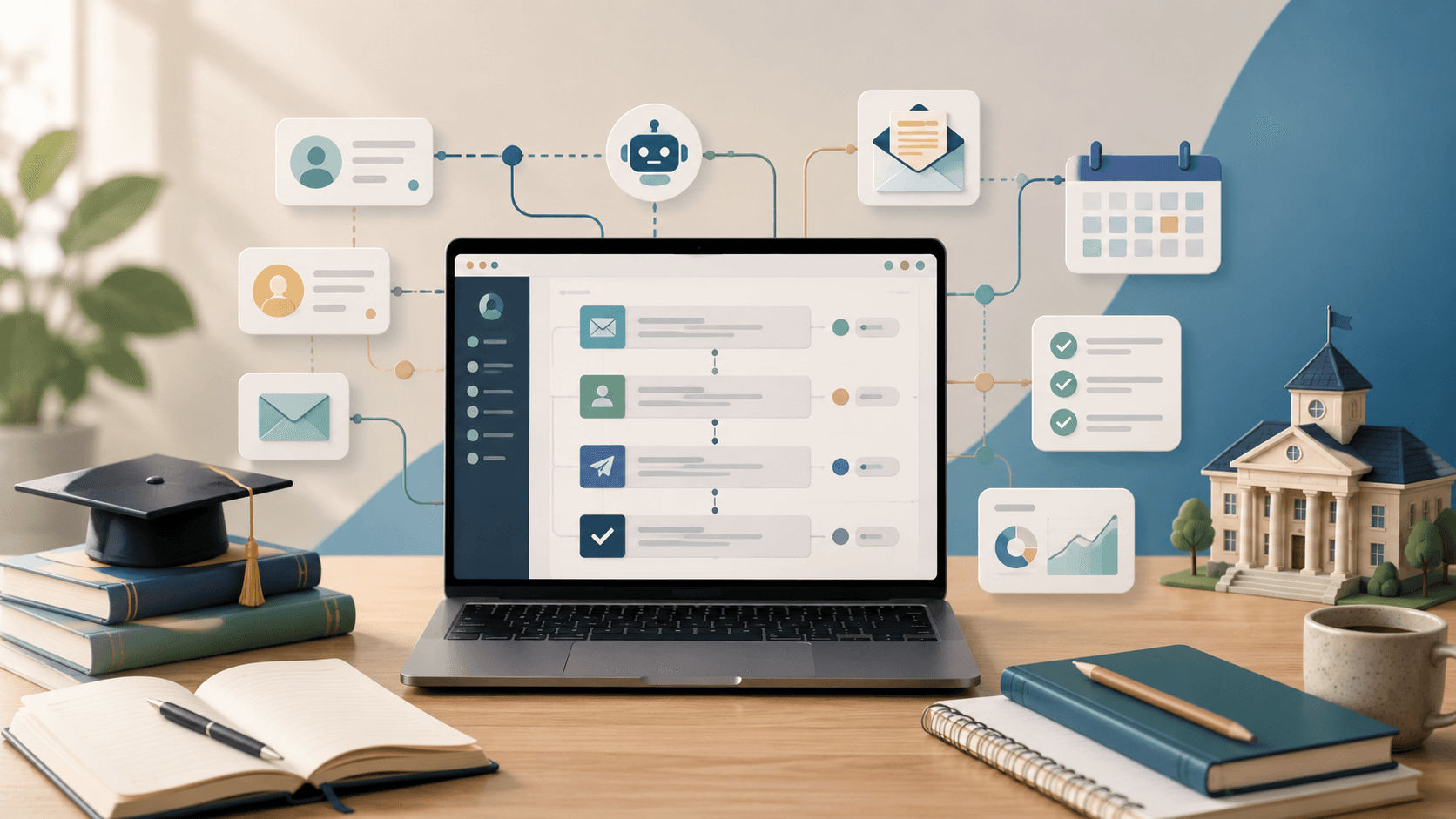
It helps to see the workflow as a chain of small tasks that software can hold together:
identifying prospects who plausibly need what you offer;
finding and verifying their contact details;
keeping prospect information somewhere structured rather than scattered across inbox threads;
grouping contacts into segments;
writing templates with variable fields;
scheduling sends and follow-ups;
tracking replies, bounces, and campaign status.
Different tools cover different slices of this. A CRM stores relationships, sales engagement platforms handle sequencing, and email marketing platforms send newsletters to people who already subscribed, which is a different activity from first contact. Some products combine several functions: Snov.io, for instance, pairs prospect search and email verification with drip campaigns and a lightweight CRM, which can appeal to a solo consultant who would rather learn one system than stitch three together. Others specialize and integrate. Either approach works; what matters is that the division of labor stays constant. Software handles repetition and timing. You keep control of targeting, messaging, and the relationship.
Decide who you actually want to reach
Automation multiplies whatever list you feed it, so the list deserves more thought than the software.
Start by naming the specific person on the other end. A test-prep tutor building a local practice often gets further with independent college counselors and school-based advisers than with parents directly, because those contacts refer repeatedly. An IELTS or language tutor may find better traction with immigration advisers, relocation firms, and study-abroad agencies. A corporate language trainer is looking at HR and learning-and-development managers, not individual learners. An admissions consultant might target international recruitment agents or independent schools without a dedicated counseling office. An academic coach could approach learning specialists and educational therapists whose clients need ongoing subject support.
Segment before you write anything. A message to a private school counselor is not the message you would send a public-school department head with 400 students on a caseload. Sixty well-chosen contacts, split into three segments, will nearly always outperform 3,000 scraped addresses. Small lists also let you personalize honestly and keep sending volume in a range mailbox providers treat as normal.
Build a workflow that does not feel automated
A workable sequence looks roughly like this.
Qualify first. Confirm the organization matches your segment and that the person's role is relevant. Discard what you cannot verify.
Prepare the fields. Beyond name and organization, add one or two columns that hold something specific: the program they run, the exam their students take, a service they visibly lack.
Write a template per segment. It should read like a message you would have written by hand, with variables where the specifics go.
Sequence conservatively. An initial email and one or two follow-ups is usually enough.
Stop the sequence on any reply. Every serious tool does this automatically. Confirm it is switched on before your first send; a follow-up that arrives after someone has already answered undoes the goodwill instantly.
Take over manually once a conversation starts. The automation has done its job.
Personalization that goes past the first name
Inserting a name proves nothing; everyone recognizes a merge field. Meaningful personalization shows you understand the recipient's situation.
Useful signals include the organization's student population, whether the school offers AP or IB, the languages spoken in the community, a recently launched program, or a service gap you can name plainly. "I noticed your sixth-form students take the IELTS in the spring and that you don't currently run preparation sessions" is relevant. "I loved your website!" is filler.
Two cautions. Do not fake familiarity, and do not reference information you have no legitimate reason to hold. Referring to a specific student, or to data gathered somewhere the recipient would be uneasy about, damages the trust you were trying to build.

Write emails people will actually read
Keep first contact under 120 words. Use a plain, descriptive subject line: "IELTS prep for your spring cohort" tells a busy adviser more than "Quick question."
Open by explaining why you are writing to them specifically, state what you do in one sentence, and close with a single low-effort request. A short example:
Hi Ms. Delgado, I run SAT preparation for students in the Riverside area and work with several families whose children attend Lincoln High. If any of your juniors need structured math support before the March test, I'd be glad to send you a one-page outline of the program so you have it on hand. Would that be useful?
Notice what is missing: credentials up front, a list of services, a calendar link, and a request for a 30-minute call. Those belong in the reply.
Follow up without becoming a nuisance
Follow-ups are worth automating and easy to overdo. Two after the initial message is a sensible ceiling, spaced four to seven days apart; school staff work in cycles and rarely reply the same week.
Change the angle each time rather than repeating yourself. A second message might offer a concrete resource, such as a testing-timeline handout. A third can simply close the loop: a note saying you will stop here and are available later if the need arises. Sustained silence is an answer. Treat it as one, and honor opt-outs immediately.
Protect deliverability, reputation, and trust
Mailbox providers now judge senders on authentication and recipient behavior. Set up SPF, DKIM, and DMARC on your sending domain before sending at volume, and warm a new domain gradually rather than starting at full speed. Verify addresses, monitor bounces after each campaign, and remove dead contacts. Avoid misleading subject lines, and make it easy for people to stop hearing from you.
Rules on unsolicited email vary by country and by whether the recipient is a business contact or a private individual, so check what applies where you and your recipients are located. In education, one distinction is not optional: outreach should be directed at adults acting in a professional capacity, or at parents through appropriate channels. Building lists of minors, or contacting students directly using data gathered without a clear basis, is both a legal risk and a reputational one.
Measure conversations, not vanity metrics
Open rates are unreliable: privacy features and security scanners trigger tracking pixels with no human involved. Watch delivery and bounce rates as health indicators, then judge campaigns on replies, positive replies, booked consultations, and enrollments or partnerships that actually materialize.
When results disappoint, the fix is usually upstream. Tighten the segment, sharpen the reason for contact, or rewrite the opening line. Sending more rarely helps.
The point of all this
Good outreach automation gives an education practice a steady, low-effort way to stay in front of the right people. It removes the administrative drag, not the thinking. Automate the process; keep the relationship yours.
What outreach automation actually involves
It helps to see the workflow as a chain of small tasks that software can hold together:
identifying prospects who plausibly need what you offer;
finding and verifying their contact details;
keeping prospect information somewhere structured rather than scattered across inbox threads;
grouping contacts into segments;
writing templates with variable fields;
scheduling sends and follow-ups;
tracking replies, bounces, and campaign status.
Different tools cover different slices of this. A CRM stores relationships, sales engagement platforms handle sequencing, and email marketing platforms send newsletters to people who already subscribed, which is a different activity from first contact. Some products combine several functions: Snov.io, for instance, pairs prospect search and email verification with drip campaigns and a lightweight CRM, which can appeal to a solo consultant who would rather learn one system than stitch three together. Others specialize and integrate. Either approach works; what matters is that the division of labor stays constant. Software handles repetition and timing. You keep control of targeting, messaging, and the relationship.
Decide who you actually want to reach
Automation multiplies whatever list you feed it, so the list deserves more thought than the software.
Start by naming the specific person on the other end. A test-prep tutor building a local practice often gets further with independent college counselors and school-based advisers than with parents directly, because those contacts refer repeatedly. An IELTS or language tutor may find better traction with immigration advisers, relocation firms, and study-abroad agencies. A corporate language trainer is looking at HR and learning-and-development managers, not individual learners. An admissions consultant might target international recruitment agents or independent schools without a dedicated counseling office. An academic coach could approach learning specialists and educational therapists whose clients need ongoing subject support.
Segment before you write anything. A message to a private school counselor is not the message you would send a public-school department head with 400 students on a caseload. Sixty well-chosen contacts, split into three segments, will nearly always outperform 3,000 scraped addresses. Small lists also let you personalize honestly and keep sending volume in a range mailbox providers treat as normal.
Build a workflow that does not feel automated
A workable sequence looks roughly like this.
Qualify first. Confirm the organization matches your segment and that the person's role is relevant. Discard what you cannot verify.
Prepare the fields. Beyond name and organization, add one or two columns that hold something specific: the program they run, the exam their students take, a service they visibly lack.
Write a template per segment. It should read like a message you would have written by hand, with variables where the specifics go.
Sequence conservatively. An initial email and one or two follow-ups is usually enough.
Stop the sequence on any reply. Every serious tool does this automatically. Confirm it is switched on before your first send; a follow-up that arrives after someone has already answered undoes the goodwill instantly.
Take over manually once a conversation starts. The automation has done its job.
Personalization that goes past the first name
Inserting a name proves nothing; everyone recognizes a merge field. Meaningful personalization shows you understand the recipient's situation.
Useful signals include the organization's student population, whether the school offers AP or IB, the languages spoken in the community, a recently launched program, or a service gap you can name plainly. "I noticed your sixth-form students take the IELTS in the spring and that you don't currently run preparation sessions" is relevant. "I loved your website!" is filler.
Two cautions. Do not fake familiarity, and do not reference information you have no legitimate reason to hold. Referring to a specific student, or to data gathered somewhere the recipient would be uneasy about, damages the trust you were trying to build.
Write emails people will actually read
Keep first contact under 120 words. Use a plain, descriptive subject line: "IELTS prep for your spring cohort" tells a busy adviser more than "Quick question."
Open by explaining why you are writing to them specifically, state what you do in one sentence, and close with a single low-effort request. A short example:
Hi Ms. Delgado, I run SAT preparation for students in the Riverside area and work with several families whose children attend Lincoln High. If any of your juniors need structured math support before the March test, I'd be glad to send you a one-page outline of the program so you have it on hand. Would that be useful?
Notice what is missing: credentials up front, a list of services, a calendar link, and a request for a 30-minute call. Those belong in the reply.
Follow up without becoming a nuisance
Follow-ups are worth automating and easy to overdo. Two after the initial message is a sensible ceiling, spaced four to seven days apart; school staff work in cycles and rarely reply the same week.
Change the angle each time rather than repeating yourself. A second message might offer a concrete resource, such as a testing-timeline handout. A third can simply close the loop: a note saying you will stop here and are available later if the need arises. Sustained silence is an answer. Treat it as one, and honor opt-outs immediately.
Protect deliverability, reputation, and trust
Mailbox providers now judge senders on authentication and recipient behavior. Set up SPF, DKIM, and DMARC on your sending domain before sending at volume, and warm a new domain gradually rather than starting at full speed. Verify addresses, monitor bounces after each campaign, and remove dead contacts. Avoid misleading subject lines, and make it easy for people to stop hearing from you.
Rules on unsolicited email vary by country and by whether the recipient is a business contact or a private individual, so check what applies where you and your recipients are located. In education, one distinction is not optional: outreach should be directed at adults acting in a professional capacity, or at parents through appropriate channels. Building lists of minors, or contacting students directly using data gathered without a clear basis, is both a legal risk and a reputational one.
Measure conversations, not vanity metrics
Open rates are unreliable: privacy features and security scanners trigger tracking pixels with no human involved. Watch delivery and bounce rates as health indicators, then judge campaigns on replies, positive replies, booked consultations, and enrollments or partnerships that actually materialize.
When results disappoint, the fix is usually upstream. Tighten the segment, sharpen the reason for contact, or rewrite the opening line. Sending more rarely helps.
The point of all this
Good outreach automation gives an education practice a steady, low-effort way to stay in front of the right people. It removes the administrative drag, not the thinking. Automate the process; keep the relationship yours.
Still grading everything by hand?
EMStudio is a free teaching management app — manage your classes, students, lessons, and more!
Learn More
Still grading everything by hand?
EMStudio is a free teaching management app — manage your classes, students, lessons, and more!
Learn More





Notion4Teachers
Notion templates to simplify administrative tasks and enhance your teaching experience.



2026 Notion4Teachers. All Rights Reserved.
Notion4Teachers
Notion templates to simplify administrative tasks and enhance your teaching experience.
2026 Notion4Teachers. All Rights Reserved.
Notion4Teachers
Notion templates to simplify administrative tasks and enhance your teaching experience.
2026 Notion4Teachers. All Rights Reserved.