
Which tool do teachers rely on to detect AI in text? Best Free AI Detector in 2027
Which tool do teachers rely on to detect AI in text? Best Free AI Detector in 2027

Article by
Milo
ESL Content Coordinator & Educator
ESL Content Coordinator & Educator
All Posts
SEO title: Best Free teachers AI Detector in 2027
Meta description: Find the best AI detector free for your classroom. Compare 6 tools, see what each does best, and learn how AI detectors work before grading.
Every teacher opens an AI detector for a different reason. One needs to scan thirty essays before Monday. Another wants to check a three-sentence discussion post. A third teaches students writing in their second language and worries about flagging honest work.
Searching for an AI detector free of charge turns up dozens of options, and a single "winner" can't serve all three of those teachers. This guide matches each tool to the job it handles best. Every tool below has a usable free tier as of late 2026. Limits change often, so confirm the current numbers before you build a grading routine around one.
Still grading everything by hand?
EMStudio is a free teaching management app — manage your classes, students, lessons, and more!
Learn More

Still grading everything by hand?
EMStudio is a free teaching management app — manage your classes, students, lessons, and more!
Learn More
Table of Contents
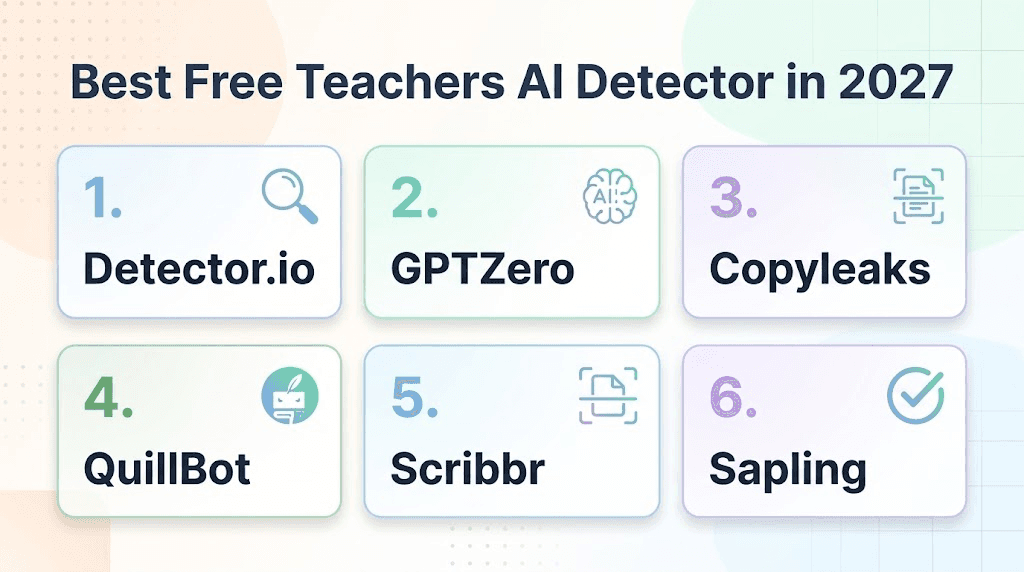
The Best Free AI Detectors for Teachers in 2027
Detector.io
Best for: double-checking a score before you act on it
Detector.io sends one text to five detectors at once: GPTZero, Winston AI, AIDetector.pro, ZeroGPT, and its own model. The results appear side by side in a single dashboard, with flagged sentences highlighted.
A single high score can put an honest student in a stressful meeting, and opening five tabs to re-test the same essay eats up a planning period. This AI checker runs the text through every detector in one submission and lays the scores next to each other. You see right away whether the tools agree, which sentences keep getting flagged, and you walk into the conversation with five data points on the table.
GPTZero
Best for: regular essay grading with detailed reports
GPTZero is the most popular AI detector in education. The free plan gives you 10,000 words per month, with about 5,000 characters per scan, and a free account unlocks the full quota. That covers roughly 12 to 15 typical essays a month. The report breaks down perplexity and burstiness, so you can show a student exactly what raised the score. Heavy graders will reach the monthly cap quickly.
How AI Detectors Work
Any AI writing detector measures two statistical signals. The first is perplexity, which shows how predictable each word choice is. Language models tend to pick the most likely next word, so their text scores low on this measure. The second is burstiness, which tracks how much sentence length and rhythm vary. People usually write in uneven bursts, mixing long sentences with short ones, and model output tends to keep a steadier beat.
Many tools add a classifier on top of these signals. It is a model trained on large sets of human and machine writing that learns to sort new text into one group or the other. The final number is a probability. A score of 70% means the tool sees patterns it associates with AI. It does not prove that a student used ChatGPT.
This explains the biggest weakness in the category. Clear, formal, carefully edited writing can look predictable. So can writing by English learners who lean on familiar phrasing. Independent 2026 testing put ZeroGPT's false positive rate on human text at about 20%, so roughly one honest sample in five got flagged. Paraphrased AI text causes the reverse problem, with benchmark accuracy dropping 15 to 30 points.
Each AI content detector also trains on different data and weights signals in its own way. The same paragraph can score 5% on one tool and 89% on another. Keep that in mind as you read the list below.
Copyleaks
Best for: multilingual classrooms and long papers
Copyleaks supports AI detection in 30 languages, including Spanish, Arabic, Chinese, and Ukrainian. Without an account, you can scan up to 25,000 characters per check, which is about 4,000 words and the largest single-scan allowance among the major tools. That makes it the natural pick for a full research paper or a class that writes in more than one language. The company reports over 99% accuracy. Independent 2026 benchmarks placed it between 77% and 96%, depending on the method, so treat a high score as a lead to follow up.
QuillBot
Best for: quick spot checks with no account
QuillBot's detector needs no sign-up. The free tier allows up to 1,200 words per scan and about six scans a day. It splits results into AI-generated, AI-refined, and human-written percentages, which helps when a student uses a tool to polish a draft they wrote themselves. In Scribbr's comparison test, it scored 78% and tied for the most accurate free tool.
Scribbr
Best for: students checking their own work before submitting
Scribbr offers unlimited free checks at up to 1,200 words each, with no account needed. That makes it a handy AI detector for students who want to review a draft before it reaches your inbox. The free version is tuned to older models, and newer-model detection requires a QuillBot Premium subscription. Share it with your class as a self-check tool and keep a stronger option for grading.
Sapling
Best for: short responses and discussion posts
Sapling runs unlimited free checks with no account, at up to 2,000 characters each, or around 350 to 400 words. It recommends at least 150 words for reliable results. That range fits exit tickets, discussion board replies, and short-answer homework. Independent testing puts its accuracy near 79%.
How to Use Detector Results Fairly

A detector score works best as the start of a review. Before a result affects a grade, run through these steps:
Check the same text in at least two tools and note where they agree.
Compare the flagged work with earlier writing from the same student.
Look at the version history in Google Docs or Notion to see how the draft grew over time.
Ask the student to walk you through their main argument and sources.
Record what you found, so any follow-up rests on more than one number.
Students who know these steps exist also tend to feel safer about using detectors on their own drafts. Mention them in your syllabus or class Notion page.
Which Free AI Detector Should You Choose?
The best AI detector free option in 2027 depends on the task in front of you. Use Sapling for short posts, Copyleaks for long or multilingual work, and GPTZero for steady weekly grading. Point students to Scribbr or QuillBot for self-checks. When a result could affect a grade, cross-check it in Detector.io first.
No free tool settles authorship by itself. Paired with your knowledge of each student's voice, a well-chosen detector becomes a useful first signal and saves you hours of second-guessing.
The Best Free AI Detectors for Teachers in 2027
Detector.io
Best for: double-checking a score before you act on it
Detector.io sends one text to five detectors at once: GPTZero, Winston AI, AIDetector.pro, ZeroGPT, and its own model. The results appear side by side in a single dashboard, with flagged sentences highlighted.
A single high score can put an honest student in a stressful meeting, and opening five tabs to re-test the same essay eats up a planning period. This AI checker runs the text through every detector in one submission and lays the scores next to each other. You see right away whether the tools agree, which sentences keep getting flagged, and you walk into the conversation with five data points on the table.
GPTZero
Best for: regular essay grading with detailed reports
GPTZero is the most popular AI detector in education. The free plan gives you 10,000 words per month, with about 5,000 characters per scan, and a free account unlocks the full quota. That covers roughly 12 to 15 typical essays a month. The report breaks down perplexity and burstiness, so you can show a student exactly what raised the score. Heavy graders will reach the monthly cap quickly.
How AI Detectors Work
Any AI writing detector measures two statistical signals. The first is perplexity, which shows how predictable each word choice is. Language models tend to pick the most likely next word, so their text scores low on this measure. The second is burstiness, which tracks how much sentence length and rhythm vary. People usually write in uneven bursts, mixing long sentences with short ones, and model output tends to keep a steadier beat.
Many tools add a classifier on top of these signals. It is a model trained on large sets of human and machine writing that learns to sort new text into one group or the other. The final number is a probability. A score of 70% means the tool sees patterns it associates with AI. It does not prove that a student used ChatGPT.
This explains the biggest weakness in the category. Clear, formal, carefully edited writing can look predictable. So can writing by English learners who lean on familiar phrasing. Independent 2026 testing put ZeroGPT's false positive rate on human text at about 20%, so roughly one honest sample in five got flagged. Paraphrased AI text causes the reverse problem, with benchmark accuracy dropping 15 to 30 points.
Each AI content detector also trains on different data and weights signals in its own way. The same paragraph can score 5% on one tool and 89% on another. Keep that in mind as you read the list below.
Copyleaks
Best for: multilingual classrooms and long papers
Copyleaks supports AI detection in 30 languages, including Spanish, Arabic, Chinese, and Ukrainian. Without an account, you can scan up to 25,000 characters per check, which is about 4,000 words and the largest single-scan allowance among the major tools. That makes it the natural pick for a full research paper or a class that writes in more than one language. The company reports over 99% accuracy. Independent 2026 benchmarks placed it between 77% and 96%, depending on the method, so treat a high score as a lead to follow up.
QuillBot
Best for: quick spot checks with no account
QuillBot's detector needs no sign-up. The free tier allows up to 1,200 words per scan and about six scans a day. It splits results into AI-generated, AI-refined, and human-written percentages, which helps when a student uses a tool to polish a draft they wrote themselves. In Scribbr's comparison test, it scored 78% and tied for the most accurate free tool.
Scribbr
Best for: students checking their own work before submitting
Scribbr offers unlimited free checks at up to 1,200 words each, with no account needed. That makes it a handy AI detector for students who want to review a draft before it reaches your inbox. The free version is tuned to older models, and newer-model detection requires a QuillBot Premium subscription. Share it with your class as a self-check tool and keep a stronger option for grading.
Sapling
Best for: short responses and discussion posts
Sapling runs unlimited free checks with no account, at up to 2,000 characters each, or around 350 to 400 words. It recommends at least 150 words for reliable results. That range fits exit tickets, discussion board replies, and short-answer homework. Independent testing puts its accuracy near 79%.
How to Use Detector Results Fairly
A detector score works best as the start of a review. Before a result affects a grade, run through these steps:
Check the same text in at least two tools and note where they agree.
Compare the flagged work with earlier writing from the same student.
Look at the version history in Google Docs or Notion to see how the draft grew over time.
Ask the student to walk you through their main argument and sources.
Record what you found, so any follow-up rests on more than one number.
Students who know these steps exist also tend to feel safer about using detectors on their own drafts. Mention them in your syllabus or class Notion page.
Which Free AI Detector Should You Choose?
The best AI detector free option in 2027 depends on the task in front of you. Use Sapling for short posts, Copyleaks for long or multilingual work, and GPTZero for steady weekly grading. Point students to Scribbr or QuillBot for self-checks. When a result could affect a grade, cross-check it in Detector.io first.
No free tool settles authorship by itself. Paired with your knowledge of each student's voice, a well-chosen detector becomes a useful first signal and saves you hours of second-guessing.
Still grading everything by hand?
EMStudio is a free teaching management app — manage your classes, students, lessons, and more!
Learn More
Still grading everything by hand?
EMStudio is a free teaching management app — manage your classes, students, lessons, and more!
Learn More




Notion4Teachers
Notion templates to simplify administrative tasks and enhance your teaching experience.



2026 Notion4Teachers. All Rights Reserved.
Notion4Teachers
Notion templates to simplify administrative tasks and enhance your teaching experience.
2026 Notion4Teachers. All Rights Reserved.
Notion4Teachers
Notion templates to simplify administrative tasks and enhance your teaching experience.
2026 Notion4Teachers. All Rights Reserved.