
Connect Claude or ChatGPT to Notion: What Teachers Can Hand Off to an AI Agent
Connect Claude or ChatGPT to Notion: What Teachers Can Hand Off to an AI Agent

Article by
Milo
ESL Content Coordinator & Educator
ESL Content Coordinator & Educator
All Posts

Connecting Claude or ChatGPT to Notion means giving the assistant permission to read, search and update your Notion workspace directly, instead of copying text back and forth between tabs. Once connected, the assistant works as an agent: it can find last term's unit plan, draft this week's lessons as new pages, fill in a tracking database and leave comments for you to review.
For teachers, that difference matters because the planning load is heavy and AI is already part of the job for many. A 2025 Gallup and Walton Family Foundation survey of 2,232 U.S. public school teachers found that about 6 in 10 used an AI tool for work during the 2024-25 school year. Teachers who used AI at least weekly estimated they saved 5.9 hours a week, roughly six weeks across a school year. Meanwhile, RAND's 2026 State of the American Teacher survey found that 18% of teachers intended to leave their jobs.
This guide covers how to connect each assistant to Notion, which teaching tasks are worth handing off and which ones should stay with you.
Still grading everything by hand?
EMStudio is a free teaching management app — manage your classes, students, lessons, and more!
Learn More
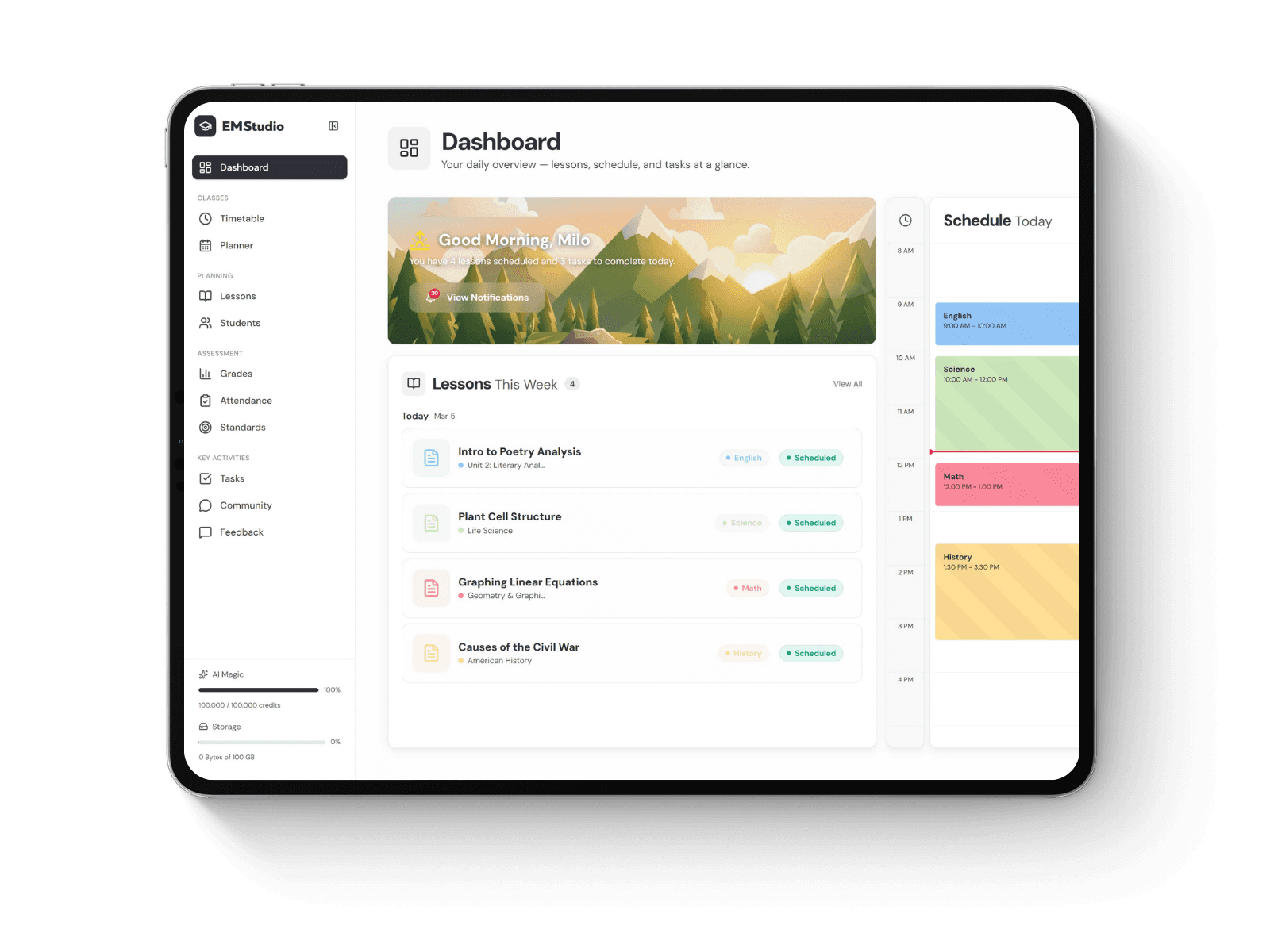
Still grading everything by hand?
EMStudio is a free teaching management app — manage your classes, students, lessons, and more!
Learn More
Table of Contents
What makes a teaching task worth handing off
Not every task gets better when an agent touches it. Before you delegate something, check it against four questions:
Is it repetitive? Reformatting the same lesson template every Sunday, copying standards into each page or rebuilding a weekly checklist are good candidates.
Does it live in Notion already? The agent works best when the material it needs, such as last year's plans, your curriculum map or meeting notes, is already in your workspace.
Can you check the result quickly? A draft lesson plan takes minutes to review. A final grade decision carries consequences that are harder to undo.
Does it avoid sensitive student information? Tasks built on curriculum, schedules and your own notes are safer to hand off than anything involving identifiable student records.
If a task passes all four, it is usually a strong fit for an AI agent. If it fails the last one, check your school's policy first.
Tasks to hand off, and what you still review
Task | What the agent can do in Notion | What you still decide |
Weekly lesson plans | Creates a page for each lesson from your template, with objectives, activities and materials | Pacing, examples and what fits your class |
Unit and curriculum maps | Builds or updates a database of units, standards and dates | Sequence and priorities across the term |
Differentiated materials | Drafts simpler, standard and extension versions of an activity on one page | Whether each version suits your students |
Rubrics | Writes a rubric table from your assignment brief and criteria | The criteria and how you weigh them |
Parent and admin messages | Drafts newsletters or updates from your notes into a page you can edit | Tone, accuracy and when to send |
Meeting notes | Turns rough notes into a summary with action items and owners | Which actions actually matter |
How to connect Claude to Notion
Claude connects to Notion through Notion's official MCP server, the open standard that lets AI apps use outside tools. The Notion connector for Claude appears in Claude's connector directory, and setup takes a few steps:

Illustration: how Claude or ChatGPT reaches Notion and invideo editor through MCP.
In Claude on the web or desktop, open the connectors settings and find Notion in the directory.
Select it and sign in to your Notion account.
Approve access to the workspace you want Claude to use.
Start a new chat and ask Claude to find a page you know exists, to confirm the connection works.
Once connected, Claude can search and fetch pages, create and update pages, move or duplicate them, create and update databases and add comments. That covers almost everything in the table above.

The Notion connector listing in the Claude directory. Source: claude.com
How to connect ChatGPT to Notion
ChatGPT uses the same Notion MCP server. According to Notion's MCP help page, you can connect in two ways:
From Notion: go to Settings, open Notion MCP and choose ChatGPT from the gallery.
From ChatGPT: open its settings, find Notion among the available apps and sign in.
Notion also notes that in ChatGPT you can open Notion pages beside your chat and edit them live, which is useful when you want to watch a lesson plan take shape and adjust it as you go.
Two things apply to both assistants. First, the connection uses your full Notion permissions, so the agent can reach every page you can reach. Second, workspace guests cannot connect, so if your school added you to a shared workspace as a guest, ask the workspace owner for member access or use your own workspace. The Notion developer documentation lists other supported apps and plan-specific limits.
Set up your Notion workspace so the agent can find things
An agent can only work with what it can find. Notion's own guidance says AI apps rely on page titles to understand your structure, so a few minutes of tidying pays off quickly:
Use descriptive titles. "Grade 7 Science, Unit 3: Ecosystems, Lesson Plans" works far better than "Untitled" or "Week 4".
Keep one lesson template. Store a page called "Lesson Plan Template" with your standard sections, so you can tell the agent to copy it.
Use a database for units. A table with columns for unit, standards, start date and status gives the agent a clear place to read and write.
Separate planning from student records. Keep curriculum work in its own teamspace or page tree, away from anything with student names or grades.
Five tasks teachers can hand off today
1. Draft a full week of lesson plans
Point the agent at your template and your unit page, then describe the week. A clear request includes the target, the change you want and what should stay the same:
Find my "Lesson Plan Template" and the "Unit 3: Ecosystems" page. Create five lesson plan pages for next week under Unit 3, one per day, covering food webs, energy pyramids and a lab on decomposers. Use the template's sections exactly. Leave the "Reflection" section empty for me.
The agent creates the pages in your workspace, so you can edit them directly in Notion afterward. You keep control of the parts that depend on knowing your students.
2. Build and maintain a curriculum map
Ask the agent to create a database of units with standards, dates and status, then update it as the term moves. When a unit runs long, one instruction such as "Push Unit 4 back one week and shift the later units to match" saves you from editing a dozen rows by hand.
3. Create differentiated versions of an activity
Give the agent one activity and ask for three versions on the same page: one with more scaffolding, one at grade level and one extension task. Because the versions sit side by side, it is easy to compare them and adjust the wording before class.
4. Turn meeting notes into action items
Department and grade-level meetings often leave messy notes behind. For notes that contain no student details, the agent can summarize the discussion, list decisions and create a task list with owners and due dates. For meetings that involve specific students, follow your school's rules on where those notes can go.
5. Draft parent newsletters and updates
Ask the agent to read your weekly plan and draft a short newsletter page covering what the class is learning, upcoming dates and how families can help at home. You review the tone and facts, then send it through your school's usual channel.
What to keep in your own hands
An agent with access to your workspace is powerful, which is exactly why some decisions should stay with you.
Final grades and feedback on individual students. AI can help you draft rubric language, but judgments about a specific student's work belong to you.
Anything covered by student privacy rules. In the U.S., FERPA governs how education records are shared. Check whether your district has approved Claude, ChatGPT or Notion for student data before connecting any workspace that holds it.
Messages that go out under your name. Let the agent draft, then read every message before it reaches families or colleagues.
Deletions and large reorganizations. Ask the agent to describe what it plans to move or change before it acts on many pages at once.
Extend the same setup to lesson videos
The connection behind this workflow is MCP, and Notion is not the only tool that supports it. Many teachers also record lesson walkthroughs, flipped classroom videos or short review clips, and editing them can take longer than planning the lesson itself.
Invideo remote agents let Claude or ChatGPT connect to invideo editor over MCP in the same way they connect to Notion. You sign in with an invideo account, with no API key required, and the assistant edits the same professional timeline you see, under its own cursor. It can make cuts, place clips, add titles, captions and transitions, mix audio and reframe a cut to 9:16 for short-form platforms. You can watch the edits happen, take over at any frame or restore an earlier checkpoint.

The invideo remote agents page, with connection options for ChatGPT, Claude, Claude Code and Codex. Source: invideo.io
In practice, that means a teacher could ask: "Cut my recorded Unit 3 lesson into five short review clips, one per lesson topic, add captions and keep my explanations complete." The result stays editable, so you can trim a clip or change a caption yourself. Ordinary editing through MCP does not use invideo editing credits, though the assistant's own plan limits apply, and generating new images, video or audio does use invideo credits. When you finish, you can export a video or an editable project for Premiere Pro, Final Cut Pro or DaVinci Resolve.

invideo editor workspace with source viewers, a media library and a multitrack timeline. Source: invideo
Key takeaways
Connecting Claude or ChatGPT to Notion through MCP lets the assistant search, create and update your pages and databases directly.
The best tasks to hand off are repetitive, already live in Notion, are quick to review and avoid sensitive student data.
Lesson plans, curriculum maps, differentiated activities, meeting summaries and parent updates are strong first tasks.
The agent uses your full Notion permissions, so keep student records separate and follow your district's privacy rules.
The same MCP approach extends to video: invideo remote agents let your assistant edit recorded lessons on an editable timeline.
FAQs
Do I need a paid Notion plan to connect Claude or ChatGPT?
Notion's help page does not list a paid plan requirement for basic MCP access. Some features, such as searching connected sources like Google Drive and higher rate limits, depend on Business or Enterprise plans. Your Claude or ChatGPT plan also determines how much you can use the assistant.
Can the AI agent see all of my Notion pages?
Yes. Notion MCP uses your full Notion permissions, so the agent can access anything you can access. It does not bypass existing permissions, but it also does not limit itself to one page unless you organize your workspace that way.
Is it safe to use with student information?
It depends on your school's policies and agreements. Check whether your district has approved these tools for student records before connecting a workspace that contains them. Keeping planning and student records in separate places is a simple safeguard.
Which is better for teachers, Claude or ChatGPT?
Both connect through the same Notion MCP server and can handle the tasks in this guide. Choose the one your school supports or the one you already use. ChatGPT's live side-by-side page editing suits people who like to watch changes, while Claude's connector exposes a broad set of page and database actions.
Will the agent change pages without asking me?
It acts on your instructions, so be specific about where to write and what to leave alone. For larger changes, ask it to list its planned edits first. Notion also keeps page history, with the length of history depending on your plan, so you can review and restore earlier versions.
Can I use the same assistant to edit my lesson videos?
Yes. With invideo remote agents, Claude or ChatGPT can connect to invideo editor and edit recorded lessons on an editable timeline, while you keep full manual control over every cut.
Conclusion
Connecting Claude or ChatGPT to Notion turns your assistant from a chat window into an agent that can work inside your planning system. Start with one repetitive task, such as next week's lesson plans, organize the pages it needs and review everything it produces. Once that feels routine, add curriculum maps, differentiated materials and newsletters, and keep student data and final judgments in your own hands. Which planning task would you hand off first?
Metadata and notes (not part of the article)
Meta title: Connect Claude or ChatGPT to Notion: A Teacher's Guide
Meta description: Learn how to connect Claude or ChatGPT to Notion, which teaching tasks to hand off to an AI agent, and which to keep, with privacy tips for schools.
Suggested slug: connect-claude-chatgpt-notion-teachers
Anchor and LP: "Invideo remote agents" linked to https://invideo.io/remote-agents/ (section: Extend the same setup to lesson videos)
What makes a teaching task worth handing off
Not every task gets better when an agent touches it. Before you delegate something, check it against four questions:
Is it repetitive? Reformatting the same lesson template every Sunday, copying standards into each page or rebuilding a weekly checklist are good candidates.
Does it live in Notion already? The agent works best when the material it needs, such as last year's plans, your curriculum map or meeting notes, is already in your workspace.
Can you check the result quickly? A draft lesson plan takes minutes to review. A final grade decision carries consequences that are harder to undo.
Does it avoid sensitive student information? Tasks built on curriculum, schedules and your own notes are safer to hand off than anything involving identifiable student records.
If a task passes all four, it is usually a strong fit for an AI agent. If it fails the last one, check your school's policy first.
Tasks to hand off, and what you still review
Task | What the agent can do in Notion | What you still decide |
Weekly lesson plans | Creates a page for each lesson from your template, with objectives, activities and materials | Pacing, examples and what fits your class |
Unit and curriculum maps | Builds or updates a database of units, standards and dates | Sequence and priorities across the term |
Differentiated materials | Drafts simpler, standard and extension versions of an activity on one page | Whether each version suits your students |
Rubrics | Writes a rubric table from your assignment brief and criteria | The criteria and how you weigh them |
Parent and admin messages | Drafts newsletters or updates from your notes into a page you can edit | Tone, accuracy and when to send |
Meeting notes | Turns rough notes into a summary with action items and owners | Which actions actually matter |
How to connect Claude to Notion
Claude connects to Notion through Notion's official MCP server, the open standard that lets AI apps use outside tools. The Notion connector for Claude appears in Claude's connector directory, and setup takes a few steps:
Illustration: how Claude or ChatGPT reaches Notion and invideo editor through MCP.
In Claude on the web or desktop, open the connectors settings and find Notion in the directory.
Select it and sign in to your Notion account.
Approve access to the workspace you want Claude to use.
Start a new chat and ask Claude to find a page you know exists, to confirm the connection works.
Once connected, Claude can search and fetch pages, create and update pages, move or duplicate them, create and update databases and add comments. That covers almost everything in the table above.
The Notion connector listing in the Claude directory. Source: claude.com
How to connect ChatGPT to Notion
ChatGPT uses the same Notion MCP server. According to Notion's MCP help page, you can connect in two ways:
From Notion: go to Settings, open Notion MCP and choose ChatGPT from the gallery.
From ChatGPT: open its settings, find Notion among the available apps and sign in.
Notion also notes that in ChatGPT you can open Notion pages beside your chat and edit them live, which is useful when you want to watch a lesson plan take shape and adjust it as you go.
Two things apply to both assistants. First, the connection uses your full Notion permissions, so the agent can reach every page you can reach. Second, workspace guests cannot connect, so if your school added you to a shared workspace as a guest, ask the workspace owner for member access or use your own workspace. The Notion developer documentation lists other supported apps and plan-specific limits.
Set up your Notion workspace so the agent can find things
An agent can only work with what it can find. Notion's own guidance says AI apps rely on page titles to understand your structure, so a few minutes of tidying pays off quickly:
Use descriptive titles. "Grade 7 Science, Unit 3: Ecosystems, Lesson Plans" works far better than "Untitled" or "Week 4".
Keep one lesson template. Store a page called "Lesson Plan Template" with your standard sections, so you can tell the agent to copy it.
Use a database for units. A table with columns for unit, standards, start date and status gives the agent a clear place to read and write.
Separate planning from student records. Keep curriculum work in its own teamspace or page tree, away from anything with student names or grades.
Five tasks teachers can hand off today
1. Draft a full week of lesson plans
Point the agent at your template and your unit page, then describe the week. A clear request includes the target, the change you want and what should stay the same:
Find my "Lesson Plan Template" and the "Unit 3: Ecosystems" page. Create five lesson plan pages for next week under Unit 3, one per day, covering food webs, energy pyramids and a lab on decomposers. Use the template's sections exactly. Leave the "Reflection" section empty for me.
The agent creates the pages in your workspace, so you can edit them directly in Notion afterward. You keep control of the parts that depend on knowing your students.
2. Build and maintain a curriculum map
Ask the agent to create a database of units with standards, dates and status, then update it as the term moves. When a unit runs long, one instruction such as "Push Unit 4 back one week and shift the later units to match" saves you from editing a dozen rows by hand.
3. Create differentiated versions of an activity
Give the agent one activity and ask for three versions on the same page: one with more scaffolding, one at grade level and one extension task. Because the versions sit side by side, it is easy to compare them and adjust the wording before class.
4. Turn meeting notes into action items
Department and grade-level meetings often leave messy notes behind. For notes that contain no student details, the agent can summarize the discussion, list decisions and create a task list with owners and due dates. For meetings that involve specific students, follow your school's rules on where those notes can go.
5. Draft parent newsletters and updates
Ask the agent to read your weekly plan and draft a short newsletter page covering what the class is learning, upcoming dates and how families can help at home. You review the tone and facts, then send it through your school's usual channel.
What to keep in your own hands
An agent with access to your workspace is powerful, which is exactly why some decisions should stay with you.
Final grades and feedback on individual students. AI can help you draft rubric language, but judgments about a specific student's work belong to you.
Anything covered by student privacy rules. In the U.S., FERPA governs how education records are shared. Check whether your district has approved Claude, ChatGPT or Notion for student data before connecting any workspace that holds it.
Messages that go out under your name. Let the agent draft, then read every message before it reaches families or colleagues.
Deletions and large reorganizations. Ask the agent to describe what it plans to move or change before it acts on many pages at once.
Extend the same setup to lesson videos
The connection behind this workflow is MCP, and Notion is not the only tool that supports it. Many teachers also record lesson walkthroughs, flipped classroom videos or short review clips, and editing them can take longer than planning the lesson itself.
Invideo remote agents let Claude or ChatGPT connect to invideo editor over MCP in the same way they connect to Notion. You sign in with an invideo account, with no API key required, and the assistant edits the same professional timeline you see, under its own cursor. It can make cuts, place clips, add titles, captions and transitions, mix audio and reframe a cut to 9:16 for short-form platforms. You can watch the edits happen, take over at any frame or restore an earlier checkpoint.
The invideo remote agents page, with connection options for ChatGPT, Claude, Claude Code and Codex. Source: invideo.io
In practice, that means a teacher could ask: "Cut my recorded Unit 3 lesson into five short review clips, one per lesson topic, add captions and keep my explanations complete." The result stays editable, so you can trim a clip or change a caption yourself. Ordinary editing through MCP does not use invideo editing credits, though the assistant's own plan limits apply, and generating new images, video or audio does use invideo credits. When you finish, you can export a video or an editable project for Premiere Pro, Final Cut Pro or DaVinci Resolve.
invideo editor workspace with source viewers, a media library and a multitrack timeline. Source: invideo
Key takeaways
Connecting Claude or ChatGPT to Notion through MCP lets the assistant search, create and update your pages and databases directly.
The best tasks to hand off are repetitive, already live in Notion, are quick to review and avoid sensitive student data.
Lesson plans, curriculum maps, differentiated activities, meeting summaries and parent updates are strong first tasks.
The agent uses your full Notion permissions, so keep student records separate and follow your district's privacy rules.
The same MCP approach extends to video: invideo remote agents let your assistant edit recorded lessons on an editable timeline.
FAQs
Do I need a paid Notion plan to connect Claude or ChatGPT?
Notion's help page does not list a paid plan requirement for basic MCP access. Some features, such as searching connected sources like Google Drive and higher rate limits, depend on Business or Enterprise plans. Your Claude or ChatGPT plan also determines how much you can use the assistant.
Can the AI agent see all of my Notion pages?
Yes. Notion MCP uses your full Notion permissions, so the agent can access anything you can access. It does not bypass existing permissions, but it also does not limit itself to one page unless you organize your workspace that way.
Is it safe to use with student information?
It depends on your school's policies and agreements. Check whether your district has approved these tools for student records before connecting a workspace that contains them. Keeping planning and student records in separate places is a simple safeguard.
Which is better for teachers, Claude or ChatGPT?
Both connect through the same Notion MCP server and can handle the tasks in this guide. Choose the one your school supports or the one you already use. ChatGPT's live side-by-side page editing suits people who like to watch changes, while Claude's connector exposes a broad set of page and database actions.
Will the agent change pages without asking me?
It acts on your instructions, so be specific about where to write and what to leave alone. For larger changes, ask it to list its planned edits first. Notion also keeps page history, with the length of history depending on your plan, so you can review and restore earlier versions.
Can I use the same assistant to edit my lesson videos?
Yes. With invideo remote agents, Claude or ChatGPT can connect to invideo editor and edit recorded lessons on an editable timeline, while you keep full manual control over every cut.
Conclusion
Connecting Claude or ChatGPT to Notion turns your assistant from a chat window into an agent that can work inside your planning system. Start with one repetitive task, such as next week's lesson plans, organize the pages it needs and review everything it produces. Once that feels routine, add curriculum maps, differentiated materials and newsletters, and keep student data and final judgments in your own hands. Which planning task would you hand off first?
Metadata and notes (not part of the article)
Meta title: Connect Claude or ChatGPT to Notion: A Teacher's Guide
Meta description: Learn how to connect Claude or ChatGPT to Notion, which teaching tasks to hand off to an AI agent, and which to keep, with privacy tips for schools.
Suggested slug: connect-claude-chatgpt-notion-teachers
Anchor and LP: "Invideo remote agents" linked to https://invideo.io/remote-agents/ (section: Extend the same setup to lesson videos)
Still grading everything by hand?
EMStudio is a free teaching management app — manage your classes, students, lessons, and more!
Learn More
Still grading everything by hand?
EMStudio is a free teaching management app — manage your classes, students, lessons, and more!
Learn More


Notion4Teachers
Notion templates to simplify administrative tasks and enhance your teaching experience.


2026 Notion4Teachers. All Rights Reserved.
Notion4Teachers
Notion templates to simplify administrative tasks and enhance your teaching experience.
2026 Notion4Teachers. All Rights Reserved.
Notion4Teachers
Notion templates to simplify administrative tasks and enhance your teaching experience.
2026 Notion4Teachers. All Rights Reserved.