Teaching Students to Question AI Search Answers: A Practical Media Literacy Unit

If you ask a group of ninth graders where they found an answer, you will get a lot of answers of "Google.If you ask a group of ninth graders where they got an answer, you will hear many answers that include "Google. Wait until someone has decided which site and then they all go silent. A lot of them didn't click anything. They read the AI summary on top of the page, copied the main idea and went on.
It's not surprising that they're not doing it. It is usually near the top of the summary, it sounds like it has confidence and it is generally first on the list. But close isn't research, the problem is. Students do not often inquire about the author of the answer, the pages it referenced or why certain pages were chosen over others.
This is a short unit to be used in teaching that habit. 3-4 class periods (can be integrated into upper middle school, high school, and fits into English, social studies, business/digital citizenship with little trouble). Some thoughts on how it can be organised in notion, so the following year's version will be half as ready.
Still grading everything by hand?
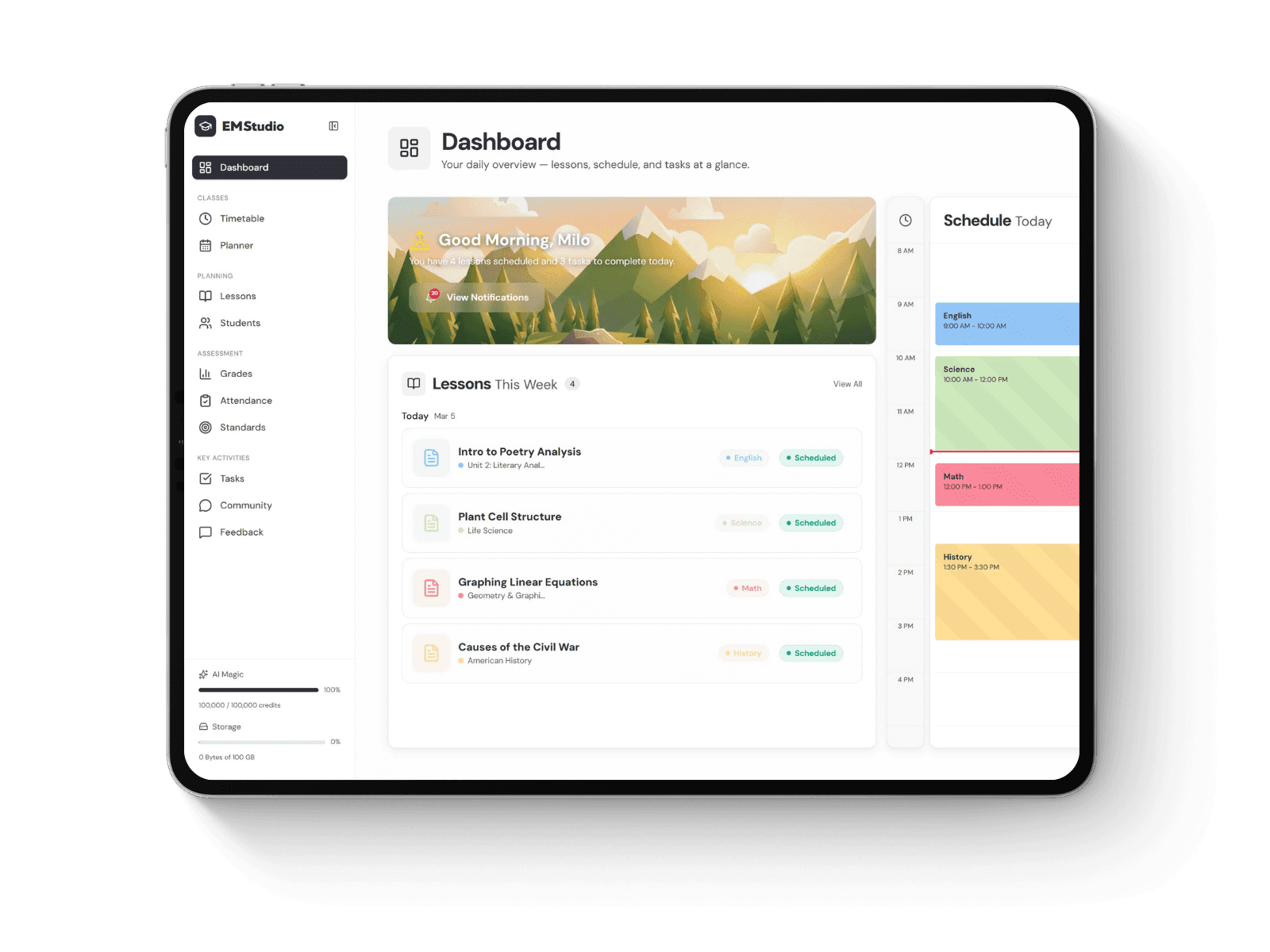
EMStudio is a free teaching management app — manage your classes, students, lessons, and more!
Why it’s worth the class time
In previous media literacy instruction, the emphasis was on websites. Children were instructed to check the source of the information, to check the URL and to compare two or more sources. Those skills are still applicable. AI summarisation is a step in between. Students now see one neat paragraph; not the five pages that it was assembled from.
So the question becomes. It used to be “can I trust this site?” Now, it's more of a “what did this answer miss and what did it get right?” question. This is not something that most students will do without help. They must have a couple of opportunities to do it.
There's a bonus, as well. If students understand the methods behind these answers, they are more likely to become inquiring scientists. They click through more. They are aware of conflicting information from two sources. That's reflected in other units as well.
The short version for teachers
You don’t need to be technical to teach this. A rough picture is plenty.
Google may now show an AI summary above the traditional search results when users type a question.Now when users type a question, Google may show an AI summary above the traditional search results. A collection of web pages are read, a short answer is written and some of the pages are linked. ChatGPT and other AI tools, such as Perplexity, which search online, work in a similar manner.
The overviews appear to be more prevalent in the research-type questions, e.g., the best laptop for students, how do volcanoes form, etc., than in the action-type questions, e.g., buy a laptop. Make that point to your class. Research questions are the same questions that they type for homework.
The sources also aren’t chosen at random. You have well-structured pages, forum threads and reviews that just keep appearing. And it's not just that being mentioned in an AI response is attention, companies are now bidding for mentions. If you search for tips in marketing, you'll find entire articles that mention the best AI SEO tools ecommerce stores use to see which products are being discussed, and adjust their content and customer reviews as a result. No, it's not a dirty trick, but students should be aware that the answer they see on their screen is the result of many people wanting to be there.
Lesson 1: What’s really in the answer?
Start with the "how do you want to learn more?". Provide them with a couple of questions to answer: What are the best cheap headphones, how to train for a 5K, why did a war you are studying start?
Search for them on projector, 2 or 3. Read each AI summary and ask the class to guess the source before revealing the links. The guesses are usually wrong and that's where the fun starts. They expect encyclopedias. They are given Reddit threads, reviewed sites and a company's own blog.
Conclude with some questions. Who is the author of each source? Was there any selling? Any information that wasn't summarized that was revealed when clicking through?
Have students respond to the exit ticket: What did the summary tell you? What have you learned by opening a source?
Lesson 2: The source hunt
Split the students into groups of two and give each group a question. Mix them deliberately. These should be simple facts like the length of the Great Wall of China. Some should be opinionated like the best camera phone. There are some that can be related to what you are teaching now.
Each pair re-writes the summary in their own words, writes a list of all the sources that it linked to and records who is running each source. They then categorize them as "neutral" or "selling something" or "personal opinion" / "user generated. Finally, they locate one claim they were able to substantiate and one they were not.
This is where this lesson really takes off. Students realize that a majority of the answers provided are from reviews and roundup articles, and that some roundup articles are written by the companies being recommended. A kid who knows that he or she can outsmart any lecture on bias you can give.
Lesson 3: Compare the machines
Ask students to repeat their question. This could be two AI tools, or an AI summary with the regular list of search results.
Afterwards, have them compare. Did they both get the same answer? Did the same sources are used? Which one went "deeper" and which one sounded more "sure"? Who was correct if they were not, how did the student determine?
It's a good time to offer a rule of thumb that seems to hold true: The more confident an answer is, the more worth checking it is. Tone of voice is confident. It isn’t proof.
Lesson 4 (optional): Turn it into a project
A mini project can be done at the end of the class for older classes or time permitting. Each student chooses a question about your course, stores the AI response, investigates the sources, checks the summary with two independent sources, and composes a one-page evaluation of the reliability of the AI-generated summary.
Business and marketing classes can come at it from the other side. Students select a category of product, read the AI summary and attempt to deduce why certain brands are included. It may be the reviews, a popular YouTube video or a really comprehensive buying guide? They can then compare what they are seeing with how businesses actually try to be rank in Google AI Overviews and gain first-hand experience of how to become visible online.
Keeping it all organized in Notion
A unit of pairs, worksheets and projects can become a heap of loose tabs in no time. If you run it again next term, you don't need to rebuild anything as it will be stored in Notion.
Make a Unit page in your lesson planner and then make subpages for each lesson. It's here where your search questions, discussion prompts, exit tickets, and quick notes about what went well can reside.
The source hunt is a good database. Create columns for the question, the summary, each source, the source type and if the claims were accurate. Students may complete a common copy or notes may be typed at the end. When complete, compare the responses by source type and you'll have a class-wide overview of the sources that are used to answer an AI question and this will begin a great discussion.
If there is a class manager for assignments, have your project brief and due dates attached to your class manager so that students and parents can see what is coming up next.
One more tip. Have an ongoing ‘question bank' page. Add any research question suggested by the student. By next year you'll have a list ready.
Adjusting for age
Younger students require less motion. Provide them with one question, a printout of the summary, and a brief checklist. Stick with one concept: answers are from somewhere and that's where it matters.
Open questions, live comparisons and longer written reflections are appropriate for high schoolers. They also enjoy debating the merits and demerits of AI summaries in general. Let them. It's a discussion to be had.
Regardless of age group, before students can use these tools independently, review your school's AI policy. If access is restricted, you can play all lessons from screenshots you've taken in advance.
How to assess it
There isn't much to be gained from the following multiple choice quiz. You are teaching a habit in this instance, and grade the habit. You want students who can locate the source of an answer if not prompted, can differentiate between information and information that is selling them something, will find the source for at least one of the answers, and can explain why an answer might be incomplete. The rubric is easily marked and gives students clear targets based on those behaviors.
Final thoughts
AI search is not a thing of the past and preventing it from being used in research is not forever. It's more beneficial for students to learn to look under the answer in the long run. Knowing it has been successful when a student asks “wait, where did this come from?” on their own, perhaps in another class, weeks after the unit has ended.
Still grading everything by hand?
EMStudio is a free teaching management app — manage your classes, students, lessons, and more!