
10 Ways to Use AI in Classroom: Tools, Tips & Best Practices
10 Ways to Use AI in Classroom: Tools, Tips & Best Practices

Article by
Milo
ESL Content Coordinator & Educator
ESL Content Coordinator & Educator
All Posts
Teacher AI adoption jumped from 32% in 2024 to 61% in 2025. That's nearly double, in a single year. If you're a teacher who hasn't tried it yet, you're now in the minority. And if you have tried it, you're probably still figuring out what actually works in the classroom versus what just sounds good on paper.
The question has shifted. It's no longer "should I use AI?" It's "how do I use it without losing what makes my teaching mine?" Because the truth is, no tool replaces the relationships, the instincts, or the judgment you bring to your classroom every single day.
Here’s a practical list of 10 ways to use AI in classroom right now, with honest tips on how to get started without it becoming one more thing on your already-full plate.
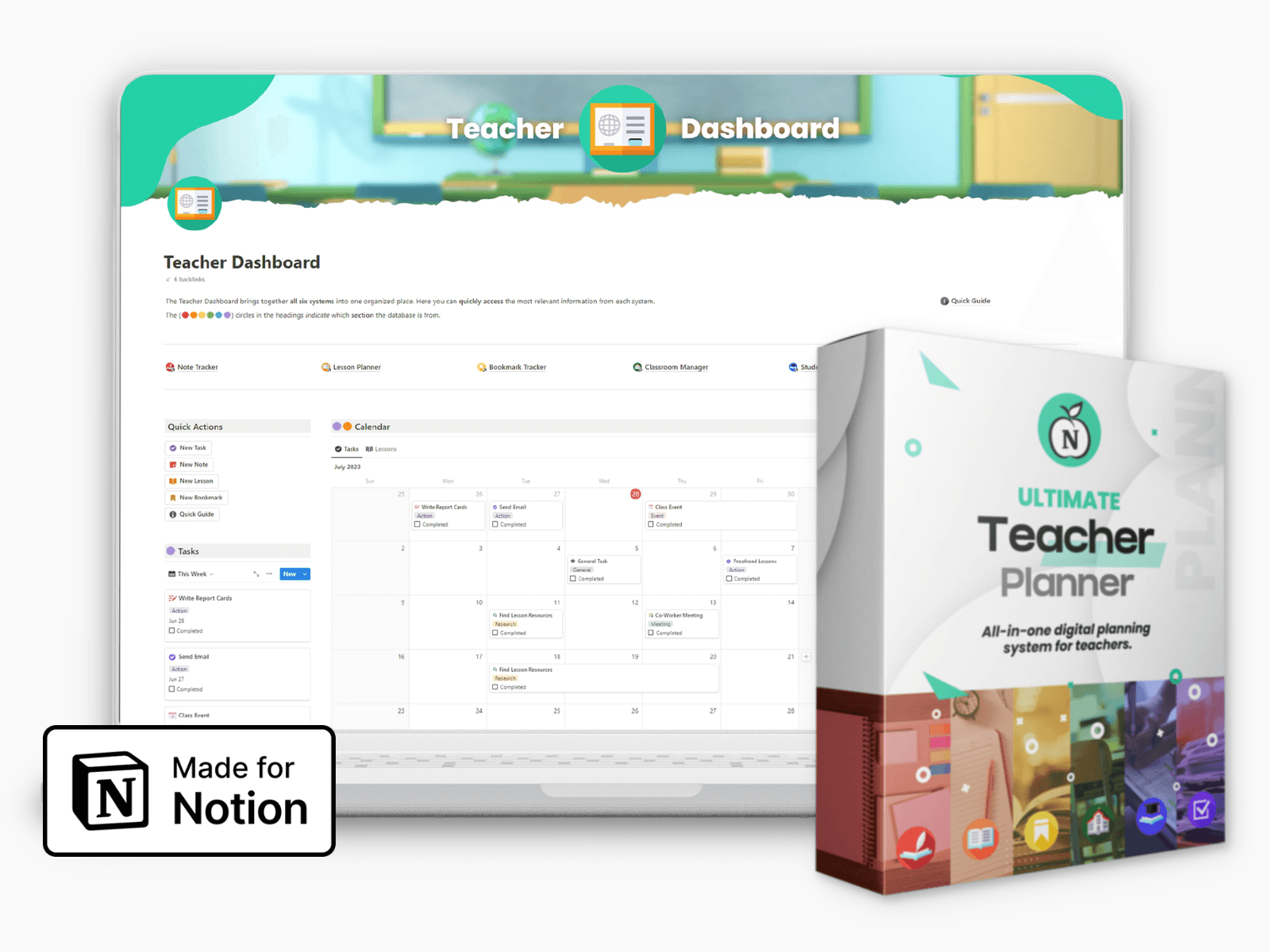
Ultimate Teacher Planner
The ultimate all-in-one education management system in Notion.
Learn More
Ultimate Teacher Planner
The ultimate all-in-one education management system in Notion.
Learn More
Table of Contents
What Does AI in the Classroom Actually Mean?
AI in the classroom is a set of tools that help teachers handle everyday tasks faster. Some help you plan lessons. Some help students practice at their own pace. Others help you spot learning gaps early or draft a parent email in half the time.
The AI in education market was valued at $5.88 billion in 2024 and is projected to reach $32.27 billion by 2030, which tells you how fast this space is moving.
It is also not a shortcut for students to skip thinking or a grading machine that replaces your judgment. The teacher still decides what gets taught, how it gets taught, and what feedback actually means. AI just handles some of the repetitive work so you can focus on the stuff that only you can do.
10 Ways to Use AI in the Classroom
There is no single right way to bring AI into your teaching. The tools below cover everything from lesson planning and personalized learning to assessment and communication. Each one is practical, tested in real classrooms, and easy to start using without a tech background.
1. Plan Lessons Faster Without Starting From Scratch
One of the biggest time drains in teaching is building lessons from a blank page. Tools like MagicSchool AI, which offers 80+ planning tools with a free tier and a paid plan starting at $12.99/month, and Brisk Teaching, a free Chrome extension that works directly inside Google Docs, let you generate full lesson plans aligned to state standards in minutes.
Teachers who use AI strategically save 8 to 12 hours per week overall, with lesson planning alone accounting for 3 to 4 of those hours.
What you input: Your grade level, subject, learning objective, and how long the lesson needs to run.
What AI outputs: A full plan structure, suggested activities, and differentiation notes for different learner levels.
What you should always do: Read through everything it generates. Adjust for your students, your classroom culture, and anything the AI could not know about your context.
2. Personalize Learning for Every Student
No two students learn at the same pace. But with 25 to 30 kids in a room, matching instruction to each one is nearly impossible to do manually. That is where adaptive learning tools come in. Platforms like Khan Academy's Khanmigo and DreamBox analyze how each student performs and automatically adjust the difficulty, pacing, and format of what they see next.
Here is a practical example. If a student struggles with fractions on a quiz, an adaptive system flags it and serves targeted practice problems the same day. You do not have to wait until the next assessment cycle to catch the gap. The system catches it immediately and responds in real time, while you focus on the rest of the class.
That kind of targeted support matters. Personalized instruction data is what 35% of teachers say they want most from any AI tool, according to the New Schools Venture Fund 2024 survey. And students benefit too. Those using AI tools reported a 34% increase in active learning time, meaning more time actually engaged with the material rather than waiting, guessing, or sitting through content they already know.
3. Cut Down Administrative Work That Eats Teaching Time
Teachers lose hours every week to tasks that have nothing to do with actual teaching. AI can take most of that off your plate.
Draft parent emails and newsletters in seconds. MagicSchool AI's communication module can do this for you. Teachers who use it regularly save roughly 1.5 hours per week just on family communication alone.
Generate substitute lesson plans. Feed AI your existing material and it builds a ready-to-go sub plan. No starting from scratch.
Build rubrics aligned to your standards. Tell the tool the grade level, subject, and standard. It gives you a rubric you can edit and use the same day.
Create differentiation plans and classroom schedules. AI can map out grouping strategies, rotations, and timelines based on what you already have planned.
Write report card comments and PD reflections. Give AI a few bullet points about a student or a professional development session. It turns them into polished, ready-to-submit text. By Fall 2025, 50% of teachers had received at least one AI professional development session, which means more schools are starting to make this kind of training available.
If you are new to using AI for any of these tasks, an AI prompt generator can help you write better inputs to give to AI so the outputs actually match what you need. The difference between a vague prompt and a specific one is usually the difference between usable and useless.
4. Give Students Faster, More Specific Feedback
AI grading tools like Gradescope can save you 4 to 5 hours per week on grading. That means students stop waiting two weeks for feedback and start getting it the same day.
Flag class-wide errors first. AI can spot patterns across all submissions at once. If 18 out of 25 students made the same mistake, you address it in a group lesson instead of writing the same comment 18 times.
Use AI for the first draft of feedback. Let the tool write the initial comments. You review them, cut what does not fit, and add anything personal. It is much faster than starting from a blank page every time.
Try Brisk Teaching inside Google Docs. It gives written feedback directly on student drafts without pulling you out of your normal workflow. Students see comments in the same document they are already working in.
You still make the final call. AI flags patterns and suggests feedback, but the grade is yours. Context matters, and the tool does not know that a student went through something hard this week.
5. Spark Student Creativity and Writing
Getting students to write something they actually care about starts with giving them something worth responding to. AI tools make that easier by helping teachers build creative assignments that feel specific and relevant instead of recycled.
For example, an AI story generator can create narrative prompts and story scenarios matched to your current unit and grade level. An AI poem generator can do the same for poetry, giving students creative constraints like form or theme to work with. Both save you prep time while giving students a stronger starting point.
That kind of structured creativity matters more now because 44% of students already use AI for research. When you guide how they interact with these tools, it stays productive instead of turning into a copy-paste shortcut.
6. Support Students With Disabilities and Learning Differences
Nearly 6 in 10 teachers of students with disabilities use AI to help develop individualized education and accessibility plans. That number tells you something important: AI is not a niche tool here. It is becoming a standard part of how teachers support their most vulnerable students.
Microsoft's AI-powered accessibility suite is one of the more complete options available. It includes text-to-speech, a built-in reading coach, and dictation tools, all inside Microsoft 365. Speech recognition tools also open the door for students with mobility challenges or auditory processing differences to engage with content they would otherwise struggle to access.
For students with dyslexia, AI tools can automatically simplify reading levels on the same text, so the student reads at their level without needing a separate assignment. Students with learning disabilities who use these kinds of tools showed a 29% improvement in reading fluency.
The other thing worth knowing: these tools can be formally written into a student's IEP as assistive technology accommodations. That gives students official, consistent access to the support across all their classes, not just yours.
7. Use AI to Run Smarter Formative Assessments
End-of-unit tests tell you what already happened. Formative assessments tell you what is happening right now. Tools like AssessPrep, Kahoot AI, Formative, and SchoolAI let you check understanding in real time, and act on it before students fall behind. In fact, schools using AI-driven assessments have seen a 62% increase in test scores tied directly to catching and closing knowledge gaps early.
Build an exit ticket in under 60 seconds. Feed the tool your lesson topic and it generates a five-question check-in before the bell rings. No prep time required.
Group students by readiness automatically. After a quiz, AI analyzes results and separates students who need reteaching from those ready to move on. You get a clear picture without sorting through every response yourself.
Generate different question formats from one objective. Multiple choice, short answer, scenario-based questions, all from the same learning goal. Useful when you want to reach different types of learners without building three separate assessments.
Let AI shape your next lesson. When the tool flags performance patterns, you are not planning blind. You walk in the next day knowing exactly which concept needs another pass.
8. Teach Students to Use AI Responsibly
89% of students already use AI in their schoolwork. About 1 in 5 of those interactions involve problematic behaviors. Banning AI does not fix that. Teaching students how to use it well does.
The goal is to make AI a thinking partner, not a shortcut. Here is how to do that:
Show students what AI gets wrong. Pull up an AI-generated answer in class and ask students to find the errors. Then have them fix it. This is one of the fastest ways to build real critical thinking skills.
Run a side-by-side comparison exercise. Students write their own answer first. Then they look at what AI produces. Then they write a short reflection on the differences. This gets them thinking, not just copying.
Set clear traffic light rules. Red means no AI allowed. Yellow means AI is okay but must be cited. Green means full AI collaboration is fine. Post it. Keep it simple. Stick to it.
Teach students to cite AI outputs. If they used it, they name it, the same way they would cite a website or book. No exceptions. 73% of students say AI tools help them understand material better, which means the tool has real value when used right.
9. Use AI to Differentiate Content for Mixed-Ability Classrooms
In most classrooms, students are reading at three different grade levels at the same time. Planning three versions of every lesson is not realistic. That is exactly where a tool like Diffit changes things.
You paste in any article, textbook page, or passage. Diffit rewrites it at whatever reading level you choose, from 2nd grade all the way up to 11th grade and beyond, with comprehension questions already built in.
Generate two versions of the same passage in under two minutes. A 5th-grade version and an 8th-grade version of the same text, ready to hand out. No rewriting. No extra planning time.
Create extension tasks for advanced students on the spot. Ask AI to add higher-order thinking questions, a research prompt, or a creative challenge on top of the base material.
Translate materials for English language learners. AI can produce a Spanish, Mandarin, or other language version of your handout faster than any other method available to most teachers.
Generate graphic organizers and simplified instructions. Paste your existing lesson content in and ask for a visual support version. Students who struggle with dense text often respond much better to these.
Students who would otherwise fall behind in a large classroom get content that actually meets them where they are.
10. Build a Classroom Culture That Is Honest About AI
The classrooms where AI works best are the ones where teachers talk about it openly. Set your AI policy on day one. Put it in the syllabus. Model how you use it in front of students. When students see you using AI as a tool and not a crutch, they start to understand what that looks like for their own work.
The traffic light framework from Way 8 is a practical starting point for this. Red, yellow, green. Clear rules communicated early. Students know where the lines are, so there is less guessing and less misuse. Reducing misuse comes down to institutional policies that are clear and communicated directly to students, not vague warnings given once at the start of the year.
AI detection tools are not a reliable safety net either. Research shows they carry high false-positive rates, meaning honest students get flagged. A better approach is redesigning assessments to require personal voice, real-world application, and process-based evidence. An AI cannot write about your student's specific neighborhood, their own opinion formed in a class debate, or the steps they took to reach an answer. Build more of that into your assignments, and the problem shrinks on its own.
Best AI Tools for the Classroom in 2026
These eight tools cover most of what teachers need day to day.
Tool | Best For | Free Tier? |
MagicSchool AI | Lesson planning, rubrics, parent emails | Yes (limited) |
Brisk Teaching | In-doc feedback, lesson support | Yes |
Diffit | Reading level differentiation | Yes |
Khanmigo | Personalized student tutoring | Paid (via Khan Academy) |
Gradescope | Grading and feedback at scale | Yes (limited) |
SchoolAI | Student chatbots, assessments | Yes (limited) |
Canva for Education | Visual presentations, classroom materials | Yes (free for educators) |
Microsoft Reading Coach | Reading fluency for all learners | Yes (via Microsoft 365) |
Common Mistakes to Avoid When Using AI in the Classroom
AI tools save time, but a few missteps can create bigger problems than the ones you were trying to solve.
Using AI-generated lesson plans without reviewing them first. They can include inaccurate information or miss important cultural context for your students.
Letting students use AI without any structure or accountability. Without clear expectations, it quickly becomes a shortcut rather than a learning tool.
Trusting AI detection tools as hard proof of cheating. Research shows these tools produce false positives and have flagged honest student work.
Picking tools without checking if they are FERPA-compliant. Some tools send student data to third parties or use it to train commercial models, which puts your school at risk.
Assuming every student can access AI tools at home. Not all students have reliable devices or internet, and building assignments around AI access widens the equity gap.
Using AI yourself without explaining how or why to your students. That missed moment is one of the best lessons you could teach them about thinking critically in an AI-driven world.
Getting Started
You do not need to overhaul your whole classroom. Pick one problem that costs you the most time each week, find one tool from this list that addresses it, and try it for two weeks. That is a more honest path than downloading five apps and abandoning all of them by Friday.
At the end of the day, AI is just a tool. It does not know your students. It does not know who had a rough morning, who needs a confidence boost, or who lights up when you connect a lesson to something they care about. That part is still yours. AI just gives you more time to focus on it.
What Does AI in the Classroom Actually Mean?
AI in the classroom is a set of tools that help teachers handle everyday tasks faster. Some help you plan lessons. Some help students practice at their own pace. Others help you spot learning gaps early or draft a parent email in half the time.
The AI in education market was valued at $5.88 billion in 2024 and is projected to reach $32.27 billion by 2030, which tells you how fast this space is moving.
It is also not a shortcut for students to skip thinking or a grading machine that replaces your judgment. The teacher still decides what gets taught, how it gets taught, and what feedback actually means. AI just handles some of the repetitive work so you can focus on the stuff that only you can do.
10 Ways to Use AI in the Classroom
There is no single right way to bring AI into your teaching. The tools below cover everything from lesson planning and personalized learning to assessment and communication. Each one is practical, tested in real classrooms, and easy to start using without a tech background.
1. Plan Lessons Faster Without Starting From Scratch
One of the biggest time drains in teaching is building lessons from a blank page. Tools like MagicSchool AI, which offers 80+ planning tools with a free tier and a paid plan starting at $12.99/month, and Brisk Teaching, a free Chrome extension that works directly inside Google Docs, let you generate full lesson plans aligned to state standards in minutes.
Teachers who use AI strategically save 8 to 12 hours per week overall, with lesson planning alone accounting for 3 to 4 of those hours.
What you input: Your grade level, subject, learning objective, and how long the lesson needs to run.
What AI outputs: A full plan structure, suggested activities, and differentiation notes for different learner levels.
What you should always do: Read through everything it generates. Adjust for your students, your classroom culture, and anything the AI could not know about your context.
2. Personalize Learning for Every Student
No two students learn at the same pace. But with 25 to 30 kids in a room, matching instruction to each one is nearly impossible to do manually. That is where adaptive learning tools come in. Platforms like Khan Academy's Khanmigo and DreamBox analyze how each student performs and automatically adjust the difficulty, pacing, and format of what they see next.
Here is a practical example. If a student struggles with fractions on a quiz, an adaptive system flags it and serves targeted practice problems the same day. You do not have to wait until the next assessment cycle to catch the gap. The system catches it immediately and responds in real time, while you focus on the rest of the class.
That kind of targeted support matters. Personalized instruction data is what 35% of teachers say they want most from any AI tool, according to the New Schools Venture Fund 2024 survey. And students benefit too. Those using AI tools reported a 34% increase in active learning time, meaning more time actually engaged with the material rather than waiting, guessing, or sitting through content they already know.
3. Cut Down Administrative Work That Eats Teaching Time
Teachers lose hours every week to tasks that have nothing to do with actual teaching. AI can take most of that off your plate.
Draft parent emails and newsletters in seconds. MagicSchool AI's communication module can do this for you. Teachers who use it regularly save roughly 1.5 hours per week just on family communication alone.
Generate substitute lesson plans. Feed AI your existing material and it builds a ready-to-go sub plan. No starting from scratch.
Build rubrics aligned to your standards. Tell the tool the grade level, subject, and standard. It gives you a rubric you can edit and use the same day.
Create differentiation plans and classroom schedules. AI can map out grouping strategies, rotations, and timelines based on what you already have planned.
Write report card comments and PD reflections. Give AI a few bullet points about a student or a professional development session. It turns them into polished, ready-to-submit text. By Fall 2025, 50% of teachers had received at least one AI professional development session, which means more schools are starting to make this kind of training available.
If you are new to using AI for any of these tasks, an AI prompt generator can help you write better inputs to give to AI so the outputs actually match what you need. The difference between a vague prompt and a specific one is usually the difference between usable and useless.
4. Give Students Faster, More Specific Feedback
AI grading tools like Gradescope can save you 4 to 5 hours per week on grading. That means students stop waiting two weeks for feedback and start getting it the same day.
Flag class-wide errors first. AI can spot patterns across all submissions at once. If 18 out of 25 students made the same mistake, you address it in a group lesson instead of writing the same comment 18 times.
Use AI for the first draft of feedback. Let the tool write the initial comments. You review them, cut what does not fit, and add anything personal. It is much faster than starting from a blank page every time.
Try Brisk Teaching inside Google Docs. It gives written feedback directly on student drafts without pulling you out of your normal workflow. Students see comments in the same document they are already working in.
You still make the final call. AI flags patterns and suggests feedback, but the grade is yours. Context matters, and the tool does not know that a student went through something hard this week.
5. Spark Student Creativity and Writing
Getting students to write something they actually care about starts with giving them something worth responding to. AI tools make that easier by helping teachers build creative assignments that feel specific and relevant instead of recycled.
For example, an AI story generator can create narrative prompts and story scenarios matched to your current unit and grade level. An AI poem generator can do the same for poetry, giving students creative constraints like form or theme to work with. Both save you prep time while giving students a stronger starting point.
That kind of structured creativity matters more now because 44% of students already use AI for research. When you guide how they interact with these tools, it stays productive instead of turning into a copy-paste shortcut.
6. Support Students With Disabilities and Learning Differences
Nearly 6 in 10 teachers of students with disabilities use AI to help develop individualized education and accessibility plans. That number tells you something important: AI is not a niche tool here. It is becoming a standard part of how teachers support their most vulnerable students.
Microsoft's AI-powered accessibility suite is one of the more complete options available. It includes text-to-speech, a built-in reading coach, and dictation tools, all inside Microsoft 365. Speech recognition tools also open the door for students with mobility challenges or auditory processing differences to engage with content they would otherwise struggle to access.
For students with dyslexia, AI tools can automatically simplify reading levels on the same text, so the student reads at their level without needing a separate assignment. Students with learning disabilities who use these kinds of tools showed a 29% improvement in reading fluency.
The other thing worth knowing: these tools can be formally written into a student's IEP as assistive technology accommodations. That gives students official, consistent access to the support across all their classes, not just yours.
7. Use AI to Run Smarter Formative Assessments
End-of-unit tests tell you what already happened. Formative assessments tell you what is happening right now. Tools like AssessPrep, Kahoot AI, Formative, and SchoolAI let you check understanding in real time, and act on it before students fall behind. In fact, schools using AI-driven assessments have seen a 62% increase in test scores tied directly to catching and closing knowledge gaps early.
Build an exit ticket in under 60 seconds. Feed the tool your lesson topic and it generates a five-question check-in before the bell rings. No prep time required.
Group students by readiness automatically. After a quiz, AI analyzes results and separates students who need reteaching from those ready to move on. You get a clear picture without sorting through every response yourself.
Generate different question formats from one objective. Multiple choice, short answer, scenario-based questions, all from the same learning goal. Useful when you want to reach different types of learners without building three separate assessments.
Let AI shape your next lesson. When the tool flags performance patterns, you are not planning blind. You walk in the next day knowing exactly which concept needs another pass.
8. Teach Students to Use AI Responsibly
89% of students already use AI in their schoolwork. About 1 in 5 of those interactions involve problematic behaviors. Banning AI does not fix that. Teaching students how to use it well does.
The goal is to make AI a thinking partner, not a shortcut. Here is how to do that:
Show students what AI gets wrong. Pull up an AI-generated answer in class and ask students to find the errors. Then have them fix it. This is one of the fastest ways to build real critical thinking skills.
Run a side-by-side comparison exercise. Students write their own answer first. Then they look at what AI produces. Then they write a short reflection on the differences. This gets them thinking, not just copying.
Set clear traffic light rules. Red means no AI allowed. Yellow means AI is okay but must be cited. Green means full AI collaboration is fine. Post it. Keep it simple. Stick to it.
Teach students to cite AI outputs. If they used it, they name it, the same way they would cite a website or book. No exceptions. 73% of students say AI tools help them understand material better, which means the tool has real value when used right.
9. Use AI to Differentiate Content for Mixed-Ability Classrooms
In most classrooms, students are reading at three different grade levels at the same time. Planning three versions of every lesson is not realistic. That is exactly where a tool like Diffit changes things.
You paste in any article, textbook page, or passage. Diffit rewrites it at whatever reading level you choose, from 2nd grade all the way up to 11th grade and beyond, with comprehension questions already built in.
Generate two versions of the same passage in under two minutes. A 5th-grade version and an 8th-grade version of the same text, ready to hand out. No rewriting. No extra planning time.
Create extension tasks for advanced students on the spot. Ask AI to add higher-order thinking questions, a research prompt, or a creative challenge on top of the base material.
Translate materials for English language learners. AI can produce a Spanish, Mandarin, or other language version of your handout faster than any other method available to most teachers.
Generate graphic organizers and simplified instructions. Paste your existing lesson content in and ask for a visual support version. Students who struggle with dense text often respond much better to these.
Students who would otherwise fall behind in a large classroom get content that actually meets them where they are.
10. Build a Classroom Culture That Is Honest About AI
The classrooms where AI works best are the ones where teachers talk about it openly. Set your AI policy on day one. Put it in the syllabus. Model how you use it in front of students. When students see you using AI as a tool and not a crutch, they start to understand what that looks like for their own work.
The traffic light framework from Way 8 is a practical starting point for this. Red, yellow, green. Clear rules communicated early. Students know where the lines are, so there is less guessing and less misuse. Reducing misuse comes down to institutional policies that are clear and communicated directly to students, not vague warnings given once at the start of the year.
AI detection tools are not a reliable safety net either. Research shows they carry high false-positive rates, meaning honest students get flagged. A better approach is redesigning assessments to require personal voice, real-world application, and process-based evidence. An AI cannot write about your student's specific neighborhood, their own opinion formed in a class debate, or the steps they took to reach an answer. Build more of that into your assignments, and the problem shrinks on its own.
Best AI Tools for the Classroom in 2026
These eight tools cover most of what teachers need day to day.
Tool | Best For | Free Tier? |
MagicSchool AI | Lesson planning, rubrics, parent emails | Yes (limited) |
Brisk Teaching | In-doc feedback, lesson support | Yes |
Diffit | Reading level differentiation | Yes |
Khanmigo | Personalized student tutoring | Paid (via Khan Academy) |
Gradescope | Grading and feedback at scale | Yes (limited) |
SchoolAI | Student chatbots, assessments | Yes (limited) |
Canva for Education | Visual presentations, classroom materials | Yes (free for educators) |
Microsoft Reading Coach | Reading fluency for all learners | Yes (via Microsoft 365) |
Common Mistakes to Avoid When Using AI in the Classroom
AI tools save time, but a few missteps can create bigger problems than the ones you were trying to solve.
Using AI-generated lesson plans without reviewing them first. They can include inaccurate information or miss important cultural context for your students.
Letting students use AI without any structure or accountability. Without clear expectations, it quickly becomes a shortcut rather than a learning tool.
Trusting AI detection tools as hard proof of cheating. Research shows these tools produce false positives and have flagged honest student work.
Picking tools without checking if they are FERPA-compliant. Some tools send student data to third parties or use it to train commercial models, which puts your school at risk.
Assuming every student can access AI tools at home. Not all students have reliable devices or internet, and building assignments around AI access widens the equity gap.
Using AI yourself without explaining how or why to your students. That missed moment is one of the best lessons you could teach them about thinking critically in an AI-driven world.
Getting Started
You do not need to overhaul your whole classroom. Pick one problem that costs you the most time each week, find one tool from this list that addresses it, and try it for two weeks. That is a more honest path than downloading five apps and abandoning all of them by Friday.
At the end of the day, AI is just a tool. It does not know your students. It does not know who had a rough morning, who needs a confidence boost, or who lights up when you connect a lesson to something they care about. That part is still yours. AI just gives you more time to focus on it.
Ultimate Teacher Planner
The ultimate all-in-one education management system in Notion.
Learn More
Ultimate Teacher Planner
The ultimate all-in-one education management system in Notion.
Learn More




Notion4Teachers
Notion templates to simplify administrative tasks and enhance your teaching experience.



2026 Notion4Teachers. All Rights Reserved.
Notion4Teachers
Notion templates to simplify administrative tasks and enhance your teaching experience.
2026 Notion4Teachers. All Rights Reserved.
Notion4Teachers
Notion templates to simplify administrative tasks and enhance your teaching experience.
2026 Notion4Teachers. All Rights Reserved.