
How AI Image Editor Can Improve Classroom Resources
How AI Image Editor Can Improve Classroom Resources

Article by
Milo
ESL Content Coordinator & Educator
ESL Content Coordinator & Educator
All Posts
Still grading everything by hand?
EMStudio is a free teaching management app — manage your classes, students, lessons, and more!
Learn More

Still grading everything by hand?
EMStudio is a free teaching management app — manage your classes, students, lessons, and more!
Learn More
Table of Contents
How AI Image Editor Can Improve Classroom Resources
Creating engaging classroom resources has never been more important. Today's students are surrounded by visual content every day, so worksheets, presentations, posters and learning activities often need to be clear, attractive and easy to understand. Well designed visuals don't just make a classroom look better they help explain complex ideas, maintain students' attention and support different learning styles.
For many teachers, however, preparing these materials takes a significant amount of time. Finding the right images, resizing graphics, removing distracting backgrounds, or updating older teaching resources can quickly become another task on an already busy schedule. While lesson planning remains the priority, editing visual materials often becomes an unexpected part of the job.
This is where an AI Image Editor can make a practical difference. Rather than replacing a teacher's creativity, it helps simplify everyday editing tasks, making it easier to prepare classroom ready resources without spending hours learning professional design software.
Several educational and creative technology platforms now offer AI powered editing tools that support this type of workflow. Higgsfield is one example, providing creators with AI tools designed to simplify visual content production. Used thoughtfully, these tools can help teachers improve existing classroom materials while allowing them to focus more time on planning meaningful learning experiences.
Why High Quality Classroom Visuals Matter
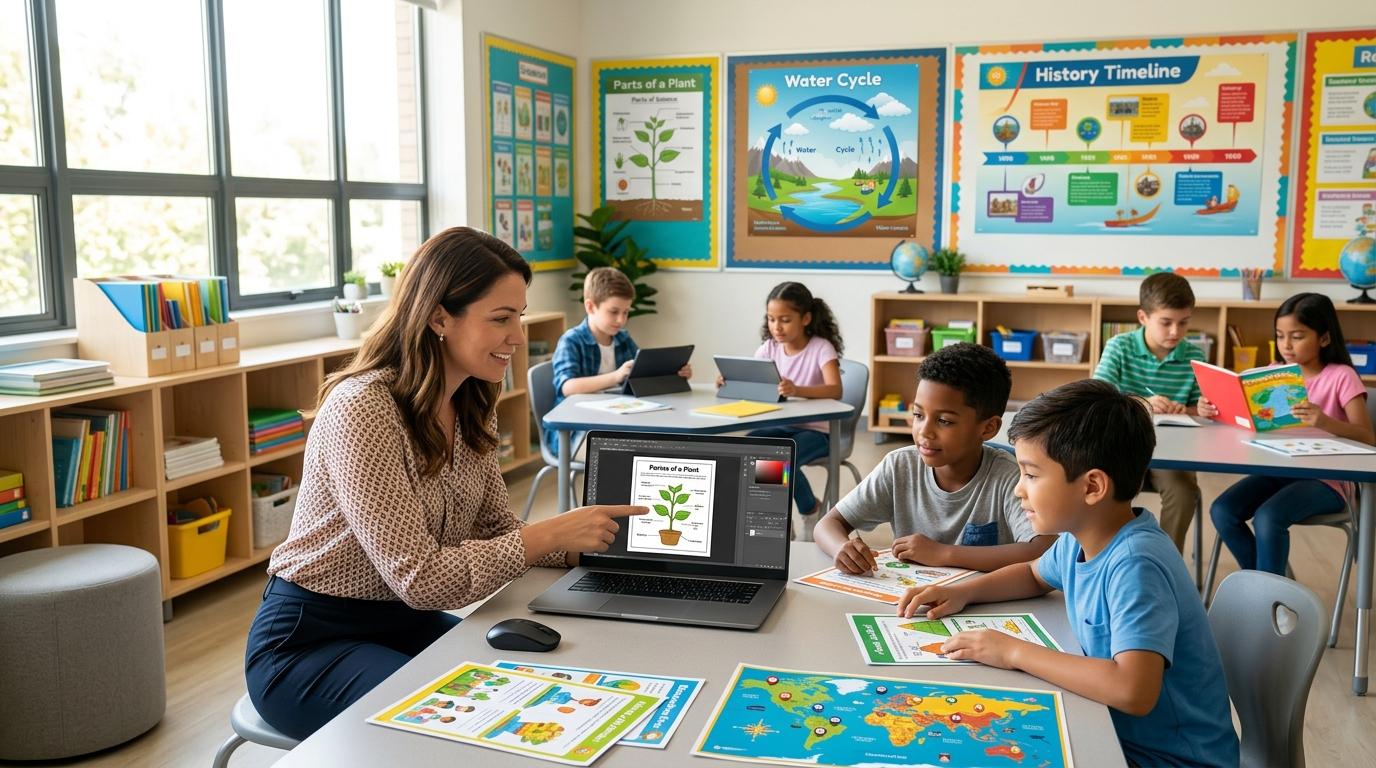
Every classroom includes students who learn in different ways. Some understand new concepts best through discussion, while others respond more quickly when information is presented visually. Images, diagrams, charts and illustrations often help explain ideas that might otherwise require lengthy explanations.
A simple visual can transform an abstract lesson into something students immediately recognise. A labelled science diagram, an illustrated timeline in history, or a colourful vocabulary chart can all improve understanding while making lessons more engaging.
Visual resources also encourage participation. Students are generally more willing to interact with activities that look organised, colourful and easy to follow. Even small improvements, such as clearer icons or cleaner worksheet layouts, can make classroom materials feel more approachable.
High quality visuals are equally valuable outside daily lessons. Teachers regularly create bulletin boards, classroom displays, project instructions, revision guides and digital presentations. Consistent, well designed resources help create an organised learning environment while making information easier for students to access throughout the school year.
Common Challenges Teachers Face When Creating Classroom Resources
Although visual materials play an important role in education, creating them is not always straightforward. Many teachers work with limited preparation time while balancing lesson planning, marking, classroom management, meetings and communication with parents.
One common challenge is finding suitable images. Teachers often discover graphics that almost meet their needs but require small adjustments before they can be used in class. An image may include unnecessary text, distracting backgrounds, poor lighting, or colours that don't fit the rest of the lesson materials. A Background Remover handles the most common of these fixes in one step, lifting a subject cleanly off a busy background so it drops neatly into a worksheet or slide.
Updating older teaching resources presents another challenge. Worksheets created several years ago may still contain useful content, but the visuals can appear outdated or inconsistent with newer classroom materials. Refreshing these resources manually often takes more time than teachers can spare during a busy week.
Teachers also create resources for students with different learning needs. A worksheet suitable for one year group may need larger images, simplified layouts, or clearer visual cues for another. Making these adjustments manually across multiple documents can quickly become repetitive.
Because of these everyday challenges, many educators look for practical ways to improve existing classroom resources without starting from scratch. The goal isn't to create elaborate designs but to prepare clear, engaging materials that support learning while making the best use of limited planning time.
What Is an AI Image Editor?
An AI Image Editor is a tool that helps users modify existing images more efficiently using artificial intelligence. Instead of manually cropping, removing backgrounds, adjusting colours, or cleaning up distractions with advanced editing software, teachers can complete many of these tasks in just a few steps.
Unlike AI image generators, which create entirely new visuals from text prompts, an AI Image Editor focuses on improving images that already exist. This makes it especially useful in education, where teachers often work with worksheets, classroom posters, diagrams, photographs and presentation slides that simply need updating rather than replacing.
For educators, the goal isn't to produce elaborate designs. It's to make classroom materials clearer, more engaging and easier for students to understand while reducing the time spent on repetitive editing tasks.
Practical Ways Teachers Can Use AI Image Editor
Teachers create and update visual resources almost every day. Whether preparing lessons for the week ahead or refreshing classroom displays, small edits often make a noticeable difference to the final result.
An AI Image Editor can support a variety of everyday classroom tasks, including:
Removing distracting backgrounds from educational images.
Cleaning up scanned worksheets before printing.
Improving the quality of older classroom posters.
Resizing visuals for presentations or interactive whiteboards.
Editing science, geography, or history diagrams for greater clarity.
Creating consistent visuals for bulletin boards and classroom displays.
For example, a geography teacher preparing a lesson on ecosystems may already have several useful images collected from previous years. Instead of searching for replacements, they can edit the existing visuals by removing unnecessary elements, improving readability, or highlighting important areas for discussion.
Similarly, an elementary teacher creating vocabulary cards may adjust backgrounds, simplify illustrations, or improve image quality to ensure younger students can easily recognise the concepts being taught.
For activities focused on emotions, storytelling, or facial expressions, creative effects such as a crying filter can also help produce clear visual examples that support discussion and recognition.
These small improvements help create resources that are both visually appealing and easier for students to follow.
Saving Time During Lesson Preparation
Preparing lessons involves much more than delivering instruction. Teachers review curriculum requirements, organise activities, prepare assessments, communicate with parents and respond to the changing needs of their students. Editing classroom materials is only one part of that workload, but it can still consume valuable planning time.
An AI Image Editor helps reduce that workload by simplifying routine editing tasks. Instead of spending twenty or thirty minutes adjusting a worksheet or presentation slide, teachers can make quick improvements and move on to the next priority.
Creative platforms such as Higgsfield also support educators by making everyday image editing more efficient. This doesn't replace thoughtful lesson planning or creative teaching it simply removes some of the repetitive work involved in preparing visual resources.
The time saved can then be invested where it matters most: developing engaging classroom activities, supporting individual students, or refining lesson content. Rather than focusing on technical editing, teachers can concentrate on creating meaningful learning experiences.
Supporting Different Learning Styles with Better Visuals
No two students learn in exactly the same way. While some quickly understand written instructions, others benefit from diagrams, pictures, colour coded information, or step by step visual examples. Using a variety of visual resources allows teachers to explain concepts more clearly and keep students engaged throughout a lesson.
Clear visuals can make learning more accessible for visual learners, younger students, multilingual learners and those who need additional support. Even simple improvements such as removing unnecessary details, improving image quality, or increasing contrast can help students focus on the information that matters most.
Teachers often need to update existing classroom materials instead of creating everything from scratch. An AI Image Editor can simplify this process by helping educators refine worksheets, improve educational graphics and prepare visuals that are easier for students to understand. Small edits can make resources more effective while saving valuable preparation time.
Creative platforms such as Higgsfield also provide AI powered tools that support educators when working with visual content. Rather than replacing a teacher's expertise, these tools help streamline routine editing tasks, giving teachers more time to focus on lesson planning, classroom activities and supporting student learning.
Whether adapting a science diagram for younger learners or improving a classroom poster for better readability, thoughtfully edited visuals help create a more inclusive learning environment. Technology works best when it supports a teacher's creativity, making classroom resources clearer while leaving educational decisions firmly in the hands of the educator.
Using AI Image Editor Responsibly in Education
Any educational technology needs to be used wisely and that is the case for an AI Image Editor. While AI can make editing easier, it cannot replace teachers' critical role in guaranteeing the accuracy, age appropriateness and alignment of classroom resources with learning goals.
It's always good to look through visuals before posting them to students for editing. Labels, diagrams, maps and educational illustrations should be accurate representations of the material being presented. The editing of the content, even if it be a minor one, should rather aid than confuse learning.
Also, it is essential to adhere to copyright and licensing regulations. Teachers must make sure they have permission to edit and re-use photographs, illustrations and educational graphics from outside sources. Pair responsible use of AI with trusted educational resources to ensure quality and credibility in the classroom.
Ultimately, AI should assist teachers not replace their professional judgement. When used wisely, it can be a further practical means of enhancing the quality of the lessons and ensure that all that is learned by the students is at the center of all decisions.
Choosing the Right AI Image Editing Tool
There are now increasing numbers of AI based editing tools available, allowing teachers to have more choices for their classroom resources. The best option may vary according to the extent to which the tool fits into the preparation of the regular lesson and how much experience designing it is needed.
The integration of AI with creative platforms like Higgsfield offers a suite of tools for various users, enabling visual content creation. When creating worksheets, classroom displays, printables and presentations on a regular basis, it can be more efficient to have intuitive editing features for preparing resources.
An AI Image Editor is especially beneficial when working with existing teaching materials, allowing for the enhancement of those resources. Worksheets can be scanned and then cleaned up, enhanced and edited to remove distracting background items, change layout, or create pictorial displays for various activities in the classroom, while giving the teacher all the control of the final product.
The best classroom materials continue to be influenced by a teacher's past and subject matter experiences and knowledge of their students. AI merely streamlines repetitive editing to help educators focus on providing engaging learning.
Conclusion
High quality classroom resources need not be difficult they need to be simple, student centered and interesting. Whether you need to create a worksheet or a presentation, well edited visuals can help make your lesson easy to understand and more fun to follow.
An AI Image Editor empowers teachers to enhance and optimize their previously created resources while saving countless hours from manual editing. When combined with sound instructional design and the knowledge and skill of the teacher, it can be a useful tool that can save valuable time and promote effective learning for each student.
How AI Image Editor Can Improve Classroom Resources
Creating engaging classroom resources has never been more important. Today's students are surrounded by visual content every day, so worksheets, presentations, posters and learning activities often need to be clear, attractive and easy to understand. Well designed visuals don't just make a classroom look better they help explain complex ideas, maintain students' attention and support different learning styles.
For many teachers, however, preparing these materials takes a significant amount of time. Finding the right images, resizing graphics, removing distracting backgrounds, or updating older teaching resources can quickly become another task on an already busy schedule. While lesson planning remains the priority, editing visual materials often becomes an unexpected part of the job.
This is where an AI Image Editor can make a practical difference. Rather than replacing a teacher's creativity, it helps simplify everyday editing tasks, making it easier to prepare classroom ready resources without spending hours learning professional design software.
Several educational and creative technology platforms now offer AI powered editing tools that support this type of workflow. Higgsfield is one example, providing creators with AI tools designed to simplify visual content production. Used thoughtfully, these tools can help teachers improve existing classroom materials while allowing them to focus more time on planning meaningful learning experiences.
Why High Quality Classroom Visuals Matter
Every classroom includes students who learn in different ways. Some understand new concepts best through discussion, while others respond more quickly when information is presented visually. Images, diagrams, charts and illustrations often help explain ideas that might otherwise require lengthy explanations.
A simple visual can transform an abstract lesson into something students immediately recognise. A labelled science diagram, an illustrated timeline in history, or a colourful vocabulary chart can all improve understanding while making lessons more engaging.
Visual resources also encourage participation. Students are generally more willing to interact with activities that look organised, colourful and easy to follow. Even small improvements, such as clearer icons or cleaner worksheet layouts, can make classroom materials feel more approachable.
High quality visuals are equally valuable outside daily lessons. Teachers regularly create bulletin boards, classroom displays, project instructions, revision guides and digital presentations. Consistent, well designed resources help create an organised learning environment while making information easier for students to access throughout the school year.
Common Challenges Teachers Face When Creating Classroom Resources
Although visual materials play an important role in education, creating them is not always straightforward. Many teachers work with limited preparation time while balancing lesson planning, marking, classroom management, meetings and communication with parents.
One common challenge is finding suitable images. Teachers often discover graphics that almost meet their needs but require small adjustments before they can be used in class. An image may include unnecessary text, distracting backgrounds, poor lighting, or colours that don't fit the rest of the lesson materials. A Background Remover handles the most common of these fixes in one step, lifting a subject cleanly off a busy background so it drops neatly into a worksheet or slide.
Updating older teaching resources presents another challenge. Worksheets created several years ago may still contain useful content, but the visuals can appear outdated or inconsistent with newer classroom materials. Refreshing these resources manually often takes more time than teachers can spare during a busy week.
Teachers also create resources for students with different learning needs. A worksheet suitable for one year group may need larger images, simplified layouts, or clearer visual cues for another. Making these adjustments manually across multiple documents can quickly become repetitive.
Because of these everyday challenges, many educators look for practical ways to improve existing classroom resources without starting from scratch. The goal isn't to create elaborate designs but to prepare clear, engaging materials that support learning while making the best use of limited planning time.
What Is an AI Image Editor?
An AI Image Editor is a tool that helps users modify existing images more efficiently using artificial intelligence. Instead of manually cropping, removing backgrounds, adjusting colours, or cleaning up distractions with advanced editing software, teachers can complete many of these tasks in just a few steps.
Unlike AI image generators, which create entirely new visuals from text prompts, an AI Image Editor focuses on improving images that already exist. This makes it especially useful in education, where teachers often work with worksheets, classroom posters, diagrams, photographs and presentation slides that simply need updating rather than replacing.
For educators, the goal isn't to produce elaborate designs. It's to make classroom materials clearer, more engaging and easier for students to understand while reducing the time spent on repetitive editing tasks.
Practical Ways Teachers Can Use AI Image Editor
Teachers create and update visual resources almost every day. Whether preparing lessons for the week ahead or refreshing classroom displays, small edits often make a noticeable difference to the final result.
An AI Image Editor can support a variety of everyday classroom tasks, including:
Removing distracting backgrounds from educational images.
Cleaning up scanned worksheets before printing.
Improving the quality of older classroom posters.
Resizing visuals for presentations or interactive whiteboards.
Editing science, geography, or history diagrams for greater clarity.
Creating consistent visuals for bulletin boards and classroom displays.
For example, a geography teacher preparing a lesson on ecosystems may already have several useful images collected from previous years. Instead of searching for replacements, they can edit the existing visuals by removing unnecessary elements, improving readability, or highlighting important areas for discussion.
Similarly, an elementary teacher creating vocabulary cards may adjust backgrounds, simplify illustrations, or improve image quality to ensure younger students can easily recognise the concepts being taught.
For activities focused on emotions, storytelling, or facial expressions, creative effects such as a crying filter can also help produce clear visual examples that support discussion and recognition.
These small improvements help create resources that are both visually appealing and easier for students to follow.
Saving Time During Lesson Preparation
Preparing lessons involves much more than delivering instruction. Teachers review curriculum requirements, organise activities, prepare assessments, communicate with parents and respond to the changing needs of their students. Editing classroom materials is only one part of that workload, but it can still consume valuable planning time.
An AI Image Editor helps reduce that workload by simplifying routine editing tasks. Instead of spending twenty or thirty minutes adjusting a worksheet or presentation slide, teachers can make quick improvements and move on to the next priority.
Creative platforms such as Higgsfield also support educators by making everyday image editing more efficient. This doesn't replace thoughtful lesson planning or creative teaching it simply removes some of the repetitive work involved in preparing visual resources.
The time saved can then be invested where it matters most: developing engaging classroom activities, supporting individual students, or refining lesson content. Rather than focusing on technical editing, teachers can concentrate on creating meaningful learning experiences.
Supporting Different Learning Styles with Better Visuals
No two students learn in exactly the same way. While some quickly understand written instructions, others benefit from diagrams, pictures, colour coded information, or step by step visual examples. Using a variety of visual resources allows teachers to explain concepts more clearly and keep students engaged throughout a lesson.
Clear visuals can make learning more accessible for visual learners, younger students, multilingual learners and those who need additional support. Even simple improvements such as removing unnecessary details, improving image quality, or increasing contrast can help students focus on the information that matters most.
Teachers often need to update existing classroom materials instead of creating everything from scratch. An AI Image Editor can simplify this process by helping educators refine worksheets, improve educational graphics and prepare visuals that are easier for students to understand. Small edits can make resources more effective while saving valuable preparation time.
Creative platforms such as Higgsfield also provide AI powered tools that support educators when working with visual content. Rather than replacing a teacher's expertise, these tools help streamline routine editing tasks, giving teachers more time to focus on lesson planning, classroom activities and supporting student learning.
Whether adapting a science diagram for younger learners or improving a classroom poster for better readability, thoughtfully edited visuals help create a more inclusive learning environment. Technology works best when it supports a teacher's creativity, making classroom resources clearer while leaving educational decisions firmly in the hands of the educator.
Using AI Image Editor Responsibly in Education
Any educational technology needs to be used wisely and that is the case for an AI Image Editor. While AI can make editing easier, it cannot replace teachers' critical role in guaranteeing the accuracy, age appropriateness and alignment of classroom resources with learning goals.
It's always good to look through visuals before posting them to students for editing. Labels, diagrams, maps and educational illustrations should be accurate representations of the material being presented. The editing of the content, even if it be a minor one, should rather aid than confuse learning.
Also, it is essential to adhere to copyright and licensing regulations. Teachers must make sure they have permission to edit and re-use photographs, illustrations and educational graphics from outside sources. Pair responsible use of AI with trusted educational resources to ensure quality and credibility in the classroom.
Ultimately, AI should assist teachers not replace their professional judgement. When used wisely, it can be a further practical means of enhancing the quality of the lessons and ensure that all that is learned by the students is at the center of all decisions.
Choosing the Right AI Image Editing Tool
There are now increasing numbers of AI based editing tools available, allowing teachers to have more choices for their classroom resources. The best option may vary according to the extent to which the tool fits into the preparation of the regular lesson and how much experience designing it is needed.
The integration of AI with creative platforms like Higgsfield offers a suite of tools for various users, enabling visual content creation. When creating worksheets, classroom displays, printables and presentations on a regular basis, it can be more efficient to have intuitive editing features for preparing resources.
An AI Image Editor is especially beneficial when working with existing teaching materials, allowing for the enhancement of those resources. Worksheets can be scanned and then cleaned up, enhanced and edited to remove distracting background items, change layout, or create pictorial displays for various activities in the classroom, while giving the teacher all the control of the final product.
The best classroom materials continue to be influenced by a teacher's past and subject matter experiences and knowledge of their students. AI merely streamlines repetitive editing to help educators focus on providing engaging learning.
Conclusion
High quality classroom resources need not be difficult they need to be simple, student centered and interesting. Whether you need to create a worksheet or a presentation, well edited visuals can help make your lesson easy to understand and more fun to follow.
An AI Image Editor empowers teachers to enhance and optimize their previously created resources while saving countless hours from manual editing. When combined with sound instructional design and the knowledge and skill of the teacher, it can be a useful tool that can save valuable time and promote effective learning for each student.
Still grading everything by hand?
EMStudio is a free teaching management app — manage your classes, students, lessons, and more!
Learn More
Still grading everything by hand?
EMStudio is a free teaching management app — manage your classes, students, lessons, and more!
Learn More




Notion4Teachers
Notion templates to simplify administrative tasks and enhance your teaching experience.



2026 Notion4Teachers. All Rights Reserved.
Notion4Teachers
Notion templates to simplify administrative tasks and enhance your teaching experience.
2026 Notion4Teachers. All Rights Reserved.
Notion4Teachers
Notion templates to simplify administrative tasks and enhance your teaching experience.
2026 Notion4Teachers. All Rights Reserved.