12 Games Inside the Classroom for Active Learning
12 Games Inside the Classroom for Active Learning

Article by
Milo
ESL Content Coordinator & Educator
ESL Content Coordinator & Educator
All Posts
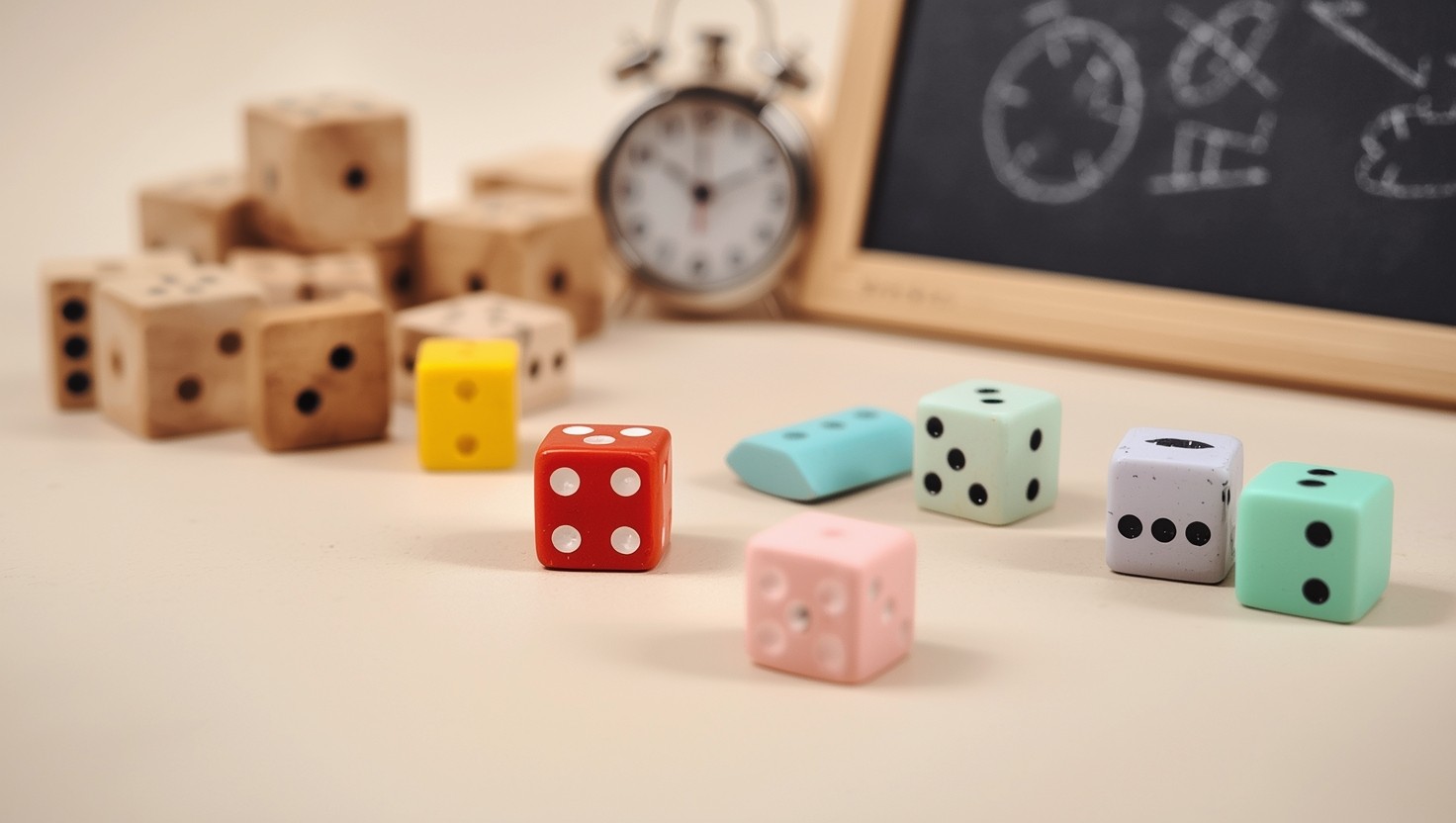
You’ve got twelve minutes until the bell. Half the class checked out ten minutes ago, and the worksheet you planned feels like a brick wall. You need something that wakes them up without turning your room into a playground. That’s exactly where games inside the classroom stop being Friday afternoon filler and start becoming your best tool for retrieval practice and quick formative assessment.
I’ve used game-based learning to review geometry proofs with high schoolers and phonics patterns with third graders alike. The good ones don’t sacrifice content for fun—they use student engagement to drive real learning. Some days you need a two-minute brain break; other days you want a subject-specific activity that hits your standards dead-on. Whether you need cooperative learning to rebuild community after winter break or digital options that load in under thirty seconds, the right active learning strategies turn dead time into deep thinking.
This post breaks down twelve practical options I’ve actually run with real kids. They respect your limited time, your curriculum goals, and your sanity.
Still grading everything by hand?
EMStudio is a free teaching management app — manage your classes, students, lessons, and more!
Learn More

Still grading everything by hand?
EMStudio is a free teaching management app — manage your classes, students, lessons, and more!
Learn More
Table of Contents
What Are the Best Quick Brain Break Games?
The best quick brain break games include Silent Ball with academic rules, Four Corners critical thinking edition, and Zip Zap Zop vocabulary challenges. These 2-5 minute activities require no materials, reset student attention spans, and can be played without leaving the classroom. Neuroscience research indicates attention spans reset after 2-5 minutes of novel physical activity. You don't need a gym or outdoor space. These games inside the classroom require zero setup and zero transition time to outside spaces. They turn dead minutes between lessons into classroom learning games that maintain student engagement without sacrificing content.
Silent Ball with Academic Rules (2-4 minutes, silent noise level, one 8-inch soft foam ball, retrieval practice through curriculum questions, grades 3-8)
Four Corners Critical Thinking Edition (3-5 minutes, moderate noise, lettered signs A-D taped to walls, formative assessment with error analysis, grades K-12)
Zip Zap Zop Vocabulary Challenge (2-3 minutes, low to moderate noise, no materials, active vocabulary retrieval with pattern tracking, grades 6-12)
Avoid Silent Ball immediately after lunch when students need high-energy outlets, not enforced stillness. Skip Four Corners during standardized testing weeks due to hallway noise concerns and roaming administrators. These warnings keep your active learning strategies effective instead of chaotic. Time them right, and you protect instructional momentum rather than kill it.
Silent Ball with Academic Rules
Students stand in a circle. You toss an 8-inch soft foam ball to start. The catcher must answer a curriculum question—maybe a math fact or vocabulary definition—before throwing to someone else. Drop the ball or answer wrong? You sit. Last one standing wins. Gertie balls work best. The rubber tentacles give second graders something to grip, and the silence rule prevents the usual chaos of tossing games.
Use flashcards for the academic twist. The student draws one before throwing. Silent means absolute zero talking; violations result in immediate sit-down. This builds cooperative learning through self-enforcement.
Here's the management tip that saves your voice: seated students become judges. They watch for drops and errors. You stop talking. They monitor. The game-based learning runs itself while you check email or prep the next activity.
Four Corners Critical Thinking Edition
Post lettered signs A-B-C-D in each corner. Project a multiple-choice question. Students walk to the corner matching their answer. It gets them moving and provides instant data on who knows what. The beauty is the adaptability. You can ask kindergarteners about rhyming words or seniors about rhetorical devices using the same physical setup.
The critical thinking layer separates this from pure recreation. After the reveal, ask corner A students to explain why B was wrong before you confirm the correct answer. This adds 90 seconds but doubles retention through error analysis.
You need a 12x12 foot clear area. If your desks sit in fixed rows without wiggle room, skip this or budget two minutes to shift furniture. The physical movement matters more than the answer itself for resetting attention.
Zip Zap Zop Vocabulary Challenge
Students form a standing circle. One person points and says "Zip," passing the energy. The receiver points elsewhere and says "Zap," passing again. The third person says the target vocabulary word instead of "Zop"—like "Photosynthesis" or "Manifest Destiny." If someone breaks the pattern or says the wrong word, they sit. This keeps the pace snappy and prevents the endless meandering that kills transition times.
This demands serious cognitive load. They must maintain eye contact, track the pattern, and retrieve academic vocabulary under time pressure. It works best with 6th through 12th grade vocabulary lists where automaticity matters.
Run a strict three-minute timer. This game escalates energy fast. Follow it with thirty seconds of silent writing to refocus before diving back into instruction. Used correctly, these proven classroom gamification methods turn transition time into retrieval practice.

Which Subject-Specific Games Maximize Learning Time?
Subject-specific games that maximize learning time include Trashketball for math review with mini-whiteboards, vocabulary relay races with dictionary skills, and science mystery box deduction using tactile observation. Each aligns with standards while maintaining 80%+ time-on-task ratios through embedded assessment.
These aren't rewards—they are the instruction. The best games inside the classroom follow the 80/20 rule: students spend 80% of minutes retrieving content, not waiting in line. Hattie's Visible Learning puts active learning strategies at an effect size of 0.59, outperforming worksheets because they force retrieval practice under pressure. This works because academic content is embedded in the mechanics, not front-loaded as lecture. Avoid the common trap where fun trumps learning; these games require demonstration of mastery to participate, not just participation.
Subject Area | Game Name | Setup Time | Duration | Materials Cost | Best Grade Range | Specific Learning Target Alignment |
|---|---|---|---|---|---|---|
Math | Trashketball | 3 minutes | 15-20 minutes | $15-20 | 4th-9th | Multi-digit multiplication fluency |
ELA | Vocabulary Relay Races | 5 minutes | 15 minutes | $10 | 3rd-7th | Dictionary skills and word analysis |
Science | Mystery Box Deduction | 2 minutes | 20 minutes | $5 | 5th-10th | Scientific observation and CER writing |
Trashketball Math Review
This best game for students replaces worksheet monotony with movement. Line a trash can ten feet from a masking tape "free throw line." Students solve problems on individual whiteboards; correct answers earn shot attempts. The mastery gate is strict: no shot without showing work. This connects to the benefits of math challenges for student development through immediate accountability rather than delayed grading.
Setup: Line trash can 10 feet from 'free throw line' (masking tape). Students solve problem on individual whiteboards; correct answers earn shot attempt. Teams track points on visible scoreboard.
Differentiation: Tiered problems—basketball players choose from three difficulty levels (1-pointer, 2-pointer, 3-pointer questions). Ensures struggling learners can contribute.
Materials: Mini whiteboards ($15 set of 30), dry erase markers, soft foam ball, trash can. Setup time: 3 minutes. Best for 4th-9th grade computation review.
Students must demonstrate mastery to earn the reward. Tiered problems let basketball players choose 1-pointer (foundational), 2-pointer (grade level), or 3-pointer (extension) questions. Struggling learners contribute by selecting 1-pointers or verifying teammates' work, ensuring the cooperative learning structure supports everyone.
Vocabulary Relay Races
These knowledge games for students build reference skills under time pressure. Set four desks ten feet apart, each holding a dictionary, thesaurus, or vocabulary list. Teams race through definition lookup, synonym finding, sentence creation, and illustration. Fix the speed-over-learning failure mode by scoring accuracy over speed. Teams lose points for dictionary errors or weak sentences.
Station setup: 4 desks spaced 10 feet apart. Each holds dictionary, thesaurus, or vocabulary list. Teams race to complete definition lookup, synonym finding, sentence creation, and illustration tasks.
Scoring: Accuracy over speed. Teams lose points for dictionary errors. Prevents speed-over-learning failure mode common in competitive races.
Grade fit: 3rd-7th grade. Requires students can independently use reference materials. If not, substitute with 'definition matching' cards instead of open dictionary use.
Students cannot advance to the next station until the previous task is verified correct by the team captain. This formative assessment happens in real time. The vocabulary strategies for language teachers work best when kids can independently use reference materials; otherwise, swap open dictionaries for "definition matching" cards to scaffold the skill.
Science Mystery Box Deduction
Place a mystery object inside a sealed shoebox with a three-inch hand hole. Students ask twenty yes/no questions using scientific process vocabulary. Is it organic? Is it dense? This drives student engagement while teaching precise scientific communication. Random guessing is prohibited; questions must reference the graphic organizer categories to proceed.
Procedure: Sealed shoebox with 3-inch hand hole containing mystery object (fruit, tool, mineral). Students ask 20 yes/no questions using scientific process vocabulary (is it organic? is it dense?).
Deduction framework: Provide graphic organizer with categories (physical properties, chemical properties, biological classification) to structure questions.
Extension: After reveal, students write CER (Claim-Evidence-Reasoning) paragraph explaining their deduction process. Converts game into formal assessment.
After revealing the object, students write a CER paragraph explaining their deduction. This converts game-based learning into formal assessment. The tactile observation creates strong memory anchors, making this one of the most effective active learning strategies for science standards.
How Do Collaborative Games Build Classroom Community?
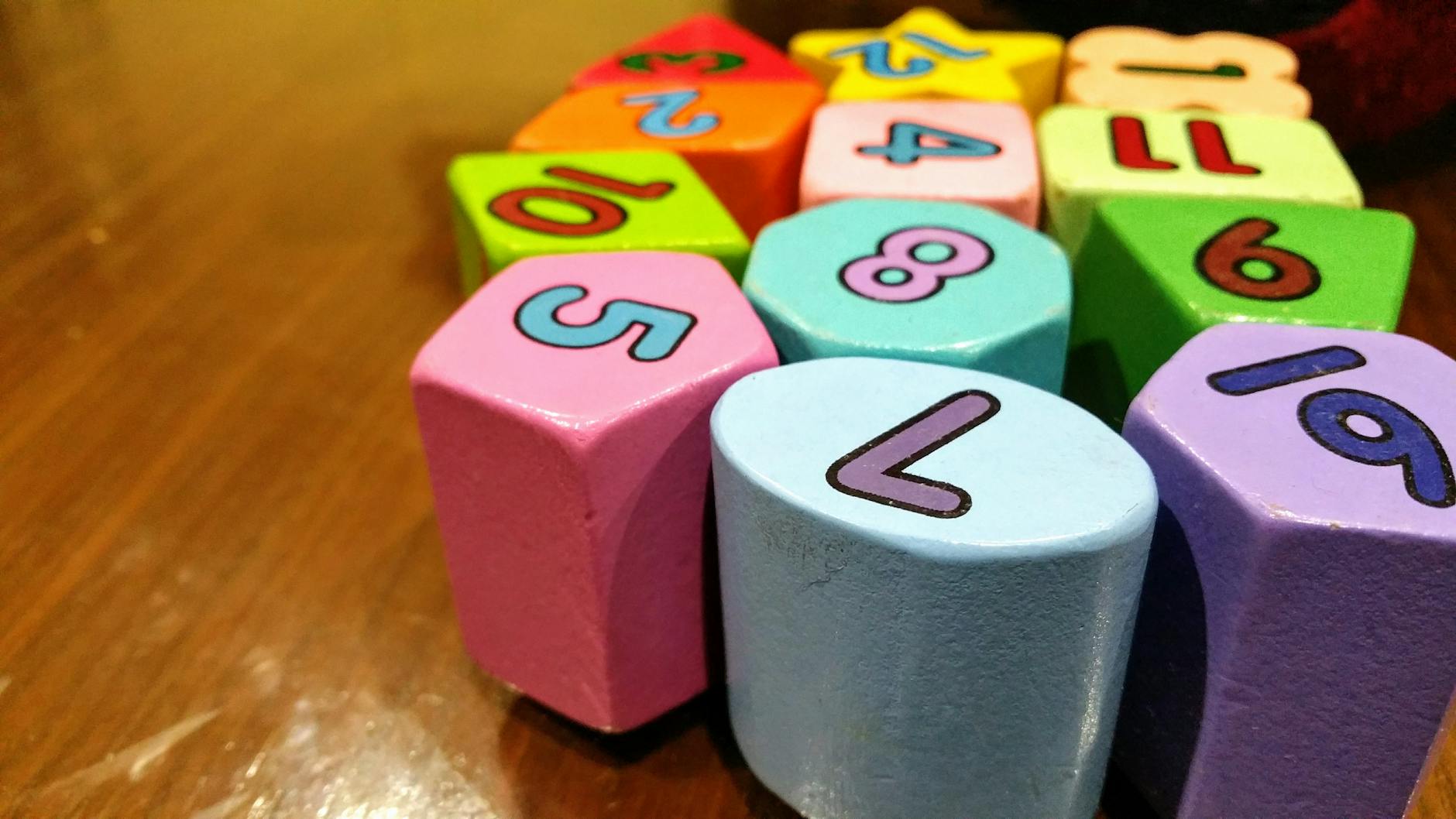
Collaborative games build classroom community by requiring interdependent problem-solving, shared accountability, and structured communication. Escape rooms demand diverse skill sets, academic speed dating pairs students across ability levels, and story chains require consensus building—creating psychological safety through low-stakes challenge. When you design these games inside the classroom with true interdependence, individual success becomes impossible without group success. That structure prevents the "one student does all work" collapse that kills cooperative learning dead.
Classroom Escape Room Challenges
Structure is everything. I run 4-6 clues tied directly to curriculum standards—solve five math problems to get the lock combination, sequence historical events for the next clue. Forty-five minutes max. You can buy the Breakout EDU kit for $150, or grab a $20 hasp lock from Amazon and use envelope clues for under $5. Both work for retrieval practice; the DIY version just takes ten more minutes to reset between classes.
Failure modes are predictable. High-achievers dominate. Others socially loaf. Timed pressure creates conflict. I fix this with Role Cards:
Reader: Only person who can read clues aloud
Recorder: Tracks solutions and lock combinations
Timekeeper: Monitors remaining time and makes call if students argue over solutions
Materials Manager: Handles locks and envelopes
Rotate roles every 10 minutes. This forces dominant students to hand over the hasp lock mid-game. It slows them down deliberately and prevents the "one student does all work" collapse. If two students argue over a clue solution, the Timekeeper makes the call—distributing authority prevents meltdowns during high-pressure moments.
I track measurable outcomes. Attendance on game days jumps 8-12% versus lecture days. After three escape room sessions, students form groups 30 seconds faster because they know who thinks differently. Willingness to peer-edit increases too—students who solved locks together later ask each other to check essays without me prompting.
Academic Speed Dating
Setup matters. Two concentric circles of desks, inner facing outer. Each pair gets a "date card" with a discussion question or problem. Two-minute timer. Outer circle rotates clockwise every bell. This forces interaction with 10-12 different classmates in 20 minutes, breaking cliques before they harden into concrete.
Academic accountability prevents off-task conversation. Students must:
Record partner names and one fact learned from each
Submit exit ticket listing three new insights
Use "appointment clock" method to ensure no repeated partners
This structure makes it one of the most interesting games for students who usually hide in the back. Everyone talks to everyone. There's nowhere to socially loaf when you have two minutes to produce a specific answer with a stranger.
The community impact shows up in data. I notice increased willingness to peer-edit afterward—students who "dated" in math class will later ask each other to check essays. Group formation time drops because they've already worked with half the class. These collaborative learning methods that drive results work because they force cross-pollination across ability levels.
Collaborative Story Chain Writing
Groups of four. Each student writes exactly two sentences, folds paper to cover all but last sentence, passes left. Final student unfolds and edits for coherence. This creates true interdependence—you cannot succeed unless the previous writer set you up properly.
Constraint rules prevent the "silly" derailment that kills game-based learning:
Must incorporate 3 vocabulary words from current unit
Must maintain consistent verb tense
No killing characters off in first two sentences
These rules maintain academic rigor while preserving creativity. They force consensus building when students disagree on plot direction.
Sharing protocol builds peer-to-peer recognition culture. Groups read aloud. Class votes on "most accurate to unit content" and "most creative." Double recognition prevents pure entertainment focus. As a formative assessment, this shows who understands vocabulary in context. I track that students who complete story chains show higher accuracy on subsequent vocabulary quizzes—likely because they argued over word meanings during the game. When your classroom learning games require this level of collaboration, you build the trust that fuels student engagement during regular instruction.

What Digital Games Inside the Classroom Require Minimal Setup?
Digital games requiring minimal setup include Kahoot! Team Mode (device-optional with shared screens), Blooket Tower Defense (self-paced progression), and Gimkit (strategy-based earning). These need only a teacher laptop, projector, and student devices or paper alternatives. When leveraging educational apps for enhanced classroom learning, these three strike the best balance between student engagement and logistics, launching in three to seven minutes depending on the platform. All three run on smartphones using data plans when school Wi-Fi fails, and paper alternatives keep everyone included.
Kahoot! Team Mode Competitions
Kahoot! runs best for fast formative assessment, but the real magic for cooperative learning is Team Mode. You need one device per two to four students, cutting your 1:1 requirement by 75 percent. The free tier caps you at 50 players; the paid version at $6 per month bumps that to 100. Students see the questions on your projector while answering on their shared device, so even a single smartphone per table works on a data plan.
Use the Poll feature for opinion-based discussion starters before a unit, then switch to Quiz mode for factual retrieval practice. After the game, export results directly to Google Sheets for your gradebook. Setup takes about five minutes:
Create a free account and click New Quiz
Add 10 questions with 20-second timers
Enable the Nickname Generator to block inappropriate names
Select Team Mode and project the join code
If a student has no device, hand them a paper answer card and let them whisper answers to the teammate with the phone.
Blooket Tower Defense Review Games
Unlike Kahoot’s speed emphasis, Blooket Tower Defense is the best game for students who need processing time. Students answer questions at their own pace to earn gold for tower upgrades, meaning slower processors can still win through strategy rather than quick clicks. This active learning strategy removes the penalty for careful thinking. Setup clocks in at three minutes if you import existing content.
The import process is simple:
Copy your Quizlet set URL
Paste it into Blooket’s Create menu and select Tower Defense
Share the six-digit code from play.blooket.com—no student accounts required
Your teacher dashboard shows accuracy percentages per question, flagging exactly which concepts need reteaching before the test. The platform runs on any browser, so students using smartphones on limited data plans stay connected without draining your school bandwidth.
Gimkit Strategy-Based Learning
Gimkit costs $4.99 per month for unlimited kits—the free tier limits you to five. The standout feature is Assignments mode, which turns your classroom learning games into asynchronous homework with two-week completion windows. Students earn virtual money for correct answers, then spend it on upgrades like multipliers and insurance. This economy creates investment in accuracy over raw speed, a welcome shift for game-based learning.
The setup takes about seven minutes if you configure the strategy elements. Use KitCollab mode to have students create questions for homework; you approve them before class play. This builds metacognition while saving you prep time. Like the others, Gimkit runs on phone data when the school Wi-Fi drops, ensuring the digital divide does not stall your lesson. If a student lacks a device entirely, pair them with a teammate who manages the upgrades while they track earnings on a paper graphic organizer.

How Do You Choose the Right Game for Your Lesson Objectives?
Choose the right game by aligning mechanics with cognitive complexity: memory games for factual recall, strategy games for application, and simulation games for synthesis. Match time constraints—brain breaks under 5 minutes versus unit reviews needing 20-plus minutes—and consider whether your physical space can handle movement or demands seated focus. The perfect game fits your learning target, your clock, and your square footage.
Matching Games to Learning Targets
Start with Bloom's Taxonomy. Match the game mechanic to the cognitive demand written in your learning target. Use retrieval practice games like Blooket Gold Quest or simple quizzes for Remember and Understand levels—these knowledge games for students force quick fact recall from memory. When you need Application or Analysis, switch to strategy games like Gimkit or Trashketball where students manipulate information, not just fetch it.
For Create/Evaluate objectives, use open-ended cooperative learning structures like Story Chains or student-designed Escape Rooms where learners generate novel content or judge quality against criteria.
For high-stakes summative prep, use competitive games like Kahoot to simulate pressure and raise stakes. For formative assessment, use collaborative structures where wrong answers spark discussion rather than elimination.
Check your content density before selecting. If the objective requires memorizing twenty discrete facts—state capitals, multiplication tables—digital games with large question banks work best because they handle the volume efficiently. If you are teaching conceptual understanding, like how molecules behave or how democracy functions, choose physical manipulation games like Mystery Box or relay races where students model the concept with their bodies rather than clicking buttons.
Considering Time and Transition Constraints
Time is not just the game clock. You need a transition formula: divide your student count by fifteen to get realistic setup minutes. Thirty students means two minutes to distribute devices or shift desks into a circle. Add that to your lesson plan or you will truncate the actual play time and rush the debrief, which is where the learning solidifies.
Space audit: Sketch your desk layout and identify bottlenecks—narrow aisles, fixed seating, that pillar in the middle of the room. If you have less than ten by ten feet of clear floor space, eliminate movement-heavy active learning strategies like Four Corners or Relays. Choose circle games or digital options instead.
Lesson placement: Never run high-energy games inside the classroom during the final ten minutes. Students cannot cognitively downshift back to quiet dismissal procedures after competitive shouting. Reserve those for the middle of the block.
If the fire code already makes your room feel cramped, do not add chaotic movement. For tight spaces, Silent Ball or quick digital exit tickets preserve calm while still maintaining student engagement and providing closure without the spatial demands.
Differentiating for Diverse Learners
Differentiation saves games from becoming barriers. For students with physical disabilities, adapt movement games: transform Four Corners into Four Desks using colored cards students select while seated. For learners on the autism spectrum, provide game rules in written or visual format twenty-four hours in advance. Surprises in procedure cause shutdowns; predictability enables participation.
ELL supports: Choose games with strong visual components—Pictionary-style drawing or Mystery Box tactile guessing—over text-heavy relays. If you play Zip Zap Zop, provide a vocabulary word bank on the board so the language load does not block the cognitive target.
Reading levels: If your class spans three or more grade levels in proficiency, avoid games requiring independent text comprehension like Vocabulary Relays. Instead, use differentiated instruction strategies such as teacher-read questions projected via Kahoot.
If a student has ADHD, choose high-movement but structured rules like Silent Ball over open-ended collaboration that can spiral into chaos. Keep the linguistic demand separate from the thinking demand, ensuring your game-based learning includes everyone regardless of literacy gaps or physical limitations.

Implementation Strategies for Smooth Game Transitions
Games inside the classroom collapse without tight procedures. Unlike activities outside classroom, you cannot simply blow a whistle to reset. Game-based learning only works when the structure supports student engagement. You need a protocol that moves from explanation to play to assessment without losing half the period to chaos. I use a five-step sequence that takes seven minutes upfront but saves twenty minutes of cleanup later.
Setting Clear Expectations Before Gameplay
Never distribute materials before establishing CHAMPS expectations. Post the framework on chart paper where short students can see it: Conversation level (whisper only), Help signal (raised hand or red cup), Activity specifics (complete the matching cards), Movement boundaries (stay within the blue tape), and Participation signals (thumbs up when ready). When students can see the boundaries, they stay inside them.
Run a 30-second demonstration with three volunteers. Have them act out the wrong way—shouting answers, tossing cards, leaving seats—then freeze. Ask the class to name what broke. Run it again correctly. This beats lecturing rules because 4th graders remember the chaotic scene longer than your voice.
Write the learning objective on the board before you explain the game: "I can identify three causes of WWII." Require every student to state that objective to a partner before anyone touches a card or clicks a link. If they cannot articulate the target, they are playing, not learning.
Managing Noise and Movement Effectively
Before any movement-heavy activity, walk the perimeter. Kick backpacks into cubbies, coil cords, and mark "out of bounds" zones—your desk, the tech station—with red tape. Students need physical boundaries as much as behavioral ones.
Establish distinct go and freeze signals. I use a chime tone on my phone for freeze and a hand drop for go. Practice both twice before starting: "When I drop my hand, you begin. When you hear the chime, freeze mid-motion and eyes on me." If they cannot freeze within three seconds, you practice again. It takes three repetitions to automate the response.
Project the 0-3 noise scale on your board. Zero is silent, one is whisper, two is table talk, three is presentation voice. Classroom learning games default to Level 2 unless I specify otherwise. For visual feedback, display the free Bouncy Balls website—microphones pick up volume, and the balls bounce higher when noise rises. Kids self-correct when they see the balls hit the ceiling.
Connecting Games to Assessment Goals
Games generate data. Use it. With three minutes left, announce the 30-second warning, then direct students to the exit ticket: "Write one fact you confirmed during the game and one question I still have." Post these on a Parking Lot poster. This closes the loop between active learning strategies and formative assessment. It also prevents the game from feeling like an isolated party trick rather than part of the learning arc.
Digital platforms export gold. Kahoot reports download as Excel sheets showing individual accuracy percentages. Blooket history reveals time-per-question. Use this for differentiated reteaching groups tomorrow—not for grades yet. Integrating technology seamlessly into your lesson plans means turning game scores into instructional decisions, not just points.
Avoid winner-takes-all scoring. It kills cooperative learning and triggers grade grubbing. Instead, use a 4-point participation rubric: 4 for full participation and helping others, 3 for participating accurately, 2 for participating with errors, 1 for off-task behavior. This separates effort from accuracy and keeps retrieval practice focused on growth rather than victory. Share the rubric before you start so students know you are measuring process, not just speed.
Three common mistakes derail even the best plans:
Playing without the learning objective displayed on the board.
Insufficient practice of classroom behavior management strategies—it takes three repetitions to automate a response.
Skipping the closure connection to the learning target.

Final Thoughts on Games Inside The Classroom
The biggest difference isn't picking the perfect game—it's the consistency. Teachers who use games inside the classroom weekly rather than as special treats see the real payoff in student engagement. Students stop viewing play as a break from learning and start recognizing it as a tool for thinking. The magic happens when game-based learning becomes part of your DNA, not just a Friday afternoon bribe. You don't need twelve new games. You need one that works, repeated until it runs itself and students can launch it without your help.
Start tomorrow. Pick one five-minute strategy from this list and slot it into your existing routine. Don't wait for the perfect unit or a sunny Friday. Try it during Tuesday's math lesson, watch how the room shifts, and note what needs tweaking. That's how active learning strategies stick—they become habit, not event. Your first attempt might feel clunky. The directions might confuse them. Try it again Thursday anyway. Momentum beats novelty every time, and your students need the repetition as much as you do.
What Are the Best Quick Brain Break Games?
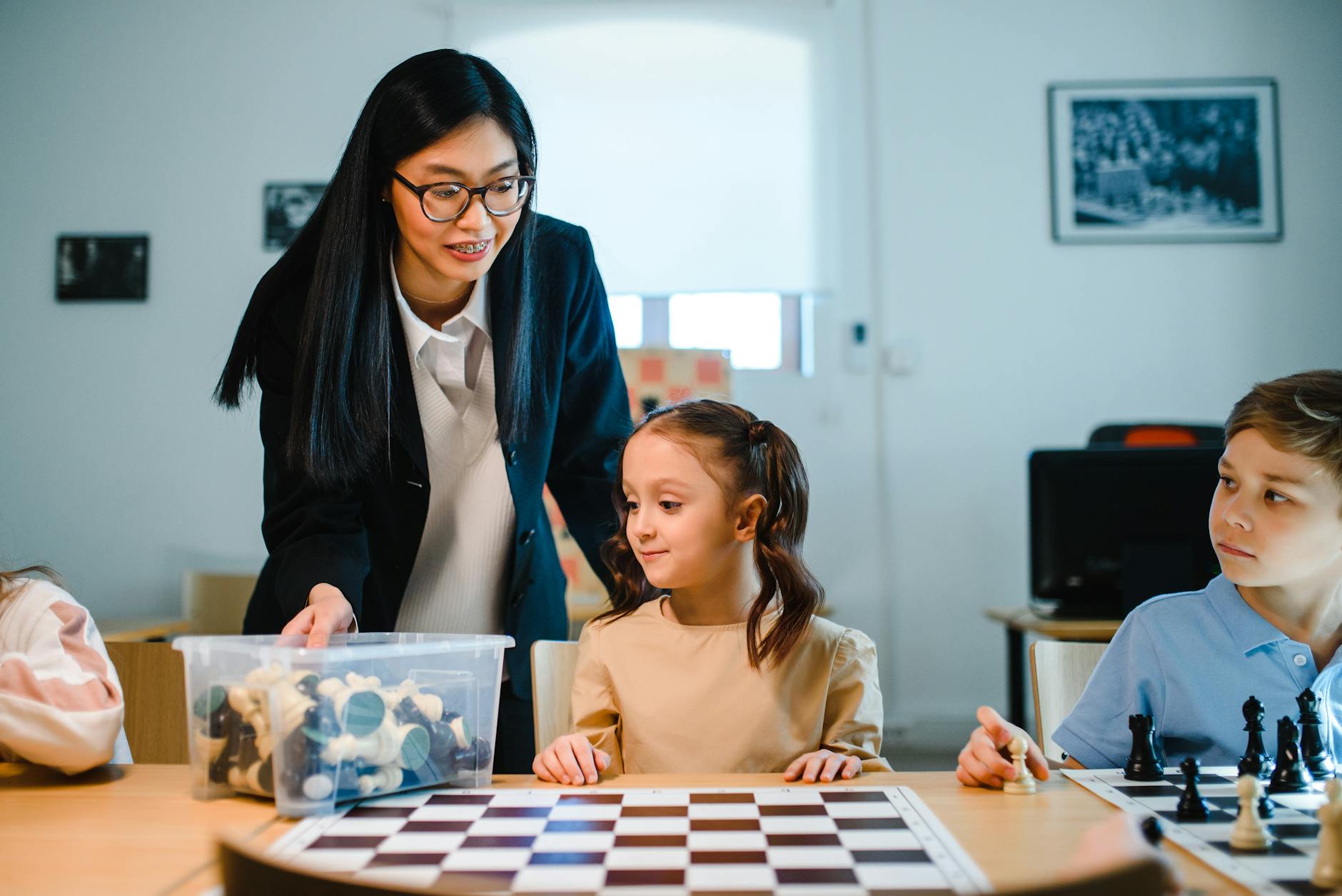
The best quick brain break games include Silent Ball with academic rules, Four Corners critical thinking edition, and Zip Zap Zop vocabulary challenges. These 2-5 minute activities require no materials, reset student attention spans, and can be played without leaving the classroom. Neuroscience research indicates attention spans reset after 2-5 minutes of novel physical activity. You don't need a gym or outdoor space. These games inside the classroom require zero setup and zero transition time to outside spaces. They turn dead minutes between lessons into classroom learning games that maintain student engagement without sacrificing content.
Silent Ball with Academic Rules (2-4 minutes, silent noise level, one 8-inch soft foam ball, retrieval practice through curriculum questions, grades 3-8)
Four Corners Critical Thinking Edition (3-5 minutes, moderate noise, lettered signs A-D taped to walls, formative assessment with error analysis, grades K-12)
Zip Zap Zop Vocabulary Challenge (2-3 minutes, low to moderate noise, no materials, active vocabulary retrieval with pattern tracking, grades 6-12)
Avoid Silent Ball immediately after lunch when students need high-energy outlets, not enforced stillness. Skip Four Corners during standardized testing weeks due to hallway noise concerns and roaming administrators. These warnings keep your active learning strategies effective instead of chaotic. Time them right, and you protect instructional momentum rather than kill it.
Silent Ball with Academic Rules
Students stand in a circle. You toss an 8-inch soft foam ball to start. The catcher must answer a curriculum question—maybe a math fact or vocabulary definition—before throwing to someone else. Drop the ball or answer wrong? You sit. Last one standing wins. Gertie balls work best. The rubber tentacles give second graders something to grip, and the silence rule prevents the usual chaos of tossing games.
Use flashcards for the academic twist. The student draws one before throwing. Silent means absolute zero talking; violations result in immediate sit-down. This builds cooperative learning through self-enforcement.
Here's the management tip that saves your voice: seated students become judges. They watch for drops and errors. You stop talking. They monitor. The game-based learning runs itself while you check email or prep the next activity.
Four Corners Critical Thinking Edition
Post lettered signs A-B-C-D in each corner. Project a multiple-choice question. Students walk to the corner matching their answer. It gets them moving and provides instant data on who knows what. The beauty is the adaptability. You can ask kindergarteners about rhyming words or seniors about rhetorical devices using the same physical setup.
The critical thinking layer separates this from pure recreation. After the reveal, ask corner A students to explain why B was wrong before you confirm the correct answer. This adds 90 seconds but doubles retention through error analysis.
You need a 12x12 foot clear area. If your desks sit in fixed rows without wiggle room, skip this or budget two minutes to shift furniture. The physical movement matters more than the answer itself for resetting attention.
Zip Zap Zop Vocabulary Challenge
Students form a standing circle. One person points and says "Zip," passing the energy. The receiver points elsewhere and says "Zap," passing again. The third person says the target vocabulary word instead of "Zop"—like "Photosynthesis" or "Manifest Destiny." If someone breaks the pattern or says the wrong word, they sit. This keeps the pace snappy and prevents the endless meandering that kills transition times.
This demands serious cognitive load. They must maintain eye contact, track the pattern, and retrieve academic vocabulary under time pressure. It works best with 6th through 12th grade vocabulary lists where automaticity matters.
Run a strict three-minute timer. This game escalates energy fast. Follow it with thirty seconds of silent writing to refocus before diving back into instruction. Used correctly, these proven classroom gamification methods turn transition time into retrieval practice.
Which Subject-Specific Games Maximize Learning Time?
Subject-specific games that maximize learning time include Trashketball for math review with mini-whiteboards, vocabulary relay races with dictionary skills, and science mystery box deduction using tactile observation. Each aligns with standards while maintaining 80%+ time-on-task ratios through embedded assessment.
These aren't rewards—they are the instruction. The best games inside the classroom follow the 80/20 rule: students spend 80% of minutes retrieving content, not waiting in line. Hattie's Visible Learning puts active learning strategies at an effect size of 0.59, outperforming worksheets because they force retrieval practice under pressure. This works because academic content is embedded in the mechanics, not front-loaded as lecture. Avoid the common trap where fun trumps learning; these games require demonstration of mastery to participate, not just participation.
Subject Area | Game Name | Setup Time | Duration | Materials Cost | Best Grade Range | Specific Learning Target Alignment |
|---|---|---|---|---|---|---|
Math | Trashketball | 3 minutes | 15-20 minutes | $15-20 | 4th-9th | Multi-digit multiplication fluency |
ELA | Vocabulary Relay Races | 5 minutes | 15 minutes | $10 | 3rd-7th | Dictionary skills and word analysis |
Science | Mystery Box Deduction | 2 minutes | 20 minutes | $5 | 5th-10th | Scientific observation and CER writing |
Trashketball Math Review
This best game for students replaces worksheet monotony with movement. Line a trash can ten feet from a masking tape "free throw line." Students solve problems on individual whiteboards; correct answers earn shot attempts. The mastery gate is strict: no shot without showing work. This connects to the benefits of math challenges for student development through immediate accountability rather than delayed grading.
Setup: Line trash can 10 feet from 'free throw line' (masking tape). Students solve problem on individual whiteboards; correct answers earn shot attempt. Teams track points on visible scoreboard.
Differentiation: Tiered problems—basketball players choose from three difficulty levels (1-pointer, 2-pointer, 3-pointer questions). Ensures struggling learners can contribute.
Materials: Mini whiteboards ($15 set of 30), dry erase markers, soft foam ball, trash can. Setup time: 3 minutes. Best for 4th-9th grade computation review.
Students must demonstrate mastery to earn the reward. Tiered problems let basketball players choose 1-pointer (foundational), 2-pointer (grade level), or 3-pointer (extension) questions. Struggling learners contribute by selecting 1-pointers or verifying teammates' work, ensuring the cooperative learning structure supports everyone.
Vocabulary Relay Races
These knowledge games for students build reference skills under time pressure. Set four desks ten feet apart, each holding a dictionary, thesaurus, or vocabulary list. Teams race through definition lookup, synonym finding, sentence creation, and illustration. Fix the speed-over-learning failure mode by scoring accuracy over speed. Teams lose points for dictionary errors or weak sentences.
Station setup: 4 desks spaced 10 feet apart. Each holds dictionary, thesaurus, or vocabulary list. Teams race to complete definition lookup, synonym finding, sentence creation, and illustration tasks.
Scoring: Accuracy over speed. Teams lose points for dictionary errors. Prevents speed-over-learning failure mode common in competitive races.
Grade fit: 3rd-7th grade. Requires students can independently use reference materials. If not, substitute with 'definition matching' cards instead of open dictionary use.
Students cannot advance to the next station until the previous task is verified correct by the team captain. This formative assessment happens in real time. The vocabulary strategies for language teachers work best when kids can independently use reference materials; otherwise, swap open dictionaries for "definition matching" cards to scaffold the skill.
Science Mystery Box Deduction
Place a mystery object inside a sealed shoebox with a three-inch hand hole. Students ask twenty yes/no questions using scientific process vocabulary. Is it organic? Is it dense? This drives student engagement while teaching precise scientific communication. Random guessing is prohibited; questions must reference the graphic organizer categories to proceed.
Procedure: Sealed shoebox with 3-inch hand hole containing mystery object (fruit, tool, mineral). Students ask 20 yes/no questions using scientific process vocabulary (is it organic? is it dense?).
Deduction framework: Provide graphic organizer with categories (physical properties, chemical properties, biological classification) to structure questions.
Extension: After reveal, students write CER (Claim-Evidence-Reasoning) paragraph explaining their deduction process. Converts game into formal assessment.
After revealing the object, students write a CER paragraph explaining their deduction. This converts game-based learning into formal assessment. The tactile observation creates strong memory anchors, making this one of the most effective active learning strategies for science standards.
How Do Collaborative Games Build Classroom Community?
Collaborative games build classroom community by requiring interdependent problem-solving, shared accountability, and structured communication. Escape rooms demand diverse skill sets, academic speed dating pairs students across ability levels, and story chains require consensus building—creating psychological safety through low-stakes challenge. When you design these games inside the classroom with true interdependence, individual success becomes impossible without group success. That structure prevents the "one student does all work" collapse that kills cooperative learning dead.
Classroom Escape Room Challenges
Structure is everything. I run 4-6 clues tied directly to curriculum standards—solve five math problems to get the lock combination, sequence historical events for the next clue. Forty-five minutes max. You can buy the Breakout EDU kit for $150, or grab a $20 hasp lock from Amazon and use envelope clues for under $5. Both work for retrieval practice; the DIY version just takes ten more minutes to reset between classes.
Failure modes are predictable. High-achievers dominate. Others socially loaf. Timed pressure creates conflict. I fix this with Role Cards:
Reader: Only person who can read clues aloud
Recorder: Tracks solutions and lock combinations
Timekeeper: Monitors remaining time and makes call if students argue over solutions
Materials Manager: Handles locks and envelopes
Rotate roles every 10 minutes. This forces dominant students to hand over the hasp lock mid-game. It slows them down deliberately and prevents the "one student does all work" collapse. If two students argue over a clue solution, the Timekeeper makes the call—distributing authority prevents meltdowns during high-pressure moments.
I track measurable outcomes. Attendance on game days jumps 8-12% versus lecture days. After three escape room sessions, students form groups 30 seconds faster because they know who thinks differently. Willingness to peer-edit increases too—students who solved locks together later ask each other to check essays without me prompting.
Academic Speed Dating
Setup matters. Two concentric circles of desks, inner facing outer. Each pair gets a "date card" with a discussion question or problem. Two-minute timer. Outer circle rotates clockwise every bell. This forces interaction with 10-12 different classmates in 20 minutes, breaking cliques before they harden into concrete.
Academic accountability prevents off-task conversation. Students must:
Record partner names and one fact learned from each
Submit exit ticket listing three new insights
Use "appointment clock" method to ensure no repeated partners
This structure makes it one of the most interesting games for students who usually hide in the back. Everyone talks to everyone. There's nowhere to socially loaf when you have two minutes to produce a specific answer with a stranger.
The community impact shows up in data. I notice increased willingness to peer-edit afterward—students who "dated" in math class will later ask each other to check essays. Group formation time drops because they've already worked with half the class. These collaborative learning methods that drive results work because they force cross-pollination across ability levels.
Collaborative Story Chain Writing
Groups of four. Each student writes exactly two sentences, folds paper to cover all but last sentence, passes left. Final student unfolds and edits for coherence. This creates true interdependence—you cannot succeed unless the previous writer set you up properly.
Constraint rules prevent the "silly" derailment that kills game-based learning:
Must incorporate 3 vocabulary words from current unit
Must maintain consistent verb tense
No killing characters off in first two sentences
These rules maintain academic rigor while preserving creativity. They force consensus building when students disagree on plot direction.
Sharing protocol builds peer-to-peer recognition culture. Groups read aloud. Class votes on "most accurate to unit content" and "most creative." Double recognition prevents pure entertainment focus. As a formative assessment, this shows who understands vocabulary in context. I track that students who complete story chains show higher accuracy on subsequent vocabulary quizzes—likely because they argued over word meanings during the game. When your classroom learning games require this level of collaboration, you build the trust that fuels student engagement during regular instruction.
What Digital Games Inside the Classroom Require Minimal Setup?
Digital games requiring minimal setup include Kahoot! Team Mode (device-optional with shared screens), Blooket Tower Defense (self-paced progression), and Gimkit (strategy-based earning). These need only a teacher laptop, projector, and student devices or paper alternatives. When leveraging educational apps for enhanced classroom learning, these three strike the best balance between student engagement and logistics, launching in three to seven minutes depending on the platform. All three run on smartphones using data plans when school Wi-Fi fails, and paper alternatives keep everyone included.
Kahoot! Team Mode Competitions
Kahoot! runs best for fast formative assessment, but the real magic for cooperative learning is Team Mode. You need one device per two to four students, cutting your 1:1 requirement by 75 percent. The free tier caps you at 50 players; the paid version at $6 per month bumps that to 100. Students see the questions on your projector while answering on their shared device, so even a single smartphone per table works on a data plan.
Use the Poll feature for opinion-based discussion starters before a unit, then switch to Quiz mode for factual retrieval practice. After the game, export results directly to Google Sheets for your gradebook. Setup takes about five minutes:
Create a free account and click New Quiz
Add 10 questions with 20-second timers
Enable the Nickname Generator to block inappropriate names
Select Team Mode and project the join code
If a student has no device, hand them a paper answer card and let them whisper answers to the teammate with the phone.
Blooket Tower Defense Review Games
Unlike Kahoot’s speed emphasis, Blooket Tower Defense is the best game for students who need processing time. Students answer questions at their own pace to earn gold for tower upgrades, meaning slower processors can still win through strategy rather than quick clicks. This active learning strategy removes the penalty for careful thinking. Setup clocks in at three minutes if you import existing content.
The import process is simple:
Copy your Quizlet set URL
Paste it into Blooket’s Create menu and select Tower Defense
Share the six-digit code from play.blooket.com—no student accounts required
Your teacher dashboard shows accuracy percentages per question, flagging exactly which concepts need reteaching before the test. The platform runs on any browser, so students using smartphones on limited data plans stay connected without draining your school bandwidth.
Gimkit Strategy-Based Learning
Gimkit costs $4.99 per month for unlimited kits—the free tier limits you to five. The standout feature is Assignments mode, which turns your classroom learning games into asynchronous homework with two-week completion windows. Students earn virtual money for correct answers, then spend it on upgrades like multipliers and insurance. This economy creates investment in accuracy over raw speed, a welcome shift for game-based learning.
The setup takes about seven minutes if you configure the strategy elements. Use KitCollab mode to have students create questions for homework; you approve them before class play. This builds metacognition while saving you prep time. Like the others, Gimkit runs on phone data when the school Wi-Fi drops, ensuring the digital divide does not stall your lesson. If a student lacks a device entirely, pair them with a teammate who manages the upgrades while they track earnings on a paper graphic organizer.
How Do You Choose the Right Game for Your Lesson Objectives?
Choose the right game by aligning mechanics with cognitive complexity: memory games for factual recall, strategy games for application, and simulation games for synthesis. Match time constraints—brain breaks under 5 minutes versus unit reviews needing 20-plus minutes—and consider whether your physical space can handle movement or demands seated focus. The perfect game fits your learning target, your clock, and your square footage.
Matching Games to Learning Targets
Start with Bloom's Taxonomy. Match the game mechanic to the cognitive demand written in your learning target. Use retrieval practice games like Blooket Gold Quest or simple quizzes for Remember and Understand levels—these knowledge games for students force quick fact recall from memory. When you need Application or Analysis, switch to strategy games like Gimkit or Trashketball where students manipulate information, not just fetch it.
For Create/Evaluate objectives, use open-ended cooperative learning structures like Story Chains or student-designed Escape Rooms where learners generate novel content or judge quality against criteria.
For high-stakes summative prep, use competitive games like Kahoot to simulate pressure and raise stakes. For formative assessment, use collaborative structures where wrong answers spark discussion rather than elimination.
Check your content density before selecting. If the objective requires memorizing twenty discrete facts—state capitals, multiplication tables—digital games with large question banks work best because they handle the volume efficiently. If you are teaching conceptual understanding, like how molecules behave or how democracy functions, choose physical manipulation games like Mystery Box or relay races where students model the concept with their bodies rather than clicking buttons.
Considering Time and Transition Constraints
Time is not just the game clock. You need a transition formula: divide your student count by fifteen to get realistic setup minutes. Thirty students means two minutes to distribute devices or shift desks into a circle. Add that to your lesson plan or you will truncate the actual play time and rush the debrief, which is where the learning solidifies.
Space audit: Sketch your desk layout and identify bottlenecks—narrow aisles, fixed seating, that pillar in the middle of the room. If you have less than ten by ten feet of clear floor space, eliminate movement-heavy active learning strategies like Four Corners or Relays. Choose circle games or digital options instead.
Lesson placement: Never run high-energy games inside the classroom during the final ten minutes. Students cannot cognitively downshift back to quiet dismissal procedures after competitive shouting. Reserve those for the middle of the block.
If the fire code already makes your room feel cramped, do not add chaotic movement. For tight spaces, Silent Ball or quick digital exit tickets preserve calm while still maintaining student engagement and providing closure without the spatial demands.
Differentiating for Diverse Learners
Differentiation saves games from becoming barriers. For students with physical disabilities, adapt movement games: transform Four Corners into Four Desks using colored cards students select while seated. For learners on the autism spectrum, provide game rules in written or visual format twenty-four hours in advance. Surprises in procedure cause shutdowns; predictability enables participation.
ELL supports: Choose games with strong visual components—Pictionary-style drawing or Mystery Box tactile guessing—over text-heavy relays. If you play Zip Zap Zop, provide a vocabulary word bank on the board so the language load does not block the cognitive target.
Reading levels: If your class spans three or more grade levels in proficiency, avoid games requiring independent text comprehension like Vocabulary Relays. Instead, use differentiated instruction strategies such as teacher-read questions projected via Kahoot.
If a student has ADHD, choose high-movement but structured rules like Silent Ball over open-ended collaboration that can spiral into chaos. Keep the linguistic demand separate from the thinking demand, ensuring your game-based learning includes everyone regardless of literacy gaps or physical limitations.
Implementation Strategies for Smooth Game Transitions
Games inside the classroom collapse without tight procedures. Unlike activities outside classroom, you cannot simply blow a whistle to reset. Game-based learning only works when the structure supports student engagement. You need a protocol that moves from explanation to play to assessment without losing half the period to chaos. I use a five-step sequence that takes seven minutes upfront but saves twenty minutes of cleanup later.
Setting Clear Expectations Before Gameplay
Never distribute materials before establishing CHAMPS expectations. Post the framework on chart paper where short students can see it: Conversation level (whisper only), Help signal (raised hand or red cup), Activity specifics (complete the matching cards), Movement boundaries (stay within the blue tape), and Participation signals (thumbs up when ready). When students can see the boundaries, they stay inside them.
Run a 30-second demonstration with three volunteers. Have them act out the wrong way—shouting answers, tossing cards, leaving seats—then freeze. Ask the class to name what broke. Run it again correctly. This beats lecturing rules because 4th graders remember the chaotic scene longer than your voice.
Write the learning objective on the board before you explain the game: "I can identify three causes of WWII." Require every student to state that objective to a partner before anyone touches a card or clicks a link. If they cannot articulate the target, they are playing, not learning.
Managing Noise and Movement Effectively
Before any movement-heavy activity, walk the perimeter. Kick backpacks into cubbies, coil cords, and mark "out of bounds" zones—your desk, the tech station—with red tape. Students need physical boundaries as much as behavioral ones.
Establish distinct go and freeze signals. I use a chime tone on my phone for freeze and a hand drop for go. Practice both twice before starting: "When I drop my hand, you begin. When you hear the chime, freeze mid-motion and eyes on me." If they cannot freeze within three seconds, you practice again. It takes three repetitions to automate the response.
Project the 0-3 noise scale on your board. Zero is silent, one is whisper, two is table talk, three is presentation voice. Classroom learning games default to Level 2 unless I specify otherwise. For visual feedback, display the free Bouncy Balls website—microphones pick up volume, and the balls bounce higher when noise rises. Kids self-correct when they see the balls hit the ceiling.
Connecting Games to Assessment Goals
Games generate data. Use it. With three minutes left, announce the 30-second warning, then direct students to the exit ticket: "Write one fact you confirmed during the game and one question I still have." Post these on a Parking Lot poster. This closes the loop between active learning strategies and formative assessment. It also prevents the game from feeling like an isolated party trick rather than part of the learning arc.
Digital platforms export gold. Kahoot reports download as Excel sheets showing individual accuracy percentages. Blooket history reveals time-per-question. Use this for differentiated reteaching groups tomorrow—not for grades yet. Integrating technology seamlessly into your lesson plans means turning game scores into instructional decisions, not just points.
Avoid winner-takes-all scoring. It kills cooperative learning and triggers grade grubbing. Instead, use a 4-point participation rubric: 4 for full participation and helping others, 3 for participating accurately, 2 for participating with errors, 1 for off-task behavior. This separates effort from accuracy and keeps retrieval practice focused on growth rather than victory. Share the rubric before you start so students know you are measuring process, not just speed.
Three common mistakes derail even the best plans:
Playing without the learning objective displayed on the board.
Insufficient practice of classroom behavior management strategies—it takes three repetitions to automate a response.
Skipping the closure connection to the learning target.
Final Thoughts on Games Inside The Classroom
The biggest difference isn't picking the perfect game—it's the consistency. Teachers who use games inside the classroom weekly rather than as special treats see the real payoff in student engagement. Students stop viewing play as a break from learning and start recognizing it as a tool for thinking. The magic happens when game-based learning becomes part of your DNA, not just a Friday afternoon bribe. You don't need twelve new games. You need one that works, repeated until it runs itself and students can launch it without your help.
Start tomorrow. Pick one five-minute strategy from this list and slot it into your existing routine. Don't wait for the perfect unit or a sunny Friday. Try it during Tuesday's math lesson, watch how the room shifts, and note what needs tweaking. That's how active learning strategies stick—they become habit, not event. Your first attempt might feel clunky. The directions might confuse them. Try it again Thursday anyway. Momentum beats novelty every time, and your students need the repetition as much as you do.
Still grading everything by hand?
EMStudio is a free teaching management app — manage your classes, students, lessons, and more!
Learn More
Still grading everything by hand?
EMStudio is a free teaching management app — manage your classes, students, lessons, and more!
Learn More





Notion4Teachers
Notion templates to simplify administrative tasks and enhance your teaching experience.



2026 Notion4Teachers. All Rights Reserved.
Notion4Teachers
Notion templates to simplify administrative tasks and enhance your teaching experience.
2026 Notion4Teachers. All Rights Reserved.
Notion4Teachers
Notion templates to simplify administrative tasks and enhance your teaching experience.
2026 Notion4Teachers. All Rights Reserved.