
Teaching AI Video Creation for Indie Game Worlds: Bringing Fantasy Characters to Life
Teaching AI Video Creation for Indie Game Worlds: Bringing Fantasy Characters to Life

Article by
Milo
ESL Content Coordinator & Educator
ESL Content Coordinator & Educator
All Posts
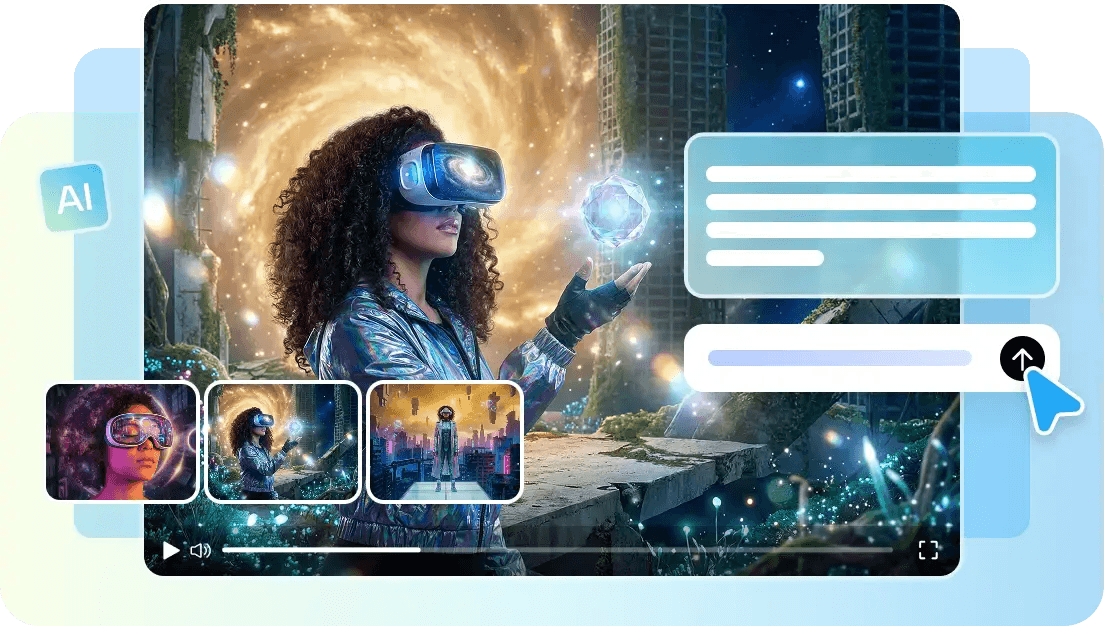
An indie developer spends years building a fantasy world in an engine, but when it comes time to teach students how to present and market the game, they may have only a few in-engine screenshots and a Steam page description to demonstrate. Meanwhile, the games competing for the same players often have full cinematic trailers backed by real studio budgets.
Teachers can use Pippit'sSeedance 2.5 model to teach students how solo developers and small studios can turn concept art and world-building into cinematic character and world trailers without needing a dedicated cinematics team.
Still grading everything by hand?
EMStudio is a free teaching management app — manage your classes, students, lessons, and more!
Learn More

Still grading everything by hand?
EMStudio is a free teaching management app — manage your classes, students, lessons, and more!
Learn More
Table of Contents
Why indie games struggle to communicate their atmosphere
A game's actual feel — the tension of exploring a ruined dungeon, the scale of a fantasy city, the personality of a hero character — is often the hardest thing for students to learn how to convey through static screenshots or a wishlist trailer built entirely from gameplay capture. Concept art frequently looks more compelling than the game's actual visual fidelity allows, creating a useful teaching opportunity where educators can show students how the world a developer has built in their imagination can be translated into marketing material.
The marketing reality most indie developers face
Cinematic trailers from professional studios are priced well outside most indie budgets, making them useful examples for teachers to explain alternative production methods.
In-engine capture often can't match the polish of concept art the team has already created.
A single trailer needs to work across a Steam page, social media, and press kits, each with different pacing needs.
Solo developers rarely have time to learn video production on top of actually building the game, so teachers can demonstrate AI video tools as part of a practical development workflow.
Teaching students how Seedance 2.5 fits fantasy world storytelling
Longer sequences for a real cinematic beat
With single-clip length extended from 15 to 30 seconds and up to two rounds of extension, teachers can show students how to create an actual narrative moment — a hero's entrance, a creature reveal, a landscape sweep — instead of using a single static shot to represent the whole game's atmosphere.
Time-stamped prompts for trailer-style pacing
Time-marking lets teachers teach students how to script a scene the way a real trailer would be edited: a slow establishing shot to open, rising action in the middle, a dramatic reveal to close. This structure helps a generated clip feel intentional rather than like a random gameplay snippet.
Multimodal fusion for concept-accurate visuals
The model now accepts up to 50 pieces of material per generation — concept art, character design sheets, environment references, even mood music — letting teachers demonstrate how students can feed in the exact creative material they have already built rather than starting from a blank prompt.
Creativity transfer for consistent world tone
Creativity transfer can replicate the mood and visual language of a specific reference rather than just its motion, which gives teachers a way to explain how students can keep a generated scene feeling consistent with a game's established art direction, whether that's dark fantasy, whimsical, or high epic.
Fixed duplication for reliable character rendering
Previous issues with unintended character duplication have been addressed, which matters when teachers are showing students how to maintain one consistent hero or creature on screen, rather than allowing an accidental double to undermine the scene's credibility.
Reduced "AI look" for trailer-grade polish
Improvements to texture realism and cross-cut consistency help generated fantasy scenes hold together visually across cuts, giving teachers an opportunity to demonstrate how indie students can create polished trailer material without requiring a dedicated cinematics studio.
Teaching students how to score a trailer with SeedAudio 1.5
A cinematic trailer rarely works in silence, andSeedAudio 1.5 gives teachers a practical way to demonstrate how students can generate an atmospheric score or a character's voice line without hiring a composer or voice actor. Matching the audio's intensity to a trailer's rising action — quiet and moody at the opening, dramatic at the reveal — teaches students how sound can add the same emotional weight a big-budget game trailer relies on, at a scale indie projects can actually support.
Teaching students to go from concept art to a Steam-ready poster
A trailer isn't the only asset an indie launch needs — a striking key art poster is often what actually sells a wishlist click. Teachers can show students how to build one using Pippit's Seedream model.
Step 1: Generate your key art visual
Open Pippit and select the Seedream model, then teach students how to describe their game's hero character and world.
For example: Create a poster-style key art image of a lone warrior standing before a ruined fantasy castle at dusk, glowing magical runes in the sky, epic dark fantasy atmosphere.
Students can add their existing concept art as a reference to keep the design consistent.
Step 2: Refine the composition and tone
Teach students to review the draft against their game's established art direction — does the character design, color palette, and mood match what players will actually see in the game? Students can adjust lighting and composition until the result feels true to their world.
Step 3: Add the game's title and export
Show students how to layer the game's title, release window, or a short tagline directly onto the image, then export at the resolution needed for a Steam page, social wishlist campaign, or press kit.
Teaching students how to make the most of trailer content on an indie budget
Teach students to lead with atmosphere and character before showing UI or gameplay mechanics, since mood is what first captures a scrolling player's attention.
Keep a consistent visual reference across every generation so characters and environments don't drift between clips.
Create shorter cutdowns from a longer trailer for different platforms rather than producing separate content from scratch.
Teach students to treat this as an ongoingAI video generator for the whole development cycle, since new content can be generated for each major update, character reveal, or marketing beat.
Teaching students to stay true to what the game actually delivers
Marketing content should represent the world players will actually experience, not oversell an atmosphere the finished game can't match — a mismatch between trailer quality and actual gameplay tends to generate exactly the kind of backlash indie developers most want to avoid.
Teachers can explain how anchoring generations in real concept art and design references, rather than purely aspirational prompts, helps students keep marketing content honest while still looking genuinely cinematic.
Give students a chance to bring their world to life
An indie game's world often deserves more attention than a handful of screenshots can give it. With Seedance 2.5 inside Pippit, teachers can show students how solo developers and small studios can bring fantasy characters and environments to life with real cinematic presence, without a dedicated production team behind the effort.
If students are learning how to build and present their game's world, opening Pippit and creating a trailer can give them practical experience in AI video production, storytelling, visual development, and game marketing.
Why indie games struggle to communicate their atmosphere
A game's actual feel — the tension of exploring a ruined dungeon, the scale of a fantasy city, the personality of a hero character — is often the hardest thing for students to learn how to convey through static screenshots or a wishlist trailer built entirely from gameplay capture. Concept art frequently looks more compelling than the game's actual visual fidelity allows, creating a useful teaching opportunity where educators can show students how the world a developer has built in their imagination can be translated into marketing material.
The marketing reality most indie developers face
Cinematic trailers from professional studios are priced well outside most indie budgets, making them useful examples for teachers to explain alternative production methods.
In-engine capture often can't match the polish of concept art the team has already created.
A single trailer needs to work across a Steam page, social media, and press kits, each with different pacing needs.
Solo developers rarely have time to learn video production on top of actually building the game, so teachers can demonstrate AI video tools as part of a practical development workflow.
Teaching students how Seedance 2.5 fits fantasy world storytelling
Longer sequences for a real cinematic beat
With single-clip length extended from 15 to 30 seconds and up to two rounds of extension, teachers can show students how to create an actual narrative moment — a hero's entrance, a creature reveal, a landscape sweep — instead of using a single static shot to represent the whole game's atmosphere.
Time-stamped prompts for trailer-style pacing
Time-marking lets teachers teach students how to script a scene the way a real trailer would be edited: a slow establishing shot to open, rising action in the middle, a dramatic reveal to close. This structure helps a generated clip feel intentional rather than like a random gameplay snippet.
Multimodal fusion for concept-accurate visuals
The model now accepts up to 50 pieces of material per generation — concept art, character design sheets, environment references, even mood music — letting teachers demonstrate how students can feed in the exact creative material they have already built rather than starting from a blank prompt.
Creativity transfer for consistent world tone
Creativity transfer can replicate the mood and visual language of a specific reference rather than just its motion, which gives teachers a way to explain how students can keep a generated scene feeling consistent with a game's established art direction, whether that's dark fantasy, whimsical, or high epic.
Fixed duplication for reliable character rendering
Previous issues with unintended character duplication have been addressed, which matters when teachers are showing students how to maintain one consistent hero or creature on screen, rather than allowing an accidental double to undermine the scene's credibility.
Reduced "AI look" for trailer-grade polish
Improvements to texture realism and cross-cut consistency help generated fantasy scenes hold together visually across cuts, giving teachers an opportunity to demonstrate how indie students can create polished trailer material without requiring a dedicated cinematics studio.
Teaching students how to score a trailer with SeedAudio 1.5
A cinematic trailer rarely works in silence, andSeedAudio 1.5 gives teachers a practical way to demonstrate how students can generate an atmospheric score or a character's voice line without hiring a composer or voice actor. Matching the audio's intensity to a trailer's rising action — quiet and moody at the opening, dramatic at the reveal — teaches students how sound can add the same emotional weight a big-budget game trailer relies on, at a scale indie projects can actually support.
Teaching students to go from concept art to a Steam-ready poster
A trailer isn't the only asset an indie launch needs — a striking key art poster is often what actually sells a wishlist click. Teachers can show students how to build one using Pippit's Seedream model.
Step 1: Generate your key art visual
Open Pippit and select the Seedream model, then teach students how to describe their game's hero character and world.
For example: Create a poster-style key art image of a lone warrior standing before a ruined fantasy castle at dusk, glowing magical runes in the sky, epic dark fantasy atmosphere.
Students can add their existing concept art as a reference to keep the design consistent.
Step 2: Refine the composition and tone
Teach students to review the draft against their game's established art direction — does the character design, color palette, and mood match what players will actually see in the game? Students can adjust lighting and composition until the result feels true to their world.
Step 3: Add the game's title and export
Show students how to layer the game's title, release window, or a short tagline directly onto the image, then export at the resolution needed for a Steam page, social wishlist campaign, or press kit.
Teaching students how to make the most of trailer content on an indie budget
Teach students to lead with atmosphere and character before showing UI or gameplay mechanics, since mood is what first captures a scrolling player's attention.
Keep a consistent visual reference across every generation so characters and environments don't drift between clips.
Create shorter cutdowns from a longer trailer for different platforms rather than producing separate content from scratch.
Teach students to treat this as an ongoingAI video generator for the whole development cycle, since new content can be generated for each major update, character reveal, or marketing beat.
Teaching students to stay true to what the game actually delivers
Marketing content should represent the world players will actually experience, not oversell an atmosphere the finished game can't match — a mismatch between trailer quality and actual gameplay tends to generate exactly the kind of backlash indie developers most want to avoid.
Teachers can explain how anchoring generations in real concept art and design references, rather than purely aspirational prompts, helps students keep marketing content honest while still looking genuinely cinematic.
Give students a chance to bring their world to life
An indie game's world often deserves more attention than a handful of screenshots can give it. With Seedance 2.5 inside Pippit, teachers can show students how solo developers and small studios can bring fantasy characters and environments to life with real cinematic presence, without a dedicated production team behind the effort.
If students are learning how to build and present their game's world, opening Pippit and creating a trailer can give them practical experience in AI video production, storytelling, visual development, and game marketing.
Still grading everything by hand?
EMStudio is a free teaching management app — manage your classes, students, lessons, and more!
Learn More
Still grading everything by hand?
EMStudio is a free teaching management app — manage your classes, students, lessons, and more!
Learn More





Notion4Teachers
Notion templates to simplify administrative tasks and enhance your teaching experience.



2026 Notion4Teachers. All Rights Reserved.
Notion4Teachers
Notion templates to simplify administrative tasks and enhance your teaching experience.
2026 Notion4Teachers. All Rights Reserved.
Notion4Teachers
Notion templates to simplify administrative tasks and enhance your teaching experience.
2026 Notion4Teachers. All Rights Reserved.