How to Create Lesson Plans with Notion A.I. (Free Template + Tutorial)
How to Create Lesson Plans with Notion A.I. (Free Template + Tutorial)

Article by
Milo
ESL Content Coordinator & Educator
ESL Content Coordinator & Educator
All Posts
Yes, you read the subject right. Notion AI for lesson plans.
Notion AI has come a long way since its inception and has become increasingly more versatile.
You can now chat to it similar to ChatGPT.
It can read your entire Notion Workspace to pull data from.
But it can also read the information from the properties of a page.
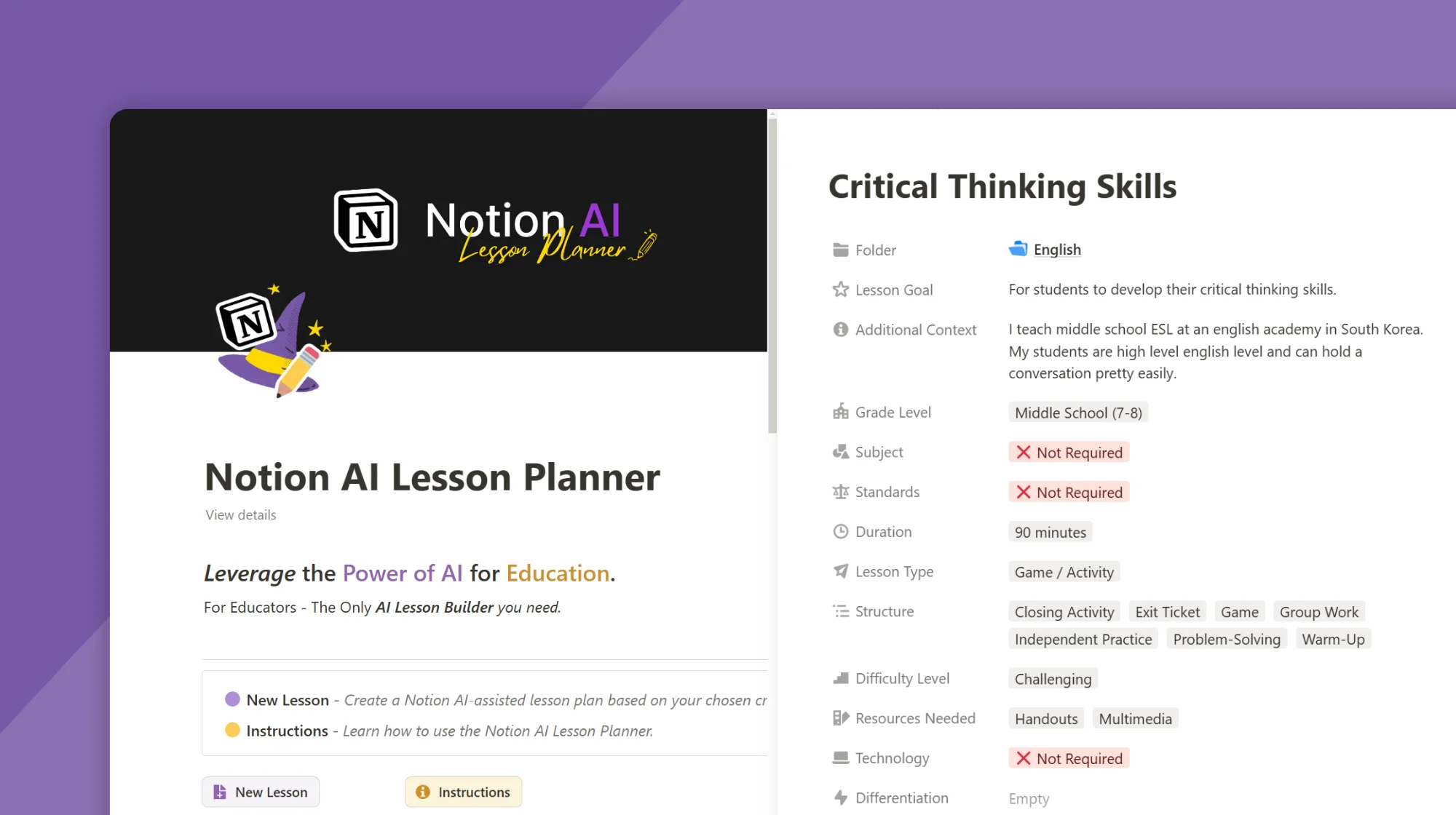
This ability to understand page properties allows us to create incredibly unique tools, like our very own AI-powered lesson builder.
Thinking of creative ways to engage our students with all the time/resource/skill constraints is now a thing of the past.
Let me show you how to use Notion AI to build custom lesson plans.
Still grading everything by hand?
EMStudio is a free teaching management app — manage your classes, students, lessons, and more!
Learn More

Still grading everything by hand?
EMStudio is a free teaching management app — manage your classes, students, lessons, and more!
Learn More
Table of Contents
Step 1: Download AI Lesson Planner
To begin, duplicate the Notion AI Lesson Planner to your workspace. You can download the template below 👇

Step 2: Create a New Page
Create a new page and give your lesson a title. You'll notice that there are many different properties related to your lesson.

Step 3: Select Lesson Properties
Based on the properties you choose, this will help shape your lesson plan. You can select things like Grade Level, Subject, Standards, and even the entire Lesson Design.

Step 4: Update the AI Auto-Fill
Now that we have chosen our lesson properties, click on the "Update ✨" button for Summary and Outline. Here you can check the lesson plan before it's built.
If you don't like the outline, you can always Update it again, or modify it yourself.

Step 5: Generate Lesson Plan
This is where the magic happens ✨.
Once you are finished setting the properties, you must click Generate in the AI box on the page.
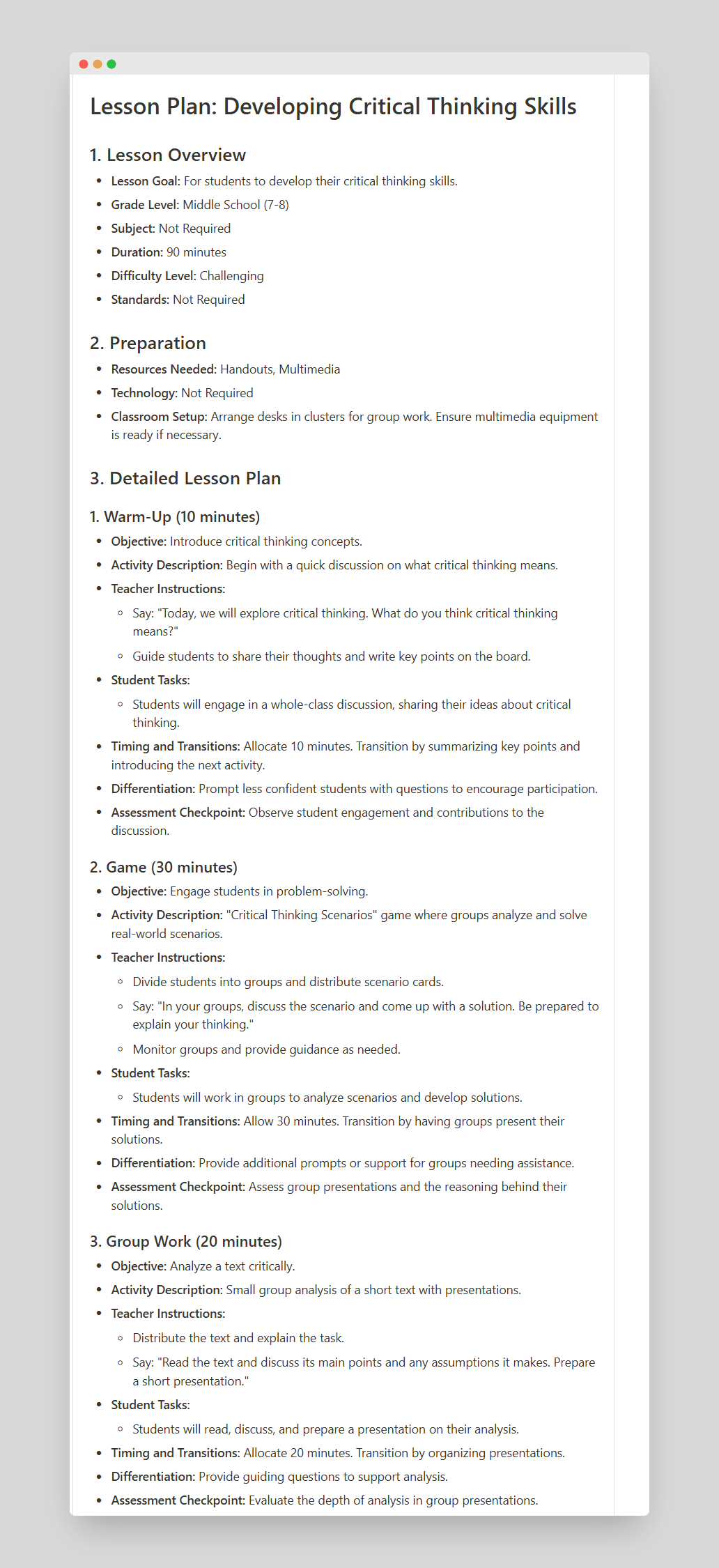
This will produce a finished version of your Lesson Plan outline based on the properties you have set.

Step 6 (Optional): Ask Notion AI to Make Changes
After the outline has been produced, you can select different parts of the outline and have Notion AI add extra details, change the tasks, or do anything you would like.
This is how you can take a good lesson outline and make it excellent!

It's that easy!
Honestly, I've been messing around with this for hours and some of the content ideas it creates are astonishing!
You can download the Notion AI Lesson Planner here 👇
Let me know if you have any questions using the Contact Form,
Happy lesson planning! 😃
Milo
Step 1: Download AI Lesson Planner
To begin, duplicate the Notion AI Lesson Planner to your workspace. You can download the template below 👇
Step 2: Create a New Page
Create a new page and give your lesson a title. You'll notice that there are many different properties related to your lesson.
Step 3: Select Lesson Properties
Based on the properties you choose, this will help shape your lesson plan. You can select things like Grade Level, Subject, Standards, and even the entire Lesson Design.
Step 4: Update the AI Auto-Fill
Now that we have chosen our lesson properties, click on the "Update ✨" button for Summary and Outline. Here you can check the lesson plan before it's built.
If you don't like the outline, you can always Update it again, or modify it yourself.
Step 5: Generate Lesson Plan
This is where the magic happens ✨.
Once you are finished setting the properties, you must click Generate in the AI box on the page.
This will produce a finished version of your Lesson Plan outline based on the properties you have set.
Step 6 (Optional): Ask Notion AI to Make Changes
After the outline has been produced, you can select different parts of the outline and have Notion AI add extra details, change the tasks, or do anything you would like.
This is how you can take a good lesson outline and make it excellent!
It's that easy!
Honestly, I've been messing around with this for hours and some of the content ideas it creates are astonishing!
You can download the Notion AI Lesson Planner here 👇
Let me know if you have any questions using the Contact Form,
Happy lesson planning! 😃
Milo
Still grading everything by hand?
EMStudio is a free teaching management app — manage your classes, students, lessons, and more!
Learn More
Still grading everything by hand?
EMStudio is a free teaching management app — manage your classes, students, lessons, and more!
Learn More




Notion4Teachers
Notion templates to simplify administrative tasks and enhance your teaching experience.



2026 Notion4Teachers. All Rights Reserved.
Notion4Teachers
Notion templates to simplify administrative tasks and enhance your teaching experience.
2026 Notion4Teachers. All Rights Reserved.
Notion4Teachers
Notion templates to simplify administrative tasks and enhance your teaching experience.
2026 Notion4Teachers. All Rights Reserved.