
Automating Admin Work Without Losing Your Teaching Judgment

Still grading everything by hand?
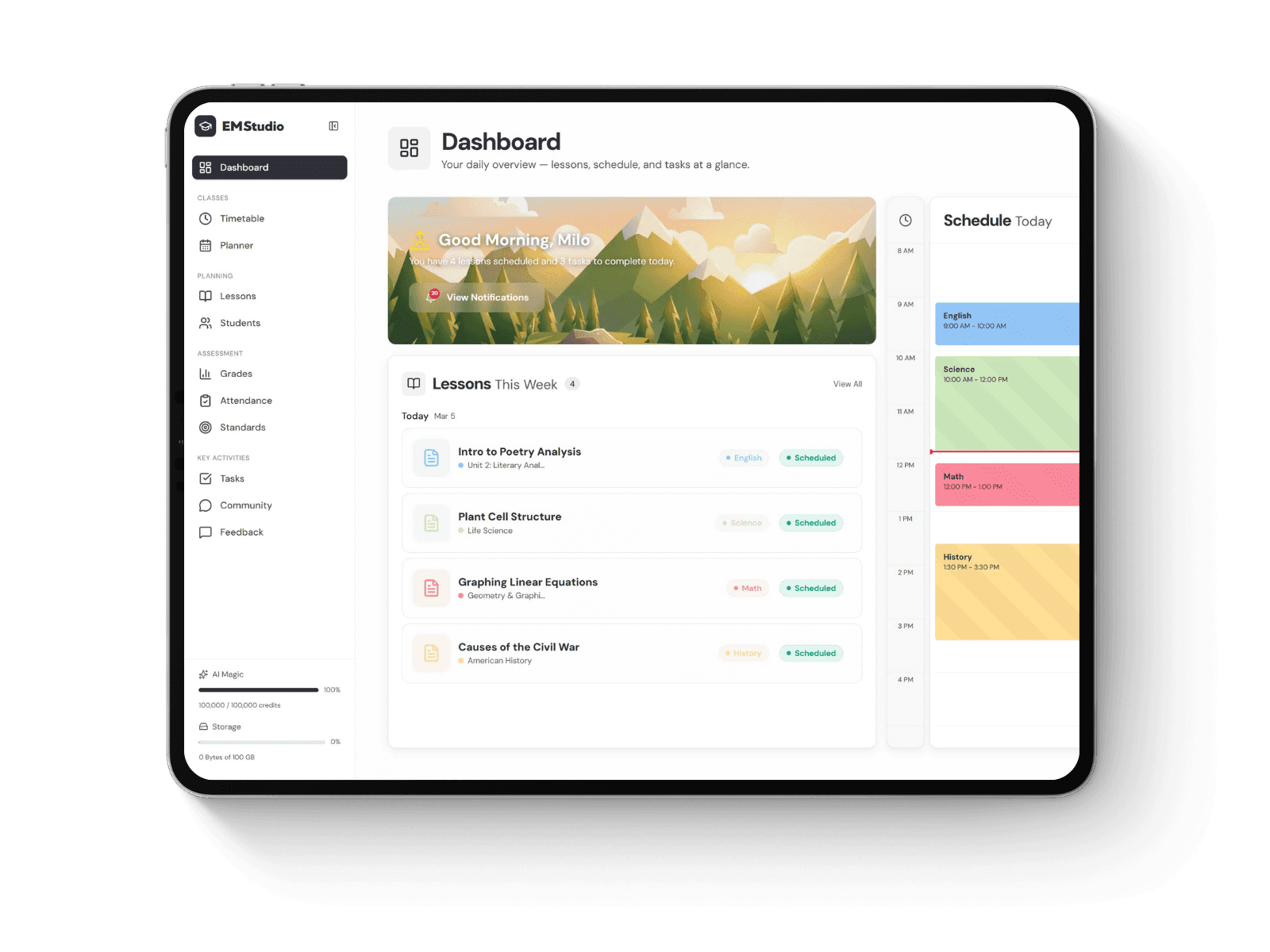
EMStudio is a free teaching management app — manage your classes, students, lessons, and more!
It's 9:40 on a Sunday night, and the lesson plan is finished. Still waiting: the late-work tracker, three parent emails, a permission-slip tally for Thursday's field trip, and next week's objectives copied onto the board template. None of it needs a teaching credential. All of it is eaten in the evening.
If your week runs out of a Notion workspace, you know this split well. Planning feels like the job. The admin around it feels like a tax on the job, and that tax is what you should hand to templates, database rules and the occasional AI tool.
Before you buy or build anything, adopt one rule. Automate the weekly homework reminder, but keep the decision about whether a sudden grade drop calls for a parent phone call. Repeatable tasks go to the system. Calls that depend on context stay with the person who knows the kid. That division of labor is the core idea behind business IT automation where human expertise meets automation, and it fits a classroom almost exactly.
Where teacher admin time actually goes
Most admin work falls into four buckets: communication, record-keeping, logistics and reformatting. Reformatting is the sneaky one. It means retyping the same unit outline into a slide, a newsletter and a sub plan, and it rarely feels like work until you add up the minutes.
To find your own numbers, log one ordinary week. Write down every non-teaching task that runs over ten minutes. Most teachers who try this find two or three recurring jobs behind most of the drag: attendance follow-ups, say, or rebuilding the same weekly agenda from scratch.
Fixing those jobs pays off in measurable hours. According to the Walton Family Foundation, teachers who use AI tools at least weekly save an average of 5.9 hours per week, which adds up to about six full weeks over a school year.
Measure | Figure | What it means for your planning |
|---|---|---|
Weekly time saved by regular AI users | 5.9 hours per week | Close to a full workday returned each week |
Time reclaimed over a school year | About six weeks | The gain compounds when the habit is steady |
Teachers using AI at least weekly | 32% | The group that sees the largest savings |
Teachers not using AI at all | 40% | Savings are spread unevenly across the profession |
The savings come from using a tool every week. Owning one does nothing.
What drives the cost of automating classroom admin
The price tag is the smallest cost. A template is a one-time purchase. AI subscriptions bill monthly and add up quietly, especially if you stack two or three tools that do the same thing.
Setup time is the real expense. Building a student database for 120 kids, with linked assignments and a grade formula, can eat a full Saturday afternoon if you start from a blank page. Worth it if you use it for four years. A waste if you abandon it by October.
Then comes maintenance and risk. Automations break when a district changes its gradebook export. AI tools raise a privacy question too: any tool that touches student names or grades has to be on your district's approved list under FERPA and California's student privacy rules. Check before you paste a roster into a chatbot.
Where spending pays off and where you can economize
Money spent on structure tends to earn its keep. A ready-made planner that already links lessons, students and classes skips the blank-page afternoon entirely, and if that's the setup you're weighing, you can learn more about how one is organized before deciding. What you're buying is someone else's trial and error.
Almost everything else can be done cheaply. Notion's recurring templates, database buttons and filtered views are free and cover more routine work than you'd expect. Before paying for anything new, see whether one of these does the job:
Set a recurring template so each Monday's agenda page builds itself with your standing sections.
Add a button that creates a parent-contact log entry with the date and student already filled in.
Build a filtered view showing only missing assignments older than five days.
Use a status property on field-trip forms so the permission tally counts itself.
Paid AI earns its fee on drafting: first versions of newsletters, rubric language, differentiated reading passages. It rarely earns it on essay grading, where checking its judgment eats most of the time you saved.
Keeping your teaching judgment in the loop
Here is the Sunday-night rule in practice. A formula flags any student whose average drops ten points in two weeks. The flag is automatic. What happens next is not.
Maya's drop, you see, came from one missing lab she already turned in late, so a quick hallway check-in is enough. Jordan's drop lines up with three absences and a quiet week in class, and that one gets a phone call home. No formula can tell those two apart, because the difference lives in what you noticed during the fourth period.
Writing works the same way. Let an AI draft the parent email, then rewrite the opening line yourself, since that's the sentence a family reads for tone. Let a template schedule the homework reminder, but decide each week whether a struggling group needs an extension instead of a nudge.
Run every new automation past one question: if it gets the task wrong, will a student feel it? If so, the tool can prepare the work. You make the call.
This week, pick the most boring task from your time log and automate only that one. Run it for three weeks and count the minutes it gives back. Then decide whether the next task earns a paid tool or a free button.
Still grading everything by hand?
EMStudio is a free teaching management app — manage your classes, students, lessons, and more!